
My Twitter bookmarks used to be my comfort zone. Every time I saw a useful thread, a video I wanted to watch later, a smart quote, or a product I wanted to remember, I hit "Bookmark". It felt harmless until I realized I had saved so many tweets that I couldn’t even scroll back to the beginning anymore.
At some point, I stopped using my bookmarks completely because they turned into a giant pile of random content. I needed a clean start. I needed to unbookmark everything.
And that’s exactly where the problems started.
Twitter still doesn’t give us a built-in way to bulk delete or unbookmark saved tweets. You have to remove them one by one, which becomes impossible if you’ve been bookmarking actively for months or years. That’s when I started searching for a smarter way to clear everything.
 Arif Akdogan
Why I Needed to Unbookmark Everything
I used bookmarks the way some people use Notes apps: a place to save ideas, inspiration, tools, tutorials, and random reminders. Over time, it became a second brain but a very messy one.
When I finally wanted to organize everything and start fresh, I realized I’d saved hundreds of tweets without ever revisiting them. Manually unbookmarking all of them would take hours.
That’s when I knew I needed a bulk solution, something Twitter simply doesn’t offer.
Twitter’s Limitation: No Bulk Unbookmark Option
Here’s the issue:
- You can bookmark any tweet.
- You can view your bookmarks easily.
- You can remove a bookmark—but only one at a time.
❗ What you cannot do is to unbookmark everything at once.
No “Select All.”
No “Delete All.”
No filters.
Nothing.
For someone trying to clean up their saved tweets, this is a serious limitation.
The Solution: Unbookmark Everything with Circleboom Twitter
To fix this, I used Circleboom Twitter, an official X Enterprise Customer that offers advanced tools for managing your account safely.

Circleboom has a dedicated Delete Bookmarks feature that lets you:
✅ View all your bookmarked tweets in one place
✅ Sort or filter them by date, keyword, language, media type, engagement metrics, and more
✅ Export them if you want a backup
✅ And most importantly…
✅ Unbookmark everything in one click
No scrolling. No manual deleting. No wasted time.
Circleboom handles the unbookmarking process automatically and safely, working within Twitter’s API limits so your account isn’t at risk.
How to Unbookmark Everything on Twitter (Step-by-Step)
Here’s exactly how I cleared all my bookmarks in minutes:
Step #1: Log In to Circleboom Twitter
Go to the Circleboom Twitter website and log in with your credentials. If you’re a new user, sign up—it’s quick and easy!

Step #2: Go to your Bookmarks
In the left-side menu, click on “My Tweets & Lists” and then select “Delete Bookmarks” from the dropdown.

Step #3: View and Manage Your Bookmarks
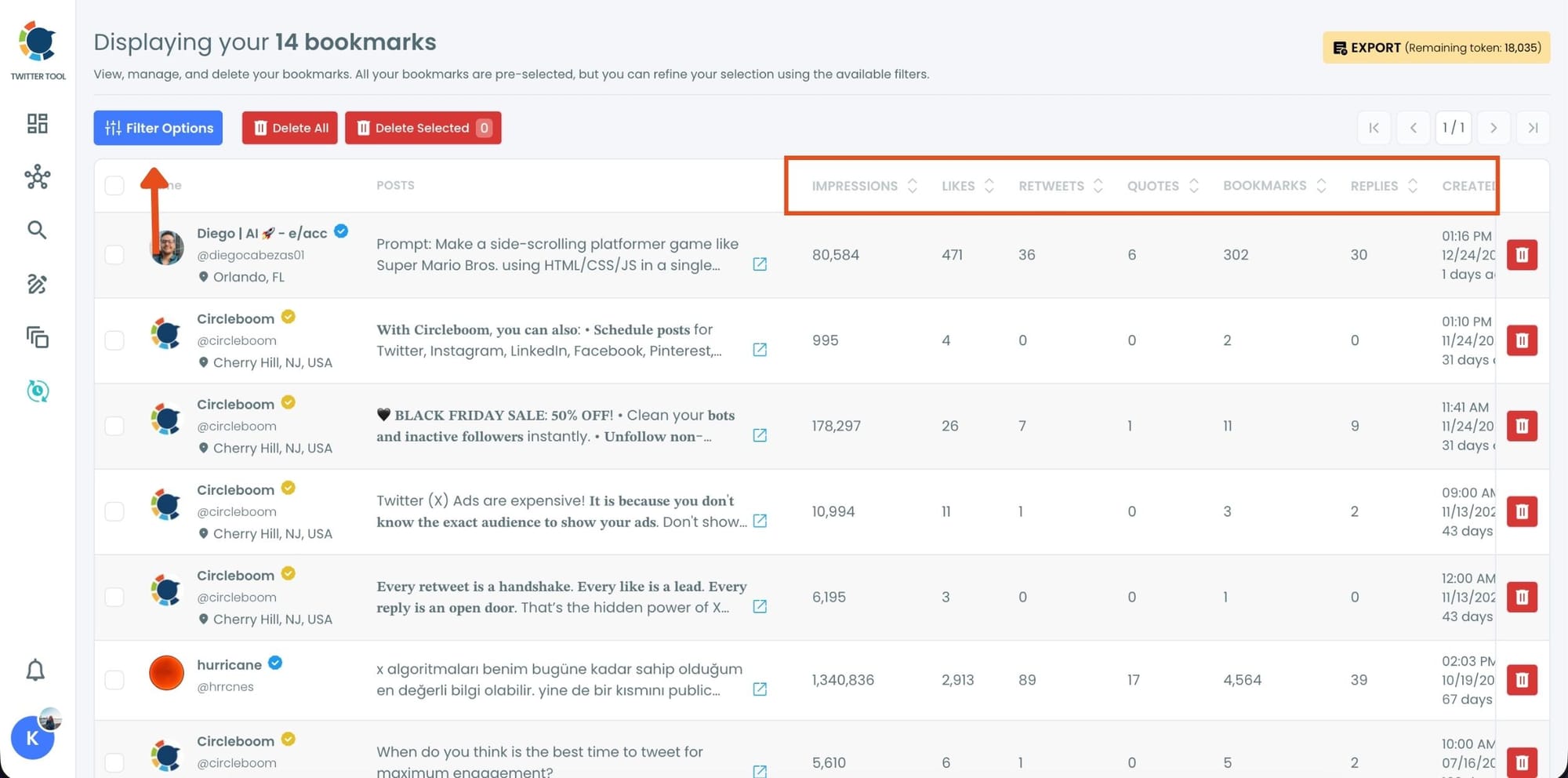
After opening the "Delete Bookmarks" section, you'll see all your saved tweets.
The page will display essential details such as likes, retweets, replies, and impressions for each bookmarked tweet.
This allows you to filter, organize, and select bookmarks for export.
Step #4: Use Filters to Find Specific Bookmarks
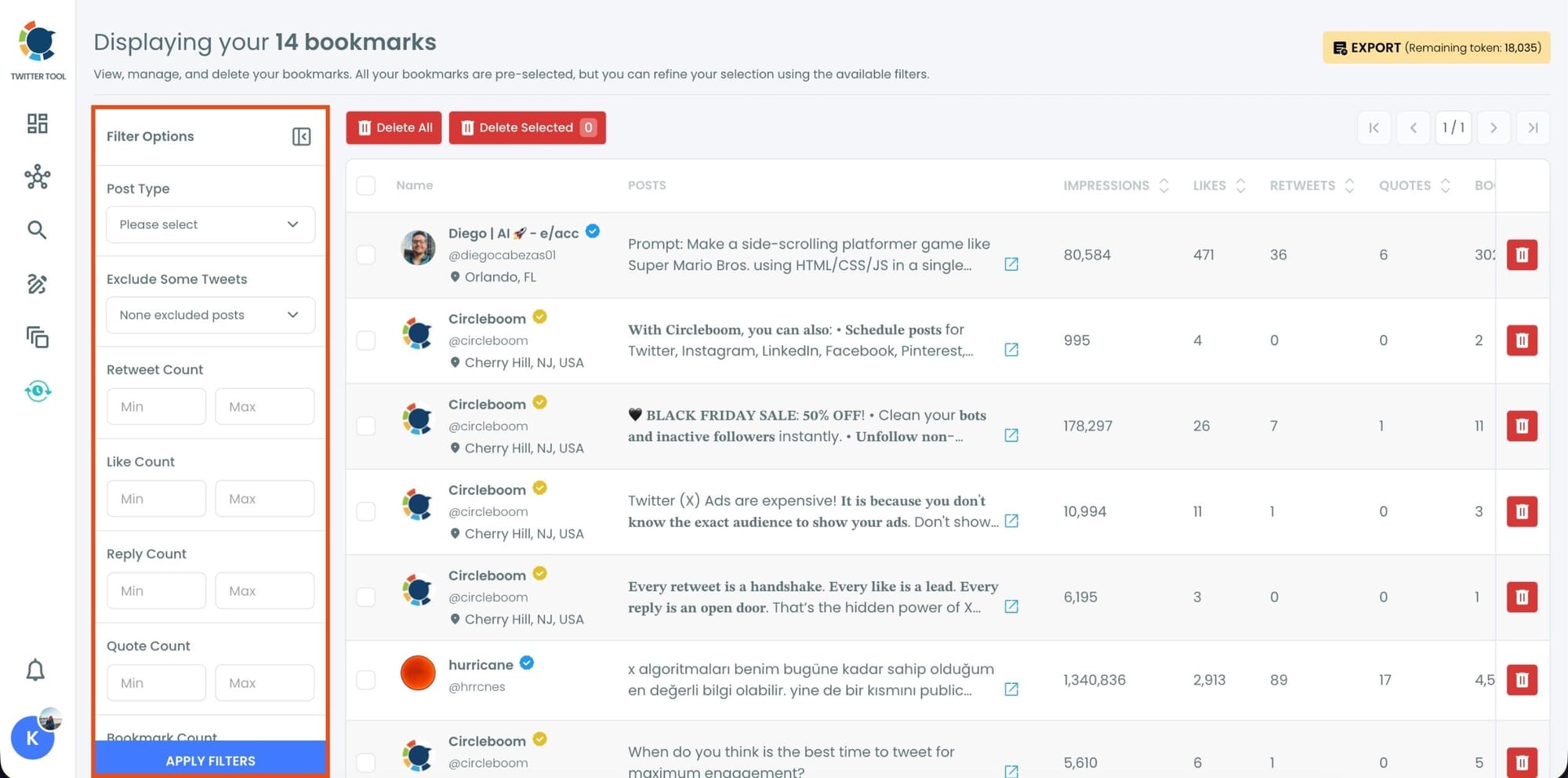
Click on “Filter Options” on the right side of the screen.
You can refine your bookmarks based on engagement (likes, retweets, impressions), date, language, and tweet type (posts, replies, or reposts).
Step #5: Delete Selected Bookmarks
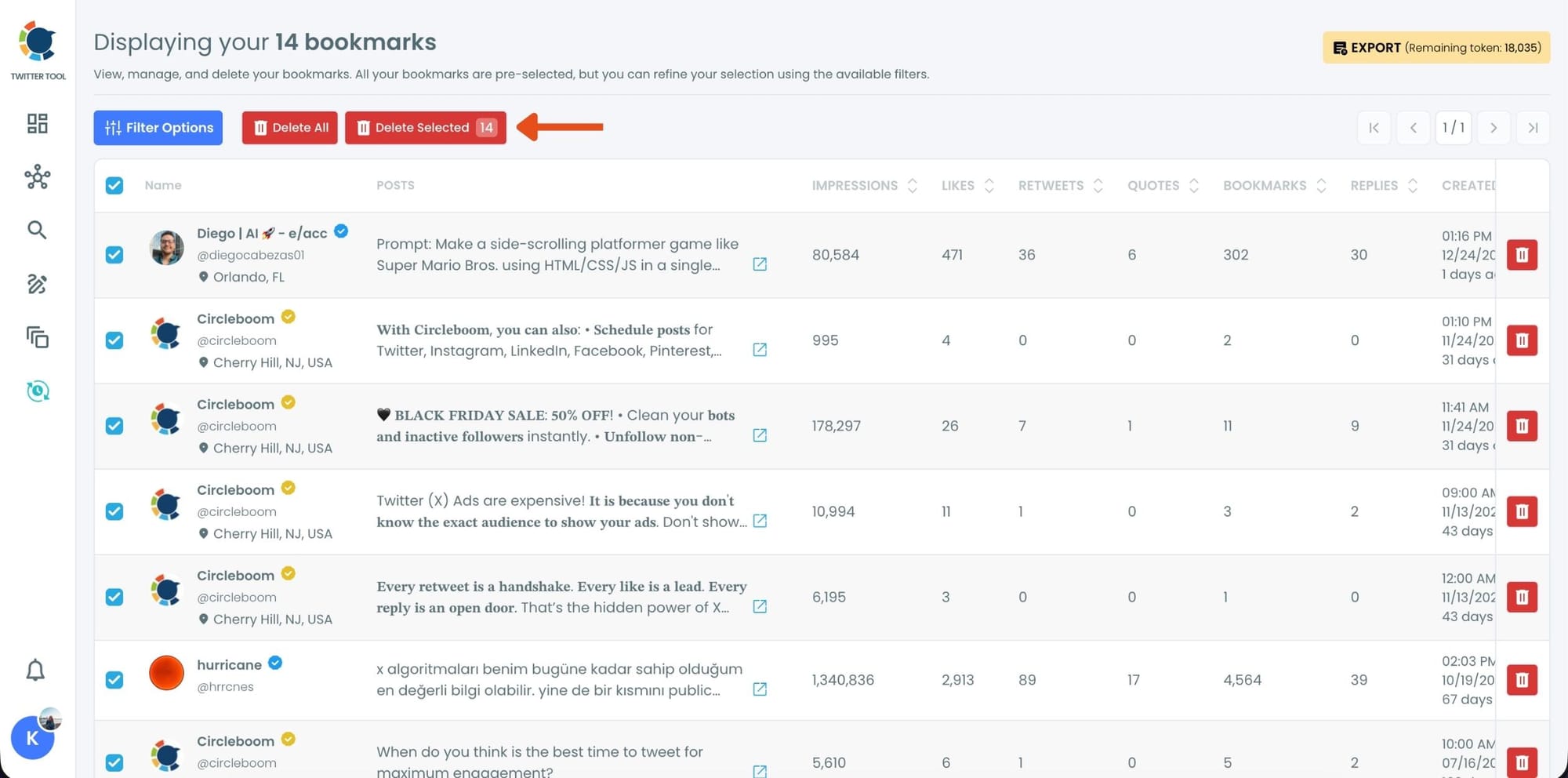
Check the box next to the tweets you want to delete or click "Select All" for a full cleanup.
Click the "Delete Selected" button to remove them.
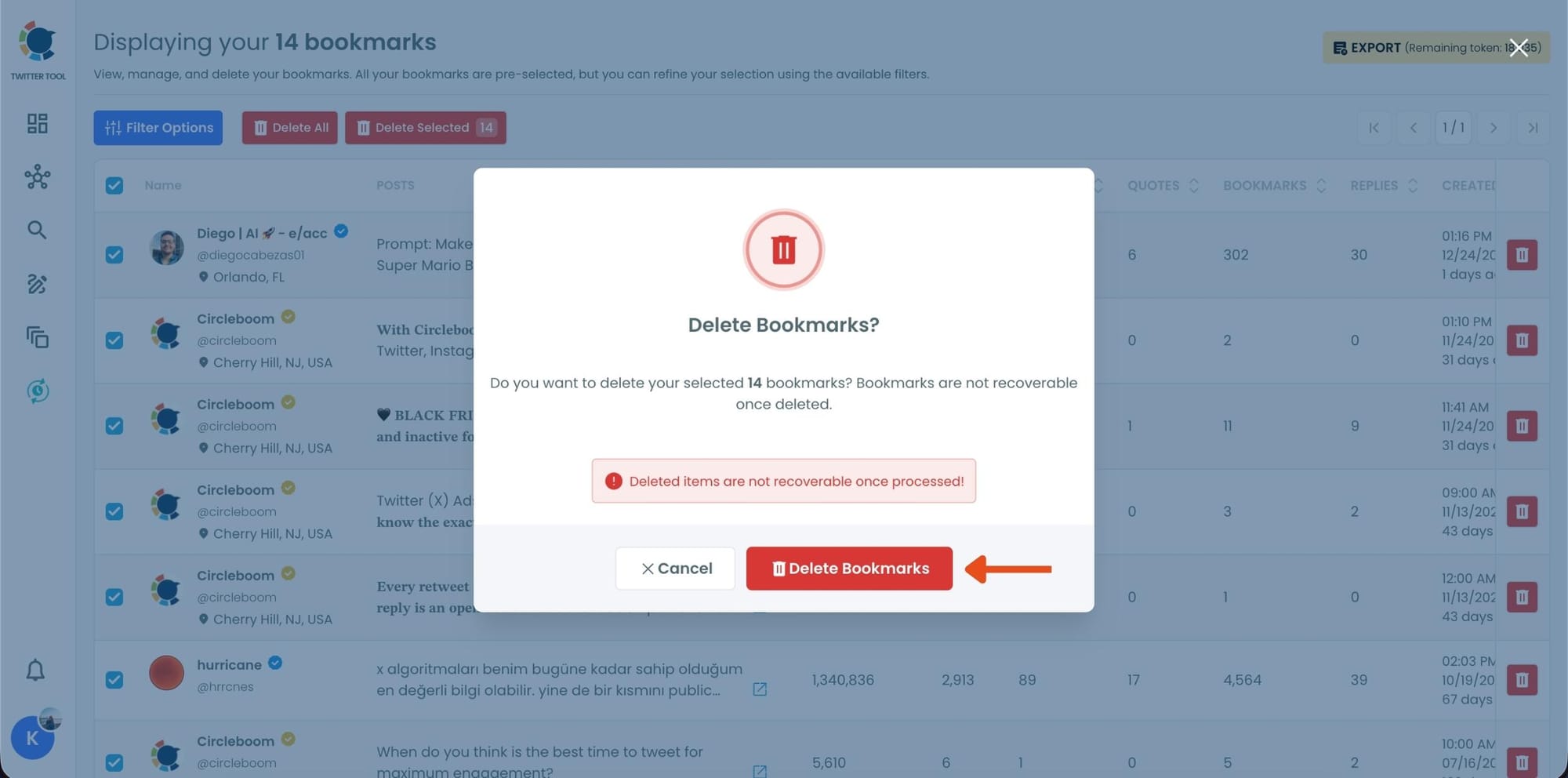
Step #6: Confirm and Delete Your Bookmarks
A confirmation pop-up will appear, warning that deleted bookmarks cannot be recovered.
Click “Delete Bookmarks” to finalize the process.
Why Circleboom Is the Best Way to Unbookmark
After using it myself, here’s why I recommend it:
- You can unbookmark everything instantly
- It’s safe. Circleboom is an official Twitter/X partner.
- You can filter bookmarks before deleting
- You can export bookmarks if needed
- It saves hours of manual work
- It works even if you have thousands of saved tweets
Instead of scrolling endlessly and unbookmarking one tweet at a time, Circleboom turns the entire process into a single, clean action.
Final Thoughts
If your Twitter bookmarks have become overwhelming or you want to start fresh, the fastest and safest method is using Circleboom Twitter’s Bookmark Manager. It helped me unbookmark everything in minutes and finally reset my entire saved-tweet space.
If you're ready for a clean slate, Circleboom is the simplest way to get there.
)
