Anyone spending real time on X can spot an AI-generated tweet within a few seconds. Same rhythm. Same hollow opener. Same vague confidence about nothing in particular. It's not that AI is bad at writing. It's that most AI tools write from a blank slate with zero context about who you are, how you talk, or what your audience expects.
So the output sounds like everyone else using the same tool.
The real fix is an AI that learns from your history before it writes anything. Circleboom Twitter's AI writer analyzes your past tweets, reads your followers' interests, and uses the preferences you set during onboarding to generate content that actually sounds like you wrote it, then lets you schedule it from the same platform.
Why AI Tweets Sound Robotic in the First Place
Most AI tools start from nothing. No knowledge of how you write. No awareness of your niche. No sense of what your specific audience responds to. The output defaults to whatever pattern the model has seen most often, which is why AI tweets tend to share the same energy regardless of who supposedly wrote them.

The giveaways are consistent:
- Predictable opener structures that feel like a LinkedIn post from 2019
- Motivational framing applied to every topic regardless of context
- No niche-specific language or references the community actually uses
- Too polished, too even, no natural personality
- Could have come from any account in any industry
- Over useage of unrelated emojies
 Arif Akdogan
How Do You Use AI for Tweets Without Sounding Like a Robot?
The fix is giving the AI the right inputs before it writes anything: your past tweets, which carry your tone and sentence rhythm; your followers' interests, which shape what the content should actually be about; and your stated preferences from onboarding, which set the direction from the start.
When all three are present, the output stops being generic and starts being yours.
That's exactly the logic Circleboom Twitter's X Post Planner and AI writer is built around. You can generate realistic, on-brand tweets in your own voice without starting from scratch every time.
What Is Circleboom Twitter's AI Writer?
Circleboom is an Official X (Twitter) Enterprise Developer that works directly with X's official APIs. Fully compliant, no scraping, no credential sharing.

Everything runs through the same infrastructure X authorizes for enterprise partners.
The AI writer inside Circleboom Twitter isn't a generic prompt box. It learns from your tweet history, draws on your follower interest data, and takes your onboarding preferences into account before producing anything. That's what makes the output feel different from what other tools produce.
➡️ Analyzes your past tweets to learn your tone, rhythm, and phrasing patterns
➡️ Generates content that reflects your personal voice rather than a default style
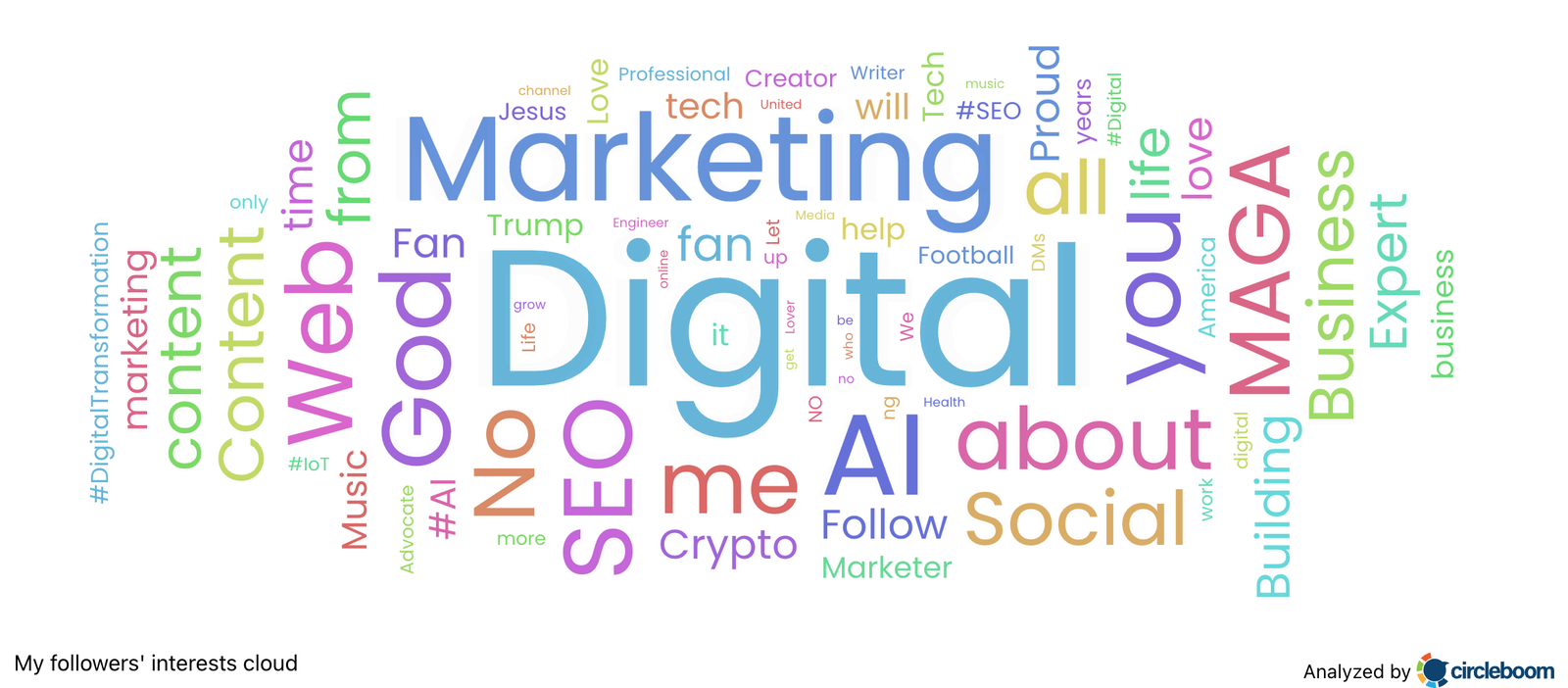
➡️ Uses your followers' interest data to shape what the tweet is actually about
➡️ Applies one-click refinements without rewriting from scratch
➡️ Schedules the finished tweet to best time to post directly from the same editor
How to Use AI for Tweets Without Sounding Like a Robot Step by Step
Step 1: Go to Circleboom Twitter’s X Post Planner
Open Circleboom Twitter and click X Post Planner + AI Writer.
Then select Write & Plan Your Post to start creating your tweet.

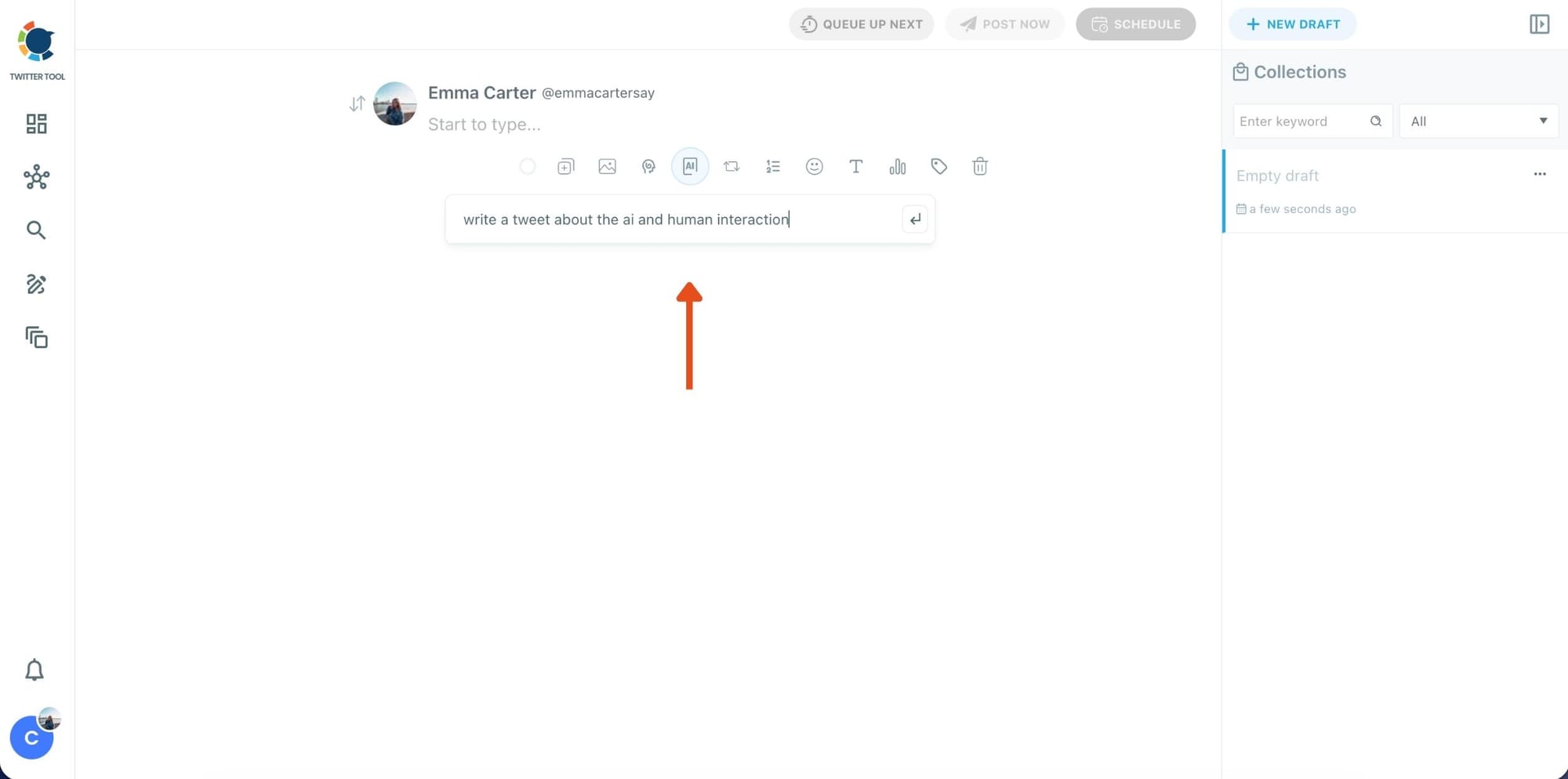
Step 2: Write your tweet (or generate one with AI)
You can type your tweet manually in the editor.
Or, if you want to move faster, click the AI option and let Circleboom generate a tweet idea for you based on your topic.
Step 3: Add an image to make the post more engaging
Once your text is ready, attach a visual to your tweet.
You can:
- Upload an image/video from your device
- Pick one from Unsplash
- Or design one instantly using Canva
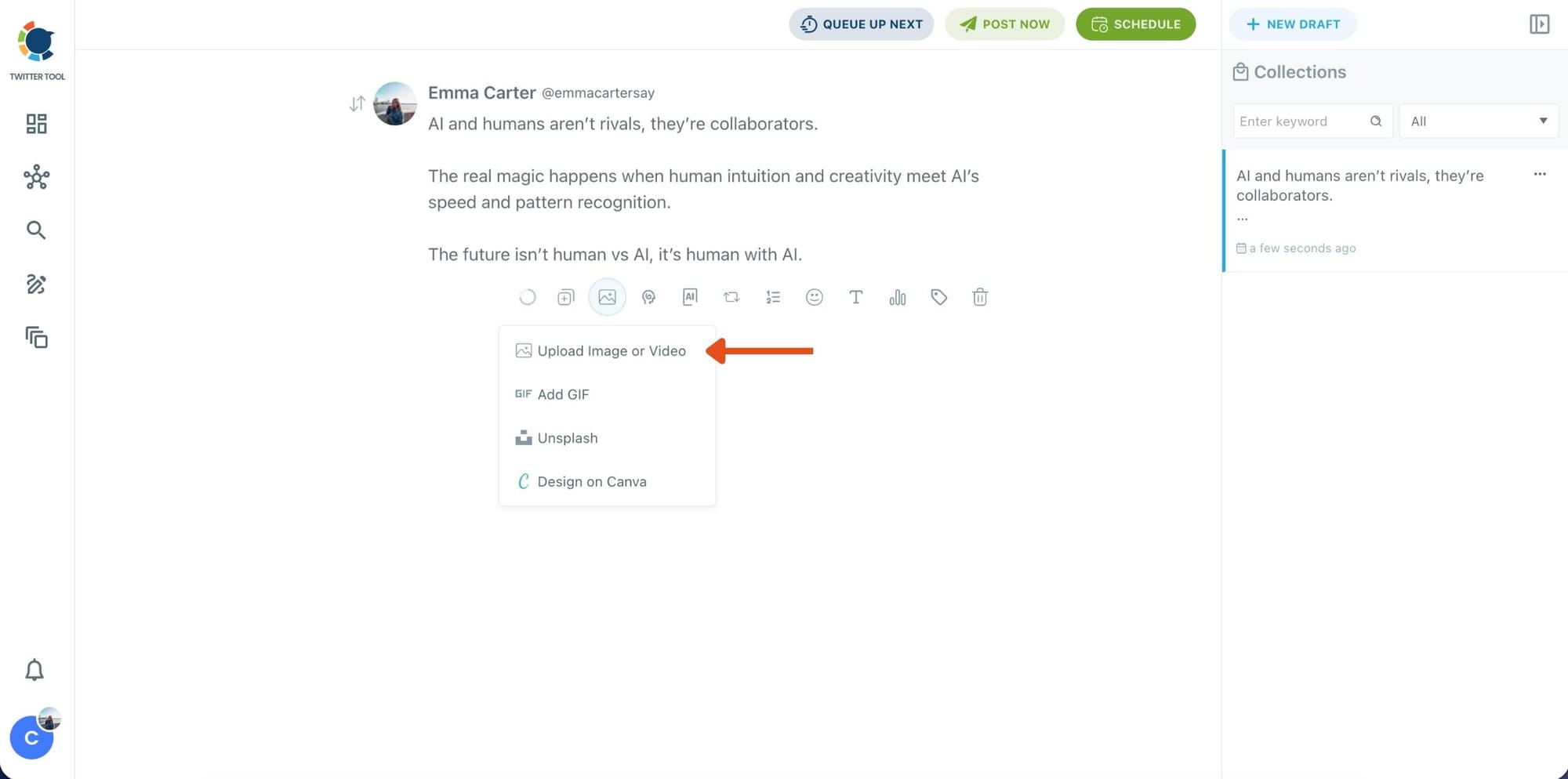
Step 4: Style your tweet using Circleboom’s Font Generator
Now it’s time to make your tweet stand out visually.
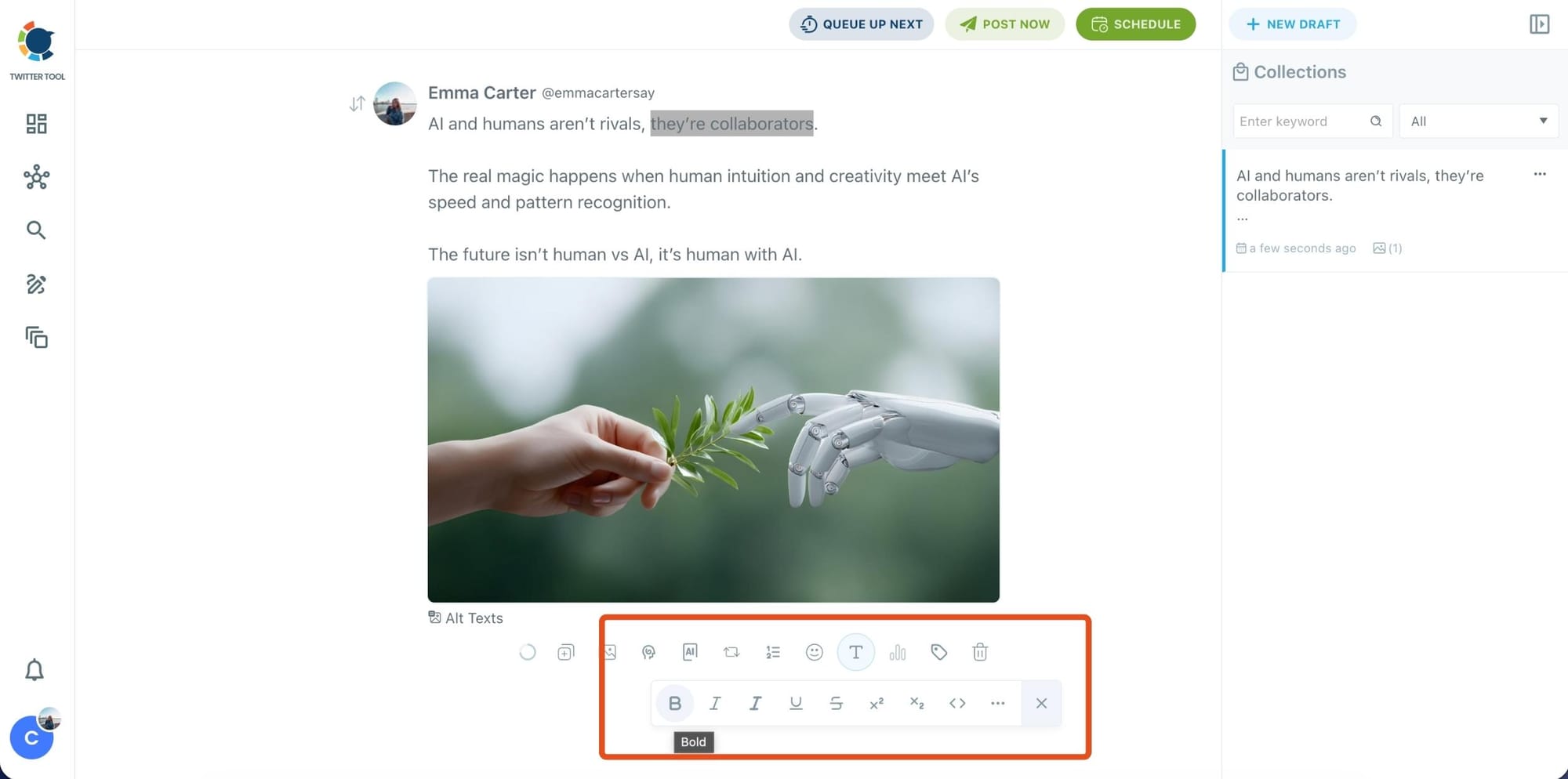
Select the part of your text you want to change, then open the Font Generator toolbar and apply styles like:
- Bold / Italic / Underline
- Different font variations
- Extra formatting options for a more “designed” look
This is perfect when you want key parts of your tweet to grab attention immediately.
Step 5: Set Auto Retweets to boost visibility
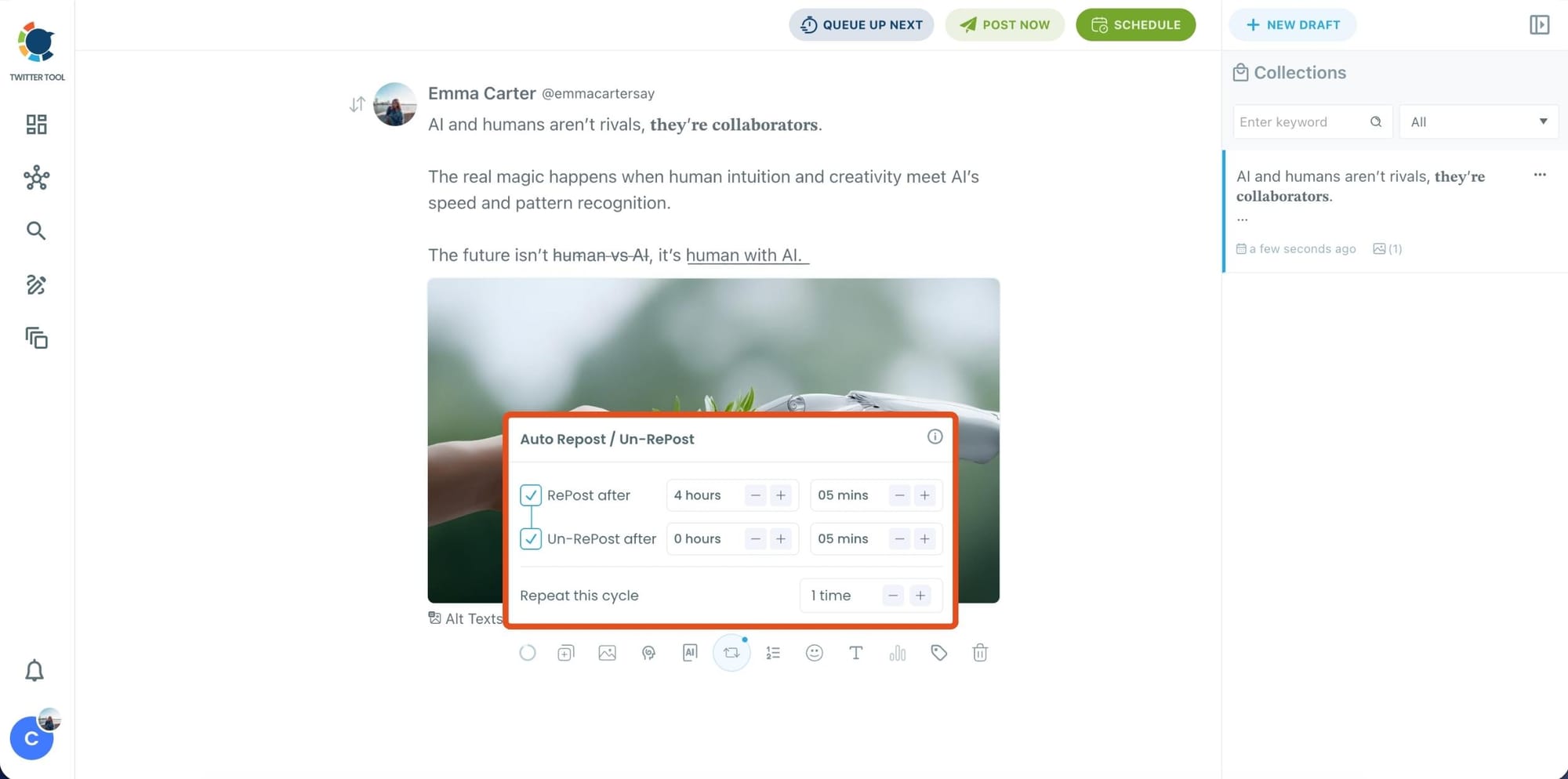
After styling your post, you can increase reach by enabling Auto Repost / Un-RePost settings.
This lets you automatically:
- Repost your tweet after a selected time
- Remove the repost later
- Repeat the cycle if you want more than one repost
It’s a smart way to bring your tweet back into the feed without manually reposting it.
Content on X has a notoriously short shelf life; if your audience isn't scrolling the second you hit 'publish,' your insights vanish into the noise. Circleboom’s Auto Retweet bridges this gap by automatically reviving your top posts, ensuring they land in front of followers regardless of their time zone.
This automation isn't just about staying active. It’s a proven growth hack that can quadruple your impressions and double your engagement. By giving your content a 'second life,' Circleboom forces the algorithm to prioritize your brand, turning every individual tweet into a 24/7 engine for reach.
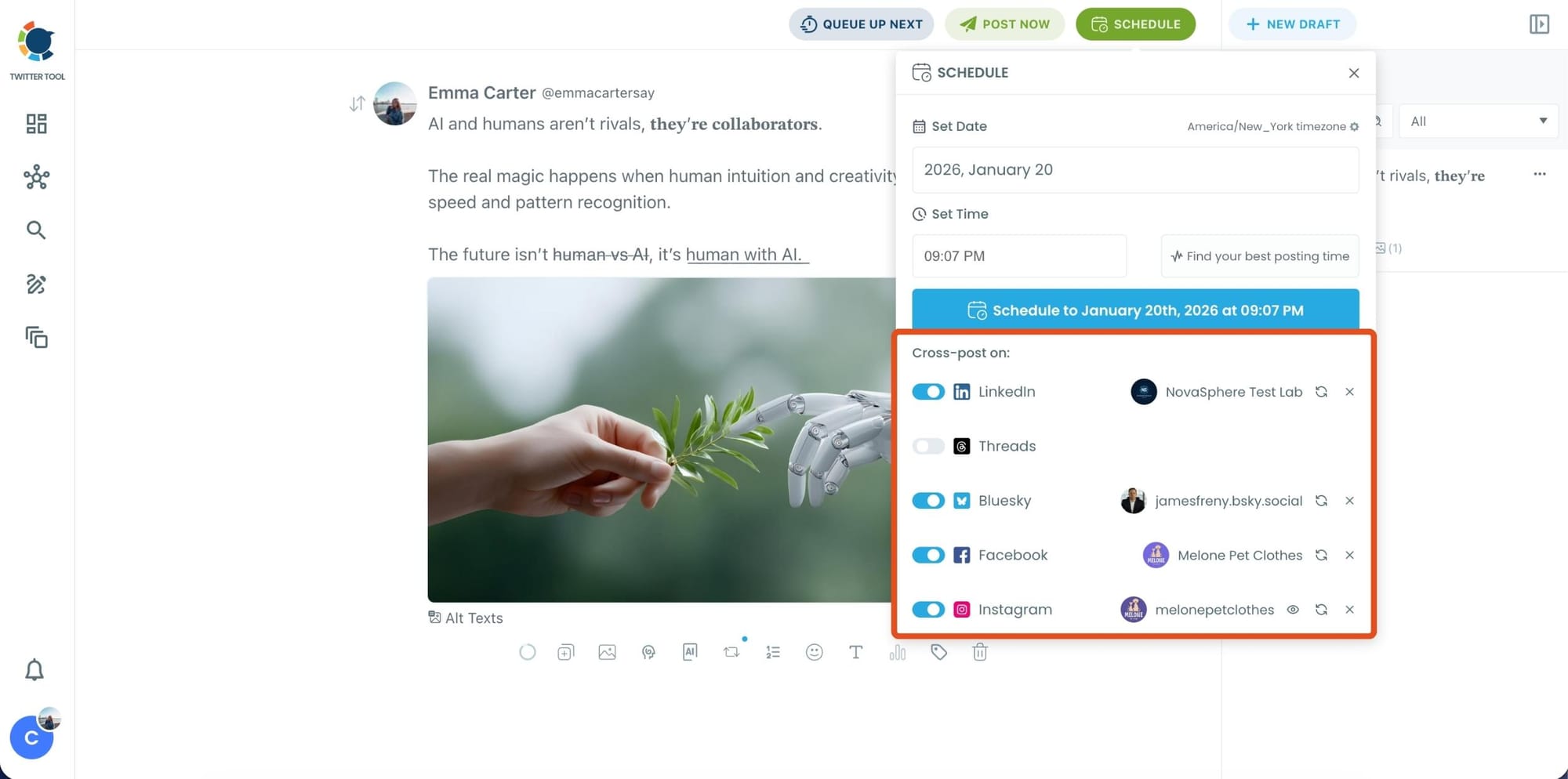
Bonus Tip: Cross-post your tweet to other platforms automatically
Before you publish, you can also enable Cross-Post to share the same tweet across multiple platforms in one go.
 Arif Akdogan
Circleboom lets you post your content to Instagram, Facebook, LinkedIn, Bluesky, and Threads automatically, so you don’t have to rewrite, re-upload, or repeat the same work on each platform.
Step 6: Schedule it for the best time to post
Finally, click Schedule and set your date and time.
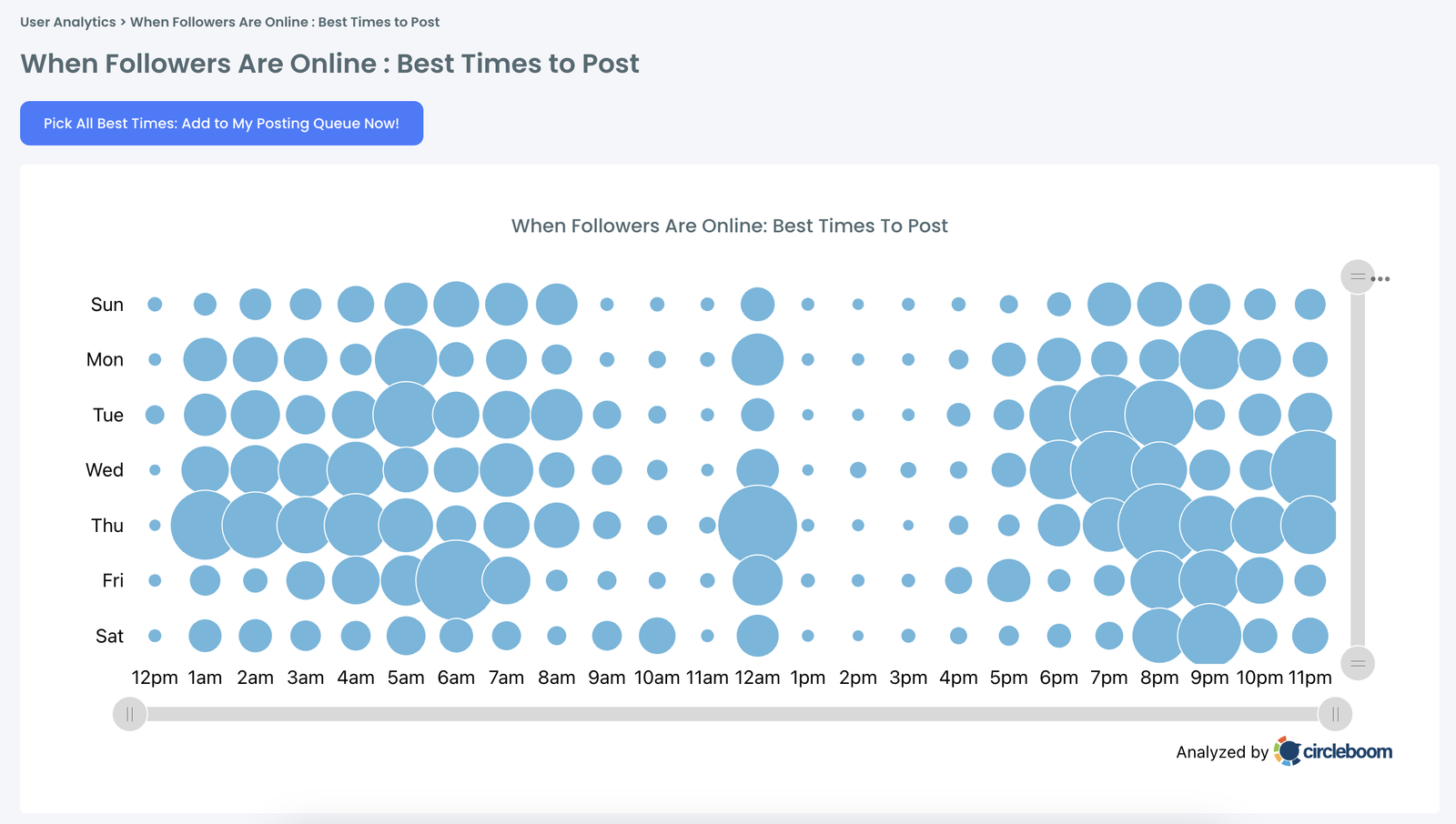
You can also click Find your best posting time to see Circleboom’s suggested time slots based on follower activity.
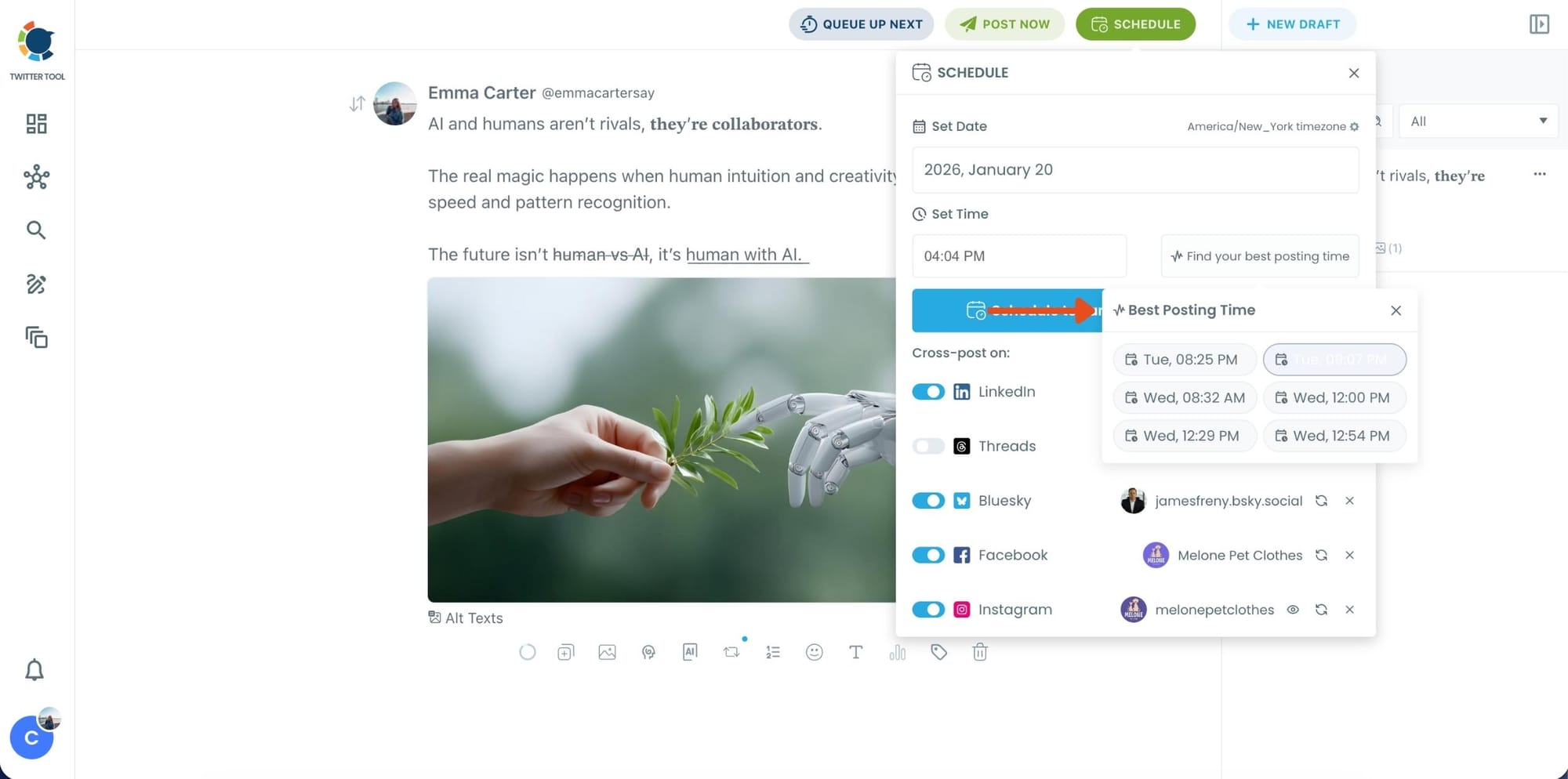
Once you pick the best option, smart-schedule it, and you’re done. Your tweet will go out at the time it has the highest chance to perform well.
The One-Click Tools That Keep Your Voice Intact
Once the AI generates a tweet, you don't have to rewrite it to make it feel right.
The built-in refinement tools let you adjust specific things without starting over.
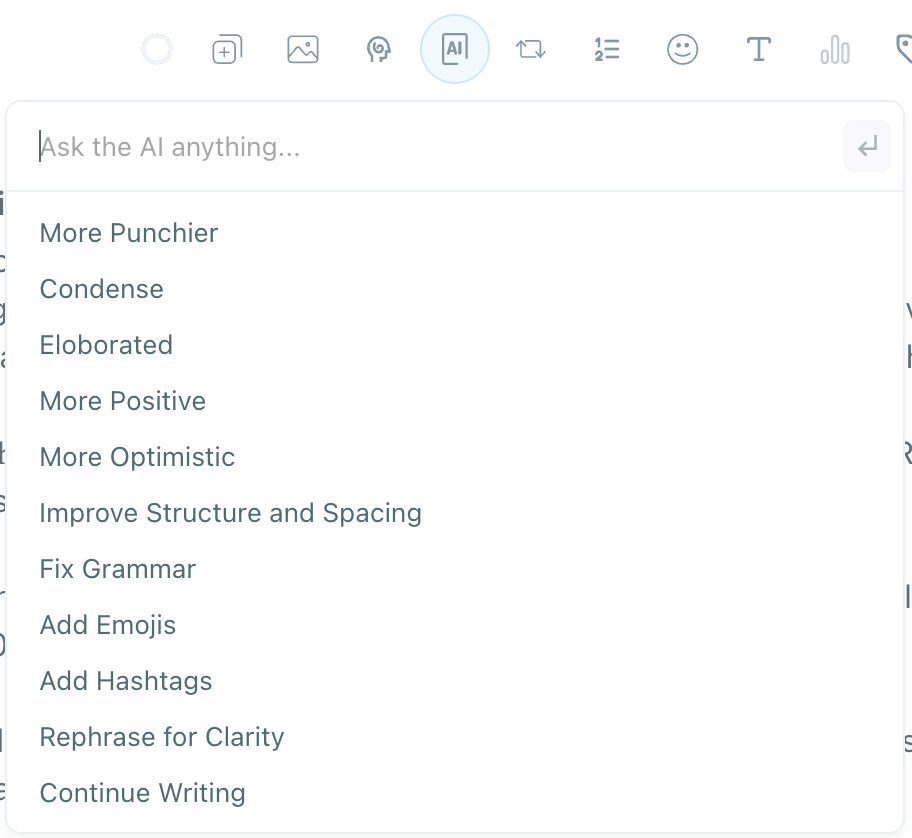
More Punchier sharpens the impact of a flat line.
Condense cuts length when the tweet is running long.
Elaborated expands a point that needs more room.
Fix Grammar cleans errors without touching the voice.
Add Emojis inserts relevant ones rather than random decoration.
Add Hashtags suggests tags based on the content.
Rephrase for Clarity rewrites a confusing line while keeping the intent.
Continue Writing extends the tweet when an idea isn't finished.
Each takes one click. The voice stays intact because the AI built the draft from your writing history, not a template.
Once it feels right, you schedule it from Circleboom Twitter's Smart Scheduler without leaving the platform.
Why Personalized AI Content Performs Better on X
When AI content is built from your own voice and aimed at your specific audience, it stops being a shortcut and starts being a genuine advantage. Here's why that matters in practice:
Authentic-sounding content earns more interaction. Audiences engage significantly more with content that feels personal and specific. Generic copy underperforms not because it's wrong but because it signals nobody really considered the reader.
Niche language builds trust fast. Every community on X has its own vocabulary and conversational norms. AI that learned from your tweets knows that language. AI that didn't produces content that reads like an outsider trying to fit in.
Consistent voice compounds into account authority. When every tweet sounds like it came from the same person with the same perspective, the account builds recognition. When tone shifts tweet to tweet because different prompts produced different output, the account feels scattered.
Less editing means more consistent posting. When the AI understands your style, the generated tweet is close to final from the start. That shortens the editing loop and makes it realistic to post consistently without burning out.
Style-matched AI scales without sacrificing quality. The hardest part of posting regularly is keeping quality up under volume pressure. AI that learned your style handles that tension by producing content that holds up without requiring a full rewrite every time.
Followers reward accounts that sound like real people. Relevance and authenticity are among the strongest predictors of meaningful interaction. A tweet that sounds like you, on a topic your audience cares about, will always outperform a polished but generic one.
Frequently Asked Questions About Using AI for Tweets
Does Circleboom's AI actually learn my writing style?
Yes. Circleboom Twitter's AI writer analyzes your existing tweet history to identify patterns in tone, sentence structure, length, and phrasing. The more tweet data is available, the more accurately the output reflects how you naturally write. The results improve over time as more content is generated and refined.
What does it analyze to understand how I write?
It looks at your past tweets to extract writing tone, sentence rhythm, typical tweet length, emoji usage, common topics, and structural patterns. It also draws on your followers' interest data and the preferences you set during onboarding. All three inputs work together to shape what the AI produces.
Can I edit what the AI generates before posting?
Yes. Every tweet the AI generates is fully editable. You can change wording, adjust tone, or use any of the one-click refinement tools before anything gets scheduled or published. Nothing goes out until you decide it's ready.
Will my followers know the tweet was AI-generated?
If the AI had enough context about your style, the output should read the same as anything you'd write yourself. The personalization layer exists specifically to remove the signals that make AI content identifiable. Niche language, consistent tone, and natural sentence rhythm are all things the AI learns from your history.
Can I write the tweet with AI and then schedule it in the same place?
Yes. The AI writer is integrated directly into Circleboom Twitter's X Post Planner, which includes full scheduling functionality. Once the tweet is where you want it, you schedule it for any date and time without switching tools.
What if the output doesn't sound right?
Use the refinement tools to fix specific things without starting over. Tone off? Try More Positive or Rephrase for Clarity. Too long? Condense it. Needs more energy? More Punchier. If none of those get it where you want, regenerate with a more specific prompt or edit the output directly. The AI is a starting point, not a locked draft.
Final Thoughts
Generic AI tools produce generic tweets because they have nothing to work from. Circleboom Twitter approaches it differently. It reads your tweet history, understands your followers' interests, and takes your preferences into account before generating anything. The result has a voice behind it because it was built from one.
Write faster, sound like yourself, and schedule everything from one place.
Start using Circleboom Twitter's AI writer today:
infocircleboom.com