A bakery posts a croissant on Monday, a sourdough on Tuesday and a coffee on Wednesday.
By Friday, nobody can tell the autumn menu from the summer one.
That is the job of an Instagram feed divider: one full row of your profile, three posts wide, that tells a visitor a new chapter starts here.
What is an Instagram feed divider?
An Instagram feed divider is a row of three posts designed as one unit, usually one image split into three tiles or three matching tiles with one word each, used to separate parts of your profile grid. Because the profile shows three posts per row, a divider fills exactly one line and reads like a section heading.
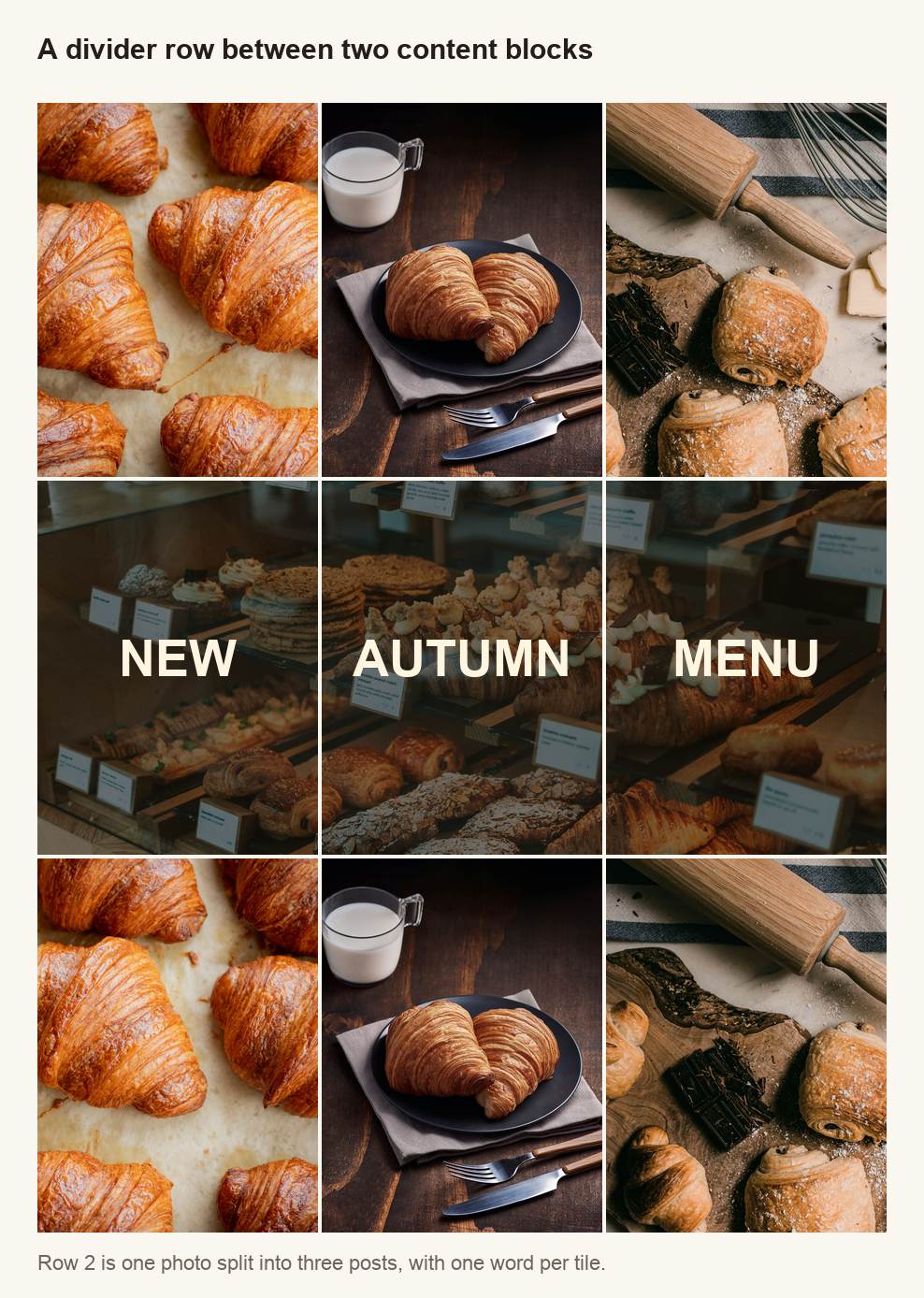
A divider row between two content blocks. Row 2 is one photo split into three posts.
Instagram feed divider size in 2026
Since early 2025 the profile grid shows every post as a 3:4 rectangle. A divider that fits perfectly is:
- Each tile: 1080 x 1440 px
- The full row: 3240 x 1440 px, cut into three
If you design in 4:5 (1080 x 1350 px) instead, the profile trims a thin strip from the left and right of each tile. Keep your words in the center of each tile and they survive either way.
9 feed divider ideas
1. One word per tile
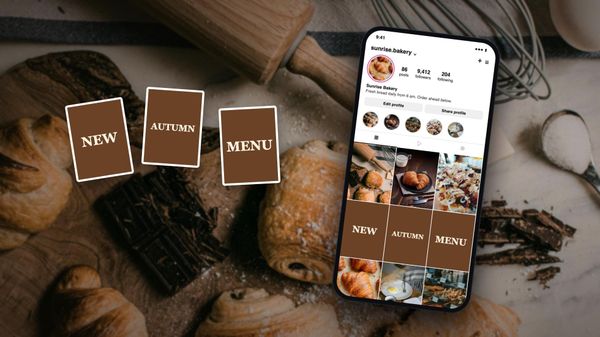
"NEW / AUTUMN / MENU." It is the cleanest divider there is, and a visitor reads it in one glance.

A one word per tile divider on a bakery profile. Profile views in this article are illustrations built with real bakery photos.
2. A photo split across the row
Take one wide photo, a display case, a shopfront, a landscape, and cut it into three. The row reads as one picture. If you need a tool for the cut, this test of six Instagram grid makers shows which ones fit today's 3:4 profile.
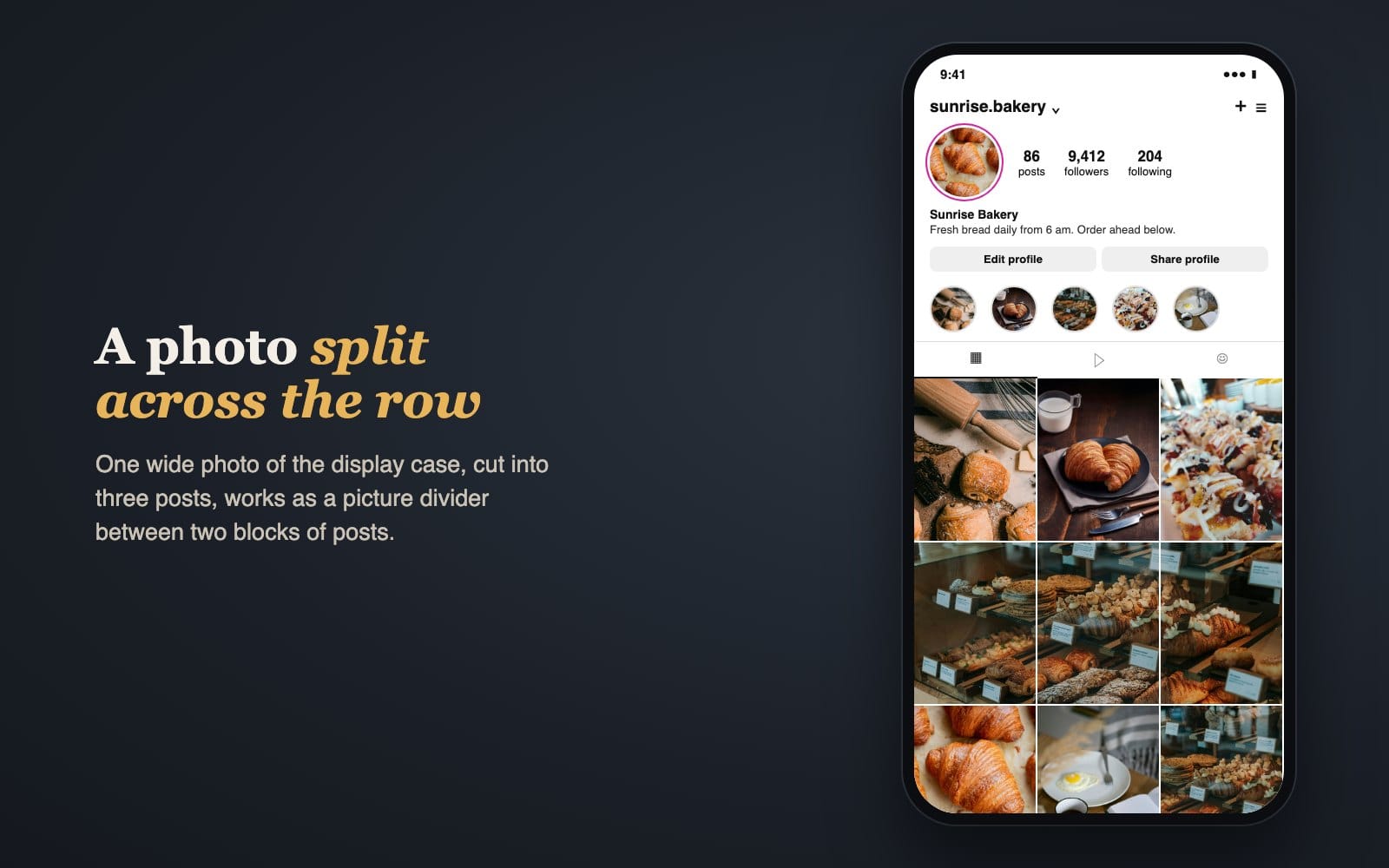
A display case photo split across one row of the profile.
3. Solid color blocks
Three tiles in your brand color with a short phrase. Cheap to make, impossible to miss.
4. A quote in the middle
Two photos on the outside, one short quote on a dark tile in the middle. It works for coaches, authors and anyone whose voice is the product.
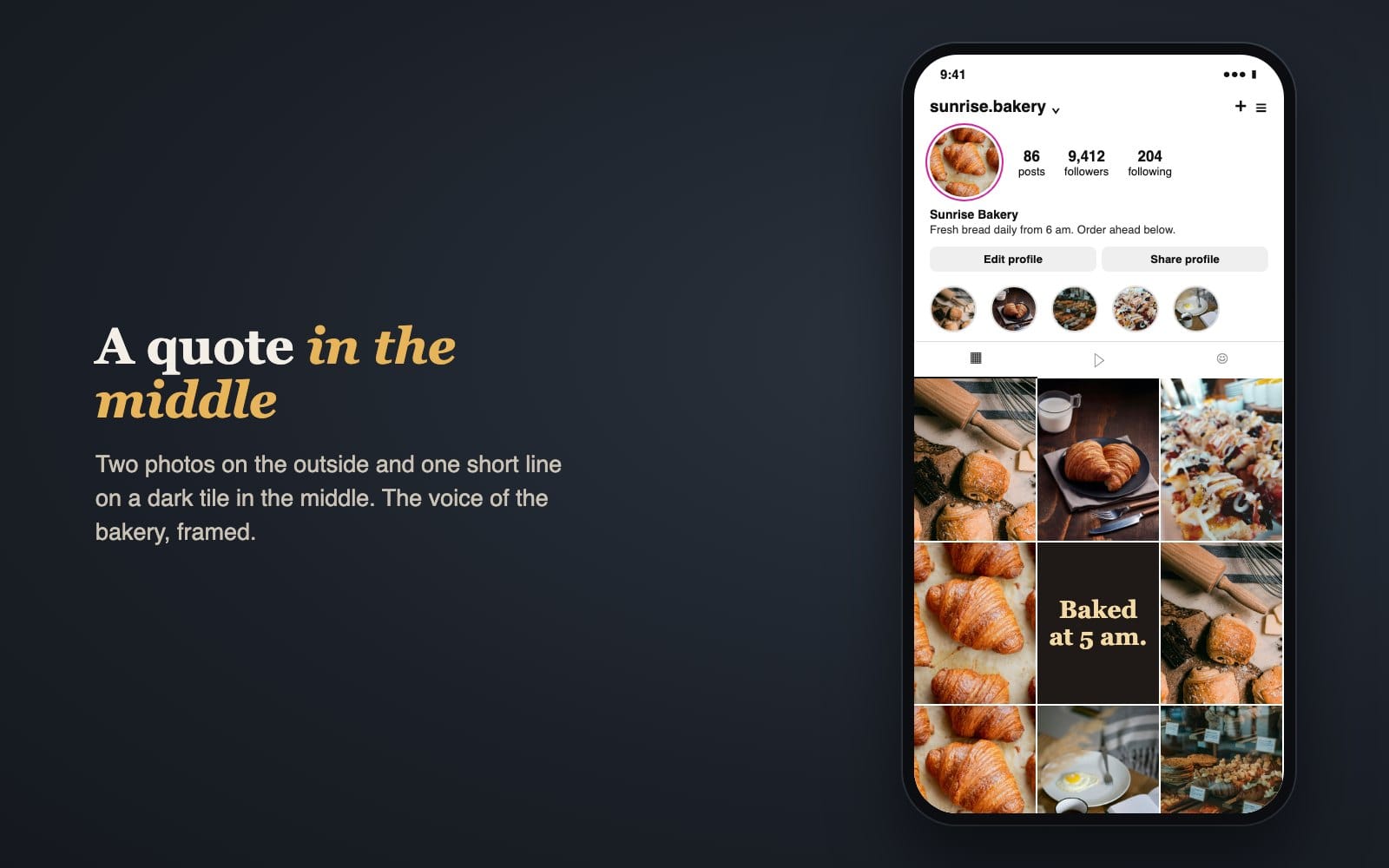
A short quote framed by two photos.
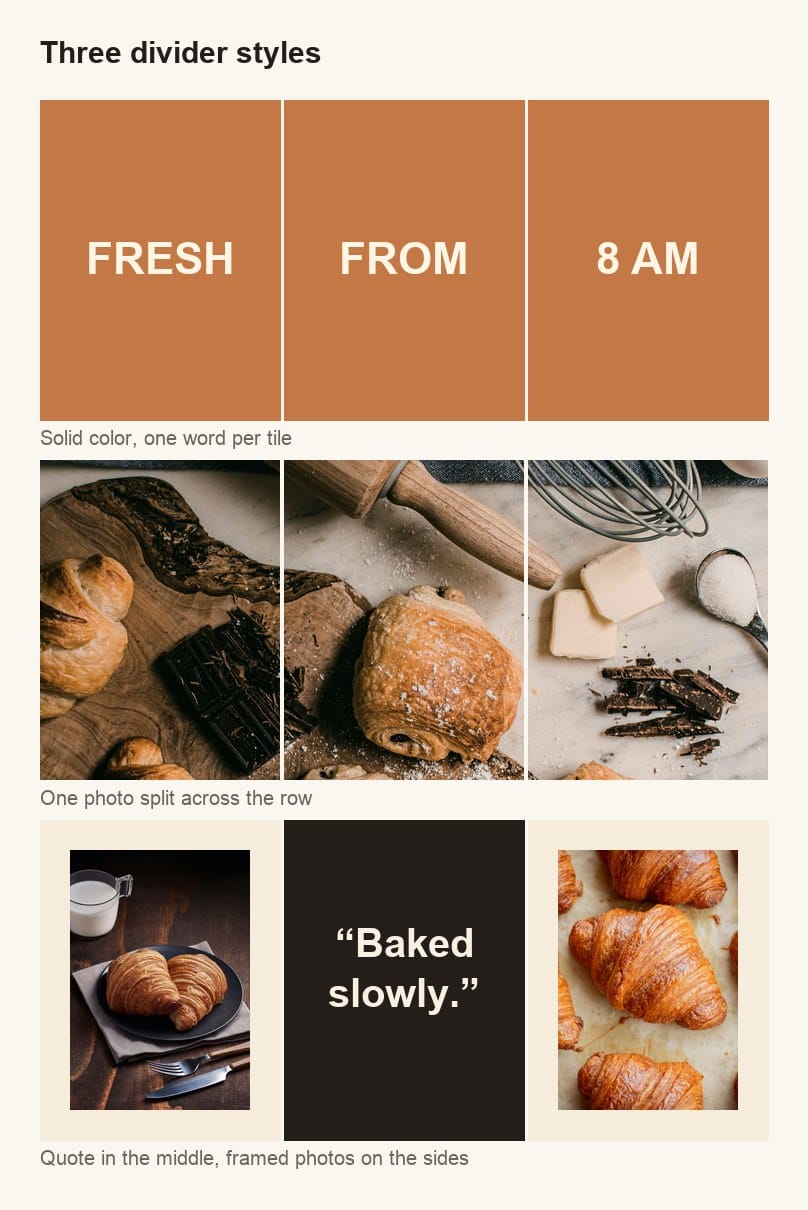
Three divider styles you can build in an hour.
5. Season openers
Mark the start of a season or a campaign: "SPRING / IS / HERE." Next year, you can scroll back and see exactly where each season began.
6. Collection labels for shops
An online store can open every drop with a divider that names it. Shoppers who land on the profile see the latest collection first and know where it ends.
7. Before and after
Left tile "before," right tile "after," middle tile the result in one line. Salons, cleaners and renovators get a lot out of this one.
8. A countdown row
Post three tiles over three days for an event: "3 / 2 / 1." When the last one lands, the row reads as one countdown.
Careful, though: this only lines up if nothing else gets posted between the three tiles.
9. The "start here" row
Pin a divider with "START / HERE / ↓" above your best evergreen posts. New visitors get a reading guide.

Three pinned tiles stay at the top of the profile.
How to post a feed divider so it stays in one row
The rule is simple and easy to break.
Post the right tile first, then the middle, then the left. Instagram puts every new post in the top left corner, so that reverse order rebuilds the row.

Posting order: tile 1 on the right goes first, tile 3 on the left goes last.
Then two habits keep it straight:
- Post in multiples of three. One extra post between dividers shifts every row below it by one spot.
- Post the three tiles back to back. If a teammate's Reel lands between tile one and tile two, the divider breaks across two rows.
If you schedule your posts anyway, queue the three tiles one minute apart in a scheduler such as Circleboom's Instagram post scheduler, right tile first, so nobody can slip a post into the middle.
And if a tile does land in the wrong spot, Instagram's Reorder grid option in the app lets you drag it back.
Do feed dividers still make sense in 2026?
Fair question, since most people discover you through Reels, not your grid.
But the grid is where they decide whether to follow. A bakery with clear chapters looks organized; a bakery with a random wall of croissants looks like every other bakery.
Think of a divider as signage, not decoration.
FAQ
What is an Instagram feed divider?
It is a row of three posts that works as one unit and separates sections of your profile grid, for example a new menu or a new collection. It can be one image split into three tiles or three matching tiles with one word each.
What size should an Instagram divider be?
Design the full row at 3240 x 1440 px and cut it into three tiles of 1080 x 1440 px. That matches the 3:4 profile grid exactly, so nothing gets cropped.
How do I post a divider in the right order?
Post the right tile first and the left tile last, with nothing in between. Instagram adds each new post in the top left corner, so the reverse order puts the tiles back in reading order.
Can I pin a feed divider?
Yes. Instagram lets you pin up to three posts, which is exactly one row, so a pinned divider stays at the top of your profile even after you post again.
Will a divider break if I post a single photo later?
Not the divider itself, but every later single post shifts the rows below it. Posting in sets of three, or pinning the divider, keeps the layout tidy.
A grid without dividers is a pile.
A grid with dividers is a menu.