
Most reply generators produce text generic enough to apply to almost any tweet, which is exactly why generic AI replies get spotted and dismissed within a glance. A generator that doesn't actually account for the tone, structure, and specific content of the tweet it's responding to isn't adding quality, it's just removing the ten seconds of effort a low-effort reply would have taken anyway.
A reply generator worth using should produce something structurally sharper than what you'd default to typing without thinking, not just something faster to publish.
Circleboom's AI Reply generates a reply draft built around the specific tweet you're responding to, with style options and a refinement field that let you shape it into something genuinely better, not merely quicker.
→ generate better Twitter replies with AI
Why most "reply generators" produce forgettable replies
A reply that could be pasted under any tweet in the same general topic isn't really a response, it's a placeholder. The reason reply guys earned a bad reputation wasn't the act of replying itself, it was the volume of replies that said nothing specific to the post they were attached to.
AI Reply works from a different starting point. It generates a draft using the actual content of the tweet posted by another account that you're responding to, shown directly in the same modal as the generated result, so the reply has something concrete to react to rather than a generic template stretched across an unrelated post.
The difference between a forgettable reply and a sharp one usually comes down to structure and specificity, not effort. A generator that gives you control over both is doing something genuinely different from a generator that just fills a text box.
The five structural options behind a better reply
AI Reply uses the same five style options available throughout Circleboom's AI writing tools, and each one produces a meaningfully different kind of reply.
- My Style. Analyzes your own tweet history and writes the reply in your actual voice, vocabulary, and tone. Use this when the goal is a reply that sounds like you, not like a generic AI response.
- Minimalist (One-Liner). Compresses the reaction into a single sharp sentence. Best for punchy agreement, a quotable counterpoint, or a reaction that loses its punch with elaboration.
- Listicle. Breaks the reply into a short numbered or bulleted set of points. Useful when you have two or three distinct angles to add rather than one.
- The Hook & Bridge. Opens with a line designed to stop the scroll, followed by a sentence that delivers the payoff. Strong for replies meant to draw their own engagement within the thread.
- Contrarian Split. Frames the reply as a direct challenge to the original tweet's premise. Best when the most useful thing you can add is genuine pushback, not agreement.
Switching between these for the same tweet, rather than always defaulting to one, is what actually produces a reply matched to the specific conversation instead of a generic response wearing different formatting.
How to generate better replies with AI
Because Circleboom is an official X Enterprise Developer, publishing the finished reply runs through sanctioned API access once it's ready to send.

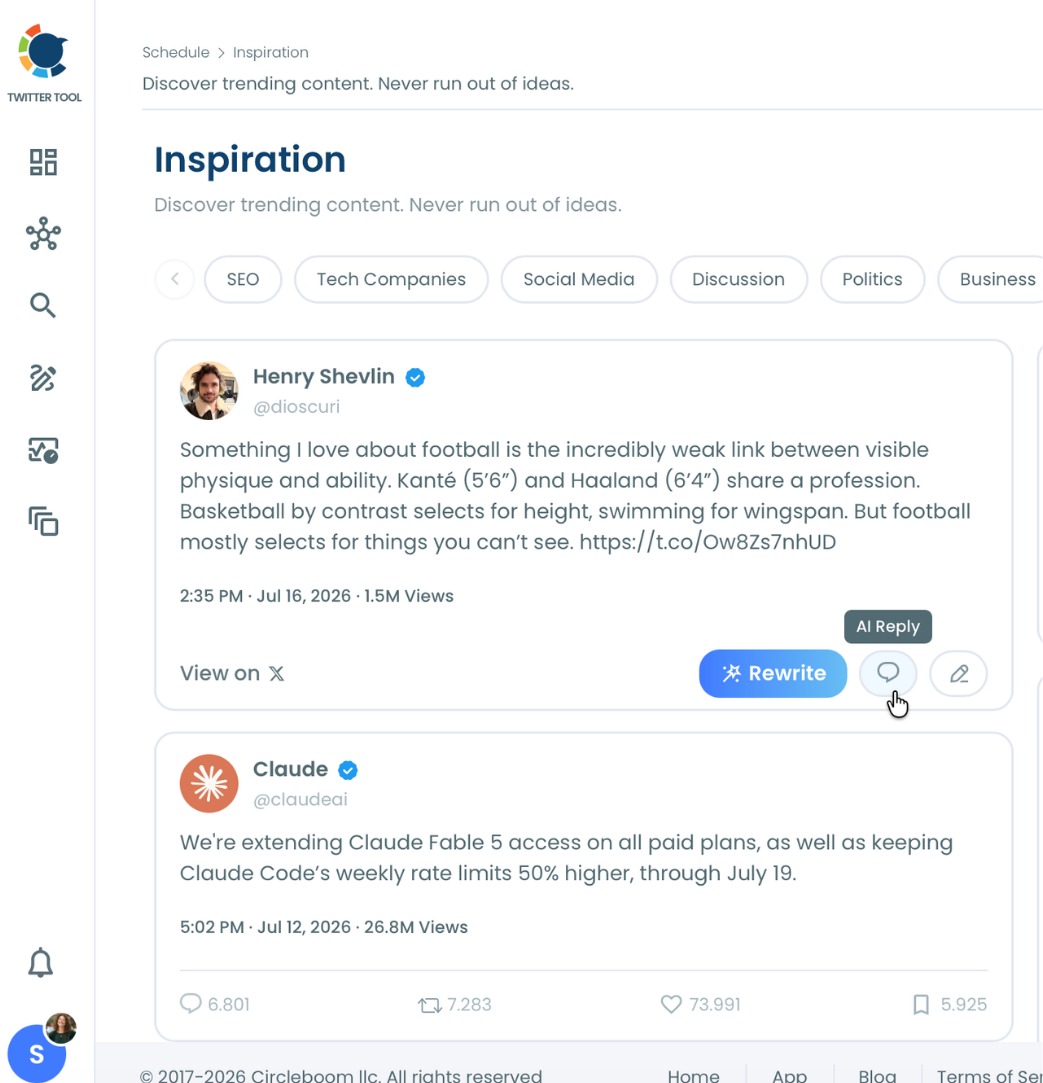
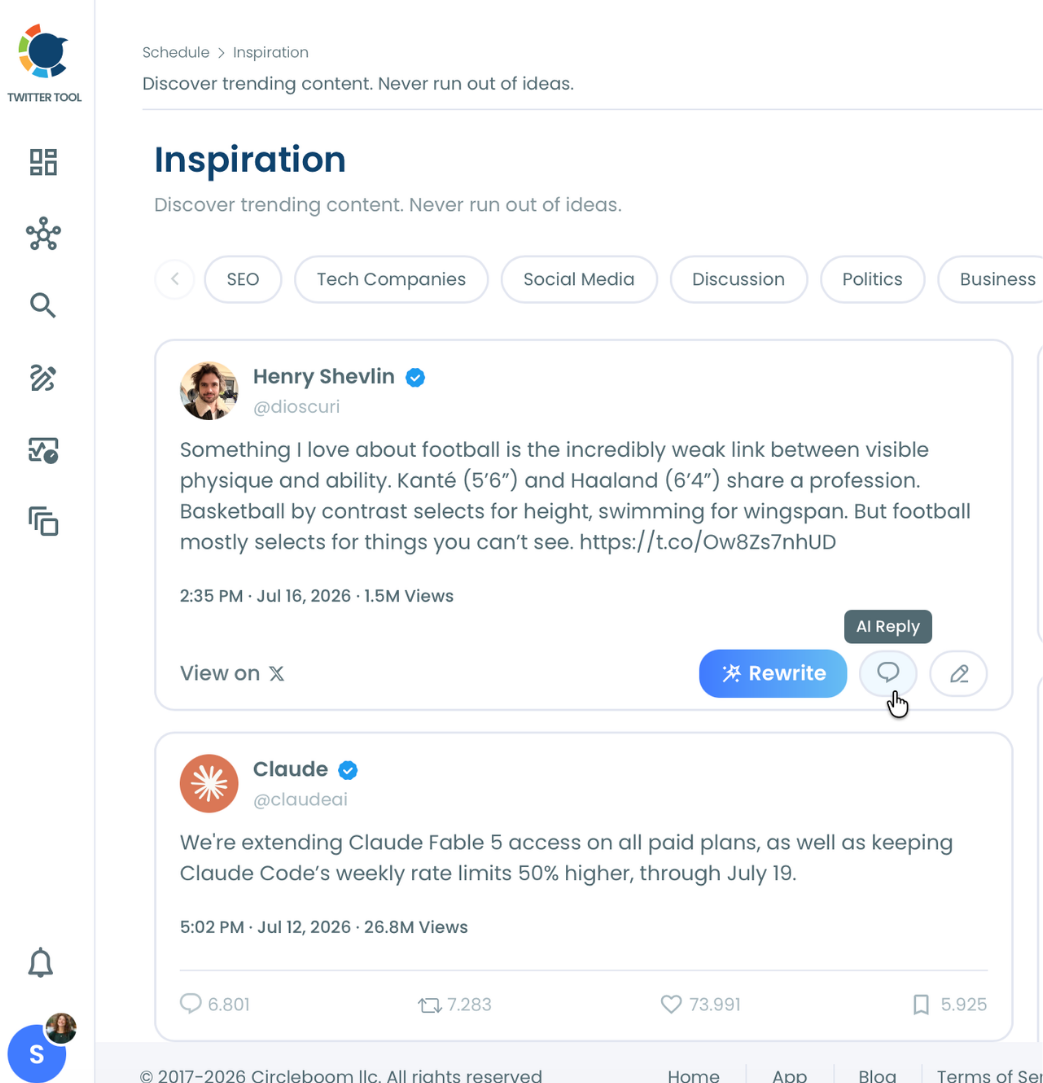
1. Find a tweet worth replying to in Inspiration: Browse the feed for a tweet posted by another account, filtered to your content interest topics, where you have a genuine point, question, or reaction to add.
2. Click AI Reply to generate a first draft: The AI generates a reply based on the original tweet's actual content, shown in a modal with the source tweet displayed as context for comparison.
3. Switch styles to test a sharper structure: Try the My Style dropdown against the default output. A one-liner reaction, a contrarian challenge, or a quick listicle of points often lands better than the first draft, depending on what the original tweet actually calls for.
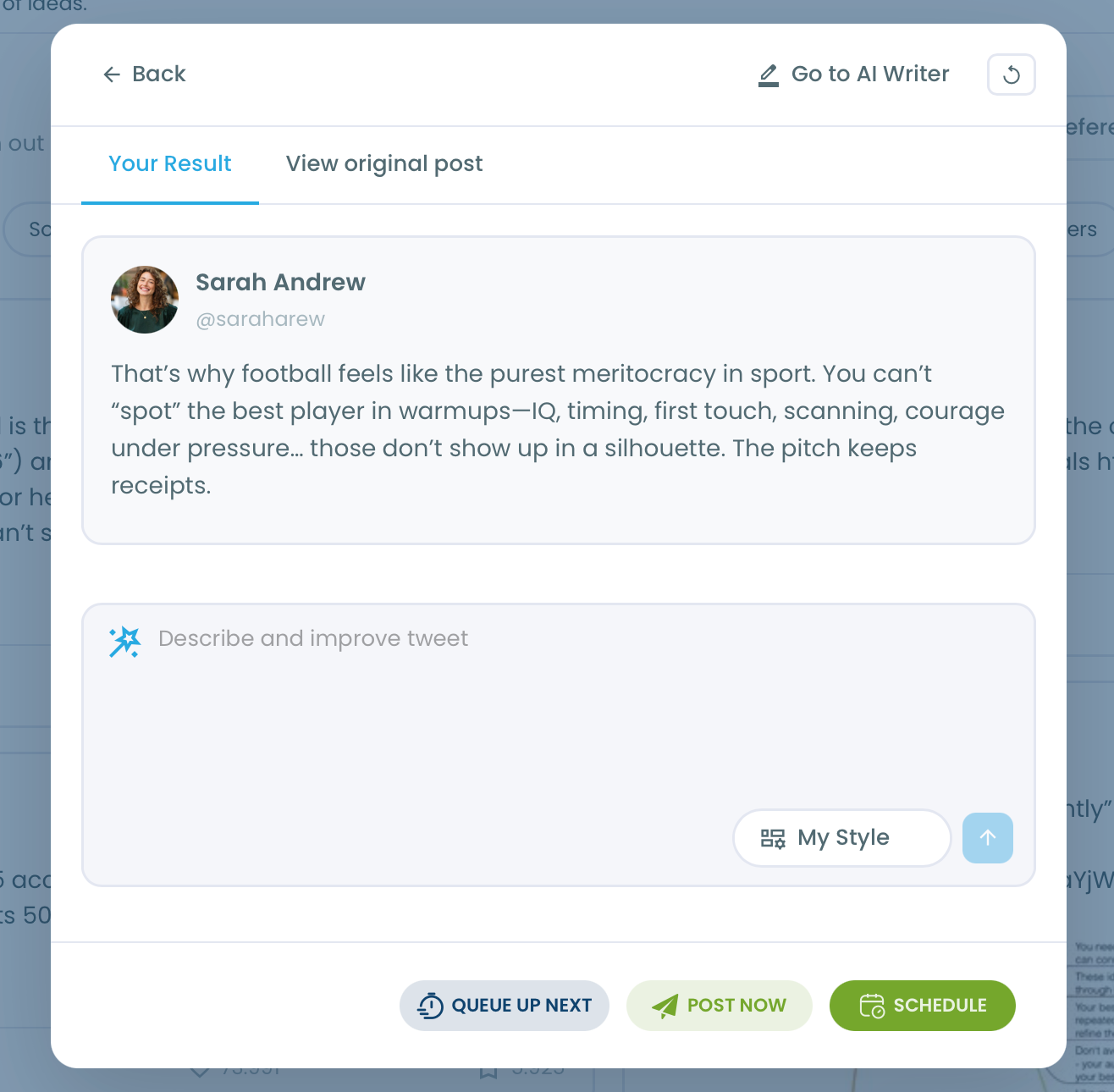
4. Refine, compare, and publish: Use the "Describe and improve tweet" field to push the tone or angle further, check the result against the original tweet one more time, then send it with Queue Up Next, Post Now, or Schedule.
That sequence treats the first generated draft as a starting point to improve, not a finished reply to send immediately, which is the actual difference between using a generator to write better and using it to write faster.
What actually improves when you use this well
The most direct improvement is variety without extra effort. Testing a Minimalist version against a Contrarian Split version of the same reply takes seconds, where writing both manually would mean drafting twice from scratch. That speed makes it realistic to actually pick the better structure instead of settling for whatever came to mind first.
Voice consistency improves too. My Style means a reply generated in thirty seconds can sound exactly as much like you as a reply you spent five minutes drafting, which matters because readers notice when a reply doesn't sound like the account that posted it, even if they can't immediately articulate why.
Quoting rather than replying is sometimes the better call when a response deserves its own visibility rather than living inside someone else's thread, and AI Quote inside the same Inspiration workflow handles that version with the same style and refinement options.
A generator is a sparring partner, not a vending machine
The word "generator" implies a single output you take as final. The more useful way to use one is as something you push back against: generate a draft, decide what's wrong with it, regenerate or refine, and stop once the result actually says what you wanted to say. That loop, not the first click, is where the quality comes from.
Treating the first generated reply as automatically good enough skips the only step that actually makes the output better than a generic template. The tool can produce five structurally different replies in the time it takes to draft one manually; using that speed to compare options, rather than to publish the first thing that appears, is the entire value proposition.
The mistake to avoid
The most common mistake is defaulting to the same style for every reply regardless of what the original tweet actually calls for. A Contrarian Split reply on a tweet that deserves genuine agreement reads as combative for no reason, and a Minimalist one-liner on a tweet that needed a substantive counterpoint reads as dismissive. Match the structure to what the specific conversation actually needs, not to whichever style happens to be selected by default.
The second mistake is publishing the first generated draft without comparing it against the original tweet or trying an alternate style. The generator is fast enough that skipping the comparison step saves almost no time and costs you the chance to catch a reply that doesn't quite land before it's already public.
Common questions
Does the reply generator know what I personally think about the topic?
No. It generates a response based on the content of the tweet you're replying to and the writing style you select, but it has no access to your specific opinions or inside knowledge. Reviewing and editing the draft before publishing is how your actual perspective gets into the reply.
Can I make the generated reply sound like my own voice instead of generic AI text?
Yes. Selecting My Style analyzes your existing tweet history and generates the reply using your own tone, vocabulary, and sentence patterns, so the result reads as something you wrote rather than a generic AI response.
What's the difference between a reply generator and a reply bot?
A reply generator drafts text for a specific tweet you've selected, which you then review and choose to send. A reply bot, by contrast, typically posts automatically without a human reviewing each output first. AI Reply is the former: every draft requires your explicit action to publish.
Can I generate more than one version before deciding which to use?
Yes. Switching between the five style options regenerates the reply in a different structure each time, and the refresh icon produces a new version within the same style if the first attempt doesn't land.
Your next move
The next reply worth sending is one that actually reacts to what the original tweet said, not a generic line that could sit under anything. Generate a draft, try a different structure if the first one feels flat, and send the version that actually adds something. Generate it, sharpen it, send it.

