


AI Reply Generator
Turn any trending tweet in your topic feed into a ready-to-post reply, written in your voice, in seconds.

Circleboom : An Official Enterprise Developer
"Work with a trusted X Official Enterprise Developer to expand what's possible for your business. Each Official Enterprise Developer has been selected for the program after an extensive evaluation, and represents excellence, value, and trust." — X (Twitter)Circleboom Twitter Tool
Circleboom Twitter management tool provides account analytics, follower/friends insights, tools to check, fakes, spammers, inactive accounts, advanced account search and delete tweet services.

REPLY TO VIRAL TWEETS INSTANTLY
Speed matters here more than people expect — by the time you've thought about replying to a viral tweet, the moment is often gone. Click AI Reply on any card in your topic-filtered feed and Circleboom drafts a response in seconds, with the original tweet sitting right next to it so you're never guessing at the context you're replying into.

AI REPLY VS AI QUOTE: WHAT'S THE DIFFERENCE?
AI Reply and AI Quote solve a similar problem in two different ways. Reply posts your response directly underneath the original tweet, so it lives inside that thread on X. Quote instead creates a separate post of its own, with your commentary out front and the original tweet embedded below it, which means it shows up on your own timeline as well as theirs.

CAN AI REPLIES SOUND LIKE ME?
With a bit of adjustment, yes. Choosing a tone that matches how you actually write and tweaking the wording before posting gets you most of the way there, but every generated reply is still a draft you're responsible for reviewing, not a finished tweet you publish blind.

AI REPLY GENERATOR
Think of it as an AI reply generator that's already looking at your topic feed for you. Pick a tweet that's worth responding to and Circleboom turns it into a ready-to-post reply written in your own voice, not a generic AI tone bolted onto someone else's conversation. It all happens inside X Post Planner, so generating a reply never pulls you out of the workspace you're already writing in.

WRITE REPLIES IN YOUR OWN VOICE
Writing in your own voice doesn't mean accepting whatever Circleboom generates first. You can choose between a few different tones and formats, from something short and minimal to a more structured, hook-driven style, depending on what fits the conversation. And if a reply needs more development than a quick generation gives you, send it straight to the full AI Tweet Generator and keep working on it from there.

REPLY AT THE BEST TIME TO POST
Timing a reply matters just as much as timing an original post, maybe more, since a reply that lands when your followers are asleep barely gets seen. Circleboom can suggest a posting time based on when your followers are actually online, so you're not guessing or checking analytics in a separate tab before scheduling.

CIRCLEBOOM IS AN OFFICIAL X ENTERPRISE DEVELOPER
Circleboom is an official X Enterprise developer tool. Therefore, when you use Circleboom services and connect your X account, you are totally safe. You will enjoy tools and services that are not available even in the native X dashboard.
HOW TO REPLY TO TWEETS WITH AI
Generate AI replies to trending tweets with Circleboom. Find high-performing conversations in your topic area and join them with a reply written in your own style, in just a few clicks!
Log in to Circleboom Twitter. If you don't have a Circleboom account yet, you can get one in seconds!
Once you are on your dashboard, open the scheduling menu from the left sidebar and click on "Inspiration". You'll find it under the X AI Writer tools, marked as "New".

Find a tweet worth replying to on the Inspiration feed.
The Inspiration feed shows trending, high-engagement tweets filtered by your content interests. Use the topic chips at the top to switch between your interest areas, or type into the "Search keywords" field to narrow the feed. Each card shows real engagement metrics, so you can easily spot the conversations that are already getting attention.

Hover over the tweet and click the "AI Reply" button.
When you hover over a tweet card, three action buttons appear: Rewrite, AI Reply, and AI Quote. Click the AI Reply icon, and Circleboom's AI will instantly generate a reply to the selected tweet, written in your style.

Review your AI-generated reply.
Your reply appears in the "Your Result" tab, previewed under your own account exactly as it will look on X. You can switch to the "View original post" tab to compare it with the tweet you are replying to. If you want to develop it further, use the "Describe and improve tweet" field below or click "Go to AI Writer".
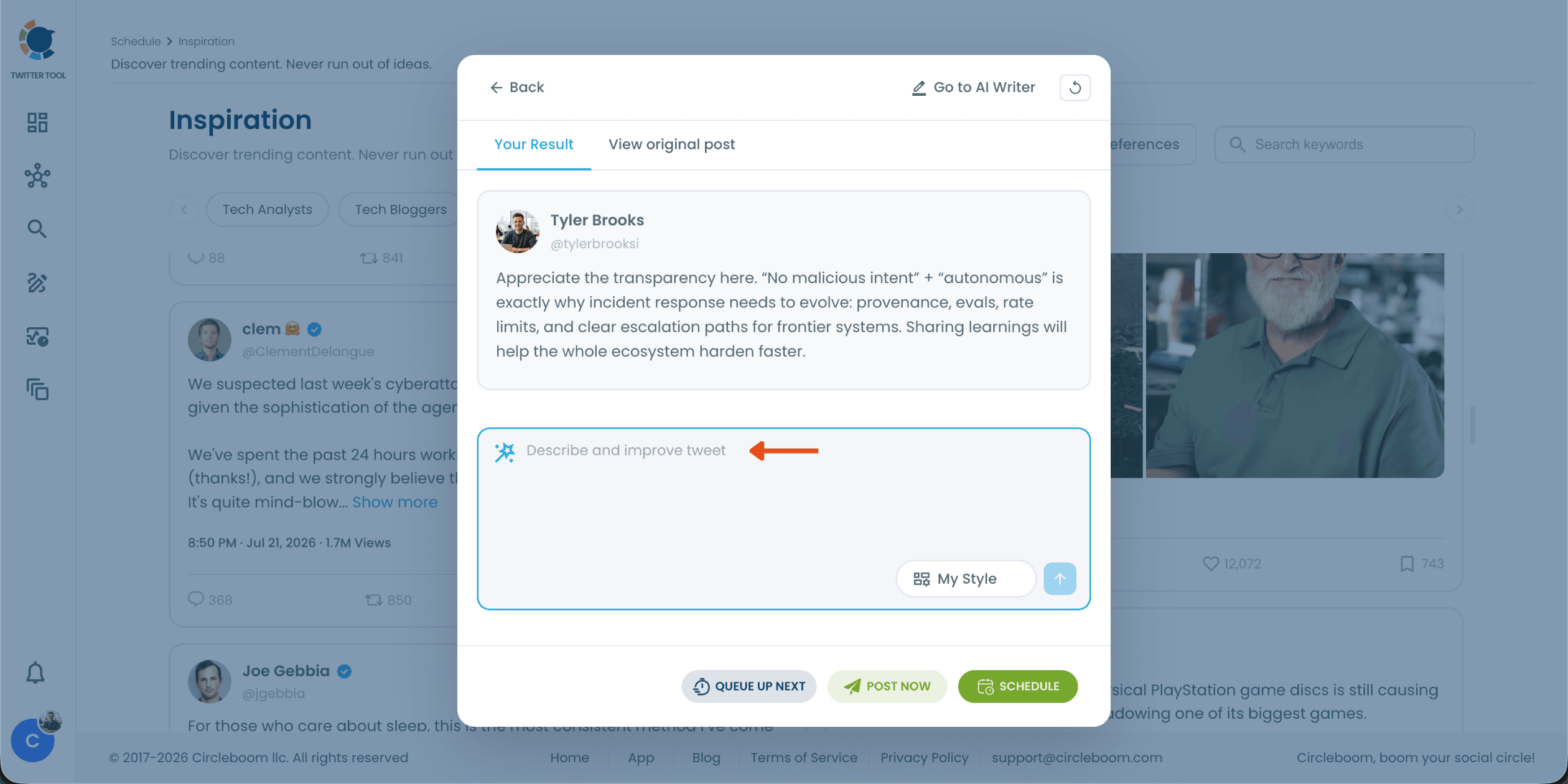
Refine your reply with a simple prompt.
Type a plain instruction like "write a reply to say I agree" or "make it shorter", and the AI updates your reply instantly. You can also switch the writing style with the "My Style" selector. When you are happy with the result, choose "Queue Up Next", "Post Now", or "Schedule".
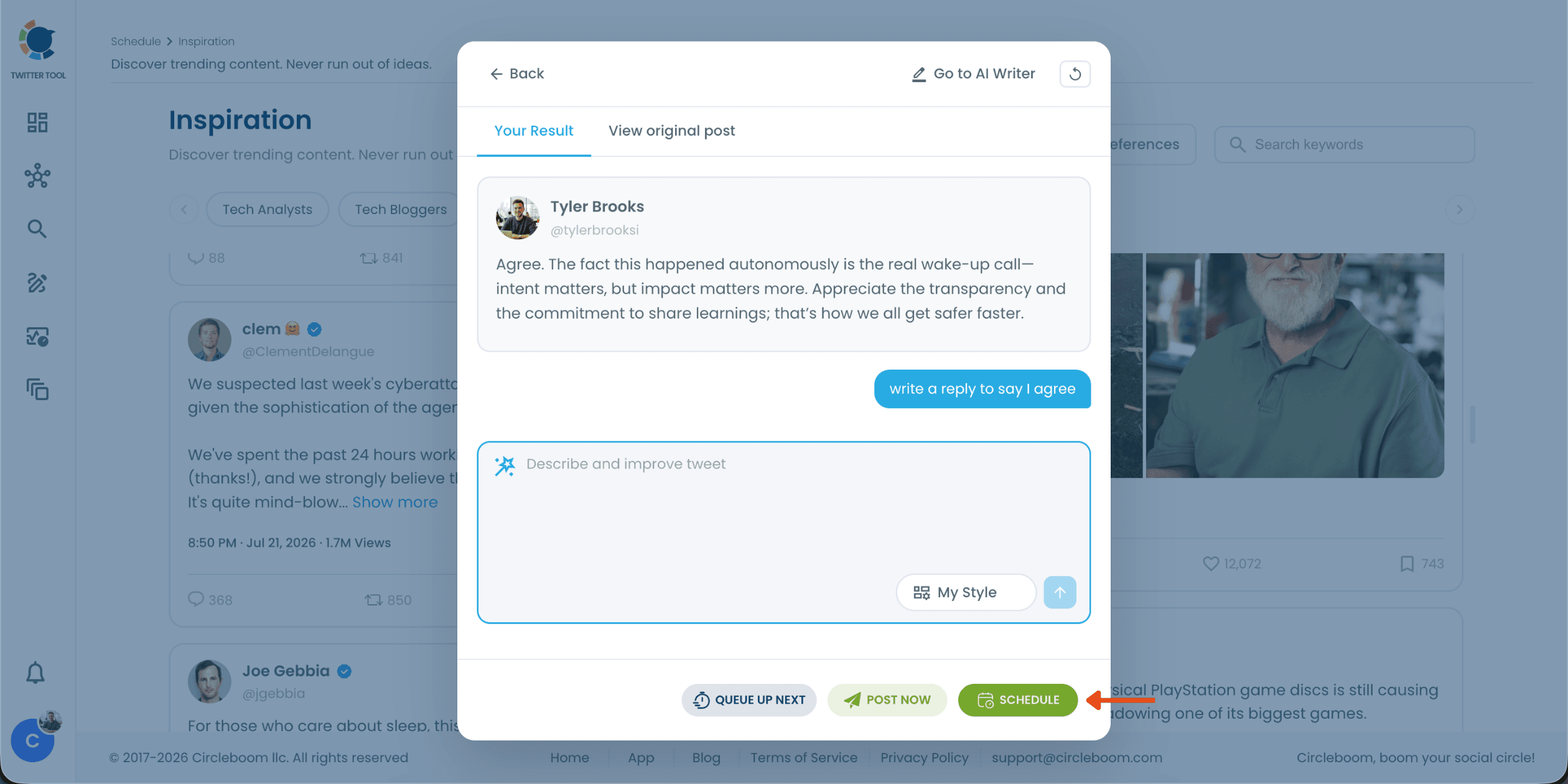
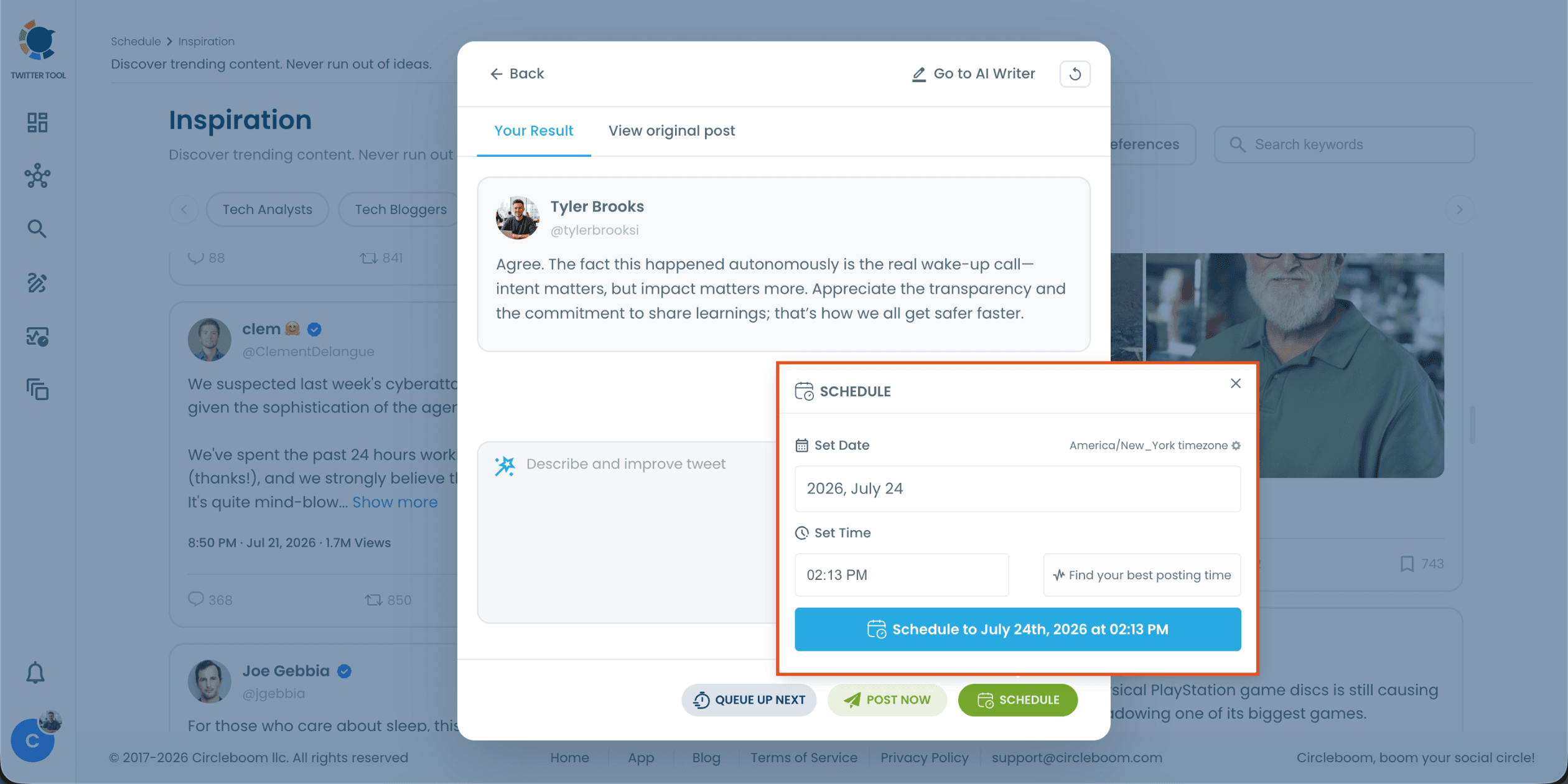
Schedule your reply at the best time.
Clicking "Schedule" opens the scheduling panel. Set the date and time in your own timezone, or click "Find your best posting time" to let Circleboom suggest the optimal slot based on your followers' activity. Confirm, and your AI-generated reply will go live right when your audience is most active!
FAQs (Frequently Asked Questions)
Do you want to have a new, cleaner appearance on Twitter? If so, maybe you should consider deleting your tweets, deleting retweets, or removing your old Twitter likes!