

My last tweets didn’t just perform better.
They consistently reached more people, got more engagement, and some of them even went viral.
And the interesting part is this:
The formula wasn’t complicated.
It wasn’t about writing longer threads or chasing trends all day. The change came from using the right system.
That system for me was Circleboom Twitter.

It’s an official X Enterprise Developer, and instead of just helping you post tweets, it helps you create, optimize, and distribute content in a way that actually increases your chances of going viral.
Going Viral on X Is Not Just About the Tweet
Most people think virality comes from writing something clever.
But in reality, a tweet performs well when multiple factors come together:
- the format of the tweet
- the timing
- the visuals
- and most importantly, how long the tweet stays visible
A great tweet posted at the wrong time can disappear in minutes.
A good tweet with the right distribution can outperform it.
That’s where most people struggle.
They focus only on writing, but ignore everything else.
The Tool Behind the Process: Circleboom Twitter
Instead of trying to manage everything manually, I started using Circleboom Twitter.
 infocircleboom.com
It’s more than just a scheduler.
With its X Post Planner, it gives you a full system to:
- generate tweets
- improve them
- add visuals
- post at the right time
- and extend their reach
Instead of guessing what works, you start working with a structure.
The average lifespan of a post is fleeting; if your followers aren't online at the exact moment you post, your best content is often lost forever. Circleboom’s Auto Retweet feature solves this "visibility gap" by strategically resurfacing your posts to ensure your audience never misses an update. It’s the ultimate tool for capturing attention across different time zones and activity peaks without the manual effort of reposting.
By automating your retweet strategy, you can effectively boost your impressions by 4x and double your engagement rates. This practice doesn't just keep your profile active; it forces the algorithm to give your content a second life, reaching fresh segments of your audience who missed the original broadcast. With Circleboom, you transform a single post into a high-performance asset that works around the clock to maximize your digital reach.
Writing Better Tweets with AI (That Actually Sounds Like You)
One of the most useful features is the AI Tweet Generator.
But unlike generic AI tools, this one is built specifically for social media.
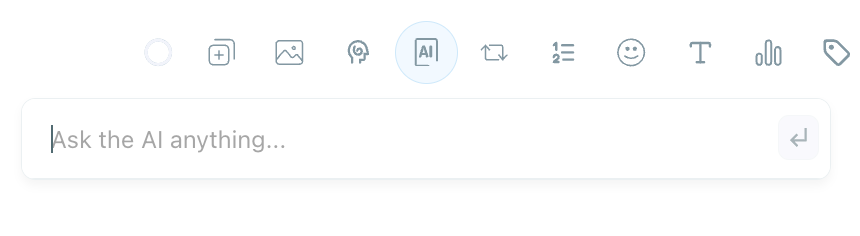
It doesn’t just generate random content.
It analyzes:
- your previous tweets
- your writing style
- your engagement patterns
- how your audience responds
Based on this, it creates tweets that feel natural and aligned with your account.
Instead of sounding robotic, the output feels like something you would actually write.
This alone removes a big part of the effort in coming up with ideas.
Turning Simple Tweets Into High-Performing Posts
Text-only tweets can work, but visuals often increase engagement.
Circleboom makes this part easy by integrating image curation tools like:
- Canva
- Unsplash
- Giphy
So instead of leaving the platform to find or create visuals, you can do everything in one place.
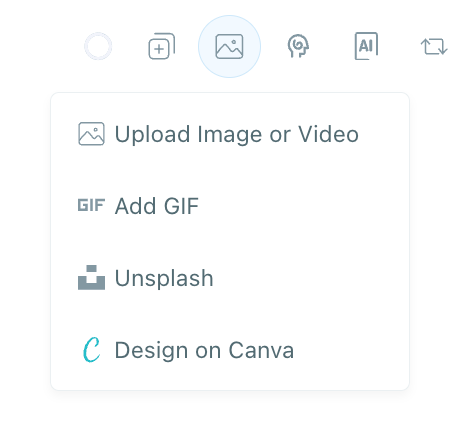
You can quickly add: images, GIFs and designed visuals
This turns a simple tweet into a richer post that stands out in the feed.
Timing: The Difference Between 100 Views and 10,000
Even a strong tweet can fail if it’s posted at the wrong time.
Tweets usually get most of their engagement within the first 10–15 minutes. If there’s no activity during that window, the algorithm stops pushing it further.
That’s why timing matters.
Circleboom analyzes your followers’ activity and shows when your audience is actually online.
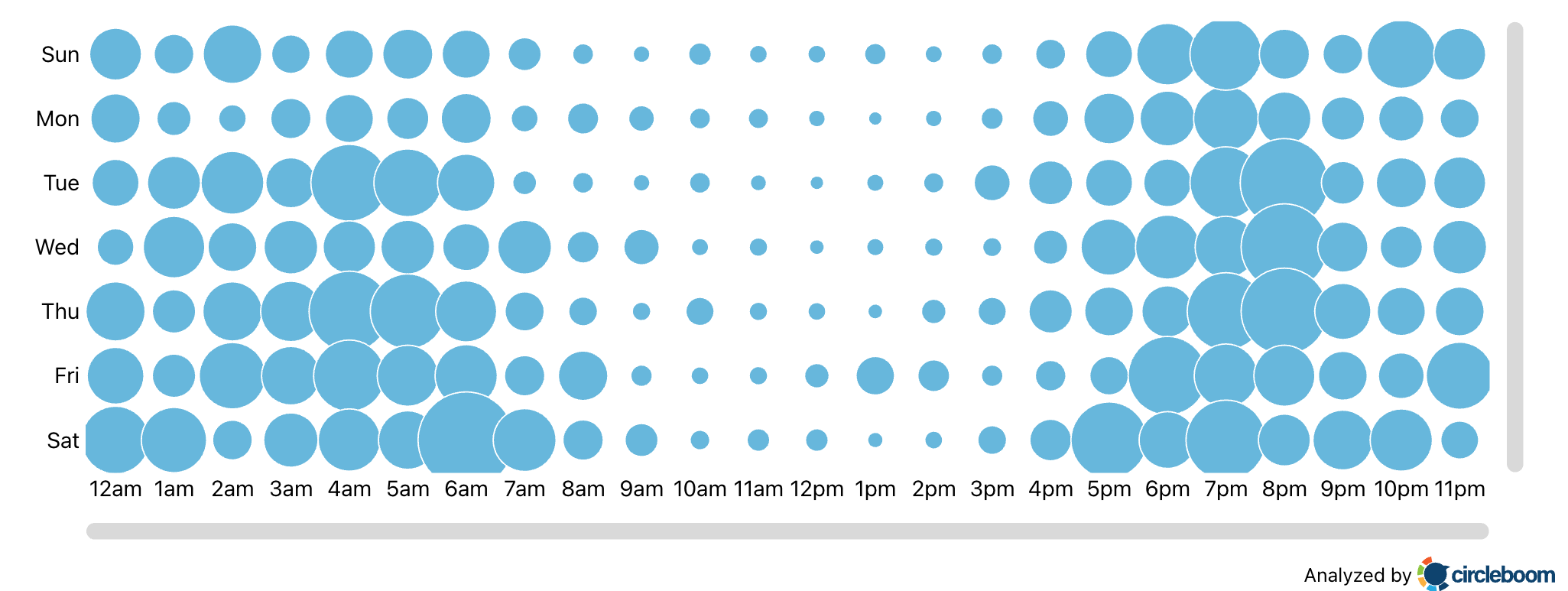
Instead of guessing, you can schedule your tweets for the exact moments when they have the highest chance of getting early engagement.
And early engagement is what drives reach.
The Feature That Changed Everything: Auto Retweeter
This is where things really started to change.
A tweet’s lifespan is short. Once it loses momentum, it disappears from timelines.
Circleboom’s Auto Retweeter solves this.
It allows you to:
- automatically retweet your post
- unrepost it
- repeat this cycle on a schedule
This gives your tweet multiple chances to be seen.
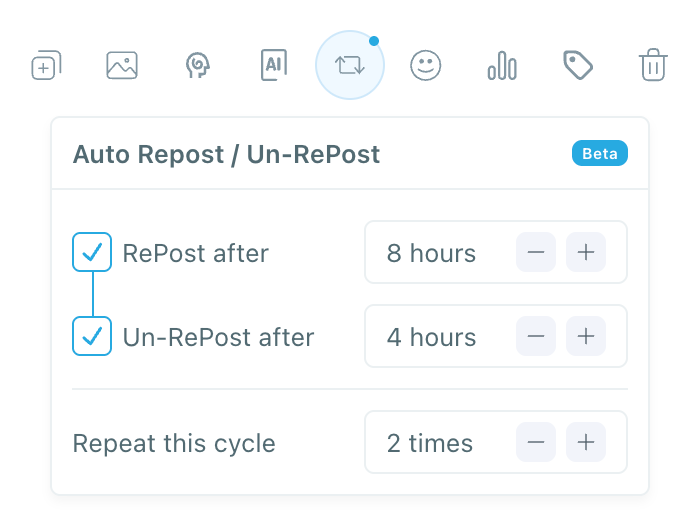
And that’s critical.
Because not all your followers are online at the same time, reposting allows the same tweet to reach different segments of your audience.
In many cases, this alone can multiply impressions.
Why This Works Better Than a Simple “Viral Tweet Generator”
Most tools focus on generating text.
But going viral is not just about what you write.
It’s about the full process:
- creating the tweet
- enhancing it with visuals
- posting at the right time
- extending its visibility
Circleboom combines all of these into one system.
That’s why it works more like a viral post engine, not just a generator.
How to Use Circleboom Twitter as a Viral Post Generator
Step 1: Go to Circleboom Twitter’s X Post Planner
Open Circleboom Twitter and click X Post Planner + AI Writer.
Then select Write & Plan Your Post to start creating your tweet.

Step 2: Write your tweet (or generate one with AI)
You can type your tweet manually in the editor.
Or, if you want to move faster, click the AI option and let Circleboom generate a tweet idea for you based on your topic.
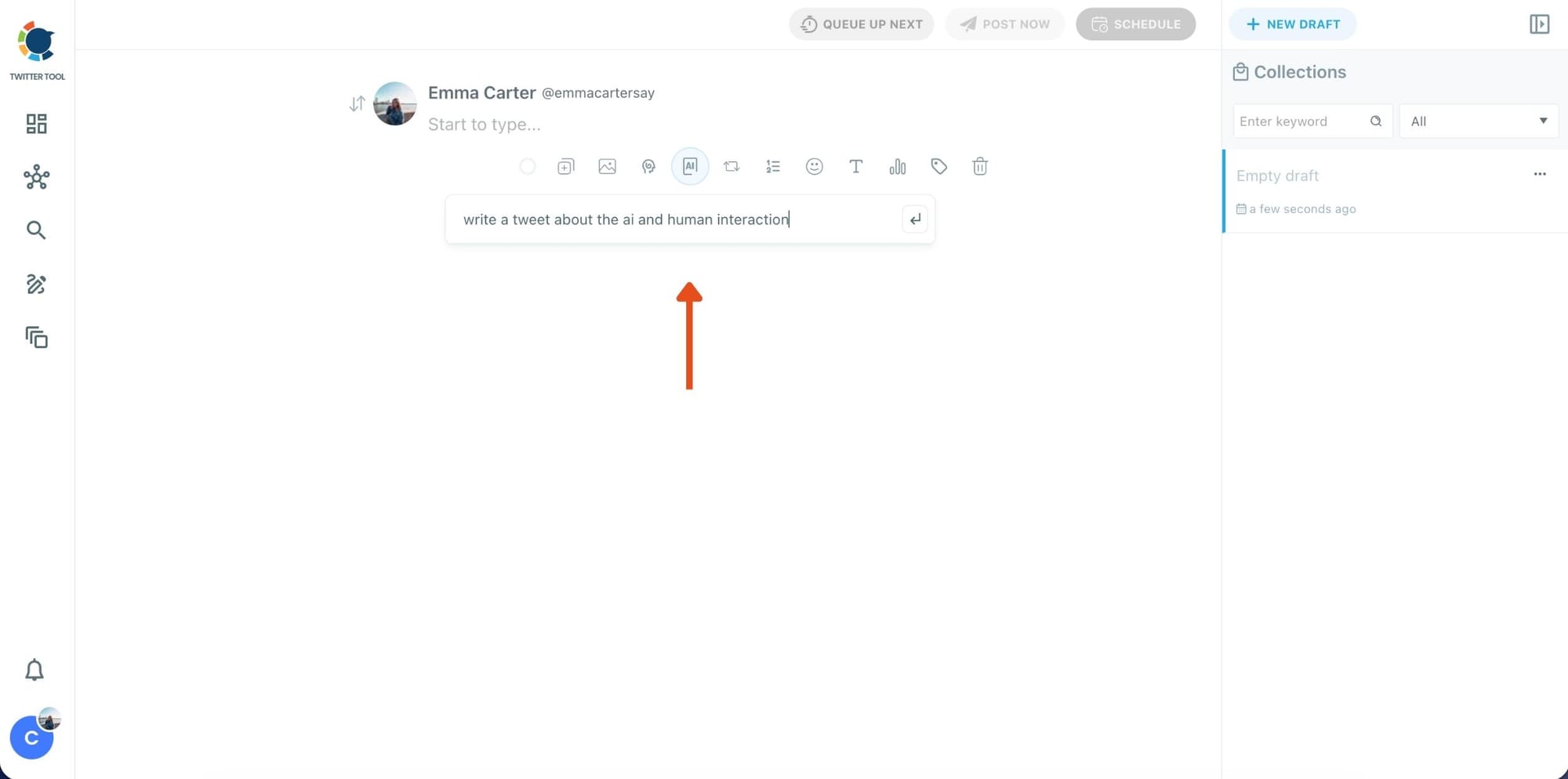
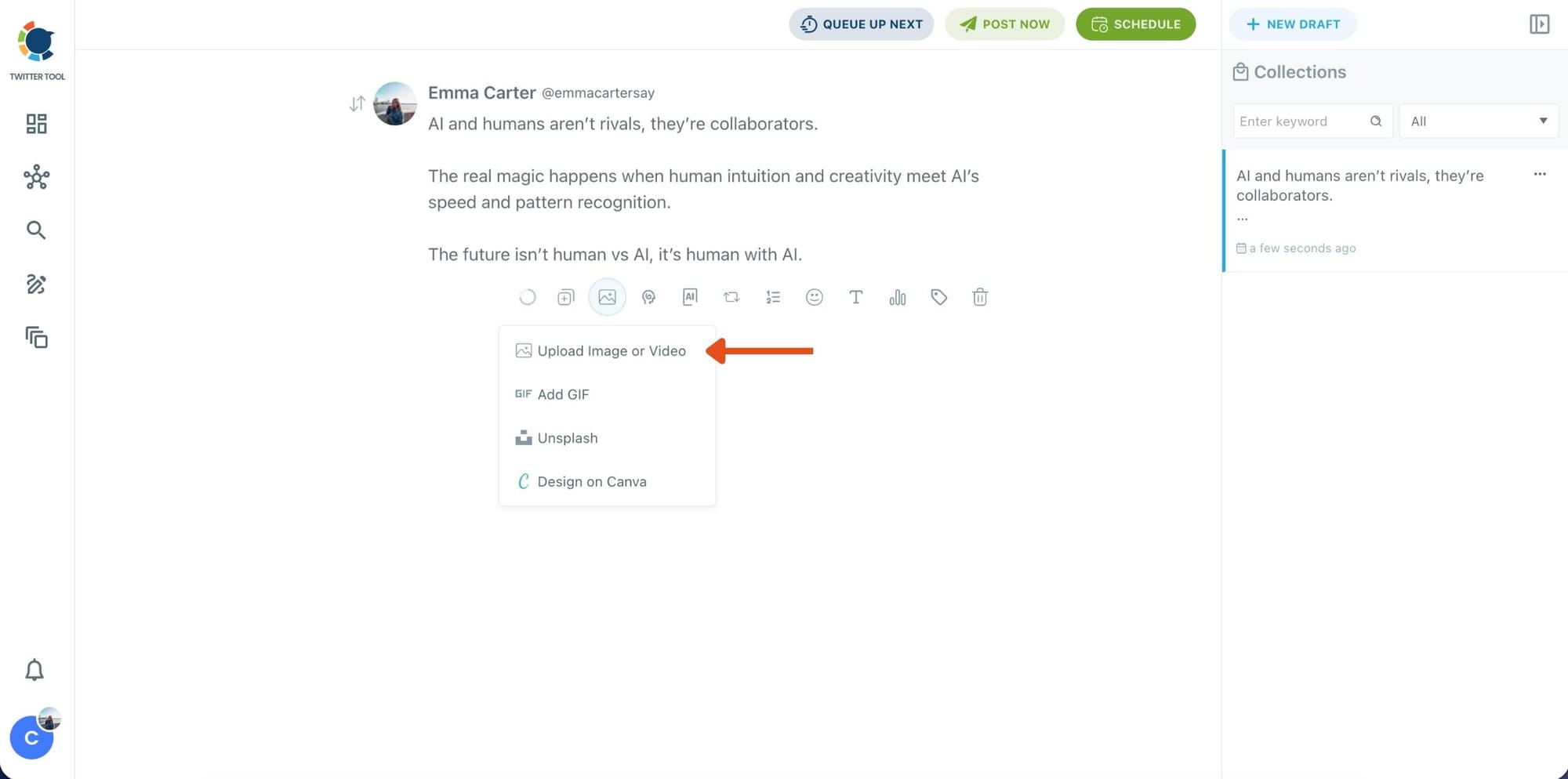
Step 3: Add an image to make the post more engaging
Once your text is ready, attach a visual to your tweet.
You can:
- Upload an image/video from your device
- Pick one from Unsplash
- Or design one instantly using Canva
Step 4: Style your tweet using Circleboom’s Font Generator
Now it’s time to make your tweet stand out visually.
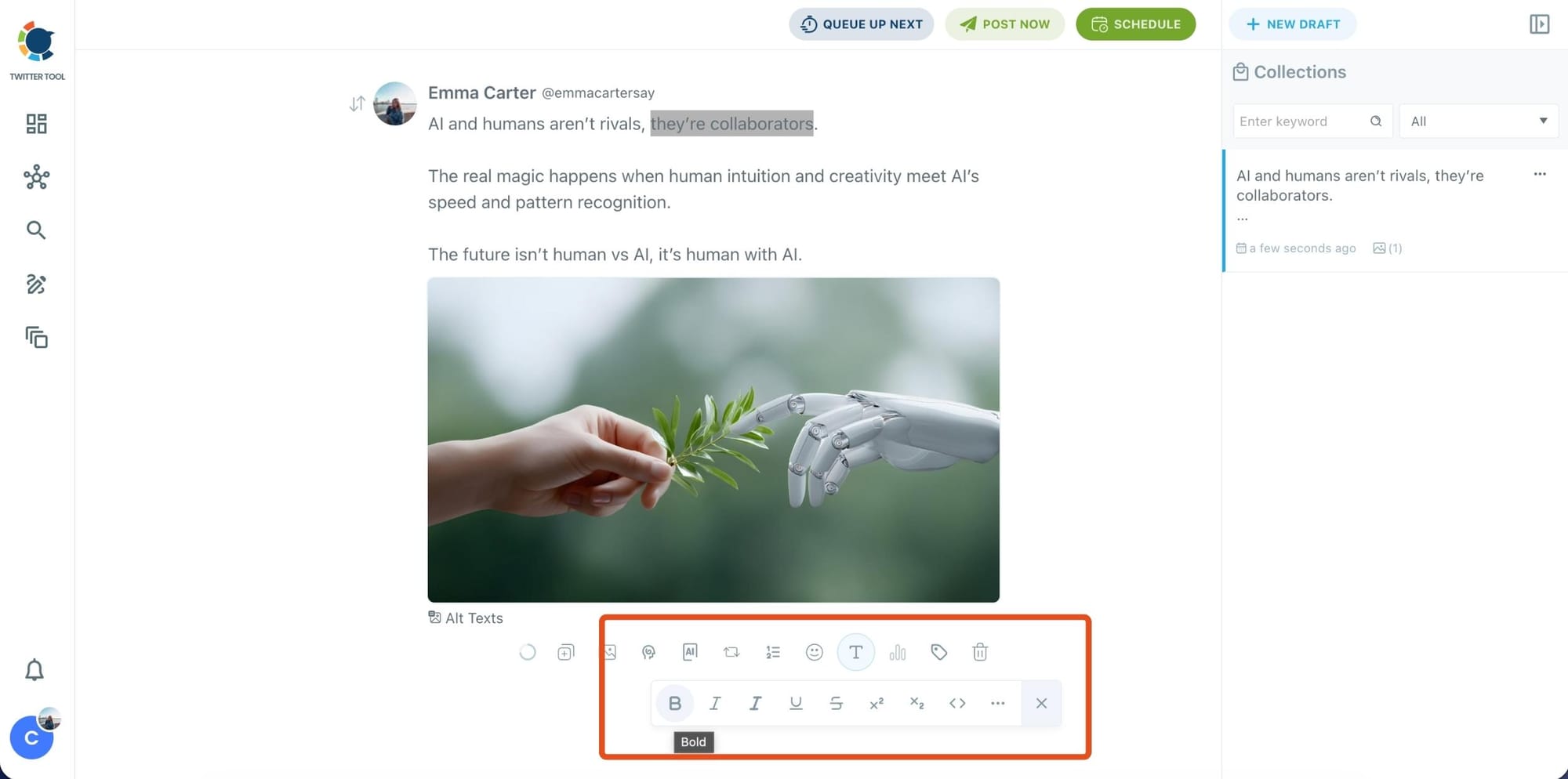
Select the part of your text you want to change, then open the Font Generator toolbar and apply styles like:
- Bold / Italic / Underline
- Different font variations
- Extra formatting options for a more “designed” look
This is perfect when you want key parts of your tweet to grab attention immediately.
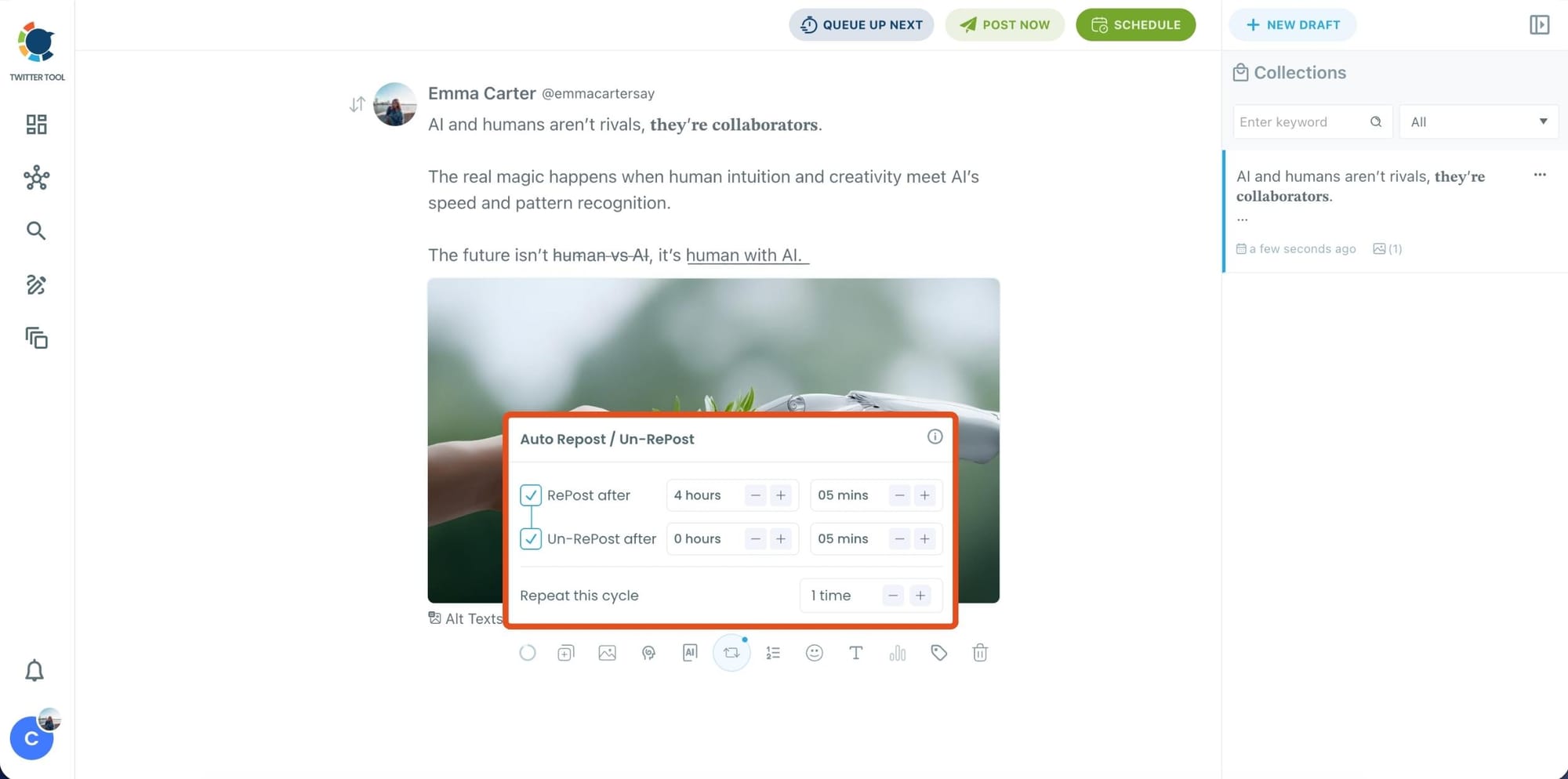
Step 5: Set Auto Retweets to boost visibility
After styling your post, you can increase reach by enabling Auto Repost / Un-RePost settings.
This lets you automatically:
- Repost your tweet after a selected time
- Remove the repost later
- Repeat the cycle if you want more than one repost
It’s a smart way to bring your tweet back into the feed without manually reposting it.
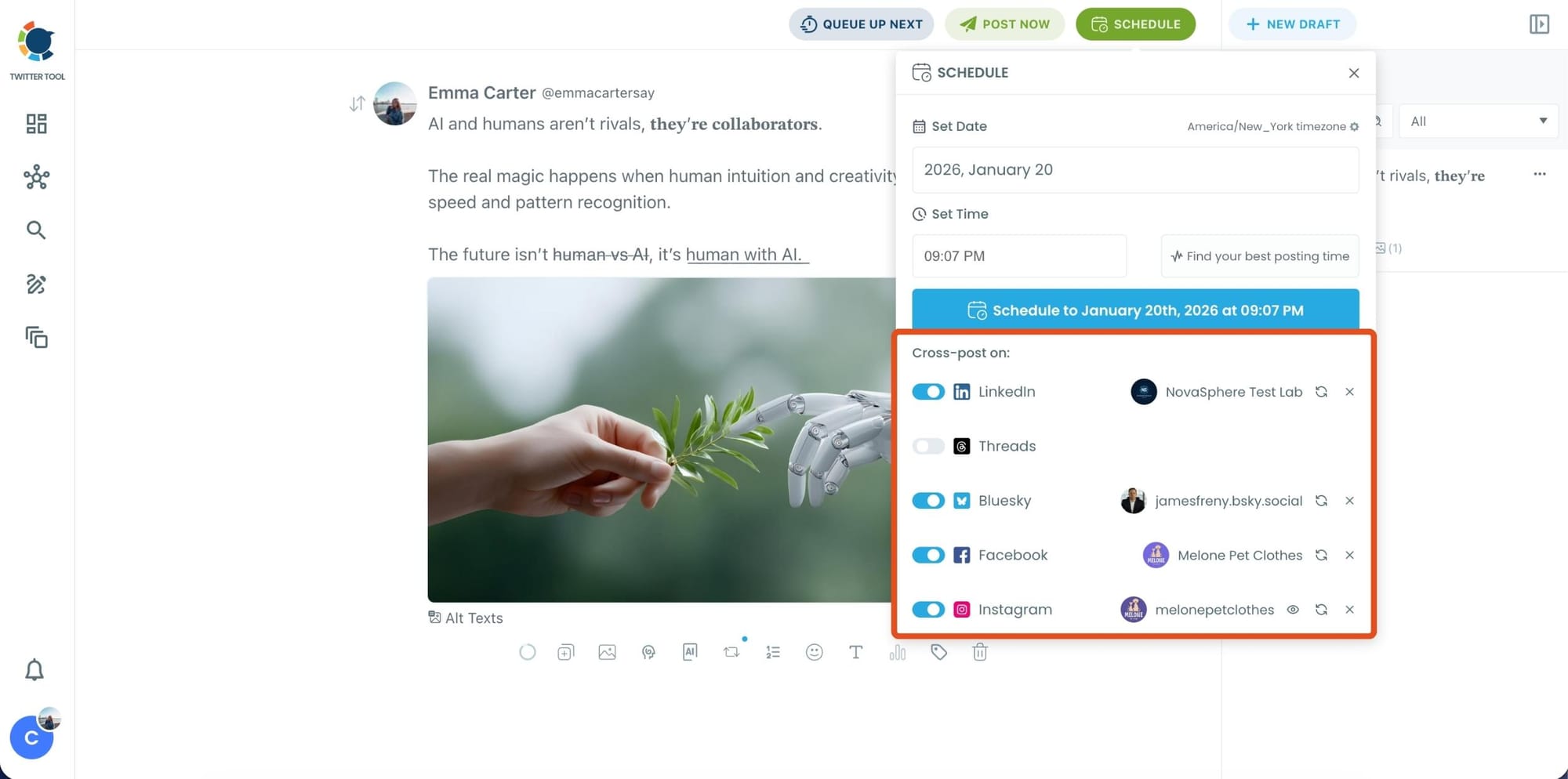
Bonus Tip: Cross-post your tweet to other platforms automatically
Before you publish, you can also enable Cross-Post to share the same tweet across multiple platforms in one go.
Circleboom lets you post your content to Instagram, Facebook, LinkedIn, Bluesky, and Threads automatically, so you don’t have to rewrite, re-upload, or repeat the same work on each platform.
Step 6: Schedule it for the best time to post
Finally, click Schedule and set your date and time.
You can also click Find your best posting time to see Circleboom’s suggested time slots based on follower activity.
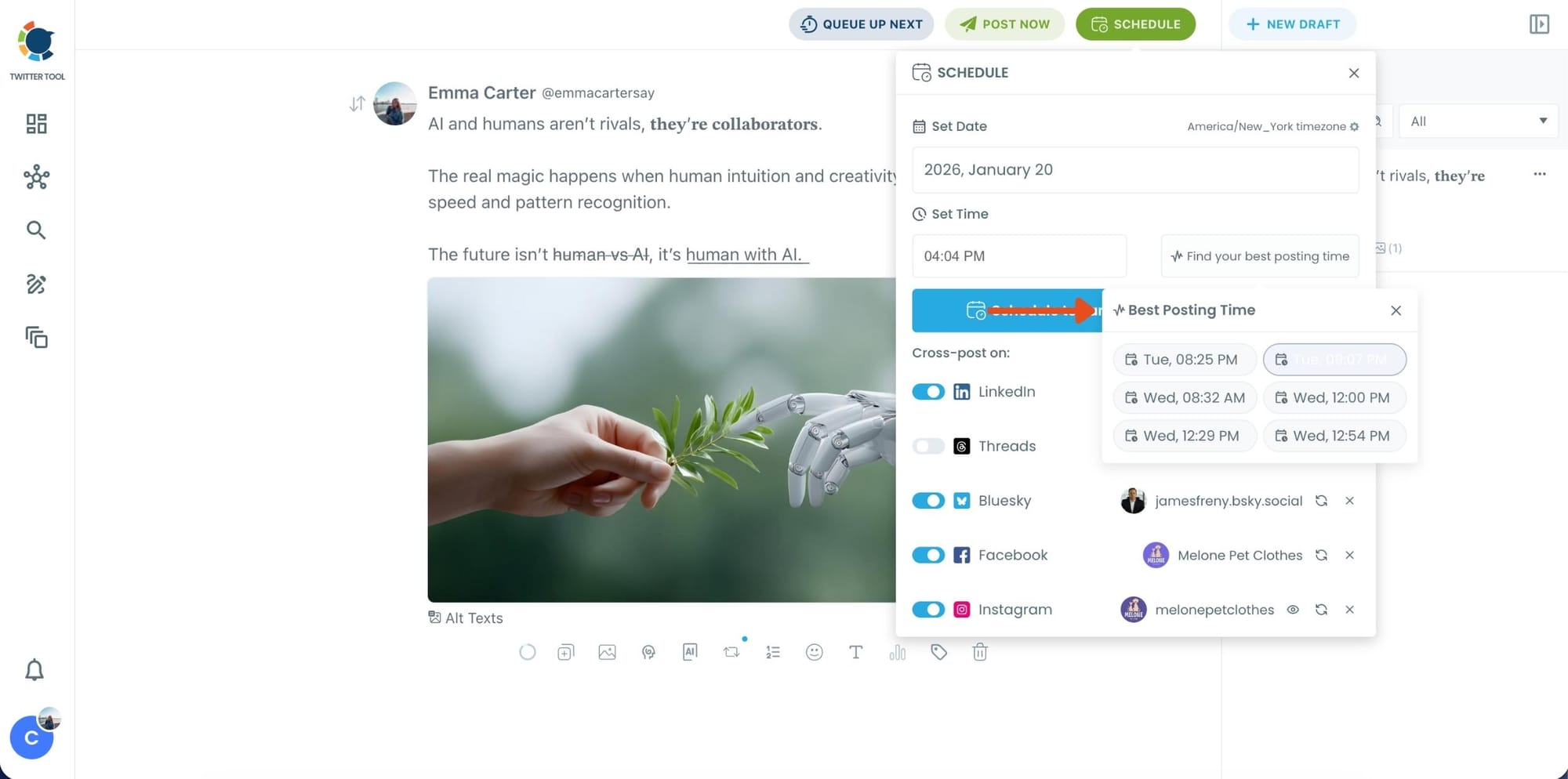
Once you pick the best option, smart-schedule it, and you’re done. Your tweet will go out at the time it has the highest chance to perform well.
Final Thoughts
Getting more engagement on X is not random.
It comes from combining the right elements in the right way.
Once you stop relying only on writing and start thinking about timing, visibility, and distribution, the results change.
Circleboom Twitter makes this easier by bringing everything into one place.
Instead of guessing what might work, you start using a system that increases your chances of reaching more people.
And when that happens consistently, going viral stops feeling like luck.

