

For a long time, I focused only on follower count.
Like most people, I assumed that more followers automatically meant more reach, more likes, and more engagement. But at some point, something did not add up. The numbers looked good on the surface, yet the engagement felt weak. Tweets were getting far fewer likes than expected for the size of the account.
That was the moment I started paying attention to one specific metric that explains a lot more than follower count alone:
the like-to-followers ratio.
What Is the Like-to-Followers Ratio?
The like-to-followers ratio shows how many likes you get compared to the size of your audience.
The simplest way to calculate it is:
Average likes per tweet ÷ Total followers × 100
For example, if you have 10,000 followers and your tweets get around 100 likes on average, your like-to-followers ratio is 1 percent.
This number tells you how engaged your audience actually is, not just how big it looks.
What Is a Good Like-to-Followers Ratio on Twitter?
There is no single perfect number, but there are healthy ranges that give you a realistic benchmark.
In general, these ranges make sense for most accounts:
- Below 3%
This is usually a warning sign. It often means the audience is not engaging, inactive, or low quality. - 3% to 6%
This is acceptable for many accounts, especially larger ones, but there is still room for improvement. - 7% to 10%
This is considered strong. It usually means your content matches your audience and your followers are real and active. - Above 10%
This is excellent and often seen on smaller or very focused accounts with highly relevant followers.
Follower count also matters. Smaller accounts can naturally achieve higher ratios, while larger accounts often see ratios decline as the audience becomes more mixed.
 Altug Altug
What a Low Like-to-Followers Ratio Really Means
If your ratio is consistently low, the problem is often not your content.
In many cases, it means your followers are not real users who actively use Twitter. A large portion of the audience may be made up of:
➡️ Bot accounts
➡️ Inactive users who no longer scroll or engage
These accounts inflate your follower number but contribute nothing to likes, replies, or reposts. As a result, you end up with a large audience on paper and weak engagement in reality.
This is also why some accounts feel stuck. Tweets do not get early engagement, so they stop spreading. Reach stays low, and the ratio never improves.
Why Bot and Inactive Followers Hurt Engagement
Twitter’s algorithm looks for early signals. If your followers do not like or interact with your tweet shortly after it is posted, Twitter assumes the content is not interesting and limits its distribution.
Bot and inactive followers:
❌ Never like your tweets
❌ Never reply
❌ Never repost
❌ Never help with early engagement
Over time, this creates a negative feedback loop. Low engagement leads to less reach, and less reach leads to even lower engagement.
That is why cleaning your follower base is often more effective than changing your content strategy.
How I Fix a Low Like-to-Followers Ratio
Before trying to post more often or experimenting with new formats, I always start by fixing the foundation: audience quality.
If your followers are not real people, no content strategy will work. Bots and fake accounts never like posts, never reply, and never help with early engagement. Keeping them only makes your numbers look bigger while your engagement stays weak.
That is why I use Circleboom Twitter.

Circleboom Twitter is an official X Enterprise Developer built specifically for follower and account management. Instead of guessing which followers are real and which ones are not, it analyzes your entire follower list and clearly identifies fake, bot, spam, and inactive accounts.
For every follower, it shows detailed information such as:
🟢 Total tweet count
🟢 Follower and following numbers
🟢 Activity status
🟢 Bot, fake, or spam indicators
With this data, it becomes very easy to see which followers are contributing to engagement and which ones are actively dragging your account down.
Once those low-quality followers are identified, I simply remove them.
 infocircleboom.com
After removing fake and bot followers, the audience becomes smaller but much healthier. Likes start coming from real users, early engagement improves, and the like-to-followers ratio increases naturally without changing the content itself.
Step-by-Step: How I Improve My Like-to-Followers Ratio By Cleaning Your Followers
Step #1: Go to the Circleboom Twitter website and log in with your credentials.
If you’re a new user, sign up—it’s quick and easy!

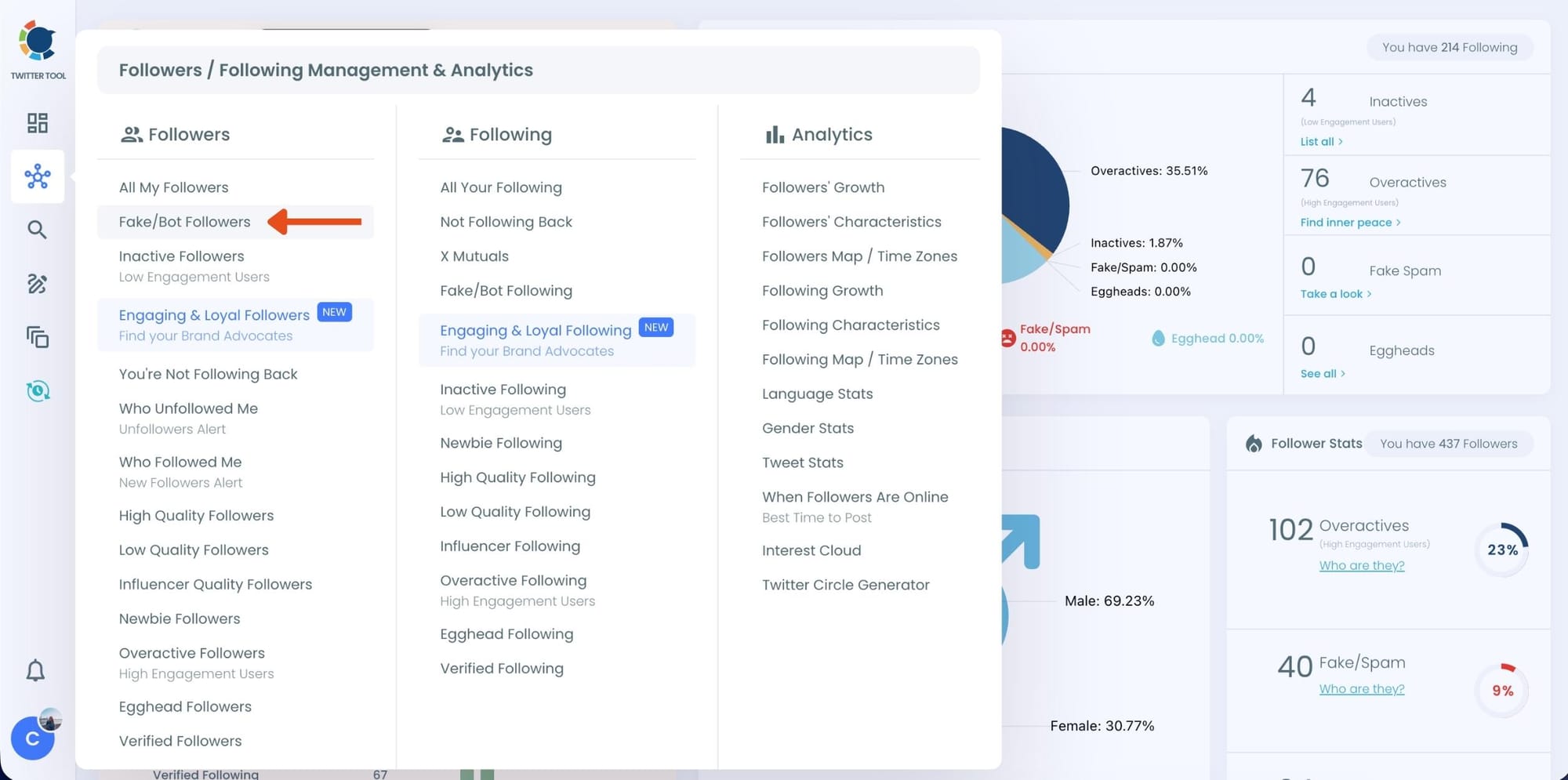
Step #2: On the left-side menu, click on the Followers / Following Management section. A dropdown menu will appear. Select Fake/Bot Followers to see the full list of your followers.
If you want to remove specific accounts, such as inactive users, you can directly select these categories from the dropdown menu instead of viewing all followers.
Step #3: You will see a complete list of your fake/bot followers.
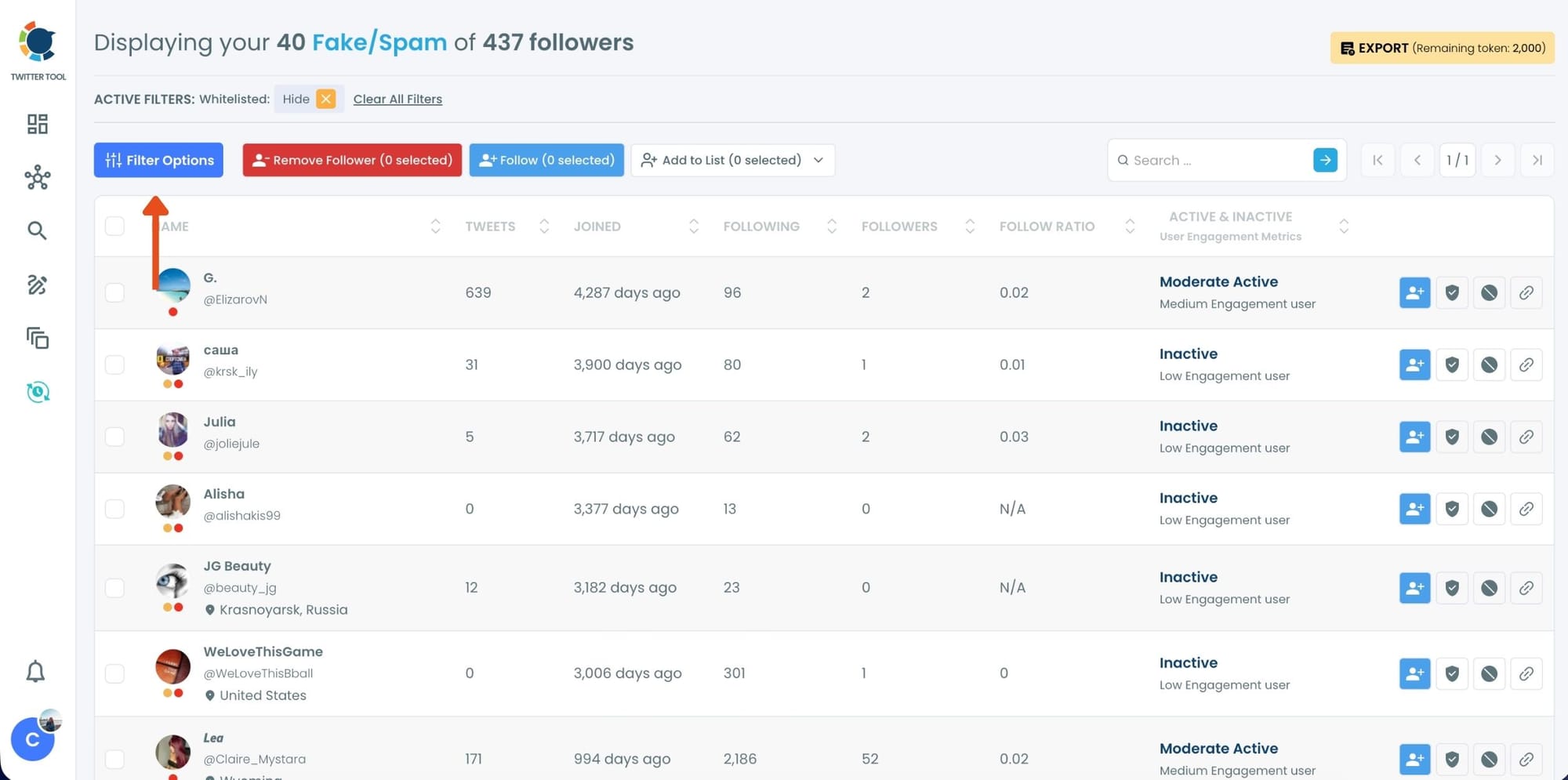
Use the Filter Options on the left side to refine your list. You can filter followers based on engagement levels, inactivity, verification status, follower/following count, and more.
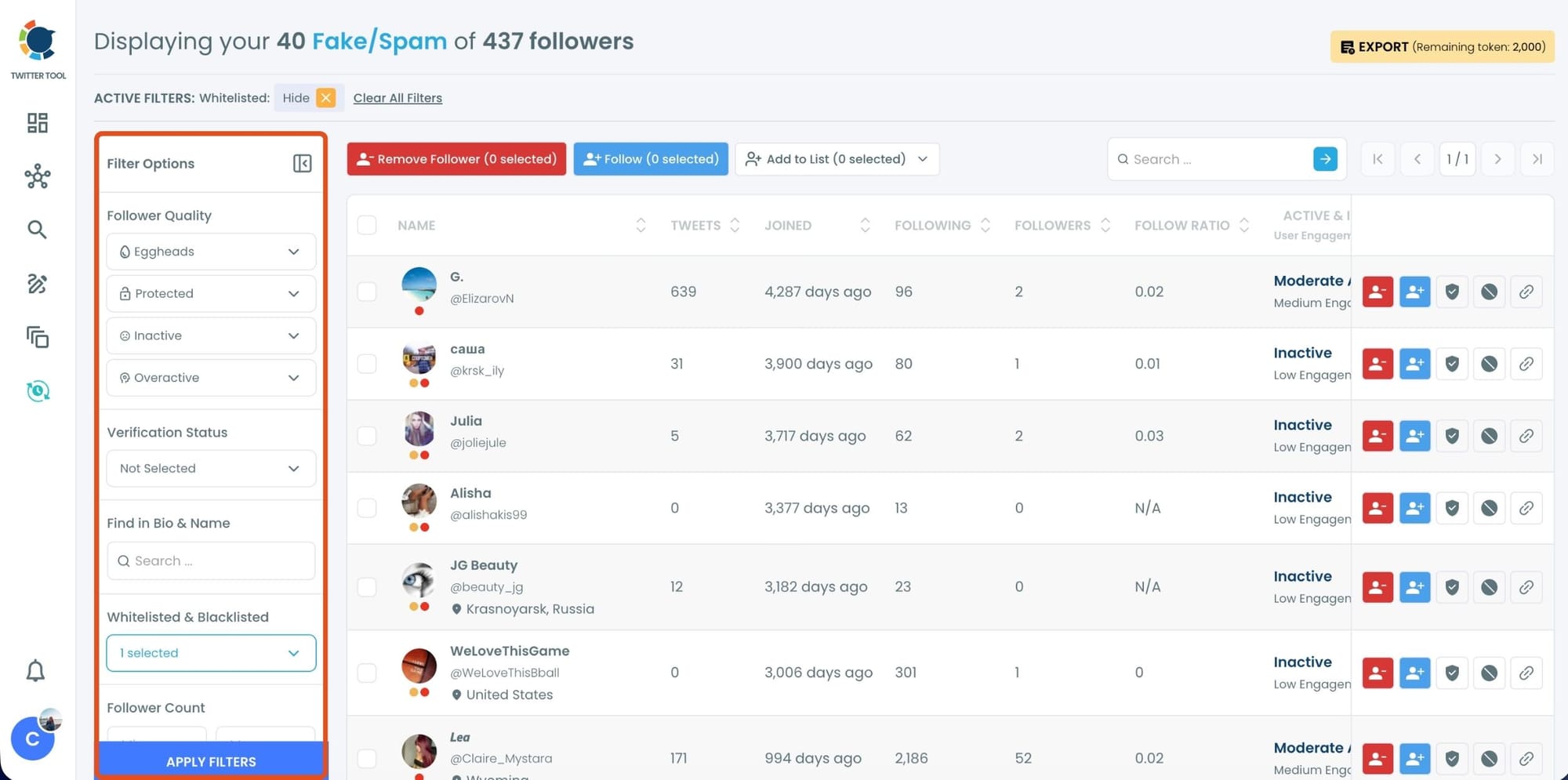
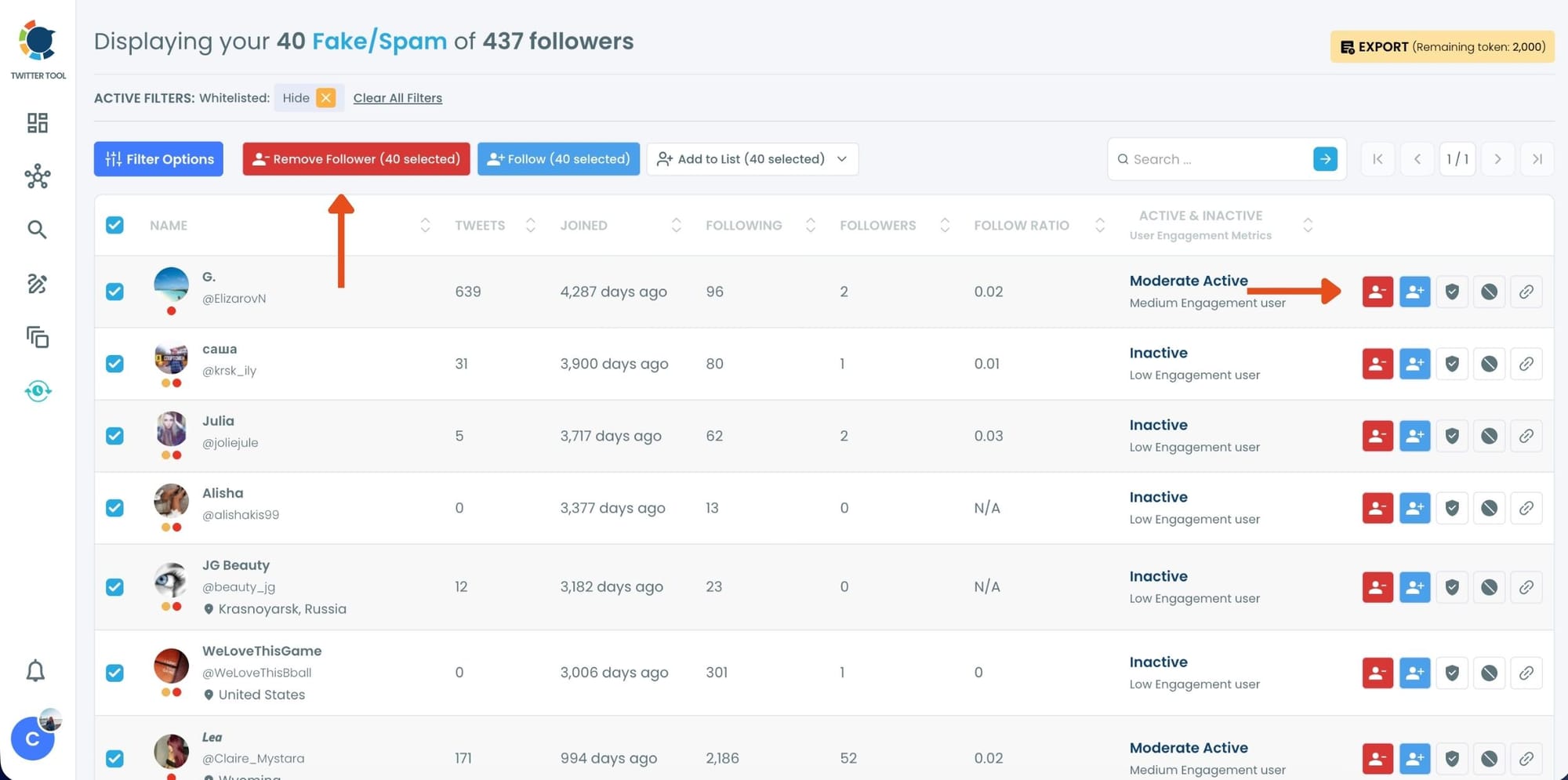
Step #4: Browse through your followers and check the boxes next to the users you want to remove.
You can also select multiple users at once. Once you have selected the users, click on the Remove Followers button at the top.
Alternatively, you can remove individual followers by clicking the red remove icon next to their name on the right side of the list.
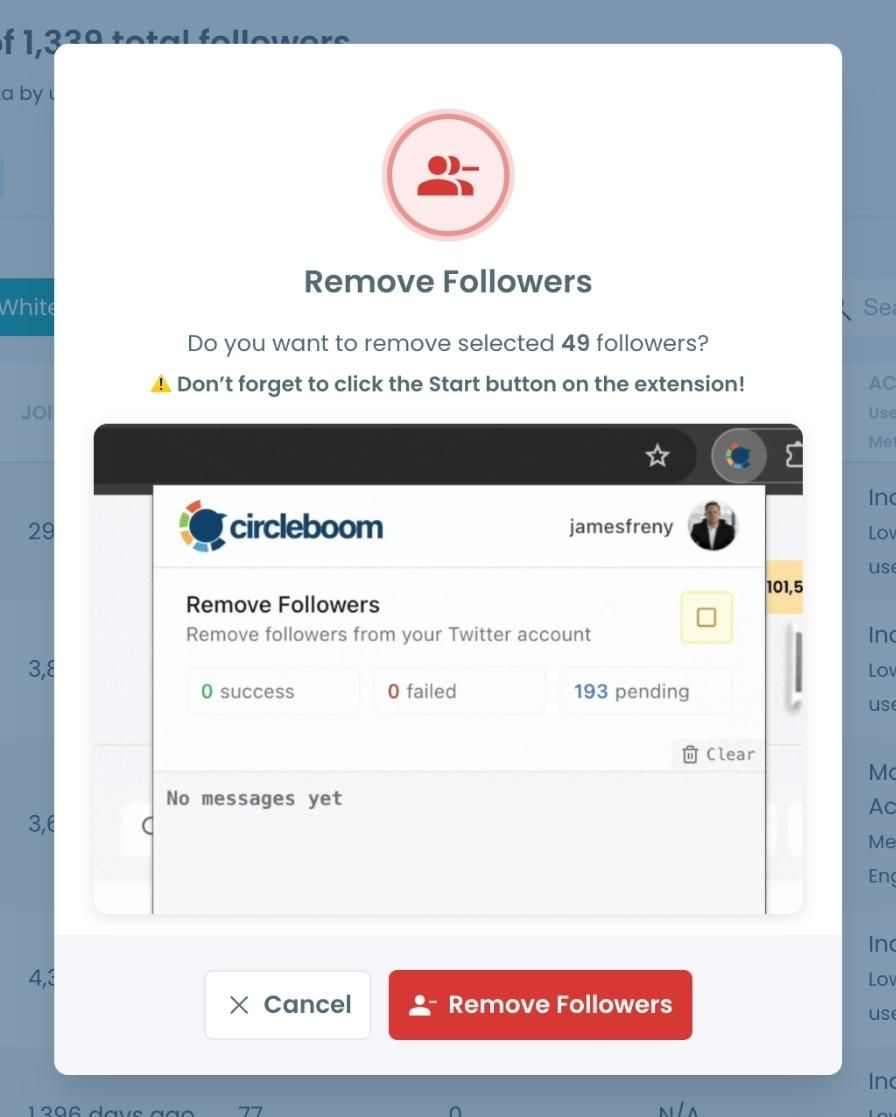
A confirmation message will appear asking if you are sure you want to remove the selected followers. Click ''Remove Followers''.
Step #5: Since the removal action is processed via the Circleboom Remove Twitter/X Followers extension, you need to install it to complete the process.
Click on Download the Extension and install it from the Chrome Web Store.
Once installed, you can easily remove followers.

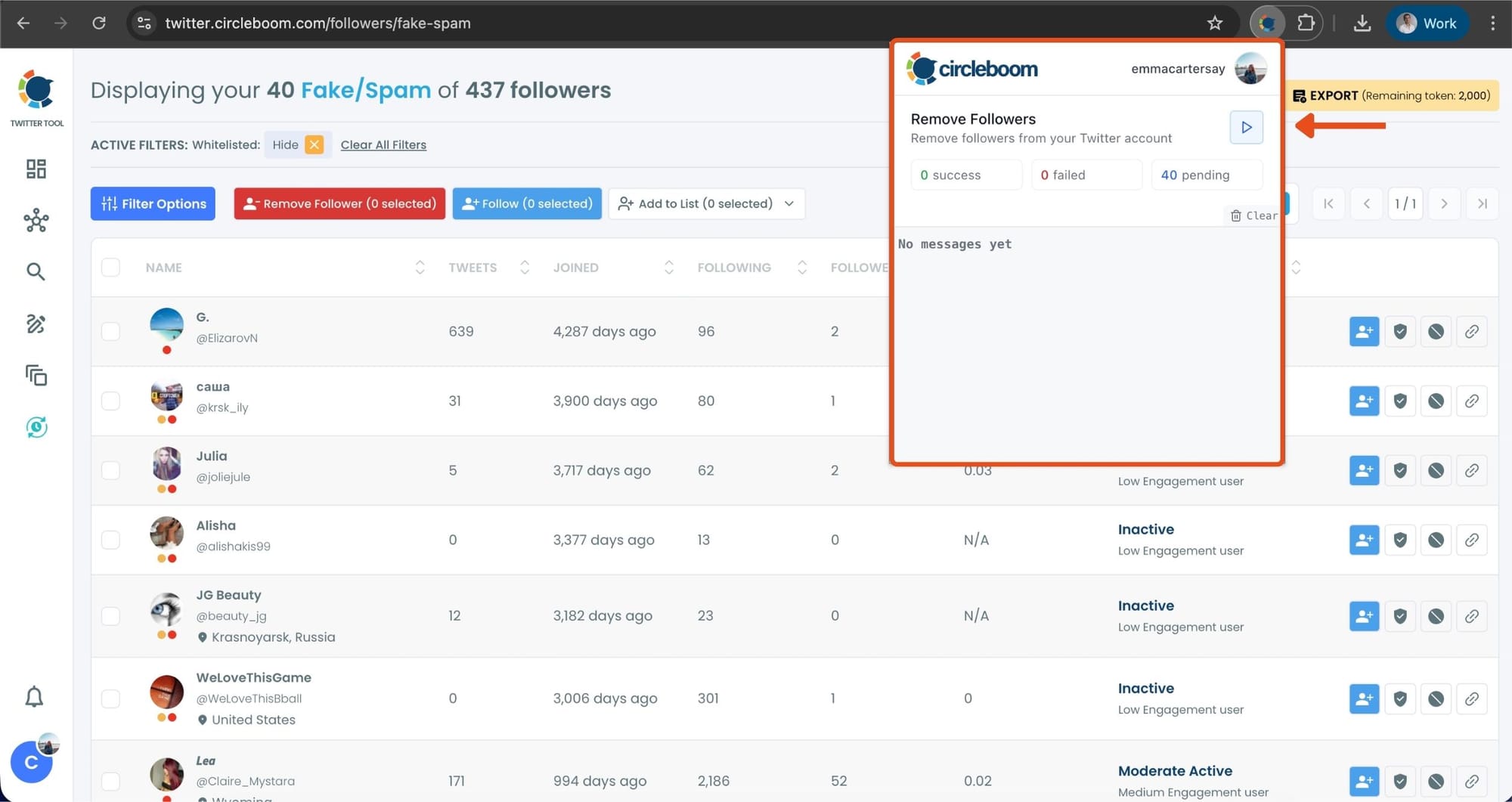
Step #6: After installing the extension, Circleboom will automatically add all your removal requests to the extension queue.
Click on the Start button to begin the removal process.
The extension will process your requests and remove the selected followers.
That's it! Your selected followers are now removed automatically.
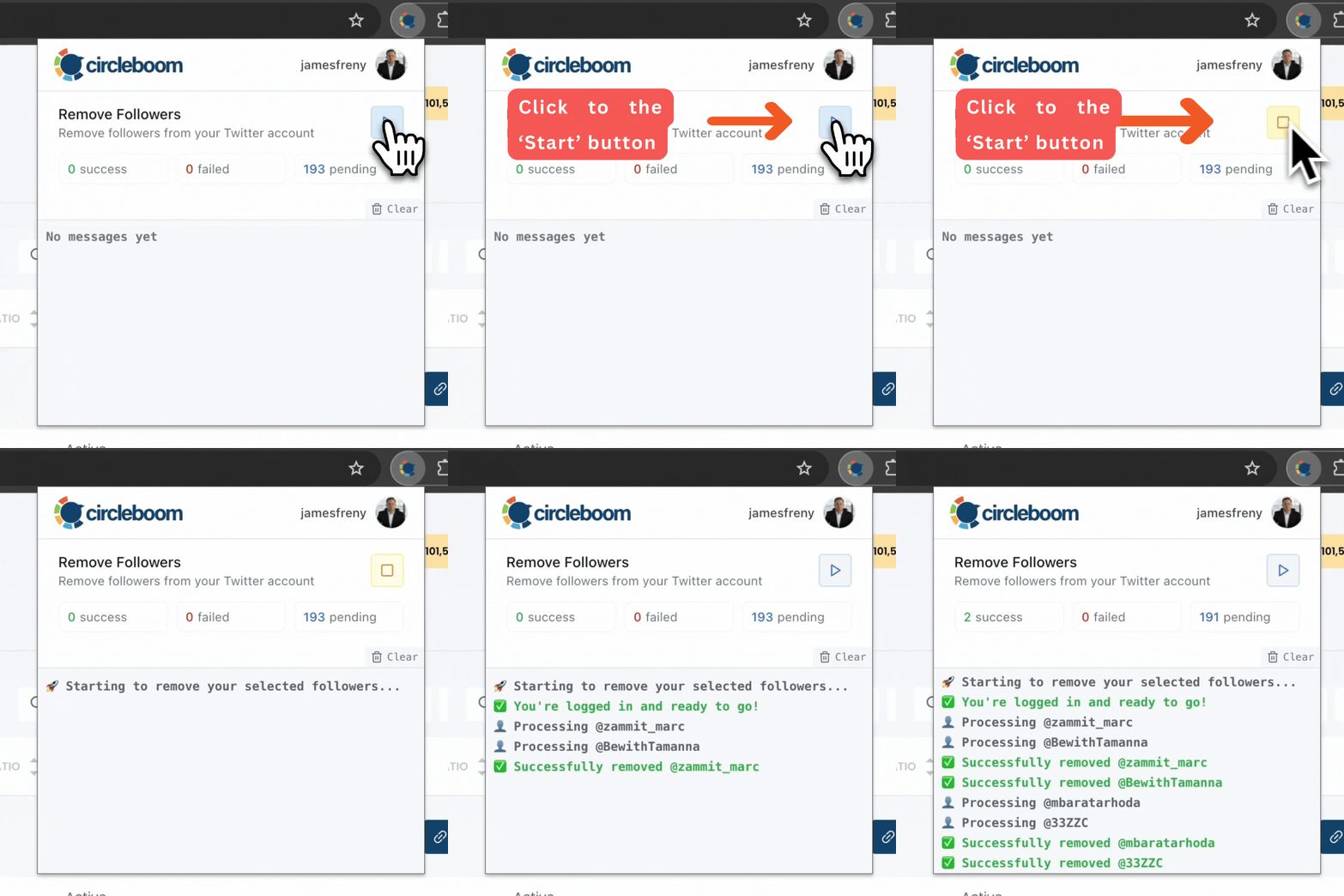
⚠️ Important Warning: Once the removal process begins, do not close your Chrome browser or the Circleboom tab. The tool will automatically remove followers in the background, but if you close the tab or exit Chrome, the process will stop.
If you need a more detailed guide check this video ⬇️
What Happens After Cleanup
Once low-quality followers are removed, something important changes.
Your tweets start reaching people who actually interact. Likes arrive earlier. Engagement feels more natural. Even if the follower count is lower, the account becomes healthier.
In most cases, the like-to-followers ratio increases simply because the audience is no longer diluted by inactive accounts.
Bonus Tip: Increase Likes with Auto Retweets
Even with a clean audience, there is another problem.
Most people do not see your tweet the first time you post it.
Twitter moves fast, timelines refresh constantly, and many followers miss your content completely. That is why I also use auto retweet cycles.
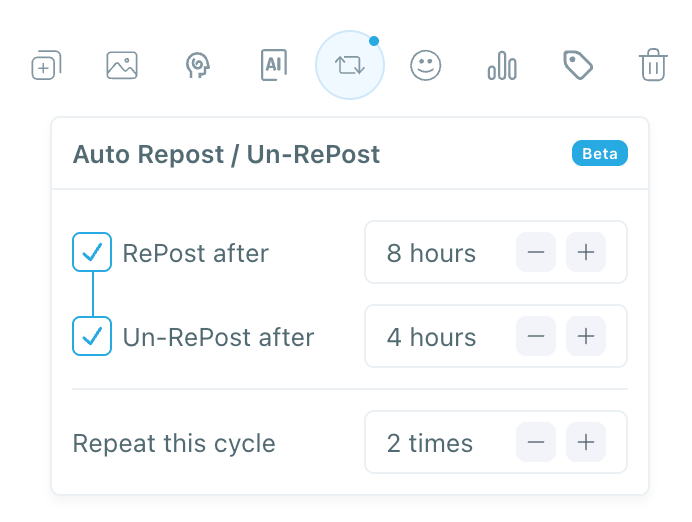
By automatically retweeting your own posts after a set period, you give the tweet a second chance to appear in timelines. More visibility usually means more likes, especially once your follower base is real and active.
 infocircleboom.com
This works best after cleaning your audience. Otherwise, you are just amplifying content to bots.
Final Thoughts
A good like-to-followers ratio is not about chasing a perfect number. It is about understanding what your audience is made of.
If your ratio is low, the problem is often not your ideas or writing style. In many cases, it is simply that your followers are not real or not active.
By cleaning your audience first and then improving visibility with tactics like auto retweets, you give your content a fair chance to perform.
Follower count can look impressive. Engagement quality is what actually matters.
%3F)
