Twitter (X) Live Follower Counter

Circleboom : An Official Enterprise Developer
"Work with a trusted X Official Enterprise Developer to expand what's possible for your business. Each Official Enterprise Developer has been selected for the program after an extensive evaluation, and represents excellence, value, and trust." — X (Twitter)Circleboom Twitter Tool
Circleboom Twitter management tool provides account analytics, follower/friends insights, tools to check, fakes, spammers, inactive accounts, advanced account search and delete tweets services

TRACK THE MOST RECENT FOLLOWER AND FOLLOWING
See who recently followed or unfollowed any public X account and track the newest accounts they’ve started following. With Circleboom, you get a clear, up-to-date view of a profile’s most recent followers and following activity, helping you understand engagement patterns, spot real interest, and analyze audience behavior instantly.

EVERYTHING IS ALWAYS SAFE ON CIRCLEBOOM
Circleboom is preferred not only by thousands of individual social media users but also by small and corporate firms and non-profit organizations worldwide. Why? Because we also rigorously follow the Twitter Rules and do not perform any action on Twitter that could compromise your account. With Circleboom, you're in good hands!

TWITTER (X) LIVE FOLLOWER COUNTER
Circleboom’s Twitter Live Follower Counter lets you track any public X account’s follower count in real time with instant, accurate updates. Whether you're monitoring your own growth, keeping an eye on competitors, or measuring the impact of campaigns, this tool shows follower changes as they happen. No delays, no guesswork—just a clear, live view of audience activity to help you make smarter decisions and understand your reach on X.

EXPORT THE FULL LIST OF FOLLOWERS, FOLLOWING AND TWEETS
Export the full list of any public X account’s followers, following, and tweets in a clean, ready-to-use format. With Circleboom, you can download complete datasets in seconds for analysis, research, trend tracking, or competitor insights—making it easy to work with accurate, organized data outside the platform.
How to track someone's X followers and following
Learn how to track someone's the most recent X followers and following with Circleboom:
Select any username you want to track on X.
You will track their recently followed audience.
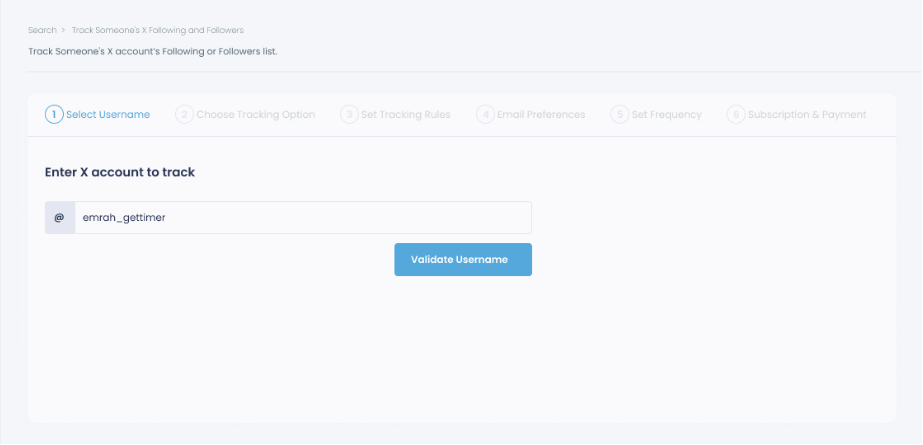
Next, you will choose "Followings" or "Followers".
You should select one of the tracking options.
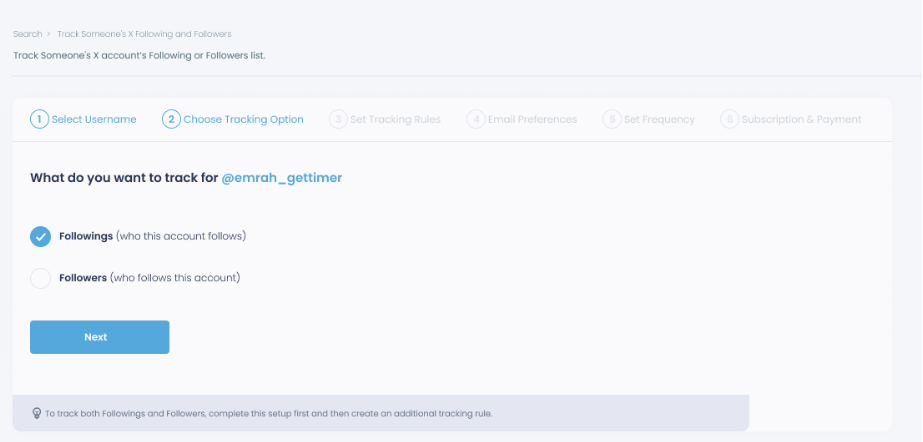
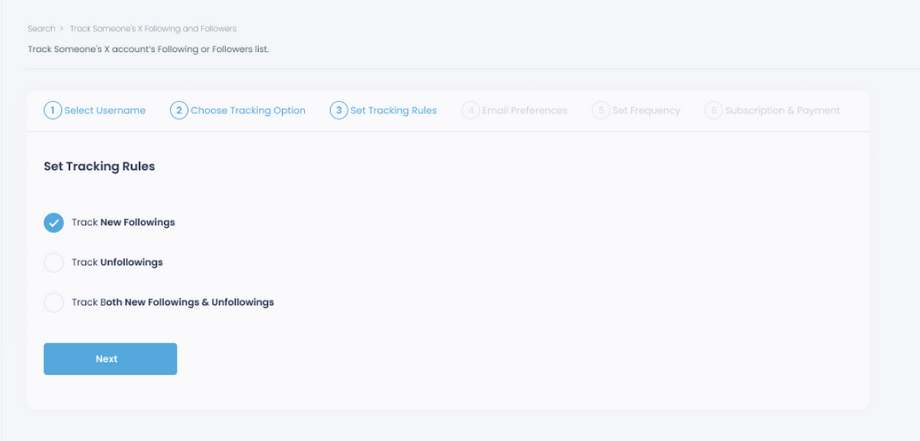
Regarding the followings, you can track new, recent followings and unfollowings.
You can track both at the same time!
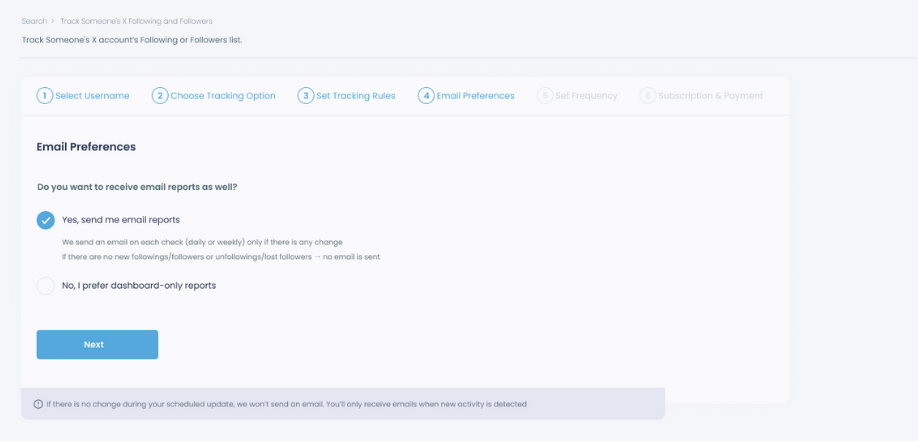
For your tracking operations, you can receive email updates for each check.
You can still track new followings or followers without email notifications. You can monitor the following or followers with dashboard-only reports.
Now, you should set the frequency.
You can get "Daily Tracking" or "Weekly Tracking".
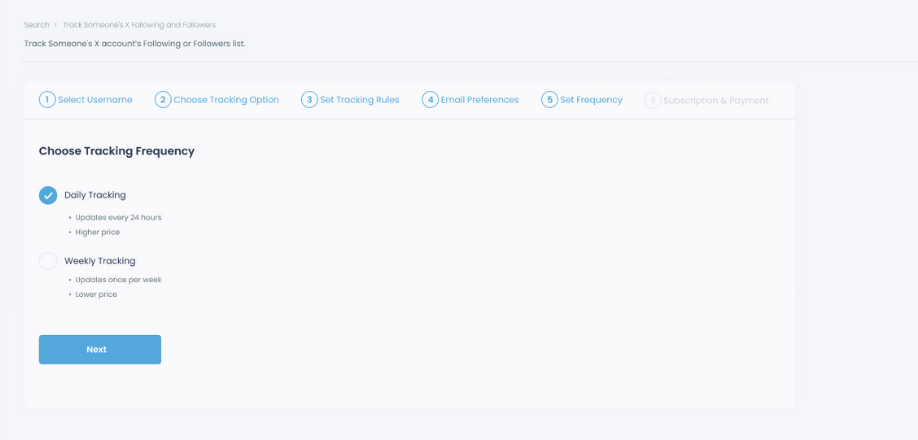
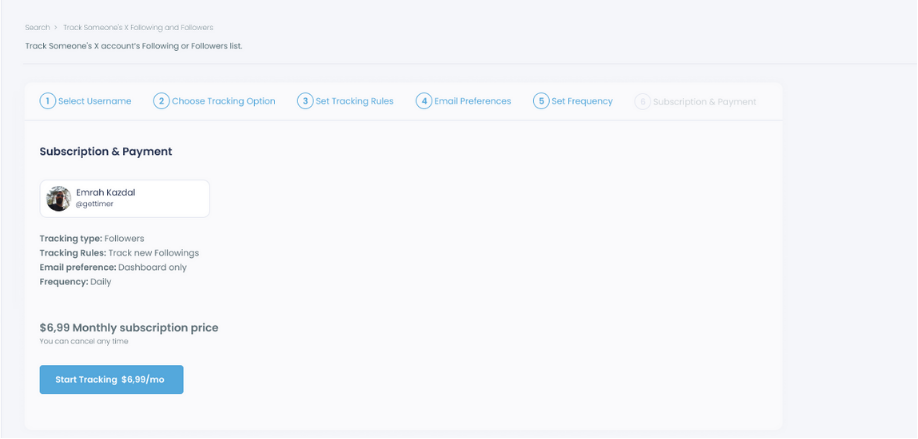
The next step is subscription.
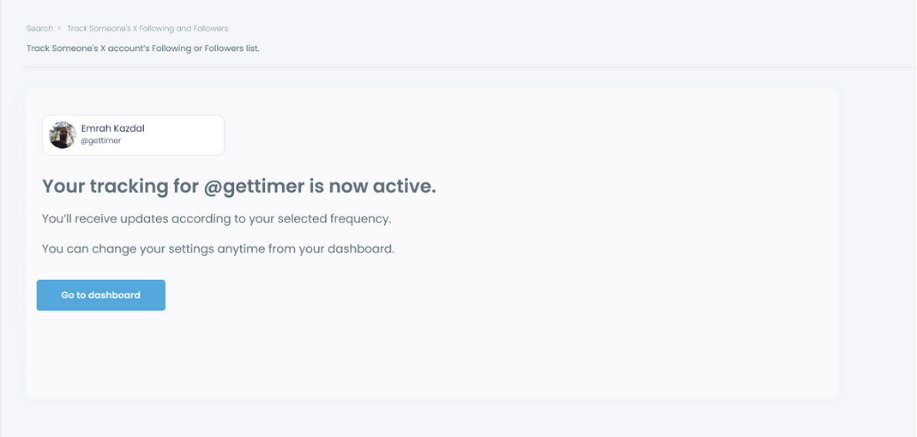
After checking the rules, you can start tracking.
Frequently Asked Questions (FAQs)
Do you want to have a new, cleaner appearance on Twitter? If so, maybe you should consider deleting your tweets, deleting retweets, or removing your old Twitter likes!