
X's search bar is right there. But using it to find specific words a Twitter account said, especially anything more than a few weeks old, gets surprisingly difficult.
Native search returns a feed. A mix of recent stuff, popular posts, whatever its algorithm decides is relevant at that moment. You can type a keyword and a username together and get some results, but refining that to a specific date range or going back several months is not something the platform does reliably.
There are legitimate reasons you might want to do this. You remember seeing a specific claim a competitor made. A prospect mentioned your product category a while ago and you only just found out. An account said something during an industry event you want to revisit. Twitter/X does not give you a clean way to reconstruct any of these.
With Circleboom Twitter, you can search public tweets by keyword, date range, and engagement level, then surface both the tweets themselves and the accounts behind them, going back up to a year or further using the official X Enterprise API.
What Is Circleboom Twitter?
Circleboom is an Official X Enterprise Developer, which means it works directly through X's official APIs without scraping, credential sharing, or any third-party workarounds.

That API access is what makes historical tweet search with real date-range control possible, rather than just returning recent or algorithmically ranked results.
Key capabilities:
🟢 Search public tweets by keyword with precise date range control, including the last 30, 60, or 90 days, the past year, or a custom window
🟢 View both the tweets that matched your search and the accounts behind them, switching between the two perspectives within the same result set
🟢 Filter results by engagement level, language, media type, and whether the tweet includes links, hashtags, or replies
🟢 Export matching accounts or tweets as CSV for research, outreach, or reporting
🟢 Follow or add accounts to a Twitter List directly from the search results
For searching specific words a Twitter account said, the Historical Tweet Search and Real-time Tweet Search features are what make this possible at any meaningful scale.
 infocircleboom.com
How to Search Specific Words a Twitter Account Said with Circleboom Twitter
Step #1: Log in to Circleboom Twitter and connect your X account.
Circleboom is an Official X Enterprise Developer, meaning all tweet and account data comes directly from X’s official APIs in a safe and compliant way.

Step #2: Open the left menu and go to “Historical Tweet Search”.
You can find it under:
“X Account Search / on Tweets” → “Historical Tweet Search”

Circleboom also offers “Real-time Tweet Search” in the same section. Historical Tweet Search helps you discover people who tweeted about a keyword in the past across a selected date range, while Real-time Tweet Search continuously monitors new tweets as they happen.
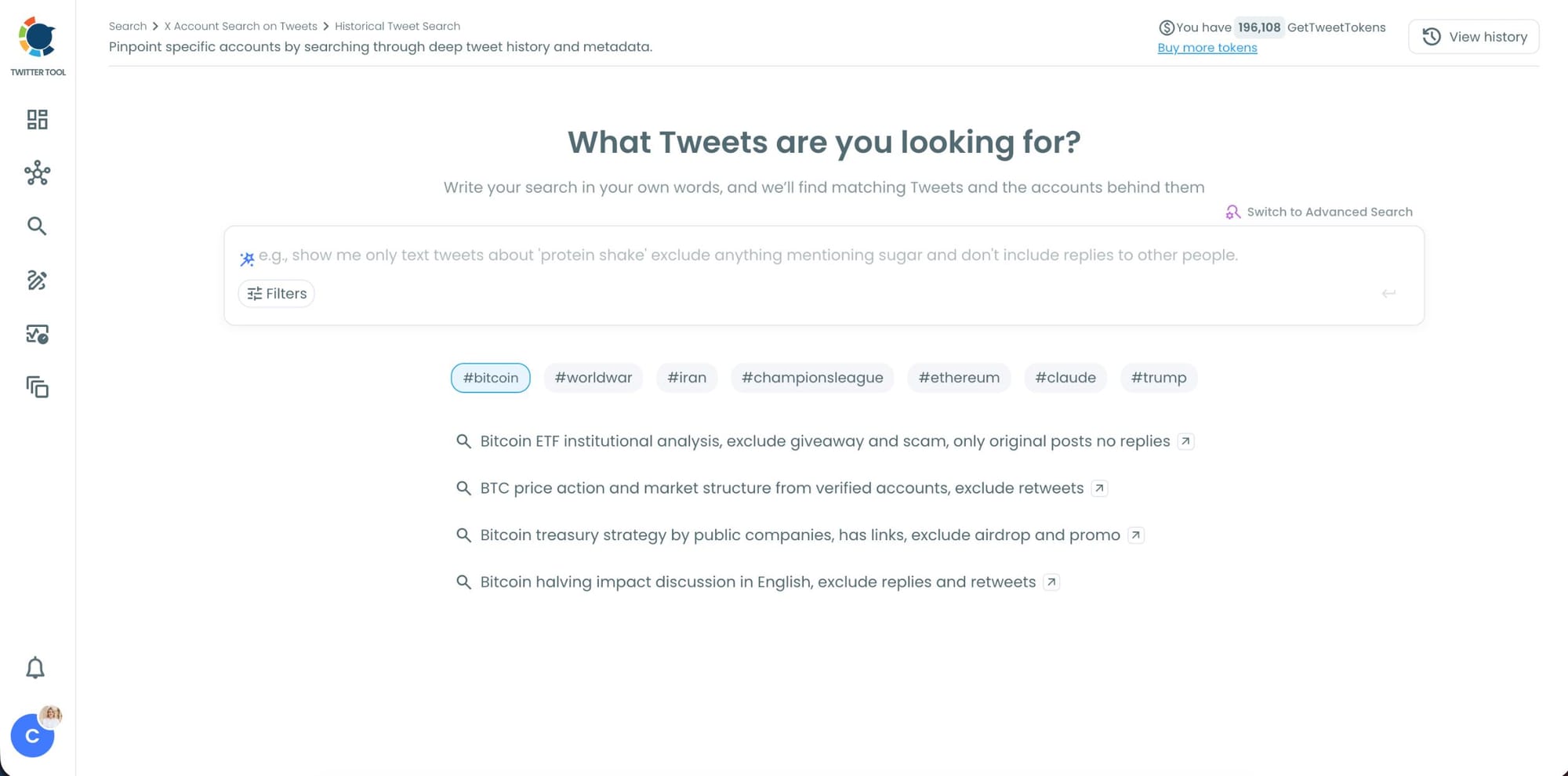
Step #3: Describe the tweets you want to find using AI Smart Search.
Instead of writing complicated Twitter search operators, you can simply type what you are looking for.
For example:
“Find tweets about people looking for a smartwatch or fitness tracker, exclude retweets.”
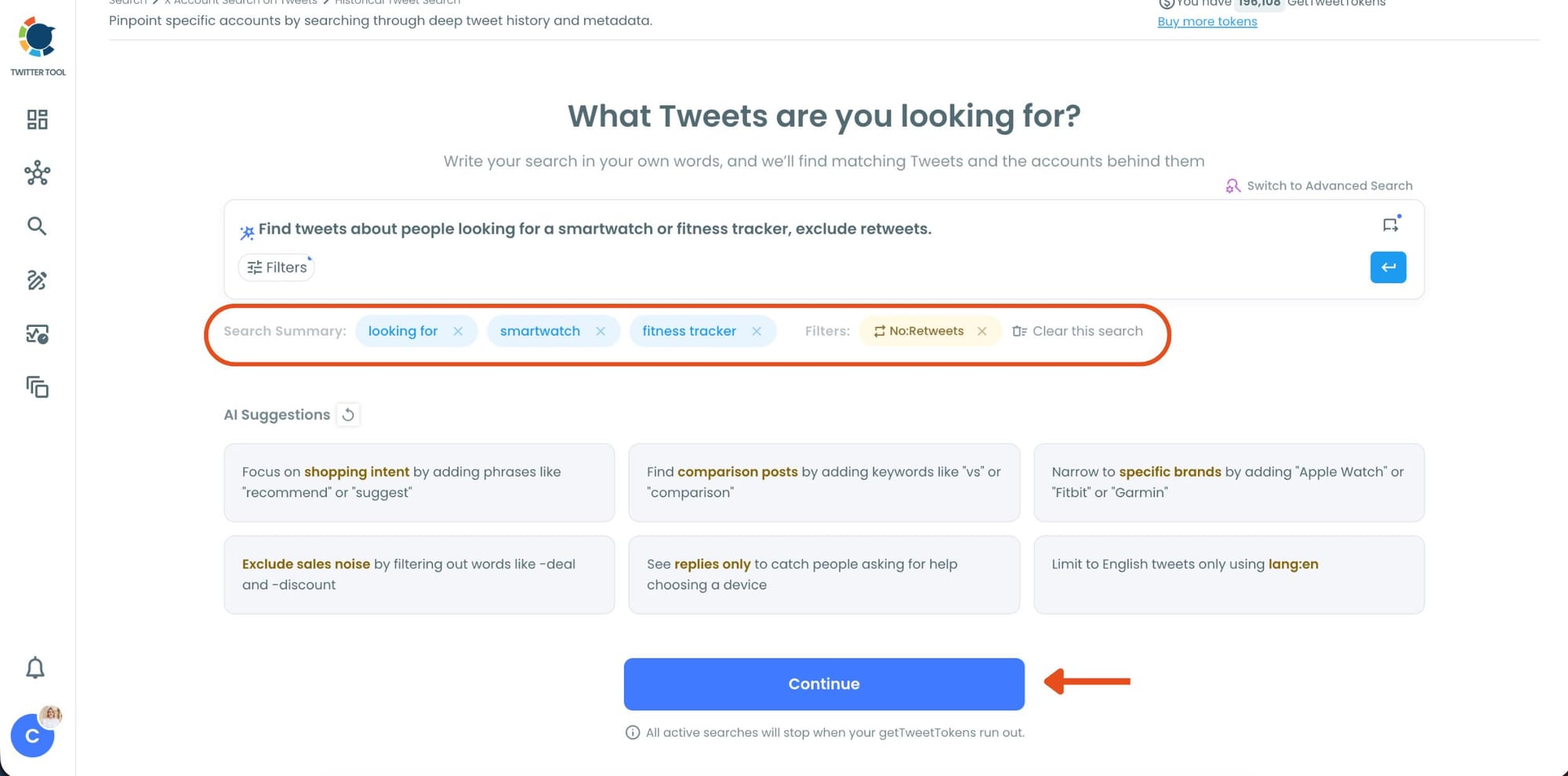
Circleboom AI automatically understands the intent behind your query, extracts the important keywords, and applies filters automatically.
Step #4: Refine your keyword monitoring search with AI suggestions and filters.
Circleboom also suggests ways to narrow your search results. You can focus on intent, comparison posts, replies, or specific languages while filtering out spam, retweets, and noise.
This helps you find more relevant people tweeting about your keyword instead of scrolling through random tweets.
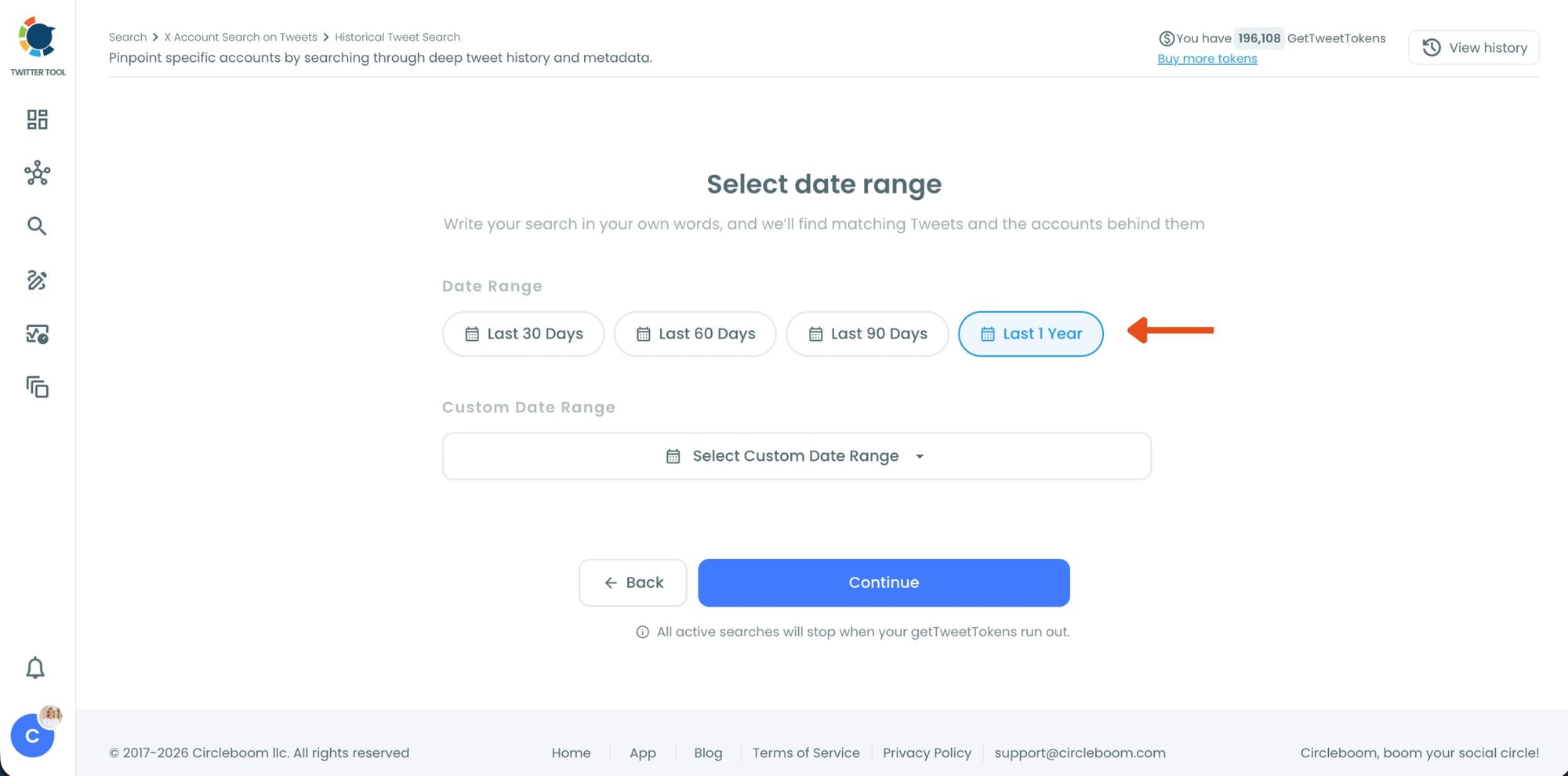
Step #5: Select your historical search date range.
You can monitor tweets from the last 30, 60, or 90 days, search across the last year, or define your own custom date range.
This makes it possible to discover people who tweeted about your topic weeks or even months ago, not just recent tweets.
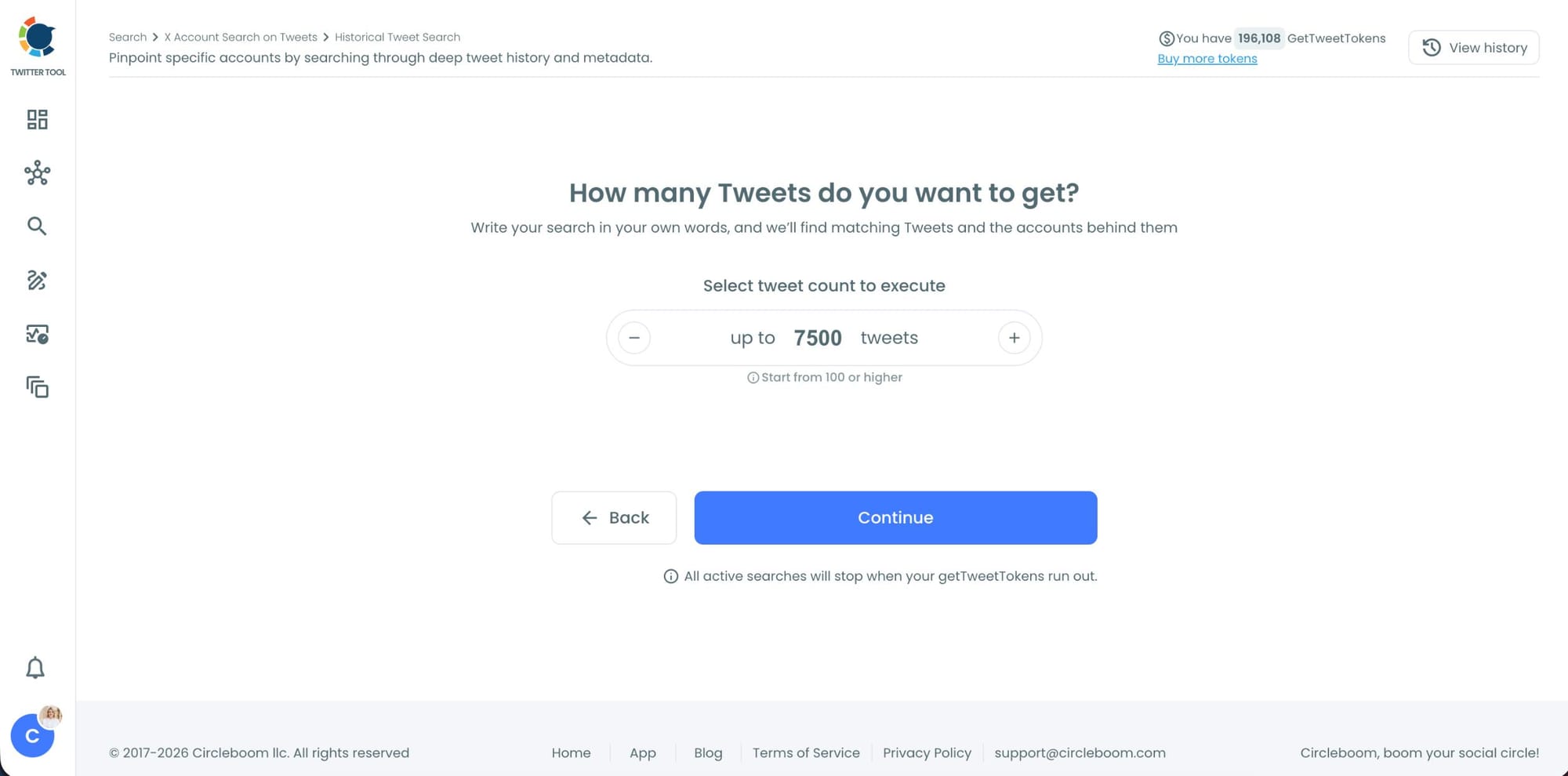
Step #6: Choose how many tweets Circleboom should collect.
Before the search starts, Circleboom lets you select the tweet volume you want to analyze.
Once you click “Continue”, Circleboom scans historical tweet data and starts collecting matching tweets together with the accounts behind them.
Step #7: Analyze the matching tweets and discover the accounts behind them.
Tweet View displays the matching posts together with impressions, likes, retweets, replies, bookmarks, and posting dates so you can quickly understand which conversations are getting attention.
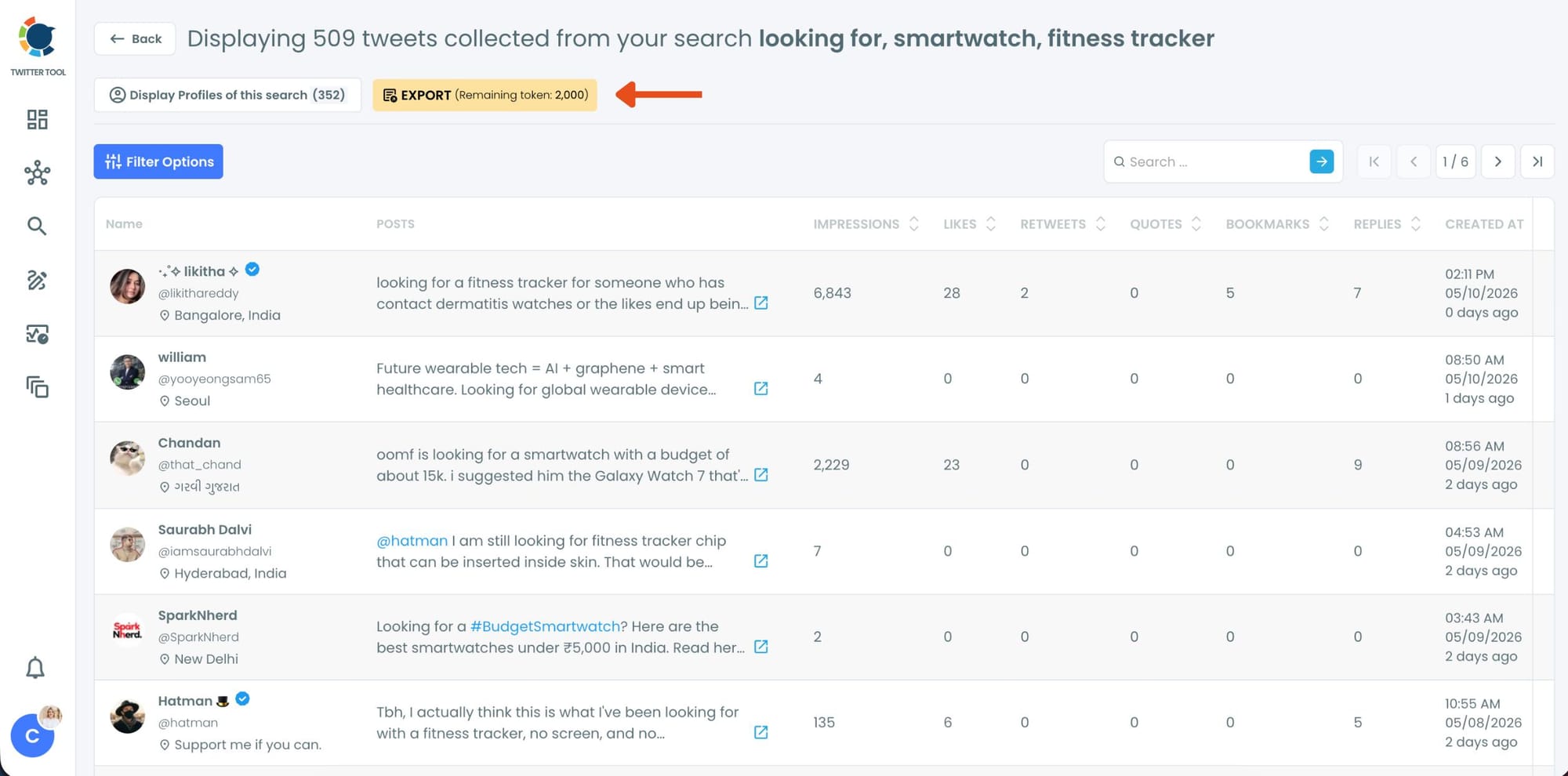
You can also switch to Profile View to focus on the people behind those tweets.
Profile View displays follower count, following count, account age, tweet count, follow ratio, and engagement activity levels so you can evaluate account quality before interacting with them.
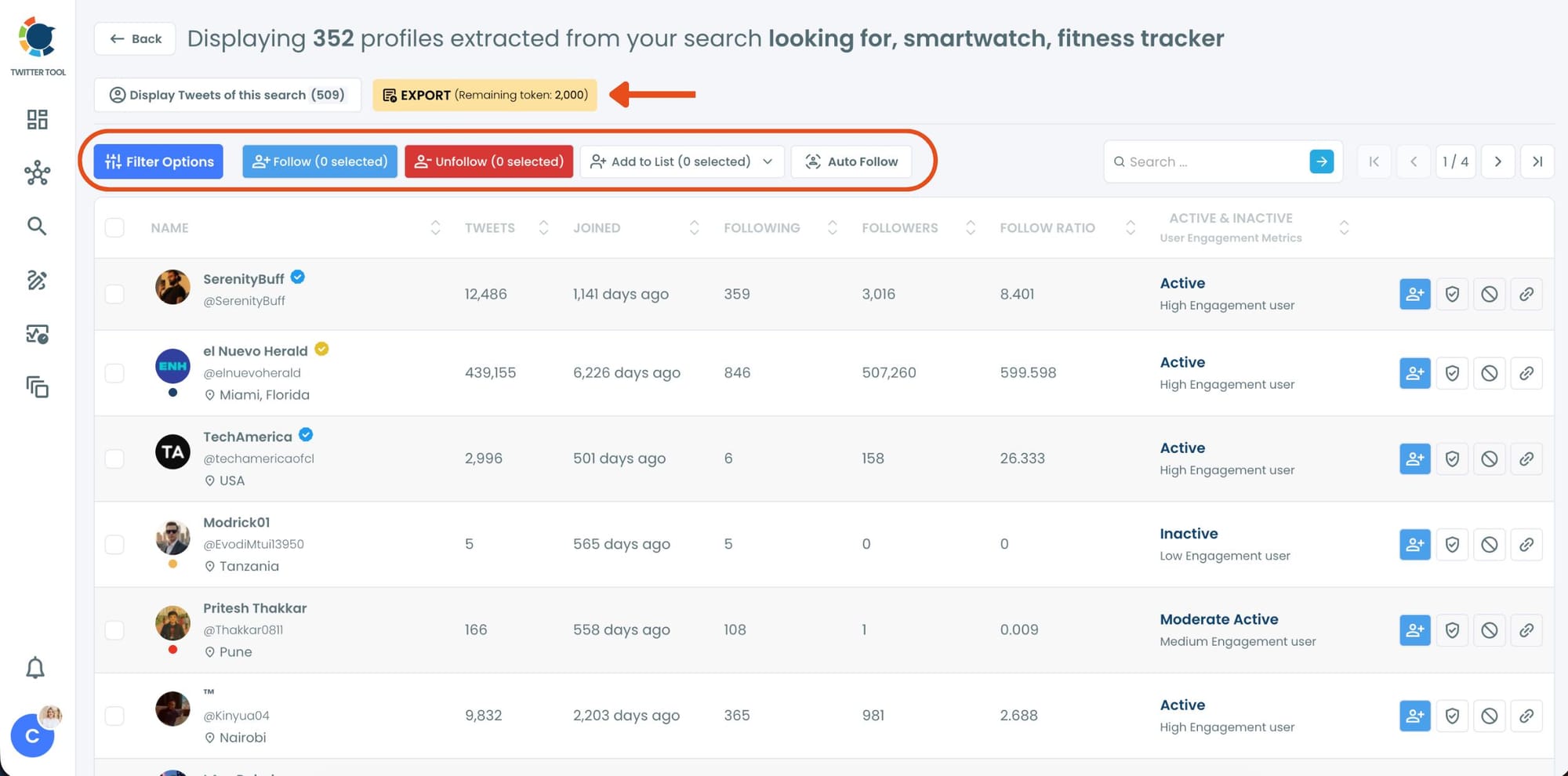
From there, you can directly follow accounts, unfollow them, add selected users into Twitter/X Lists for ongoing monitoring, auto-follow matching users, or export the collected profiles and tweets as CSV files.
Why X Won't Let You Search Specific Words a Twitter Account Said
X's built-in search works fine for finding trending topics or recent posts. Anything more precise starts hitting its limits quickly.
You can use from:username keyword syntax to search within a specific account's tweets, but native search does not let you set a meaningful historical date range. Searching for something a particular account said eight months ago may return nothing, or return results that are clearly missing posts you know exist.
📌 X's search is designed for real-time discovery, not historical retrieval. The ranking algorithm optimizes for recency and engagement, not completeness. If you need to reconstruct what was said during a specific period, the native tool was not built for that.
There is also no way to switch from a feed of tweet results to a structured list of the accounts behind those results. If you search for a keyword and want to know which accounts have been saying it over the past year, native search cannot produce that output.
⚠️ For most historical searches going back more than a few weeks, expect gaps, missing posts, and inconsistent coverage through X's native search alone.
Circleboom Twitter's Historical Tweet Search uses the official X Enterprise API specifically to address this, letting you search public tweet content with real date-range control and retrieve both the matching posts and the profiles that authored them.
What You Can Actually Find and Why It Matters
The cases where this search capability matters are more common than they might first appear.
Competitive research. You want to know if a competitor has been positioning against a specific feature, making claims about pricing, or responding to criticism in a particular way. Searching by keyword with a historical date range shows the pattern over time, not just the most recent post.
Prospect signals. Someone in your target audience posted about evaluating tools in your category. The tweet was six months ago. With historical tweet search, you can find every similar post from that period and build a list of accounts that expressed the same intent. A person who tweeted "we're switching our social media tool this quarter" is still a relevant prospect, even if the tweet has long since left any native search surface.
Content and context research. If you are writing about a topic or positioning content around a specific theme, knowing what accounts have actually said about it over time is more useful than seeing what is trending today. Historical tweet search gives you the archive of a conversation, not just its current state.
Monitoring specific claims. Brands sometimes need to track whether specific claims or statements made by their own account or others are still circulating publicly. Being able to search by keyword with a date range makes this structured and repeatable rather than manual and inconsistent.
One place to put this kind of research to work is Circleboom's Twitter Search Tool, which brings account search and tweet search together in one workflow.
Frequently Asked Questions
Can you search for specific words a Twitter account said?
Yes, but the method depends on how far back you need to go. Native X search supports basic from:username keyword queries for recent tweets, but historical coverage becomes unreliable past a few weeks. Circleboom Twitter's Historical Tweet Search uses the official X Enterprise API to search public tweets within a defined date range, going back up to a year or further, and surfaces both the matching tweets and the accounts behind them.
How far back can you search tweets?
Through X's native search, reliable results typically go back a few weeks. Circleboom Twitter's Historical Tweet Search supports date ranges of 30, 60, or 90 days, the past year, or a custom window, depending on what the X Enterprise API has indexed for the specified period.
Can you find tweets a specific account deleted?
No. Both native search and API-based tools like Circleboom can only return publicly available tweets. Deleted, protected, or private tweets are not accessible to any tool.
What is the difference between historical and real-time tweet search?
Historical Tweet Search looks backward, finding tweets posted within a past date range you define. Real-time Tweet Search looks forward from a start date you choose, collecting matching tweets as they are posted from that moment on. Historical is better for research, prospect mining, and reconstructing past conversations. Real-time is better for live events, breaking news, and catching buying signals while they are still active.
Can you export the tweet search results?
Yes. Both the tweet results and the profile view showing the accounts behind matching tweets can be exported as CSV from within Circleboom Twitter. Exports use GetTweetTokens, which is the token balance that governs tweet collection within the platform.
Do you need to know the exact tweet text to search for it?
No. The search works by keyword or phrase. You describe what kind of tweet you are looking for in plain language and the system finds public tweets matching those terms. You do not need to remember the exact wording of a specific post.
Is this search fully compliant with X's policies?
Yes. Circleboom operates as an Official X Enterprise Developer and retrieves all data through X's official APIs. No scraping, no third-party workarounds, and no credential sharing are involved.
Final Thoughts
X's native search was not built for the kind of precise, historical, date-range-controlled retrieval that most research and outreach workflows actually need. You can get recent results and roughly relevant posts, but reconstructing what specific accounts have said over a meaningful time period is not something the native interface handles reliably.
Circleboom Twitter's Historical Tweet Search and Real-time Tweet Search fill that gap directly. Whether you are tracking competitive positioning, finding accounts that expressed a buying signal in the past, or building a list of everyone who discussed a specific topic during a defined window, both features give you the tweet content and the accounts behind it as a structured, actionable dataset.
If searching for specific words a Twitter account said is something you need to do with any regularity, this is the tool that makes it reliable.
infocircleboom.com