

If you want to see which Twitter users joined the platform earlier and which ones joined recently, you might expect to find a sorting option on Twitter (X).
However, Twitter does not provide a feature that lets you rank users by their join date. When you open the followers or followings of an account, the platform simply displays a list of users without giving you advanced sorting options.
You cannot sort users by:
- Oldest accounts to newest
- Newest accounts to oldest
Twitter also does not show follower lists together with detailed data like join dates in a sortable format. Because of this limitation, it is not possible to rank users chronologically directly on the platform.
However, you can do this easily with Circleboom Twitter.

Circleboom Twitter is an official X Enterprise Developer, and it allows you to display followers, followings, and searched accounts with detailed profile information, including their Twitter join date.
Once this information is available, you can simply sort users based on when they joined the platform.
Rank Twitter Users by Join Date with Circleboom Twitter
Circleboom Twitter provides advanced tools to analyze and manage Twitter accounts.
Instead of seeing followers or followings as a simple list, Circleboom displays them with detailed information that helps you understand the accounts better.
With Circleboom Twitter, you can view:
🟢 Followers of other Twitter accounts
🟢 Followings of other Twitter accounts
Each account is displayed together with its profile details, including the date when the account joined Twitter.
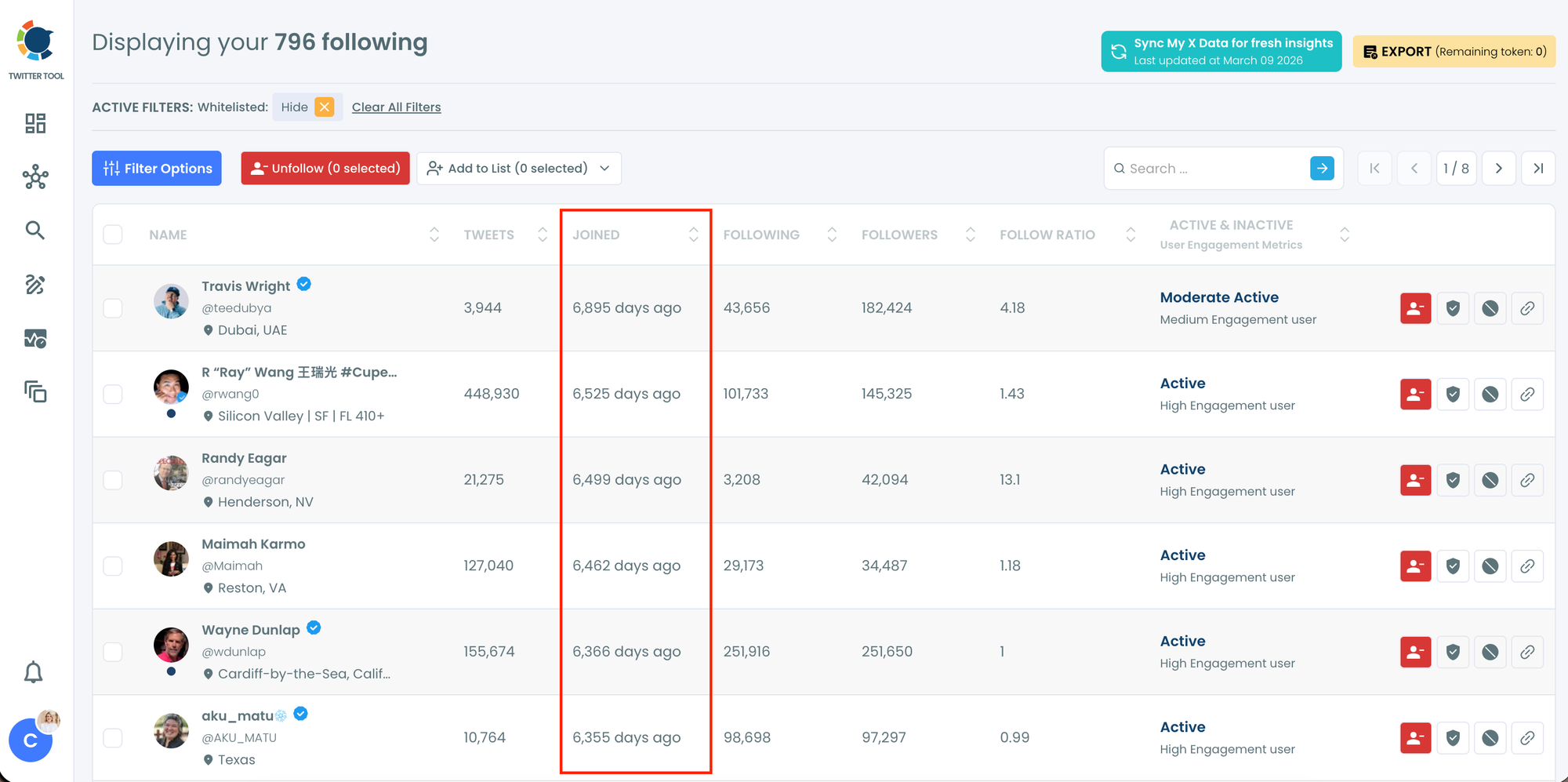
Because the join date is visible, you can easily rank users by their join date and organize them chronologically.
Sort Users from Newest to Oldest or Oldest to Newest
Once the accounts are displayed in Circleboom Twitter, sorting them becomes very simple.
You can organize users based on their join date in different ways, such as:
- Newest accounts first – to identify recently created profiles
- Oldest accounts first – to see long-time Twitter users
This makes it much easier to analyze the history of accounts and understand the audience structure of a profile.
For example, you might want to check whether many followers are newly created accounts or see which users have been on Twitter for many years.
 infocircleboom.com
Take Action After Sorting Users
Ranking users by join date is not only useful for viewing the list.
Circleboom Twitter also allows you to take actions directly on the accounts you see. After sorting the users, you can easily manage them without leaving the dashboard.
Some of the actions you can take include:
➡️ Removing accounts from your profile
This makes the process both analytical and practical because you can review the accounts and manage them at the same time.
How to Rank Twitter Users by Join Date with Circleboom Twitter
Here is how you can do it step by step.
Let's say you wanted to find accounts interesting with NFTs and wanted to find the oldes ones on Twitter:
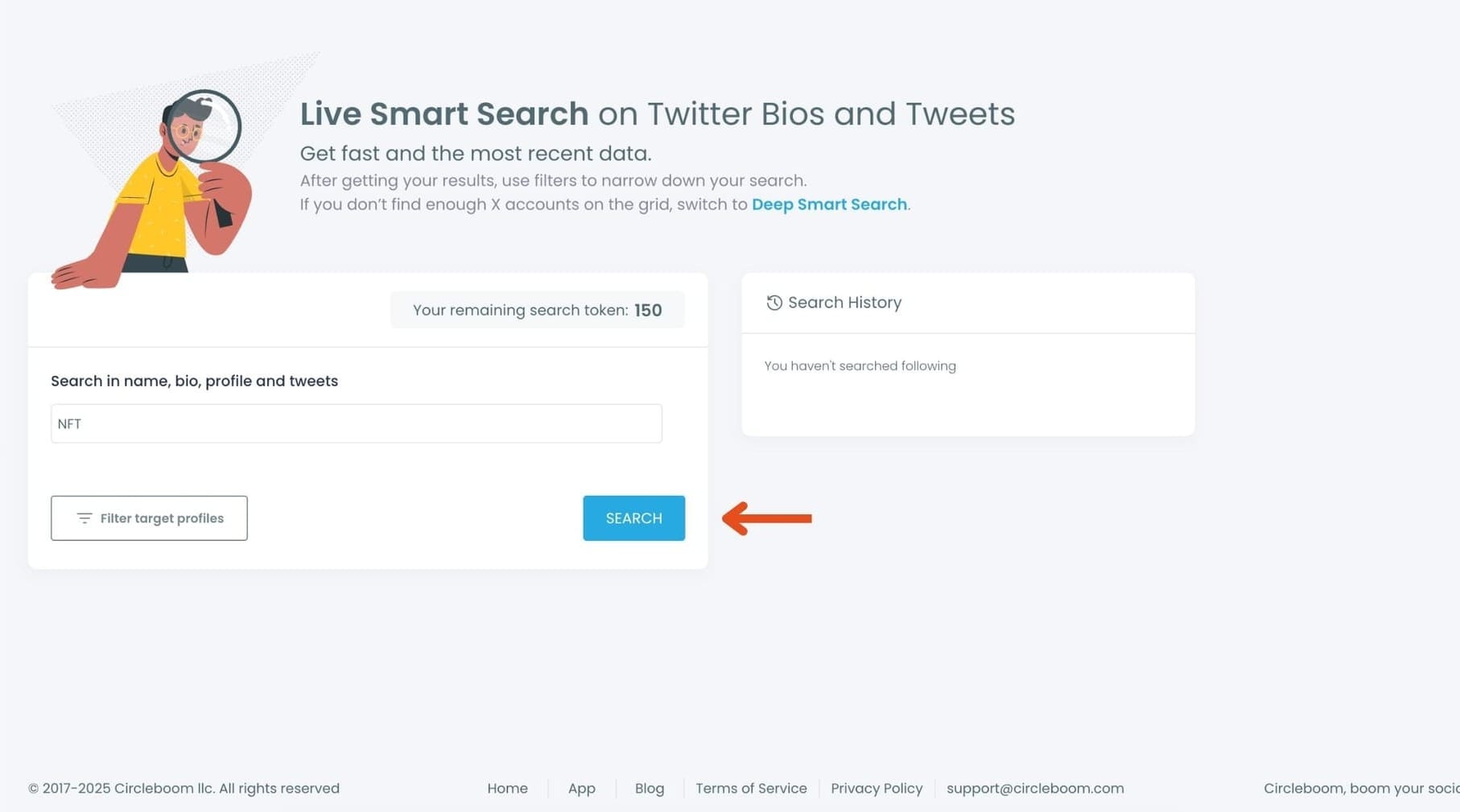
Step #1: Go to the left-hand menu, open the Search tab, and click “Live Smart Search”
You’ll land on the updated Live Search page.

Step #2:Enter your keyword in the search bar.
Circleboom scans names, bios, profiles, and tweets in real time.
Type something like NFT and hit “Search.”
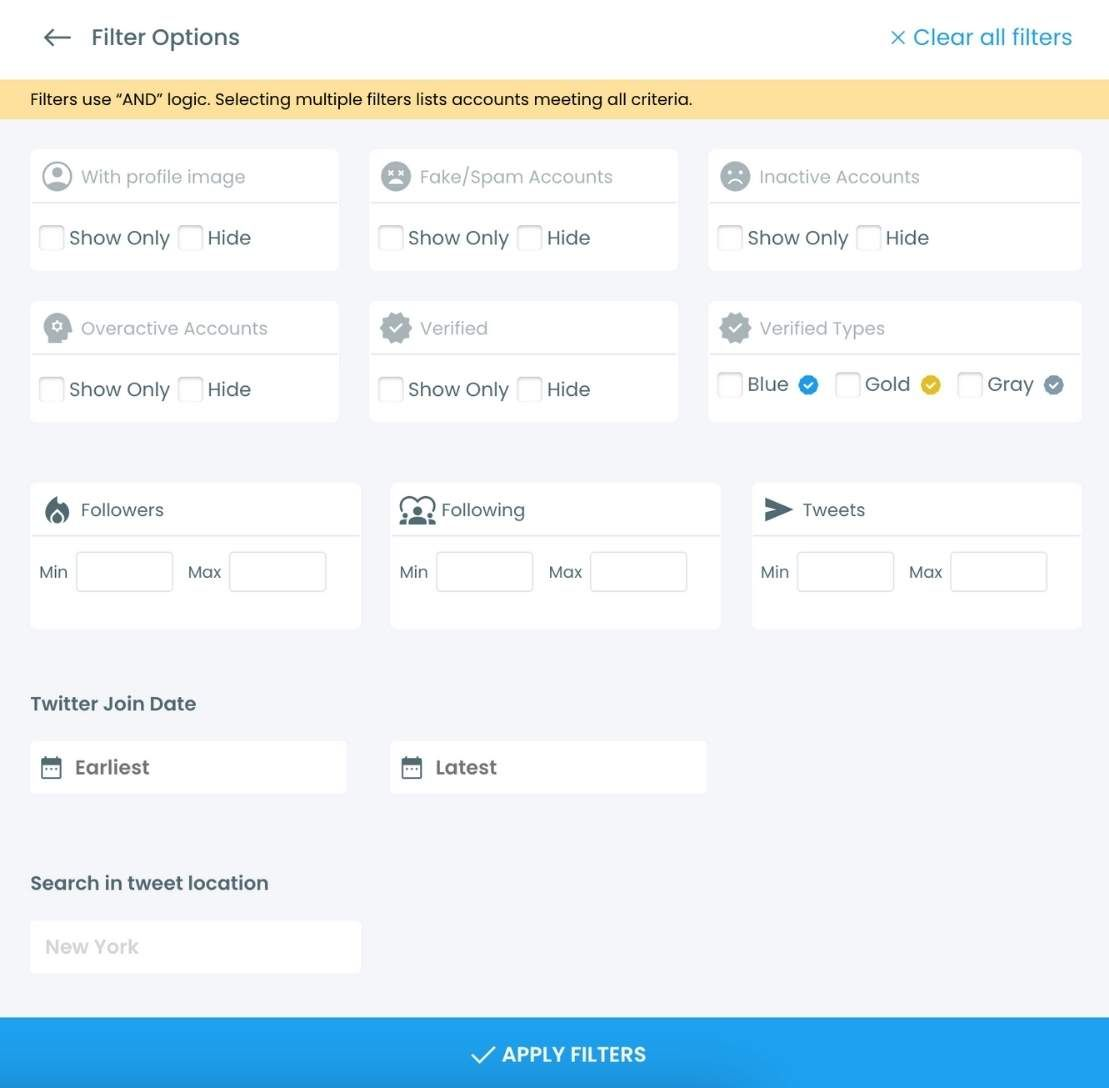
Step #3: Use the Filters — Especially the Join Date Filter
Your results will appear instantly.
Now open the Filter Options panel to refine the list.
Here you can filter users by:
- Activity level
- Verification
- Follower / following range
- Join date
- Location
- Tweet count
To focus on account age, scroll to the Join Date filter and choose:
- Accounts that joined before a specific date
- Accounts that joined after a specific date
- Or a full custom date range
This is where you can find accounts from 2010, 2012–2016, users, etc.
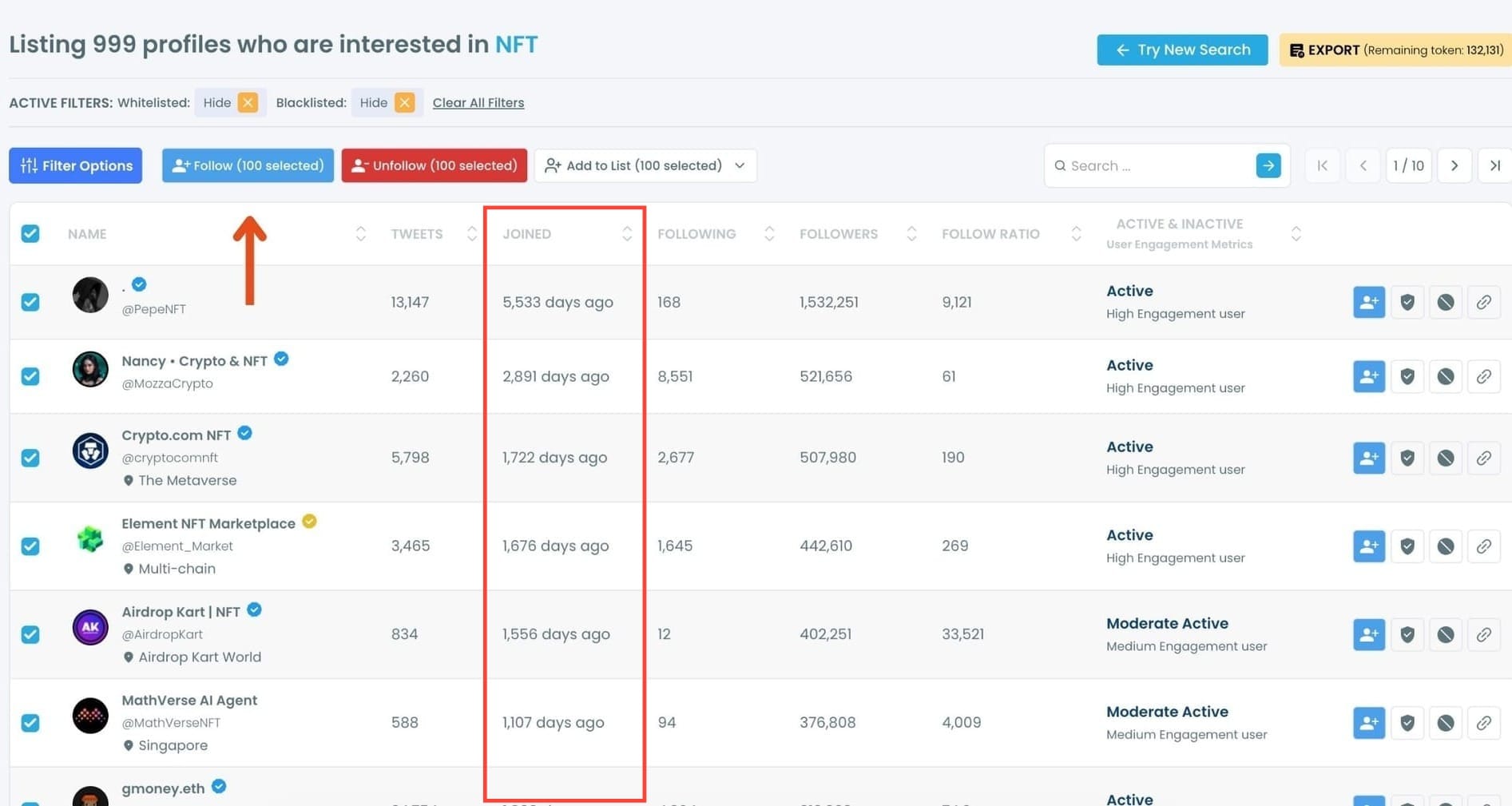
Step #4: Select the accounts you want to follow in bulk.
You can tick them one by one or use the selection tools at the top.
Once selected, click the “Follow” button.
Step #5: A safety pop-up will appear.
Circleboom reminds you of X’s follow limits and keeps your account safe by preventing aggressive or risky actions.
Read the message and click “Got It” to continue.
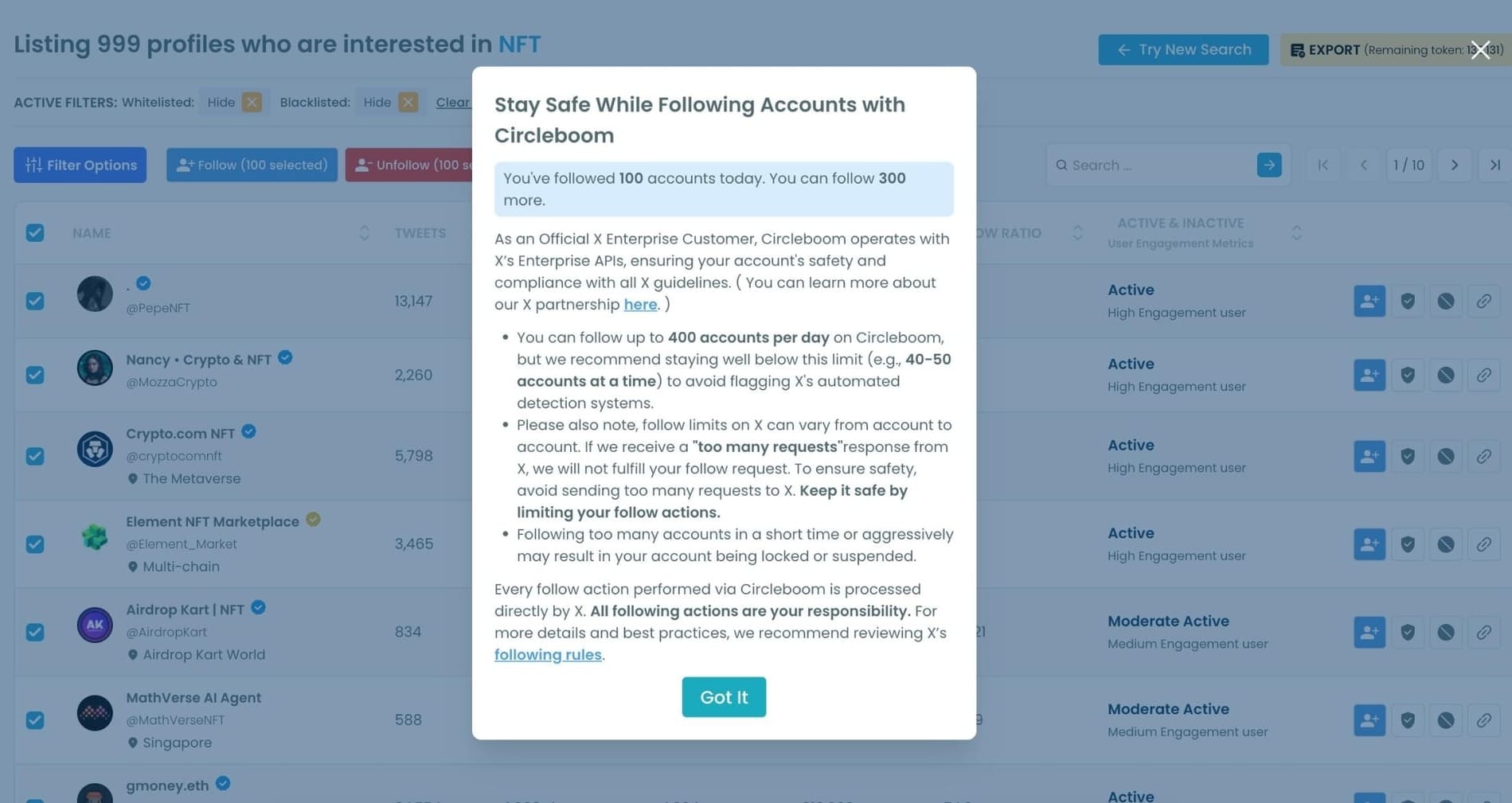
Your follow requests will begin processing automatically.
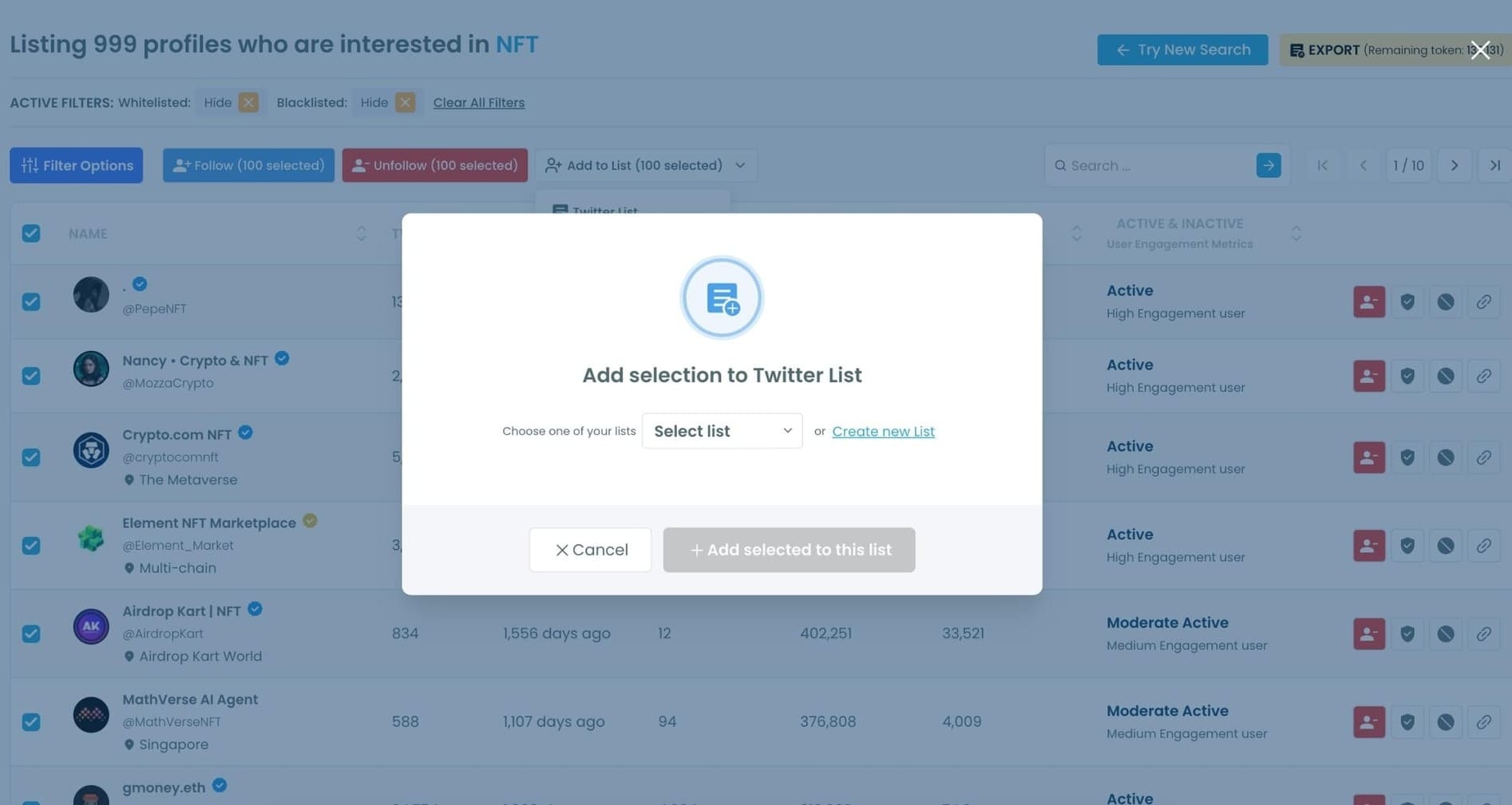
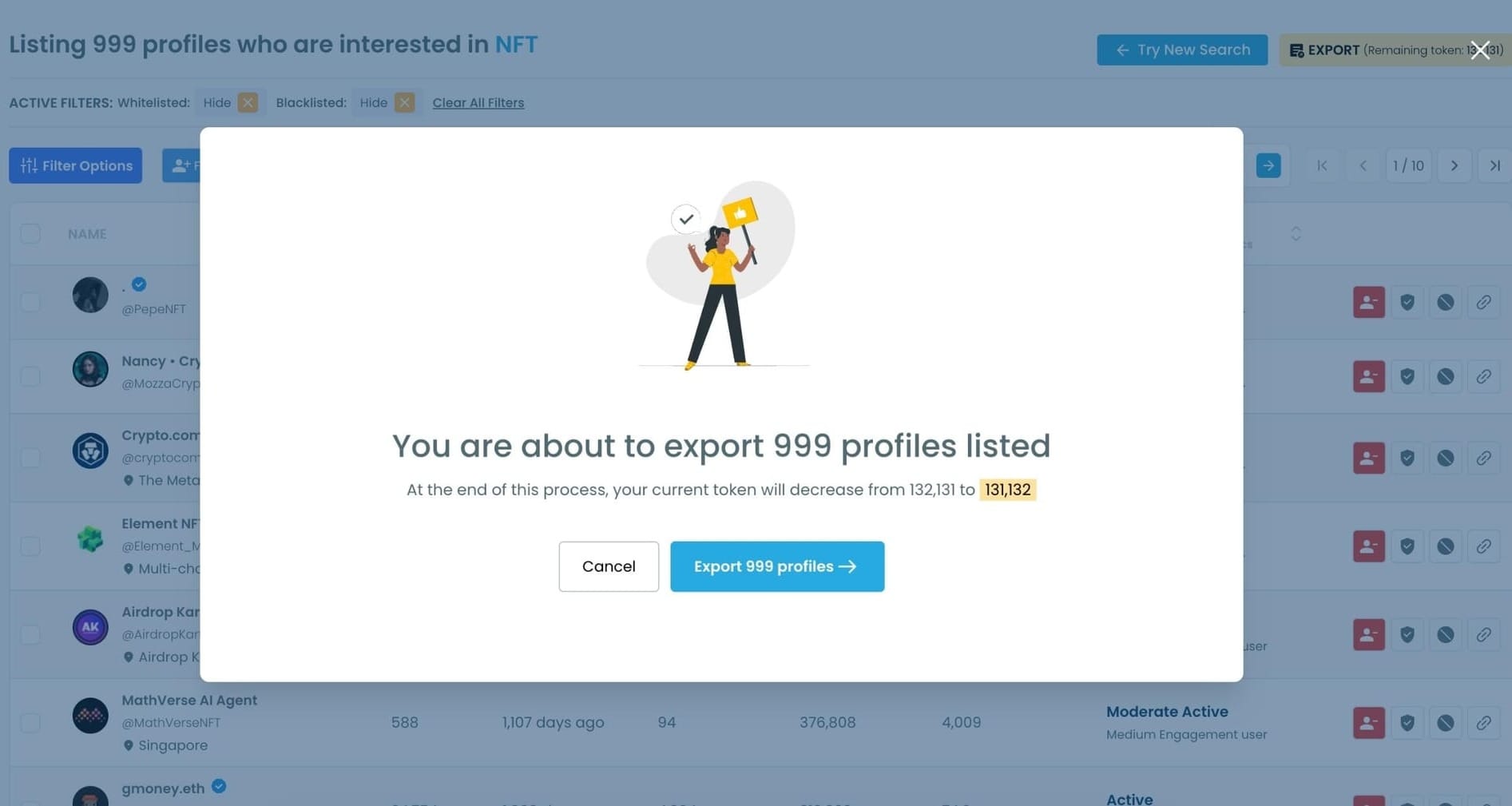
Step #6 (Optional): You can also:
• Add the selected users to a Twitter List,
• Or Export the entire result set as a CSV file for outreach, influencer targeting, or audience building.
Final Thoughts
Twitter does not currently provide a way to rank users by their join date within follower or following lists. The platform simply displays users without offering chronological sorting.
However, with Circleboom Twitter, you can display followers, followings, or searched accounts together with detailed profile information, including their join date. Once the data is visible, you can easily sort users from oldest to newest or newest to oldest and manage them directly from the dashboard.

