
Pinterest is one of the biggest traffic opportunities most bloggers completely overlook.
While everyone is competing for attention on Google or trying to go viral on X and Instagram, Pinterest keeps driving clicks in the background. Quietly. Consistently. And often with less competition.
The surprising part is not that Pinterest works. It’s that most people don’t realize how powerful it is.
Once used correctly, Pinterest can become one of the most stable and long-term traffic sources for any blog. ⬇️
Why Pinterest works so well for blog traffic
Pinterest isn’t just another social platform. It behaves more like a search engine.
People don’t open Pinterest just to scroll. They go there with intent. They search for ideas, solutions, guides, inspiration, and answers.
That’s exactly why blog content performs so well.
A single pin can continue driving traffic for weeks or even months. Unlike posts on other platforms that disappear quickly, Pinterest content has a much longer lifecycle.
This means one well-optimized pin can keep sending visitors long after it’s published.
How to increase Pinterest traffic for your blog
There are a few core strategies that actually move the needle. When applied together, they can turn Pinterest into a reliable traffic engine.
Create content people actually search for
Pinterest users are not randomly browsing. They are actively searching.
That’s why content that solves a problem or delivers clear value performs best.
Content types that work well:
- how to guides
- list based posts
- tutorials
- step-by-step strategies
- seasonal or trending topics
But creating the right angle and writing captions that attract clicks consistently is not always easy.
This is where Circleboom Publish becomes useful.
It includes an AI pin generator that helps create captions and content ideas based on your posts.
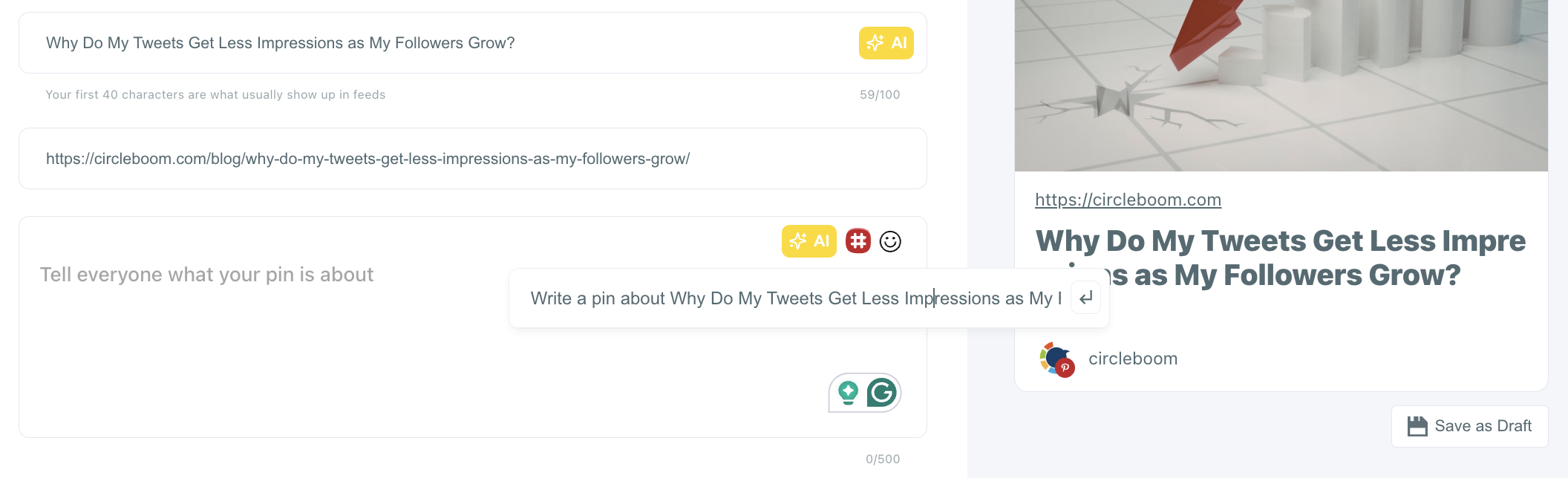
Instead of starting from scratch every time, captions can be generated using AI that is trained for social media engagement and understands what works on platforms like Pinterest.
At the same time, you can also schedule your pins with Circleboom Publish.
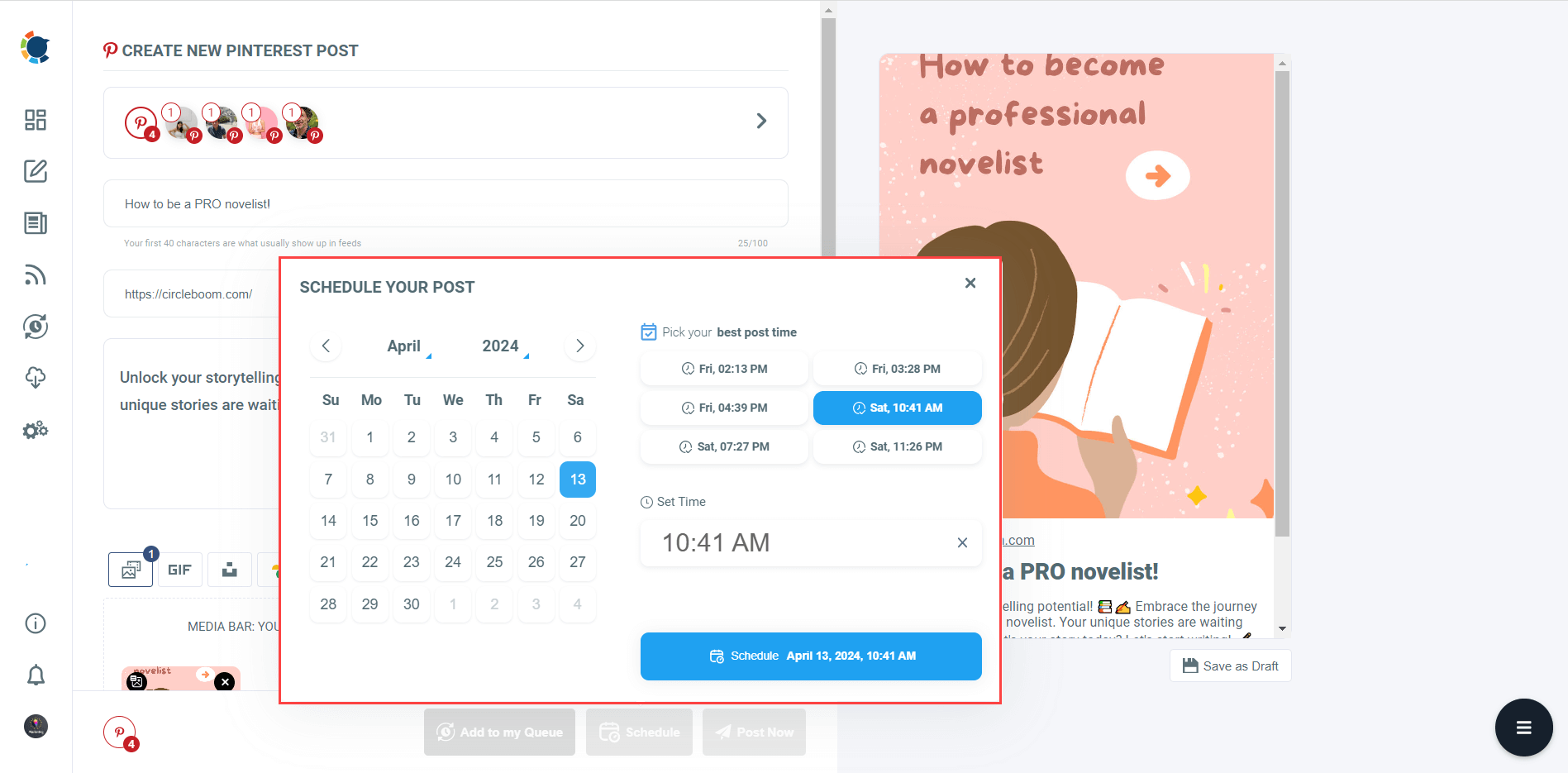
Instead of manually posting each pin, you can plan your content in advance and share it automatically at the best times, which helps maintain consistency and increases your chances of reaching more people.
 Fatih Kemal Oksuzoglu
Design pins that make people click
Even the best blog post won’t get traffic if the pin doesn’t catch attention.
Pinterest is a visual platform. The design of the pin is what decides whether someone clicks or scrolls past.
Effective pins are:
- vertical and easy to scan
- clean and not overcrowded
- focused on a single message
- supported by strong, curiosity-driven titles
The challenge is that designing pins across multiple tools can quickly become inefficient.
Switching between design platforms, image sources, and editing tools slows everything down.
Instead, Circleboom Publish Image Curation tool brings all of this into one place.
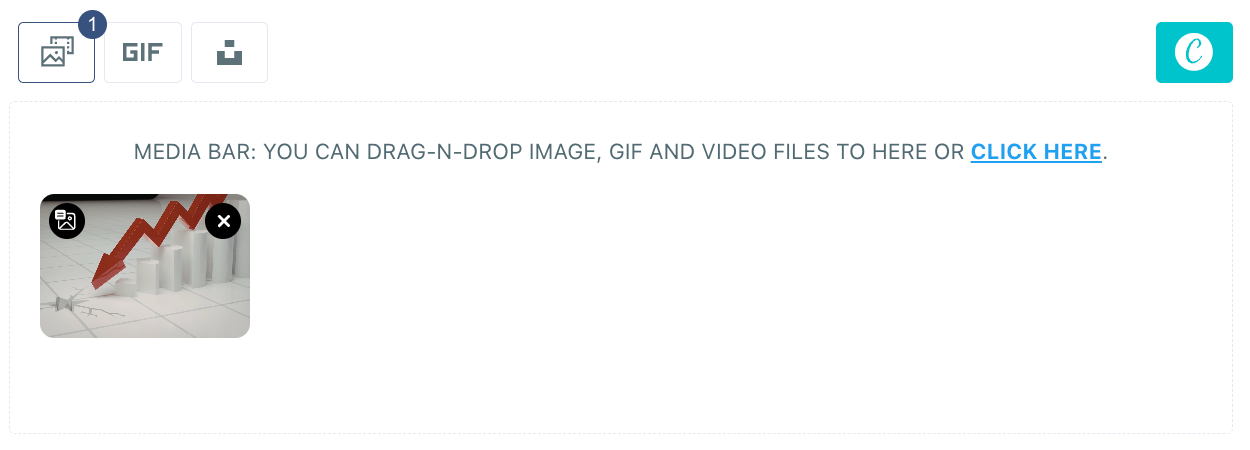
It has built-in integrations with Canva, Unsplash, Giphy, which allows designing, finding visuals, and preparing pins directly from a single dashboard.
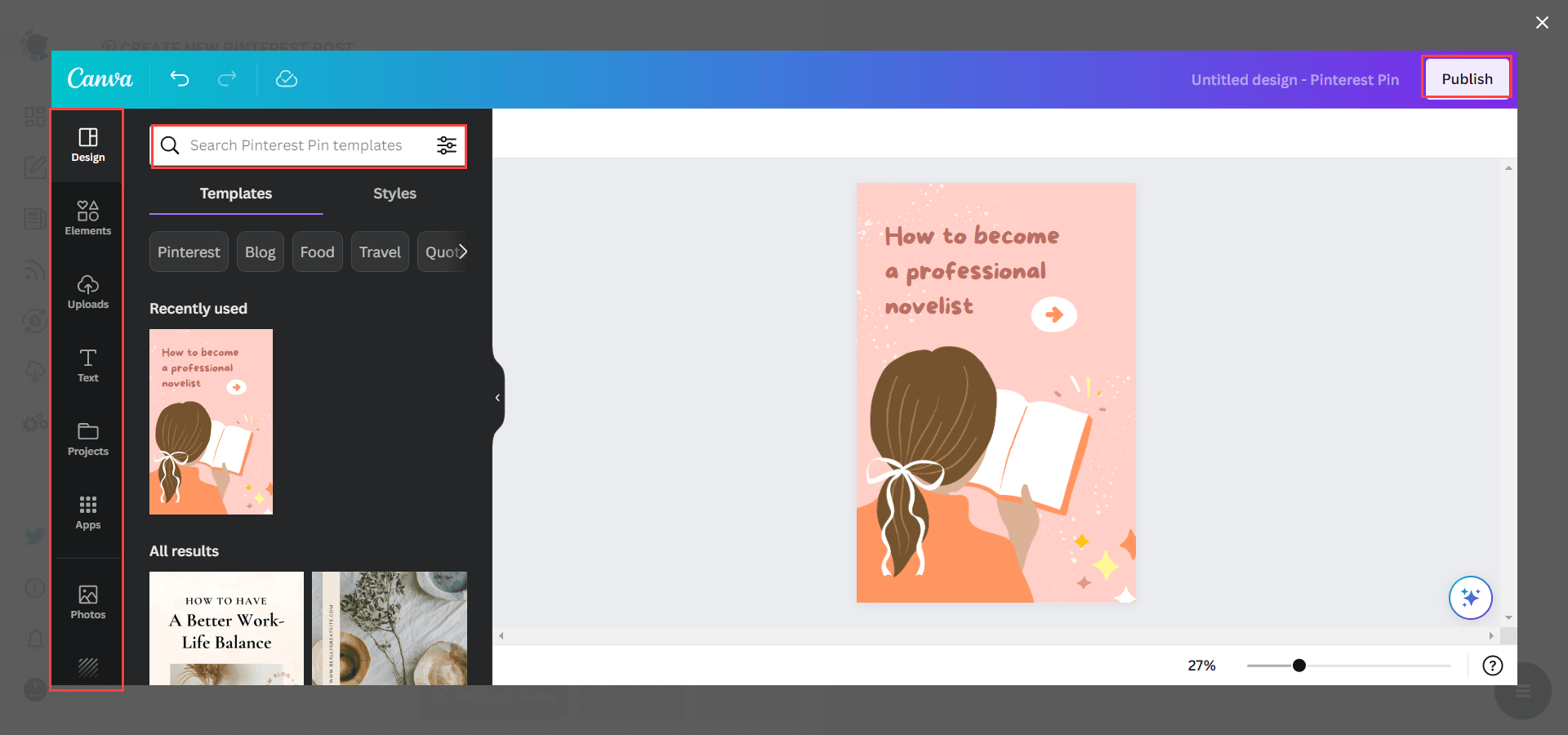
This removes the need to jump between tools and makes it much easier to create multiple pins consistently for different blog posts.
Use keywords like a search engine
Pinterest SEO is one of the most underrated parts of traffic growth.
If the right keywords are not used, even good content won’t reach the right audience.
Keywords should be naturally included in:
- pin titles
- descriptions
- board names
This helps Pinterest understand the content and show it to users who are actively searching for that topic.
Stay consistent (this is where most people fail)
Consistency matters more than volume. Posting a lot in one day and then disappearing for a week doesn’t work.
➡️ Pinterest rewards steady activity.
But maintaining this manually is difficult.
Creating and sharing pins every day is not realistic for most bloggers who are already busy writing content. That’s why automation becomes essential.
Automate your blog sharing with RSS feed
Instead of manually sharing every blog post, there is a much more efficient approach.
By connecting an RSS feed to Pinterest, every new blog post can be shared automatically.
 infocircleboom.com
This keeps your Pinterest account active without extra effort and ensures that no content is missed.
This is where Circleboom Publish plays a key role. ⬇️
What is Circleboom Publish?
Circleboom Publish is a social media management tool that allows managing and sharing content across platforms from a single dashboard.
For Pinterest, it simplifies the entire workflow.
It allows:
🟢 connecting RSS feeds to automate blog sharing
🟢 creating and scheduling pins
🟢 managing multiple Pinterest accounts in one place
🟢 organizing content without switching between tools
Instead of handling everything manually, it creates a structured system for content distribution.
How to connect your RSS feed to Pinterest with Circleboom Publish
Circleboom helps you connect RSS Feeds to Pinterest and automate pins on your multiple boards and accounts.
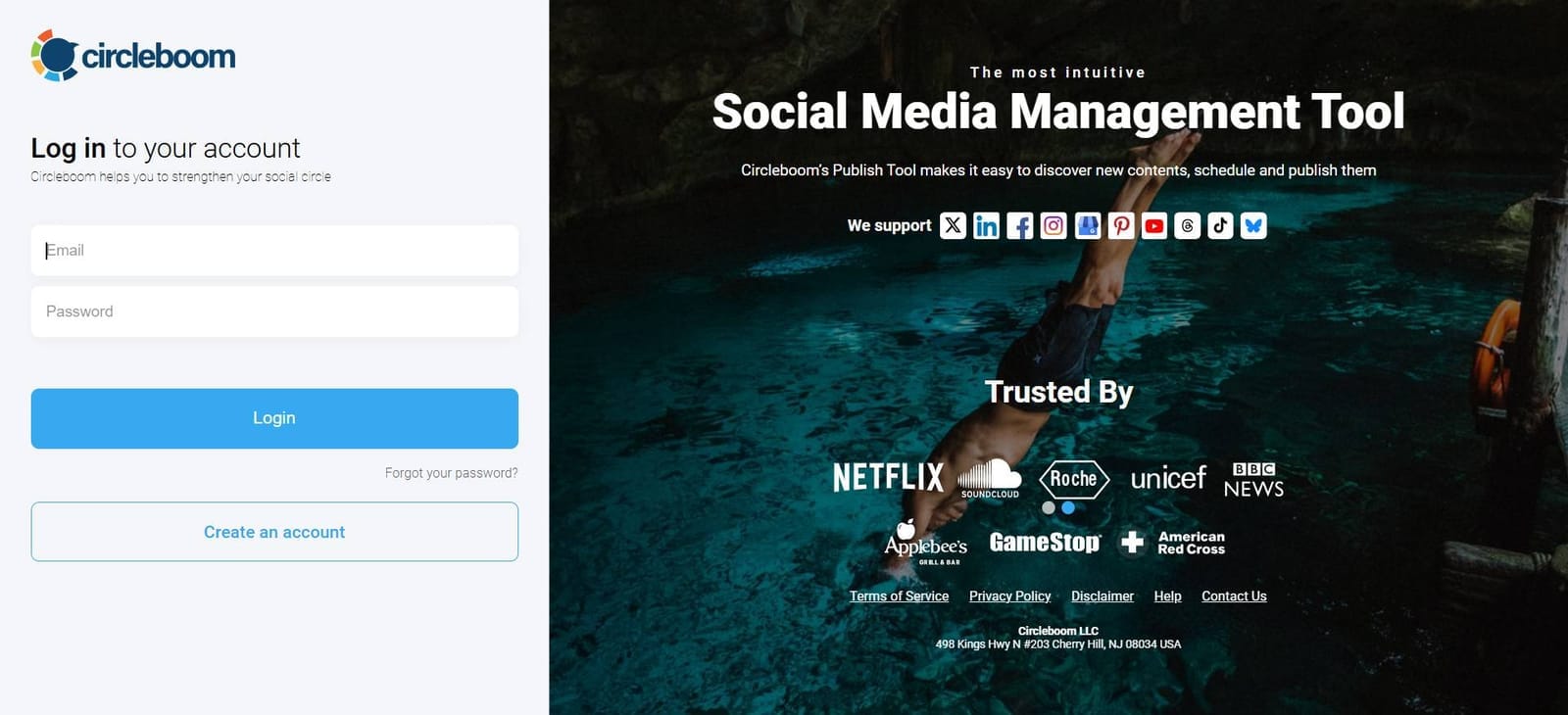
Step #1: Log in to Circleboom Publish with your account.
If you don't already have a Circleboom account, you can get one in seconds for free!
Step #2: If this is your first time using Circleboom Publish, you will see several options for Twitter, Facebook, Instagram, LinkedIn, Pinterest, TikTok, YouTube, Threads, and Google Business Profile.
Select Pinterest and connect your account(s). You can add multiple accounts from each platform.
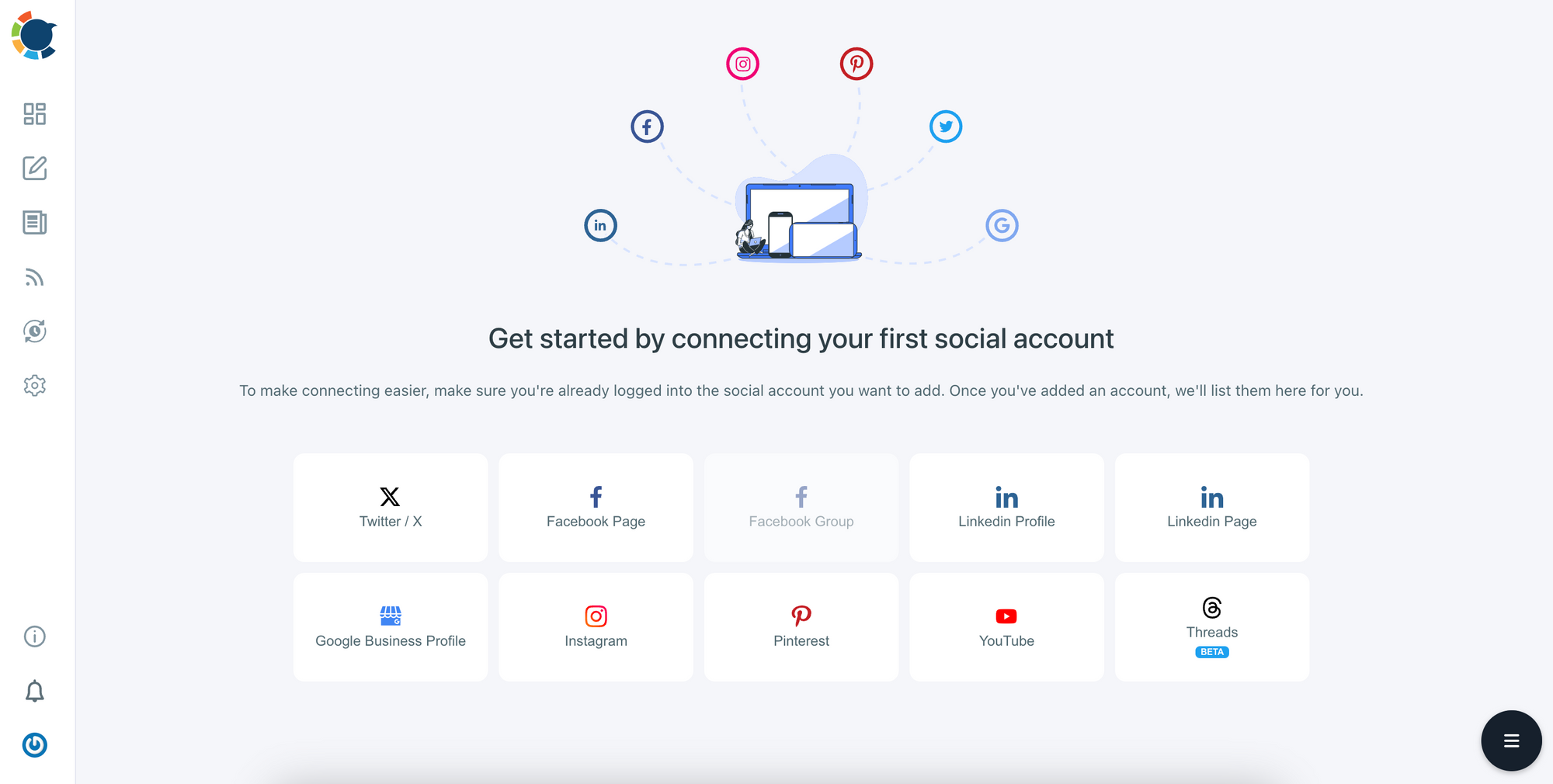
Step #3: On the left side, find the sign of RSS Feeds.
When you hover, you will see two options: “Connect a new RSS Feed” and “List your connected feeds”.
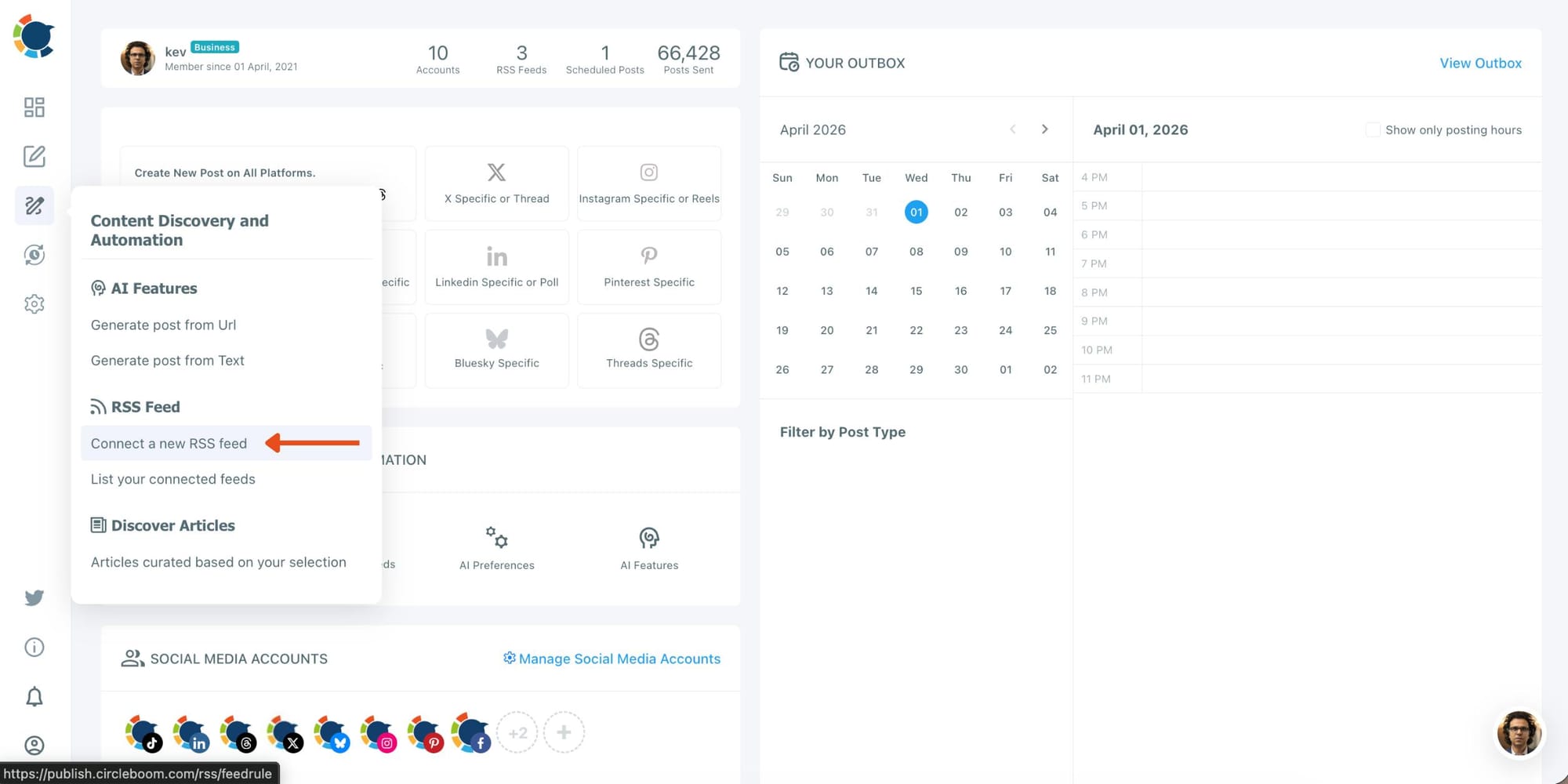
Step #4: When you click on “connect a new RSS Feed”, you will be directed to a new page.
There, everything starts with account selection. Select your multiple Pinterest accounts.
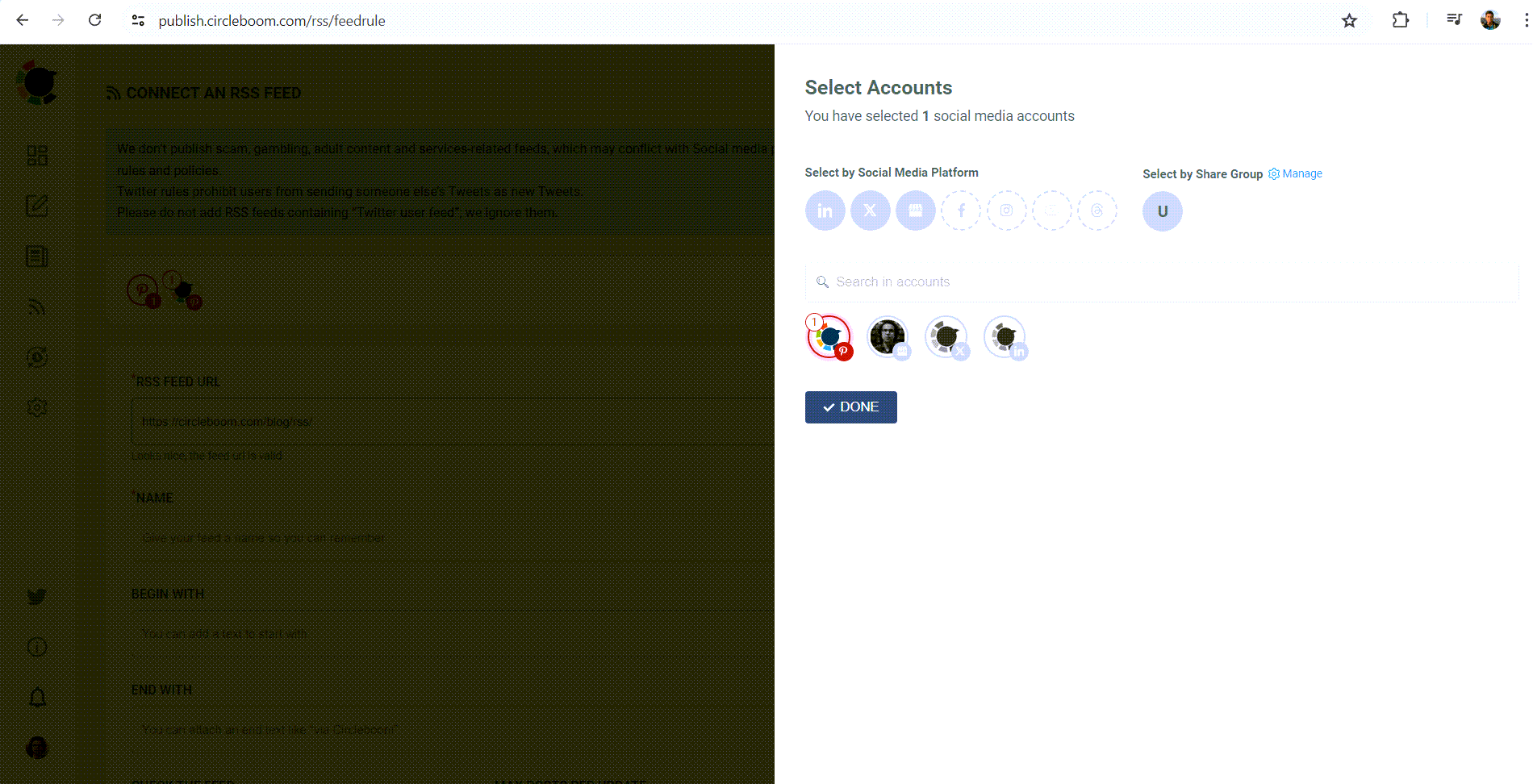
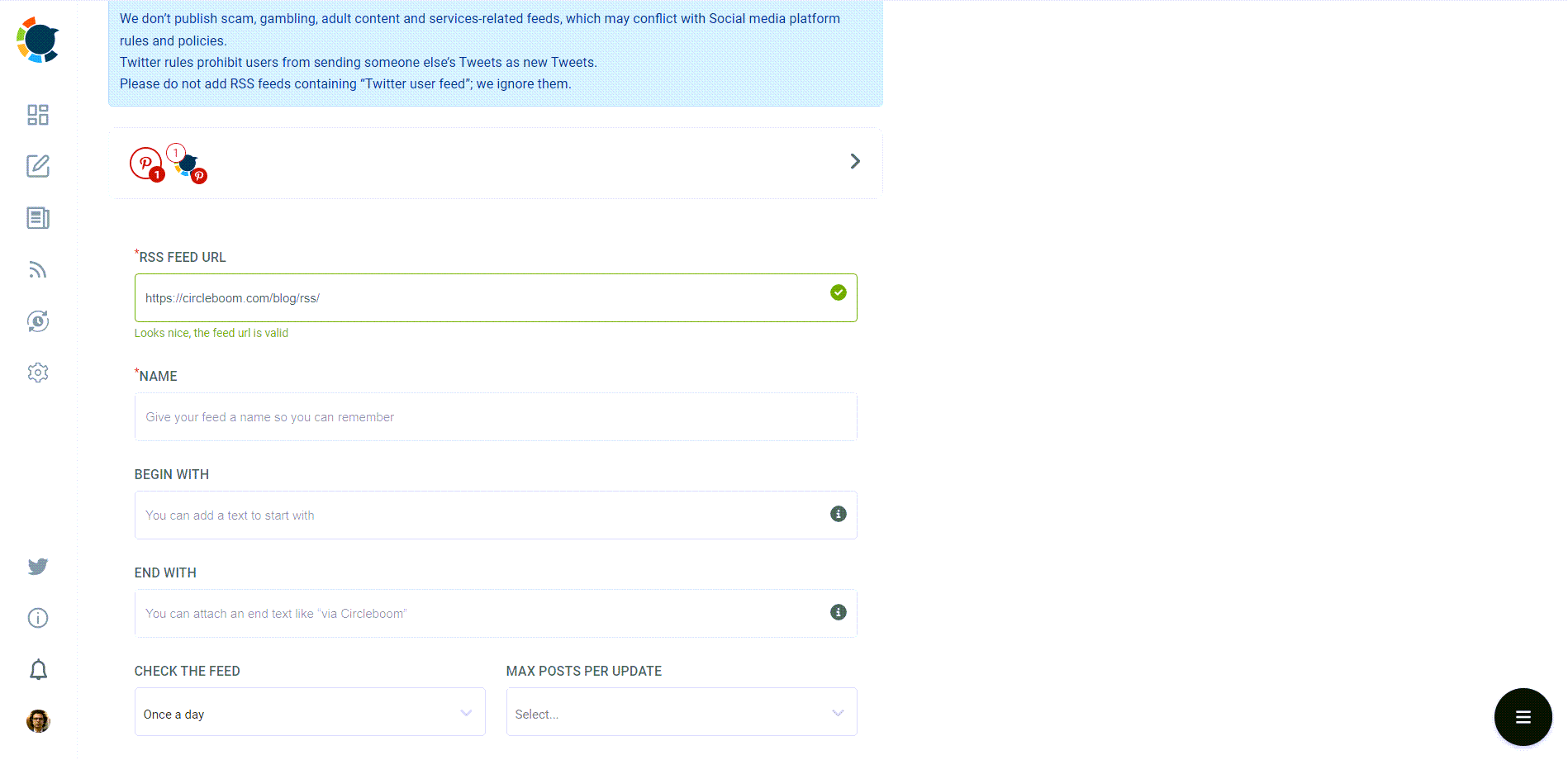
Then you will enter other details: 1) RSS Feed URL 2) Name 3) “Begin With” and “End With” texts.
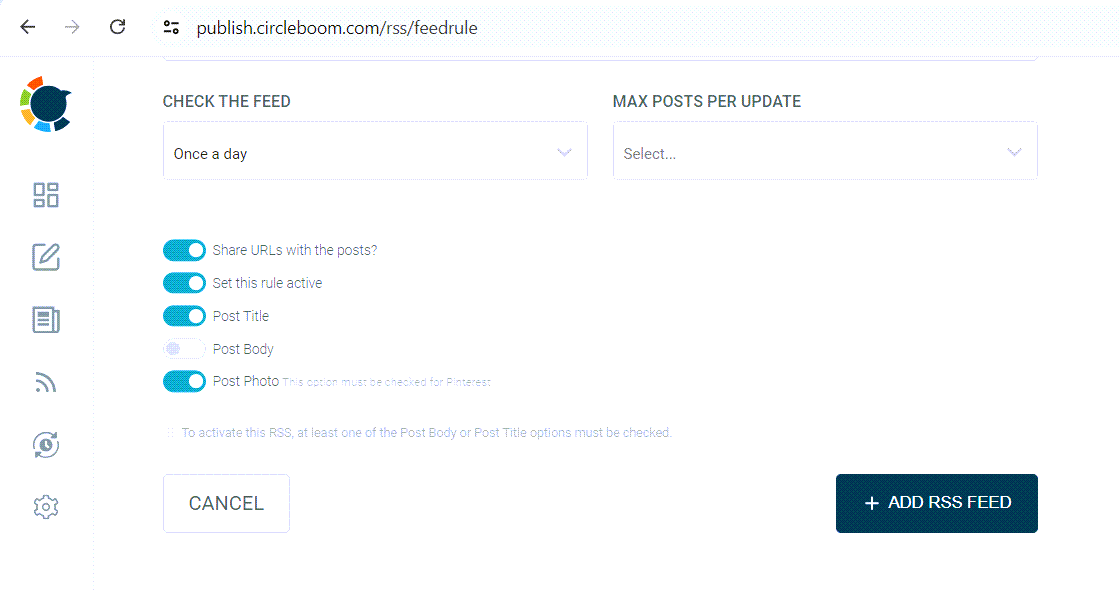
Lastly, you need to set the frequency that RSS Feed will check the source (once a day, every one hour, every 15 minutes) and post the number per check (1,2,3,4..).
In the end, there are other options like sharing the URL of the source with the post and posting a title, body, and a photo with the content.
For Pinterest users, it is wise to create auto-pins with titles, bodies, and photos to enrich your content and make it SEO-oriented!
Why the RSS feed feature is so powerful
The RSS feed feature turns blog publishing into automatic promotion.
Once it is set up:
- every new blog post is shared automatically
- consistency is maintained without effort
- Pinterest stays active regularly
- no post gets forgotten
This solves one of the biggest problems in Pinterest growth, which is maintaining consistency over time.
Final thoughts
Pinterest is not just another platform to “try.” It can become one of the strongest traffic sources for a blog when used correctly.
The difference between bloggers who get traffic from Pinterest and those who don’t usually comes down to one thing: consistency.
Trying to do everything manually often leads to burnout and inconsistency.
Setting up a system that works in the background changes everything.
Using tools like Circleboom Publish, especially with features like AI pin generation, built-in design integrations, and RSS feed automation, makes it possible to stay consistent without spending hours every day.
Once this system is in place, Pinterest stops being an extra task and starts becoming a reliable traffic engine for your blog.