An upload built from an unfiltered follower list pays to reach every bot and dormant account you have collected over the years.
Fix that before the file exists, and a Twitter custom audience becomes a list of people you chose on purpose.
How do you create a Twitter custom audience from your followers?
Filter your followers to the real, active segment, export their account IDs, then upload the CSV in X Ads under Tools and Audiences. Circleboom exports filtered follower lists from X as a CSV, through official X Enterprise access.
→ Download the filtered follower IDs your X Ads upload needs
What decides the quality of an uploaded X Ads list
The filter you apply before the export decides list quality, because the ads go only to the people on the list. A weak file becomes a weak audience with a confident-looking name in your campaign settings.
Most people meet this problem in the wrong order. I see them open X Ads first, reach the upload screen, then go looking for a file, and at that point any list feels good enough.
X also gives no way to get one: the followers view cannot be filtered, sorted or exported, and long lists stop loading after a point.
So start with the decision, then get the file. Circleboom Twitter lets you create your Twitter custom audience list from filtered followers and hand X Ads only the accounts that passed.
Which follower segment should you export first?
Export the active, real part of your own audience first, because it is the easiest list to judge and the warmest one you can build without any extra research. A filtered segment of Active accounts above a minimum follower count is the pattern Circleboom recommends for targeting lists.
Once that list has run, these segments are the usual next tests:
- One location: followers whose profile location matches a market you sell in.
- One bio term: followers who use a word like "founder" in their bio.
- A shared audience: the accounts that follow all three of your niche's leading competitors.
- Keyword matches: accounts found through bio and tweet search, exported by ID.
The shared audience takes a little spreadsheet work, because it means comparing three exports. An example shows why it can be worth it: the 1,200 accounts that follow all three competitors are the most engaged people in that niche.
Run each segment as its own audience instead of merging them. Separate lists let you see which definition produced real people, and a merged file hides that answer.
When you know which one to start with, export the follower segment for your Twitter custom audience and move on to the upload.
A first Twitter custom audience built on one clear segment also gives you a baseline, so every later list has a result to beat.
What you need before you build the X Ads audience
Three things must be in place before the first step, and one of them is a decision rather than a tool:
- An X Ads account with access to Tools, where the Audiences section lives.
- A connected X account in Circleboom, plus enough export tokens for the list size.
- A one-line segment definition, such as active followers in one country.
Tokens are consumed in proportion to the number of accounts, and the page shows your remaining balance before you confirm.
Protected accounts cannot be exported, because their lists are not accessible through the API.
Any other public account works, which is why the same steps apply to a partner's audience. Current pricing is on the Circleboom website.
If you are new to the ad platform itself, this guide to Twitter ads for beginners covers the campaign basics that sit around this upload.
Do I need to remove bots before I upload the list?
Yes. Remove fake and inactive accounts before you upload, because a bot left in the file can still earn a click you pay for.
A simple example puts the cost plainly: if half of an ad's clicks come from bots, a $1 click costs $2 per real person.
Circleboom gives you three ways to act on quality, and each one suits a different starting point:
| Starting point | Where to filter | Best for |
|---|---|---|
| Your own followers | All My Followers view | Filtering before export |
| Another public account | Followers/ |
Prospect lists |
| A file you already have | Flag columns in the CSV | Late changes |
A Twitter follower audit is worth running first if you have never looked at your audience composition, since it shows how much of the list will fall away.
Four filters do most of the work:
- Fake/Bot: take these out in every case.
- Inactive: take these out unless you are testing reactivation.
- Join Date: exclude newly created accounts, which are often manipulative bulk accounts.
- Verification Status: keep only verified accounts if your offer suits them.
These labels are Circleboom's own classifications and not official X verdicts, so read a sample of each group before you trust a large removal.
The insight I would pass on to any advertiser is that the filter also sets your measurement baseline. Once the list holds only accounts you believe are real, a poor click-through points at the message and no longer at the audience.
How to create a Twitter custom audience from your followers, step by step
Nine steps take you from a follower list to a live audience, in three stages.
Define the segment inside Circleboom
- Log in to Circleboom Twitter and connect your X account.
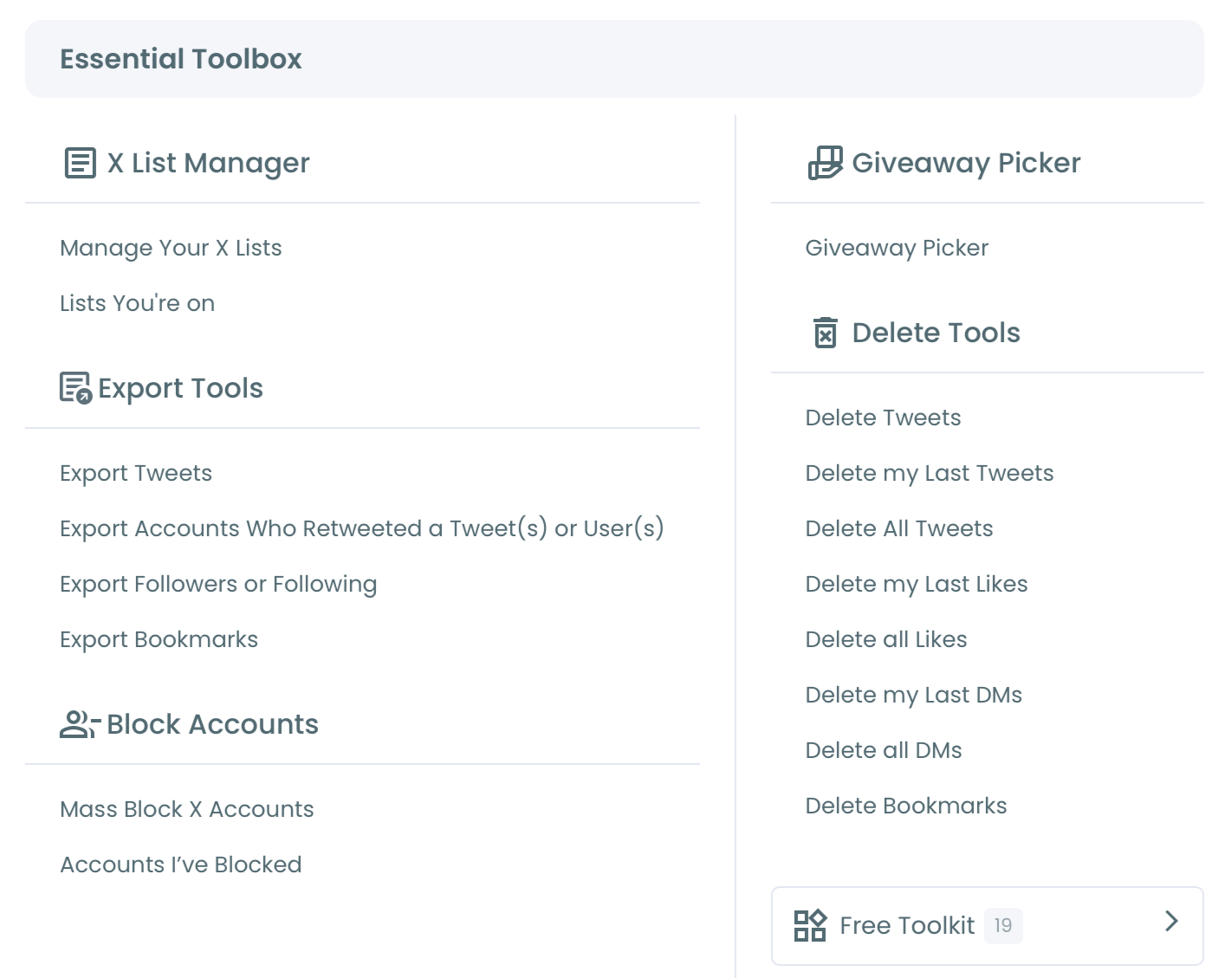
- Go to the Essential Toolbox menu, where Export Followers or Following handles a complete, unfiltered list of any public account.
- Switch to All My Followers for a filtered list of your own audience, or to Followers/Following Search for another account's list.
- Apply your filters from the Filter Options panel and check the count that remains.
Export the accounts that passed
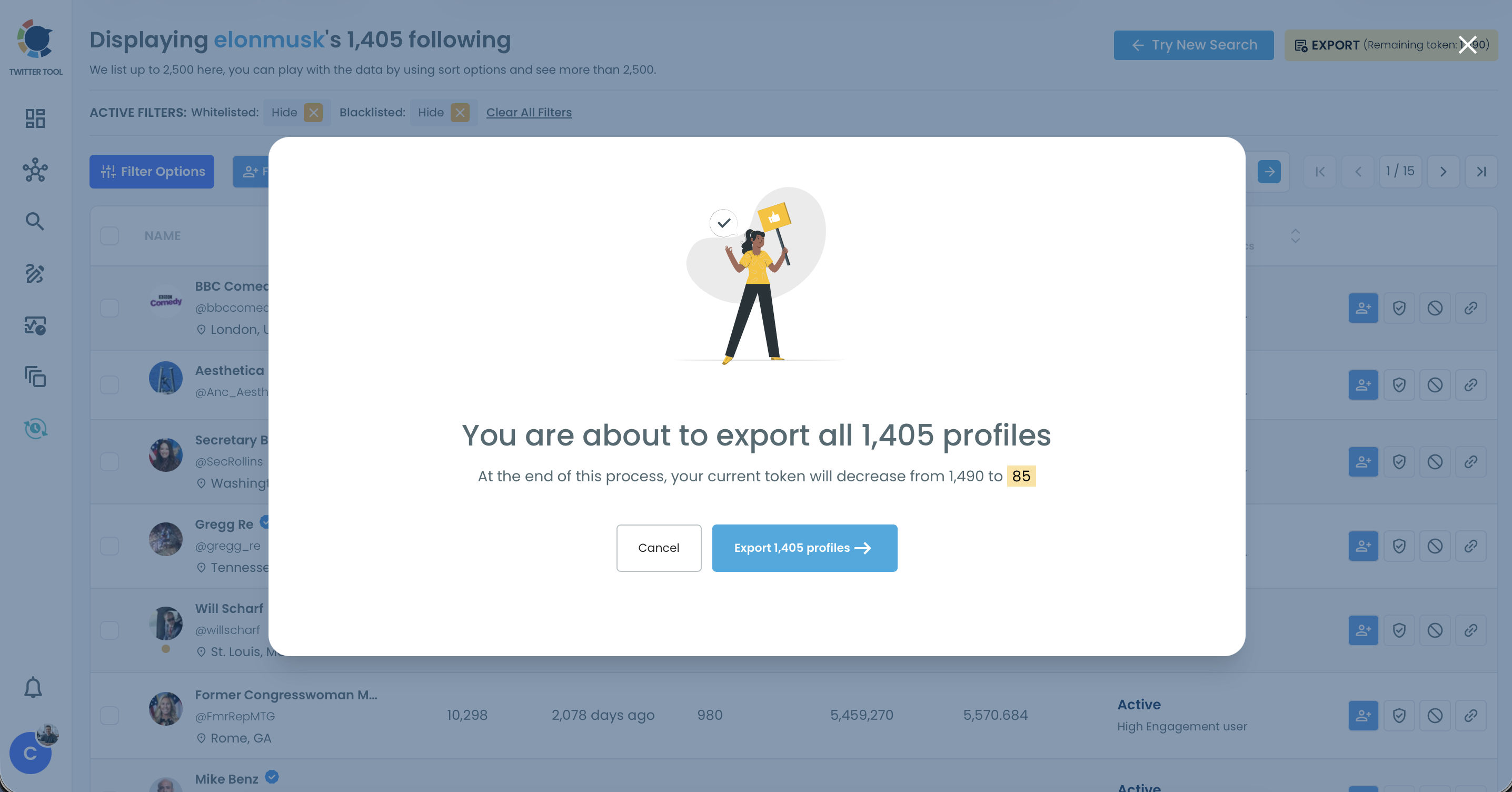
- Click Export in that view and confirm the pop-up, which shows how many profiles the file will hold.
- Open the CSV and save a copy holding the ProfileId values, which are the account IDs X Ads receives.
Upload the list in X Ads
- Open Tools, then Audiences in X Ads, click Create Audience and choose "List - Upload a list of your customers".
- Upload the file using a tab, comma, semicolon or bar as the delimiter.
- Wait for processing, typically about 2 hours, then select the audience in the Audiences section of a campaign, for example an Advanced campaign with the Reach objective.
The sequence works because each stage narrows the risk of the next: the filter protects the file, the file protects the upload, and the upload protects the budget.
Reverse any two and you end up paying to discover a problem you could have seen in a spreadsheet.
The short version:
- Filter followers to the segment you defined.
- Export the list and keep the ProfileId values.
- Upload through Tools and Audiences, then wait about 2 hours.
Where this route differs from manual collection
Unlike copying usernames from a list that stops loading, this route gives you one structured file you can check row by row.
If you only need one or two IDs rather than a list, the Twitter ID finder is the shorter path.
To see what else the file can do, this post answers can I export my Twitter followers in more detail.
X keeps a help page on custom audience lists for its side of the process.
The same filters also answer the bigger-account question. Exporting your most followed followers on Twitter is a sensible variation when the campaign needs reach through influential accounts instead of raw size.
When should retweeters replace followers in an X Ads upload?
Upload retweeters when you want a warm group tied to one piece of content, and followers when you want scale and a broader relationship. Many campaigns run both as separate audiences, so each one reports its own results.
The practical differences affect your schedule as much as your targeting:
| Point | Followers file | Retweeters file |
|---|---|---|
| Signal | A follow, possibly old | A share of a chosen tweet |
| Delivery | Generated on confirmation | 10 minutes to 6 hours |
| Extra column | None | RepostCount |
| Source | Any public account | Tweet URLs or a username |
Plan around that delivery window. A retweeter export runs asynchronously and lands on your account page and in your registered email, so it should not be the last task before a launch. Check your spam folder if the email does not show up.
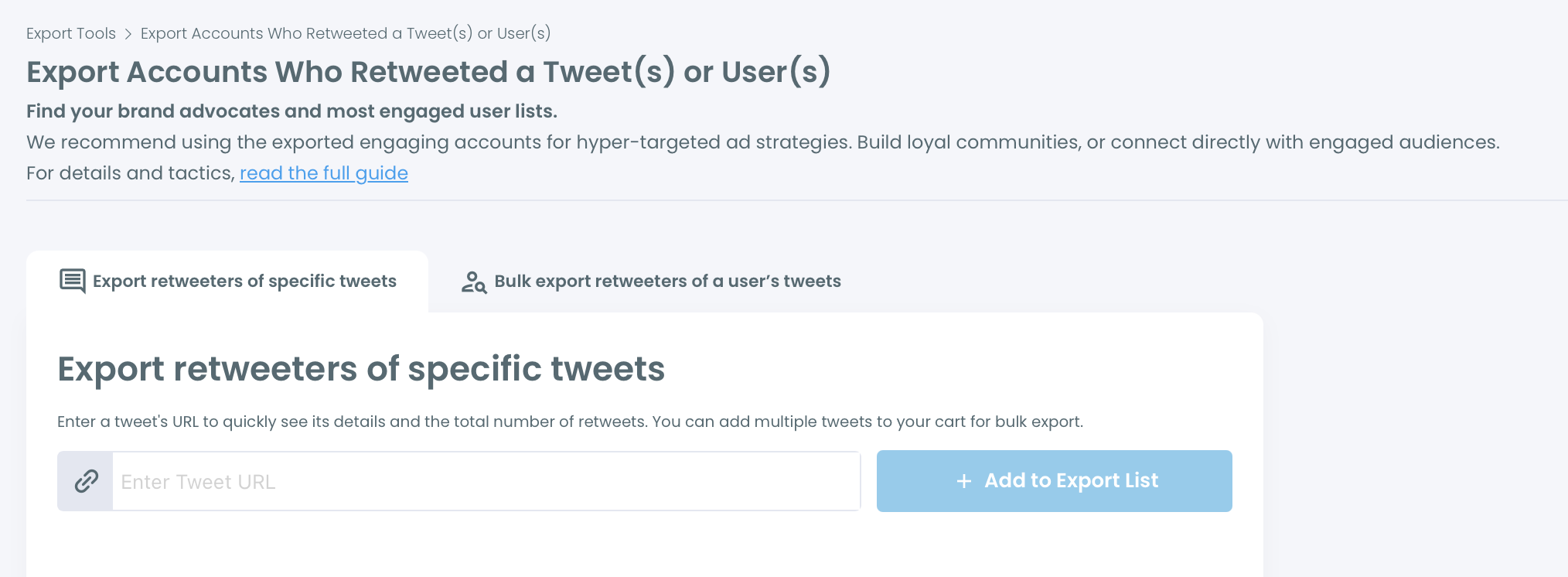
The retweeter count in the Export Cart is also an estimate. Duplicates, locked, suspended or spam accounts can reduce what appears in the final file, so expect fewer rows than the cart suggests.
X's own engagement targeting is the alternative here, but it also includes people who only saw a tweet. An upload of retweeter IDs reaches only accounts that took the action.
One filter still applies: retweets are not always endorsement, so review quality before you pay to reach the list.
What to do with the X Ads audience once it is live
Treat the upload as the first version of the list rather than the final one. Follow relationships change constantly, and the file will not update itself, so refresh the export when a campaign depends on current followers.
Two follow-up decisions usually come next.
The first is the audience source, since the same export works on any public account. Whether you can target your competitor's followers with X Ads has its own treatment.
The second is proof. The case study on how a $100 Twitter ads test cut X ad cost per real user by 99% shows how to judge results by real people.
Very small segments are worth a second look as well. Narrow lists behave differently from broad ones. Read how nanotargeting on X broke the rules about Twitter ads before you shrink a list further.
Keep dated source files for each audience
Keep the source files too. A dated CSV shows exactly who was in each audience, and it protects you when someone asks later why one campaign beat another.
Because account lists can contain sensitive relationship data, store those files with the same care you give any customer data.
Circleboom keeps this routine on safe ground, because it is an official X Enterprise Developer partner and retrieves these lists through approved access, where scraping-based collection can miss records. That matters when a missing segment of the list means a missing segment of your campaign.
A short summary of the Twitter custom audience workflow
A follower-based audience is only as good as the filter behind it. Define the segment, remove the fake and inactive accounts, export the IDs, and upload them through Tools and Audiences.
The mistake I see most often is exporting everything and promising to clean it later, because later rarely comes once the campaign is ready to launch.
→ Build your filtered Twitter custom audience export
X Ads list upload FAQ for follower exports
Can I build a look-alike audience from my exported followers?
Yes. A clean export is the right seed for a look-alike audience, because X looks for users who behave like the accounts you provide.
A 3,000-account seed with bots removed gives a better pattern than 5,000 accounts that include 2,000 bots, so filter first with Circleboom before you expand on X.
Why does my export have fewer rows than my follower count?
Very large accounts can export fewer rows than their displayed follower count, because lists are retrieved in batches and the file reflects what the API returned within the retrieval window. Accounts that changed after retrieval also will not appear, so re-export if the gap matters to your campaign.
How long until I can use the uploaded list in a campaign?
X typically processes an uploaded list within about 2 hours. After that, it appears in the Audiences section of the campaign setup, so upload before launch day rather than on it.