Every account that unfollowed you and still gets your follow is a one-way relationship you are paying for. Your following count stays higher than it should, your follow ratio drifts, and your home timeline keeps showing people who decided they did not want to see you.
X does not tell you who those accounts are, so the cleanup cannot start until you have a list.
By hand on X: no unfollow notice, no record of who left, and every follow you take back is one profile at a time. In Circleboom: Circleboom lists the accounts that unfollowed you on Twitter for the period you pick and unfollows them back in one paced, confirmed batch, with follower data that comes through X's Enterprise API access.
→ Unfollow everyone who unfollowed you from one dated list
Read the list once before you confirm: a handful of rows can be sync errors.
Why X makes it hard to unfollow everyone who unfollowed you
X shows you a follower count, and that number can drop overnight. What X does not show is who left, when they left, or whether any of them are still in your following list. There is no unfollow notification and no native page of former followers, so the only manual route is to remember who used to follow you and check each profile.
That route breaks after a few dozen accounts. Even if you had a perfect memory, X unfollows one profile at a time and offers no filter for accounts that no longer follow you.
If you want to unfollow everyone who unfollowed you, the missing piece is not effort. It is the list itself.
A dated list changes the job from detective work to review. Once you can see the exact accounts and the window they left in, you can decide in minutes which ones to drop and which ones to keep. That is the shortest way to unfollow everyone who unfollowed you on Twitter without guessing.
People ask the same thing in different words, including whether it is possible to unfollow people who unfollowed me in bulk on Twitter. The answer is yes, and the order of the steps matters more than the speed.
The hard part of an unfollow-back cleanup is knowing who to click on.
How Circleboom finds who unfollowed you on X
Circleboom Who Unfollowed Me compares your current follower list with the snapshots of it that Circleboom has stored, then lists every account that was a follower before and is not one now. Each row is a specific account, not a net number, so a drop of 40 followers becomes 40 named profiles you can open, sort and act on.
The data side matters for an action that touches your own account. Circleboom holds a place in X's official Enterprise customer directory. The follower snapshots behind the list come from X itself rather than from a scraper, and every unfollow you send goes through X's own API.
Each row carries the context you need for a keep-or-drop call:
- Name, username and location.
- Tweet count and join date.
- Following and follower counts.
- Follow ratio.
- An Active, Moderate Active or Inactive classification.
A period dropdown above the table decides which unfollows you see. It runs from Last 1 day, the default, up to Last year, with eight windows in between, from Last 2 days to Last 6 months. When you want to clear everyone at once, the wider windows are the ones to start with.
You can see who unfollowed you and unfollow them back from that same table.
A short run of the unfollower list: choosing a period, unfollowing in bulk and switching on the email alert.
Can you trust the unfollower list before you unfollow everyone?
Yes, with one check. Circleboom updates follower data from the X API once a day, so an unfollow from the last few hours shows up after the next daily update, not the moment it happens. If someone left this morning and you do not see them yet, the list is not wrong; it has not synced.
The opposite case needs more care. X's API occasionally returns inconsistent follower data, and a small number of accounts can appear as unfollowers when they still follow you. Circleboom notes this on the page itself, and these rows are normally corrected in the following day's fetch.
That is why the bulk unfollow should never be your first click. Scan the list, open any profile that surprises you, and leave a borderline row for the next sync.
A one-day wait costs nothing; unfollowing a follower you still have costs you a relationship you did not mean to touch.
Which unfollowers to keep following on X
Not everyone on the list deserves the same answer. The accounts on it fall into three groups, and each one calls for a different move:
- Ratio players. Accounts that followed you, waited for your follow back, then left to improve their own follower-to-following ratio. Unfollowing these back is exactly what the cleanup is for.
- Platform cleanup. A sudden drop where the departed accounts are very new, have very low follow ratios or no profile photo can reflect X removing inauthentic accounts. Unfollowing back an account that is no longer a real follower is plain housekeeping.
- People you still need. Customers, journalists, partners, public figures and sources you follow for their content. They unfollowed you, but you may still want their posts in your feed.
The third group is the one a bulk action can hurt. Before you select anything, mark those accounts with the Whitelist action on their row. Whitelisted accounts are excluded from every bulk action in Circleboom, so they stay followed even when you select the whole page.
Your goal may be broader than former followers, for example every one-sided follow in your account. That is a different list: Not Following Back shows everyone you follow who does not follow you, whether they ever followed you or not.
How to unfollow everyone who unfollowed you on Twitter, step by step
The whole cleanup runs in seven steps across three phases: open the list, review it, then unfollow and stay informed.
Open the dated list of who left
- Log in to Circleboom Twitter with the X account you want to clean up.
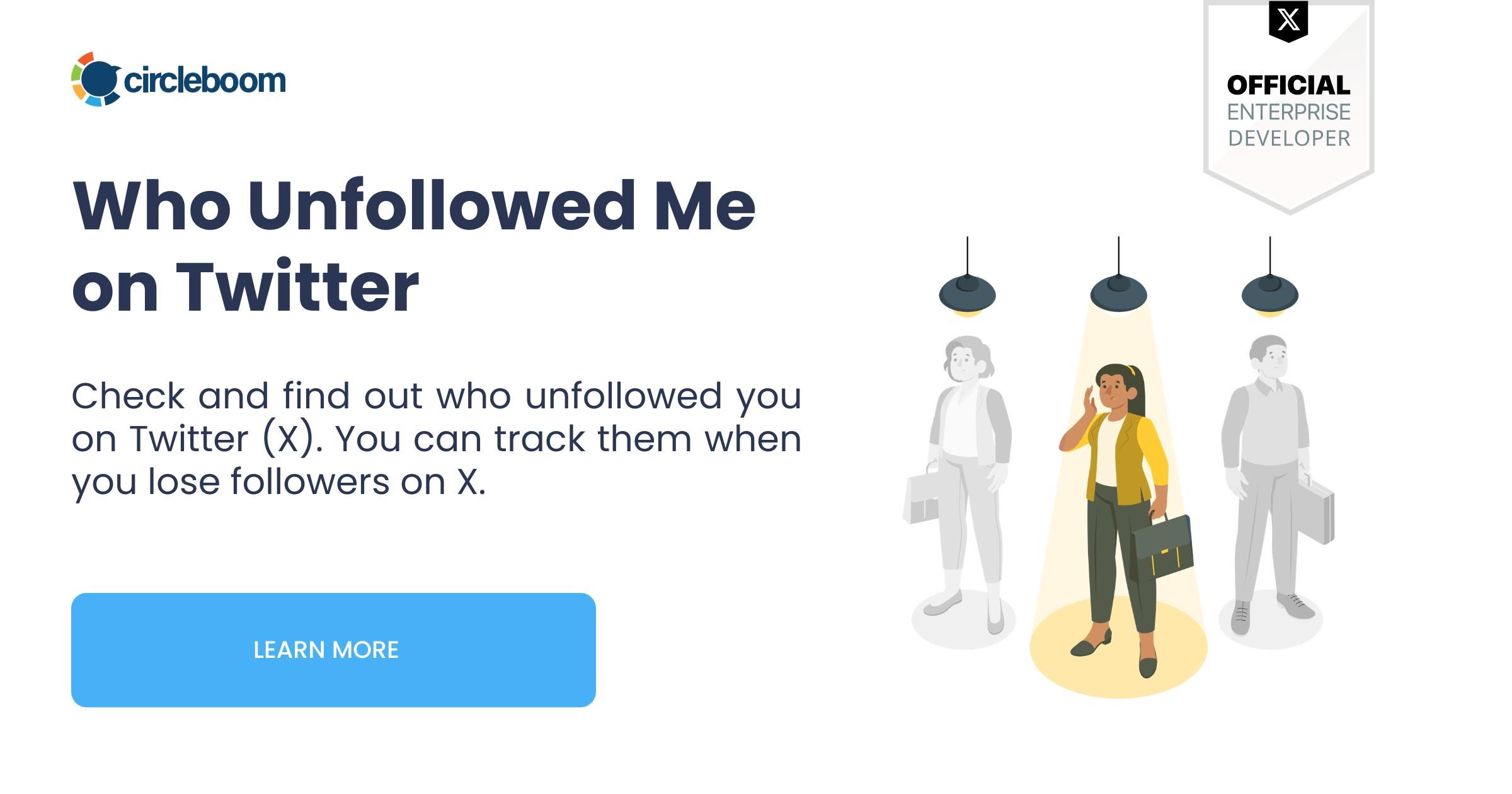
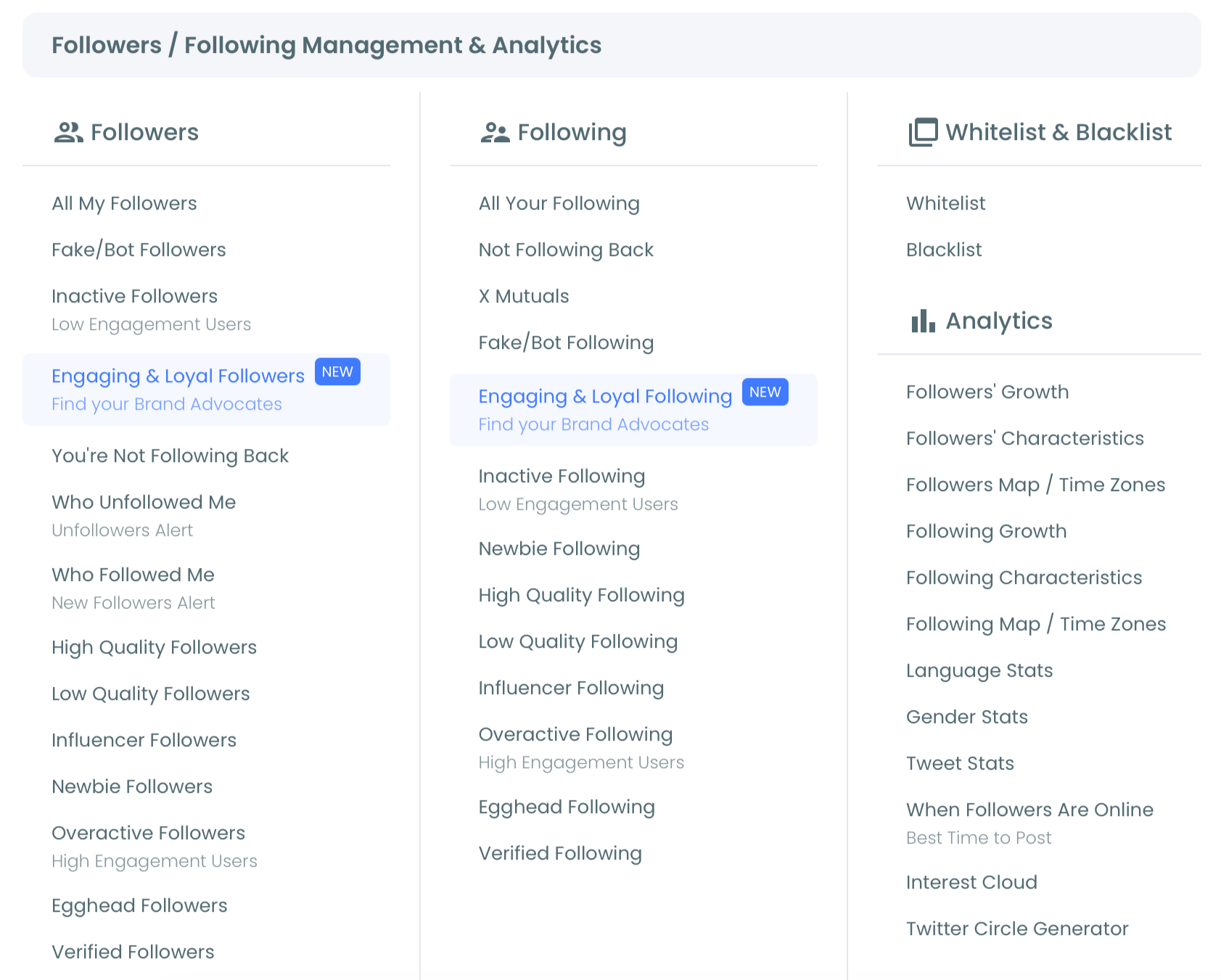
- Open the Followers / Following Management & Analytics menu from the left sidebar, then go to Followers and choose Who Unfollowed Me.
- Pick a period in the dropdown above the table. Start with Last year, the widest window, if you want to unfollow everyone who unfollowed you, or a short window such as Last Week if you only want the latest round.
Review the list before you select
- Protect the accounts you still want to follow. Sort by Followers or Active & Inactive, open any profile you are unsure about, and use the Whitelist icon on the rows you want to keep. Filter Options also lets you narrow the list by verification, engagement, language or location.
- Select the accounts to unfollow back with the master checkbox at the top of the table. It selects every account visible on the current page, so a long list takes one selection per page.
Unfollow them and catch the next round
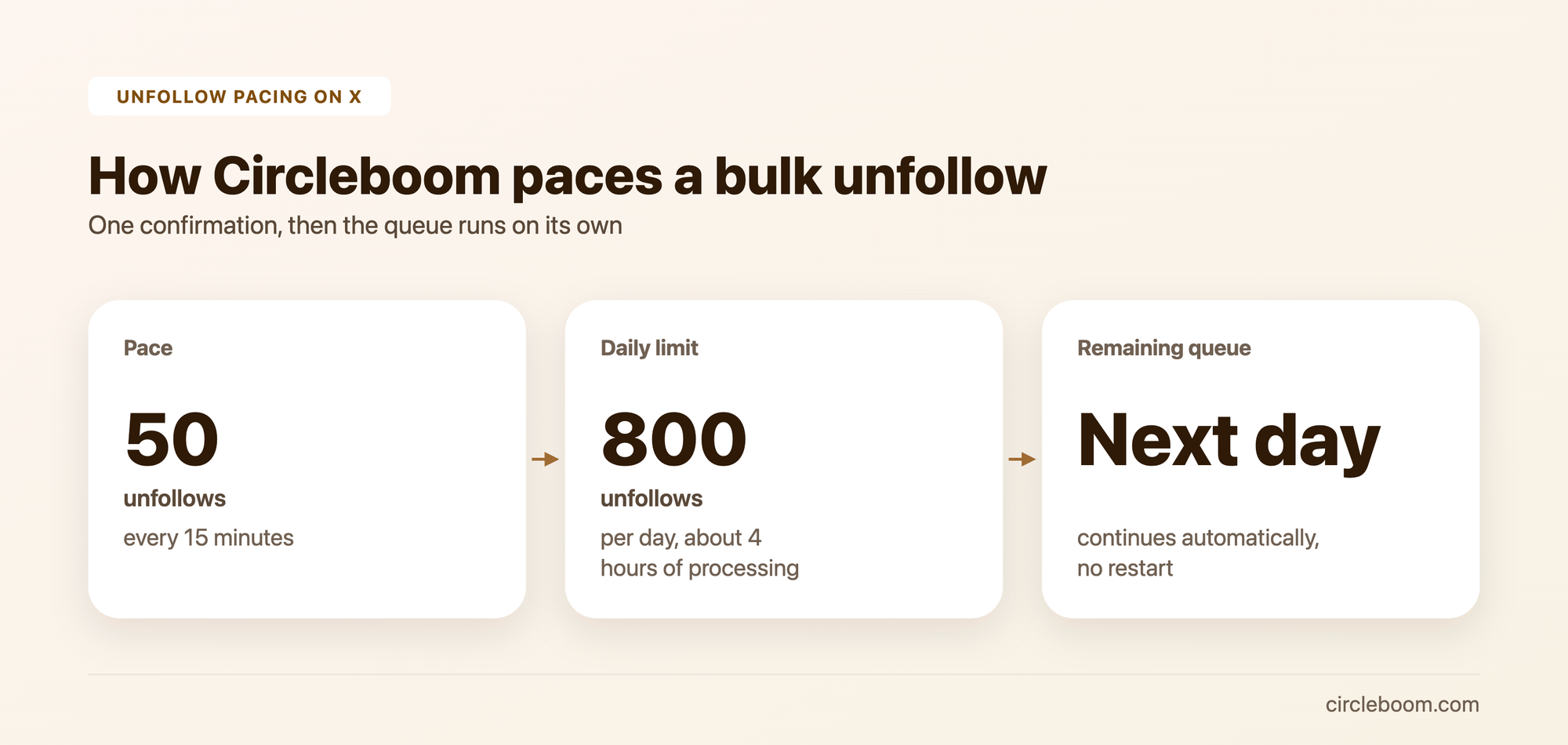
- Click Unfollow (N selected) and confirm with Unfollow selected profiles. A notice confirms the request and shows the pace: 50 unfollows every 15 minutes and 800 per day, with any remaining accounts continuing automatically the next day. A row that shows the Follow icon instead is an account you were not following, so there is nothing to unfollow there.
- Click Set up Unfollowers Alert at the top right, choose Weekly or Monthly, enter your email, tick the consent box and click Activate Alerts.
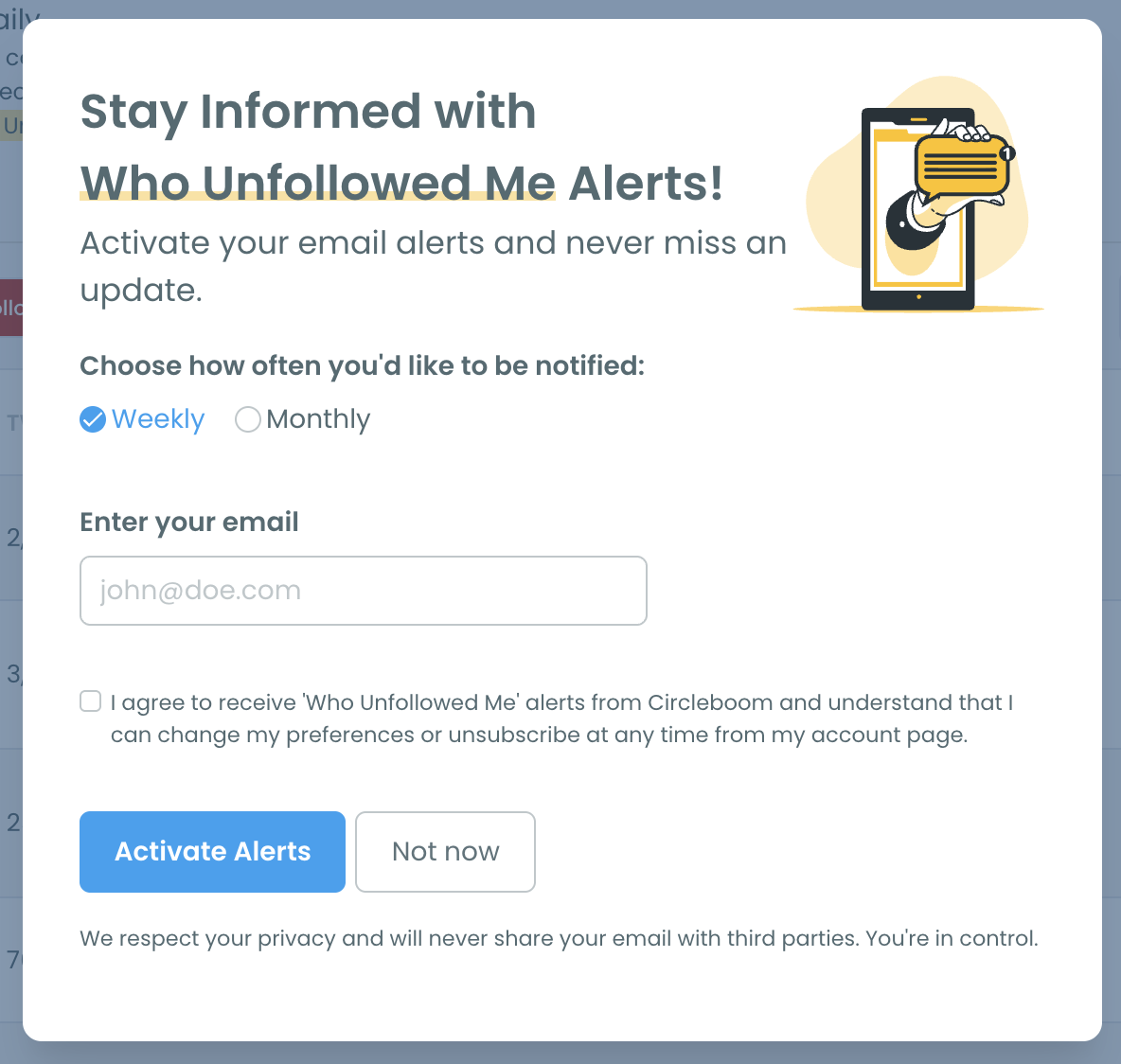
The order is what keeps a fast cleanup safe: the period sets the scope, the whitelist removes the people you still need, and the confirmation shows the count before anything leaves your account. The alert then turns a one-time cleanup into a habit that runs without you.
Is it safe to unfollow everyone back in one go?
Yes, as long as the queue is paced. When you unfollow everyone who unfollowed you through Circleboom, the pacing is built in: unfollow actions run at 50 every 15 minutes with a daily safety limit of 800, and whatever is left in the queue resumes automatically the following day. You confirm once; the Mass Unfollow queue does the spacing.
The arithmetic is easy to plan around. At 50 every 15 minutes, 800 unfollows take sixteen windows, or about four hours of processing. A backlog of 1,000 unfollowers therefore finishes in two days: 800 on the first day and the last 200 on the second, with no restart from you.
Pacing matters because X's own rules address the pattern. X's page on how following works on X prohibits "follow churn": following and then unfollowing large numbers of accounts to inflate a follower count. It also lists indiscriminate following and unfollowing of unrelated accounts in a short time.
Unfollowing back accounts that already left you is not churn, but a reviewed, paced queue keeps the activity well clear of that line.
Two more facts belong in the decision. An unfollow is not a block: the accounts you drop can still follow you and interact with your posts later. And the action cannot be reversed in bulk through Circleboom, so any account you unfollow by mistake has to be followed again by hand, one profile at a time.
Confirm once, review first, and let the daily limit set the speed.
Get told about the next unfollow on Twitter
Clearing the backlog fixes today's list. The next round starts the following week, and without a prompt you will only notice it when the follower count dips again.
Unfollowers Alert closes that gap. It sends a Weekly or Monthly email summary of new unfollowers, so you see who left without opening the dashboard. You can change the frequency or the email later from the same button, as shown in how to set up or change my Unfollowers Alert.
The alert also has its own page as Twitter Unfollowers Alert.
With alerts running, a weekly unfollow-back takes a few minutes: open the email, set the period to Last Week, review, confirm. For the longer view, read how to track who unfollowed me on Twitter over months instead of one afternoon.
The email also tells you something the count never could. If ten people leave in the week after a specific post, that cluster is more likely feedback about the post than random churn.
The habit of reading names instead of numbers is what makes the alert worth keeping.
If you mostly check from your phone, the mobile route is in see who unfollowed me on Twitter from my iPhone.
Choosing what to do with each group of unfollowers
The list is the same for everyone, but the right move depends on what it shows you. Use the group that matches your list:
- If most rows are ratio players who followed, got your follow back and left, unfollow everyone who unfollowed you in that window and let the daily limit pace the queue.
- If the drop is sudden and the accounts look new, empty or photo-less, treat it as platform cleanup: unfollow back the ones you still follow and do not read it as feedback about your content.
- If customers, journalists or partners show up, whitelist them first, then unfollow the rest of the page.
- If the same names keep reappearing in your alerts, blacklist them so they stay out of future follow-back workflows.
- If the list has rows you are unsure about, wait one daily sync before you act on them.
Whatever group you are in, the way to unfollow everyone who unfollowed you on Twitter is the same short loop: pick a period, protect, select, confirm, and let the alert tell you when to run it again.
→ Clear out your unfollowers on Twitter in paced batches
Unfollowing back on Twitter: questions after the first cleanup
Is there a free way to unfollow everyone who unfollowed me on Twitter?
Circleboom's free Who Unfollowed Me tool shows who unfollowed you, mixed with accounts that do not follow you back, and allows 20 Unfollow actions per day; the full list and email alerts need an upgrade. There is also a post on the free Twitter unfollowers app question.
What should I do with accounts that follow and unfollow me over and over?
Blacklist them from their row or in bulk. The Blacklist label carries into every later Circleboom workflow on X, so those accounts stay out of future follow-back and outreach lists even after you have unfollowed them.
Can I keep a record of who unfollowed me before I unfollow them back?
Yes. The Export button downloads the selected unfollowers as a CSV file using export tokens, and the remaining token count is shown next to the button. Export first if you report audience changes to a client or team.