

If you’ve ever tried to do this directly on X, you’ve probably noticed the limitation. You can open a profile and scroll through followers, but that’s it. There’s no option to download that list, no export button, and no way to turn it into something you can actually use.
So if you need a full, structured list of followers, X alone doesn’t provide that.
With Circleboom Twitter, you can download the followers of any account and get a complete list with detailed account information.
What Is Circleboom Twitter?
Circleboom Twitter is an official X Enterprise Developer, which means it works directly with X’s official APIs and follows platform rules safely.

Because of this, Circleboom can access and organize data in a way that the standard X interface cannot.
Instead of just showing follower names on a screen, Circleboom Twitter allows you to export follower lists as a CVS file and work with them properly.
 infocircleboom.com
You’re not just viewing followers anymore. You’re downloading them as structured data.
What You Get in the Downloaded Followers List
The exported follower list is not just a list of usernames.
Circleboom Twitter gives you detailed information about each account, turning the follower list into something you can actually analyze.
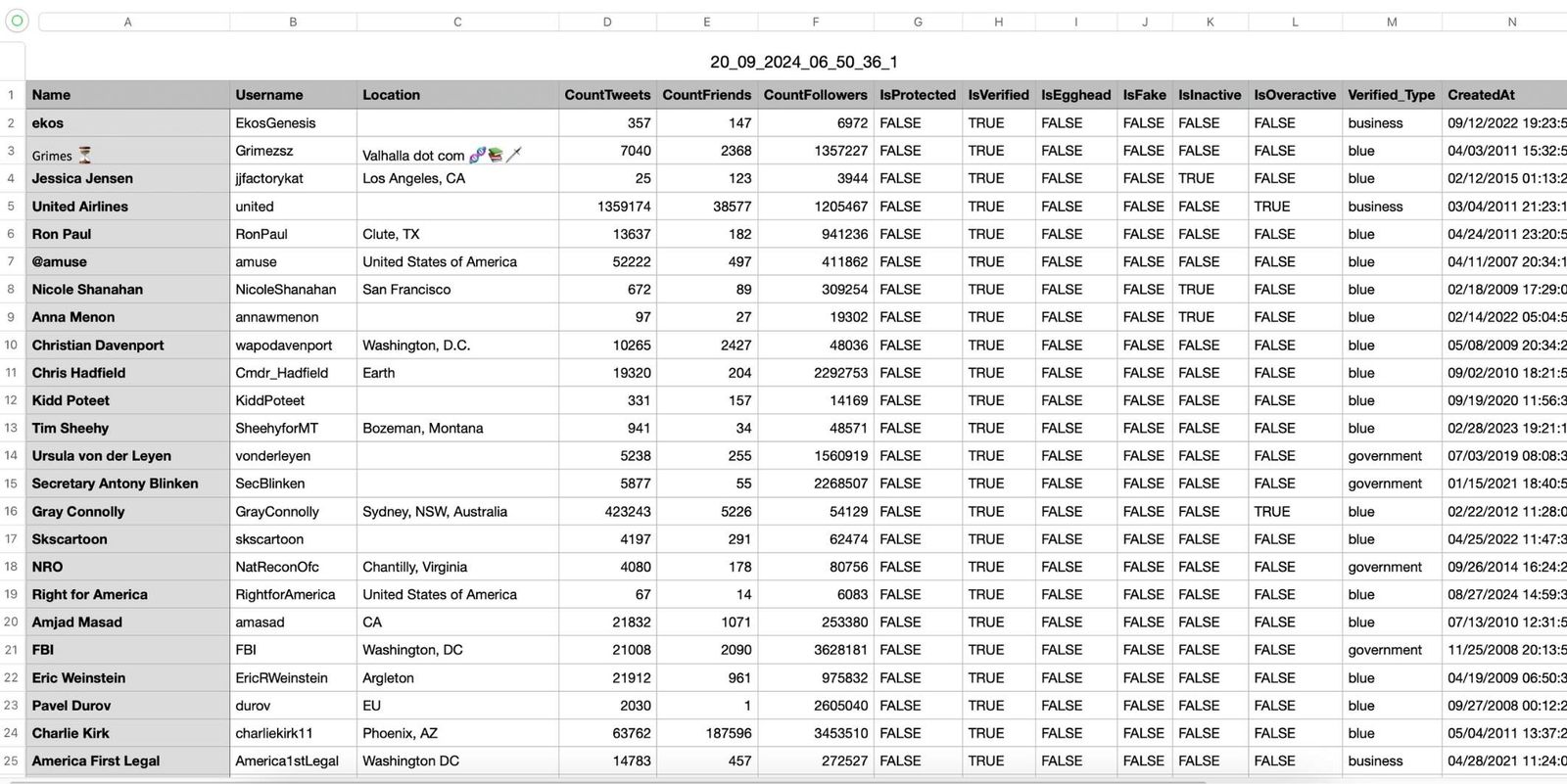
The exported data can include:
- Name and username
- Follower count
- Following count
- Tweet count
- Join date
- Verification status
- Activity level
- Fake or bot signals
- Other profile details
This means you don’t just see who follows an account, you understand what kind of accounts they are.
How to Export the Followers of Any Twitter Account with Circleboom Twitter
Step #1: Log in to Circleboom.
Create a new account if you don't have one yet!

Step #2: Upon signing in, authorize Circleboom with your Twitter account.
This entire process can be completed within seconds. Circleboom is an official X Enterprise Developer. So, you don't need to worry about your security.

Step #3: Locate the "Search" function in the sidebar.
From there, select "Account Search" to proceed.

Step #4: You'll encounter two options within the Account Search feature: "Display Friends" and "Display Followers."
If you'd like to see who follows a particular user, input the username and select "Display Followers."
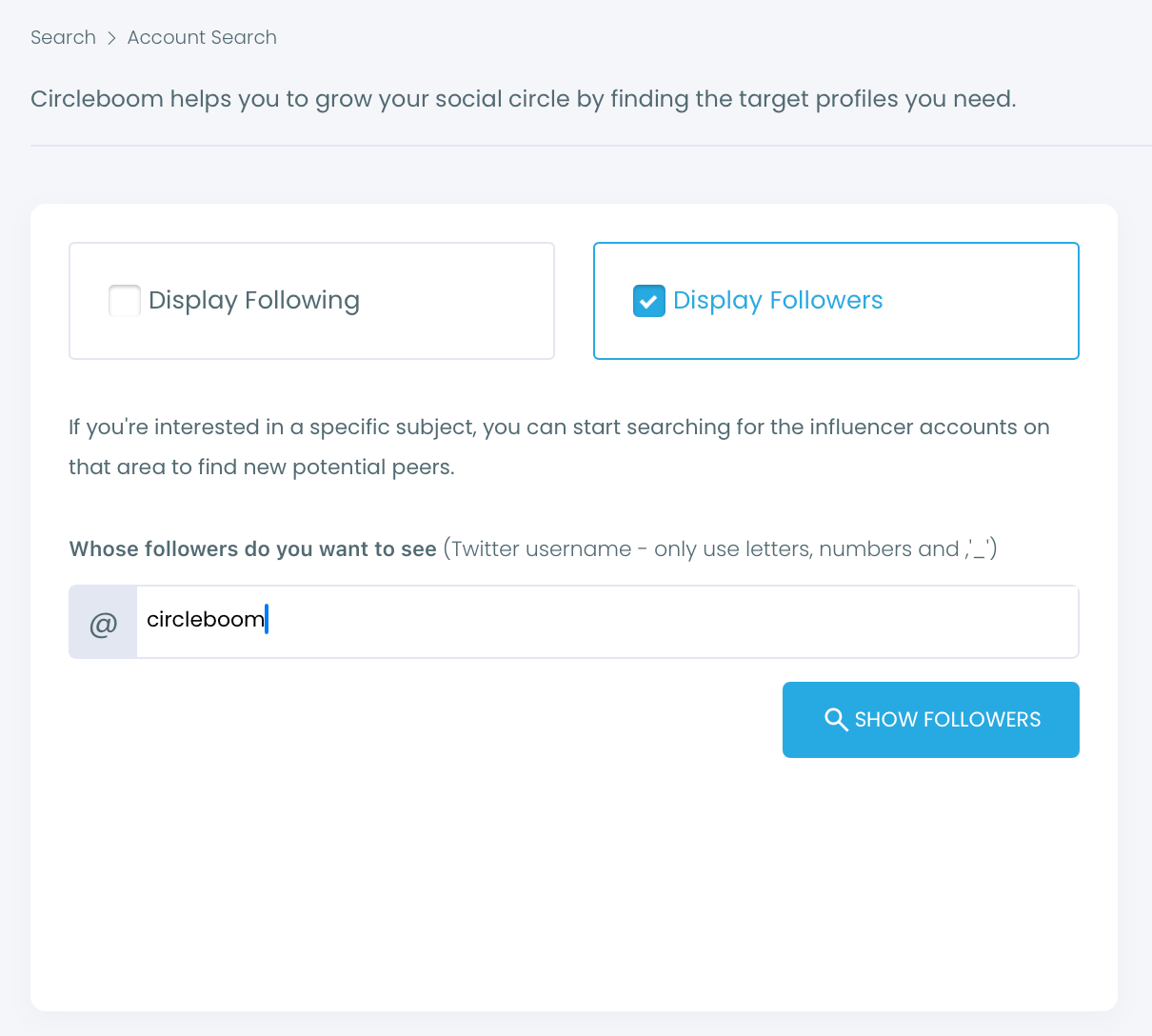
Step #5: To swiftly refine your search results, utilize the filter options above the search box.
This allows you to view verified accounts, filter out inactives, apply minimum follower count or join date limits, and so on.

Step #6: Circleboom will present a comprehensive list of the followers of the targeted Twitter profile.
You can sort or filter them for better inspection. Or you can visit these profiles on Twitter to examine in more detail.

Step #7: If you'd like to see more than 2,500 followers on an account, you need to export them into CSV.
You will receive the list in the email once you click "Export all" from the top right.
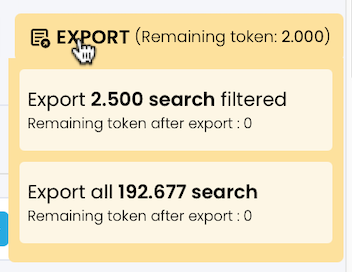
You can store this follower list on your computer and use it on any other projects.

Why X Does Not Offer This Natively
X is designed for browsing and interaction, not for exporting structured data.
While you can view followers on a profile, there is no built-in option to download that list. You’re limited to scrolling and manually checking accounts.
This becomes impractical very quickly, especially if the account has a large number of followers.
That’s why tools like Circleboom exist, to turn that visible data into something usable.
Why Downloading a Follower List Is Useful
Downloading a follower list is not just about collecting names. It has real use cases.
- You can analyze an audience and understand who follows a specific account.
- You can research competitors and see what kind of followers they attract.
- You can discover relevant users in your niche.
- You can find potential customers or leads.
- You can evaluate account quality and detect fake followers.
Instead of guessing, you work with actual data.
Arif Akdogan
Why Circleboom Twitter Makes This Easier
Manually checking followers on X is slow and limited.
Circleboom Twitter removes that limitation by giving you the full list in a structured format. You can sort, filter, and analyze the data instead of just looking at it.
And because it works as an official X Enterprise Developer, it provides this access in a reliable and compliant way.

This turns a simple follower list into something you can actually use for growth and analysis.
Conclusion
So, how can you download the list of Twitter followers of a specific account?
You can do it with Circleboom Twitter.
X does not provide a native way to export follower lists, but Circleboom makes it possible to download them with detailed account data.
Instead of scrolling endlessly through followers, you get a complete, structured list that you can analyze, filter, and use however you need.
And once you have that data, you’re no longer guessing, you’re making decisions based on real insights.

