
The first one with the highest number of user stats today, and the latter with its ability to spread information in an unstoppable fashion, can be your way through the social media management strategy.
Luckily, you have Circleboom to publish on Facebook and Twitter (X) at once!
Assuming that you are a B2B company or a firm that has refined and kind of staid work and Instagram is not your cup of tea. (with Circleboom, you can also cross post your tweets to Instagram, so it is not a problem, fyi)
Then maybe it is time to direct your focus on Facebook and Twitter.
You could be running a technology company, an information source, a nonprofit organization (take a look at why nonprofit organizations choose us).
Or you may manage any B2B company (can apply to a B2C company if the audience is eager to reach updates and info) that needs a relevant, engaging and information-seeking audience rather than looking for cutie pie kitten videos on Instagram feed.
Why do you need to consider Twitter and Facebook posting at the same time?
With Twitter;
You may present and cultivate the kind of image that attracts your potential customers and polish your brand to engage with others rather than pushing product releases.
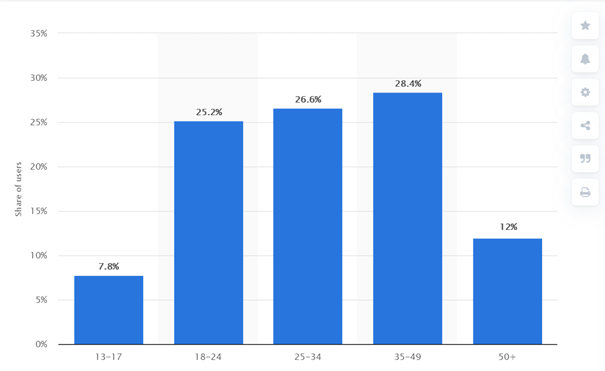
Specifically for Twitter, you can benefit from its more mature and actively working audience than other social media’s predominantly younger audiences.
An active Twitter presence will allow you to interact with individuals you would not otherwise have the opportunity to engage.
Some customers could turn into business contacts, potential partners, product suppliers, or even employees.
With Facebook;
With over 2.85 billion active users, Facebook is a critical medium for social media marketing.
A Facebook Business page can help you engage with customers while also providing valuable information about your company, goods, services, and upcoming events. Moreover, it can help you improve customer satisfaction, which in turn can positively impact your Customer Satisfaction Index and improve your bottom line.
You can include basic contact information about the company when creating a Facebook for Business page and be sure to communicate with your followers; the more interaction you drive, the more likely your business will be seen.
According to the Deloitte Report on social media marketing 403 403, findings suggest that:
- The Facebook apps were important for receiving feedback for 64 percent of SMBs who used them.
- More than half (56%) of SMB owners who use the Facebook applications said they were a key influence in providing them the confidence to launch their company.
- Compared to those who did not use personalized ads, SMBs who used tailored advertisements were 16 percent more likely to report positive sales growth in the previous year.
- According to a small business in this survey, their consumers discuss their experiences with the items on social media. In Facebook groups, people tag the business; hence, they were quite proud of its robust organic growth with Facebook groups.
Up until this point, presumably, we understood that how Twitter and Facebook posting at the same time is indeed relevant to your business.
Yet, as all you have only 24 hours in a day, how can you devote enough time to each of your social media accounts?
The trick here will be finding the best content to post and posting them regularly to all platforms.
Posting the same update across all of your social apps at once is one method to cut down on the time you spend within them.
Almost all of your followers and potential followers can receive the message this way.
The good news about that Circleboom has released a new cross posting feature that enables you to share your tweets to Facebook, LinkedIn, Instagram, Bluesky, and Threads, at the same time.
How so?
How to post on Facebook and Twitter at once?
Let’s dive into the hands-on guide of how to use the Circleboom's Cross Post feature to share same post on Twitter and Facebook at the same time.
How to cross posts on Twitter and Facebook with Circleboom
You should follow these steps:
Step #1: Open your browser and land on Circleboom Twitter.
If you still don't have an account, you can create one with a few clicks.
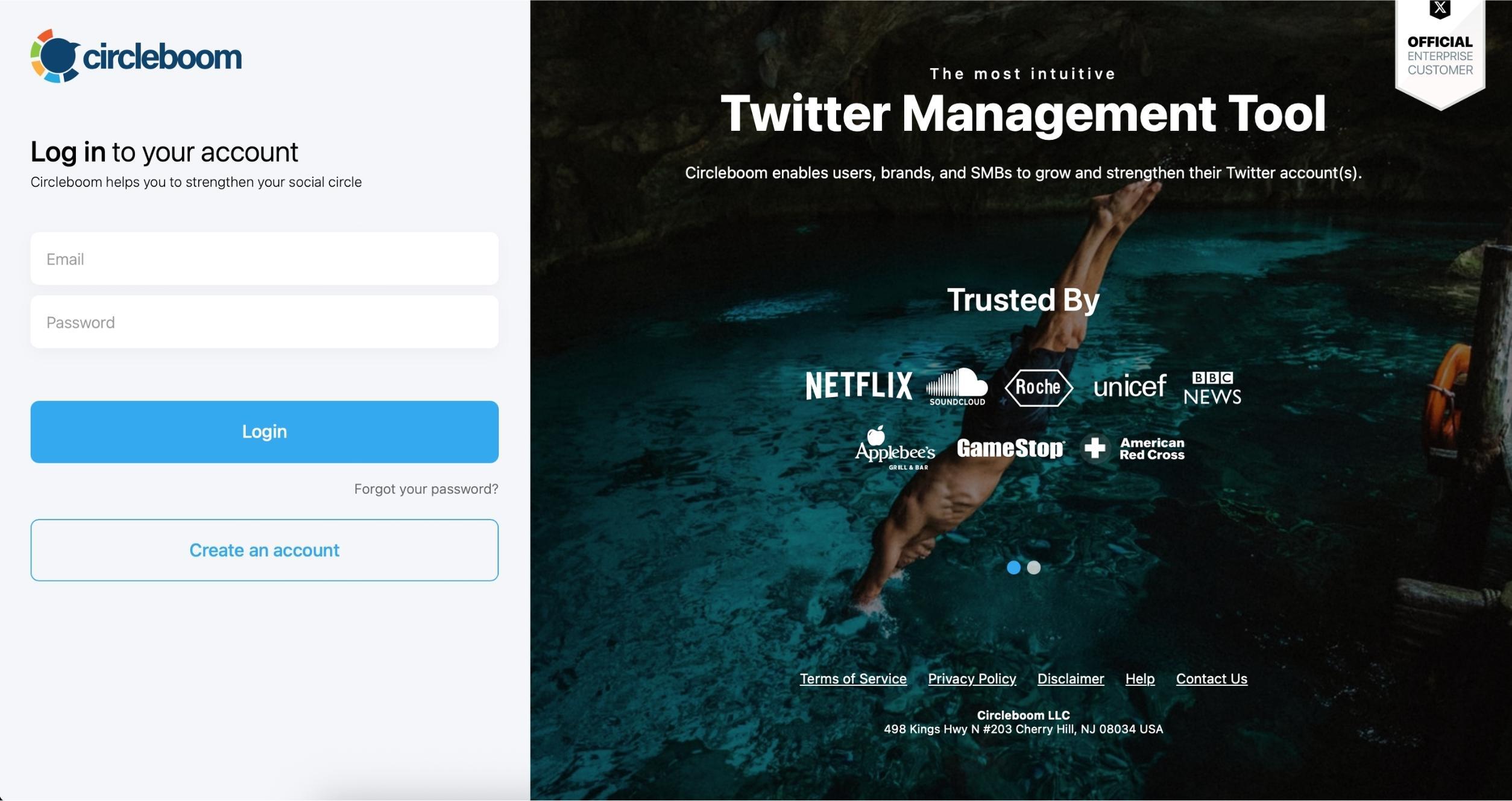
Step #2: Circleboom is an official X Enterprise Developer.
You are safe here!
Step #3: You should go to X AI Writer on the left.
Click on the "Write and Plan Your Post" and open the X Post Planner.

Step #4: On the "Cross-Posting" section, you will select and connect your other social media profiles.
You can connect Instagram, LinkedIn, Bluesky, Threads, and Facebook profiles.
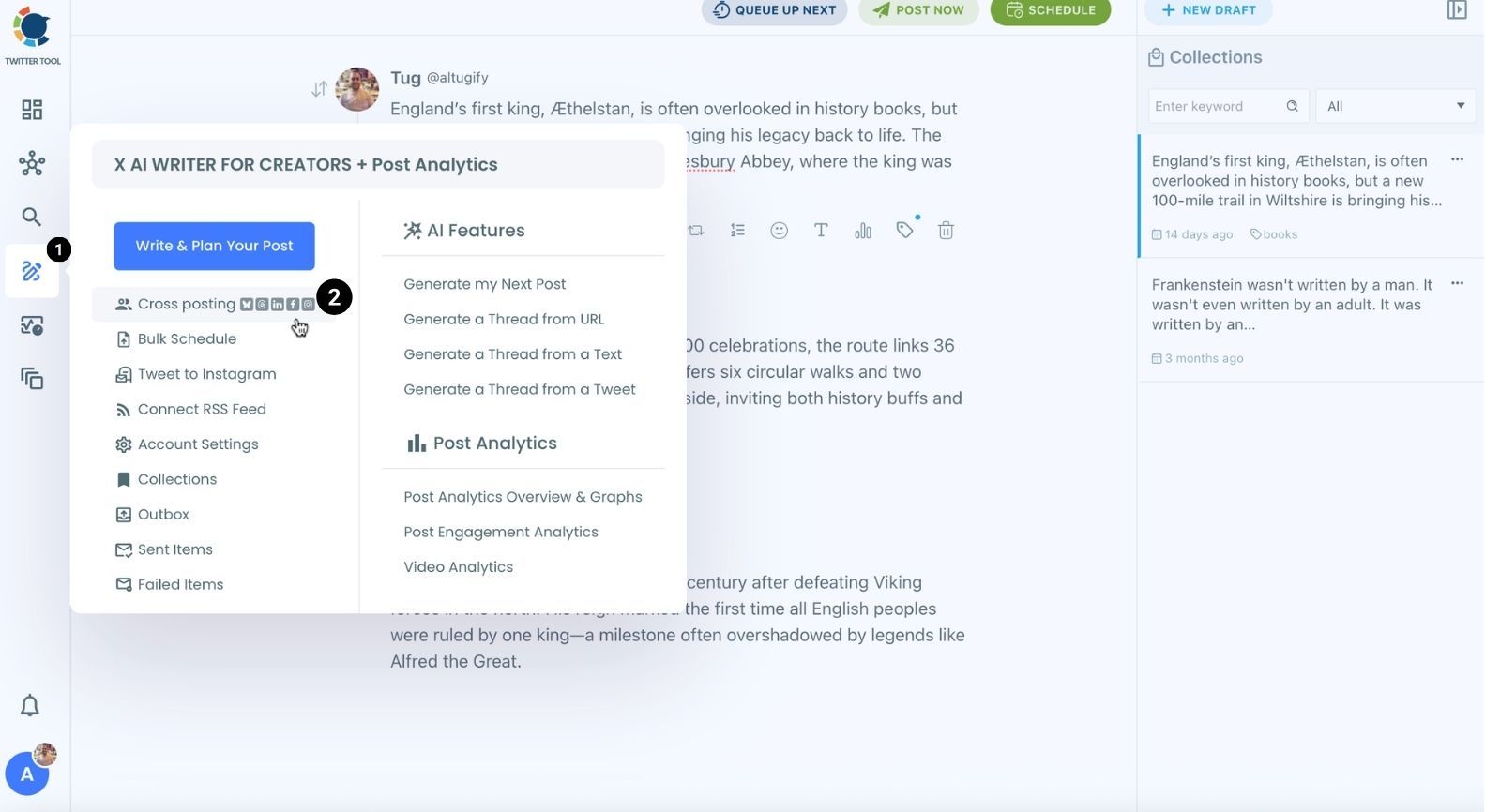
You can share your content on 6 platforms; X, Instagram, LinkedIn, Facebook, Threads, and Bluesky.

Step #5: You create your tweet.
When you want to post it or schedule, you can select other platforms. Here, you should select Facebook.
If you wish, you can select other platforms too. For example, you can share your tweets to Instagram at the same time.
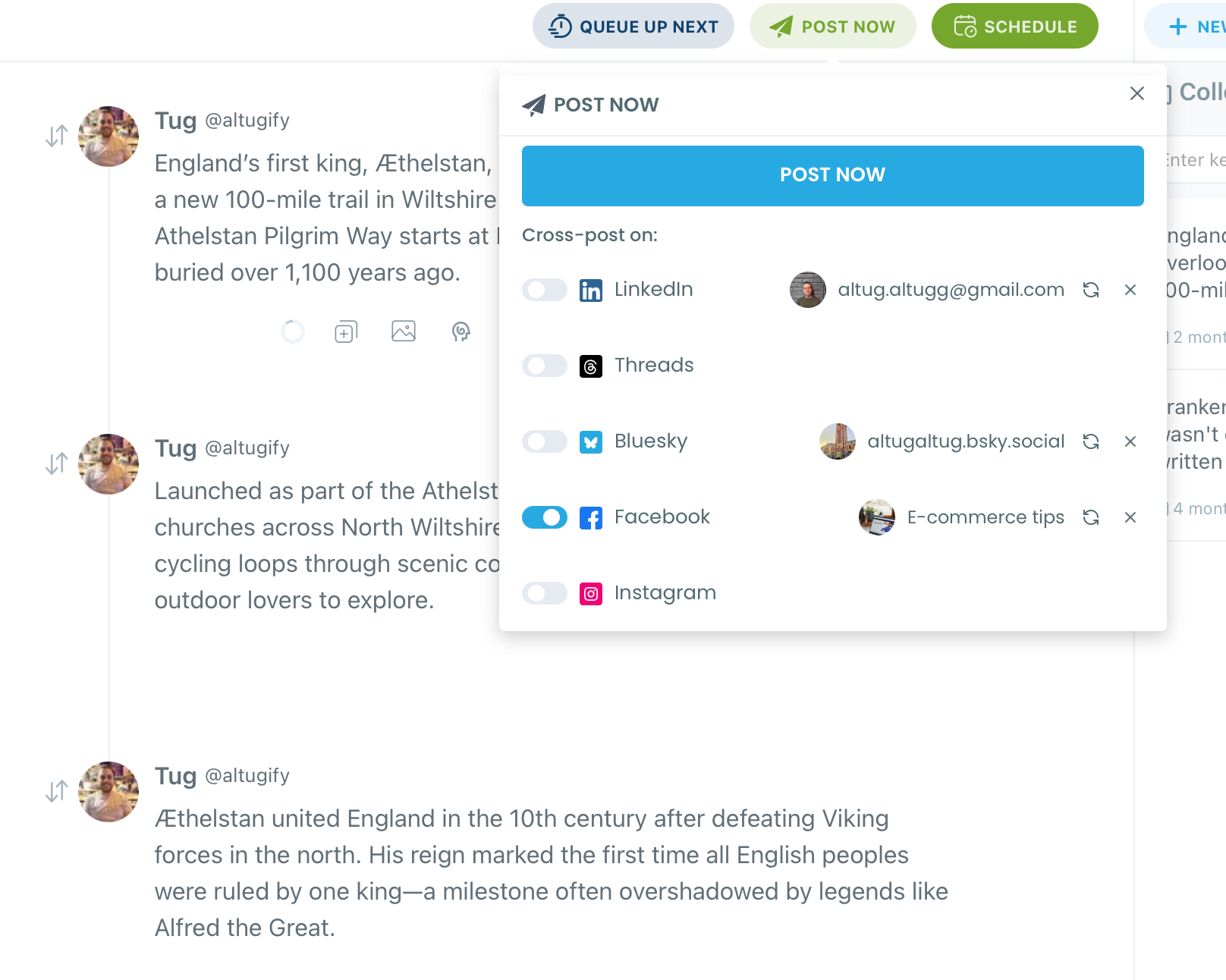
That's it!
Now you can share the same content on Facebook and Twitter (X) at once with Circleboom.
How to auto-post articles to Twitter and Facebook at once?
Alternative Option #1: Article Curation and Automation
As you can see from the menu, there will be options such as “Discover Articles,” which allows you to curate sectoral, business, or news articles from 200,000 sources throughout the web in 11 languages.
Step #1: Go to the Circleboom Publish dashboard and navigate through the left-hand side menu.
Click on Discover Articles.
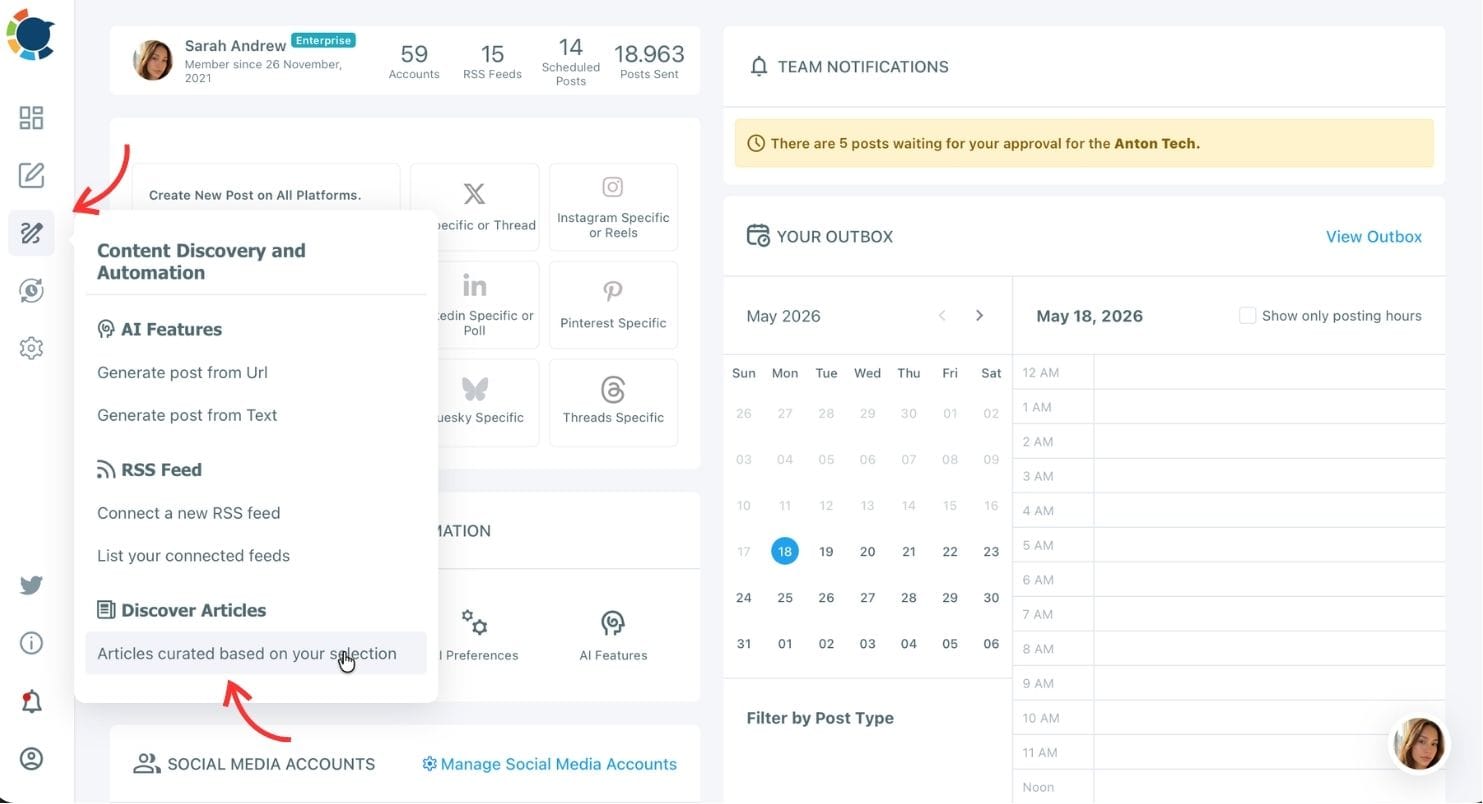
Step #2: But first, if it is your first time, you should define your Article Settings.
Language, topic, etc. Anything about your articles.
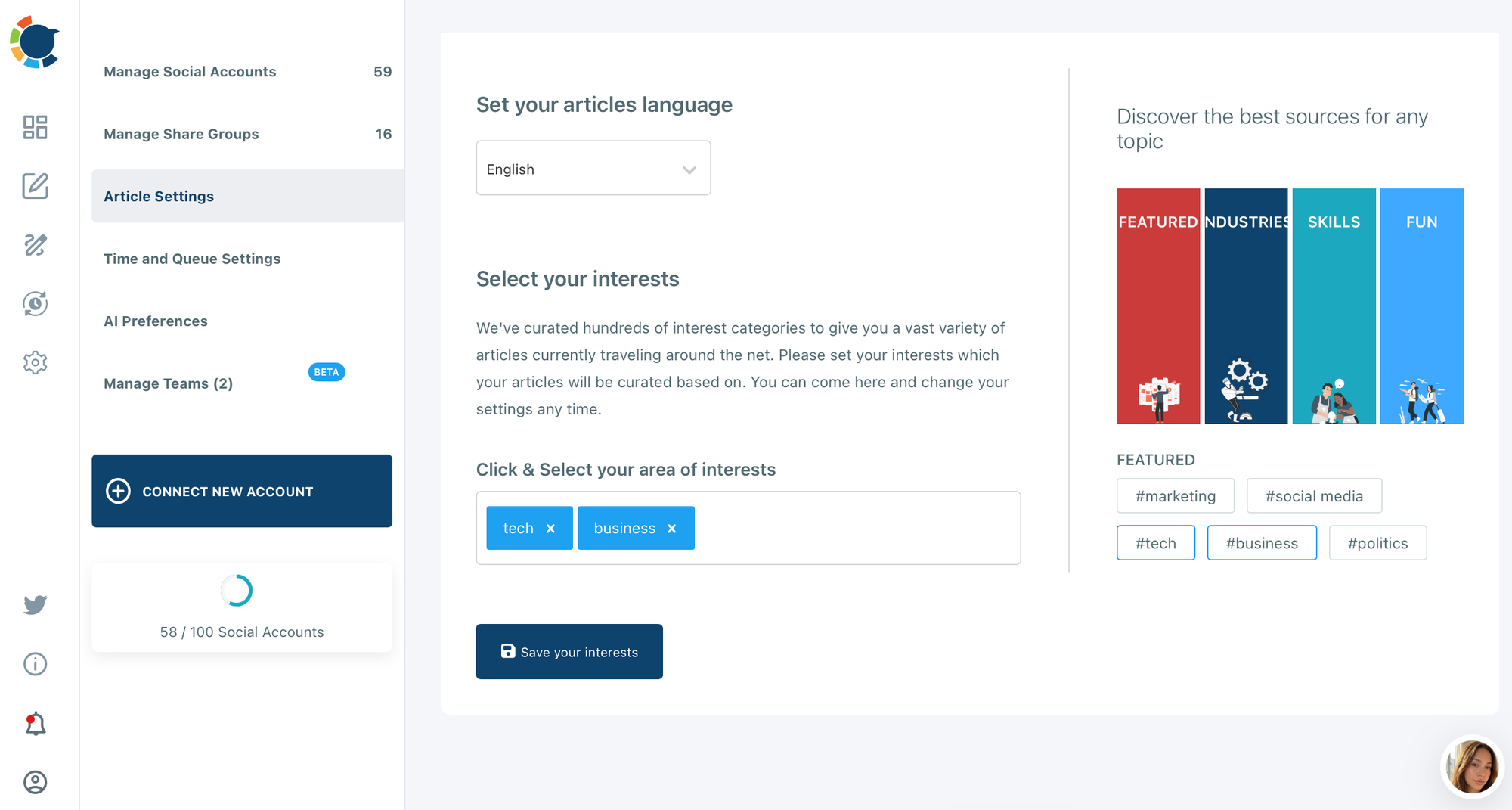
Step #3: Now on, you can select Articles based on your settings.
You can check the article timeline and select specific articles from this page.

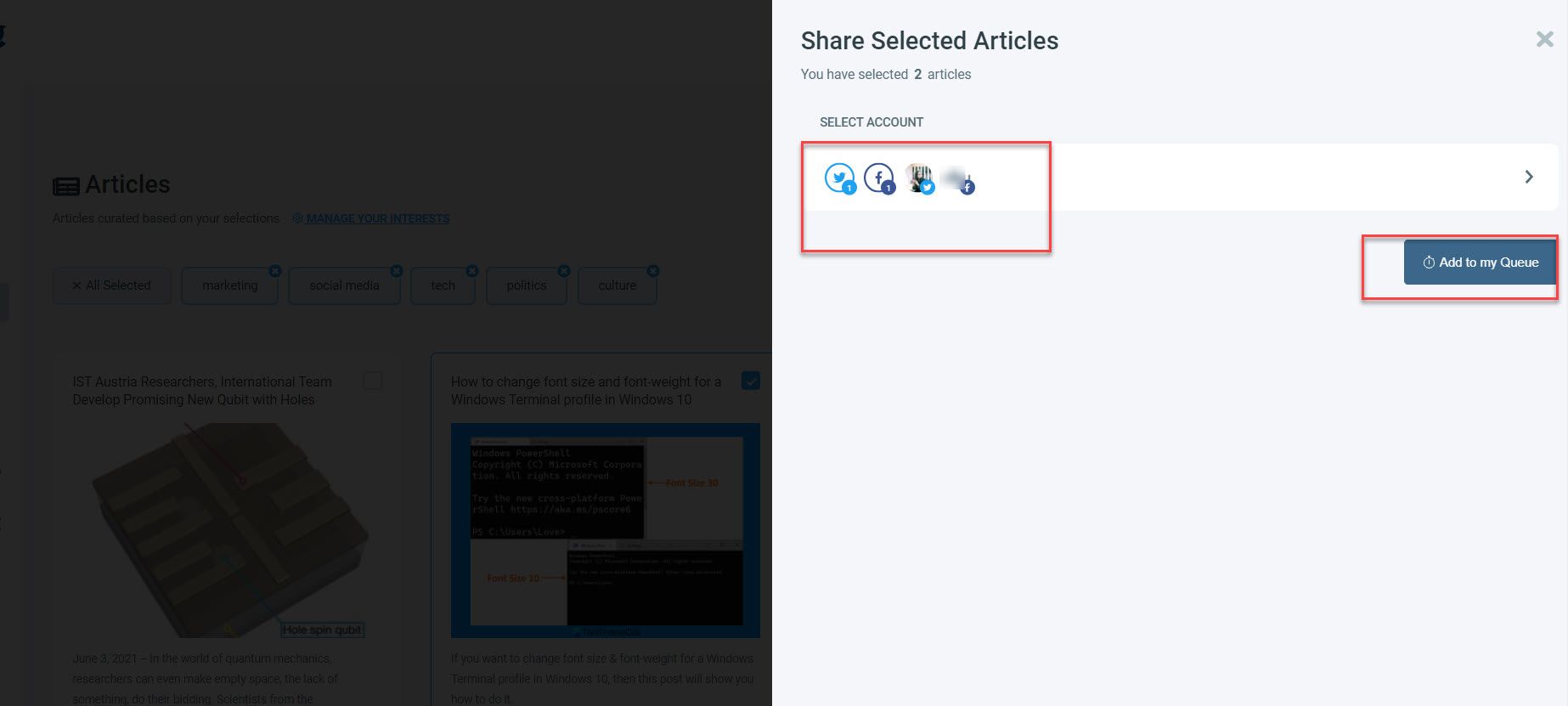
Step #4: Select the Twitter account or accounts you want to post to and then click “Add to my Queue.”
There is a “Select by Group” button, as you can see. You may use this to unite your clients’ many Twitter accounts and manage them all in one spot!
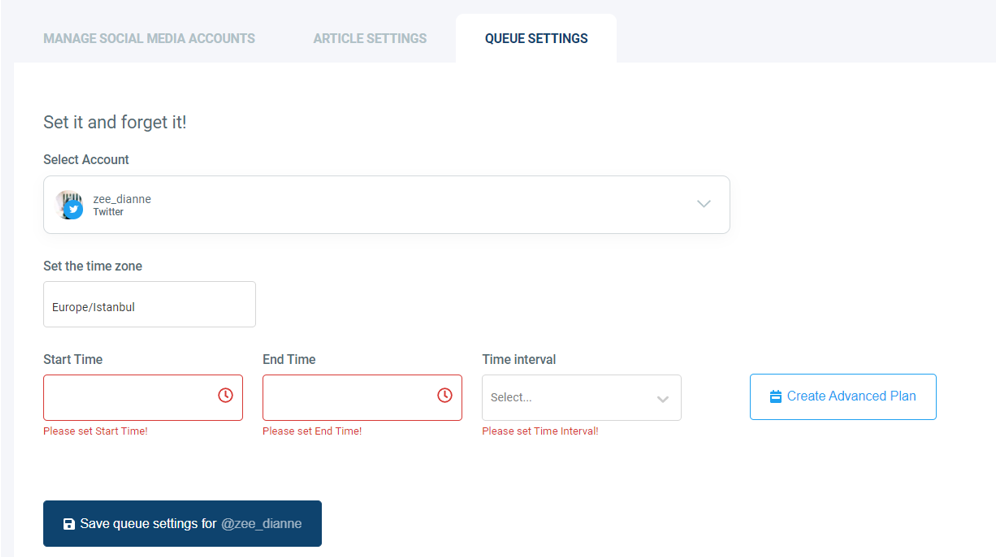
Step #5: Don’t worry if you haven’t configured your post queue settings yet; it just takes a few seconds to do so. Continue by clicking the “Go to Queue Settings” button.
Define your time zone on the first dashboard, then queue data and intervals as needed.
Alternative Option #2: Connect RSS Feeds
This function allows you to link your favorite RSS Feeds to multiple Twitter, Facebook, LinkedIn, Google My Business, and Pinterest accounts all in one location!
First select 'Connect a new RSS feed' on the dashboard.
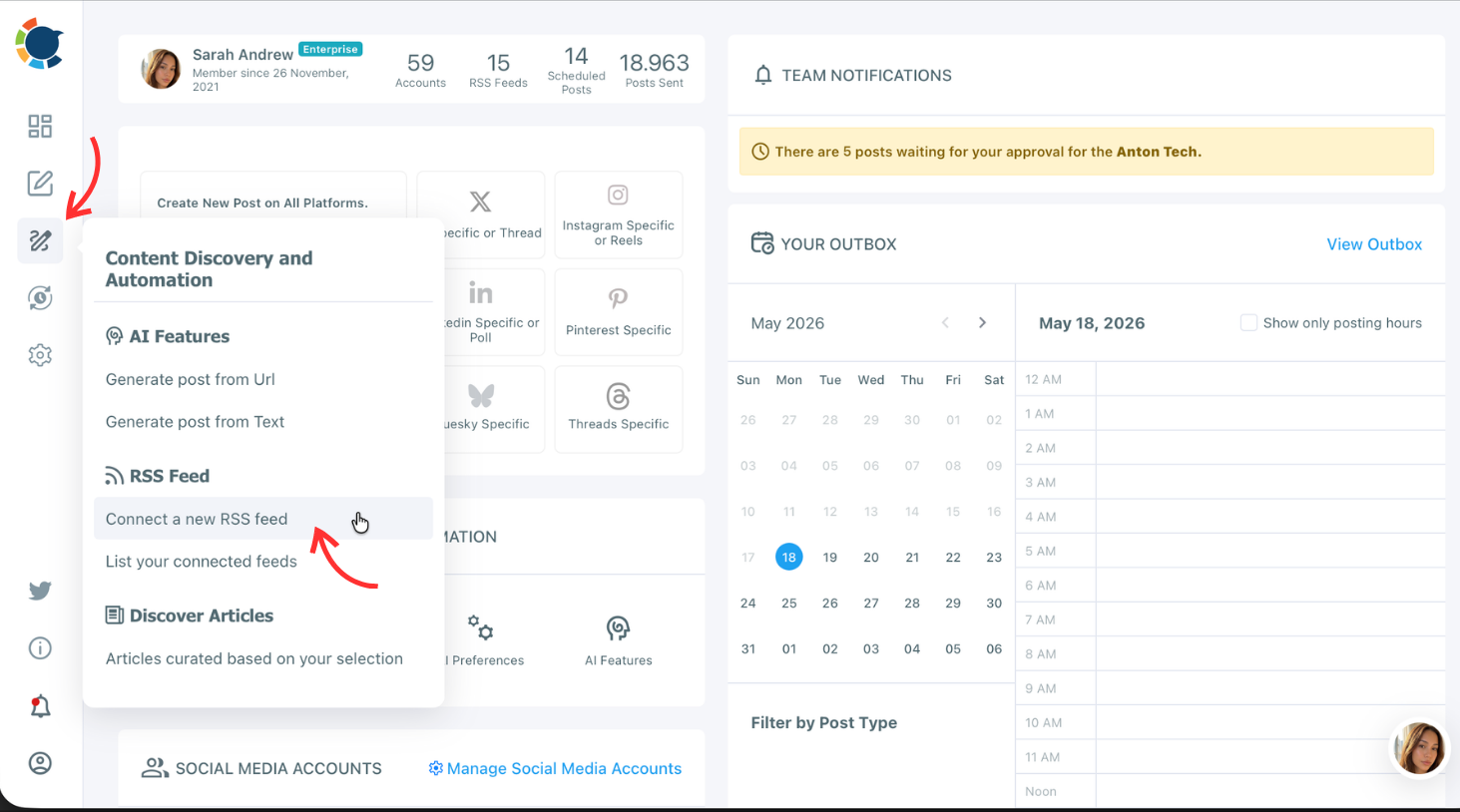
RSS can be linked from your website or relevant information sources for your business niche.
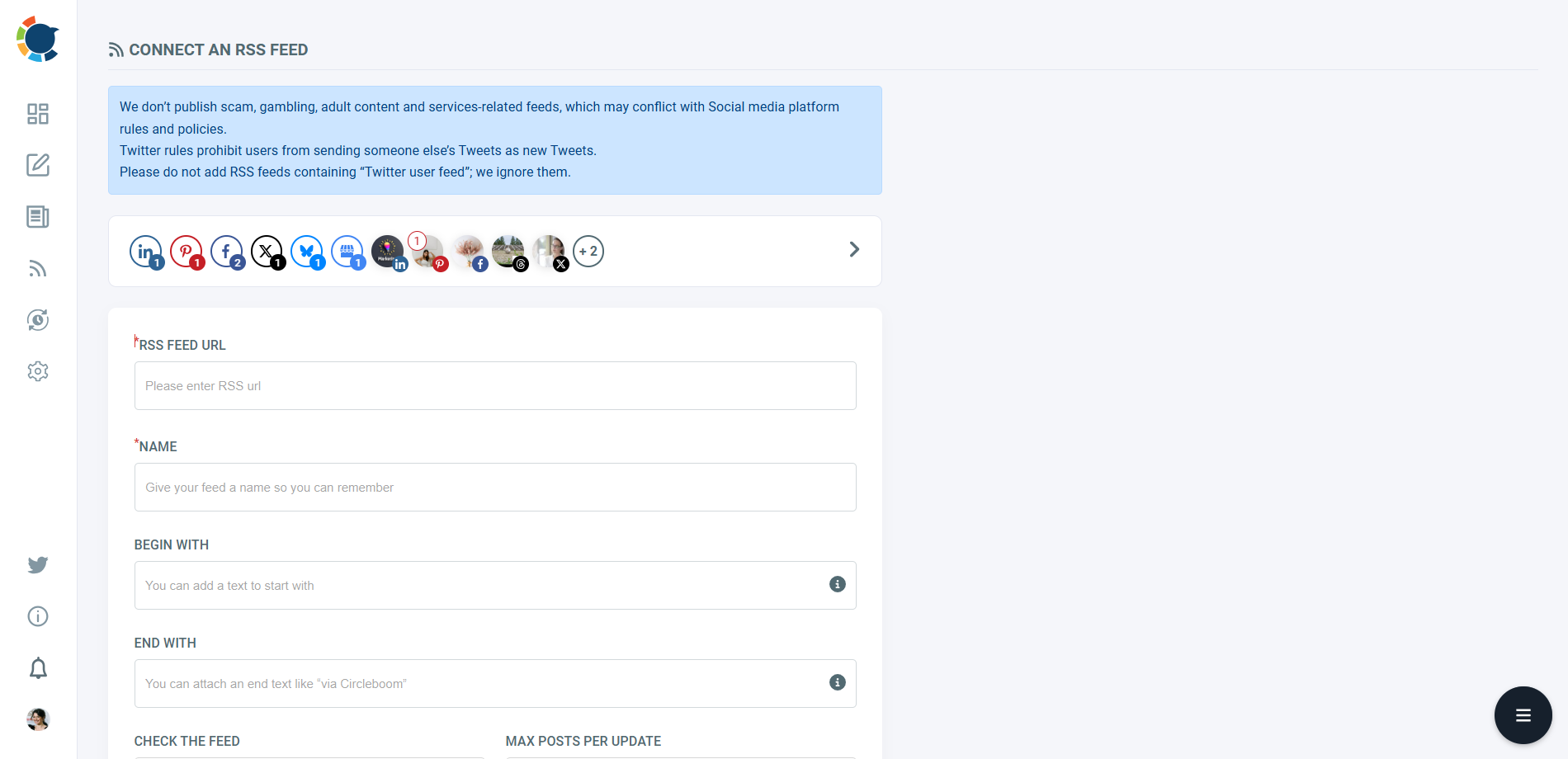
Then, add the URL and select intervals to check the feed and also the number of updates.
Wrapping Up
As you may get the idea, Circleboom tool is a multiple account social media management tool with endless options to find, curate and design content besides living the enjoyment of scheduling posts days ahead.
With the ability to schedule posts on Facebook Page and Twitter – of course, don’t underestimate adding multiple accounts feature; you can do much more for your social media strategy when it is compared to the old-fashioned way of doing it!
 Zeynep Morelli