
In a sample report run on public accounts, four large payment brands drew between 53 and 68 percent of their followers from the US and between 75 and 81 percent from English-language profiles. None of those brands states that split on its profile.
A rival's follower count says how many people showed up; it never says who they are or where they sit.
Manual: scroll a rival's follower list on X, which stops loading after a point and cannot be filtered or exported. Circleboom: Circleboom maps where a rival's followers live, which languages their profiles use and what their bios say on Twitter, from records pulled through X's Enterprise API access.
→ Research a competitor's audience on Twitter side by side with yours
Below: picking the rival, reading the audience panels, then filtering the real follower list.
Why a rival's profile tells you so little about its audience
A competitor's profile shows three things: follower count, following count and whatever engagement sits under its recent posts. When you research competitor audience on Twitter, you need answers those three numbers cannot give.
You need to know where the followers live, which language their profiles are written in, how they describe themselves and how many of them already follow you. You also need the accounts themselves, because a percentage cannot be followed, listed or messaged.
That is two different jobs, and most people try to do both by scrolling.
The fix is to split them. A benchmark report gives the shape of the audience, and a follower search gives the names.
You can map a rival's Twitter audience in one dated report before you touch a single profile. The rest of this guide shows how the report's findings become the filters for the second job.
Can you research a competitor's audience on Twitter without a tool?
Partly. X lets you open another public account's follower list, but the list stops loading after a point, cannot be sorted or filtered, and has no export. You see a slice of the audience in whatever order X serves it.
That slice is fine for spotting a few familiar names. It fails as research for three reasons:
- You cannot count anything, so regions and languages stay a guess.
- You cannot narrow the list to the people who match your market.
- You cannot keep what you found, so the work starts over next quarter.
Scrolling tells you who is there; it never tells you how many or which kind.
The manual route also has no way to compare. Seeing that a rival has Spanish-speaking followers means little until you know whether that share is larger or smaller than yours.
For a closer look at the profile-by-profile method and its limits, see how to analyze someone's Twitter followers.
What to find out when you research a competitor's audience on X
Good research ends with a short list of facts you can act on, each tied to a decision. Five questions cover it:
- Where do the rival's followers live, by country or region?
- Which languages are their profiles written in?
- Which words do they use in their bios to describe themselves?
- How many followers do you and the rival already share?
- Who, by name, belongs to the segment you care about?
Circleboom answers the first four in its X Competitor Analysis & Benchmark Report, which puts your account and up to four rivals on one page. The fifth comes from its Followers / Following Search, which opens any public account's follower list as a filterable table. Both tools work on any public X account, so the rival never has to be connected to anything.
The data source matters here. Circleboom calculates every audience figure from X's own records, collected as one of the developers X names in its Enterprise customer directory. The regions and languages you read rest on documented data, not scraped pages that can miss accounts.
When you are ready, you can compare your Twitter audience with up to four competitors in a single run.
To research competitor audience on Twitter against a clear baseline, look at your own languages as well. Twitter Language Stats breaks down your followers' profile languages on their own.
Pick the right rival before you research its audience
The account you study decides what you learn when you research a competitor's audience on Twitter. A celebrity-scale brand in your category has followers who joined for reasons that have nothing to do with you, so its audience is noisy.
A direct peer that sells to the same market, in the same language, at a similar scale is the better seed.
Use these tests before you add a handle:
- It sells to the market you sell to, or want to.
- It publishes in the language your customers read.
- Its follower count is within reach of yours, or one step ahead.
- It posts for marketing, not mainly to answer support tickets.
Circleboom's competitor file makes the same split between direct peers, which measure where you stand, and category leaders, which are worth studying but not worth copying.
If you do not know which accounts qualify, Find Twitter Influencers searches bios by keyword and shows who carries weight in your niche.
Two or three well-chosen peers teach more than one famous rival.
How to research a competitor's audience on Twitter, step by step
The process runs in three phases: build the report, read its audience panels, then open the rival's follower list with filters taken from what the report showed.
Build one report with your account and the rival
- Log in to Circleboom Twitter and connect your X account through OAuth so your own handle can sit in the first slot.
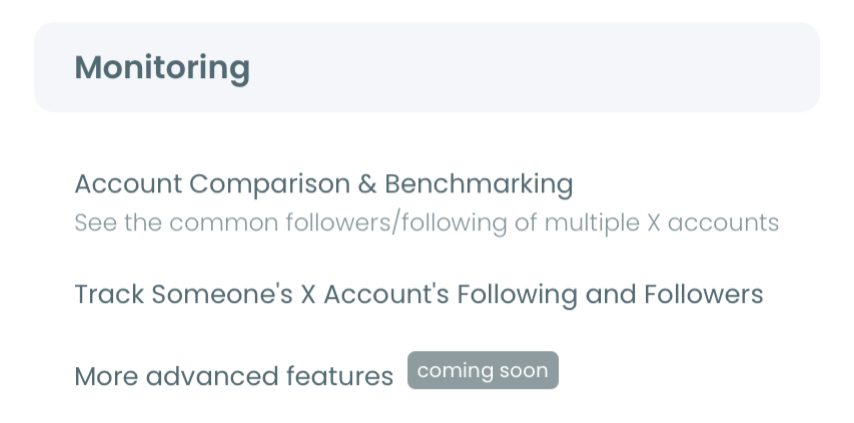
- Open the Monitoring menu and select X Competitor Analysis & Benchmark Report, the first item in the menu.
- Type your handle and the rival handles under Account Handles, using the + button for each new slot, then choose Just this once or Keep it up to date every month and click Start Competitor Analysis.
Read the audience panels in the report
- Open View report and go to Audience Demographics & Geography with the Followers toggle on. The geographic panel names the four largest countries for each account plus an Other bucket, so the countries listed can differ from account to account.
- Read the Language breakdown next. It always shows six buckets (English, Chinese, German, Spanish, French and Other), and a 0 percent bucket means no profiles in that language were detected.
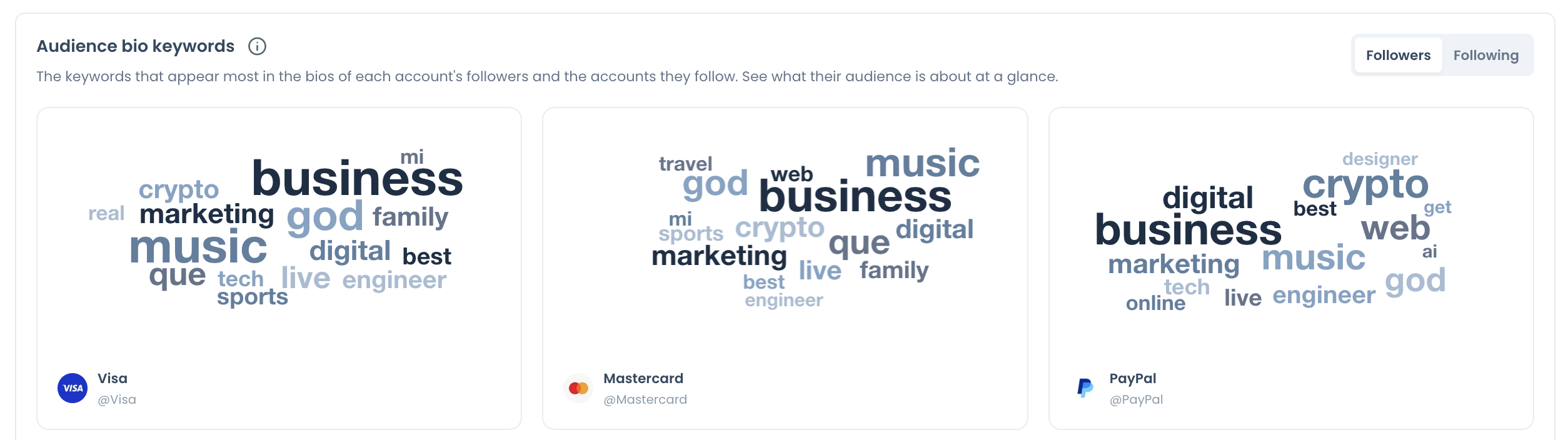
- Write down the top terms in Audience bio keywords. Each account gets its own word cloud, built from the most common words in its followers' bios.
- Open Common Audience and pick your account and the rival. The panel shows how many followers and followings the two accounts share, with links to view the common followers.
Browse the rival's real follower list
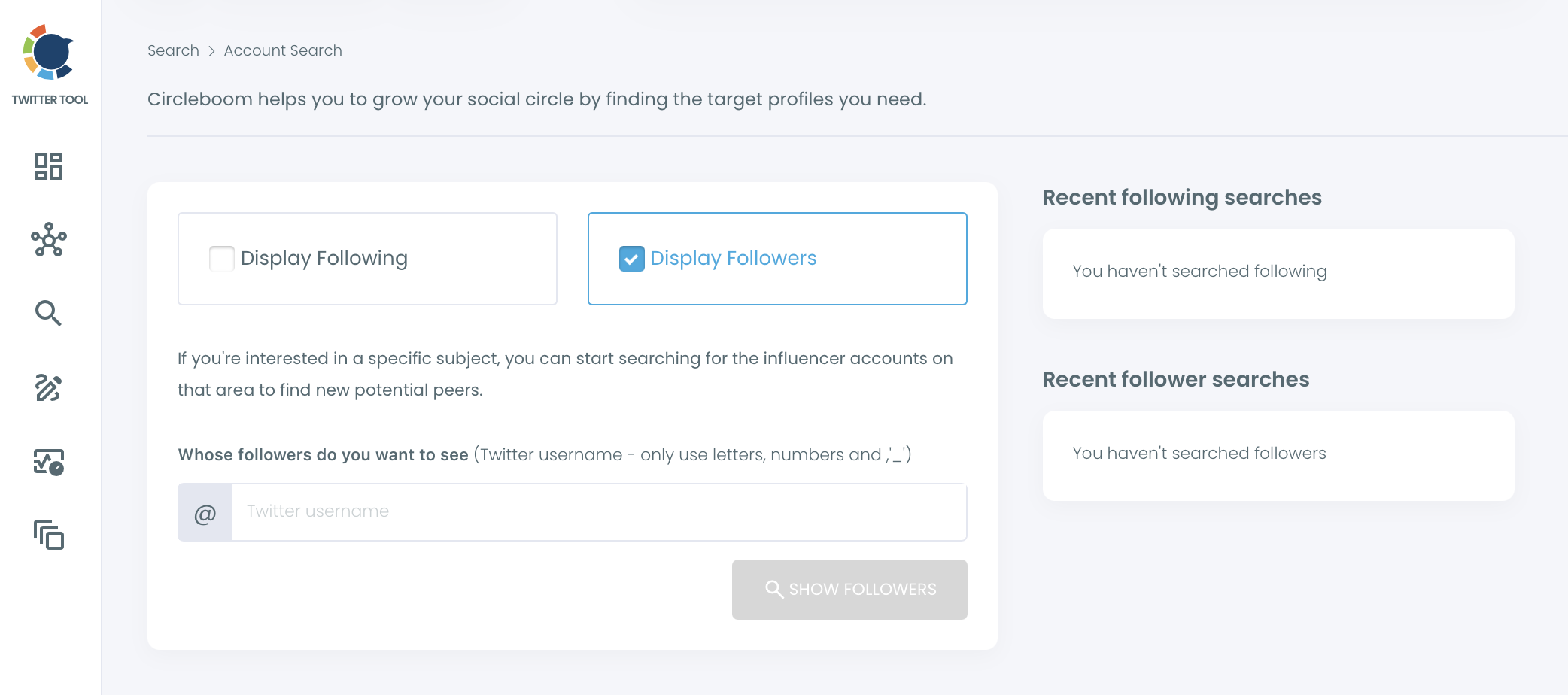
- Go to Advanced X Search and open Followers / Following Search, choose Display Followers, type the rival's username and click Show Followers.
- Click Filter Options and turn the report's findings into filters: bio terms into Find in Bio & Name, a country from the region panel into Location, a language bucket into Language, and Fake/Bot plus Inactive excluded under Follower Quality. Location matches the text people typed, so add spellings such as "UK" and "United Kingdom" (see how to use the location filter efficiently).
- Save the segment with Add to List, choosing a new or existing Twitter List, before you follow or export anyone.
When you research a competitor's audience on Twitter in this order, the report goes first because it tells you which filters are worth typing. Open the follower list cold and you are guessing at keywords; open it after the bio cloud and region panel and every filter has a reason behind it.
Here is the bridge in practice. Say the rival has 40,000 followers and its Spanish bucket reads 18 percent. That is about 7,200 profiles, a segment large enough to justify a filtered pass with Language set to Spanish and a bio term from the cloud.
Without the report, you would not know the segment existed.
What to do with the competitor followers you found
A filtered segment is a research asset, and how you use it decides whether it stays one. Circleboom gives you four moves from the results table:
- Add the accounts to a Twitter List to watch their posts without following anyone.
- Export the list as a CSV for a CRM, a client review or deeper analysis.
- Whitelist the accounts you never want touched by bulk actions.
- Follow the most relevant accounts, selected one batch at a time.
Lists are the safest first step, and Twitter List Manager keeps them organized by rival or by market.
Exports consume search tokens, so export the filtered segment rather than the whole list.
If you follow, keep it deliberate. Circleboom paces bulk follows at 50 every 15 minutes and 400 per day, asks you to confirm the selection first, and continues the rest of the queue automatically the next day.
Following 400 well-matched accounts tends to bring more follow-backs than following 400 random large ones, because the first group already cares about your topic.
Some teams also want to reach this segment with paid posts. Whether X's ad tools allow that is its own question, covered in can I target my competitor's followers with Twitter ads.
Compare the rival's audience with your own
Researching a competitor's audience on X only pays off next to your own numbers. If the rival's Spanish bucket is 18 percent and yours is 4, that gap is a content and localization question; if both sit at 18, Spanish is simply part of the category.
Because your own account sits in the same report, the comparison is already on the page for regions, languages and bio keywords. For a deeper look at your side alone, the steps in identifying the most common languages among your Twitter followers apply directly.
Location works the same way. The report lists the top four countries per account. For your own followers on a map, see the best way to view the location of Twitter followers. Read both sides before you decide anything.
A segment the rival owns and you lack is a target; a segment you both own is the baseline.
Bio keywords repay the same side-by-side read. If "developer" leads the rival's cloud and "marketer" leads yours, you are talking to different people. Twitter Interest Targeting shows the interests behind your own followers in more depth.
"My competitor is far bigger, so this is pointless"
That objection stops many teams from researching a competitor's audience on Twitter at all, and it gets the logic backwards.
A bigger rival has more followers to learn from, and scale is exactly what shares and buckets normalize: 18 percent means the same thing on 4,000 followers as on 400,000.
The second worry is that following a rival does not prove anyone wants to buy.
True. A follow is an interest signal, not a purchase, and bio keywords are self-descriptions, not intent. Treat the segment as people who already care about the topic, which is a far better starting point than a keyword search across all of X.
The third is effort. When you research competitor audience on Twitter with both tools, the report handles counting, and the follower search handles the names. The manual part shrinks to the decisions only you can make: which segment matters and what you say to it.
When you research competitor audience on Twitter this way, every filter you type has a number behind it and every list you save has a reason.
→ Start researching your competitor's audience on Twitter
Competitor audience research on Twitter: four more questions
Can I research a competitor's audience on Twitter if the account is private or very large?
No for private accounts: both the report and Followers / Following Search work on public accounts only. The report also cannot analyze an account with more than 3,000,000 followers, while Followers / Following Search lists up to 2,500 accounts at a time and lets you reach more through its sort options.
Does a big follower count mean a competitor's audience is real?
Not necessarily. The report's Audience Quality section classifies each account's followers as human or suspected fake/bot and as active or inactive. Treat those labels as signals to review, not verdicts.
Should I look at who my competitor follows as well?
Yes, as a separate read. Switching the report's toggle to Following shows the regions, languages and bio keywords of the accounts the rival chose to follow, which describes its relationships, not its audience, so never report those figures as follower data.
How many rivals can I research in one Circleboom report?
Up to five accounts in total: your own plus up to four rivals, or five accounts that are not yours. Competitor Tokens are charged per competitor per report, and your own account never uses one.