
How do you grow a fan account on Twitter when nobody knows your handle yet? You go where the fans already are: the follower lists of the accounts your fandom watches every day. The work is in picking the right list, cleaning it, and giving new followers a reason to stay.
Inside this fan account playbook.
• A way to choose the account whose followers are most likely to be real fans of your subject.
• A filter setup that removes bots, dormant profiles and follower collectors before you follow anyone.
• A follow pace and a posting rhythm in X Post Planner that keep new fans around.
Circleboom lists the full follower list of any public X account and lets you filter and follow those fans in paced batches through X's Enterprise API. Grow a fan account on Twitter from the fans your subject already has.
Why fan accounts on X stall at a few hundred followers
Most fan accounts stall because they post into an empty room. The posts are good, the edits are clean, and still nobody sees them, because X shows new content first to the people who already follow you. With 200 followers, that first audience is tiny.
The usual fix is to follow random people and hope they follow back. I have watched fan admins do this for weeks, following whoever replied to a trending post. Their timeline fills with spam, and the follow-backs come from accounts that never engage.
A fan account grows when the people it follows are fans of the same subject. Those accounts recognize your content, follow back for a reason, and reply when you post. The question is where to find them in bulk.
They are already listed. Every official account and every established fan page has a follower list made of people who chose that subject on purpose.
On X those lists stop loading after a point and offer no filter or sort. With Circleboom, you can grow a fan account on Twitter by searching those follower lists on X with filters instead of scrolling them by hand.
Before any tool, the fundamentals still apply: a clear name, a bio that says who you cover, and a steady output. The general playbook to organically grow Twitter followers covers that base. This guide covers the part of growing a fan account on Twitter that most admins get wrong: who they follow.
Which account's followers should a fan account start from?
To grow a fan account on Twitter, start from established fan accounts and update accounts in your fandom, then add the official account as a second source. That order sounds backwards, so here is the reasoning.
An official celebrity or brand account is followed by everyone: casual viewers, news bots, brands, people who followed once during a viral moment. Circleboom's own guidance on this search says it plainly: if the seed account is too broad or celebrity-like, its followers will be noisy.
A fan account's followers are different. Someone who follows a fan page has already decided they want more of this subject in their timeline. That is the strongest interest signal you can get.
Here is how the common seed types compare for a fan account:
| Seed account | Who follows it | Fit for a fan account |
|---|---|---|
| Official account | Fans plus casual and passive followers | Large but noisy |
| Established fan page | People who opted into fan content | Strongest signal |
| Update or news account | Active fans who want every update | Strong, very active |
| Co-star or member account | Fans of the wider group or cast | Good for reach |
Why three to five seed accounts beat one
Use three to five seeds, not one. The same advice appears in the feature's best practices: compare several similar accounts instead of trusting one network, and treat accounts that show up across several seed lists as your best prospects. A fan who follows two fan pages and the official account is far more likely to follow a third fan page back.
Pick seeds that match your own angle, too. A fan page that posts concert clips should seed from accounts that share clips, not from a merchandise account whose followers came for discounts. The closer the seed's content is to yours, the more of its followers will see your posts as more of what they already wanted.
The step-by-step on how to search someone's Twitter followers shows the search itself if you have never run one.
One related note: if you want to see who a big fan page follows rather than who follows it, the same feature has a Display Following mode. That view is useful for finding the accounts the core of your fandom reads, but for growth, followers are the list you want.
What Circleboom does for fan account growth on X
Circleboom turns another account's follower list on X into a table you can filter and act on, so you follow the right fans instead of the loudest ones. Circleboom is an official X Enterprise Developer. Your follower data comes from X's own records, and follow actions run through approved access, not a scraper that can miss accounts.
For each account in a seed's list, you see:
- Its tweet count
- Join date
- Following and follower counts
- Follow ratio
- An engagement label: Active, Moderate Active or Inactive
The table shows up to 2,500 accounts at a time, and the sort options let you reach past that first 2,500.
Compared with scrolling a follower list on X and opening profiles one by one, the difference is the filter.
Remove fake and inactive accounts, keep the profiles whose bio mentions your fandom, skim what is left, and queue only the fans you choose. Circleboom then follows them in paced batches after you confirm. That makes it practical to grow your fan account on Twitter with the fans of your subject at a steady daily pace.
Following is the step most people worry about, and the safety design matters here. Circleboom's bulk follow queues the accounts you select and processes them gradually, after you confirm the count.
Video tour: searching a public account's followers and narrowing the list before you follow anyone.
How to grow a fan account on Twitter with Circleboom, step by step
The whole routine runs in three phases: pull a seed list, filter it to real fans, then follow and post on a schedule.
Pull the follower list of an account your fandom already follows
- Log in to Circleboom Twitter with the X account that runs your fan page.

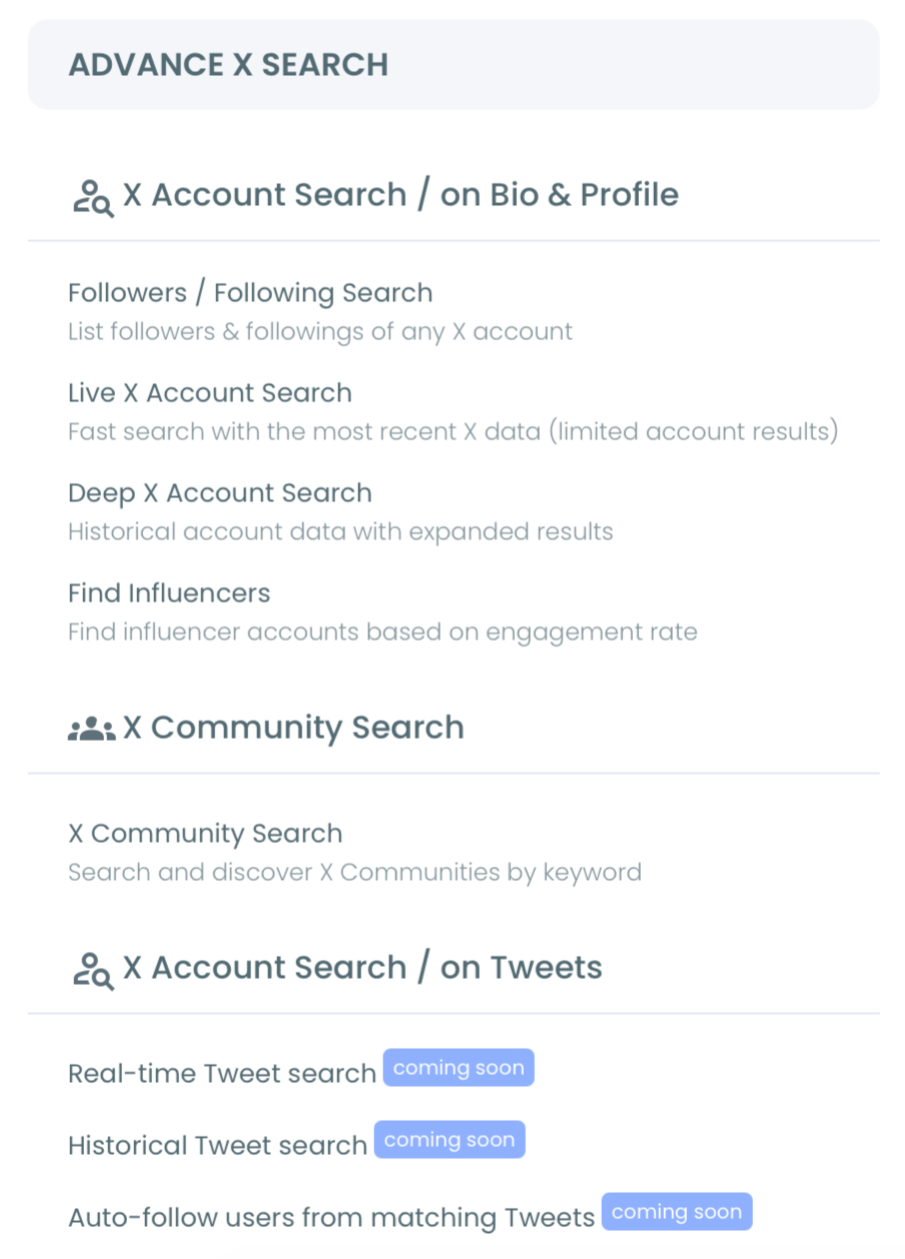
- Open the Advanced X Search menu and choose Followers / Following Search.
- Type the seed account's username, keep Display Followers selected, and click Show Followers. The username field takes letters, numbers and underscores only, and the account must be public.
Filter the list down to real, active fans
- Open Filter Options above the results table. The Active Filters bar will show each filter you add, so you always know which segment is on screen.

- Exclude Fake/Bot, Inactive, Eggheads and Overactive accounts under Follower Quality. These are computed signals, so skim a sample before you trust them fully.
- Type your fandom's words into Find in Bio & Name, such as the group name, the show title or the nickname fans use for themselves.
- Set a minimum Follow Ratio to drop follower collectors. A ratio near 0.1 means the account follows many people and few follow it back.
Follow in paced batches and post on a rhythm
- Review the filtered list, select the fans you want and click Follow, then confirm the count in the pop-up. Circleboom processes 50 follows every 15 minutes, up to 400 a day, and continues the rest automatically the next day.
- Open X Post Planner and schedule your next posts before the follow-backs arrive. The Schedule window's Find your best posting time button suggests six time slots from your audience activity, and the best time to post on Twitter page explains how those windows are found.

- Build one weekly thread with Add another post and schedule it for the same day each week, so new followers learn when to come back.
Each phase protects the next one. The filter decides who you follow, the paced follow keeps the account clear of spam signals, and the scheduled posts are already waiting when a new fan clicks your profile to decide whether to stay.
A fan post published at one hour reaches only the fans awake at that hour, and global fandoms span many time zones. The Auto Retweet feature reposts a scheduled tweet after a delay you set, so the same post appears again for fans in another region.
How many accounts can a fan account follow per day on X?
X lets every account follow up to 400 accounts per day, and Circleboom's bulk follow is paced to the same 400 with 50 every 15 minutes. X's follow limit rules add a second limit: once you follow 5,000 accounts, you may need more followers before you can follow more, and that number differs per account.
The same X page lists the behaviors it treats as abusive following. Two of them matter for fan accounts:
- Following and unfollowing large numbers of accounts to inflate your own follower count.
- Duplicating another account's followers, particularly with automation.
That second rule is why the filter step is not optional. Following a celebrity's entire follower list would copy it. Following the 900 real, active fans who mention your fandom in their bio is a selective choice, made one confirmed batch at a time.
Some quick arithmetic shows what that pace means. Say three fan pages give you 1,400 accounts after filtering. At 400 a day, Circleboom finishes that queue in four days without any restart from you.
That is the realistic speed to grow a fan account on Twitter by following: steady batches over days, not a single burst in one afternoon.
Circleboom's help center lists the processing times on Circleboom Twitter for every action if you want the full table.
Keep the rest of the fandom in a Twitter list instead of following everyone
Not every good fan account needs a follow from you. Put the accounts you want to watch, but not follow, on a Twitter List.
From the same results table, select them, open Add to List, and add them to an existing list or create a new one in one action.
Lists solve two fan-account problems at once. They keep your following count from racing toward the 5,000 ratio limit, and they give you a feed of the fandom's core voices to reply to and quote. Circleboom's support page on why you can't follow anymore suggests the same approach: keep following accounts through lists when you are near the limit.
The list feed is also where replies come from. A fan account that replies to the fandom's core voices every day gets its name in front of their followers, which is a second way to grow your fan account on X without another follow.
A private list also keeps your research quiet. Other fan admins can see who you follow, but they cannot see the members of a private list.
The Twitter List Manager handles larger list cleanups when your lists grow.
Pick your next move by where your fan account is today
If your account is brand new, set up the bio and pin a post first, then run one seed search and follow a small filtered batch. If you already have a few hundred followers, use three to five seeds and favor accounts that appear in more than one list.
If you are close to 5,000 following, stop following and move new finds into a private Twitter list.
If follow-backs arrive but nobody replies, the problem is your posting, not your list: schedule a steady rhythm and resurface your best posts for other time zones.
If your time is short, pair this routine with 5 tips to grow your Twitter account by spending 10 minutes every day.
If replies are strong, keep the same seeds and repeat the search every few weeks, because fandoms add new fans all the time. That steady cycle is how you keep growing a fan account on Twitter after the first wave.
Each path starts with the same question: which follower list holds your fans?
→ Find the fans to follow for your Twitter fan account
Fan account growth questions before you follow anyone
How can I tell if the fans I found are real accounts?
Start with the Fake/Bot, Eggheads and Inactive exclusions in Circleboom's filters, then open a few remaining profiles yourself. A real fan usually has a profile photo, recent tweets and a bio that names the subject. The guide on whether a Twitter X account is authentic lists more checks.
Should I unfollow fans who don't follow back?
Give them time, and never cycle follows and unfollows quickly. X treats repeated follow-and-unfollow churn as abusive following, so unfollow in small, occasional cleanups rather than right after each batch.
Can I find fans by searching bios instead of a seed account?
Yes. Circleboom's Twitter bio and profile search finds accounts that use a keyword, such as your fandom's name, in their bio or recent tweets. It returns fewer, more recent accounts, so it works best as a second source next to your seed lists.