
A post does well. Four thousand retweets, replies still coming in two days later, and for once the numbers mean something.
Then you tap the retweet count to find out who actually did it, and X gives you a scrolling preview that stops. No ordering you control, no filters, no export, and no way to tell whether you have seen everyone or a quarter of them.
Those accounts are the most valuable segment you will ever have. A like is passive approval and a follow is passive subscription, but a retweet is somebody putting your content in front of their own audience with their name attached. They vouched for you. And the platform's answer to "who were they" is a list you cannot copy.
With Circleboom Twitter, you can paste a tweet URL and retrieve the complete retweeter list as a structured CSV, with follower count, follow ratio, account age, location, bio, and quality flags attached to every account.
What Is Circleboom Twitter?
Circleboom is an Official X Enterprise Developer, so retweeter data comes through X's official Enterprise API rather than a scraper reading the page.

- Retrieves the full retweeter list of any public tweet by URL, not the partial preview X shows
- Queues multiple tweet URLs in an Export Cart so a whole campaign exports as one combined dataset
- Pulls retweeters across an entire account's tweet history, up to their 3,200 most recent posts
- Flags fake, inactive, egghead, and overactive accounts inside the export so you can screen the list
- Surfaces your repeat amplifiers by how many of your queued tweets each account shared
- Feeds a verified participant pool into a giveaway draw when the retweets were contest entries
The output is a dataset rather than a screen, which is the entire difference.
How to See All Retweeters of a Tweet with Circleboom Twitter
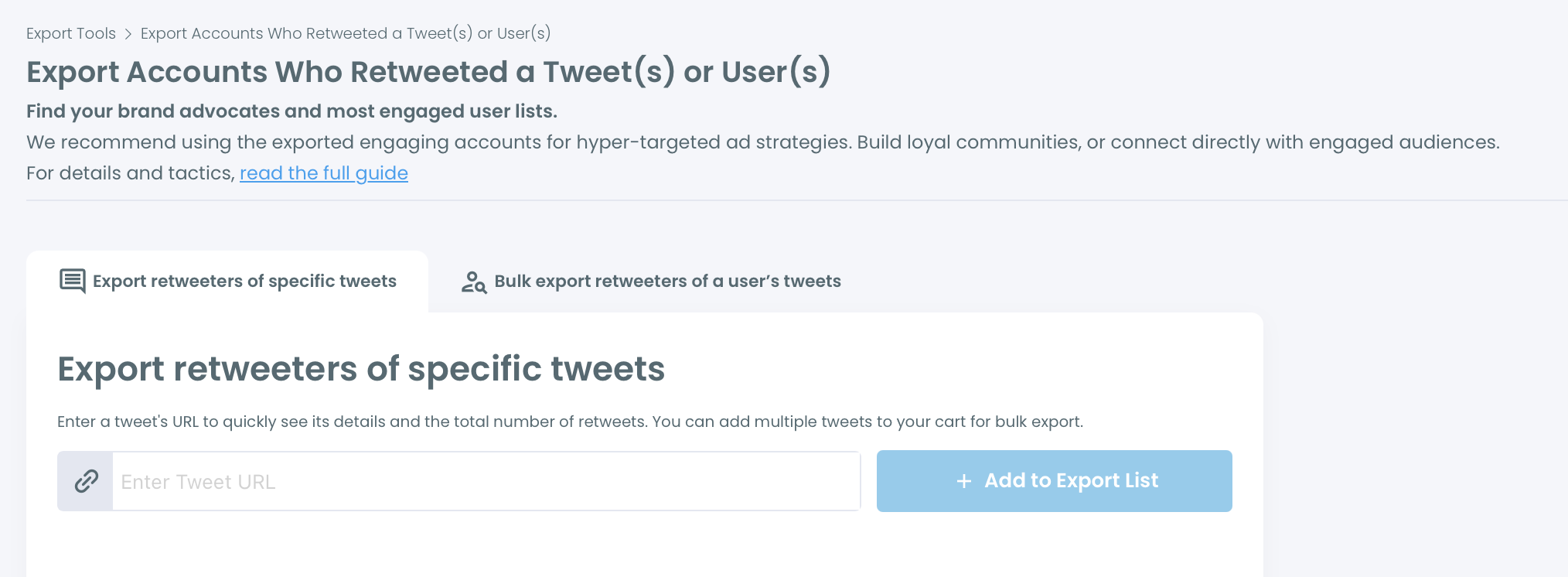
- Connect your X account and open Export Accounts Who Retweeted. Authentication runs through X's official Enterprise API. The page carries two tabs, and picking the right one first saves you a wasted export.
- Choose your tab based on what you are answering. "Export retweeters of specific tweets" takes tweet URLs and is right for a campaign, a viral post, or a contest. "Bulk export retweeters of a user's tweets" takes a username and pulls retweeters across that account's tweet history, which is the competitor and audience mapping route.
- Paste the tweet URL and click "+ Add to Export List." The tweet joins the queue showing the author, a preview of the post text, and the retweet count, with a link icon and a remove button on the row.
- Add every tweet that belongs to the same question. A campaign is not one post. Queue all of them and the retweeter sets combine into a single export, which is what you want when you are asking "who amplified this launch" rather than "who shared this one tweet."
- Read the Export Cart panel before you commit. It shows the combined retweeter total across everything queued, along with a note that some accounts appear more than once across tweets. Your EngagerX export token balance sits here too, in red if it is not enough, with a button to top up.
- Confirm in the modal. Before anything runs you get an explicit summary: how many retweeters across how many tweets, the token cost, and your remaining balance afterward. Read the number rather than clicking through it, because a large cart can be expensive.
- Collect the file from your Circleboom account page. The download link also goes to your registered email address, so you do not have to sit and wait on the page.
- Open the CSV and look at the columns before you do anything with it. Every account carries profile ID, username, display name, bio, location, tweet count, following count, follower count, verification status, account creation date, quality flags for IsEgghead, IsFake, IsInactive, and IsOveractive, plus a RepostCount.
- Sort by RepostCount first. This is the column most people ignore and it is the most useful one in the file. When you queued several tweets, RepostCount tells you how many of them each account shared. Somebody who retweeted six of your eight campaign posts is a genuine advocate. Somebody who retweeted one is a passerby. That distinction does not exist anywhere inside X.
- Screen on the quality flags before building any list from it. Filter out IsFake and IsEgghead rows, then decide what to do about IsInactive. A viral post always picks up amplification spam, and leaving it in the file quietly corrupts whatever you build next.
- Cross reference follower count and follow ratio. A retweet from an account with 40,000 followers and a healthy ratio did real distribution work. A retweet from an account following 12,000 and followed by 90 did not. Both look identical in the raw count.
- Route the cleaned list to whatever you actually needed it for. Follow back the reciprocal ones, add the strong accounts to an X List for ongoing monitoring, hand the segment to ads targeting, or feed the pool into a giveaway draw.
Why X's Native Retweeter View Is Not the Full List
The preview inside X is a display feature, not a data feature. It exists to satisfy curiosity, not to answer a question.
It is partial, and it does not tell you where it stopped. It has no sort you control, so you cannot put the biggest accounts first or the newest accounts last. It has no filters, so a list containing both a journalist and four hundred bots looks like one undifferentiated scroll. And it has no export, which means anything you want to do with it downstream involves copying handles by hand.
📌 The gap is data portability. X will show you things inside X. The moment you need the same information in a spreadsheet, a CRM, a report, a client deck, or an archive, the platform stops helping.
Others have hit the same wall. Viewing a full list of retweets from someone else's post and extracting retweet lists for targeting both start from it, and finding your own retweets of a specific account runs into the mirror image of the same limitation.
Expect the exported number to differ from what X displays, and not because anything is broken. Suspended, deleted, protected, and duplicate accounts all reduce the real figure. The count on the tweet is a headline; the export is a census.
What the Retweeter List Is Actually Worth
It is the highest intent audience segment you have access to. A retweet is an active broadcast decision. Everyone on that list has already demonstrated willingness to put your content in front of their own followers, which is a stronger qualification than any bio keyword search will ever produce. Identifying your brand advocates and what engaging and loyal followers actually are both build on the same signal, and your most engaging followers plus power followers cover how to think about the tiers inside it.
It works just as well on somebody else's tweet. Export the retweeters of a competitor's best performing post and you have a list of accounts that have proven topical interest and proven willingness to amplify, which is a far better starting point than firmographic guessing. Analyzing a competitor's X account covers the wider audit, and X as a market research tool frames why this is research rather than scraping.
It settles giveaways honestly. A retweet contest run off a partial preview cannot claim a fair draw, because the pool was never complete. Export the full participant list, strip the fake and ineligible accounts, then run the draw from the verified pool. Export prepares the dataset and the Giveaway Picker tool handles the selection.
It tells you whether a campaign reached the right people. Reach numbers say how far something travelled. The retweeter export says who carried it, which is the only way to know whether a launch spread through your actual market or through generic retweet-spam accounts. The metrics worth tracking and identifying your most engaging tweet sit alongside it.
It is an action list when the amplification was hostile. Sometimes the answer to who spread this is not people you want to thank. Then the export becomes the input to a block workflow rather than an outreach list, and mass blocking on X covers what happens next.
What You Lose Without the Full List
Advocacy data evaporates. A week after the post, the moment has passed and nobody recorded who made it happen. Finding brand advocates to increase engagement only works if you captured them while the data existed.
You thank the wrong people. Working from a partial preview means responding to whoever happened to surface in it, which correlates with recency rather than contribution. The account that drove the most reach may never appear on your screen at all.
Bots pollute everything downstream. A viral post attracts amplification spam, and an unscreened list carries it into your ad targeting, your outreach, and your reporting. Checking how many of your followers are bots and running a bot follower check are the same hygiene applied one level up.
Your targeting stays generic. A list of proven amplifiers is a better ads audience than any interest category, and X ads for smaller companies plus generating leads on X both improve when the seed audience is behavioural rather than demographic.
Nothing compounds. One export is a snapshot. Exports from every significant post over a year, combined, show you the accounts that keep showing up, which is a completely different asset. The same argument applies to exporting followers to a spreadsheet, saving X data to Google Sheets, and exporting analytics.
Relationships stay one sided. People amplified you and never heard back. Engaging with your followers and improving engagement rates both start from noticing who already engaged, and why followers stop engaging often traces back to nobody ever acknowledging them.
FAQ
Can you see everyone who retweeted a tweet on X itself?
Not reliably. X shows a partial, unordered preview with no filtering and no export, and it does not tell you where the list stops. To get the complete set as usable data you need to pull it through the API, which is what the export feature does.
Does it work on other people's tweets?
Yes, on any public tweet. This is the basis of the competitor analysis use case: export the retweeters of a rival's best post to see exactly who amplifies content in your space.
Why does the exported count differ from the retweet count on the tweet?
Because suspended, deleted, and protected accounts drop out, and accounts that retweeted several of your queued tweets appear once rather than repeatedly. Expect the export to come in lower than the headline number.
Can I export retweeters from more than one tweet at once?
Yes. Add each tweet URL to the Export Cart and the retweeter sets combine into a single file. Accounts appearing across multiple queued tweets are deduplicated, and their RepostCount reflects how many of them they shared.
What if I want everyone who ever retweeted a specific account?
Use the second tab. Enter a public username, fetch the tweet list with retweet counts across up to their 3,200 most recent posts, then select the tweets you want and export the retweeters in bulk.
What is actually in the file?
Profile ID, username, display name, bio, location, tweet count, following count, follower count, verification status, account creation date, RepostCount, and quality flags for IsEgghead, IsFake, IsInactive, and IsOveractive.
Does exporting cost anything?
It consumes EngagerX export tokens proportional to the number of retweeters. The balance shows in the Export Cart, and the confirmation modal states the exact cost and your remaining balance before you commit.
Can I use this for a retweet giveaway?
That is one of the cleanest uses. Export the full participant list so nobody eligible is missing, filter out fake and ineligible accounts, then run the draw from the verified pool with the Giveaway Picker tool.
What should I do with the list once I have it?
Follow back the ones worth reciprocating, add the strong accounts to an X List for monitoring, or bulk upload the handles from the CSV rather than adding them by hand. Finding influencers in your space works well as a second pass over the largest accounts in the file.
Final Thoughts
The people who retweeted you did the one thing that is hardest to buy. They spent their own credibility putting your post in front of their audience, and X responded by showing you a list that stops halfway and cannot be copied.
To see all retweeters of a tweet you have to take the data out of the interface and into a file, where it can be sorted, screened, counted, and kept. That is when the list stops being a curiosity and starts being an asset.
With Circleboom Twitter, you can retrieve every account that retweeted a post on X, screen out the fake and dormant ones, see which accounts amplified you more than once, and export the whole thing as a CSV you still have next quarter.
https://circleboom.com/twitter-management-tool/export-retweeters