

Deleting a tweet isn’t failure.
It’s control.
Professional creators regularly remove tweets because:
- information becomes outdated
- context changes
- engagement signals turn negative
- brand direction evolves
In fact, audits show that 15–25% of high-performing accounts delete or revise old tweets quarterly.
If you are a creator on X and want to know about the latest developments regarding the algorithm changes, engagement strategies, payout boosts, etc., you can join Circleboom's X Creator Growth Lab Community and enjoy a free space to learn from and contribute to!
When Taking Down a Tweet Makes Sense
Deleting a tweet is often misunderstood as hiding mistakes. In reality, it’s a form of active profile management.
You should consider taking down a tweet when it no longer serves the purpose your account exists for.
For example, a tweet may start attracting low-quality engagement, spam replies, bot interactions, or irrelevant quote tweets. While the numbers might look “active,” this kind of engagement can actually hurt distribution by sending weak signals to the algorithm.
Another common case is misalignment over time. Your views, tone, or positioning evolve. A tweet that once felt accurate may now misrepresent what you stand for, confuse new followers, or dilute your message.
Deletion also makes sense when content conflicts with a new direction, a rebrand, a shift in niche, or a more focused content strategy. Leaving outdated messaging visible creates friction for people trying to understand your value at a glance.
Sometimes a tweet triggers unnecessary controversy that distracts from your core work. Not every debate is worth anchoring to your profile permanently, especially when it offers no long-term upside.
Finally, there’s profile credibility. First impressions matter. New visitors often scan your recent tweets to decide whether to follow, engage, or trust your perspective. Old, off-message, or poorly performing tweets can quietly undermine that decision.
Transparency doesn’t mean preserving everything forever.
It means being intentional about what represents you now.
Leaving everything up isn’t transparency, it’s neglect.
How to Take Down a Tweet on X
Manually:
- Go to the tweet
- Click the three dots
- Select “Delete”
- Confirm
That works ntil you need to delete hundreds.
 Kevin O. Frank
The Problem With Manual Deletion
Creators with years of content face:
- thousands of tweets
- outdated promotions
- irrelevant replies
- low-performing posts dragging profile quality
Manually deleting them is time-consuming and error-prone.
How Circleboom Helps with Tweet Cleanup
Using Circleboom, users can:
- filter tweets by date
- identify low-performing posts
- bulk delete tweets
- clean timelines strategically
Accounts that remove low-quality historical content often see:
- higher profile trust
- better engagement on new tweets
- cleaner brand perception
Here are the steps to bulk delete multiple tweets with Circleboom:
Step #1: Log in to the Circleboom Twitter.
If you don't have a Circleboom account yet, you get one in seconds!

Step #2: If you haven't connected your Twitter account to Circleboom yet, let's quickly authorize Circleboom Twitter.
You're almost there!

Step #3: On the Circleboom Twitter dashboard, go to the left-hand menu and find the "My Tweets" section.
After that, find "Delete all My Tweets" from the menu.
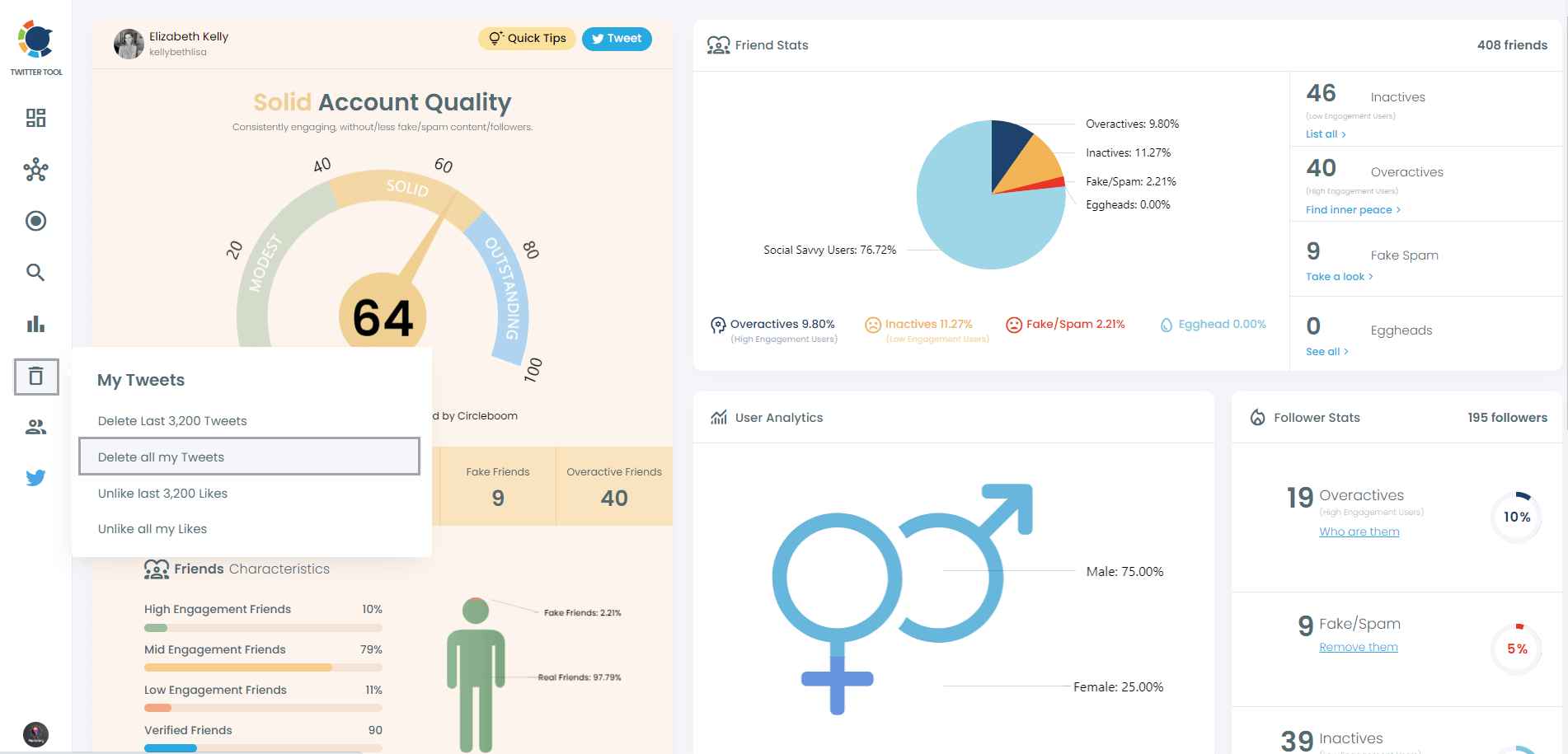
Step #4: Once you've entered the dashboard to bulk delete tweets, you will have two major options, bulk delete tweets by keywords or bulk delete tweets by date.
You can mass delete tweets and clean your Twitter account as it is created now! Or you can apply filters, find some tweets by date, keyword, language, etc. and mass delete them!
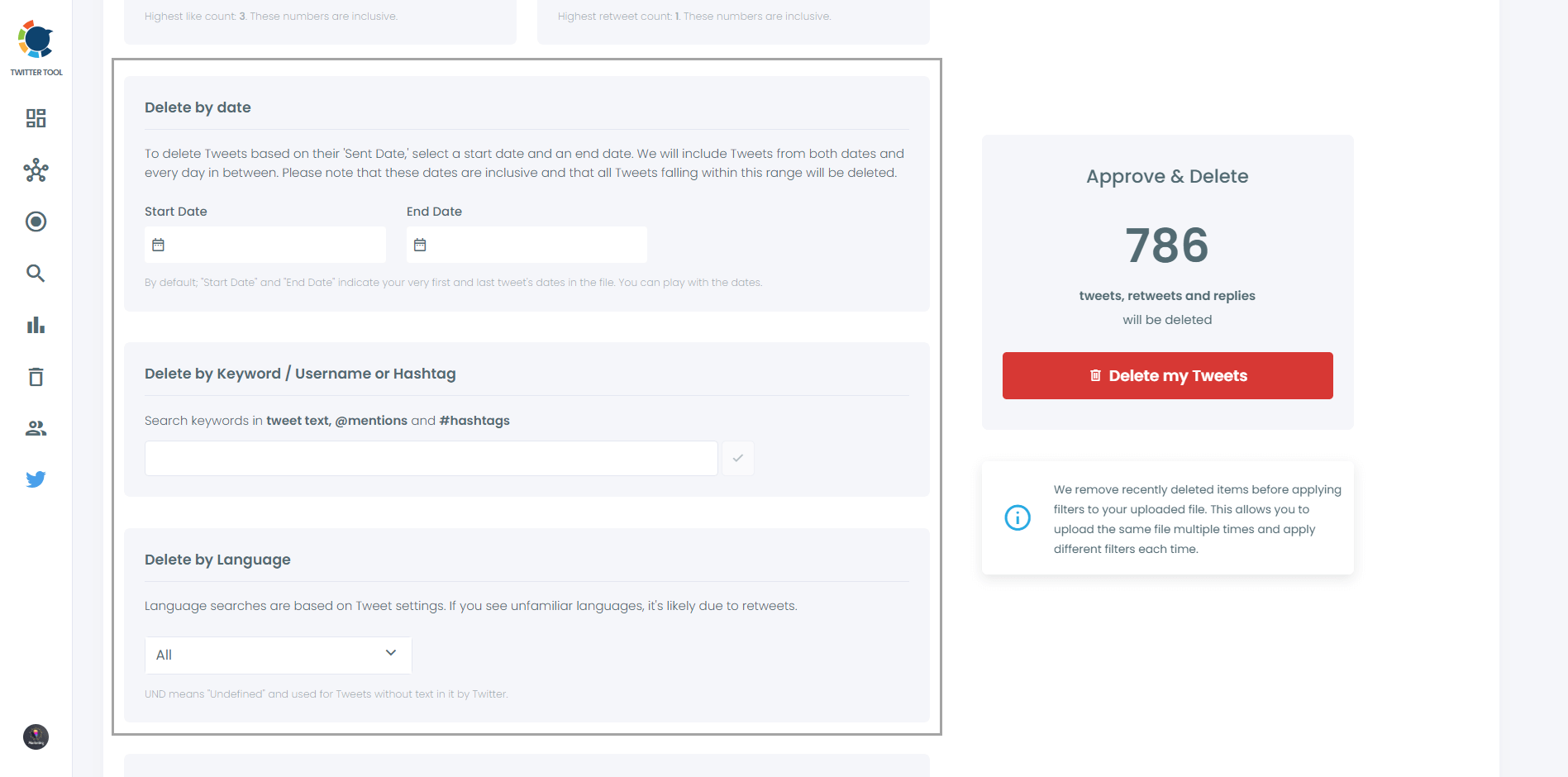
Step #5: For the second option, bulk delete tweets by date, you should type search any particular date (for instance, 9/08/2021 for August 9, 2021) to delete your tweets by date.
Once you've submitted the date, your tweets from that date will appear. Afterward, you can either bulk delete tweets by date, choosing them one by one or choose them all, checking them in bulk.
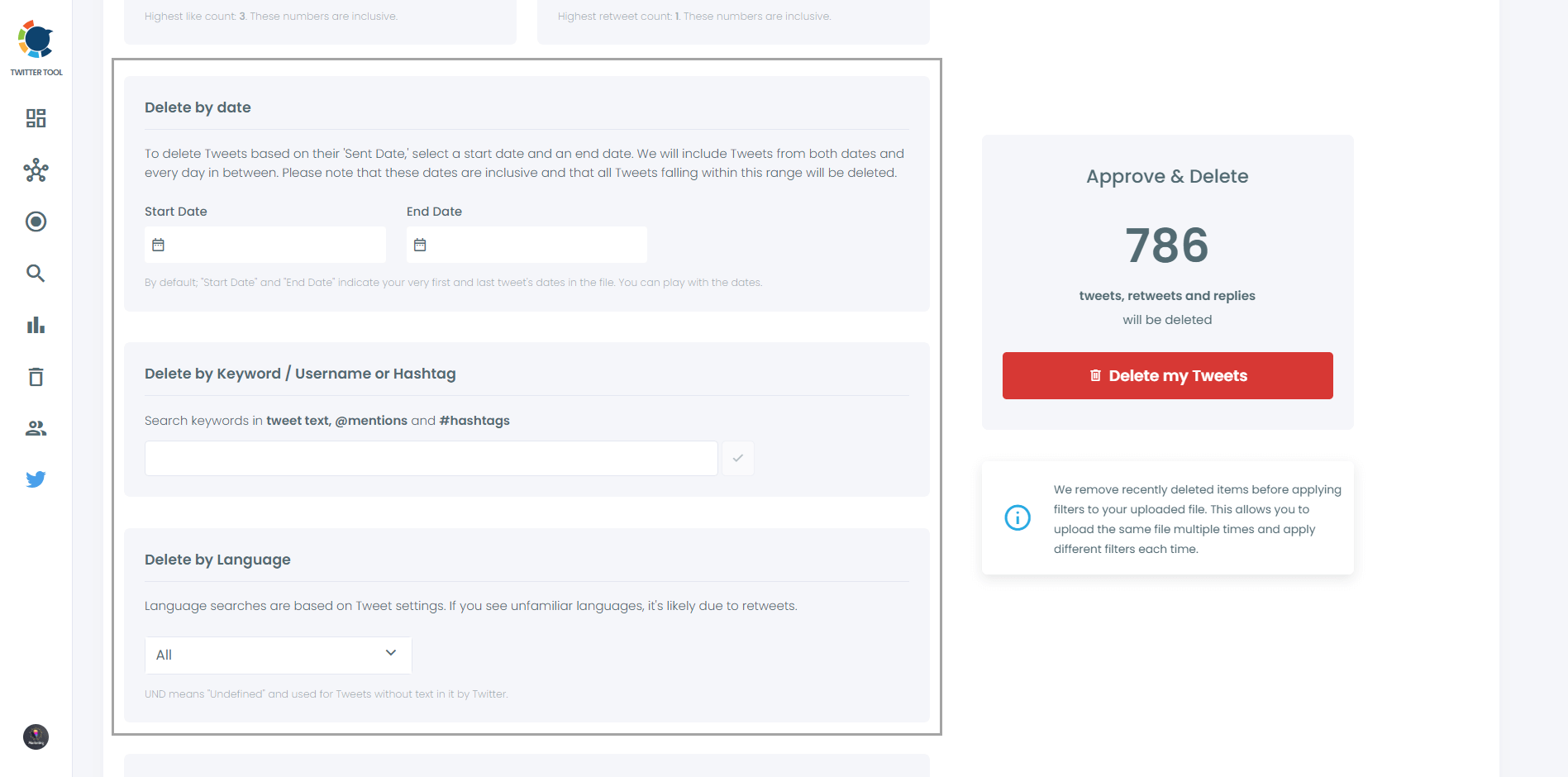
Deleting tweets is not a recoverable action! So, you must be sure before mass deleting your tweets!
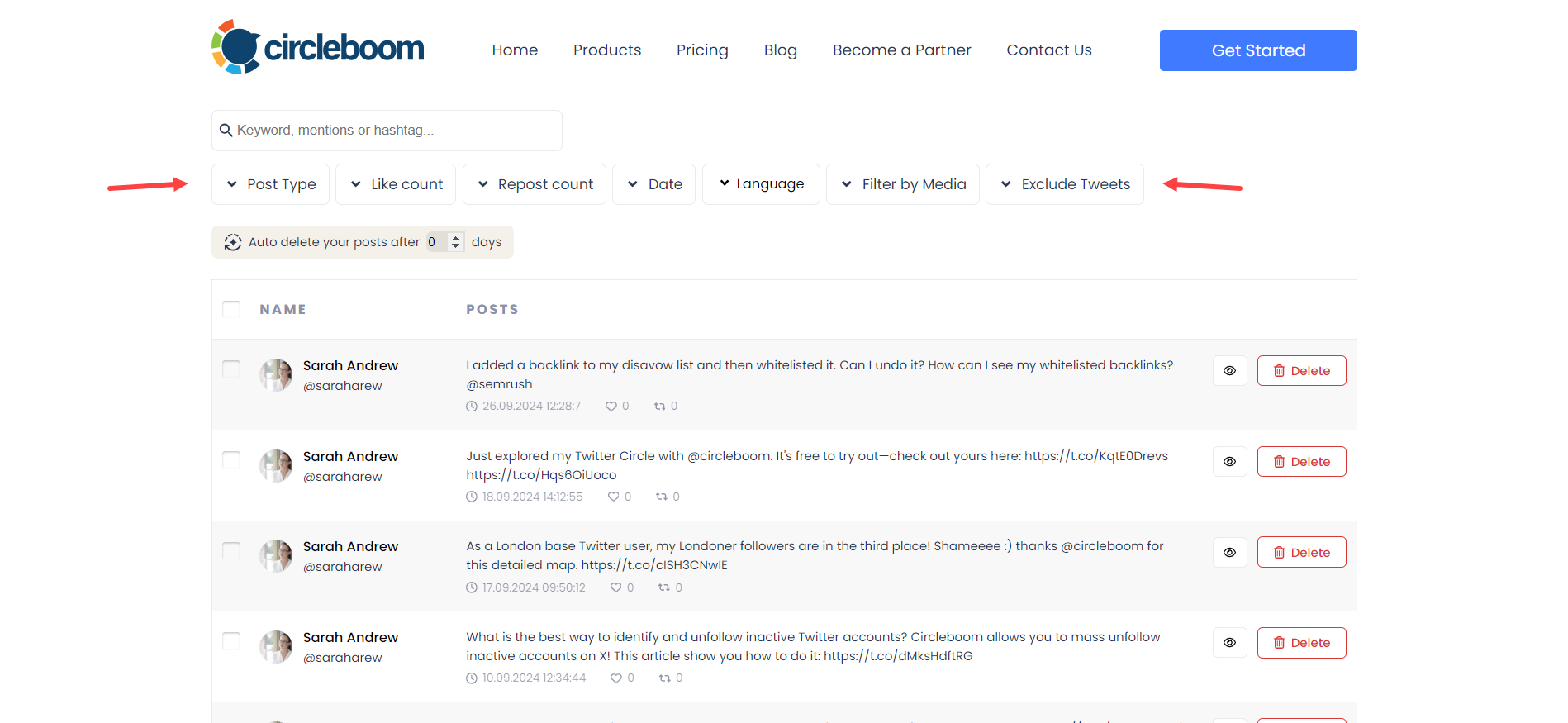
Step #6: You can visit "Delete All Tweets" and bulk delete multiple tweets with options like "post type", "like count", "repost/retweet count", "date", "language", "filter by media", "exclude tweets".
You can clean your X account in mass with Circleboom!
Final Thought
Deleting tweets isn’t about hiding the past.
It’s about curating what represents you today.
Your profile is not an archive, it’s a living signal of who you are, what you believe, and what value you offer right now. Every tweet contributes to that signal, whether intentionally or not.
Thoughtful deletion is part of responsible account management. It removes noise, protects credibility, and ensures that new visitors encounter a clear, consistent message instead of fragments from different phases of your online presence.
Growth isn’t built by clinging to everything you’ve ever said.
It’s built by choosing what deserves to stay visible.




)


