
Watching what an account follows is one of the most reliable early signals on X, and the platform makes it nearly impossible to do well. There is no daily log of follows and unfollows, so checking by hand means scrolling a list of thousands and trying to recall what was there yesterday. Miss a day and the change is gone.
The fix is to let a tool capture the list every day and report only the difference, so each day's movement arrives as a short, dated summary instead of a memory test.
Manual: open the following list daily, scroll thousands of accounts, and try to remember yesterday's version. Circleboom: capture the list each day and get a dated log of every follow and unfollow, through official API access.
→ monitor daily following changes
Why Daily Matters for Following Changes
Following changes are time-sensitive in a way follower counts are not. A new follow tells you what an account is paying attention to right now, and that relevance fades fast once the move becomes public. Catching it the day it happens is the difference between acting early and reading about it later.
The stakes are highest with active accounts. A fund or a competitor can add several follows in a single week, and a weekly glance blurs them into one lump. To track a Twitter account's following changes daily, you need each day captured separately, which is how analysts tracked CZ's following to catch early crypto signals one move at a time.
How Circleboom Builds the Daily Log
Circleboom records a target account's following list on a daily schedule and compares each capture to the day before. The result is a running, dated log of who was followed and who was dropped, not a single snapshot you have to interpret.
Because Circleboom is an official X Enterprise Developer, every daily capture uses sanctioned API access rather than scraping, so the list is complete and the account is never notified. The same engine that maps who follows who on Twitter powers this daily difference log.
How to Set Up Daily Following Tracking
Here is the flow, in order. It runs about four steps.
- Log in to Circleboom Twitter and connect your X account with official OAuth.

- Open the Monitoring menu and start a new tracking rule.
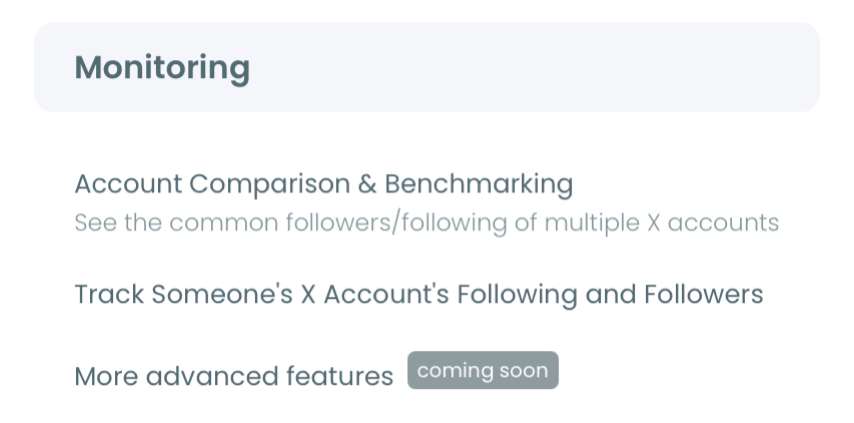
- Enter and validate the username, then select Following and turn on both follow and unfollow detection.
- Set the daily cadence and a daily email, so each day's changes arrive automatically.
That sequence works because each step builds on the last: the login earns official access, Monitoring scopes the rule, the Following setting defines the signal, and the daily cadence sets the rhythm. Skip the validate step and you may track a private handle that returns nothing.
Hands-on demo: get alerted as an account's follows and unfollows change.
Reading the Daily Log
The log is most useful when you read it as a pattern, not a list of isolated events. Circleboom plots daily changes as a chart, follows above the line and unfollows below, so a quiet stretch and an active burst are obvious at a glance.
A cluster of follows toward one niche in a few days usually means something started: a project, a hire, a market scan. A run of unfollows can mean a relationship cooled. The dates are what make it readable, because they let you line up the change against whatever else was happening. Pair it with proper apps to monitor your Twitter analyticsand you can connect follow activity to performance.
To go deeper on why an account followed a cluster around one subject, it helps to check interests on Twitter for that account, or compare two X accounts to see whether a new follow overlaps with an audience you already track. The full Monitoring dashboard keeps all of this in one view.
Common Mistakes When Monitoring Following Changes
A few mistakes quietly undermine following-change monitoring, and all of them are easy to avoid once you know them.
- Tracking too many accounts. Monitor fifty accounts and the daily emails blur into noise within a week. Pick the few whose moves you would act on.
- Ignoring unfollows. New follows get the attention, but a deliberate unfollow often carries more weight, because people remove follows on purpose.
- Reading single events instead of patterns. One follow rarely means much; a cluster toward one niche in a few days is the real signal.
- Expecting real-time alerts. Monitoring runs on snapshots, so a follow surfaces in the next capture, not the instant it happens.
The biggest mistake is treating the following list as trivia. It is a dated record of where an account is putting its attention, and read consistently, it predicts moves that the account's tweets never announce.
A smaller but common error is setting the wrong cadence. Daily monitoring fits active accounts that move several times a week. Slower accounts only need weekly, and over-monitoring them just fills your inbox without adding signal. Match the cadence to how often the account actually moves.
Finally, do not skip the validate step during setup. Entering a misspelled or private handle produces a rule that quietly returns nothing, and you may not notice for days. Confirming the account is public before you save takes a second and prevents a silent failure that costs you the very signal you set out to catch.
How to Act on What the Log Shows
Monitoring is only half the value; the other half is what you do with the change. A daily log is useful precisely because it gives you time to respond before a move becomes public.
When a tracked account follows a cluster in your space, the first step is context. Is this an account that follows widely and casually, or one that follows rarely and deliberately? The same three follows mean very different things depending on the baseline you have built by watching it over time.
From there, the action depends on your goal. A competitor watcher might brief their team. An investor might open diligence on the same target. A founder might time outreach to a prospect who is clearly in research mode. The log does not make the decision for you, but it hands you the signal early enough that you actually have a decision to make.
The accounts worth this attention are usually few. Most people end with a short, high-value watch list and a habit of scanning the daily email in under a minute, acting only on the changes that genuinely move a decision. That discipline is what separates monitoring that compounds from monitoring that becomes background noise.
What to Know Before You Start
How many days of history will I see?
History accumulates from the day you start tracking. The log grows daily from setup forward, so the longer a rule runs, the richer the pattern becomes. Earlier activity before setup is not captured.
Can I switch a rule from daily to weekly later?
Yes. You can adjust the cadence on an existing rule, so start daily on an active account and ease off to weekly if it turns out to move slowly, without losing the history already collected.
Does daily tracking use more tokens than weekly?
Tracking Tokens are consumed per active rule, not per check, so the cadence sets how often you are alerted rather than the token cost. Each account you monitor uses one rule regardless of frequency.
Is the monitored account ever notified?
No. Daily tracking reads only public data through approved API access. The account receives no follow, alert, or signal, and cannot tell it is being monitored.
Your Next Move
Pick your path based on how the account behaves. If it moves often, set a daily rule with both follow and unfollow detection and let the log build. If it moves slowly, start weekly and switch to daily the moment it picks up. Either way, you trade a daily scrolling chore for a dated summary that reads in seconds. You can set up daily change tracking here and let the monitoring run while you act on what it finds.