How do you unlike tweets from a specific account on X when the list runs back for years? You work from the like.js file in your X archive, filter it, and check the count before anything is removed.
Plan for the archive first, because it can take a day or two to arrive.
How do I unlike tweets from a specific account on X?
Request your X archive, upload its like.js file, filter by the username, and verify the count. Circleboom removes the likes you approve on X through official X Enterprise APIs.
→ Upload like.js and filter the likes you want gone
Why a targeted unlike needs more care than a full reset
A targeted cleanup needs more care because you have to decide what stays as well as what goes.
On X, likes come off one post at a time, with no filter by account. That works for three posts and fails for three hundred.
Two mistakes are common when people try to unlike tweets from a specific account. The first is assuming the job can be finished from the likes list, when older likes may be out of reach for API-based tools.
The second is skipping the review. Circleboom's filter finds your likes on that account's tweets, but some of them may be posts you still want to keep, so the result needs a check.
The order of work matters: archive, like.js, filter, count, confirm.
There is a marketing reason to get this right as well. Likes can shape For You recommendations and topic personalization, and they can hold customer posts and partner mentions you still value.
A precise cleanup removes the unwanted signal and leaves the useful record alone.
When you are ready, you can unlike tweets from a specific account from the Delete All Likes page.
Circleboom Twitter handles the bulk removal once the file is in place. Unlike a manual run through your likes, Circleboom loads the whole archive file and lets you filter it before a single like comes off your X account.
Where to get the like.js file for your X account
The like.js file sits in the data folder of your X archive, and the archive may take 24 to 48 hours to generate. Request it in X under Settings and privacy, at "Download an archive of your data".
X's help page on how to download your X archive is the owner's reference.
Before you upload a file to unlike tweets from a specific account, check this short list:
- The file is like.js alone, not the full archive ZIP.
- It came from the X account linked to your Circleboom subscription.
- You have stored the archive safely, since it is the only record left after removal.
- You know the file reflects your likes at the time of the request, so newer likes won't be in it.
A wider look at this route is in the guide on how to delete all liked tweets. It helps if you are still deciding how far the cleanup should go.
How to unlike tweets from a specific account with like.js
The process, step by step. With the file ready, this 4-part flow takes you from login to the final count.
Connect your X account to Circleboom
- Open Circleboom Twitter and connect the X account that matches your like.js file.

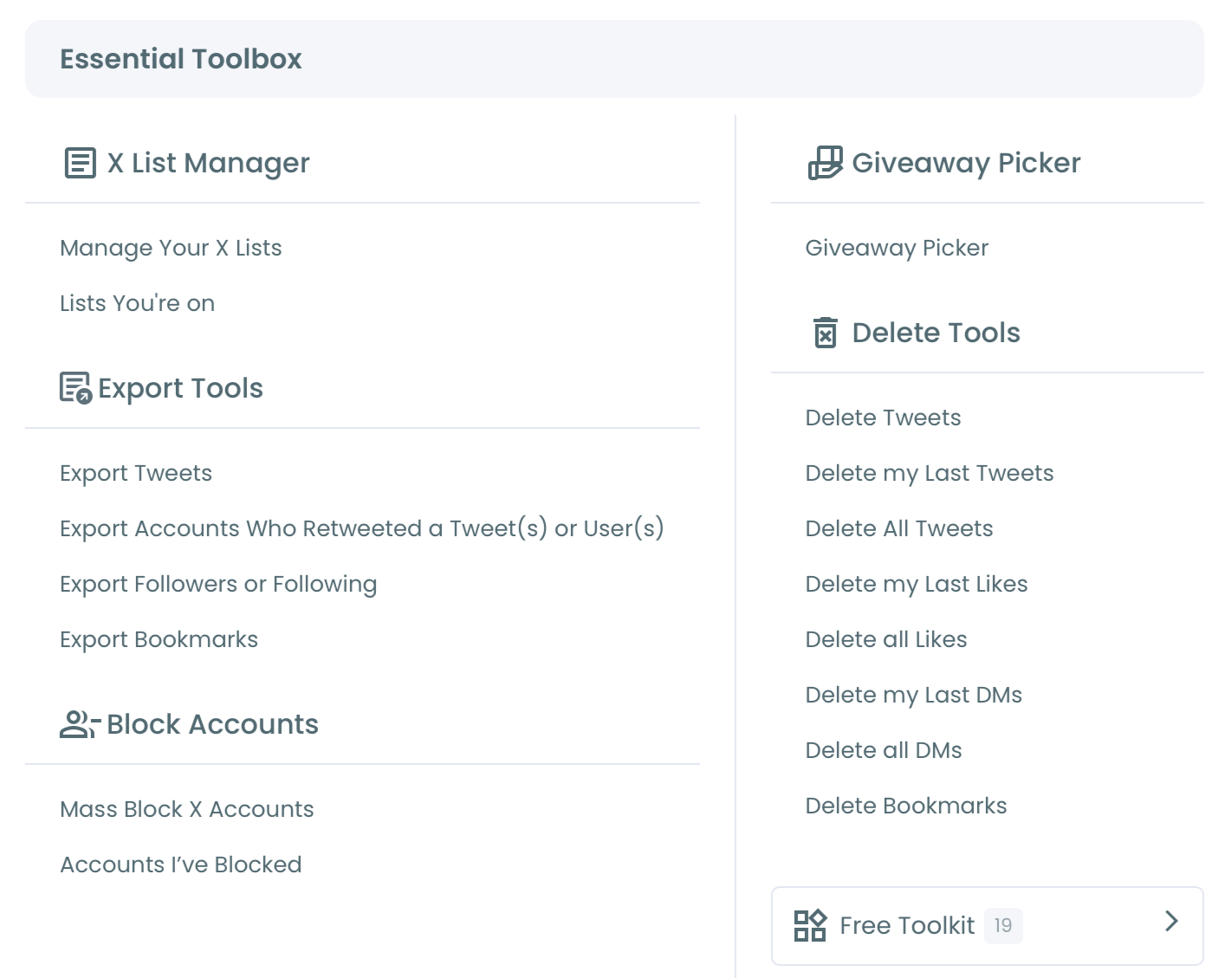
- Navigate to Essential Toolbox, then Delete Tools, then Delete All Likes.
Upload the file and read the total
- Click Start Here to open the three-step wizard of Start, Upload and Filter.
- Upload like.js on the upload screen and wait for processing to finish.
- Note the total liked tweet count, because it tells you the size of the list you are about to filter.
Filter by the username you want gone
- Type the username into Keyword / Username or Hashtag. The search finds your likes on the tweets that account owns.
- Add a date range or post type when you want to remove only part of that account's likes.
Verify the count before you confirm
- Compare the Approve & Delete count with your estimate, then click Delete my Likes only when the number makes sense.
This sequence works because each step shrinks the risk of the next one. The total gives you a reference point, the filter narrows it, and the count catches an overly wide search while it can still be corrected.
Quick recap:
- Request the archive and find like.js.
- Upload the file in the wizard.
- Filter by username, then date.
- Check the count and confirm.
Now you have the steps. The next decision is how to read the number you get, which is where most of the skill sits.
A correct upload with a misread count can still remove the wrong likes.
How to read the Approve & Delete count on Twitter
A count higher than expected can mean you liked more of that account than you remembered, and a count lower than expected can mean an earlier date range or post type filter is still on.
I always treat the first figure as a question rather than a verdict.
Use this table to choose your next move:
| What you see | Likely cause | What to do |
|---|---|---|
| Count too high | You liked more than you remembered | Add a date range |
| Count too low | An earlier filter is still on | Clear it and search again |
| Count near zero | Typo or wrong spelling | Retype the handle |
| Count equals the total | No filter applied | Apply the filter again |
Two product behaviors make this review less stressful. All uploaded likes are pre-selected by default, so you always want to see filters applied before you confirm.
And you can upload the same like.js file again in a later session with different filters, because already-removed likes are excluded automatically.
That re-upload behavior means you can work in small, cautious passes instead of one large gamble.
This is the insight I wish more guides on how to unlike tweets from a specific account shared. A first pass with a tight date range tells you how the filter behaves on your data, at a low cost.
Start narrow, confirm, and widen on the next upload.
Worked example of a cautious two-pass run
Here is an illustrative run, using round numbers rather than a real account. Say your like.js loads 12,000 likes and a search for the handle returns 180.
You expected closer to 100, so you add the two years you followed that account, and the count drops to 95.
You skim those results, protect two posts worth keeping, and confirm 93. On a later upload you widen the dates by six months, and it returns another 30 from the earlier period.
That second number is the reason to work in passes. You removed the likes you were sure about first, then came back for the rest once the first result made sense.
Before a brand account runs any of this, check with the team or client who owns the relationship. Likes on a business account can include testimonials and partner content, and the decision shouldn't rest with whoever happens to hold the login.
Once everyone agrees on the terms, you can remove the likes your filter finds in the passes you planned.
Timing and account safety
Removal runs at the pace API limits allow, so large runs take time. Keep the browser open until the process completes.
Circleboom is also a verified Enterprise partner of X, so this gradual, confirmed process stays inside X's approved access rather than relying on workarounds.
Should you use Delete My Last Likes instead of the archive?
Use Delete My Last Likes when the account's posts sit within your latest 3,200 likes, and use Delete All Likes when they may be older. X's API only provides those most recent 3,200 likes, which is why the older history needs the archive.
A short account of that limit is on the help page can I delete more than 3,200 Twitter likes.
The two routes compare like this:
| Question | Delete My Last Likes | Delete All Likes |
|---|---|---|
| Reach | Latest 3,200 likes | Full like history |
| Archive needed | No | Yes, like.js |
| Wait to start | None | Up to 48 hours |
| Same username filter | Yes | Yes |
Both tools use the same Keyword / Username or Hashtag search, so the check carries over when you unlike tweets from one account: the Approve & Delete count in Delete All Likes, the filtered and selected list in Delete My Last Likes.
Delete My Last Likes can clear likes tied to one account or topic in a single action. It is also the less destructive first option, and it needs no file.
A newer account with a recent problem should start there.
An older account with a long relationship behind it should expect to need the archive.
A comparison of the options sits in the best app to delete Twitter likes at once.
For people on a phone, the page to delete Twitter likes on iPhone covers that device.
How to keep a few likes from that account
Add the posts you want to keep to the Protect List before you confirm. Likes on the Protect List, or outside your filter criteria, remain active on the account after the run.
This is useful when the account you are cleaning up also published something worth keeping, such as a customer endorsement or a post from a period you still stand behind. Decide what stays before you look at the count, so the number on screen reflects your final choice.
Back up what you still need
A backup helps here too, particularly if you have used likes as informal bookmarks. Readers who want a separate copy can follow the steps on how to download Twitter likes before the run.
Saved material elsewhere can go the same way, since you can also export Twitter bookmarks as part of the same tidy-up.
Tidy the rest of your history
Your own posts may need attention as well. If you once wrote about the same account, you can delete old tweets from your archive with the same file-based approach.
People also ask who can view all this. The answer is less alarming than it used to be, as likes no longer work as a public profile tab that anyone can freely browse.
You can read more on how you see someone's Twitter likes.
The stronger reason to clean up is the signal your likes send to recommendations, and that signal stays with your account until you clear it.
If you also want that account out of your feed, the guide to removing people from your X timeline picks up where this cleanup ends.
Summary of the like.js route on X
The dependable way to unlike tweets from a specific account has three stages:
- Get like.js from your X archive, allowing up to 48 hours.
- Filter by username to find your likes on that account's tweets.
- Check the Approve & Delete count before you confirm a permanent removal.
Circleboom's Delete All Likes gives you the full history and the review step that a manual run can't offer, and that review is what makes the whole job low-stress.
→ Start your targeted unlike with the like.js filter
Like.js and filter FAQ for targeted unlikes
Will unliking that account's posts change what For You shows me?
It can. Likes are one of the signals X uses to learn what an account cares about, so clearing them reduces that source's weight on Twitter.
The guide on whether you can reset your Twitter algorithm or need a new account covers the wider reset.
Can I undo an unlike on X after the run finishes?
No. Circleboom's like removal is permanent and can't be restored automatically, so verify the count first and keep the archive as your record.
Does the other person get notified when I unlike?
In a test on the Circleboom blog using two Twitter accounts, liking and quickly unliking within about 10 seconds produced no notification, while waiting about a minute did. Treat that as one small test rather than a rule from X.