A viral tweet can add thousands of followers in a day, but X reports only the new total, never the people behind it. To watch a Twitter account's follower growth in real time, you have to track the follower list on a tight schedule and surface each new follower as it arrives, because X gives you a number and nothing else.
Circleboom monitors any public X account's follower list on a continuous schedule, detects new followers as they come in, and shows the dated growth curve plus the actual accounts behind it.
→ watch an account's follower growth in real time
Here is what real-time growth tracking shows and how to set it up.
 infocircleboom.com
Why the Follower Count Alone Misleads You
A follower count is a single number that hides everything useful. It tells you an account grew but not when within the period, not why, and not who arrived. Two accounts can both gain 500 followers in a week while one pulled in a real, engaged audience and the other bought bots.
That hidden composition is the reason a raw count misleads. Real-time tracking fixes it by showing the new followers themselves, so growth becomes legible instead of just large. To track follower growth as it happens, you need the people behind the curve, which is also how you finally answer why an account is suddenly getting new followers.
What Real-Time Growth Tracking Captures
Circleboom records a target account's follower list on a frequent schedule and compares each capture to the last. The difference is the growth: the specific accounts that followed since the previous check, each one dated and detailed.
Every new follower arrives with full profile context, so you can judge the quality of the growth instantly. For each one you see the account's:
- Username, display name, and bio.
- Follower and following counts.
- Tweet count and join date.
Because Circleboom is an official X Enterprise Developer, every capture runs through sanctioned API access rather than scraping, so the list is complete and the tracked account never knows. The dated history feeds a growth view far richer than the headline number you would get from a plain daily, weekly, or monthly follower tracker.
How to Watch a Twitter Account's Follower Growth (Step by Step)
The flow runs in two phases: connect and open Monitoring, then set the account to Followers and turn on alerts.
Connect and open the Monitoring dashboard
1. Log in to Circleboom Twitter and connect your X account with official OAuth.

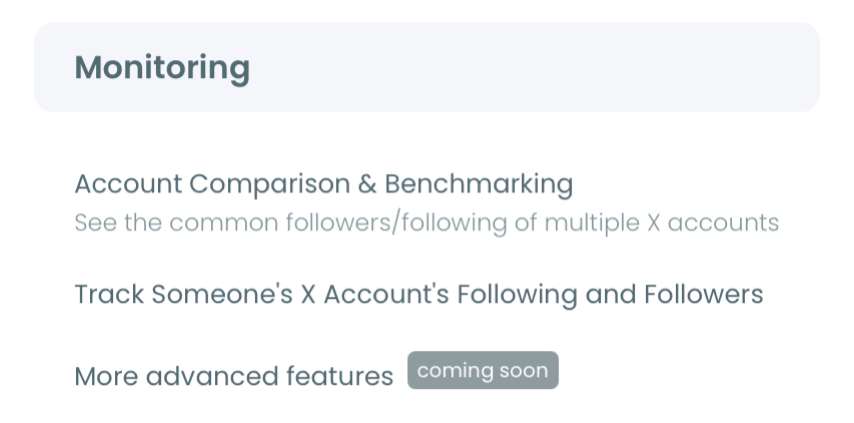
2. Open the Monitoring menu and choose to monitor a new account.
Set the account to Followers and turn on alerts
- Enter and validate the username to confirm the account is public.
- Select Followers as the tracking type, then turn on detection for new followers.
- Enable instant or daily alerts, so each new wave of followers reaches you as it is detected.
That order works because each step narrows the job. The login earns official access, Monitoring scopes it to one account, the Followers setting defines what you are tracking, and the alert cadence sets how fast you hear about a spike. Choosing Followers, not Following, is the key step here, since growth lives on the follower side.
See it live: pulling an account's follower stats and reading the growth.
At a glance: log in, open Monitoring, validate the handle, set Followers with new-follower detection, turn on alerts.
Reading a Growth Spike Correctly
A spike is only good news if the followers behind it are real. The first thing to check when an account jumps is the composition of the new arrivals, not the size of the jump. A wave of near-empty accounts with no tweets and lopsided follower ratios is the signature of bought or bot growth, and the real-time list exposes it immediately.
Genuine growth looks different. Real followers carry filled-out profiles, plausible histories, and relevance to the account's niche. When you can see that, a slow, steady climb of real accounts often matters more than a fast spike of hollow ones. Reading composition this way also helps you decide whether to sort the new followers by popularity to find the influential arrivals first.
The dated curve adds the final layer. Lining a spike up against a known event, a launch, a viral post, a press mention, tells you what actually drove the growth, which is the difference between watching a number move and understanding why. If you want to keep the data, you can export the followers behind any spike for deeper analysis.
What the Growth View Is Good For
Real-time follower tracking earns its place in a few specific situations.
- Watching competitors to catch the campaigns and launches that drive their growth, while it is still happening.
- Measuring your own spikes so you can see which content actually brought in real, relevant followers.
- Vetting accounts by checking whether their impressive growth is genuine or inflated.
- Spotting market moves when an account in your space suddenly attracts a specific audience.
In each case the value is the same: the number tells you that growth happened, and the real-time list tells you what it means. That second layer is what turns a vanity metric into intelligence, and it is why simply asking why followers are not engaging often traces back to who those followers were in the first place.
Who Should Watch Follower Growth in Real Time
Real-time follower tracking is most valuable for people who need to understand growth as it happens, not after the fact.
- Competitive analysts watch rivals to catch the launches and campaigns that drive sudden growth, while there is still time to respond.
- Creators and brands measure their own spikes to learn which posts actually pulled in real, relevant followers rather than passing attention.
- Investors and scouts vet accounts whose impressive counts might be inflated, using composition to separate genuine traction from bought numbers.
- Community managers watch for the moment a niche audience discovers an account, which often marks a shift worth acting on.
What unites them is that the raw count is not enough for any of their decisions. Each needs to know who arrived and when, which is exactly the layer real-time tracking adds on top of the number.
The practical pattern is to keep the watch list short. A handful of accounts whose growth genuinely informs a decision produces alerts you read and act on. A long list produces a stream you tune out, which defeats the purpose of catching growth early. Start with the few that matter and expand only when the attention is there.
How Growth Tracking Compounds
The value grows with time, because a single capture is a snapshot while weeks of captures are a trend. One spike is an event; a pattern of spikes tied to specific content or campaigns is a strategy you can read.
The dated history is what makes that visible. Each capture stacks onto the last, so after a few weeks the chart shows not just that an account grew but how it grows, in steady trickles or sharp bursts, from real audiences or inflated ones. Starting early means you have the baseline to judge any future spike against, which is why the best time to put an account on watch is before you think you need to.
Frequently Asked Questions
How close to real time is the tracking?
It runs on frequent snapshots with minimal delay rather than a true second-by-second stream, so new followers appear in the next check and alerts follow shortly after. For a pure live ticking number, a live follower counter fits better; for who the new followers are, this is the right tool.
Can I track follower growth for any account?
Yes. Any public account can be tracked, your own or someone else's, because monitoring reads public data through approved API access rather than depending on a follow relationship.
Does it show lost followers too?
Yes. The same rule can capture followers gained and lost, shown as separate dated entries, so you see net growth and the churn behind it, not just the additions.
Is watching an account's growth against X's rules?
No. Circleboom operates through official, approved API access and stays within X's rules, so your account remains compliant and the tracked account is never notified.
The Bottom Line
Watching follower growth in real time turns a flat count into a dated, detailed picture of who an account is attracting and why. Set the account to Followers, turn on new-follower detection, and choose your alert cadence, and each spike arrives with names and dates attached. You can track follower growth live here and start reading growth instead of just counting it.