

A strong presence on X helps your brand gain a competitive edge, build awareness, and generate new sales leads over time. Getting there takes a real social media marketing strategy, and hashtags are still one of its core building blocks. They help you discover relevant conversations to join, make your own content easier to find, and cluster your posts around the topics your audience already cares about.
📢 Ready to see who's actually using your hashtags? Track any hashtag on X with Circleboom's Historical and Real-time Tweet Search and turn the results into a follow list in minutes.
What Is a Hashtag on X, Briefly?
A hashtag works the same way on X as it does on any other platform. It groups posts around a shared topic using the # sign, which makes it easier for people interested in that topic to find your content, and for you to find them.
When you track hashtags on X with a hashtag tracker, you can:
- Expand the reach of your collaborations with influencers
- Keep an eye on hashtag-based campaigns and initiatives
- Build brand awareness around a consistent tag
- Monitor sentiment around your brand
- Gather insight into who your target audience actually is
Every business needs its own hashtag strategy built around its specific goals, so there's no universal formula that works for everyone. What does apply across the board is this: you need to track your hashtags to know which ones are actually driving your target audience to your content, not just which ones sound good.
How to Track Hashtags on X
Hashtag tracking is one of the clearest ways to see what's working and what isn't in your X strategy. It also doubles as a discovery tool: searching a hashtag and looking at who's using it, in their bio or in their tweets, is a fast way to find real networking and outreach opportunities.
There are two practical ways to do this: through Circleboom's Advanced X Search, or through X's own native tools.
Method 1: Track Hashtags with Circleboom's Advanced X Search
If you work in marketing, you can search a hashtag related to your industry and see exactly who's talking about it right now, or who has talked about it in the past.
Circleboom does this through Historical Tweet Search and Real-time Tweet Search, both part of Advanced X Search. Use Real-time Tweet Search when you want to catch a hashtag conversation as it's happening (a live event, a launch, a trending moment). Use Historical Tweet Search when you want to look back at how a hashtag has performed over the past 30, 60, 90 days, a year, or a custom date range.
Step 1: Log into your Circleboom account.
New users can set one up in under a minute.

Step 2: Go to Advanced X Search and open Historical or Real-time Tweet Search.
Pick the mode based on whether you care about the live conversation or the historical pattern.

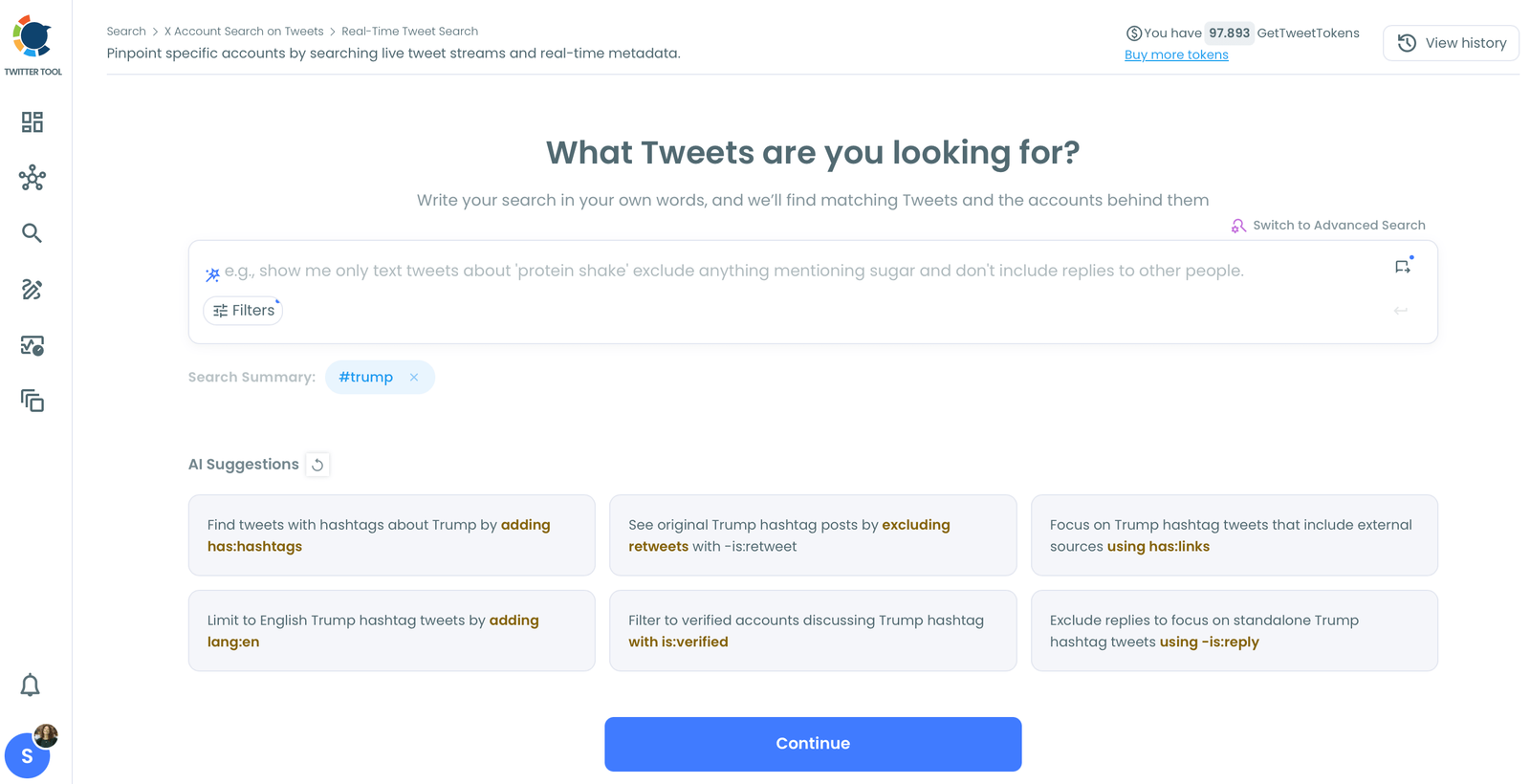
Step 3: Enter the hashtag you want to track.
Use the Hashtags filter to lock your search to that specific tag. You can combine it with Language, Verified Accounts, Media Type, and Engagement Metrics (minimum/maximum likes, retweets, impressions) to filter out low-signal noise before you review results.
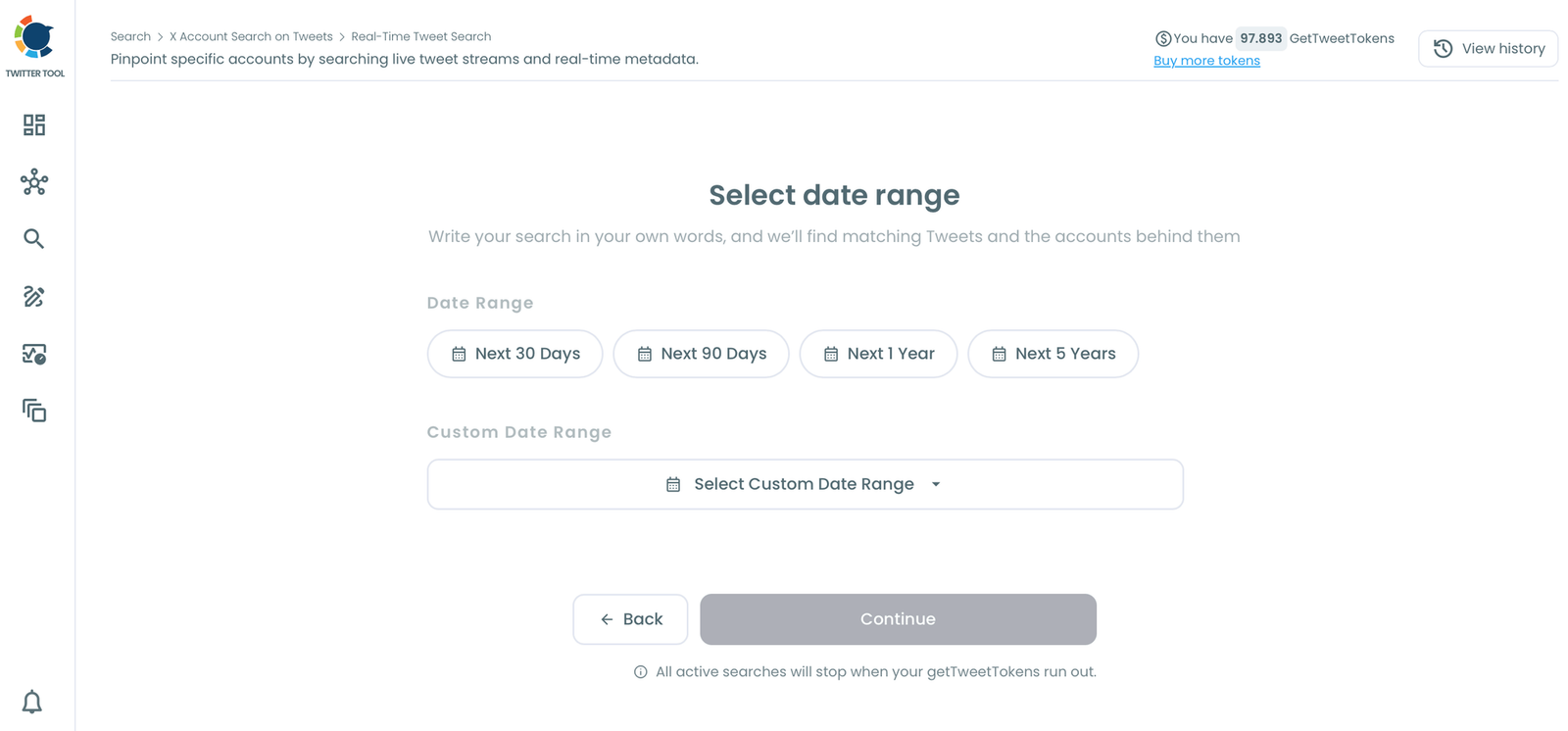
Step 4: Set your date range or start date, and choose how many tweets to collect.
Historical Tweet Search lets you pick a fixed window; Real-time Tweet Search collects forward from a start point you choose.
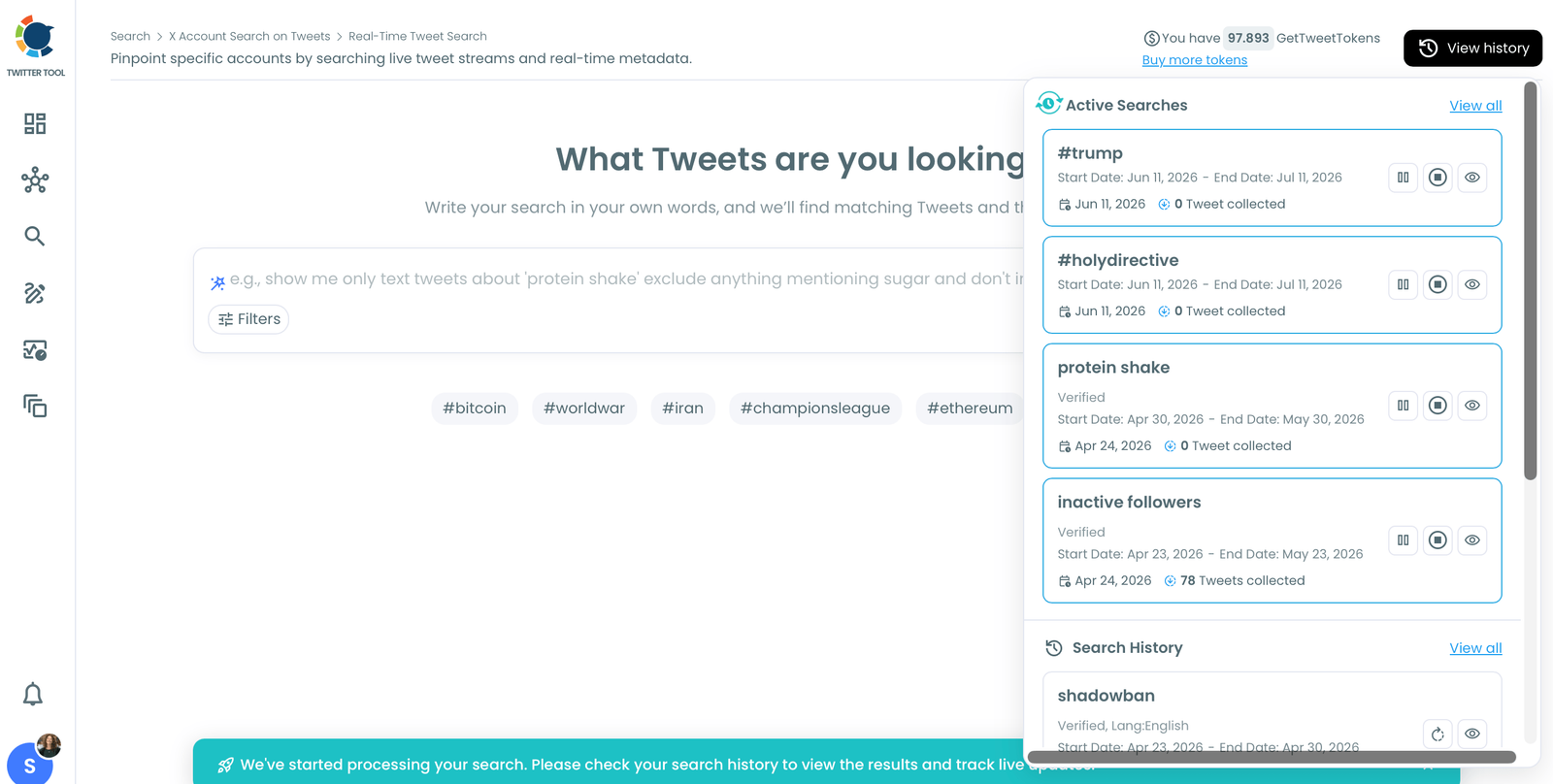
Step 5: Review your results in both views.
The Tweet View shows you the matching posts themselves, with impressions, likes, retweets, quotes, bookmarks, and replies. The Profile View shows the deduplicated accounts behind those tweets, each with follower count, following count, and engagement classification, so you can sort for the most relevant or most followed accounts using the hashtag.
Step 6: Act on the results. From the Profile View, you can follow accounts directly, add them to a Twitter List to track them as a group, export the list as CSV, or use Auto Follow from matching keyword to automatically follow accounts posting under that hashtag going forward.
Method 2: Track Hashtags with X's Native Search
You can always track a hashtag directly on X through the Explore page. Typing a hashtag into the search bar returns Top and Latest tweets, people, and media related to it, and X's own advanced search filters let you narrow by date, language, or engagement.

The limitation is that X's native tools don't let you filter out low-quality or inactive accounts from the results, sort the accounts behind a hashtag by follower count, or export what you find.
For a quick look at what's trending, it's enough. For actually building a workflow around a hashtag, Historical and Real-time Tweet Search do more of the work for you.
Hashtag Types You Can Track
Different hashtags serve different purposes in a marketing strategy. Here's how to think about tracking each type.
Branded Hashtags
A branded hashtag is one your business creates so others can tag you directly, the way H&M uses #HM. It's usually just your brand name or your brand name plus a product or service term. Run it through Historical or Real-time Tweet Search regularly to see how many people are talking about your brand and using your tag, and to gauge how that volume is trending over time.
Content Hashtags
Content hashtags describe what a specific post is about, like #makeuptips for a beauty creator or #interiordesign for an industry-specific tag. Track the hashtags relevant to your niche to see which ones are actually getting used and generating engagement before you build them into your regular posting habits.
Event Hashtags
If your company is hosting an event, sending a team to a conference, or covering a major industry moment, put the event's hashtag in your posts to extend your reach. Live-tweeting under an event hashtag is a strong way to build buzz, but you need to actually monitor it to know if it's working. Use Real-time Tweet Search to follow the conversation as it happens, and check Post Analytics Overview & Graphs and When Followers Are Online to see how your own tagged posts performed and when your audience was actually around to see them.
Popular and Trending Hashtags
X surfaces trending hashtags on its own, and jumping into one can extend your reach fast, but only if it fits your content. Use Historical or Real-time Tweet Search with engagement filters to gauge the volume and sentiment around a trending tag before deciding whether it belongs in your strategy. A trending hashtag that doesn't match your brand voice can do more harm than good.
Campaign Hashtags
A campaign hashtag is created for a specific launch, promotion, or initiative and exists to generate buzz around that one thing. Because it's tied to a defined window, it's one of the easiest hashtag types to measure: track it with Historical or Real-time Tweet Search while the campaign is live, and use Post Analytics Overview & Graphs afterward to see how your own campaign tweets performed against the rest of your content.
Add the Right Hashtags to Your Own Posts
Tracking hashtags only solves half the problem. Once you know which tags are actually working, you still have to remember to use them consistently in your own posts, which is easy to skip when you're writing in a hurry.
Inside the X Post Planner, the AI Tweet Generator includes an Add Hashtags quick action: write your tweet as usual, click Add Hashtags, and the AI appends relevant tags to the post based on its content. It's a one-click way to close the loop between the hashtag research you just did and the posts you're actually publishing, without breaking your writing flow to look tags up manually every time.
Wrapping Up
Hashtags still carry real weight in an X marketing strategy, but only if you're actually tracking them instead of guessing. Whether you're watching a branded tag, riding a trending topic, or measuring a live campaign, the goal is the same: know which hashtags are actually reaching your audience and driving them to your content.
Circleboom's Advanced X Search gives you that visibility with Historical and Real-time Tweet Search, so you can filter, sort, and act on the accounts behind any hashtag, and the AI Tweet Generator's Add Hashtags action makes sure your own posts carry the right ones too.



