
Managing social media alone is already demanding.
Managing multiple accounts with a team is where things usually fall apart.
I work as a social media manager, and over time my responsibilities grew fast. More brands, more platforms, more teammates.
At first, everything seemed manageable, until it wasn’t. Logging in and out of accounts, coordinating posts in Slack, double-checking approvals in DMs, fixing mistakes caused by miscommunication… it quickly turned into chaos.
That’s when I realized the problem wasn’t the team.
It was the workflow.

Why Team-Based Social Media Management Becomes a Mess
When you manage social media with multiple people involved, small issues multiply quickly:
- Sharing passwords (unsafe and stressful)
- Teammates posting at the wrong time
- No clear approval process
- Duplicate posts or missed content
- Endless “Is this approved?” messages
- Different tools for scheduling, content, and coordination
Most social media tools claim to support teams but in reality, they’re built for solo users first and teams second. You either pay a lot more to unlock basic collaboration features, or you accept a clunky system that slows everyone down.
I needed a real solution, not another workaround.
What Social Media Managers Actually Need From a Team Workflow Tool
After trying different tools and setups, the requirements became very clear:
- No password sharing
- Clear roles for each teammate
- Content approval before publishing
- A shared content calendar everyone can see
- One dashboard for multiple accounts
- Simple setup without a learning curve
- Fair pricing that doesn’t punish team growth
That’s the point where we started using Circleboom Publish.
Why We Switched to Circleboom Publish
Circleboom Publish isn’t just another scheduler. It’s a full social media management tool designed with real workflows in mind.

One of the most important details for me was that Circleboom is an official Enterprise X customer. That matters. It means safe access, reliable features, and no risk of account issues caused by unauthorized tools.
But beyond that, Circleboom Publish focuses on what social media managers actually deal with every day: content, coordination, and collaboration.
What Is Circleboom Publish?

Circleboom Publish is an all-in-one social media management platform that allows you to:
- Manage multiple social media accounts from one dashboard
- Schedule posts across platforms
- Create content faster with built-in tools
- Work with a team without sharing passwords
- Set up approval workflows for publishing
It’s built for individuals, but it really shines when you start working with a team.
Team Workflow Features That Make a Real Difference
This is where Circleboom Publish stood out for us.
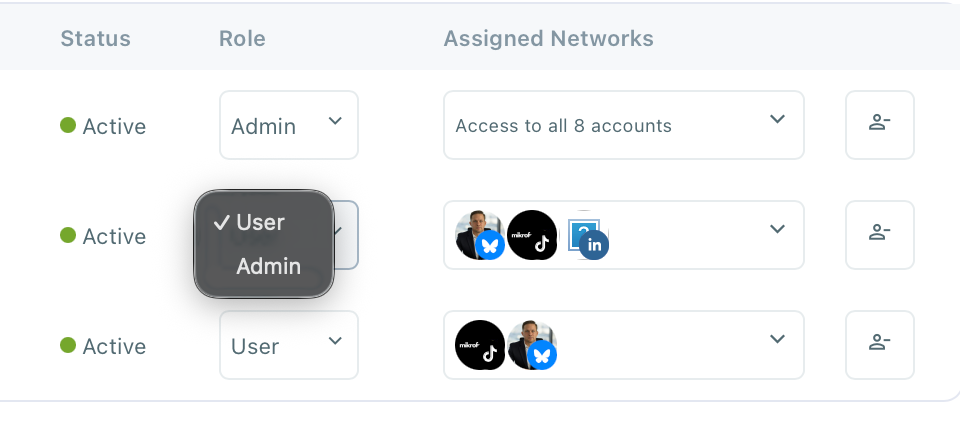
Team Roles and Permissions
Instead of giving everyone full access, you can invite teammates and assign roles.
Everyone knows what they’re responsible for, and nothing gets published by accident.
Content Approval Workflow
Posts don’t go live until they’re approved.
Drafts can be reviewed, edited, and scheduled properly—no last-minute panic.

Shared Content Calendar
Everyone sees what’s planned, what’s scheduled, and what’s already published.
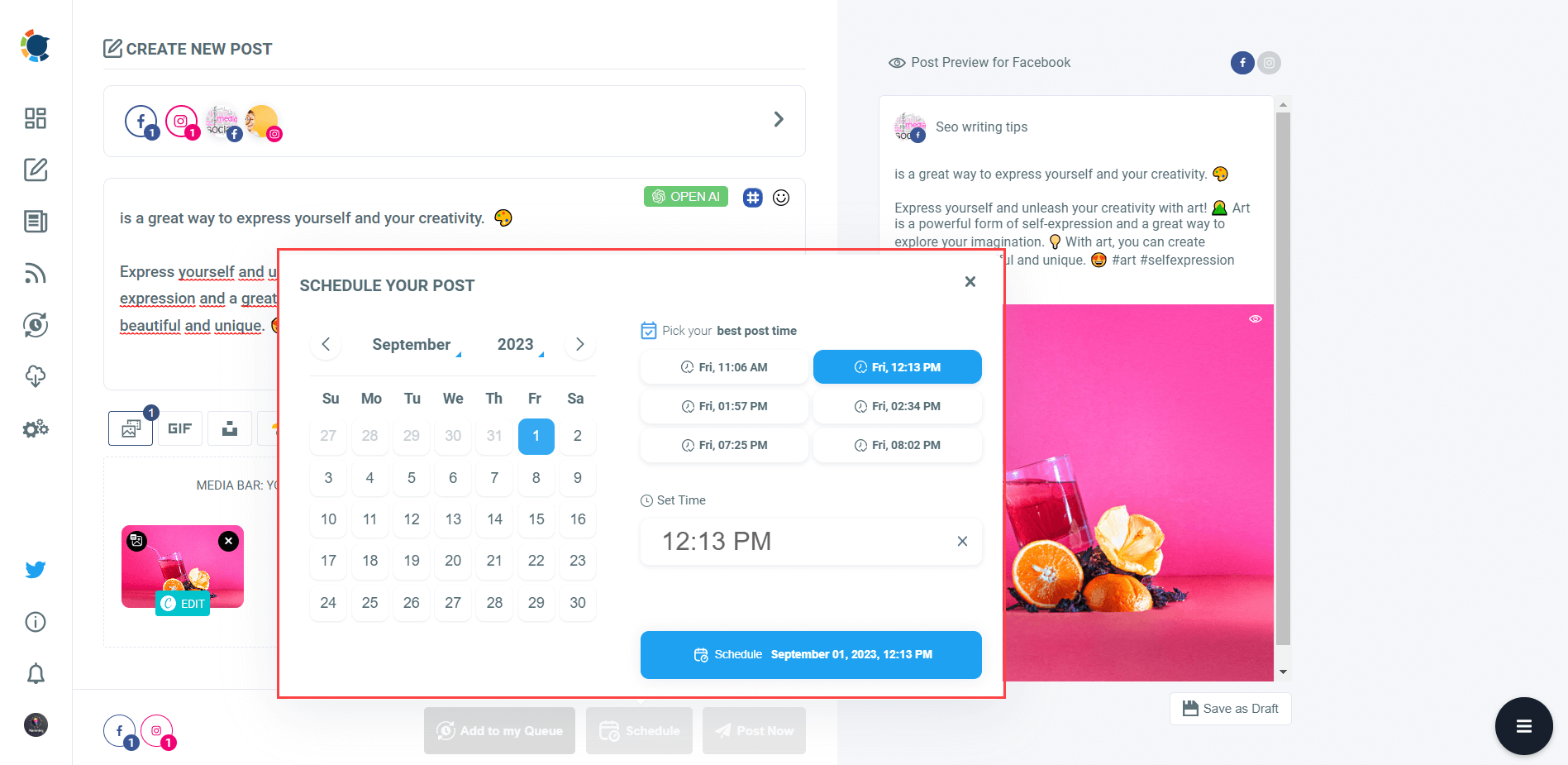
This alone removed so much confusion from our daily workflow.

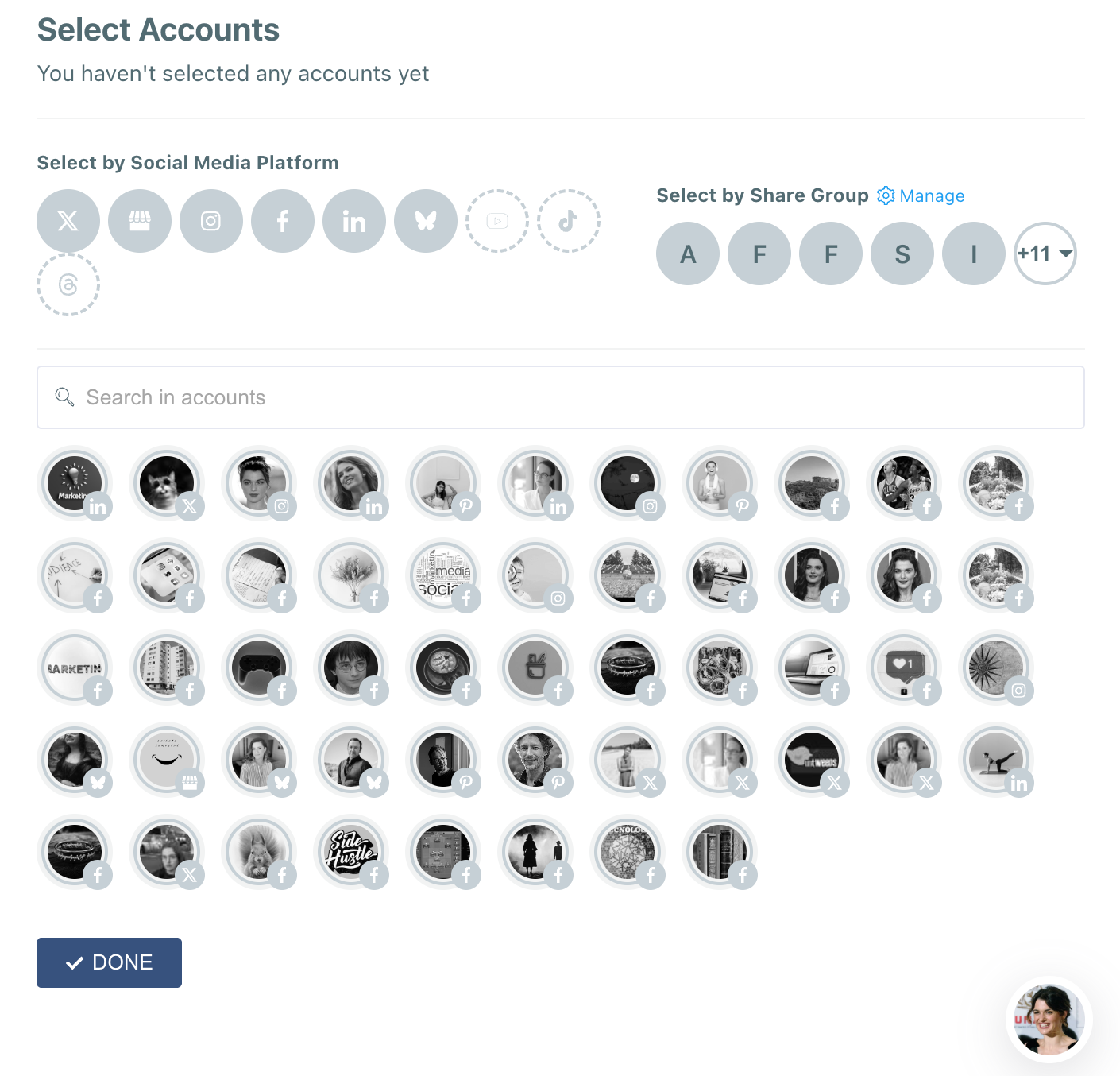
Multi-Account, Multi-Platform Management
Whether you’re managing one brand or several clients, everything stays organized in one place. No switching tabs, no logging in and out all day.
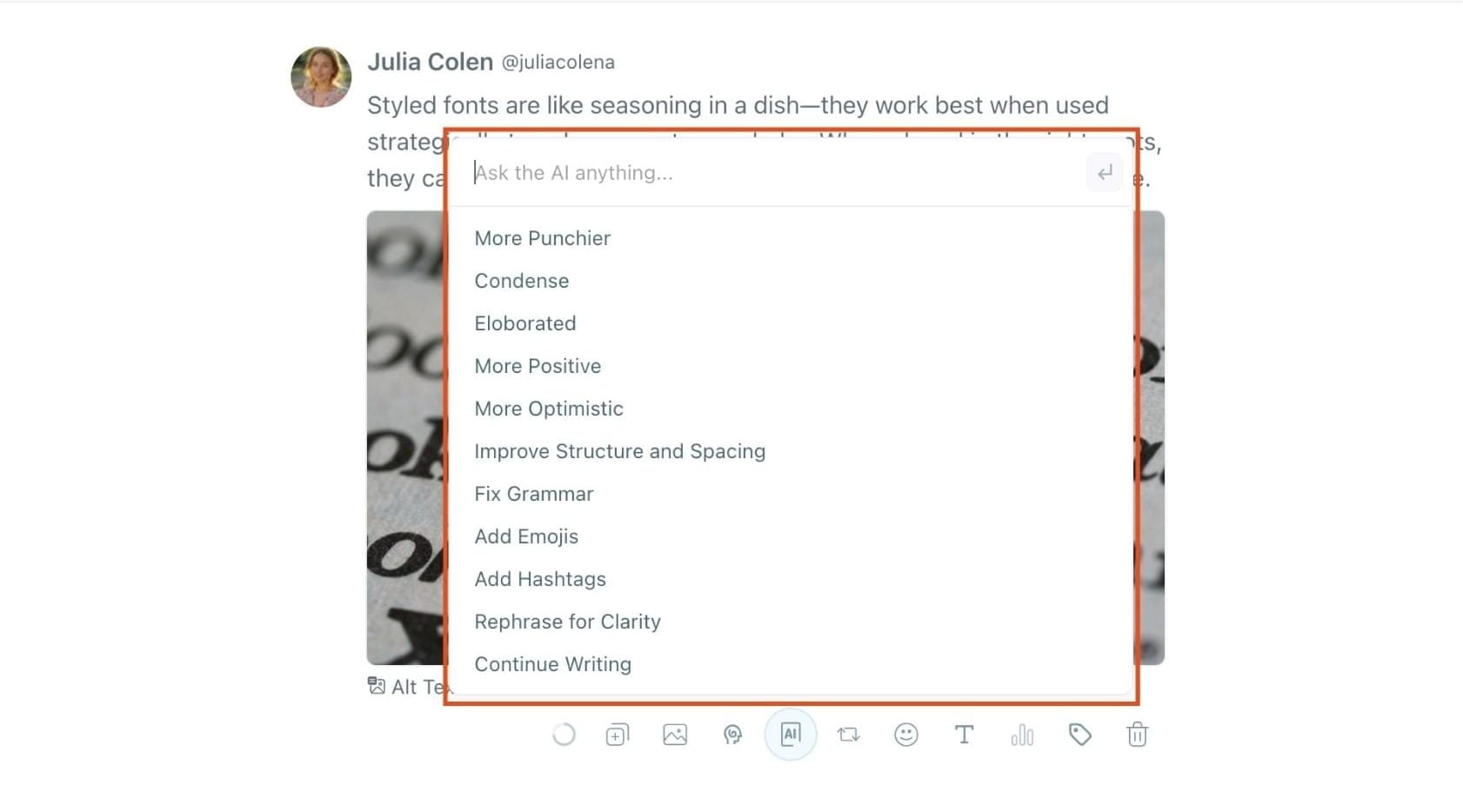
AI and Content Creation Tools
Circleboom Publish also helps with content creation:
- AI-powered post generation
- Media integrations for visuals and GIFs
- Faster collaboration when preparing content
It’s not just about scheduling, it’s about working smarter as a team.
Why Circleboom Publish Is More Affordable Than Most Alternatives
This part surprised me the most.
Many social media tools:
- Charge per user
- Charge extra per platform
- Lock team features behind expensive plans
Circleboom Publish offers more features at a better price.
 Arif Akdogan
Even compared to more expensive tools, it covers team workflows more effectively without forcing you into high-tier plans just to collaborate.
You don’t pay more just because your team grows, and that matters a lot for agencies and small teams.
How to Create a Team in Circleboom Publish (Step by Step)
Setting up a team is refreshingly simple:
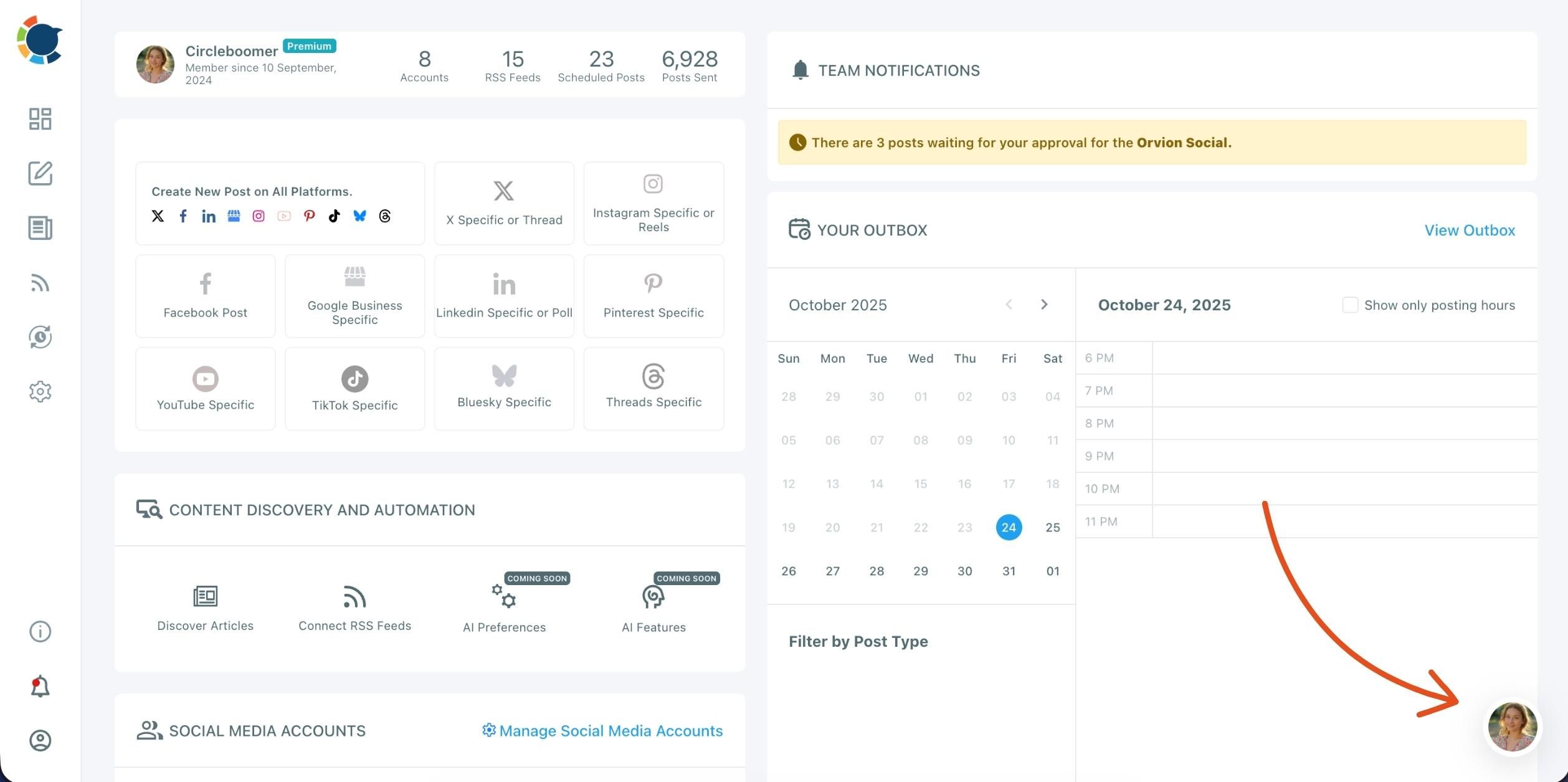
Step 1: Open the Profile Menu
In the right corner of your dashboard, click on your profile icon. This is the place where you can switch between teams (workspaces), view your current organization, and manage your team settings.
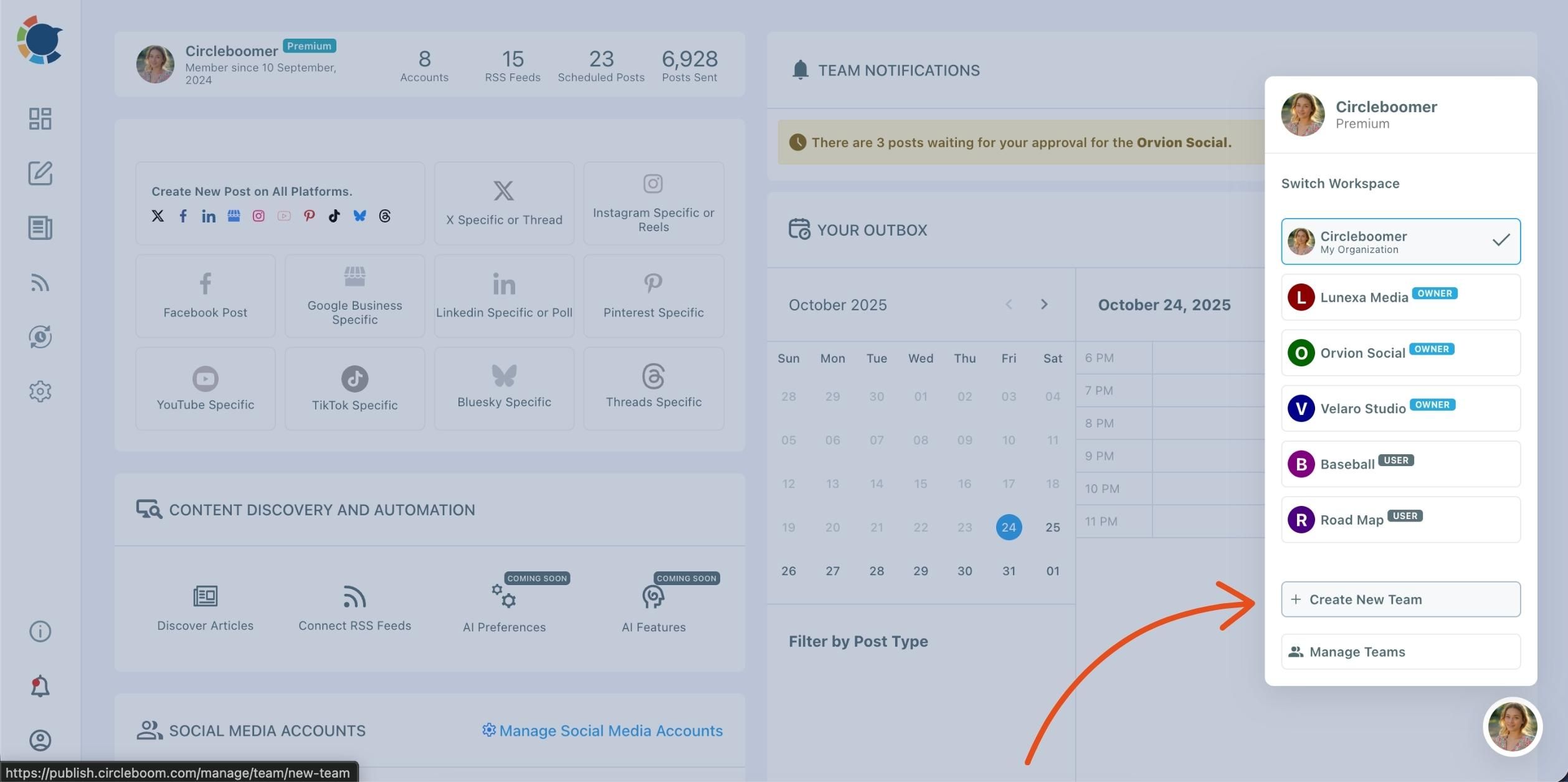
Step 2: Select “Create New Team”
In the dropdown, you’ll see all your existing teams, labeled as Owner or User. Click ➕ Create New Team at the bottom of the list.
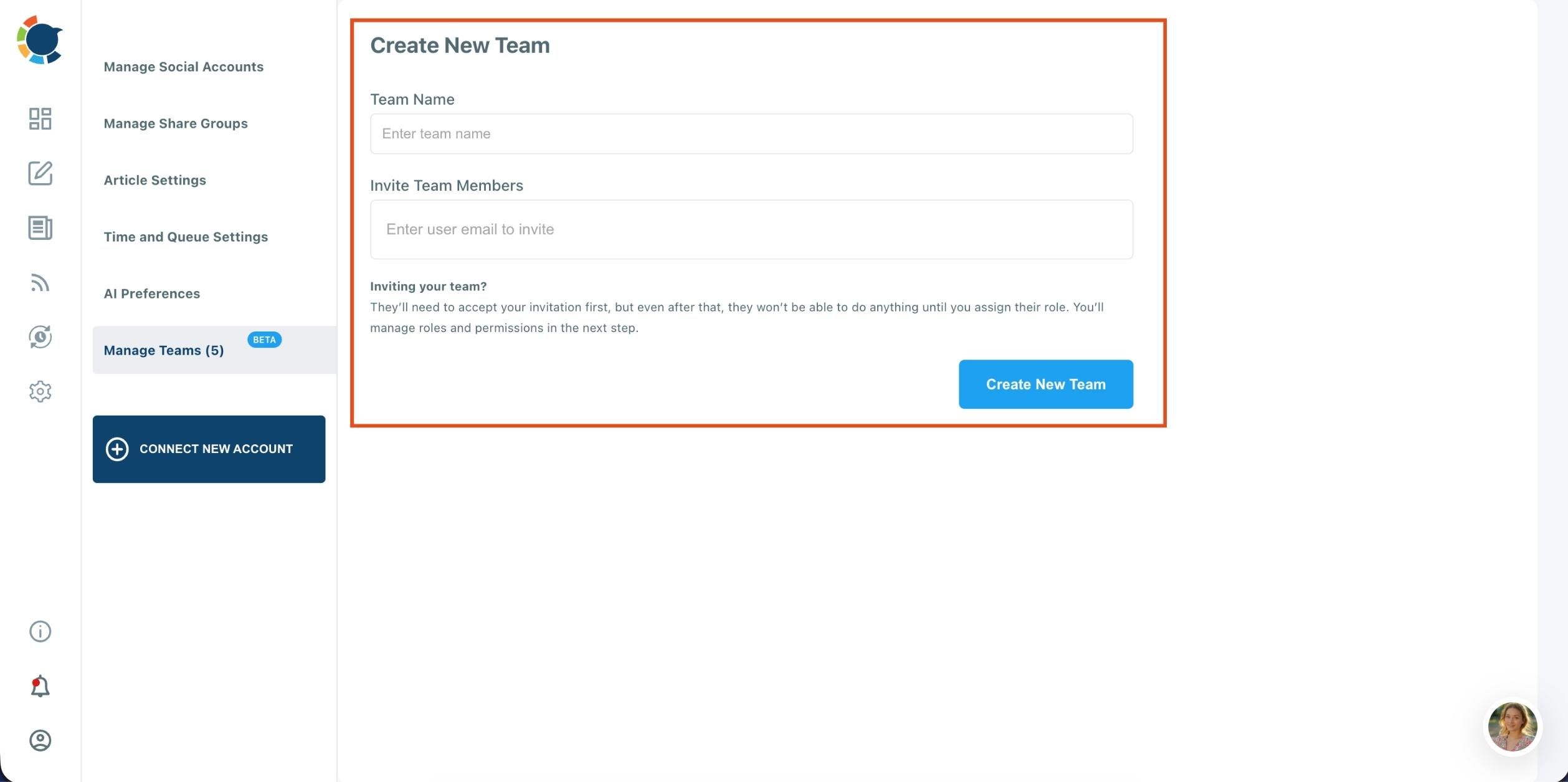
Step 3: Enter Team Details
You’ll be redirected to the Create New Team page.
- Type your Team Name in the first field.
- Then, enter the email addresses of the members you’d like to invite in the “Invite Team Members” field.
Once they receive and accept your invitation, you can assign roles and permissions for each member from the “Manage Teams” section.
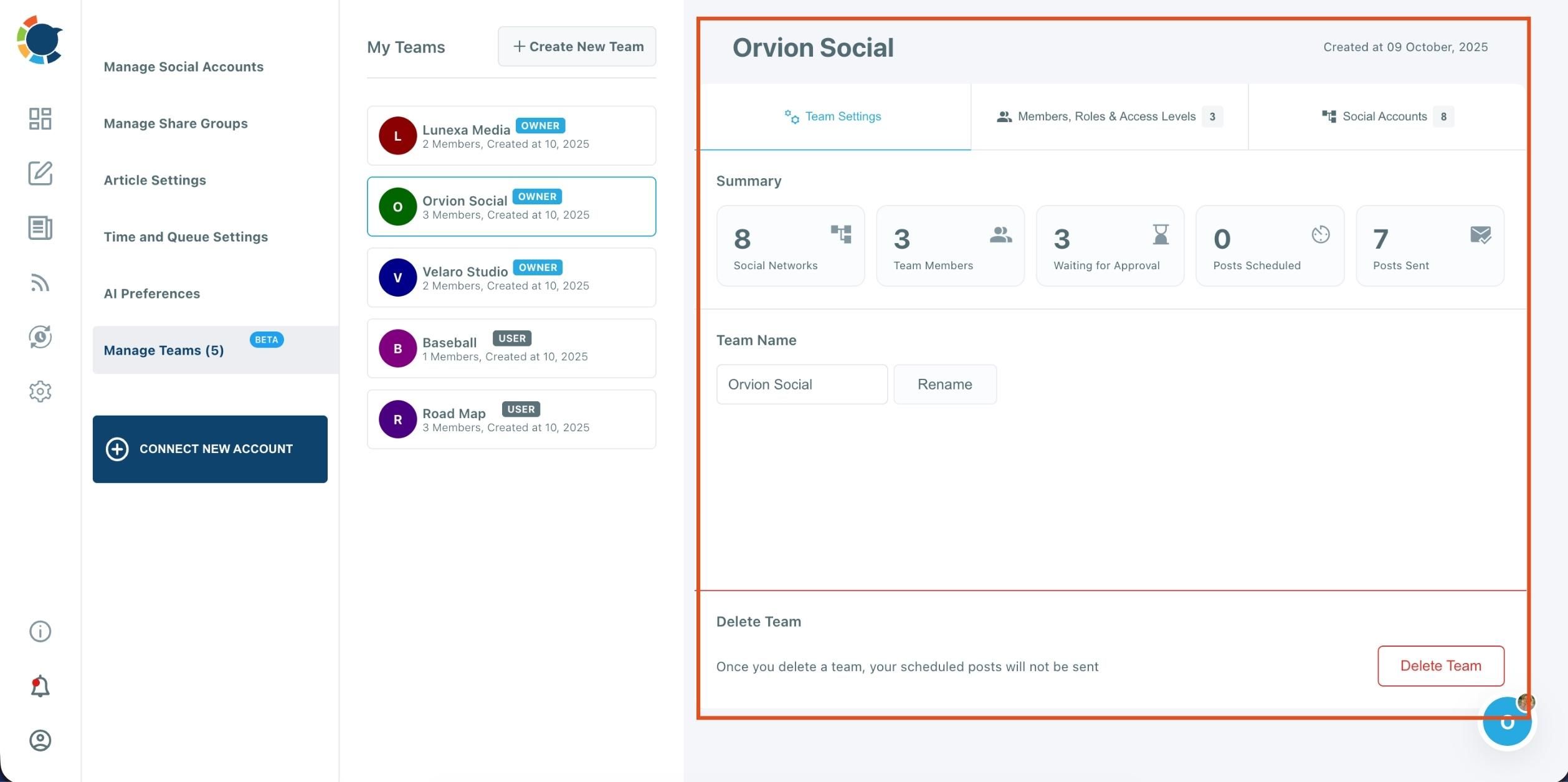
Step 4: After creating your team, you can:
- Add or remove members
- Assign roles and access levels (Owner, Admin, User)
- Connect social media accounts for shared management
- Review scheduled or pending posts for approval
You can also switch between all your teams anytime from the profile dropdown menu.
No complex setup. No onboarding headaches.
How This Changed Our Daily Workflow
The difference was immediate:
- Fewer mistakes
- Faster approvals
- Clear ownership of tasks
- Better coordination
- Less stress managing people and platforms at the same time
Instead of managing problems, we finally focused on strategy and content quality.
Who Should Use Circleboom Publish?
Circleboom Publish is a strong fit for:
- Social media managers handling multiple accounts
- Small agencies with limited budgets
- In-house marketing teams
- Freelancers working with collaborators
- Anyone tired of messy social media workflows
Final Thoughts
Social media management today is a team effort.
But without the right tool, teams create friction instead of momentum.
Circleboom Publish works because it understands how social media teams actually operate. It combines scheduling, collaboration, and control—without unnecessary complexity or inflated pricing.
For me, it wasn’t just a better tool.
It was the first one that actually worked.