

I manage multiple Twitter/X accounts, each with a solid follower base and consistent engagement. People assume I’m on Twitter all day, replying, posting, planning, analyzing.
But I’m actually not.
I don’t spend hours creating content or worrying about posting times.
And it’s not because I ignore those accounts, it’s because I use the right scheduling and management tool that handles the heavy lifting for me: Circleboom Twitter.

The Biggest Problem With Managing a Twitter Account
If you’ve ever tried maintaining an active presence on Twitter, you already know the main challenge:
Posting consistently — at the right time — without burning out.
You can have great ideas.
You can know your audience.
You can even enjoy tweeting.
But once you try to stay consistent, especially across multiple accounts, reality hits:
- You’re too busy to be online at the “best time.”
- Some days, your mind is blank even though you need to post.
- The native Twitter scheduler… is unreliable.
And I learned this the hard way.
The Day the Native Twitter Scheduler Failed Me (Badly)
I once spent an entire evening scheduling tweets for six months.
Six. Full. Months.
Tweet by tweet. Thread by thread.
It took me hours — carefully spacing content, planning themes, keeping tone consistent.
And then?
❌ After the second scheduled tweet, Twitter’s native scheduler glitched.
Everything disappeared.
All of it. Months of planning — gone in seconds.
No backup.
No restore.
No support.
That was the moment I said:
“I need a scheduler I can actually trust.”
Why I Switched to Circleboom Twitter
I didn’t want a tool that only schedules tweets.
I wanted a complete Twitter control center, something reliable, flexible, and smart.
That’s exactly what Circleboom Twitter, an official developer partner of X, is.
It’s not just a scheduler.
It’s a platform that helps you plan, post, analyze, clean your audience, reuse your best content, and stay active across multiple networks.
Here are the features that genuinely changed everything for me:
✅ 1. A Reliable Scheduling System
- Schedule posts, threads, replies — individually or in bulk.
- See everything on an easy visual content calendar.
- Use queue settings to automate recurring posting patterns.
No more disappearing schedules.
No weird glitches.
No re-doing work.
✅ 2. Best Time to Post (Based on My Audience)
Circleboom analyzes when my followers are actually online and active.
So instead of guessing posting times…
I just click “Best Time to Post” and schedule instantly.
 Fatih Kemal Oksuzoglu
This alone improved my engagement across all three accounts.
✅ 3. Built-in AI Tweet Writer (Trained for Social Media Style)
This isn’t generic AI text.
Circleboom’s AI Tweet Generator is trained for:
- Tweet tone
- Hook structure
- Engagement patterns
- CTR-style CTA phrasing
I use it to:
- Rewrite tweets
- Create variations
- Turn one idea into 5–10 posts
- Generate thread structures
- Keep tone consistent across accounts
This saves hours.
 Altug Altug
✅ 4. Auto Retweet (Repost) Cycles
This feature is underrated. Because Auto-Retweeting is the secret key to boosting engagement.
You can tell Circleboom to:
- Retweet one of your previous tweets
- Un-retweet it after a set time
- Retweet again later
- Repeat automatically
This brings old high-performing tweets back into the algorithm, which keeps them alive and keeps your engagement flowing without writing anything new.
 Altug Altug
✅ 5. Font / Text Styler
Circleboom includes clean, readable, attention-grabbing text styles.
 Arif Akdogan
Not limitations on the opitons. Help tweets stand out in crowded feeds.
✅ 6. Automatically Cross-Post to Other Platforms
This is where things go from useful → powerful.
Circleboom can automatically share your posts to:
- Twitter/X
- Threads
- Bluesky
So instead of manually copying content across apps…
Cross Post = One post → multiple platforms → consistent brand presence everywhere.
 infocircleboom.com
No extra effort.
No duplicate posting.
No lost audiences.
✅ 7. Built-In Canva, Giphy & Unsplash Integration
No more switching tabs.
Inside Circleboom, I can:
- Open Canva, design a post graphic, and insert it instantly.
- Search Giphy for trending GIFs.
- Pull high-quality Unsplash images directly into my post.
This means I create the visual AND schedule the post in the same place.
No downloading.
No uploading.
No friction.
✅ 8. Follower and Following Management
Circleboom also helps with audience health:
- Identify inactive accounts
- Detect fake/bot followers
- See who doesn’t follow back
- Clean up following lists with mass unfollow
- Improve feed relevance and engagement quality
This makes your account grow more organically and sustainably.
My Simple Workflow
Step #1: Log in to Circleboom Twitter and connect your X account.
If you don't already have a Circleboom account, you can get one in five seconds!
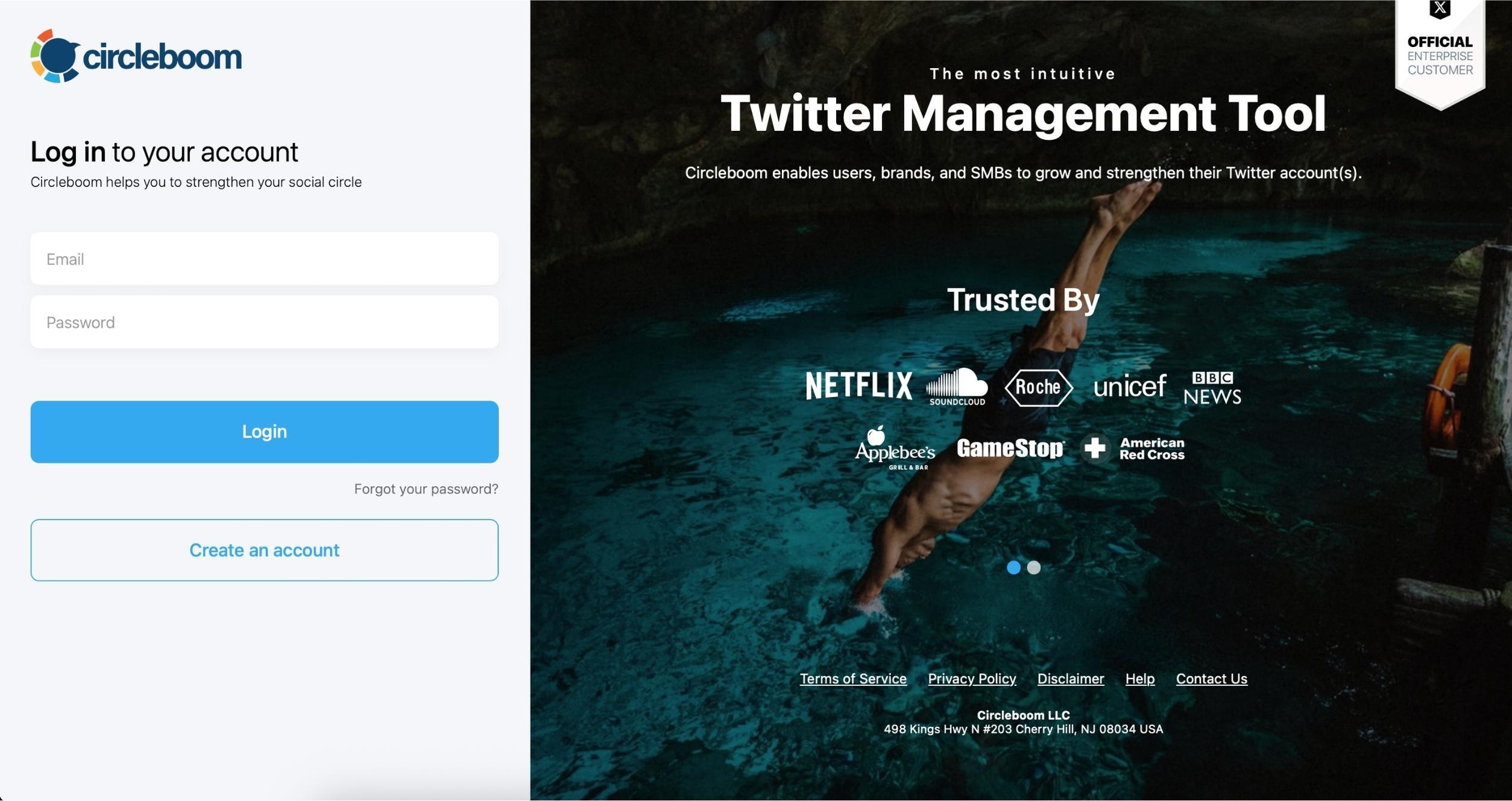
Step #2: After logging in to Circleboom Twitter, go to the X Post Planner.
Click on "Bulk Schedule" on the list and move forward to upload your tweets in bulk.

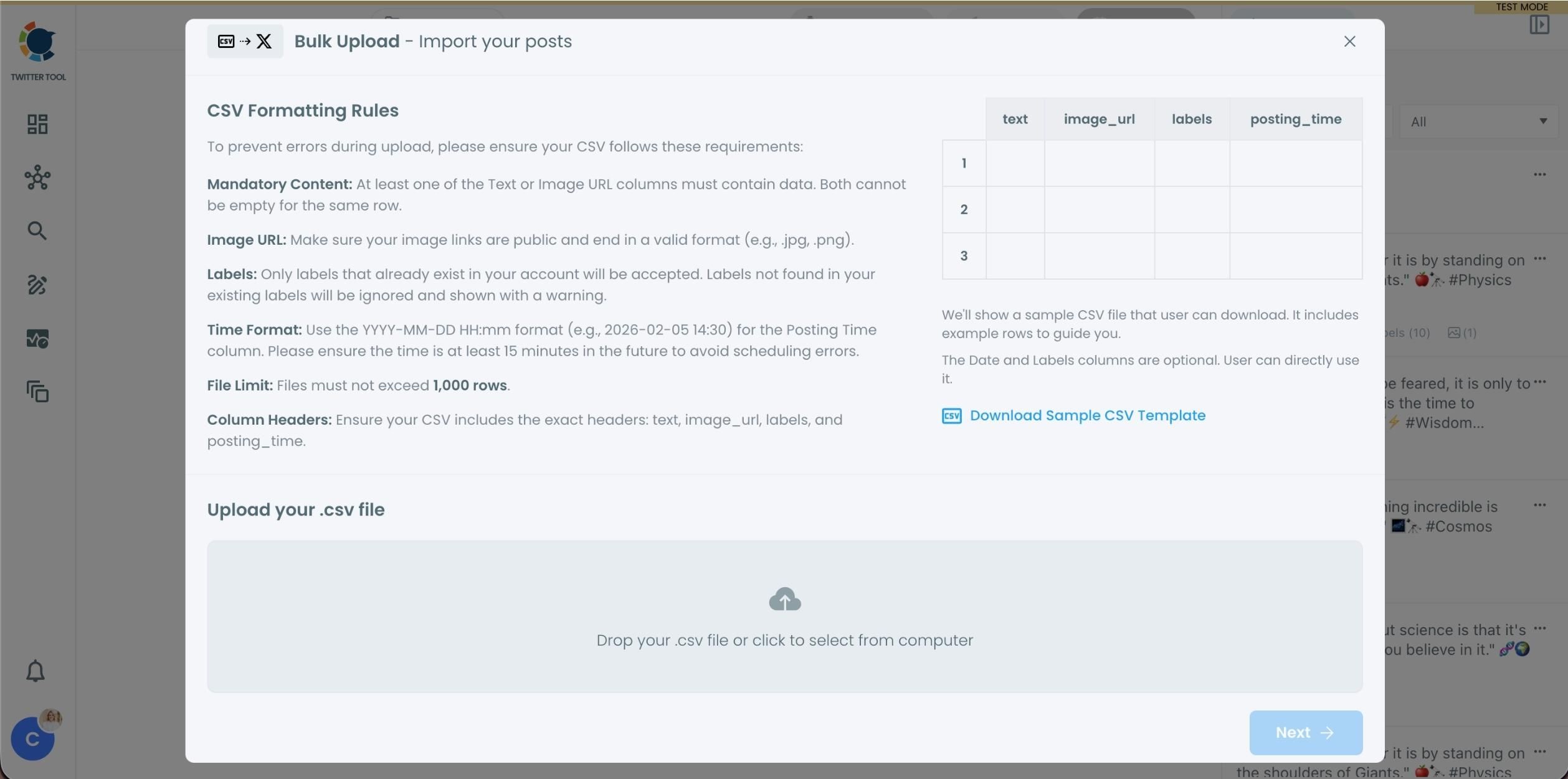
Step #3: Now, you should upload the tweets that you prepared before.
It should be a CSV file. Your file should include the correct column headers, and each row should represent a single tweet. You can include tweet text, image URLs, labels, and posting times. Preparing the file in the correct format prevents errors during scheduling.
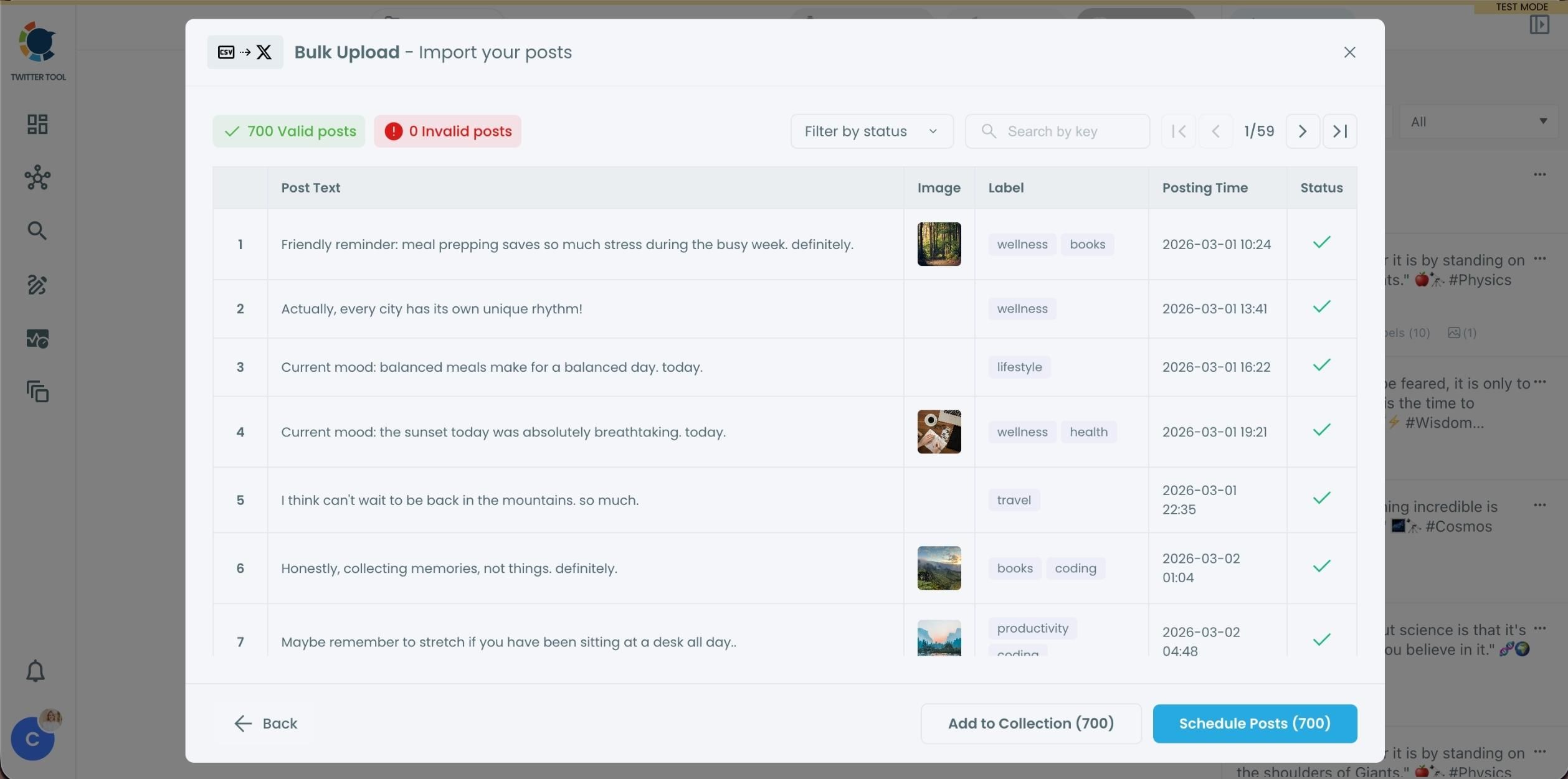
Step #4: When the uploading is done, you will see a preview.
At this stage:
When the uploading is done, invalid tweets are shown with the reason for the error. You can also add tweets to Collections if you want to organize or reuse them later. This step helps you catch and fix problems before anything is scheduled.
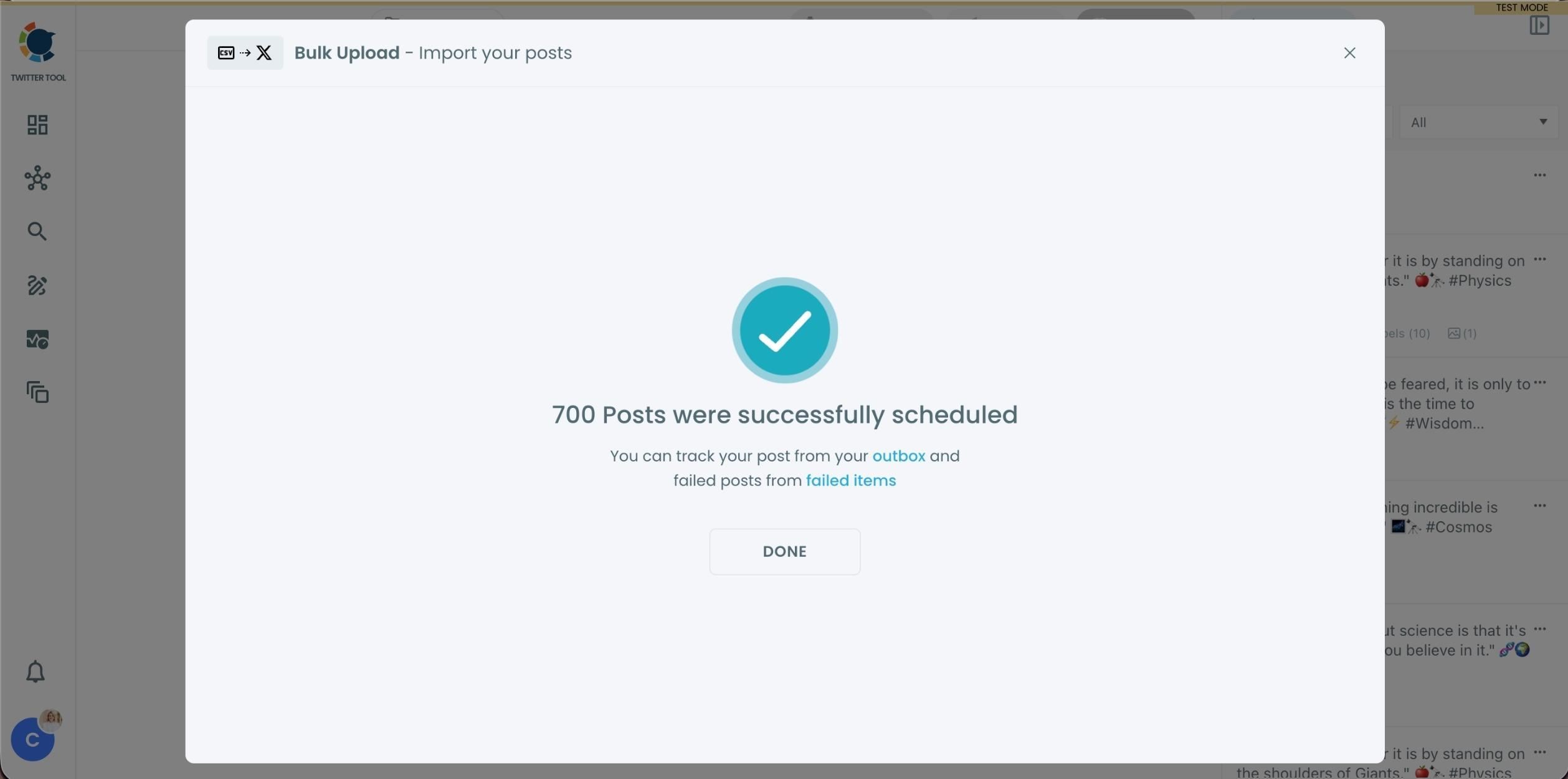
Step #5: If everything is correct, you are ready to schedule your tweets.
After that, the process is automated. You can click on the button and Circleboom will take care of the rest!
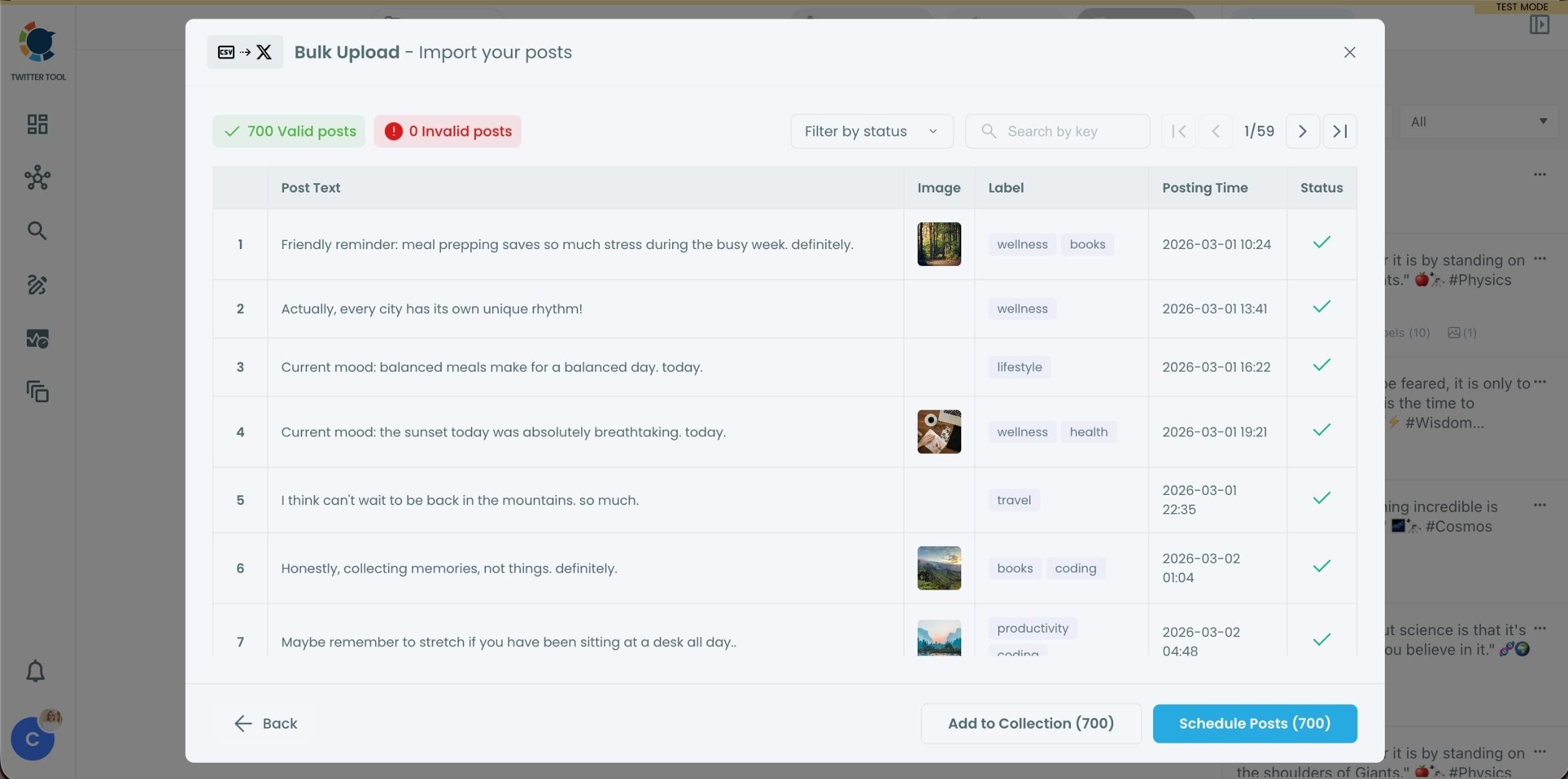
Hundreds and even 1000 tweets can be scheduled with Circleboom in bulk.
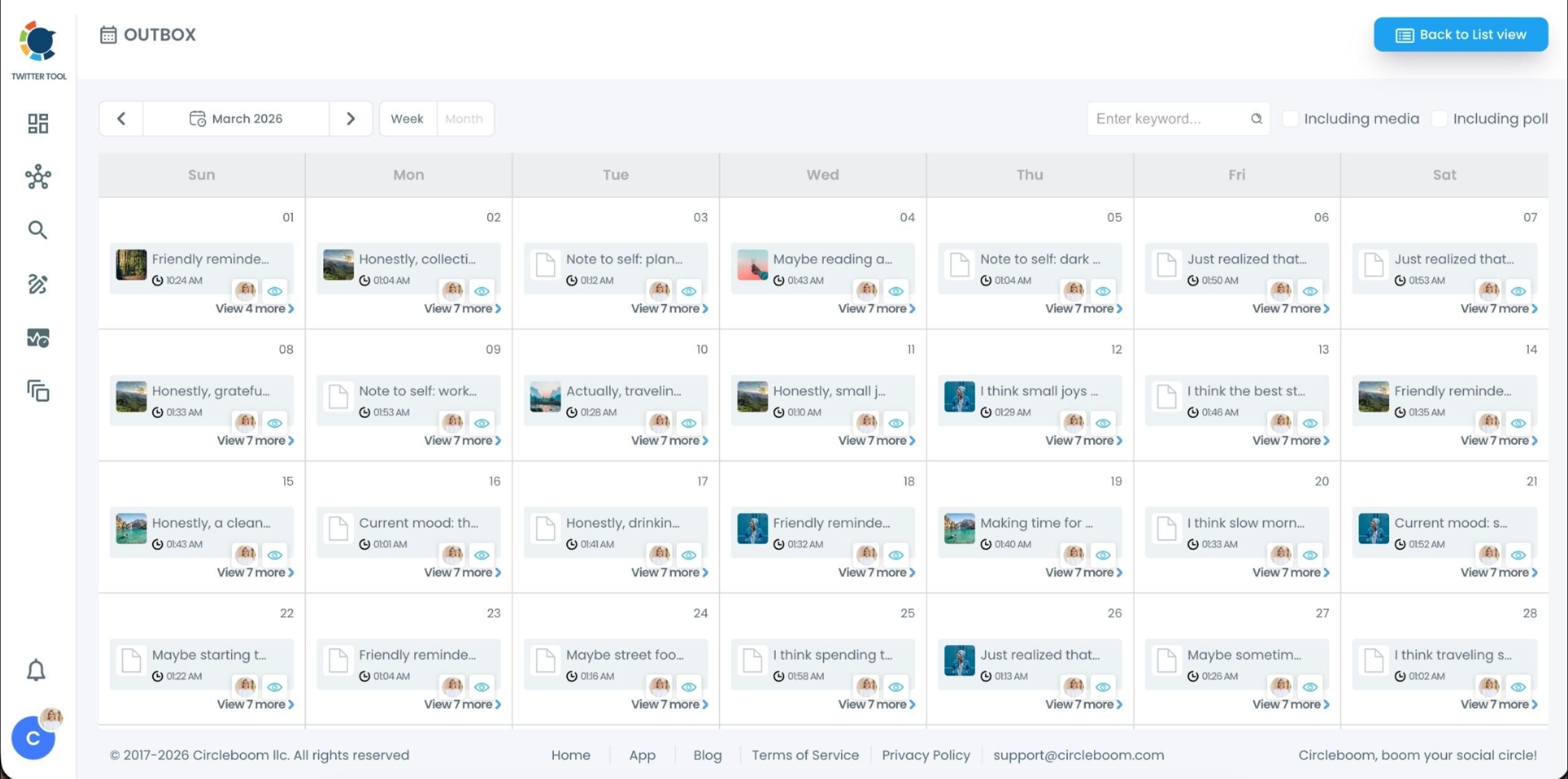
Step #6: You can view your scheduled posts in the Outbox.
If you want to edit something, you are free to make changes on your tweets.
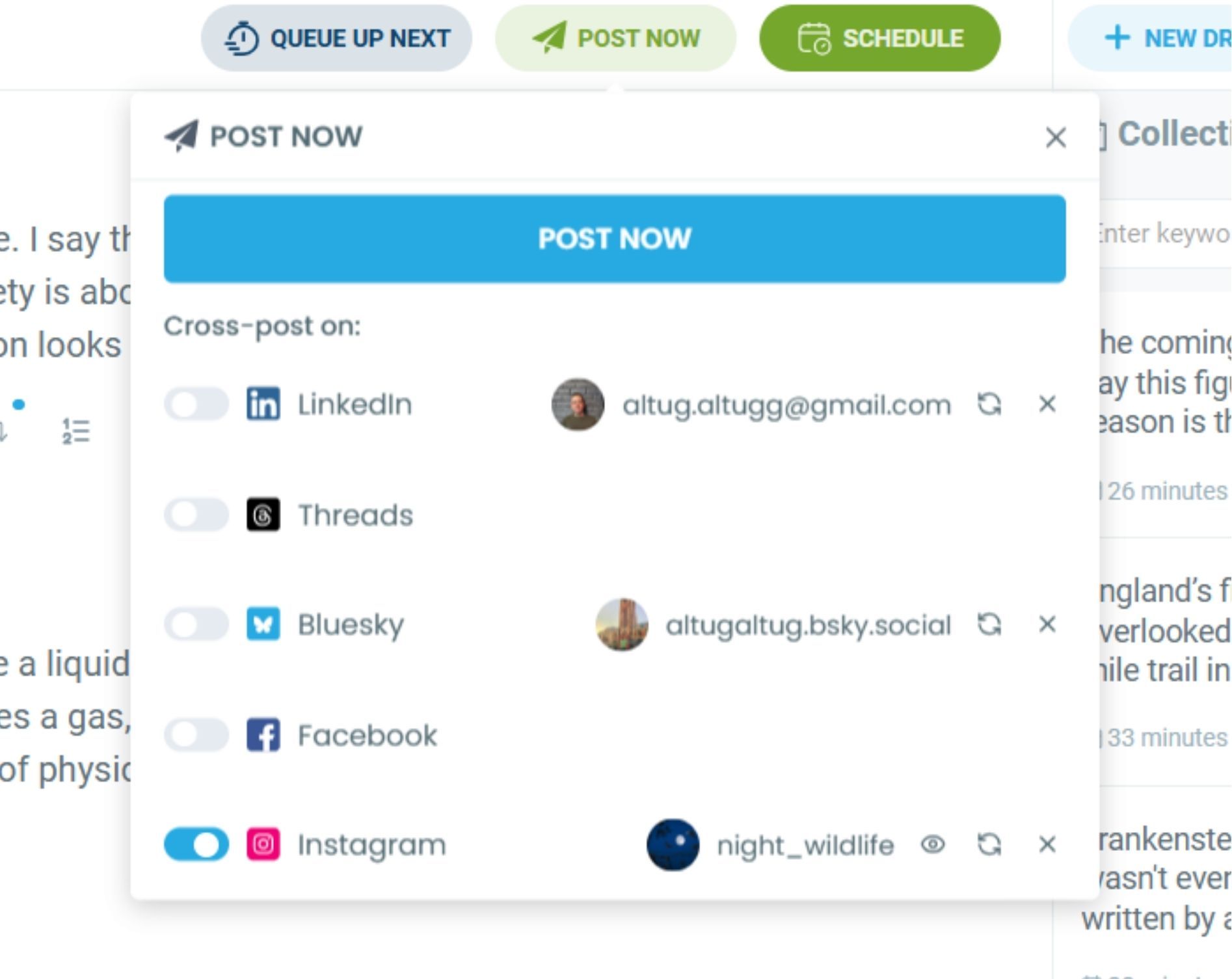
Step #7: There is more on Circleboom for tweet scheduling.
You can write, plan, schedule and automate your X posts all in once, and at the same place.

You can create tweets yourself and also get help from AI.

When your tweets are ready, you can schedule them at the best times to post! Also, you can cross-post your tweets to other available platforms. Even Instagram is possible!
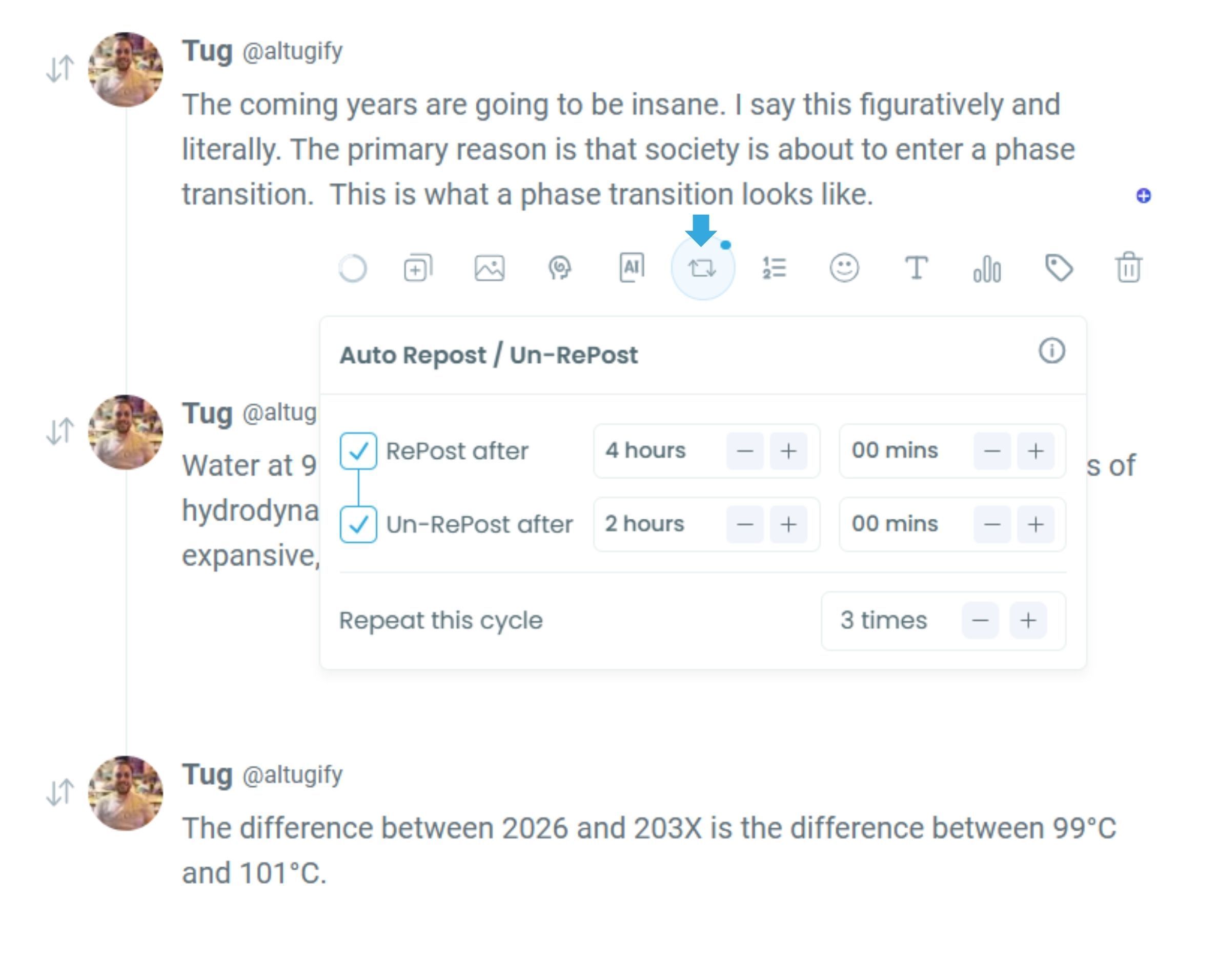
Step #8: You can even schedule your retweets.
You can auto retweet your tweets with intervals you set.
Comparison Table: Twitter/X Scheduler vs Circleboom Twitter
| Feature | Twitter/X Native Scheduler | Circleboom Twitter |
|---|---|---|
| Reliability | ❌ Can fail or delete schedules | ✅ Stable, proven scheduler |
| Best Time to Post | ❌ Not available | ✅ Smart follower activity analysis |
| AI Post Writer | ❌ No | ✅ Trained for social engagement |
| Auto Retweet / Repost Cycles | ❌ No | ✅ Yes — boosts old tweets automatically |
| Cross-Post to LinkedIn / FB / Threads / Bluesky | ❌ No | ✅ Yes, auto-formatted posting |
| Visual Calendar & Queue | ❌ Limited | ✅ Full drag-and-drop planner |
| Canva / Giphy / Unsplash Integration | ❌ No | ✅ Built directly into editor |
| Font & Text Styling | ❌ Default only | ✅ Scroll-stopping styling options |
| Follower & Following Cleanup Tools | ❌ None | ✅ Find fake, inactive, & non-followers |
| Analytics | ❌ Basic | ✅ Detailed account & post analytics |
Final Word
Managing multiple Twitter accounts used to feel like a job.
Now it feels like a system.
I write.
Circleboom handles:
- Posting
- Timing
- Reposting
- Cross-posting
- Audience management
- Scheduling
- Optimization
My accounts stay active even on days I don’t touch Twitter.
If you're tired of scrambling to post or relying on unreliable tools:
Switch to a scheduler that actually respects your time and your effort.
Start scheduling smarter with Circleboom Twitter. 🚀


