What makes a reader open a thread instead of scrolling past it? A first tweet that makes one clear promise, which is why the 12 Twitter thread hooks below are sorted by what they promise.
What are the best Twitter thread hooks?
The best ones state a specific promise the thread can keep: a lesson, a shortcut, a different view or a story. Circleboom generates these X thread openers in your own writing style with AI Writer, as an official X Enterprise Developer company.
→ Generate Twitter thread hooks in your own style with AI Writer
What Twitter thread hooks promise
A thread hook is the first tweet of a thread, and its job is to tell a reader what they get by opening the rest. It is the only part most people see in the timeline, so it decides how many readers continue.
Most hook lists sort examples by wording: questions, numbers, bold claims.
Sorting by promise is more useful, because it tells you which hook your thread can keep.
A numbered opener on a thread with no list is a broken promise, however well it reads.
Each type below belongs to one of four promises:
- A lesson: what experience taught the writer.
- A shortcut: something the reader can use today.
- A different view: a reason to rethink a common belief.
- A story or proof: what happened, and how it is known.
The examples are templates. Replace the details with your own, and keep only the numbers and results you can back up.
To go from a template to a draft, you can build Twitter thread hooks in AI Writer and refine the result in conversation.
Circleboom's AI Writer turns a short description into a complete X thread, and every thread request now goes through that one tool.
X hooks that promise a lesson
Lesson hooks work when you have done the thing and can name what changed. They trade on experience, so they fail if the thread contains only general advice.
The mistake hook
"I wasted a month on the wrong pricing page. Here are the 4 mistakes I would not repeat."
Use it when each mistake has its own tweet and its own fix. The admission earns attention, and the count sets the scope.
The before and after hook
"My onboarding email had 9 steps. Now it has 2. What I cut and why:"
Use it when one concrete change sits at the center of the thread. Both states must be visible and specific, or the contrast has nothing to show.
The lessons learned hook
"6 things a year of weekly webinars taught me about getting people to show up."
Use it for a stretch of repeated work. Readers trust the time span, so each lesson should be one the span could have taught.
Twitter hooks that promise a shortcut
Shortcut hooks suit how-to material. The reader is asking one question: can I use this today?
These threads tend to get saved, so write them to be read again.
The checklist hook
"Before you publish a landing page, check these 7 things."
Use it when items can be ticked off in any order. Keep each check small enough to fit in one tweet with room to spare.
The step sequence hook
"How to run a usability test in 5 steps, from the invite to the notes."
Use it when order matters. Name the start and end points so the reader sees the boundaries of the job.
This type benefits most from numbering, covered further down.
The template hook
"Copy this cold email. It has 3 lines, and I will explain each one."
Use it when you are giving away something ready-made. The final tweet should hold the full template, so a reader can save one tweet and use it.
Twitter thread openers that promise a different view
These openers give a reason to reconsider something the reader already believes. They invite replies, which is the upside and the risk.
When a post goes viral on Twitter, disagreement is often part of how it travels, so make sure yours is one you can defend.
The contrarian hook
"Stop offering discounts to churned users. Ask what they replaced you with."
Use it when you have the replacement ready. A challenge with no alternative reads as a complaint.
The myth hook
"Posting every day is not what grew most accounts I have studied. Here is what did."
Use it when you can show why the belief is wrong and what explains it better. Only claim what you have looked at yourself.
The two camps hook
"Half of founders say write the docs first. The other half say ship first. Both miss the same thing."
Use it for a live debate your audience already follows. Your thread must offer a third position, not a summary of the first two.
X thread hooks that promise a story or proof
Story and proof hooks open with something that happened. They need evidence, which makes them the hardest to fake and the worst to inflate.
The appeal behind viral marketing and how to go viral is easy to chase here, so let the real result set the size of the claim.
The result first hook
"We cut support tickets by a third without hiring. The change took one afternoon."
Use it when the outcome is real and you can name the cause. Put the result first and the explanation below.
The teardown hook
"This homepage sells a boring product very well. Let's go through it section by section."
Use it when you are analyzing something readers can look at. Link or show the subject, or the thread loses its evidence.
The open question hook
"Why do free trials convert worse when you give people more time? I went through what I could find."
Use it when the question is interesting by itself and the thread gives a real answer. Answer it by the end, because an unanswered opener feels like a trick.
Which AI Writer style should I use for a Twitter thread opener?
Use The Hook & Bridge for most thread openers and Contrarian Split when the opener challenges a belief.
AI Writer's dropdown offers these alongside My Style, Minimalist (One-Liner) and Listicle, and the style you choose shapes the structure of the draft.
| Hook promise | AI Writer style | Why it fits |
|---|---|---|
| A lesson | The Hook & Bridge | Opener, then a line of payoff |
| A shortcut | Listicle | Breaks the idea into points |
| A different view | Contrarian Split | Built around a tension |
| A story or proof | The Hook & Bridge | Result first, cause next |
I set the style before generating, since switching afterward requires a new generation.
The table is my own matching logic, so treat it as a starting point.
For an account with a recognizable voice, My Style can stay the default whenever the voice matters more than the structure.
Using AI Writer to generate thread openers saves the blank-page step, and the chat keeps your context across follow-up edits.
Because Circleboom is a verified Enterprise partner of X, the account you connect stays on approved access.
How to generate Twitter thread hooks with AI Writer
To generate a thread hook, describe the thread and its promise in AI Writer, choose a style, and edit the first tweet through follow-up feedback. The draft then moves into X Post Planner for numbering and scheduling.
The process has three short phases.
Connect your X account and open the planner
- Log in to Circleboom Twitter and connect your X account.
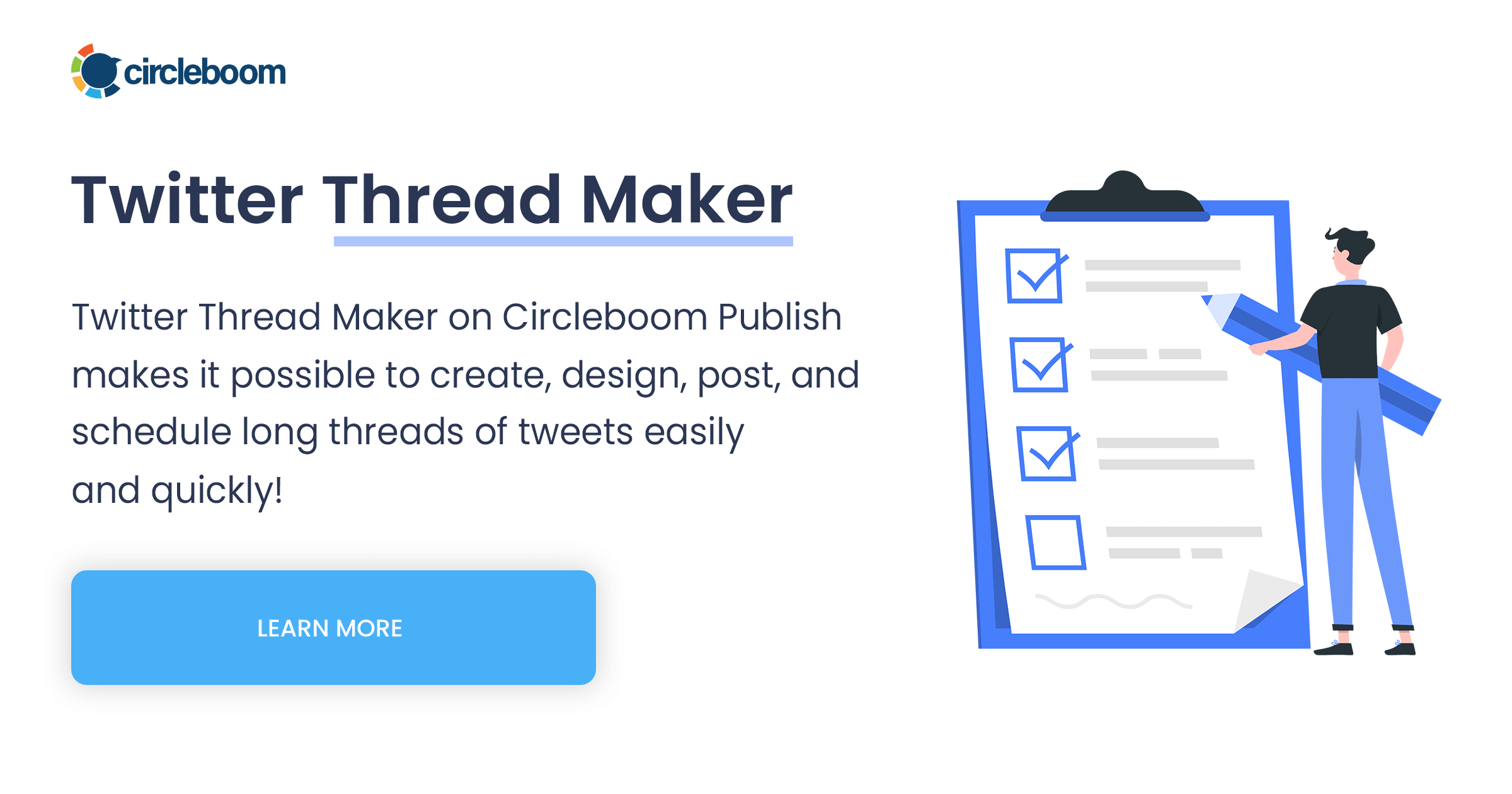
- Navigate to the X Post Planner menu and open AI Writer from the sidebar.
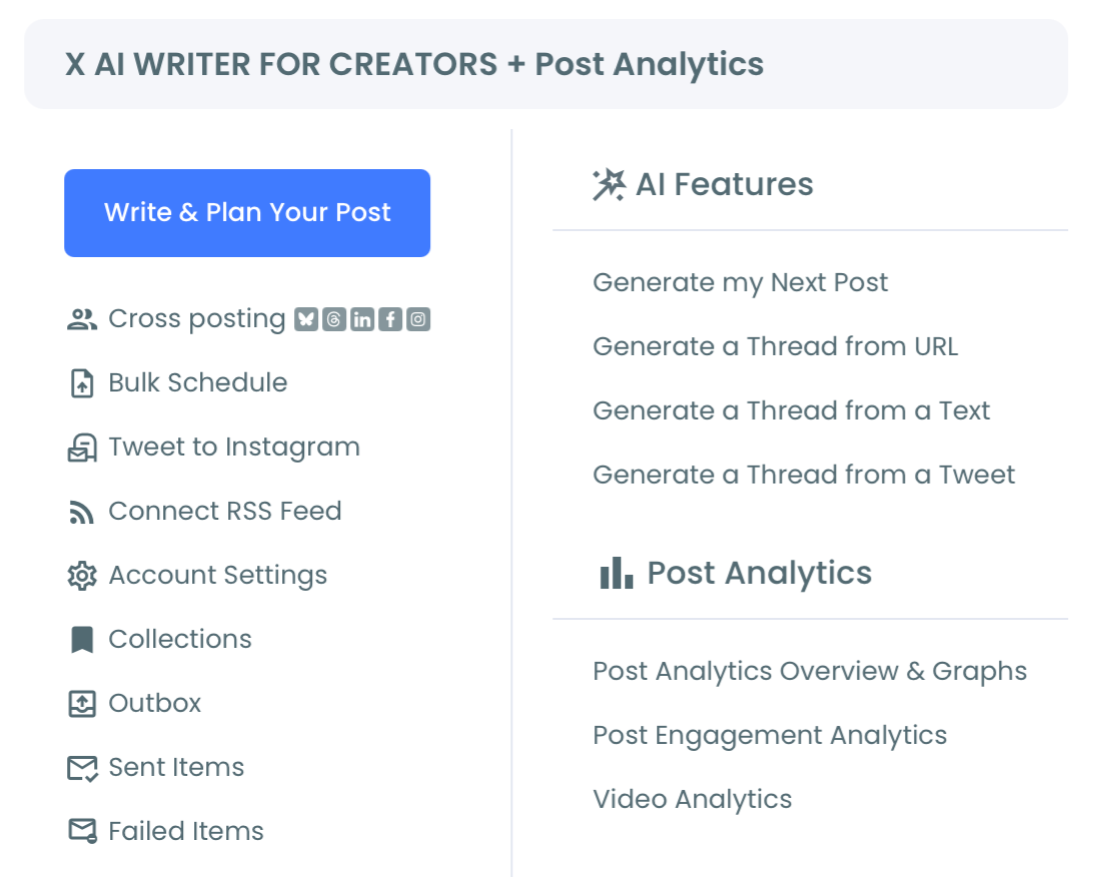
Prompt the thread around one promise
- Describe the thread with its reader, its point and its length, such as "a 6-tweet thread for new founders on the 3 pricing mistakes I would not repeat, opening with a mistake hook."
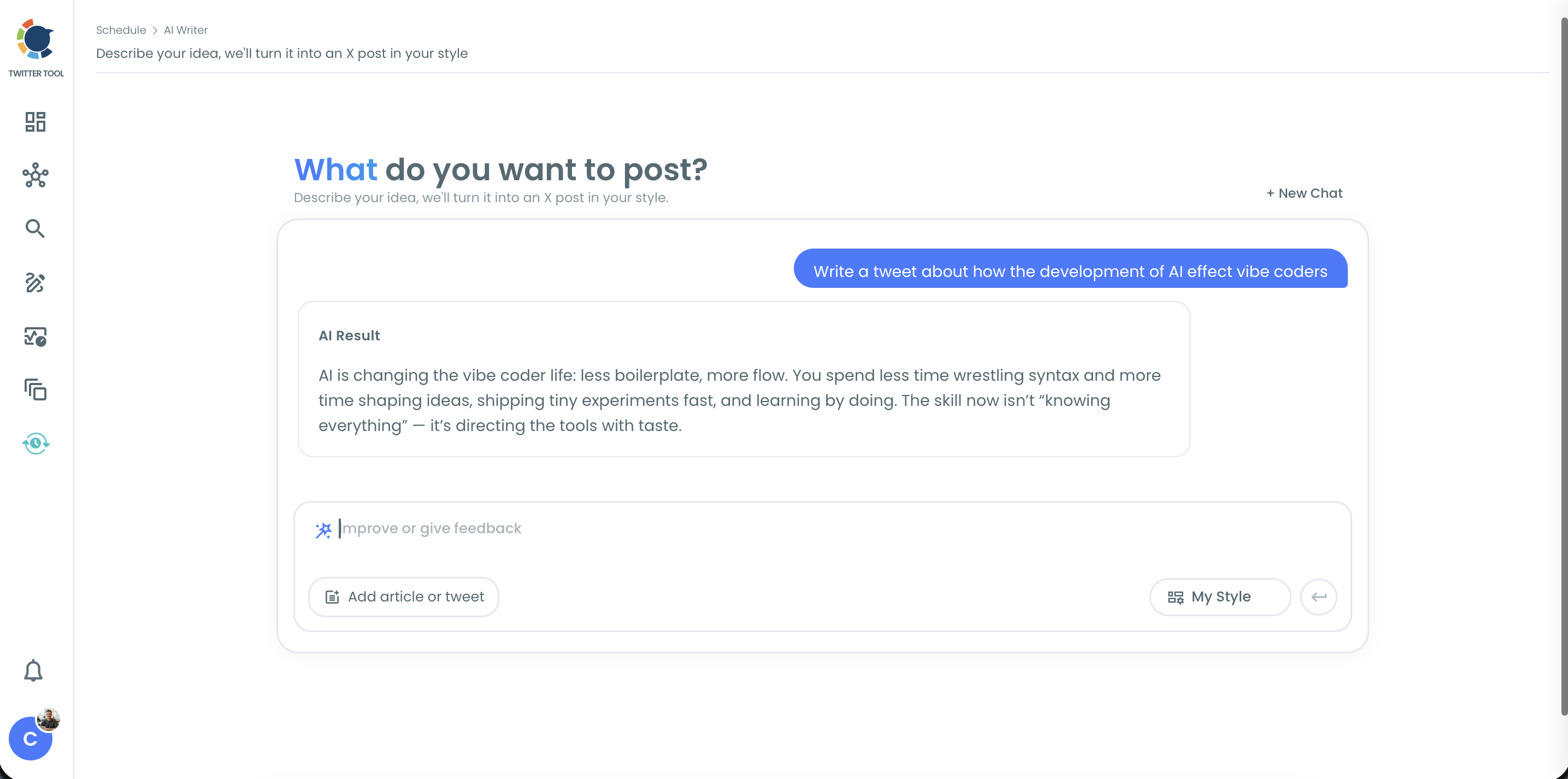
- Select a style from the dropdown, then submit with the arrow button. Use Add article or tweet when the thread should come from a public page or tweet.
Tighten the first tweet and load the thread
- Refine the opener in the feedback box with one instruction at a time, such as "make the first tweet shorter" or "name the topic of the 3 mistakes."
- Click Use Post → to load the thread into the planner, where you can review it and choose Queue Up Next, Post Now or Schedule.
This sequence works because your prompt fixes what the thread owes the reader, so each round of feedback can target the first tweet alone.
At a glance: state the promise, pick the style, refine the first tweet, then load the thread into the planner.
Will an AI-written hook sound like you on X?
Yes, when you use the My Style option and edit the draft yourself.
My Style analyzes your connected account's existing tweets, including tone, vocabulary, punctuation and formatting habits, then writes in that pattern.
Accounts with very few tweets may get less personalized output, since there is less history to learn from. Generated text can also contain errors or an unintended tone, so review every line.
A hook stating a result you never had is still false, however much it sounds like you.
For a quick rewrite inside the composer, the embedded AI Tweet Generator is the shorter path, while AI Writer suits several rounds of refinement.
The case for using an AI tweet generator for social media management covers the wider routine.
How to number X thread tweets after the hook
Number the tweets with Auto Numbering, which you apply inside X Post Planner after clicking Use Post →. It adds sequence labels across the thread and keeps them correct when you add, remove or reorder tweets.
You choose the label's position, at the start or end of each tweet, and its format:
- Plain counters: #1, a circled number, or 1.
- Slash forms: 1/ or /1.
- Total counts: 1/10 or 1 of 10.
The format affects your hook in two ways. A total such as "1/7" shows the commitment up front, which suits the shortcut and lesson promises.
Labels also count toward each tweet's character limit, so "10/10 " takes 6 characters and leaves 274 on a 280-character limit.
If the number crowds your opener, the Skip first tweet setting leaves it unlabeled.
Basic structure questions are covered in this guide to making a thread on Twitter.
The same planner has a Font Styler for setting one phrase apart. This piece on styling your tweets with a Twitter font generator explains how it works.
Once the thread reads right, you can schedule your Twitter thread from the same screen.
Your hook checklist before the thread goes live on Twitter
Run these five checks on any hook from this catalog:
- Name the promise in a few words: lesson, shortcut, different view, or story and proof.
- Find the tweet that delivers it.
- Confirm that every number in the hook matches the thread.
- Read the first tweet alone, with no context, as a stranger would.
- Check that the label still fits and the claim is one you can back up.
A hook that passes all five is ready, whichever of the 12 types you started from.
→ Create Twitter thread openers from your own notes and tweets
Twitter thread hooks FAQ
Can I build a hook from a tweet that already performed?
Yes. Find the tweet in Post Engagement Analytics, add its URL with Add article or tweet in Circleboom's AI Writer, and ask to expand it into a thread.
The tweet must be public, and it needs a real idea to expand, or the thread will read as padded.
What is the tweet limit for a thread on X in Circleboom?
Circleboom accepts up to 25 tweets per thread. You can state the number of tweets in your prompt or let AI Writer choose a suitable length.
Can I post these Twitter thread hook examples as written?
I would not, because they are templates and the details are invented for illustration. Keep the structure and replace every detail with something true about your own work.