
You’ve crafted a tweet you’re proud of — clever wording, the perfect emoji, maybe even a solid hashtag. You hit “post,” and wait for notifications to roll in. But hours pass, and nothing happens. No likes, no retweets, not even a reply.
It’s frustrating, especially when you do have followers. You start wondering, “Did my followers stop caring? Am I shadowbanned?” But don’t worry — the problem usually isn’t you.
Engagement on X (formerly Twitter) depends on a mix of timing, visibility, audience interest, and activity.
Once you understand how these pieces work, you can bring your engagement back to life.
Let’s go over the real reasons your followers might not be interacting — and how to fix each one.
 Arif Akdogan
1. Your Followers Might Not Be Seeing Your Tweets
The number-one reason for low engagement is simple: your followers aren’t actually seeing your tweets.
X’s algorithm no longer shows every post to every follower. It prioritizes tweets that seem relevant, recent, and engaging.
If you post when your audience is offline, your tweet disappears into the timeline before they ever log in.
✅ Fix: Post When Your Followers Are Online
Using a scheduling tool like Circleboom Twitter, an official X Enterprise customer can change everything.
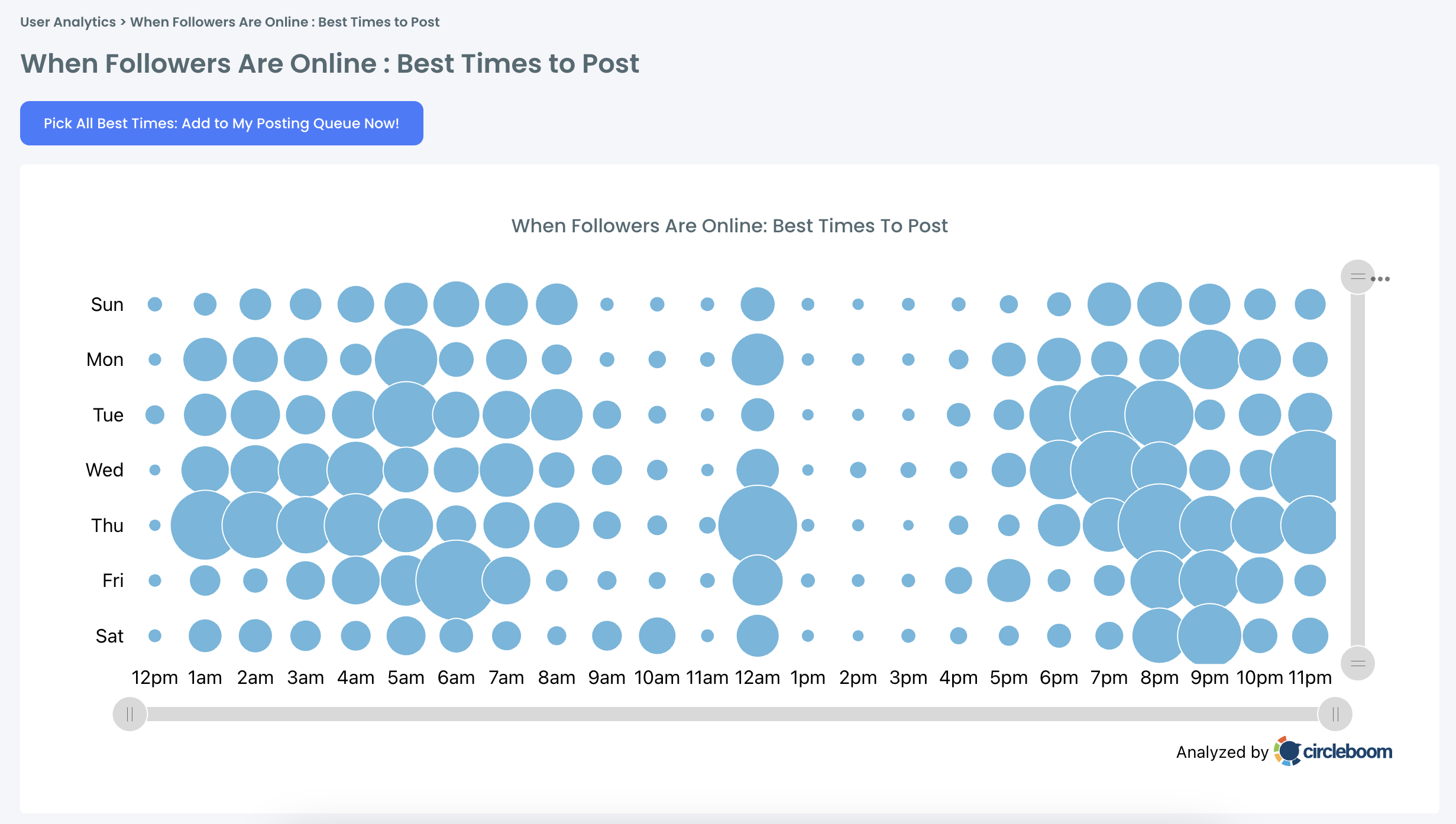
Circleboom analyzes your followers’ activity and shows you exactly when they’re online — their peak engagement hours. You can then schedule your tweets to go live at those times, maximizing visibility and impressions.
Here’s what my results looked like:
💡 Bonus Tip: Keep Tweets Alive With Auto-Retweet
Even if your followers miss your tweet the first time, you can still bring it back to life.
Circleboom’s Auto Retweet feature automatically retweets your own posts after a set time (for example, 12 hours later).
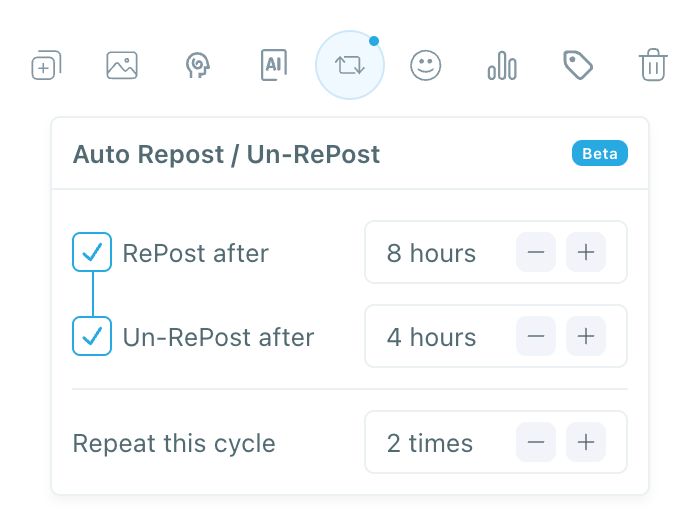
This keeps your tweet active in the algorithm and visible to people who didn’t see it earlier — all without manual reposting.
You can even set recurring auto-retweets for evergreen posts, keeping your content circulating longer.
2. Your Content Might Not Match Their Interests
Sometimes your followers just aren’t connecting with your recent tweets. Maybe you gained followers through marketing tips but have been posting memes or personal updates lately.
When your content drifts away from what people followed you for, engagement naturally drops.
✅ Fix: Discover What Your Followers Actually Like
Circleboom Twitter gives you detailed follower interest insights. It analyzes your audience and shows what topics they care about most — like business, design, tech, film, or crypto.
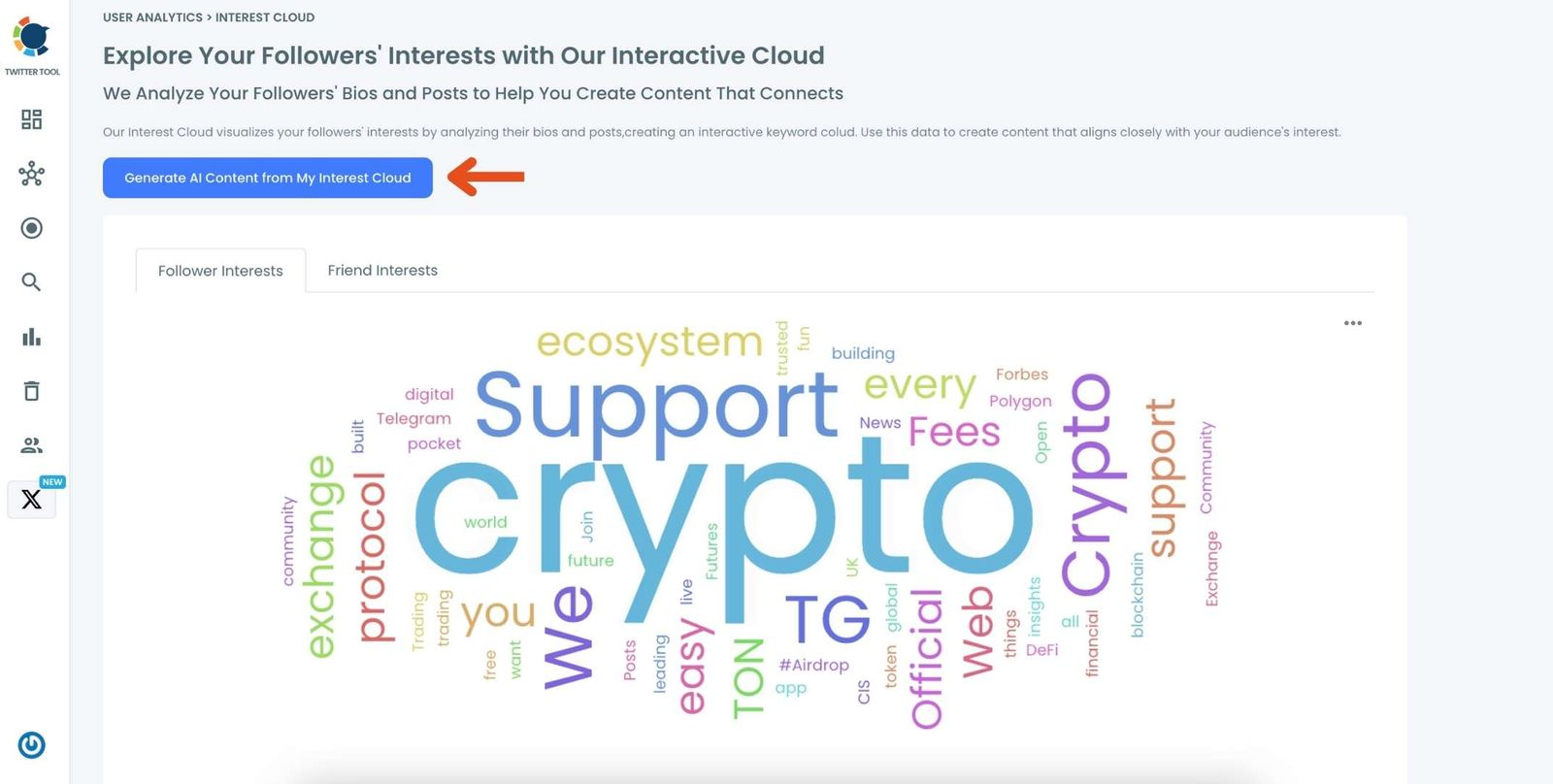
Once you know what they like, you can shape your content around those topics. The more relevant your tweets are to your followers’ interests, the more likely they are to like, retweet, and reply.
3. You Might Have Inactive or Fake Followers
Let’s be honest — not all followers are real or active. Over time, every account collects bots and inactive users. These accounts never engage with your posts, so your engagement rate drops even though your follower count looks high.
✅ Fix: Clean Your Audience
Use Circleboom’s Fake & Inactive Follower Checker to scan your account.
It identifies fake, spam, or inactive profiles instantly.

Then, you can unfollow, remove, or block them safely in bulk.
By keeping your audience authentic, your tweets will start reaching people who actually care — and your engagement will rise naturally.
 Harshita Agrawal
4. You’re Posting Too Often or Too Little
Posting frequency affects visibility more than most people realize.
If you tweet too much, you overwhelm your audience and they tune out.
If you tweet too rarely, they forget who you are.
✅ Fix: Create a Consistent Posting Schedule
With Circleboom’s Scheduler, you can plan all your tweets ahead — days, weeks, or even months in advance.
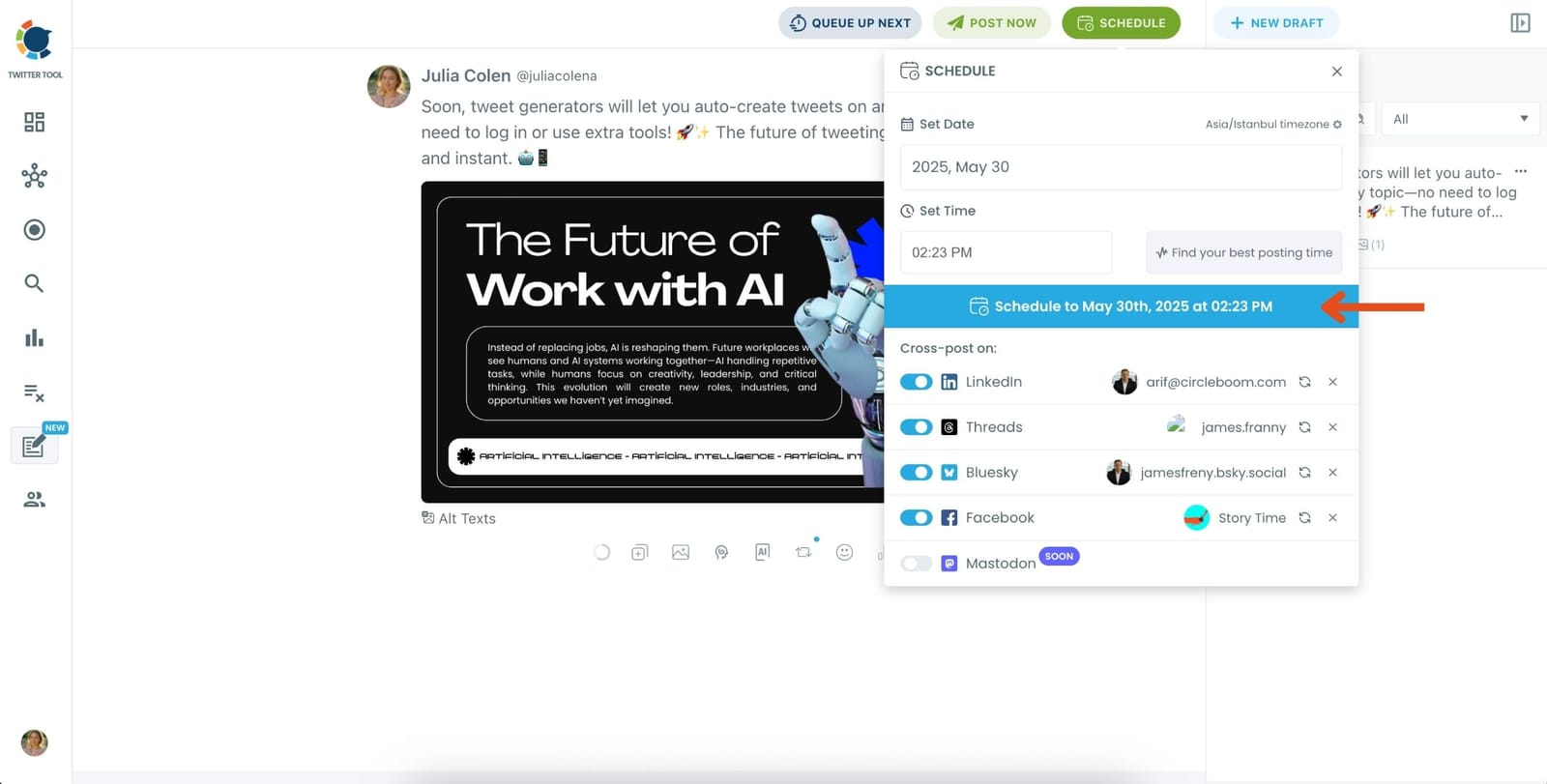
Combine this with Auto Retweet, and you’ll maintain a consistent presence without overwhelming your followers.
Your timeline stays active, balanced, and algorithm-friendly.
5. You’re Not Engaging With Others
Engagement is a two-way street. If you never interact with your followers or peers, they’ll be less likely to engage with you.
The X algorithm rewards users who interact — liking, replying, and retweeting other people’s posts boosts your visibility too.
✅ Fix: Be Part of the Conversation
Spend a few minutes every day replying to comments, quote-tweeting relevant content, or sharing posts from your niche.
You can use Circleboom’s Search Tools to find active accounts in your area of interest, making engagement faster and more targeted.
When you start interacting, your name shows up more in notifications — and engagement will come back your way.
6. Your Tweet Format Might Be Hurting You
Sometimes it’s not what you say, but how you say it.
- Long, text-heavy tweets are easy to skip.
- Tweets with external links can reduce reach.
- Visual content (images, GIFs, polls) gets much higher engagement.
✅ Fix: Test and Track What Works
Use Circleboom’s Post Analytics to find out which tweets got the most engagement — short, long, visual, or threads.
Once you identify your top-performing formats, you can double down on what your audience likes best.
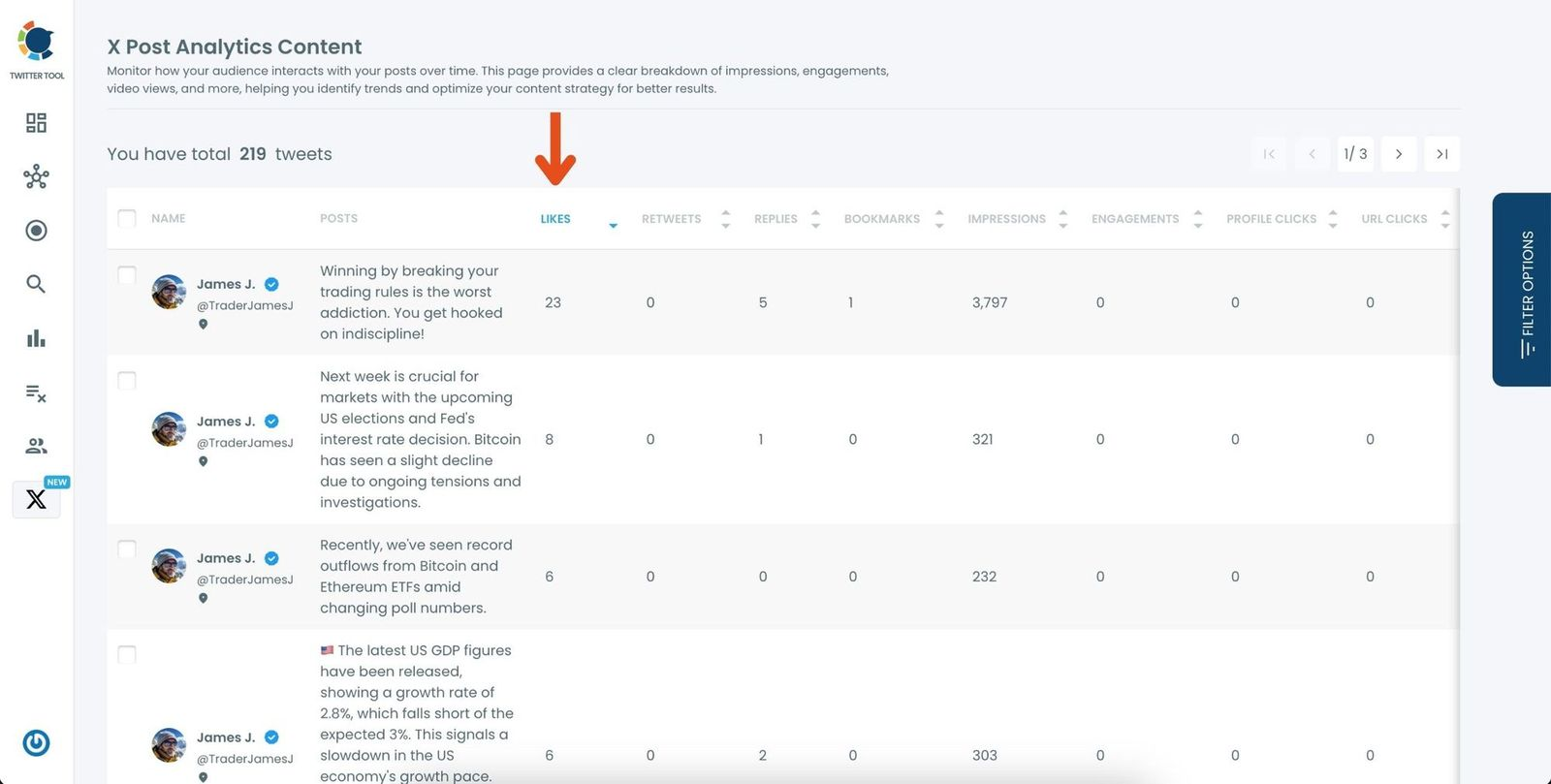
And don’t forget — Circleboom also integrates with Canva and Unsplash, so you can easily add visuals while scheduling tweets.
 Arif Akdogan
7. You’re Ignoring the Algorithm’s Behavior
The X algorithm loves consistency, activity, and relevance.
If you go inactive for long periods or post about random, unconnected topics, your visibility will drop fast.
✅ Fix: Stay Consistent With AI + Automation
Use Circleboom’s AI Tweet Generator to create engaging, on-topic tweets effortlessly.
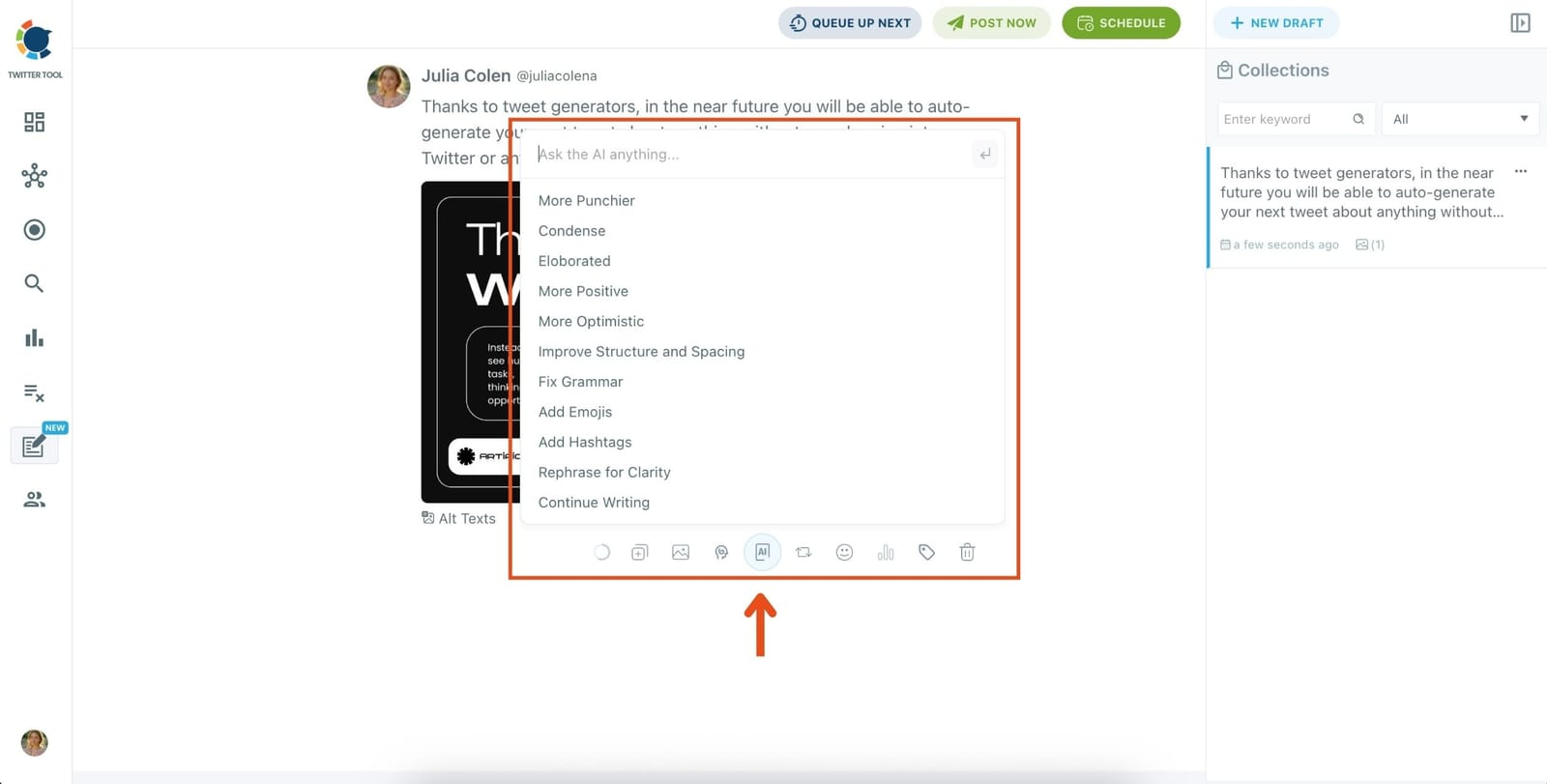
You can generate content ideas, drafts, or complete posts — then schedule them at the best times using Circleboom’s analytics.
When paired with Auto Retweet, your profile will stay active and visible — even when you’re offline.
Tips to Boost Engagement Long-Term
Here are some practical strategies to build and maintain a highly engaged audience:
- Post when followers are online: Use Circleboom’s “best time to post” analytics.
- Keep tweets alive: Use Auto Retweet to recycle important posts.
- Use visuals and polls: Eye-catching tweets perform better.
- Clean fake followers: Remove inactive profiles monthly.
- Engage daily: Reply, retweet, and interact with your community.
- Track performance: Use Post Analytics to learn what works best.
The key is consistency — being visible, relevant, and approachable every day.
Final Thoughts
If your followers aren’t liking or retweeting your tweets, it doesn’t mean your content is bad.
It usually means it’s not being seen, timed, or aligned correctly.
Every account goes through quiet phases — what matters is how you adjust.
Once you start managing your timing, audience, and visibility the smart way, engagement returns naturally.
👉 Start using Circleboom Twitter today to understand your followers better, post smarter, and turn silence into meaningful engagement.