Yes, and sometimes it's exactly the right move.
A troll account sends a wave of harassment your way. A spam network keeps hitting your replies. A bot army from a specific account floods your mentions after you post something that gets traction. The source is clear. The followers of that account are the problem, and blocking the one account at the center doesn't stop the rest of them.
Twitter gives you no way to handle this at scale. You can block accounts individually, one profile at a time. That's the full extent of what the platform offers.
With Circleboom Twitter's Mass Block feature, you enter any public username, retrieve their complete follower list, and block everyone on it in one automated action. What Twitter makes impossible to do efficiently, Circleboom makes a single workflow.
Can you block all followers of a specific account on Twitter?
Not through Twitter's native tools. Twitter only supports blocking accounts one at a time.
With Circleboom Twitter, you can enter any public username, pull up their full follower list, apply filters if needed, and block all selected accounts in bulk using the Twitter (X) Mass Blocker Chrome extension automatically.


What Is Circleboom Twitter?
Circleboom is an Official X Enterprise Developer that works directly with X's official APIs. All follower data retrieved is publicly available. Private accounts cannot be accessed.

- Retrieve the complete follower list of any public X account
- Filter results by fake or bot signals, account age, and activity level before blocking
- Block all selected accounts in bulk automatically via the Twitter (X) Mass Blocker Chrome extension
- Manage and review your full block list from the Accounts I've Blocked dashboard
How to Block All Followers of a Specific Account on Twitter with Circleboom Twitter
Step #1: Go to your Circleboom Twitter dashboard.
If you don’t have an account yet, create one — it takes only a minute.

Step #2: On the left-hand menu, scroll down and click on “Mass Block X
Accounts” under the Essential Toolbox section.

Step #3: You’ll be directed to the Account Search module.
Here, you’ll see two options:
- “Display Followers” → to block the followers of a specific Twitter account.
- “Display Following” → to block the accounts that a specific user follows.
Choose one based on your preference.
Enter the Twitter username of the account whose followers or followings you want to block.
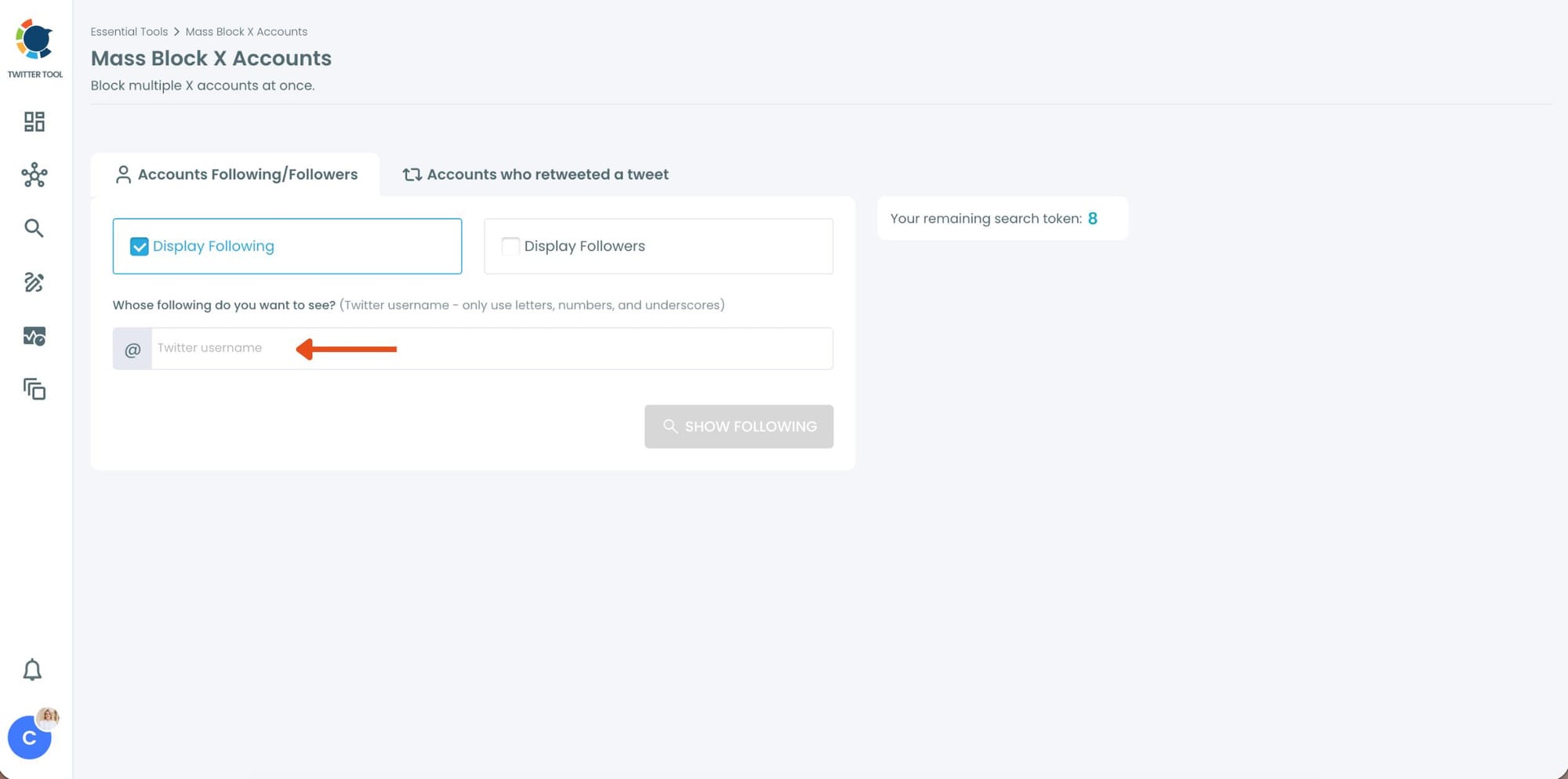
Step #4: Circleboom will instantly list all the followers or followings of that account.
You can browse through the list, review profiles, or directly select all accounts to block them.
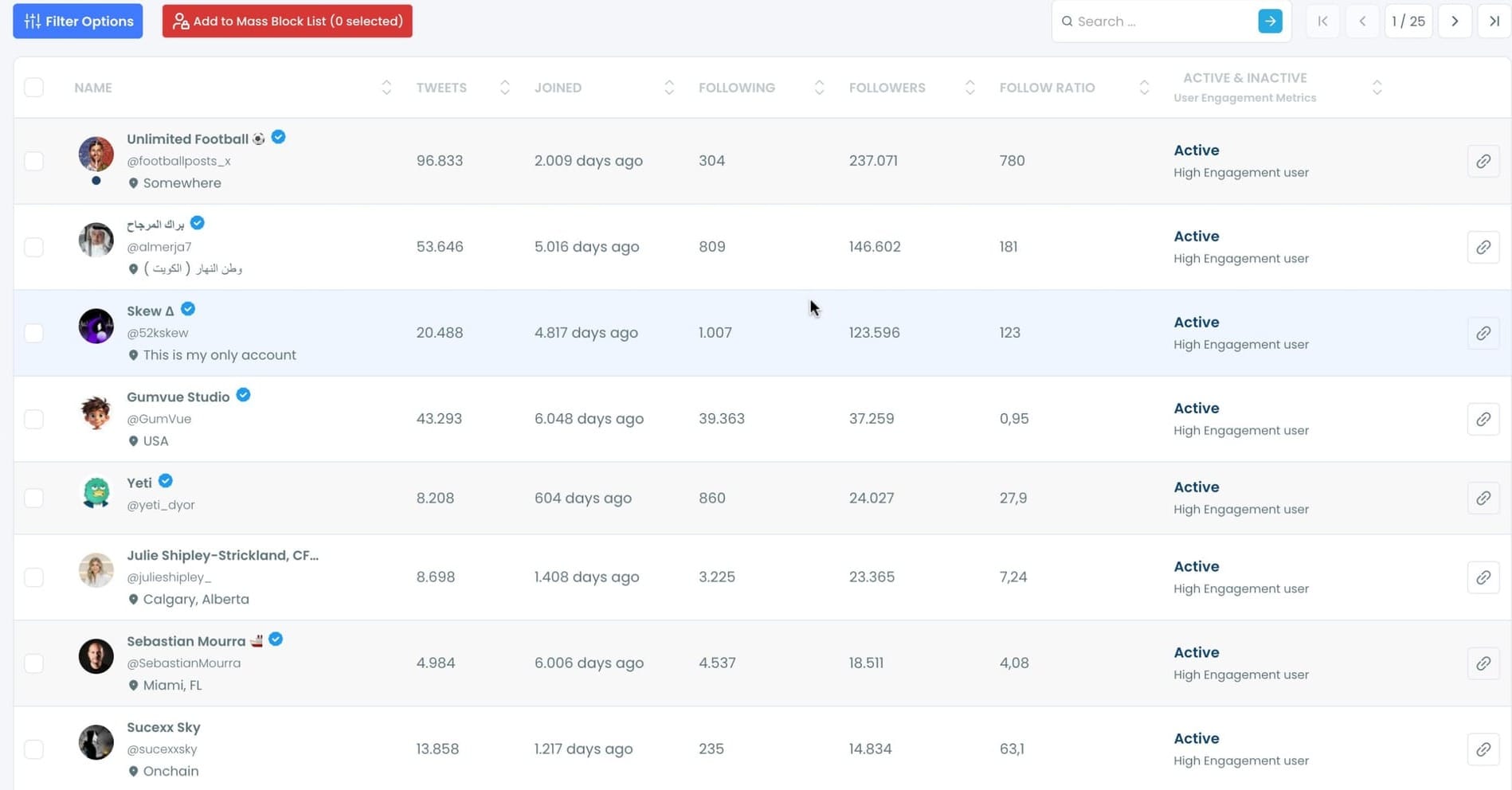
Step #5: Once you’ve made your selection, click on “Add to Mass Block List.”
A pop-up will appear asking you to download Circleboom’s Twitter Mass Block Extension if you haven’t already.

If you already have it, simply confirm by clicking “Add to Mass Block List.”
Step #6:You’ll be redirected to the Chrome Web Store.
Click “Add to Chrome” to install the extension.
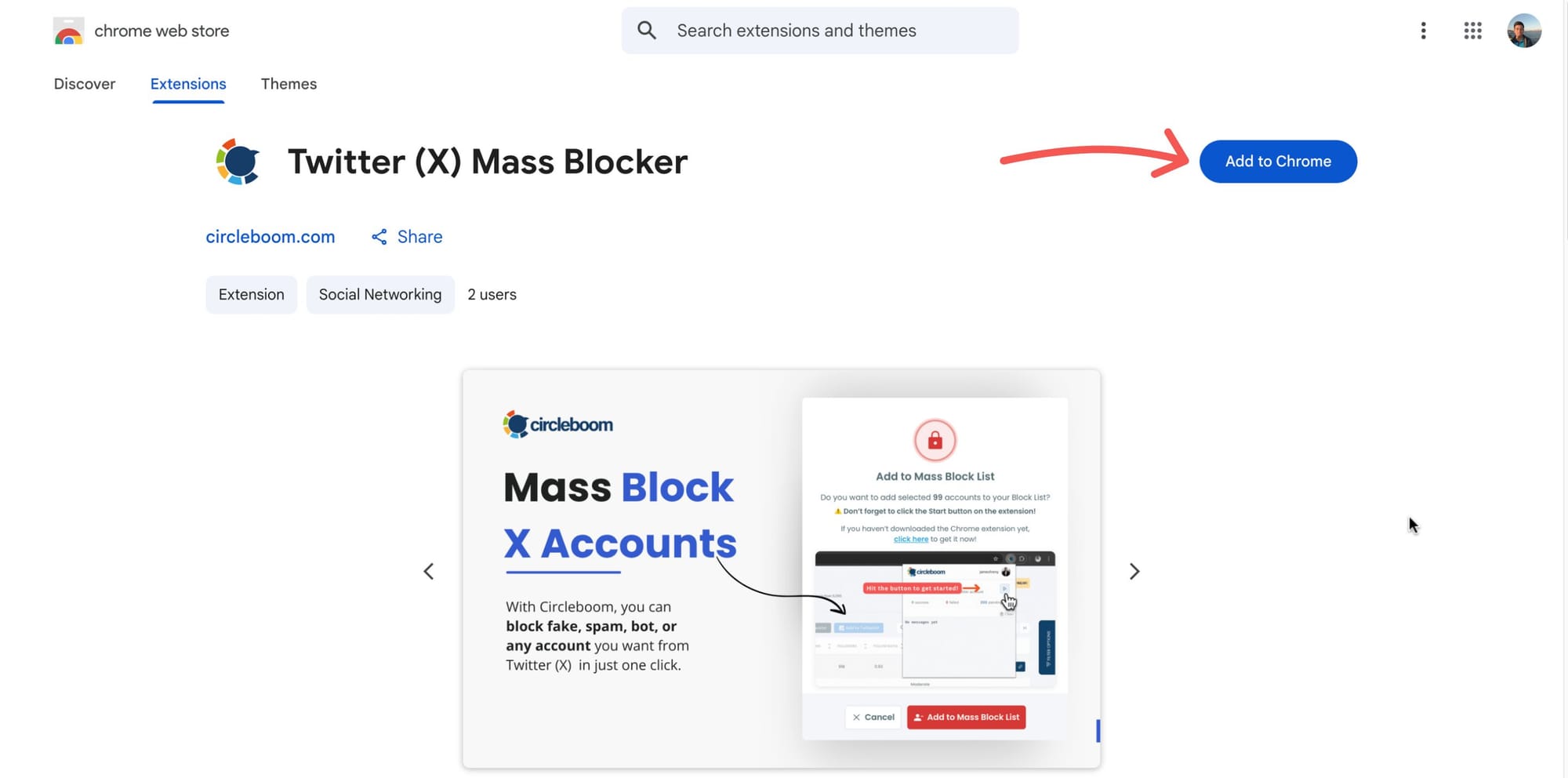
After that, you can start mass blocking, and the process will continue automatically.
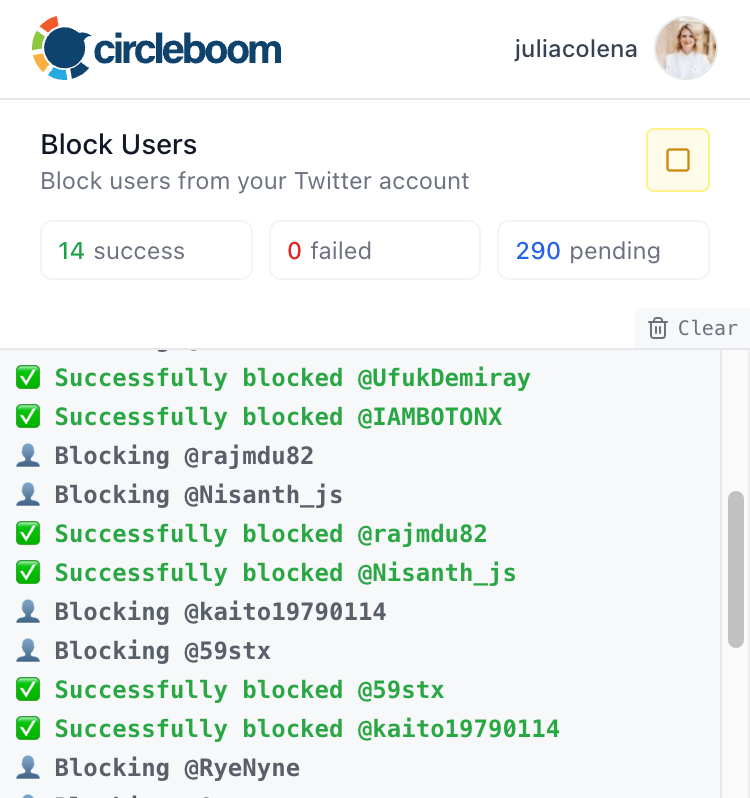
Now you can mass block the followers or followings of any Twitter/X account safely, easily, and in seconds, all with Circleboom Twitter.
If you need a more detailed guide, you can watch the video on how to mass-block accounts on X:
Why You'd Want to Block an Entire Follower List
Coordinated harassment or troll networks. When harassment comes in waves from multiple accounts, those accounts are usually connected. They follow the same source, operate from the same network, and show up together. Blocking the follower list of the account at the center stops the pattern, not just the individual incident.
Spam bot clusters. Bot networks frequently follow each other. If one spam account is hitting your content, the accounts following it are often the same type. Pulling their follower list and blocking in bulk removes the cluster rather than playing whack-a-mole with individual accounts.
Proactive protection before a problem starts. If you know a specific account consistently sends low-quality or hostile traffic your way, blocking their followers before they interact with you is a legitimate moderation strategy. You're not reacting. You're deciding in advance who gets access to your content.
Competitor bot audiences. If a competitor has built their follower count with fake or bot accounts and those accounts are starting to appear in your mentions or follower list, removing them preemptively keeps your engagement metrics clean and your interactions genuine.
How I Cleaned Out a Scammer Network in One Go
A while back I noticed a wave of accounts hitting my replies, all promoting the same crypto scheme. Different usernames, different profile pictures, but the same bio structure and the same links. They weren't random. They were all following the same source account.
Arif Akdogan
I went into Circleboom Twitter, pulled up that account's follower list, and what I saw made it obvious. Hundreds of accounts, most of them created within the same two-week window, no profile images, following thousands of accounts with almost no followers of their own. Classic bot cluster.
I applied the fake and bot filter and the egghead filter to narrow it down to the clearest cases, selected the batch, and ran the mass block. The Chrome extension handled the rest sequentially while I moved on. By the time I checked back, they were gone.
The whole process took a few minutes. Doing it manually would have taken hours and I still would have missed half of them.
⚠️ Review the list before running the block action. The Mass Block feature requires the Circleboom Chrome extension installed on a desktop browser, and blocking executes sequentially rather than all at once. Large lists take time to process.
Frequently Asked Questions
Can you block all followers of an account on Twitter?
Not natively. Twitter has no built-in tool for this. Circleboom Twitter retrieves the full follower list of any public account and lets you block all selected accounts in bulk through the Mass Blocker Chrome extension.
Does the account owner know I blocked their followers?
No. The account whose follower list you pulled has no visibility into your blocking actions. Individual blocked accounts may notice they can no longer view your profile if they try, but no notification is sent to anyone.
Does this work on private accounts?
No. Private accounts have protected follower lists that are not accessible through X's public API. Circleboom Twitter can only retrieve and act on follower lists from public accounts.
Can I unblock them later?
Yes. Every account you block through Circleboom Twitter appears in the Accounts I've Blocked dashboard. You can unblock accounts individually or in bulk from there at any time.
How long does mass blocking take?
It depends on the size of the list. Blocking executes sequentially through the Chrome extension to stay within X's usage limits. Smaller lists process quickly. Larger lists take longer and may pause if the platform detects unusually high activity.
Final Thoughts
When the problem isn't one account but everyone following it, blocking one at a time isn't a solution. Circleboom Twitter pulls the full follower list of any public account and blocks everyone on it in a single workflow.
Block all followers of a specific account on Twitter with Circleboom Twitter's Mass Block feature.
infocircleboom.com