
When you’re managing social media alone, almost any scheduling tool feels “good enough.”
But the moment you bring a team into the picture, everything changes.
I learned this while managing 10 social media accounts with a 5-person team. Everyone needed real access: writing drafts, editing captions, scheduling posts, reviewing content, and sometimes publishing directly. Sharing passwords was never an option, and view-only access wasn’t enough either.
That’s when I realized something important:
User seat limits — not features — are what really determine the cost of a social media tool.
So instead of comparing dashboards or AI features, I focused on one very practical question:
What actually happens to the price when you add users?
Below is the result of trying, switching, and realistically testing every major tool in this exact scenario.
The Exact Scenario I Tested
To make the comparison realistic and fair, I used the same setup for every tool:
- 10 social media accounts
- 5 users (all with editing and publishing access)
- Monthly billing
- No enterprise or custom plans
This is a very common setup for startups, small marketing teams, or content-focused businesses — and it’s exactly where pricing models start to break.
Final Cost Overview
| Tool | Monthly Cost (10 accounts + 5 users) |
|---|---|
| Circleboom Publish | $58 |
| SocialPilot | $85 |
| Zoho Social | $88 |
| Buffer | $120 |
| Hootsuite | $155 |
Now let’s go tool by tool — not just numbers, but how they actually felt to use.
1. Circleboom Publish — $58 Total (Most Balanced, Flexible, and Team-Friendly Option)
Base plan: $34
User add-on for 4 more users: $24
Total: $58/month for 10 accounts and 5 users

Circleboom Publish is the tool I spent the most time with, and it’s also the one we kept using after the comparison. Not because it had the longest feature list, but because it solved the daily problems that actually slow teams down — pricing anxiety, platform limits, and collaboration friction.
Pricing logic that doesn’t punish growth
The first thing that stood out is simple but incredibly important:
Circleboom does not charge per social media platform.
With most tools, every additional account feels like a decision:
“Do we really need to add this platform? It’s going to increase the bill.”
With Circleboom, that thought disappears. Once you’re on a team-capable plan, you can connect all your platforms — Instagram, LinkedIn, Facebook, X/Twitter, Pinterest, Google Business, Bluesky, Threads, TikTok, YouTube — without watching the price creep up.
That alone made it easier to plan content more freely instead of constantly optimizing for cost.
Team collaboration features (how they actually worked)
Circleboom’s team features feel intentionally simple — and that’s a good thing.
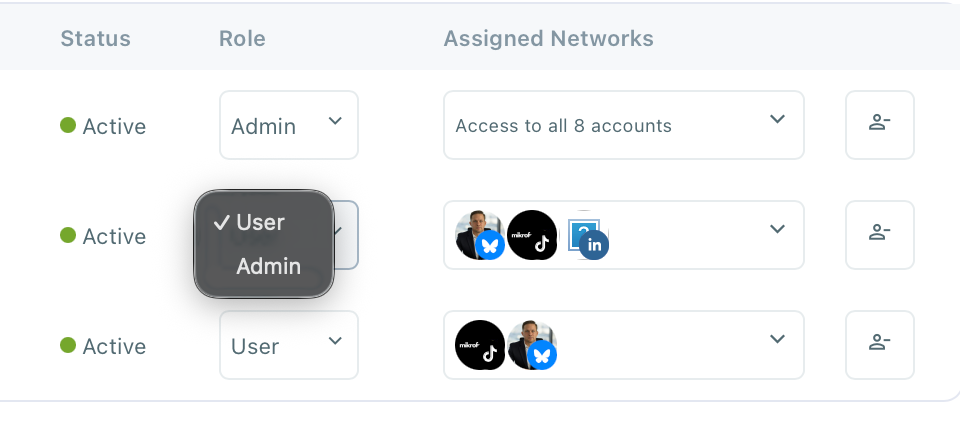
- Multiple user access
Every team member gets their own login. No shared passwords, no awkward permission hacks. - Roles & permissions
You can decide who can draft, who can schedule, and who can publish. This mattered a lot when onboarding new teammates or freelancers. - Shared content calendar
This became the central workspace. Everyone could see what was scheduled, what was still in draft, and what was coming next — across all platforms in one view.
 infocircleboom.com
What I liked here is that collaboration felt natural, rather than forced. There wasn’t a heavy “approval bureaucracy,” but there was still enough control to avoid mistakes.
Scheduling & cross-posting (huge time saver)
Scheduling in Circleboom is straightforward but powerful.
- You can schedule posts for all platforms from a single composer
- Cross-posting works cleanly without duplicating effort
- Platform-specific tweaks are easy when needed
- You’re not pushed into separate workflows for each network
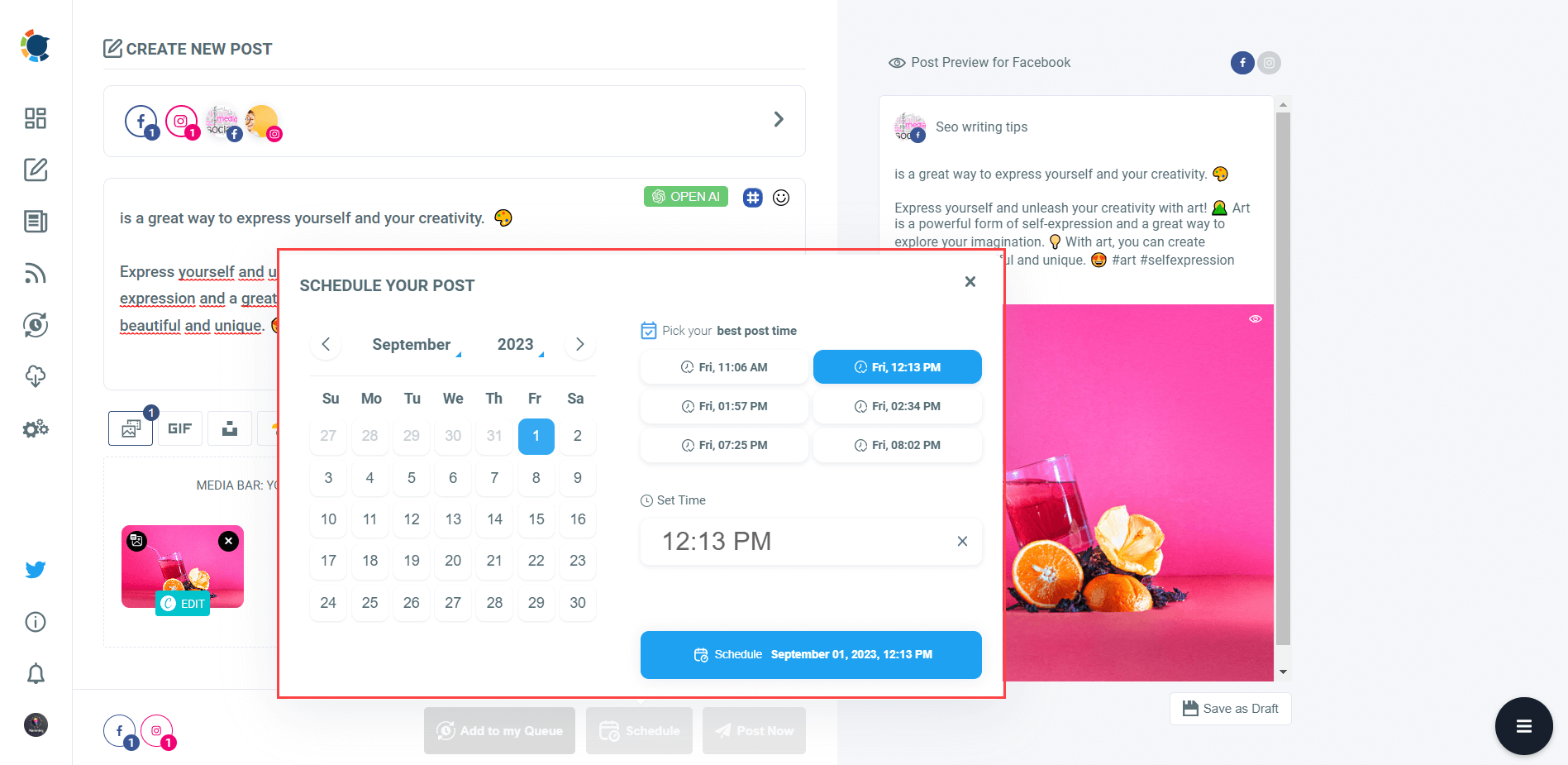
For a team managing 10 accounts, this saved hours every week. We didn’t need separate tools or spreadsheets to track what was going live where.
Best-time-to-post suggestions (actually useful)
Many tools advertise “best time to post,” but Circleboom’s implementation was one of the few that actually influenced our planning.
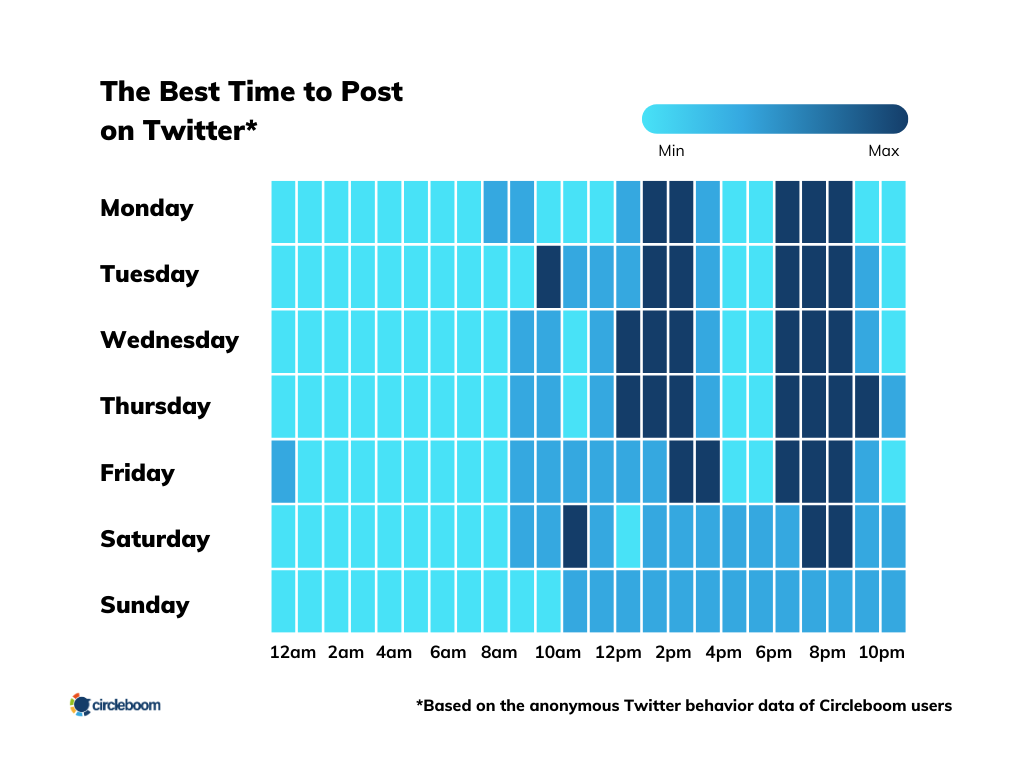
Instead of guessing or relying on generic advice, the suggestions helped us:
- Align posting times across platforms
- Avoid scheduling conflicts between teammates
- Make smarter decisions without overanalyzing data
It wasn’t magic — but it was practical and reliable.
Built-in AI content tools (no extra cost)
One feature I didn’t expect to use much — but ended up using often — was the built-in AI content generator.
- Useful for rewriting captions
- Helpful when adapting posts between platforms
- Great for brainstorming when the calendar felt empty
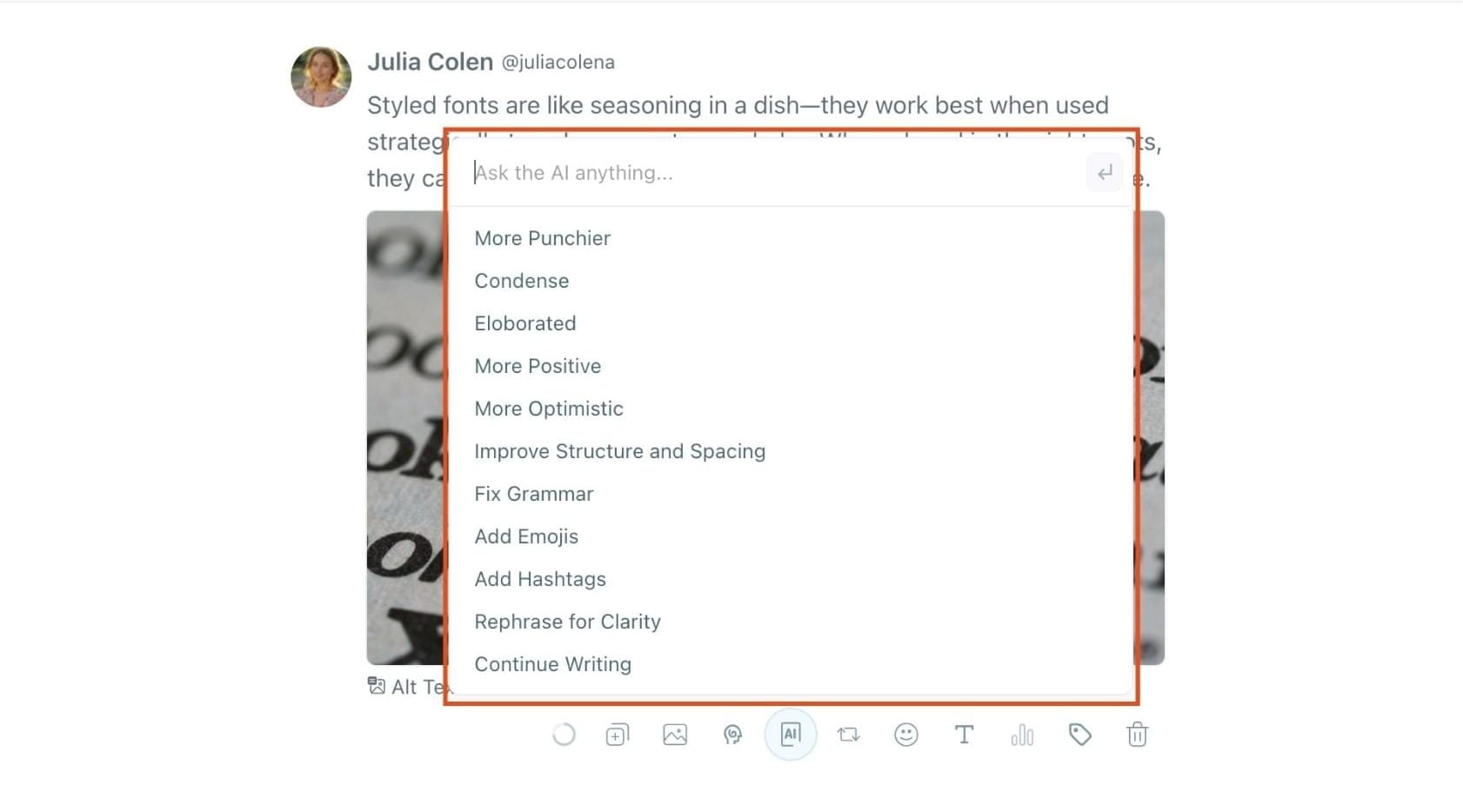
The key point: it’s included, not locked behind an expensive upgrade. For a team that produces a lot of content, this quietly adds real value.
Stability & ease of onboarding
Another underrated aspect: onboarding new teammates was painless.
- The interface is intuitive
- No long training sessions needed
- New users understood the calendar quickly
- Fewer “How do I do this?” messages
That matters when your team changes or grows.
Final verdict on Circleboom Publish
After trying every tool in this comparison, Circleboom Publish felt like it was designed for real teams with real budgets.
It doesn’t:
- Penalize you for adding platforms
- Force upgrade the plan just to add teammates
- Complicate collaboration with unnecessary layers
Instead, it focuses on:
- Predictable pricing
- Smooth team workflows
- Cross-platform efficiency
✅ For 10 social accounts and 5 users, it delivered the best balance of cost, usability, and collaboration — which is why it ended up being the tool we stuck with.
2. SocialPilot — $85 Total (Functional, Not Flexible)
Total: $85/month

SocialPilot was the first tool where I thought: “This works, but it’s not built around how teams grow.”
What worked well
- It supports many social accounts
- Team seats are available on higher plans
- Good for agency-style workflows
- Reliable scheduling and bulk posting
Where friction appeared
- I had to upgrade plans just to unlock enough user seats
- Pricing jumps in steps instead of scaling smoothly
- Adding or removing users felt like a billing decision, not a workflow decision
- UI is more utilitarian than collaborative
My honest takeaway
SocialPilot works if you know your team size won’t change often.
But if you’re growing, experimenting, or onboarding new people, the pricing structure feels rigid.
It does the job — it just doesn’t adapt gracefully.
3. Zoho Social — $88 Total (Structured but Costly for Seats)
Base plan: $40
User add-ons: $48
Total: $88/month
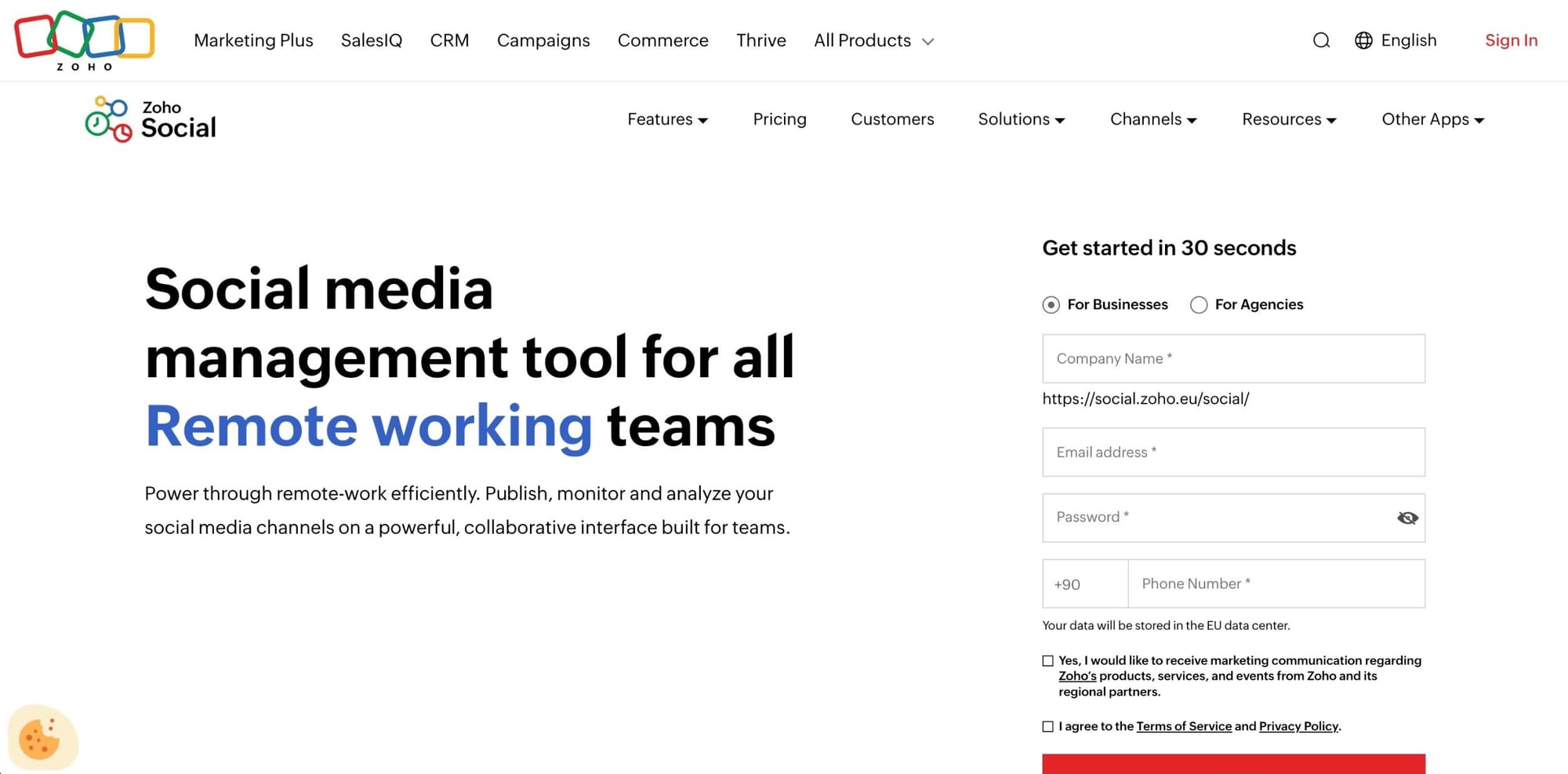
Zoho Social felt the most “corporate” of the mid-range tools.
What I appreciated
- Very clear roles and permissions
- Strong approval workflows
- Well-organized dashboards
- Analytics are better than most tools in this price range
What caused problems
- The base plan simply doesn’t support a 5-person team
- Every extra user increases cost noticeably
- Pricing feels fragmented as the team grows
- You’re constantly aware of seat limits
My honest takeaway
Zoho Social is great for teams that value structure and approvals.
But in this scenario, I constantly felt like I was paying just to let people log in.
It ended up costing significantly more than Circleboom without making collaboration easier.
4. Buffer — $120 Total (Unlimited Users, Platform Penalty)
Total: $120/month
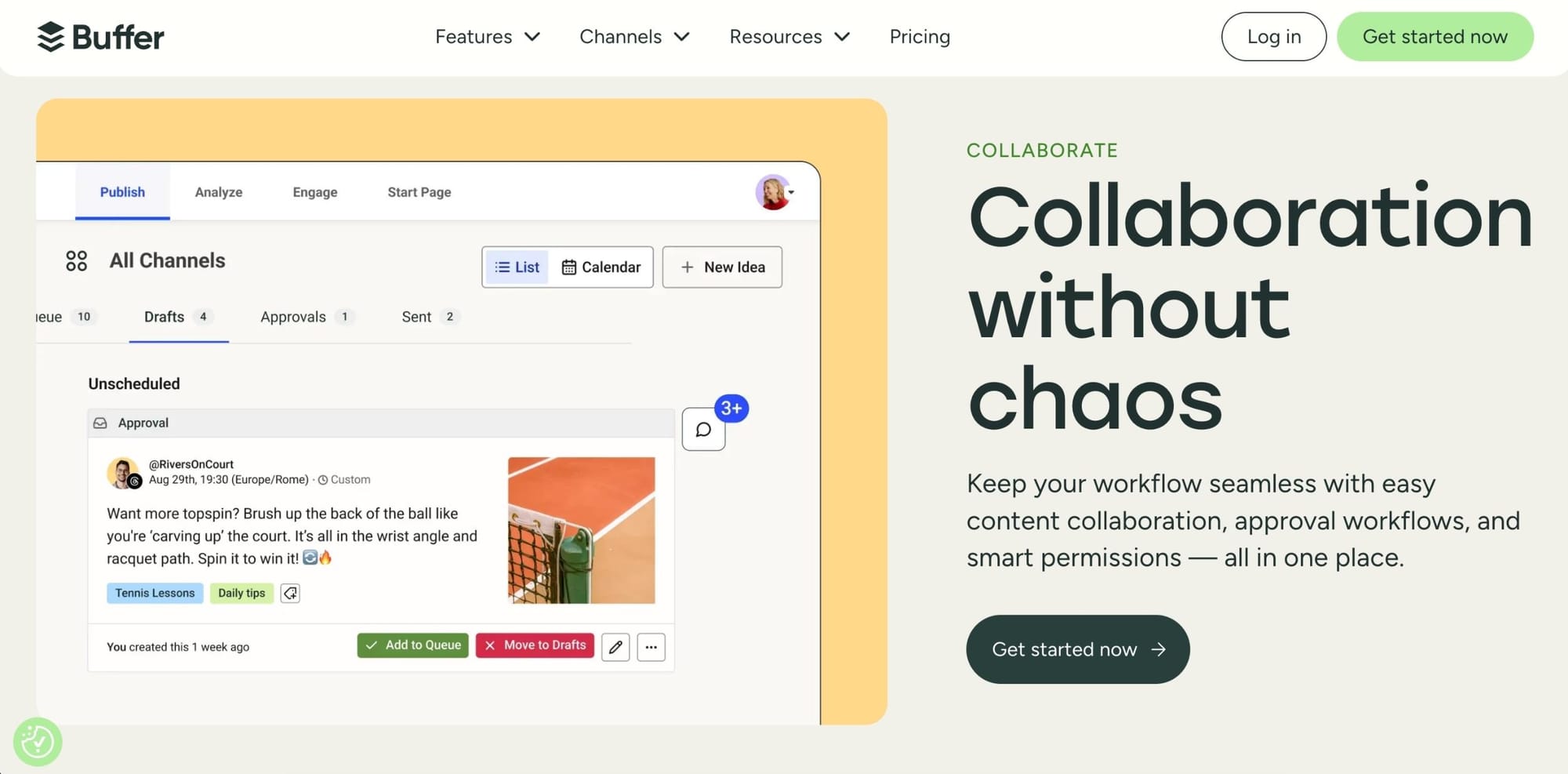
Buffer was the easiest tool to onboard people onto — no question.
What Buffer does extremely well
- Unlimited user seats on the Team plan
- Cleanest UI of all the tools I tested
- Very intuitive approval and draft workflows
- Almost zero learning curve for new teammates
The hidden downside
Buffer charges per social account, not per team.
In this scenario:
- 10 accounts = 10 paid channels
- User seats are free, but platforms are expensive
How this felt in practice
- Adding a new platform felt like a financial decision
- Cross-posting to more networks increased cost anxiety
- The price more than doubled compared to Circleboom
My honest takeaway
Buffer is fantastic if you manage a few platforms with many people.
But once you reach 10 accounts, the pricing model becomes hard to defend — even with unlimited users.
5. Hootsuite — $155 Total (Enterprise DNA, Enterprise Pricing)
Base plan: $100
User add-ons: $55
Total: $155/month

Hootsuite is powerful, mature, and very capable.
But it’s clearly not built for small teams anymore.
What impressed me
- Deep analytics and reporting
- Strong monitoring and inbox tools
- Trusted, stable platform
Why it failed this scenario
- User seats are expensive
- Pricing escalates fast
- Overkill for a 5-person team
- Almost 3× the cost of Circleboom
My honest takeaway
Hootsuite makes sense when cost is not a concern.
For this setup, it felt like paying enterprise prices for features we didn’t truly need.
Same Setup, Very Different Experiences
For 10 social accounts and 5 users:
- Circleboom Publish: $58
- SocialPilot: $85
- Zoho Social: $88
- Buffer: $120
- Hootsuite: $155
The gap here isn’t about features — it’s about how each tool treats growth.
Final Analysis: User Seats Are the Silent Cost Killer
After trying all of these tools, one thing became clear:
Tools don’t become expensive because of features.
They become expensive because of how they charge for users and platforms.
Some charge per user.
Some charge per platform.
Some charge for both.
Final Verdict
For this exact scenario, Circleboom Publish is the most affordable, flexible, and team-friendly option — not because it’s cheap, but because it doesn’t punish normal growth.

Adding users feels natural.
Adding platforms feels safe.
And pricing stays predictable.
That matters more than any feature checklist.