

"I can barely even see all of my own followers. Can you even see someone's Twitter followers?"
YES!
"So you're telling me that you can also export someone else's Twitter followers?"
YES!
As a Circleboom team member, this was a conversation I was in the other day. And yeah, you guessed right. Circleboom not only lets you see but also export someone else's Twitter followers with the help of its search and Twitter account export features.
Keep on reading to see more about that. Or skip reading and just become a Circleboomer by clicking the button below to experience it yourself.
Get started without a paid subscription: Quick and easy export
How to export someone else's Twitter followers
Without a paid subscription: > Quick and easy export
For Paid Subscirber > Folow below instructuon.
Step #1: After logging into Circleboom Twitter and connecting your Twitter handle with the platform, navigate to the left menu.
From there, choose "Account search" under the "Search" tab.
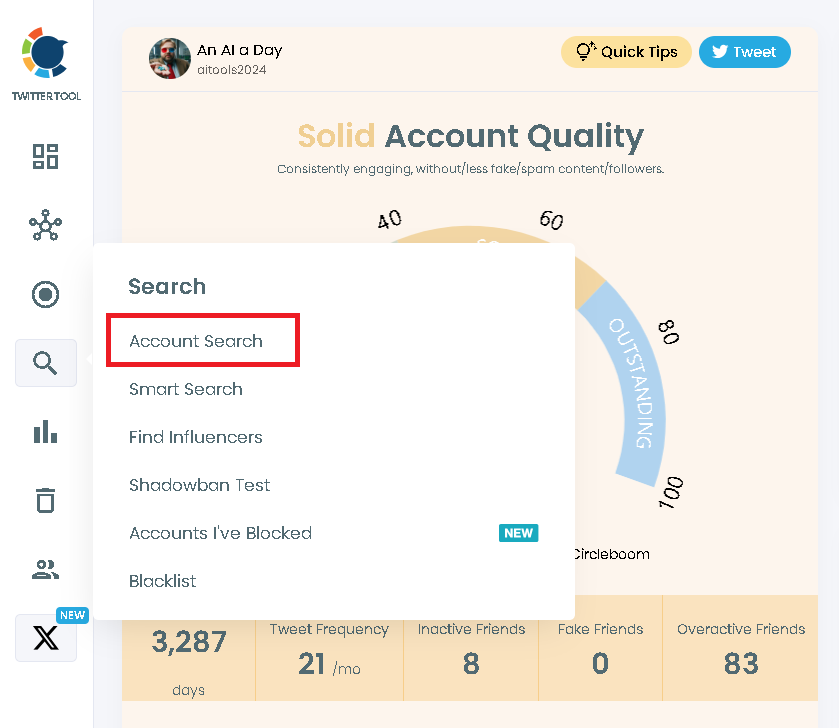
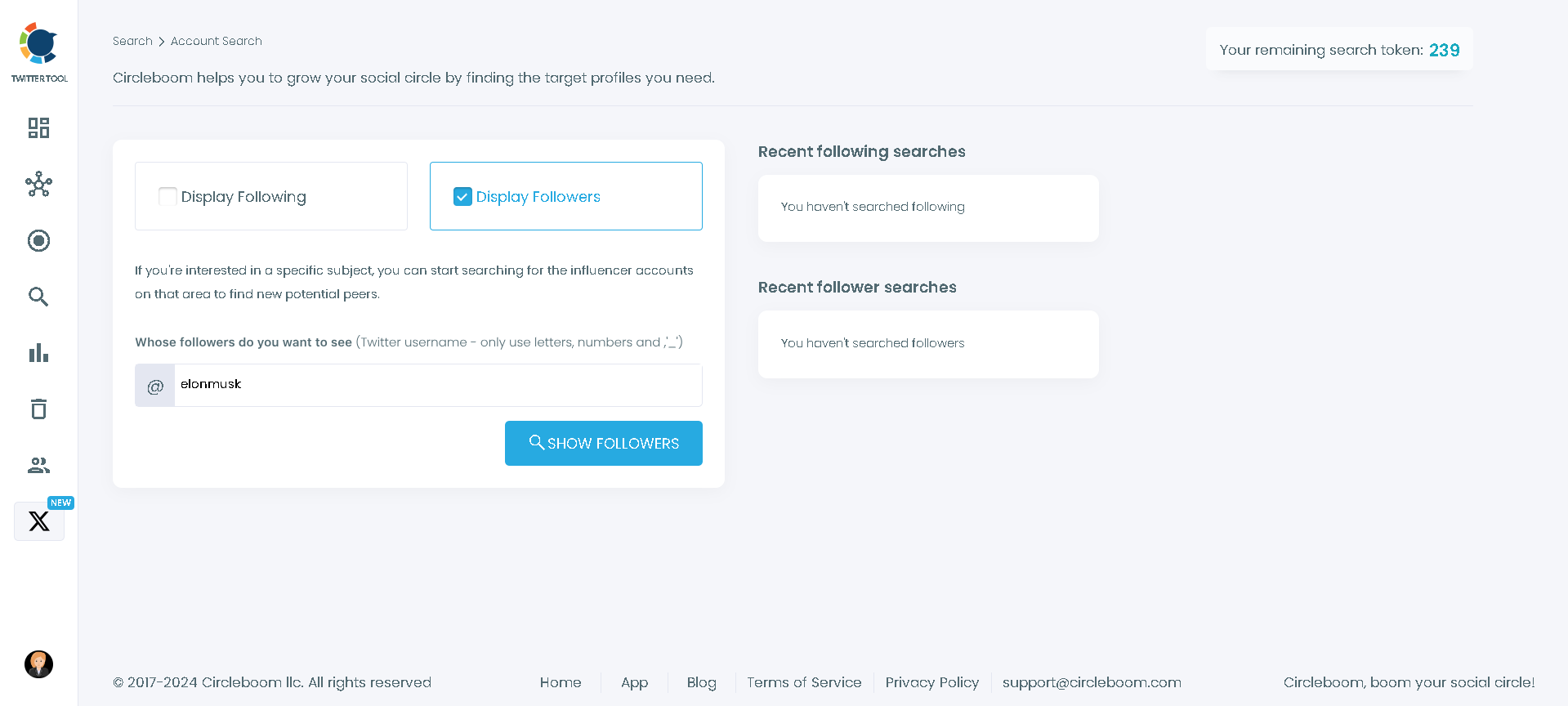
Step #2: Write down the handle of the profile that you'd like to export the followers of.
You can also go for that account's followings.
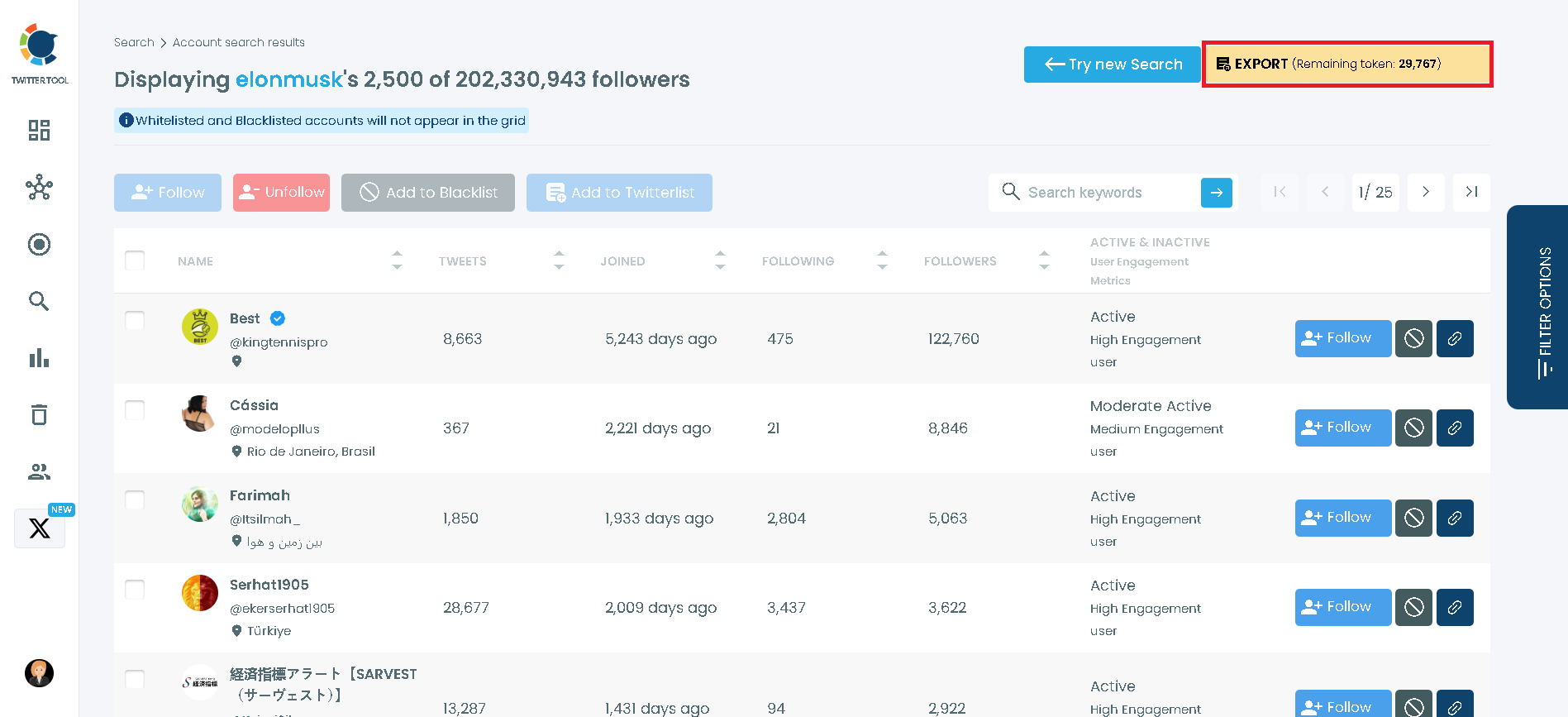
Step #3: You'll see the accounts listed before you.
Then, you can export the list of followers of that profile you chose with a single click.
Cool, right?
Imagine being able to export the followers of famous figures and even your competitors! Think of all you can do with this valuable info!
Nothing comes to your mind? Then let me also fuel you with some inspiration.
How to benefit from exporting someone else's Twitter followers
When you export Twitter followers from a competitor or a similar profile, you get direct access to insights about their audience.
Here are some key ways this data can benefit your strategy:
- Twitter ad campaigns: You can turn any follower list into your first party data by directly uploading this exported list into Twitter ads. You can do this for the followers of your competitors, influencers, verified accounts, or any other account that you may see fit.
 Kevin O. Frank
- Segmentation and messaging: You can segment the exported accounts such as the most followed accounts or high-quality accounts, and tailor your messaging to specific groups to increase engagement and conversions.
Altug Altug
- Other benefits: Conduct an in-depth competitor analysis, identify new leads to contact manually, expose the fake followers of an account, and much more!
Read the post below to learn how you can leverage these followers for cost-effective ads on X.
Kevin O. Frank
Track New Followers of Any Account (Automatically)
Exporting someone else’s Twitter followers is powerful—but audiences change every day.
If you want to stay updated without repeatedly exporting lists, Circleboom Twitter also lets you track new followers of any public Twitter/X account.
 infocircleboom.com
Here’s how it works:
You choose the account you want to monitor. From that point on, Circleboom checks that account regularly and shows you:
- Which accounts followed that user
- Which accounts the user followed
Instead of manually checking profiles or comparing exports, you receive organized daily or weekly reports showing only what’s new.
Here's how you can do it:
Step #1: Select any username you want to track on X.
You will track their recently followed audience.
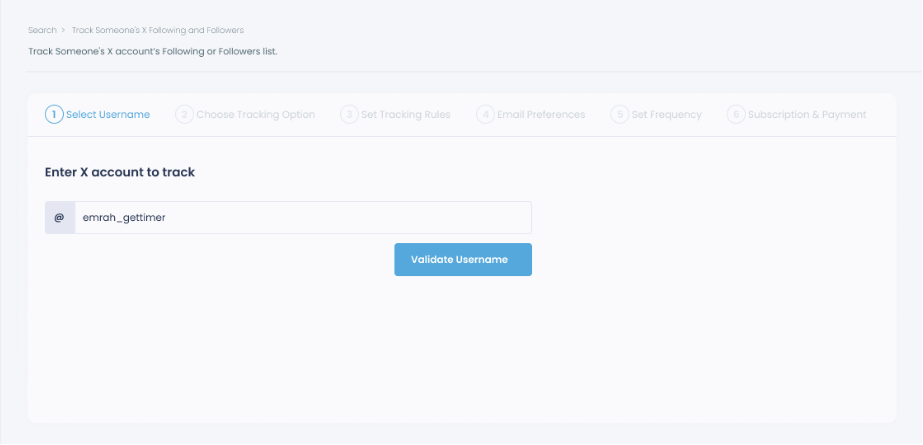
Step #2: Next, you will choose "Followings" or "Followers".
You should select one of the tracking options.
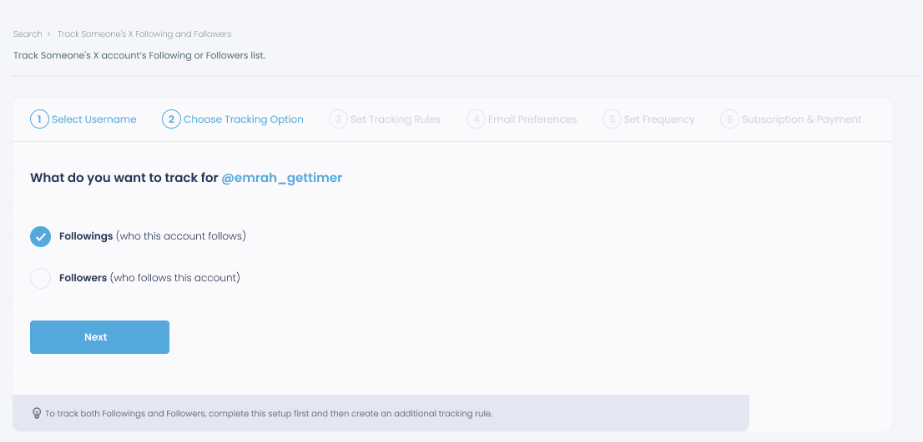
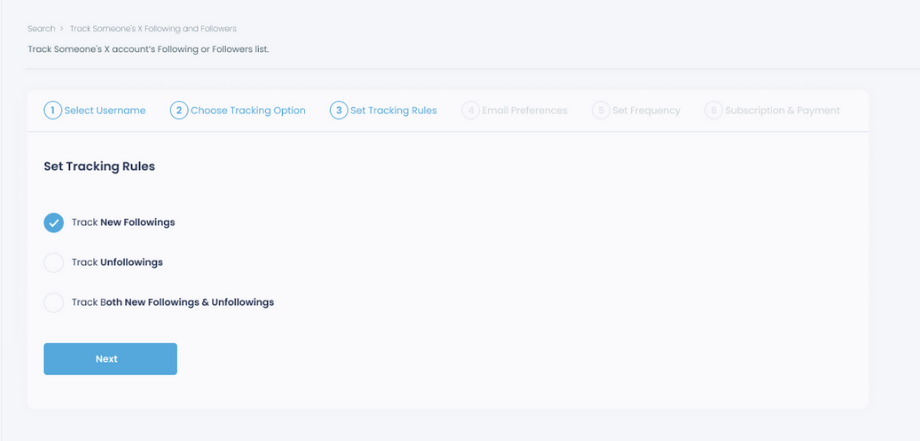
Step #3: Regarding the followings, you can track new, recent followings and unfollowings.
You can track both at the same time!
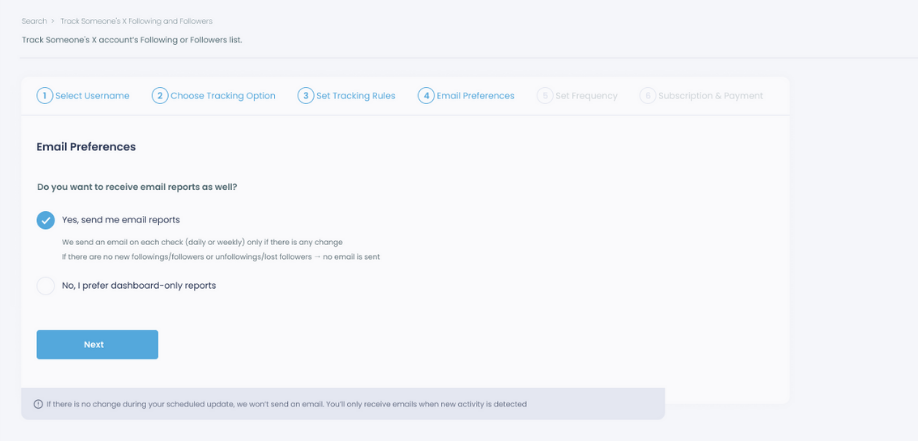
Step #4: For your tracking operations, you can receive email updates for each check.
You can still track new followings or followers without email notifications. You can monitor the following or followers with dashboard-only reports.
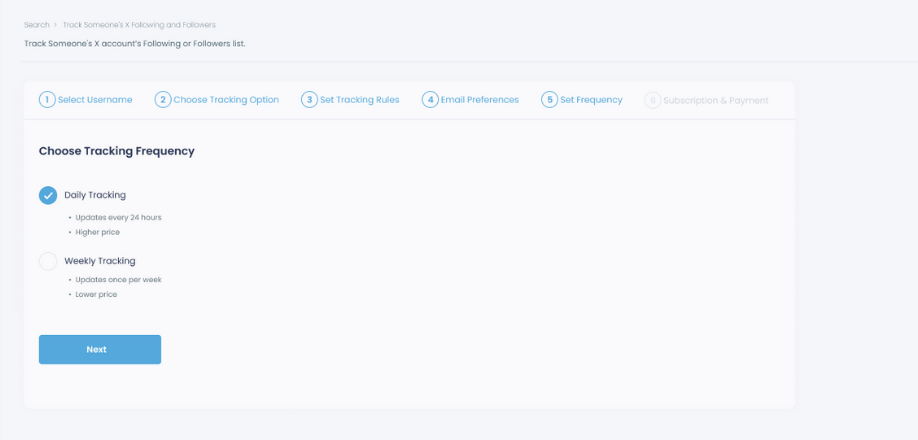
Step #5: Now, you should set the frequency.
You can get "Daily Tracking" or "Weekly Tracking".
Step #6: The next step is subscription.
After checking the rules, you can start tracking.
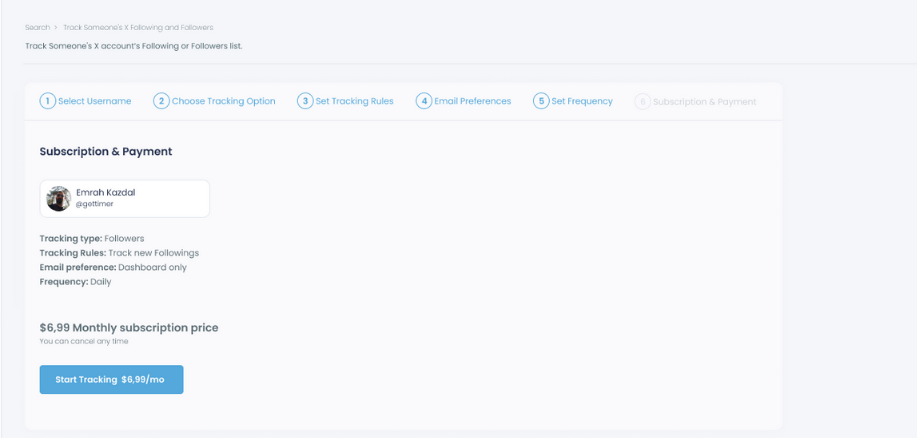
Tracking is now active. That's it! Now you can monitor newly followings and followers of anyone on X with Circleboom!
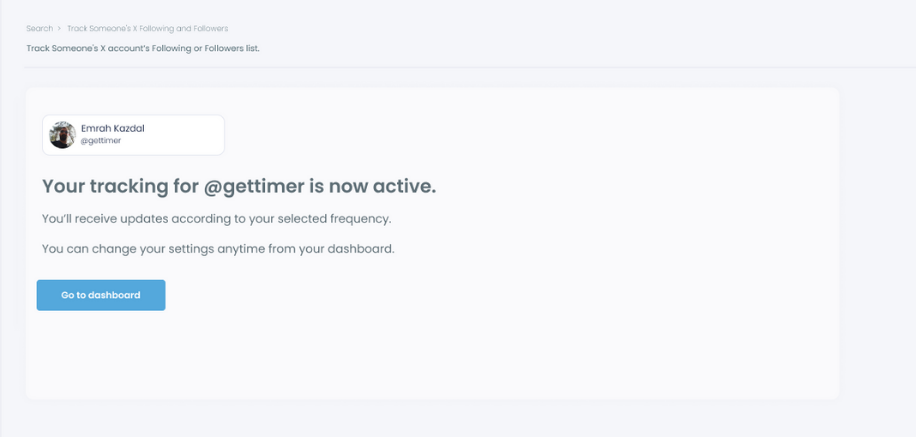
That’s it.
From that point on, Circleboom sends you clean, structured lists—no noise, no manual checking.
Why This Complements Exporting
This feature is ideal if you want to:
- Spot new followers as they appear
- Discover fresh, relevant accounts early
- Monitor competitor or influencer activity over time
- Keep your analysis up to date without extra effort
And when you find accounts worth keeping:
You can follow, unfollow, or export them instantly, turning new follower tracking into actionable data.
In short, Circleboom helps you export follower lists when you need snapshots—and track new followers continuouslywhen you want ongoing insights.
Final words
Exporting Twitter followers from a competitor or similar account can provide deep insights into an audience that already has an interest in content like yours.
With Circleboom, you can easily export and filter these followers to suit your strategy, using the data to create targeted ads, refine your content, and connect with high-value individuals in your industry.
This approach empowers you to reach a more engaged audience, grow your follower base, and build a successful social media presence.






%20do!)