

"Auto reply" sounds like a bot that responds to mentions while you sleep, fully unattended, firing off the same canned response to anything that matches a keyword. That version exists, and it is also a fast way to look exactly like what it is: an account replying to people without actually reading what they wrote.
The useful version of auto-reply works differently. The AI generates the reply text instantly, on a conversation specifically worth joining, and a person still reads it before it goes out. The automation removes the drafting effort, not the judgment.
Circleboom's AI Reply, inside Inspiration, surfaces high-engagement tweets posted by other accounts in your chosen topics, and generates a reply in your own voice with one click, ready to review and publish.
→ auto-generate replies to the right conversations
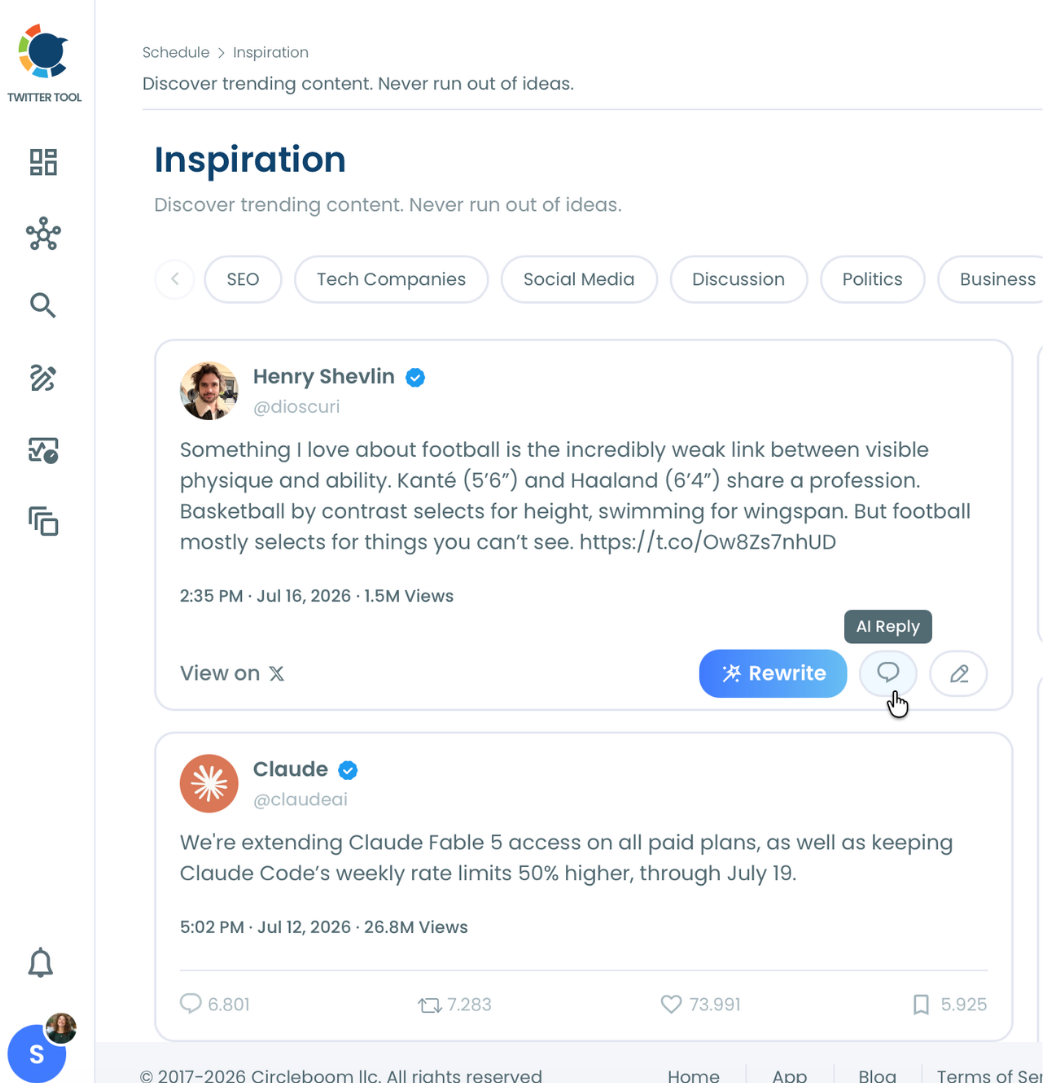
Why "auto" doesn't mean "unattended" here
A reply bot that fires automatically at scale, with no human reading either the original tweet or the generated response, produces generic, often irrelevant replies that read as exactly what they are. Engagement farming tactics built around volume rather than relevance tend to backfire, drawing attention to the account for the wrong reasons rather than building the visibility they were meant to create.
Building genuine engagement on X has always depended on replies that add something to the specific conversation they're joining. A generated reply skips the blank-page effort of drafting from scratch, but it still needs the same read-it-first standard as a reply you'd write yourself, since the audience reading it can't tell the difference between thoughtful and generic except by the quality of what actually shows up.
The realistic value of automation here is speed from noticing a conversation to joining it, not removing the decision of whether to join at all.
What makes a conversation worth replying to
Not every tweet in your feed is worth an AI-generated reply, and the Inspiration feed is built to surface a specific kind of conversation.
- Topic-matched to your actual interest areas. The feed only shows tweets that match the content topics set in AI Preferences, so what surfaces is already relevant to your subject matter, not a generic trending list.
- Already showing real engagement. Each tweet card displays views, replies, retweets, likes, and bookmarks, so you can see whether a conversation has actual activity before deciding to join it.
- An active conversation, not a stale post. A tweet with engagement still accumulating is a more useful target than one that peaked days ago and stopped generating replies.
- Something your reply can genuinely add to. The test is the same as for any reply: does this contribute a point, a question, or a perspective the conversation doesn't already have, or does it just restate agreement.
Picking conversations against this standard, rather than replying to the first tweet that appears, is what separates a useful AI Reply workflow from a noisy one.
How to auto-generate replies to tweets
Because Circleboom is an official X Enterprise Developer, publishing the reply runs through sanctioned API access once you're ready to send it.

1. Confirm your content interest topics in AI Preferences: The tweets that surface in Inspiration are filtered entirely by the topics set here. Accurate topics mean the feed shows conversations actually relevant to what you post about.
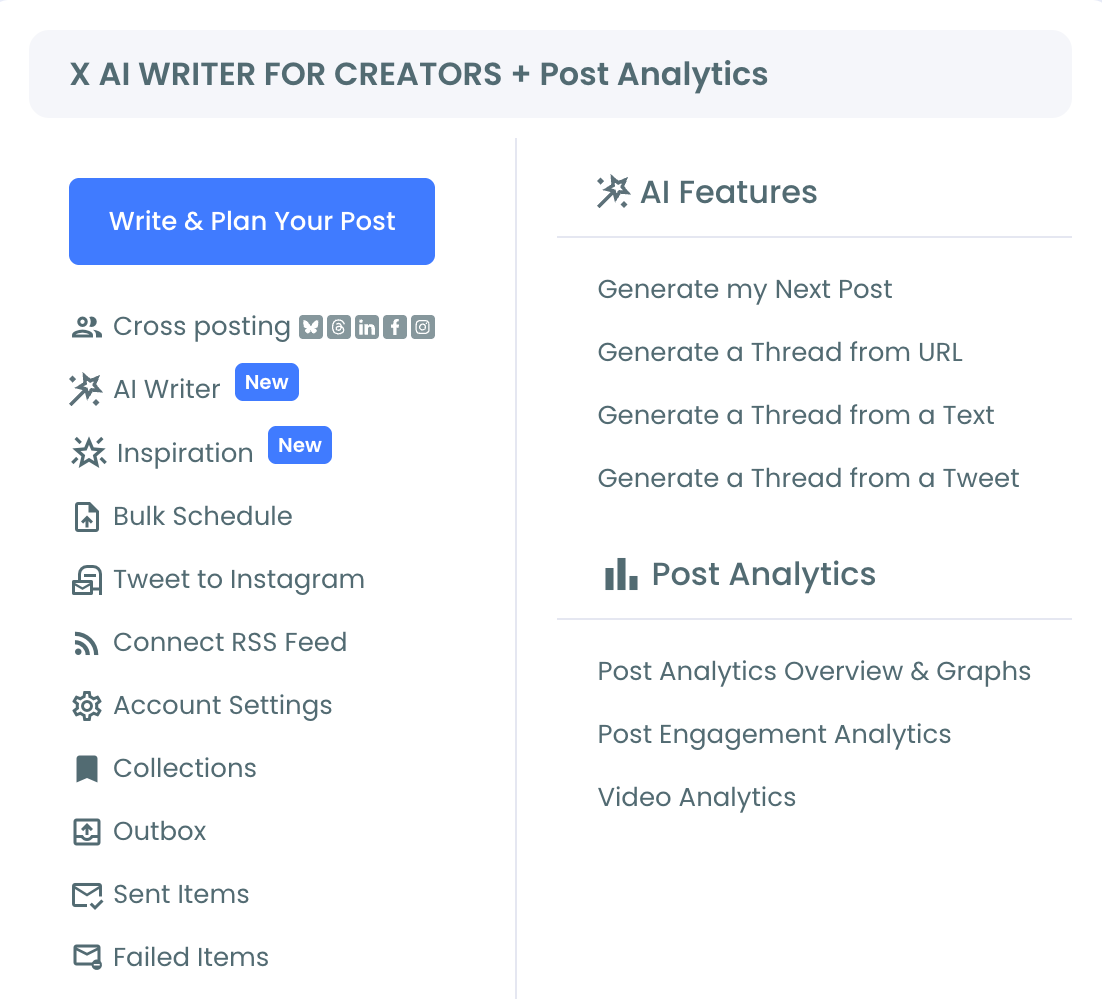
2. Browse Inspiration and find a conversation worth joining: Look through the feed for a tweet posted by another account with strong engagement in your subject area, a conversation where your perspective would genuinely add something.
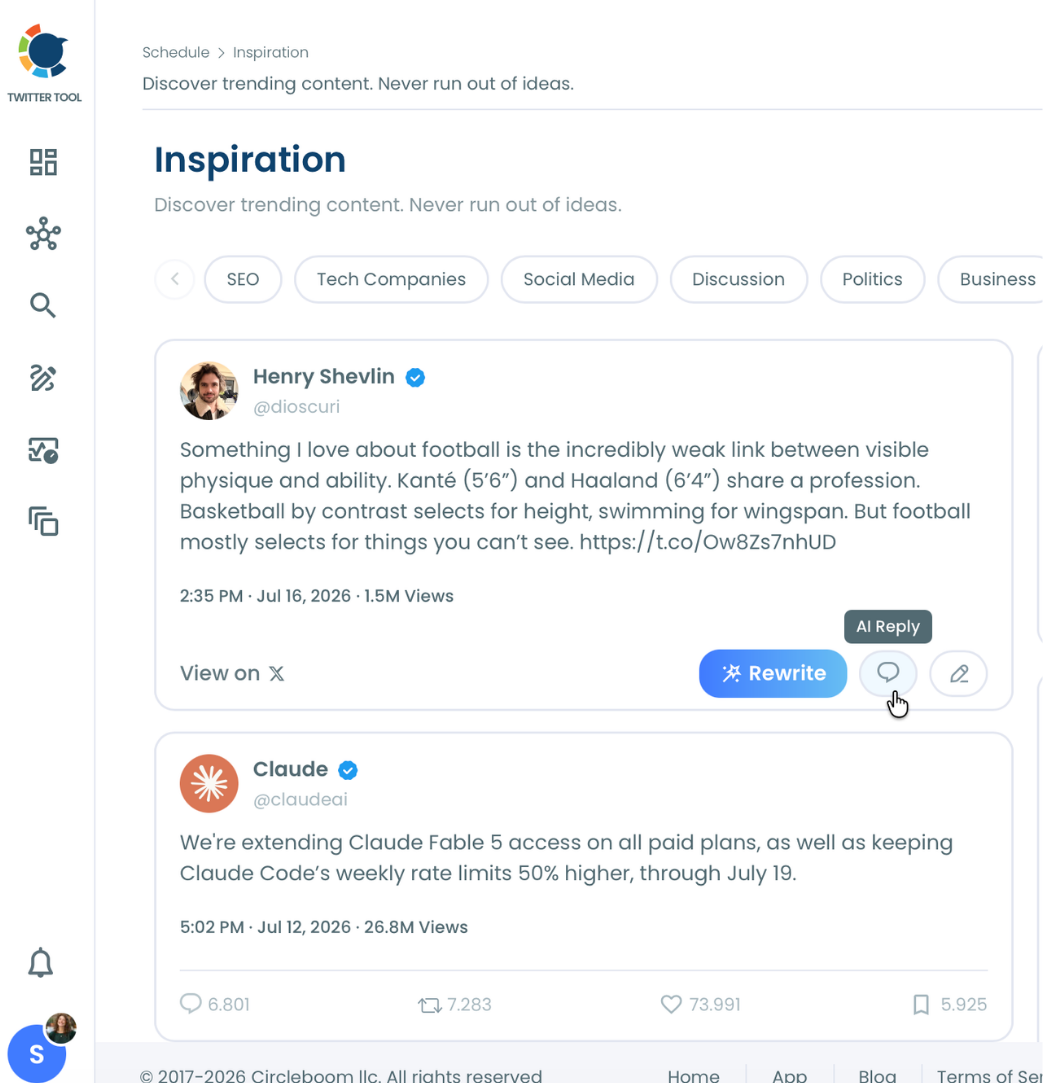
3. Click AI Reply to generate a response: Hovering the tweet card reveals the AI Reply icon. Clicking it generates a reply written in your style, shown in the same modal with the original tweet displayed as context.
4. Refine, review, and publish: Use the "Describe and improve tweet" field to adjust tone if needed, read the generated reply against the original tweet for accuracy and relevance, then use Queue Up Next, Post Now, or Schedule to send it.
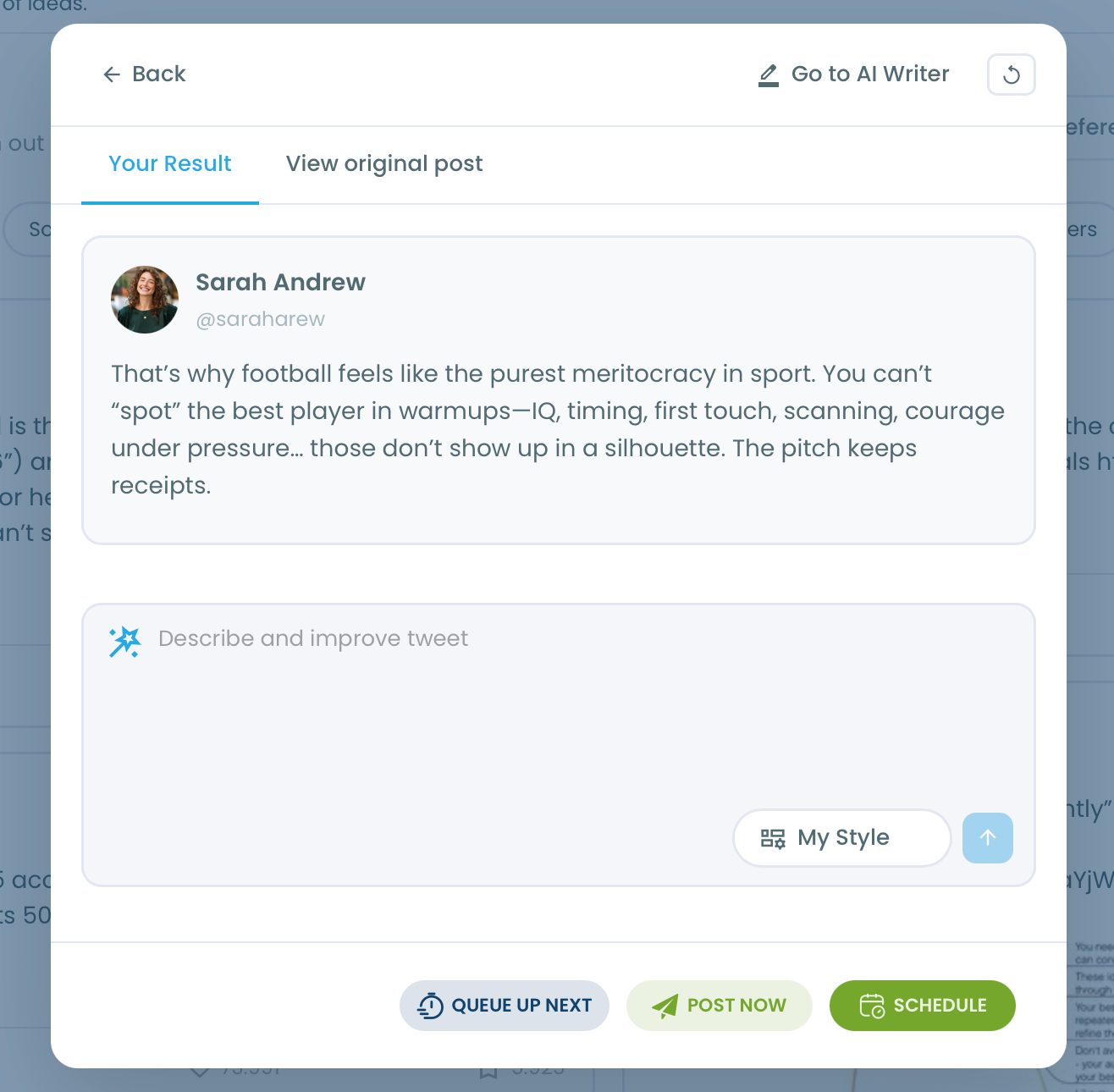
That sequence turns noticing a relevant conversation into a published reply in under a minute, without skipping the review step that keeps the reply from reading as generic or automated.
What this actually changes about engagement
The biggest shift is timing. Conversations with strong engagement have a window where joining still matters; replying days later, after a draft finally comes together manually, means joining a conversation that has already moved on. Generating the reply instantly closes that window.
It also lowers the friction that keeps people from replying to high-visibility conversations at all. Genuine engagement with other accounts is one of the more reliable ways to build visibility, but composing a reply that says something worthwhile to a stranger's large audience takes more thought than replying to a friend. Starting from an AI-generated draft removes the blank-page hesitation while leaving the actual judgment, whether the reply is worth sending, entirely in your hands.
A complete picture of what makes X conversations work well consistently comes back to relevance and timing. AI Reply addresses both directly: relevant because the feed is topic-filtered, timely because the reply generates instantly.
Automation should remove effort, not judgment
The distinction that matters across every AI writing tool, not just this one, is what exactly gets automated. Drafting is mechanical and automatable. Deciding whether something is worth saying, and whether what got generated actually says it well, is not.
Treating AI Reply as a tool that drafts for you, while you still decide what to send, keeps the output sounding like a real response from a real account. Treating it as a tool that replies for you, unattended, produces exactly the kind of generic, disconnected-from-context output that damages credibility instead of building it.
The mistake to avoid
The most common mistake is using AI Reply on dozens of tweets in a session without actually reading them first, treating volume as the goal rather than relevance. A reply generated for a tweet that wasn't carefully chosen tends to read as generic, and a feed full of generic replies signals exactly the kind of low-effort engagement strategy that audiences and platforms both recognize quickly.
The second mistake is publishing the generated reply without reviewing it. The AI produces a draft based on the original tweet's content; it does not know your specific stance, inside knowledge, or relationship with the original author. Every generated reply needs a read-through for accuracy and tone before it goes out, not after someone responds to it.
Common questions
Does this reply automatically without me reviewing it first?
No. AI Reply generates a draft reply that appears in a modal for review. You can refine it, regenerate it, or edit it directly, and it only publishes when you click Queue Up Next, Post Now, or Schedule. Nothing posts without that explicit action.
Is this the same as a reply bot that runs continuously?
No. There is no background process replying to mentions or keywords automatically. AI Reply works inside the Inspiration feed, on tweets you browse and select manually, generating a draft for a specific conversation you chose to join.
What's the difference between AI Reply and AI Quote?
AI Reply generates a reply that appears in the thread under the original tweet on X. AI Quote generates a separate post that embeds the original tweet below your commentary. Reply joins the existing conversation directly; Quote creates a new post referencing it.
Can I edit the generated reply before posting it?
Yes. The reply appears as fully editable text in the modal, with a refinement field to describe changes and a style selector to regenerate in a different tone or format before you publish.
Your next move
The conversations worth joining are already visible in your Inspiration feed, filtered to your topics and showing real engagement. Pick one that's actually relevant, let AI Reply draft the response, then read it before it goes out. Pick the conversation, draft fast, review always.

