Your following count climbs faster than your follower count, and the gap is rarely random. Most of it is old follows that were never returned: follow-for-follow trades that went one way, profiles that went quiet, accounts you followed once and forgot about.
X gives you no screen that isolates them, so the cleanup never starts.
What this walkthrough gives you.One filtered list of every X account you follow that has never followed you back.A way to tell a deliberate one-way follow apart from leftover campaign clutter.A paced unfollow run that stays inside the limits X sets.
Through official API access, Circleboom reads both of your X lists, subtracts the follower side from the following side, and hands back what is left as one sortable table. Open your list of accounts not following back and work down from the weakest relationships.
Why one-sided follows pile up on Twitter
X publishes two numbers and never compares them. You see a following count, you see a follower count, and the platform leaves the overlap between the two entirely undocumented.
There is no view, no filter, and no export that says "here are the profiles you follow who never followed you."
That missing view is why the cleanup keeps getting postponed. Checking reciprocity by hand means opening a profile, reading the "Follows you" badge, closing the tab, and repeating.
At a few hundred accounts the task stops being work and turns into a weekend. Circleboom builds the comparison for you and returns accounts that never followed you back as one screen you can act on.
The pile-up also has a pattern. It grows in bursts, right after the moments when you followed with the least discrimination.
The two kinds of one-way follow
Not every unreturned follow is a mistake, and treating them as one group is where most cleanups go wrong. The list splits cleanly in two once you look at it:
- Deliberate follows you never expected reciprocation from: newsrooms, analysts, public figures, competitors you monitor, customers whose posts you track.
- Residue from a growth phase: mass-follow runs, follow-back campaigns, and impulse follows that never turned into anything.
The second group is the one worth trimming. Sorting the two apart is exactly the job the filters do.
A blind "unfollow everyone who doesn't follow me" script does more damage than good, because it cannot tell a wire service from an abandoned handle.
The trade-off gets a fuller treatment in is it a good idea to unfollow those who don't follow back on Twitter.
What the not following back list actually shows
Circleboom pulls your full following list and your full follower list, compares them server-side, and isolates every account that appears in one and not the other.
As an official X Enterprise developer, Circleboom reads both datasets through sanctioned endpoints, which is what keeps a bulk review like this off X's automated-abuse radar.
Each account then arrives enriched, not bare. The table carries the display name and handle, total tweet count, join date, following count, follower count, follow ratio, and an activity classification of Active, Moderate, or Inactive.
Those columns are what let you rank a one-sided follow by value instead of by reciprocity alone.
The filter drawer sits above the grid and narrows the segment further. Eggheads, protected accounts, fake or spam profiles, inactive handles, and overactive posters each get their own follower-quality category.
Numeric bounds handle the rest, and five fields accept both a floor and a ceiling: tweet count, follow ratio, join date, and the two counts on either side of the relationship.
A bio-and-name search, a language dropdown, and a location field close the gap when you need a specific slice.
A single click on any column header sorts the whole set. Applied filters appear above the grid as removable tags with a clear-all reset.
Working through accounts that don't follow you back this way turns a vague chore into a ranked queue. A shorter orientation on the same screen sits in how to see who is not following back on Twitter.
Walkthrough of the same flow on video: this clip shows the non-follower check and the paced unfollow run end to end.
The steps below follow that same order, with the filtering pass expanded.
The full walkthrough for finding accounts not following back on X
Open the list and let both sides sync
- Log in to Circleboom Twitter and connect your X account.

- Open the Follower and Following management menu from the dashboard navigation.

- Choose Following, then Not Following Back to load every account you follow that has not reciprocated.
Separate the deliberate follows from the clutter
- Click Filter Options and narrow the segment by engagement classification, follower count, follow ratio, join date, and language.
- Whitelist the accounts you follow on purpose with the shield icon on each row, so journalists, competitors, customers, and industry sources are protected from any bulk action.
- Sort by Followers ascending or by Joined to lift the weakest one-sided relationships to the top of the queue.
Act on what is left, at a pace X accepts
- Export the filtered segment as CSV with the Export button in the top right, which draws on your remaining export tokens and gives you a record before anything changes.
- Select the surviving rows and click Unfollow, keeping each run to a modest batch rather than the full list.
That order is what makes the cleanup hold.
The login earns official API access, the filters narrow scope before any decision, the whitelist protects the follows you meant to keep, and the export gives you a rollback reference that X itself will not hand back to you later.
Quick recap: connect, open the list, filter, whitelist, export, unfollow.
Which one-way follows deserve to stay
Reciprocity is one signal, and it is not the strongest one.
A financial analyst who follows nobody, a wire service, a competitor you watch weekly, a prospect who reads without following: none of them will ever show up as mutual, and all of them earn their slot in your feed.
Unfollowing them to fix a ratio is a bad trade.
The stronger unfollow candidate stacks several weak signals at once:
- It does not follow you back.
- It is classified Inactive.
- It has a poor follow ratio.
- Its tweet count is low.
- Nothing in its bio matches your field.
That combination is what separates dead weight from a source worth keeping.
There is a middle path for accounts you value but do not want in the main timeline. Move them into a list and the content stays reachable without inflating your following count.
The Add to List dropdown on the grid handles that in the same selection pass, alongside whitelist and blacklist options.
It also helps to know where your two-sided relationships already sit before you trim anything, and the Twitter mutuals report lists those separately.
Growth-phase residue is the opposite case. If you ran a follow-back push and the returns never arrived, mass unfollow Twitter accounts describes how those batches are processed and paced.
Is it safe to unfollow accounts not following back on X?
Yes, when the volume stays reasonable.
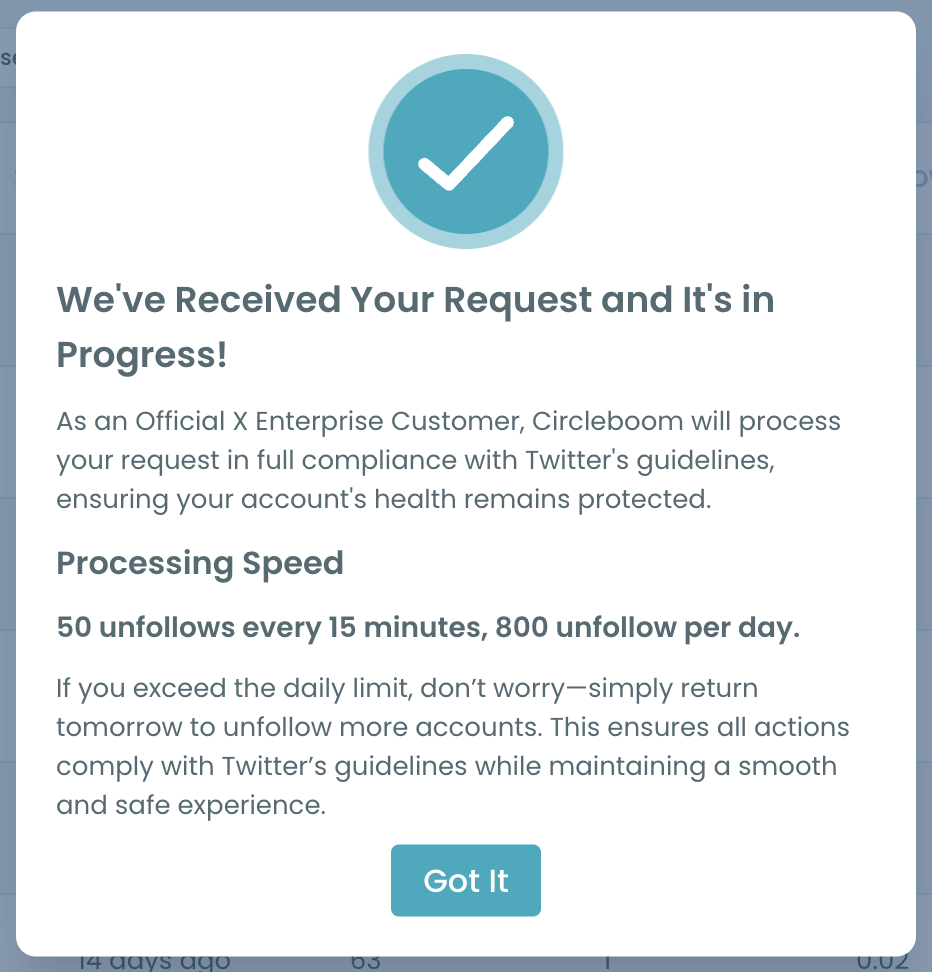
X caps unfollow actions, and Circleboom works inside that cap: 50 unfollows per 15-minute window, 800 across a day, then a self-imposed halt until tomorrow. Staying near 100 to 150 accounts per sitting keeps you far below anything that reads as automated behavior.
The platform documents its own ceilings, and X's follow limits are worth reading once before a large cleanup, because they vary by account age and standing. If X returns a rate-limit response, the request simply is not fulfilled at that moment.
Two other things are worth knowing before you start. Unfollowing cannot be reversed from inside Circleboom, so a re-follow is a manual action per account.
The comparison reflects the most recent sync, so an account that followed you back an hour ago may still show as one-sided until the next refresh.
Aggressive pacing is the only real risk here. If you are working through several thousand rows, unfollow Twitter accounts without getting suspended is worth a read first.
What your follower-to-following ratio is telling visitors
A profile with 900 followers and 4,000 following reads a certain way, and the reading is not flattering. Anyone deciding whether to follow you glances at those two numbers before they read a single post, and a wide gap suggests the account follows indiscriminately rather than selectively.
That judgment is unfair to plenty of good accounts, but it is made in about a second and it is made constantly.
The fix is not to chase the ratio for its own sake.
The fix is to make the following list honest, so the number reflects choices you would defend out loud.
Starting the correction from the non-reciprocal segment is what makes it defensible. You extended a follow, the account declined to return it, and nothing about the relationship is mutual. Compared to unfollowing a genuine mutual to shave a number, this segment carries the clearest justification of any trim you could run.
Where the gap usually came from
Look at when the gap widened and the cause is usually obvious. Follow-back campaigns leave the largest residue, because the whole method depends on following strangers and hoping. Rapid expansion phases around a launch or a rebrand leave a second layer.
Old follows leave a third. An account that was active four years ago and has posted nothing since still counts against your following total, and it will never follow you back now.
Combining the non-reciprocal filter with an Inactive engagement classification pulls that group out in a single pass. The same technique drives unfollow dead Twitter accounts.
Keep the list clean after the first pass
One cleanup fixes the backlog. Keeping it fixed is a smaller, repeatable habit, and the whitelist is what carries it between runs.
Every account you mark with the shield stays protected from bulk actions permanently, so the second pass never re-presents the journalists and customers you already ruled on. The list you review next quarter is only what accumulated since, which usually takes minutes rather than an afternoon.
Timing matters more than frequency. Run the review after the moments that generate one-way follows rather than on a calendar:
- After a campaign.
- After a conference follow spree.
- After any week where your following count jumped.
Those are the periods that produce residue, and catching it while the context is fresh makes the keep-or-cut decision far easier than it will be six months later.
The CSV export is the other half of the habit. Pull the segment before each run and keep the files.
You end up with a record of what your following list looked like at every stage, which helps with client reporting and with your own second-guessing later.
What to do next
Run the pass in this order and the whole thing takes one sitting rather than one weekend:
- Load the non-reciprocal list and read the total before touching anything.
- Whitelist every account you follow deliberately.
- Filter by Inactive engagement plus a low follow ratio to isolate the residue.
- Export the segment as CSV.
- Unfollow in batches of 100 to 150, then stop for the day.
Anyone landing on your profile reads a following list you chose on purpose differently, and your own timeline shifts once the dead weight leaves it.
Start with the accounts not following back on X and let the filters do the sorting.
Before a very large run, Twitter rules to remember before unfollowing is a useful sanity check on pacing. And if you would rather clear the follow-side backlog in one sweep, mass unfollow on Twitter covers the bulk route.
What to know before you start
How many accounts should I unfollow in one session?
Keep each session to roughly 100 to 150 accounts. Circleboom processes 50 unfollows per 15-minute window and up to 800 per day, but staying under that ceiling keeps X's automated checks quiet and gives you time to review each batch.
Will people be notified that I unfollowed them?
No. X sends no notification when you unfollow someone, so a cleanup run is invisible to the accounts involved unless they check your profile directly.
Can I move an account to a list instead of unfollowing it?
Yes. The Add to List dropdown on the grid covers Twitter List, Mass Block List, Whitelist, and Blacklist, so a source worth reading can leave your following count without leaving your reach.
Why does an account still show as not following back after it followed me?
The comparison uses the data from your last sync. An account that followed you back very recently can sit in the list until the next refresh pulls both sides again, at which point it moves out on its own.