

Lets say there are two well-known accounts in your niche. Both post regularly, both have solid followings. Somewhere in those follower lists, there are people who follow both of them. Not by accident. They care enough about the topic to seek out multiple accounts around it.
Those are exactly the people you want to find. They're already interested in what you do. They just don't follow you yet.
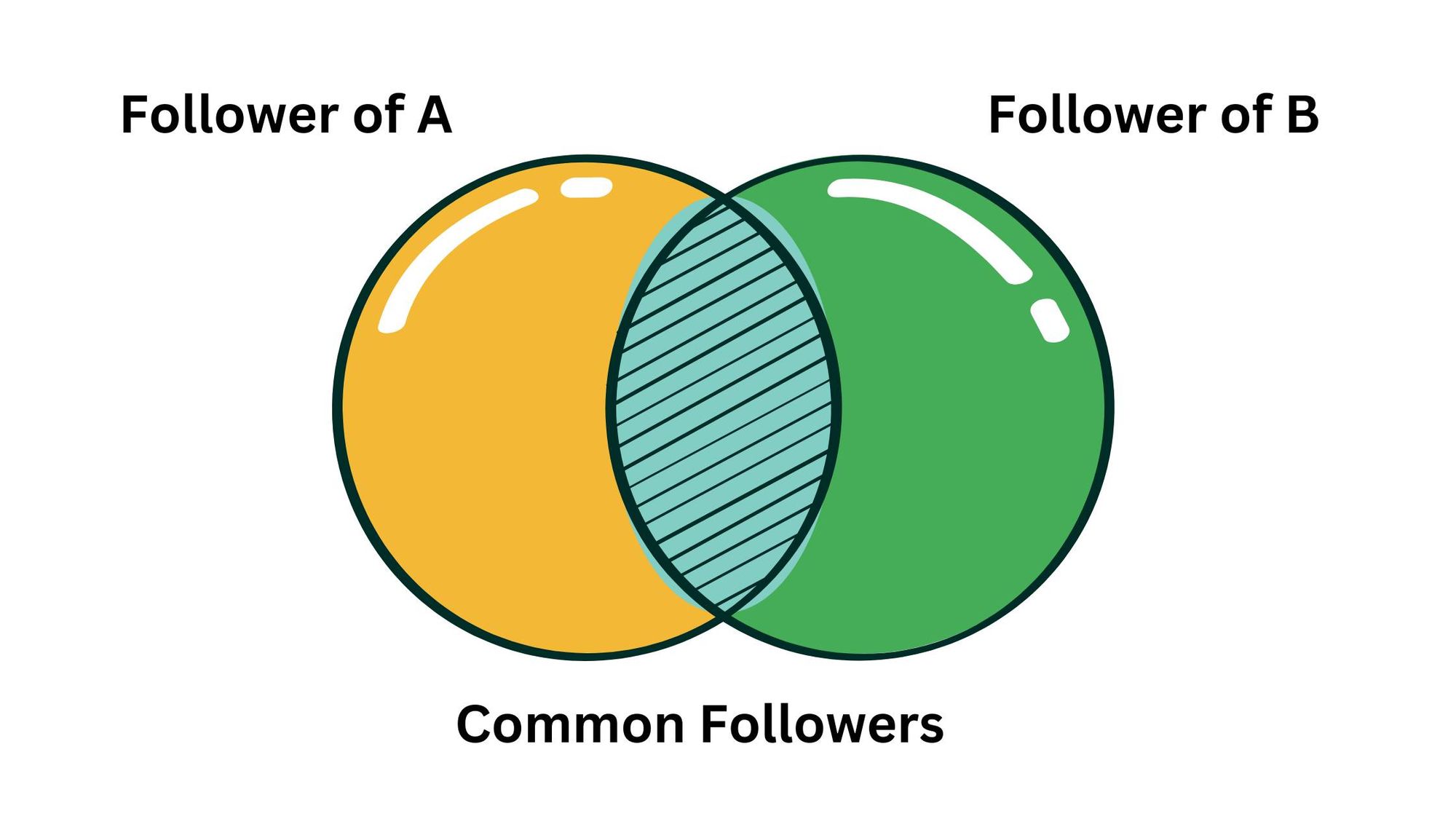
The problem is Twitter won't show you this. You can scroll through someone's follower list but you'll never see all of it. Twitter loads followers in chunks and cuts off before the end. And comparing two follower lists? There's no way to do that natively at all.
With Circleboom Twitter, you can see the full follower list of any two public accounts, compare them, and see every account that follows both. Full list, full profile data, and you can follow or export them straight from the results.
Can you see mutual followers between two Twitter accounts?
Not through Twitter's native tools. Twitter only loads a partial follower list for any public account and provides no way to compare two follower lists at scale.
With Circleboom Twitter's Account Comparison feature, you can enter any two public usernames and retrieve the complete, compared follower data showing every account that follows both profiles simultaneously.
 infocircleboom.com
Circleboom Twitter: The Tool That Makes This Possible
Circleboom is an Official X Enterprise Developer, which means it retrieves follower data directly through X's official APIs. All comparison results are based on publicly available data. Private accounts cannot be included. No scraping, no credential sharing, fully compliant with platform rules.

Here's what Circleboom Twitter gives you for account comparison and audience overlap:
- Retrieve the complete follower list of any two public Twitter accounts
- Compare both lists and surface every account that follows both profiles
- View full profile data for every shared follower including bio, follower count, and account age
- Follow, add to lists, or export discovered accounts directly from the results
- Export the full mutual follower list as a CSV for outreach, research, or reporting
If you need to see mutual followers between two Twitter accounts, Circleboom Twitter is how you do it at any scale.
How to See Mutual Followers Between Two Twitter Accounts with Circleboom Twitter
Step #1: Log in to Circleboom
Visit Circleboom and log in to your account. If you don’t have an account, you can create one quickly by following the sign-up process.

Step #2: Choose Account Comparison Under the Monitoring Menu
Once your Twitter account is connected, navigate to the left-hand menu.
Find and click on the "Account Comparison and Benchmark Report" button under the "Monitoring" tab.

Step #3: Compare Twitter Accounts
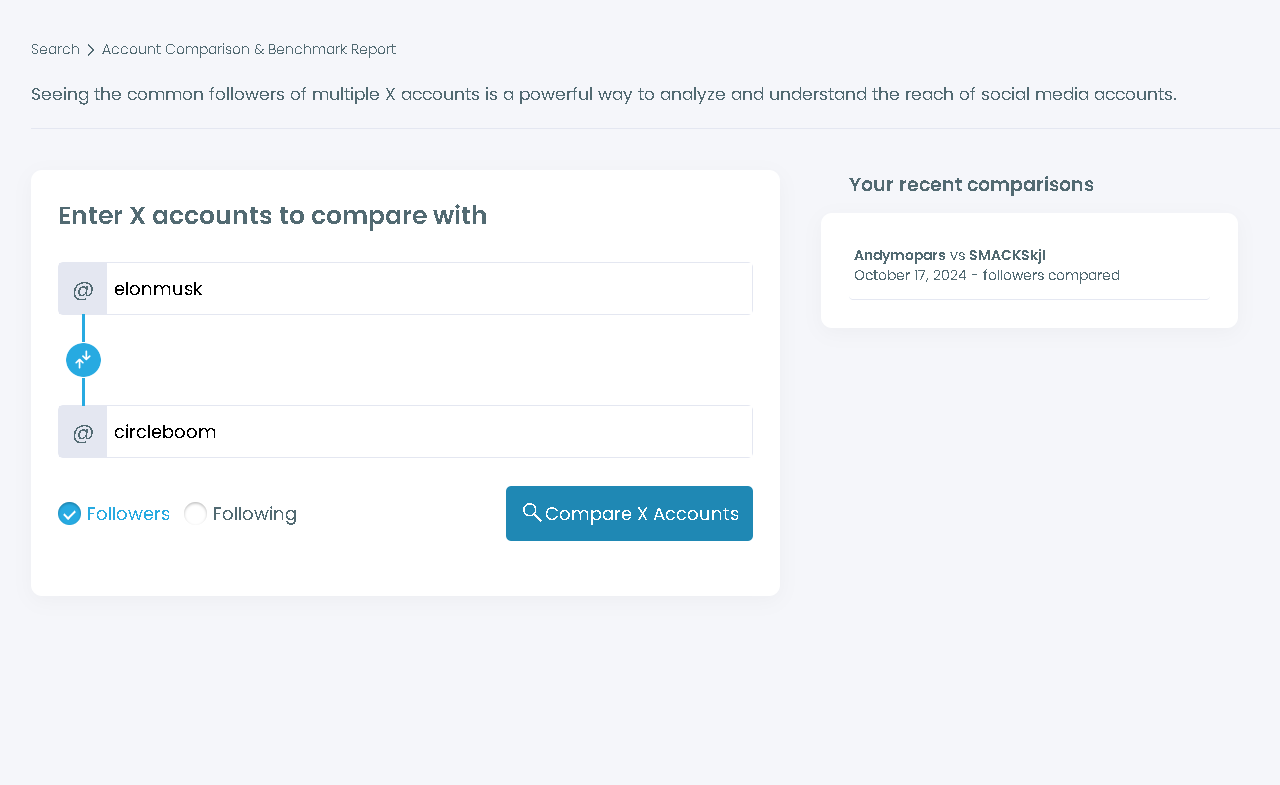
Enter the Twitter handles of the accounts you want to compare. For example, you can enter multiple accounts, like @accountA, @accountB, etc.
Click on the "Compare X Accounts" button to start the comparison.
Step #4: Analyze the Results
Circleboom will analyze the followers or followings of the accounts you entered depending on your preferences.
Then, you will see the list of the common followers between the compared accounts.

Step #5: Export Mutual Followers
On the same screen, you can bulk follow or mass unfollow the selected accounts with the help of Circleboom's Twitter follow tool and Twitter unfollow tool.
To analyze it further, you can also export the list of followers.

What Twitter Actually Shows You
When you visit a public profile on Twitter, you can click on the follower count and see a list of accounts that follow them. But what you're looking at is not the full list.
Twitter loads follower lists in batches and often stops loading before you reach the end, especially on accounts with large audiences. There's no way to search within the list, sort it, or filter it. You're scrolling through faces with no tools to make sense of what you're looking at.
More importantly, there is no native way to take two follower lists and compare them. No overlap report. No shared audience view. No way to see which accounts appear in both lists without manually cross-referencing them yourself, which is not realistic for any account with more than a few hundred followers.
📌 Twitter's follower list view is a browsing interface, not an analysis tool. Circleboom Twitter retrieves the complete follower datasets of both accounts through the official API and runs the comparison automatically, surfacing the overlap in a structured, actionable list.
What the Comparison Actually Shows You
Once you enter two usernames in Circleboom Twitter's Account Comparison, the results go beyond just a list of shared names.
Every shared follower appears with full profile data. Username, display name, bio, follower count, following count, tweet count, and account creation date. You're not just seeing who they are. You're seeing enough to decide whether they're worth engaging with before you take any action.
Shared followings are also available. Beyond who follows both accounts, you can also see which accounts both profiles follow. This is a different kind of signal. Accounts that two separate profiles in your niche both chose to follow reveal who holds influence in that space and which communities both are participating in.
Actions are built into the results. You can follow shared accounts, add them to a Twitter List, or export the full dataset as a CSV without leaving the comparison view. Discovery and execution happen in the same workflow.
Why Mutual Followers Are Worth Finding
The accounts that follow two separate profiles in the same niche are not passive observers. They went looking for content in that space, found two accounts worth following, and subscribed to both. That's a level of active interest that most targeting strategies can't replicate.
They're pre-qualified. Someone following two marketing accounts, two developer tools, or two accounts in your industry doesn't need to be introduced to the topic. They're already invested. Finding them and following them, or adding them to a targeted list, gives you a head start that no cold approach can match.
They're reachable. Because their accounts are public and their follow activity is visible, these are real people you can connect with directly on the platform. A follow, a reply, or an engagement is all it takes to start the relationship.
They reveal where your niche is concentrated. The accounts that show up across multiple follower lists in your space are the most embedded members of that community. They follow everyone relevant. That pattern tells you something about who the core audience in your niche actually is.
For collaborations, the overlap data shapes the decision. Two accounts with high mutual follower overlap will largely reach the same people in a cross-promotion. Low overlap means each account brings genuinely new exposure to the other. Knowing which situation you're in before you commit matters. Circleboom Twitter's Find Influencers feature combined with the comparison results helps you evaluate both reach and relevance in one session.
For growth, it's one of the most targeted starting points available. People who follow multiple accounts in your space but not yet yours are one step away. The interest is already there. The comparison surfaces exactly that list.
Frequently Asked Questions
Can you see mutual followers between two Twitter accounts?
Not through Twitter's native tools. Twitter loads follower lists partially and provides no comparison functionality between two accounts. Circleboom Twitter's Account Comparison retrieves the complete follower data for both accounts through X's official API and surfaces every account that follows both simultaneously.
Does Twitter show the full follower list of any account?
No. Twitter loads follower lists in batches and typically shows only a portion of the complete list, especially for larger accounts. There is no native way to retrieve or analyze a complete follower list at scale. Circleboom Twitter retrieves the full dataset through the official API.
Can I compare two accounts that aren't mine?
Yes. The Account Comparison feature works for any two public Twitter accounts. You don't need to own or be connected to either account. Private accounts cannot be included because their follower data is not publicly accessible through X's API.
What information does Circleboom show for each mutual follower?
Each shared follower appears with their full profile data: username, display name, profile image, bio, follower count, following count, tweet count, and account creation date. This is enough context to evaluate the account before following, exporting, or adding them to a list.
Can I export the mutual followers list?
Yes. The full comparison result can be exported as a CSV file. This is useful for outreach lists, research documentation, or any workflow that needs the data in a structured format outside the Circleboom dashboard.
Can I compare more than two accounts at once?
Yes. Circleboom Twitter's Account Comparison supports comparing multiple accounts simultaneously, which is useful for mapping audience clusters across several accounts in the same niche rather than a single one-to-one comparison.
Can I take action on the shared followers directly from the results?
Yes. You can follow accounts, add them to Twitter Lists, or export them directly from the comparison view without switching tools. The discovery and the action happen in the same workflow.
Final Thoughts
Twitter shows you a fraction of any follower list and nothing about how two lists overlap. Circleboom Twitter retrieves both in full, compares them, and hands you the results with profile data and direct actions built in.
The accounts that follow two profiles in your niche are already interested. Finding them is the first step.
See mutual followers between two Twitter accounts with Circleboom Twitter.
infocircleboom.com
