Which crypto tweets are worth keeping when one ticker can fill a search with giveaways and copied posts?
The answer depends on three settings you choose before collection starts: the cashtag or keyword, the exclude terms and the engagement minimums.
Get those right and you can track crypto Twitter without reading through the junk afterwards.
What is the cleanest setup to track crypto Twitter?
Collect live tweets by cashtag and keyword from a recent start date, with exclude terms and engagement minimums applied first. Circleboom runs this on X through official X Enterprise APIs and shows the tweets and their authors.
→ Track crypto Twitter by cashtag on live tweets
Why filter order matters when you track crypto Twitter
Most attempts to track crypto Twitter fail before the first result appears, because the query goes in broad and the cleanup is left for later. On crypto topics, that order is expensive.
Tokens are spent per tweet collected, so every spam post you collect costs the same as a useful one.
The manual route has its own limit. Native X search shows live tweets, but it gives you no structured way to pull out the authors, filter them or keep them once the moment passes.
If you want that structure, you can track crypto Twitter cashtags in one search and keep the result.
A common mistake is treating a spike in volume as the finding. Volume only tells you a topic is loud.
The useful output is the small set of posts and people worth acting on while the conversation is still moving. That holds for a marketer planning replies, and for anyone working on how to be a crypto influencer.
What Real-time Tweet Search adds on X
Circleboom's Real-time Tweet Search collects matching public tweets on X from a start date forward. Each search can be narrowed with the filters below. Tweets posted after you set up the search can be included.
That forward direction lets you collect crypto Twitter tweets by cashtag and start date and reread the result later.
Can I track tickers with cashtags instead of keywords?
Yes, and the two catch different tweets, so most crypto setups need both.
Real-time Tweet Search includes a Cashtags filter next to Keywords, Hashtags and Keyword Match Type. Each one answers a different question about the post:
- Cashtag: the author tagged the ticker, as in $ETH. This form leans toward people talking about the asset as an asset.
- Keyword: the author wrote the word, with or without a ticker. Use it for project names, founders, products and phrases.
- Hashtag: the author joined a labeled conversation. Use it for events and campaigns.
Short tickers carry a known risk, since the same few letters can belong to more than one token or to something outside crypto. Pair a cashtag with one project-specific keyword or an exclude term when the first results wander off-topic.
If your need is purely counting a tag rather than reading tweets, the Twitter hashtag counter is the more direct page for it.
How do I filter out shill and spam tweets?
Use exclude terms and engagement minimums together, before you collect.
Broad keywords during a busy moment return large, noisy result sets, and those two controls are what separate signal from volume.
Neither is enough alone, because a spam post can avoid your exclude list and a popular post can still be a giveaway.
Set these before the run:
- Exclude: drop the words that mark promotions on your topic, such as "airdrop", "giveaway" or "presale".
- Engagement Metrics: set a minimum on likes or retweets so posts nobody reacted to stay out.
- Replies: exclude replies when you want original statements rather than "gm" chains.
- Links: exclude posts with links when referral pushes dominate your topic.
- Language: limit results to the languages you can read and act on.
One practical warning: an engagement minimum also removes brand-new posts that have not had time to collect reactions. Keep it low when catching early talk matters more than quality, and raise it when you are preparing a report.
Start broad to learn the vocabulary, then tighten. A small first run shows you which spam words your topic uses, so your second run spends tokens on a cleaner set.
A worked query for one token announcement
A concrete example makes the layering easier to copy. The token and terms here are illustrative, so swap in your own.
Suppose a project you watch has just announced a mainnet date, and you want reactions from the announcement onward.
Fill the search in this order:
- Terms to catch: the cashtag, the project name, the announcement phrase and common misspellings of the name.
- Terms to drop: "airdrop", "giveaway", "presale" and any phrase your small test run shows repeating.
- Content filters: replies excluded for the first pass, language set to what your team reads.
- Start date: a custom date at the announcement, so earlier chatter stays out.
- Tweet count: a small first run, raised once the sample looks clean.
Misspellings matter on crypto topics, because project names are often unusual and people type them from memory. A name search that ignores them quietly misses real reactions.
Read the first sample before raising the count. If half of it is the same promotional sentence, add that sentence's most distinctive word to the exclude list.
If it looks clean but thin, loosen the engagement minimum first, since new posts need time to collect reactions.
With the filter logic in place, the setup itself is short.
How to track crypto Twitter by cashtag, step by step
The process, phase by phase, starts in Circleboom and ends with a file or list you can use later.
Reach the real-time search from your account
- Log in to Circleboom and connect your X account.
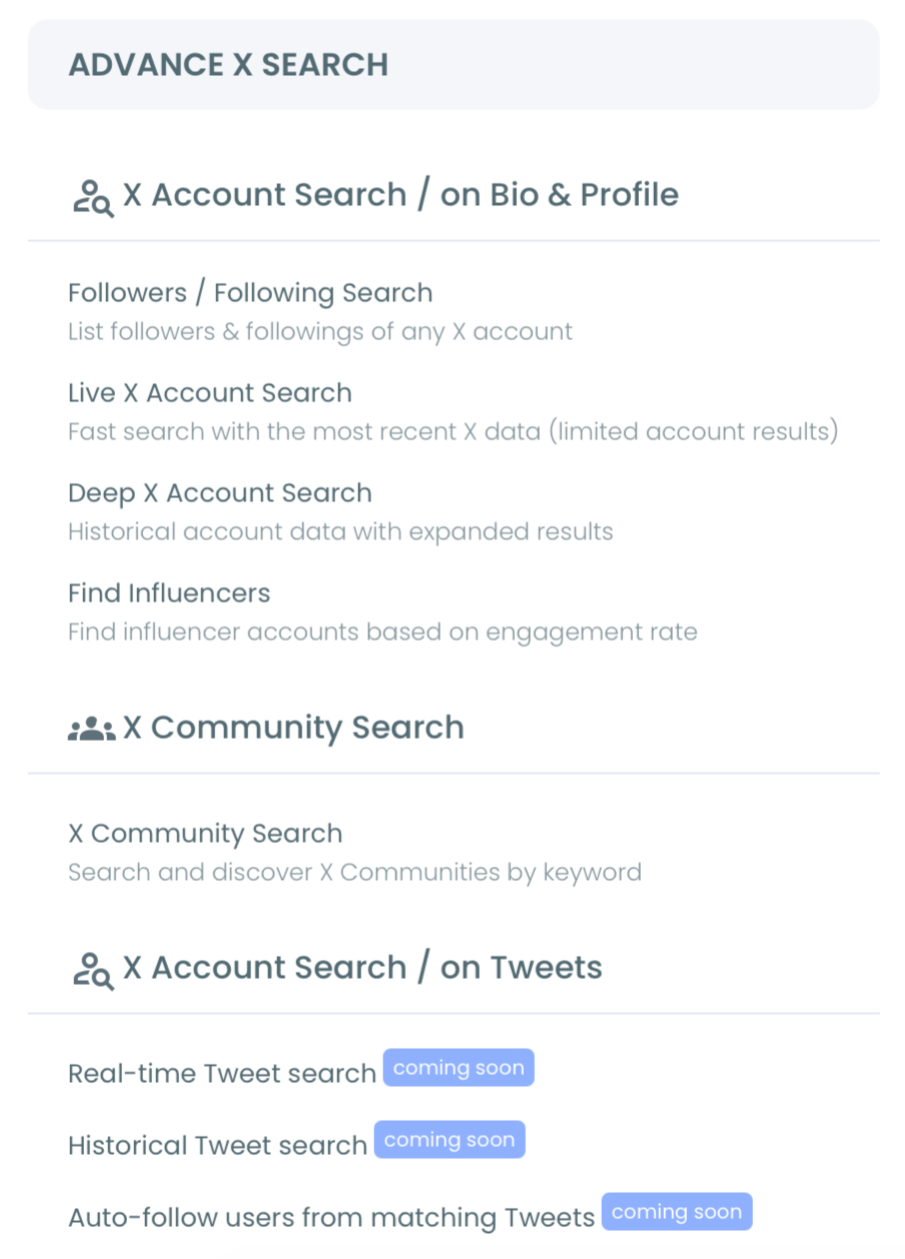
- Go to the Advanced X Search menu and open Real-time Tweet Search.
Build the query in layers so spam stays out
- Describe the tweets you want in your own words, or switch to Advanced Search to combine filters and groups.
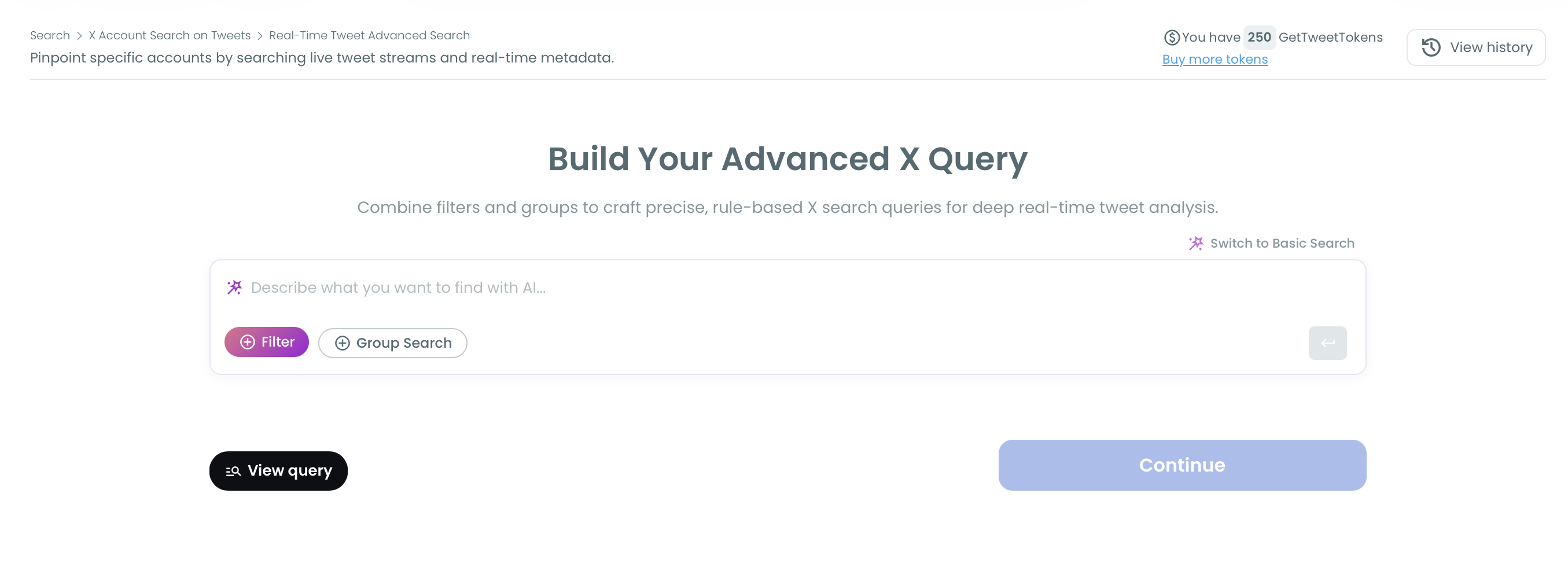
- Add the cashtag and keywords, then choose the match type.
- Apply the exclude terms, engagement minimums, reply and language filters from the list above, and check the search summary and AI suggestions before you confirm.
Set the window before you spend tokens
- Pick a date range: Last 24 Hours, Last 7 Days or Last 30 Days to look back, Next 30 Days, Next 90 Days, Next 1 Year or Next 5 Years to run forward, or a custom date. Choose the moment your topic became relevant, such as a listing or an announcement.
- Choose how many tweets to collect with your token balance in view. This number sets the collection size, not the number of unique accounts.
Read the results and keep what matters
- Review the tweet view first, then use Display Profiles of this search to see the accounts behind the tweets.
- Export or list the strong findings, because live conversations change quickly.
The order works because every token decision comes after the filters, so you pay only for tweets that survived your rules. Reading tweets before profiles also keeps a keyword match from being mistaken for intent.
Watch it run: how a real-time keyword search goes from the query to live results on X.
Now you can track crypto Twitter from a clean live set. Next comes reading it against the past.
Is this spike new, or has this coin talk happened before?
Live results cannot answer that alone, so run the same query through Historical Tweet Search over a past window and compare.
The two tools run in opposite directions: real-time search collects forward from your start date, while historical search queries a closed past range (Last 30, 60 or 90 days, 1 year, or custom).
The comparison separates three cases:
- Nothing similar in the past window: the topic may be new, and early replies carry more weight.
- The same wording appears at regular intervals: you are looking at a recurring pattern, so plan around the rhythm.
- Past talk came from the same few accounts: the spike may be a repeat push by one group, so review those profiles before you react.
One boundary matters here. A start date set far back makes real-time search behave like a historical one and can return a less current set than you intended.
So keep the live search on a recent date and use the historical tool for the past window.
Both remain tweet research. Neither tool gives you price data, and a repeated pattern in tweets is no forecast for a token.
Accounts such as the best investor Twitter accounts to follow on X can add context on how a topic reads among investors.
Your own judgment still does the deciding.
How to read the first result set
Read the tweet view with two questions in mind: how fast is this moving, and is any of it good?
A noisy spike is not useful when the posts and accounts behind it are low quality, so velocity and quality need checking together.
Three moves make a large set manageable:
- Sort by a column. Every header sorts, so replies bring out arguments and bookmarks bring out posts people meant to keep.
- Use the inline search. It narrows the results without a new collection.
- Open Filter Options. It refines what you already collected by post type, counts, date, language and media.
Questions are the first thing worth acting on. A post asking "does this project support..." or "any alternative to..." is still open, and a helpful reply reaches the person who asked and everyone following the thread.
Timing is the value here, so reply while the conversation is active.
Then capture what you want to keep. Engagement numbers shift and posts disappear, so export the useful window or add strong accounts to a list before you move on.
What stops a crypto tracking run early
GetTweetTokens are the main limit when you track crypto Twitter. Searches use tokens in proportion to the tweets collected, and your balance shows during setup.
If the balance runs out mid-collection, the active search stops at that point. Partial results stay saved and accessible, so nothing already collected is lost, but tweets posted afterwards are not added to that run.
So the sensible approach for a long-running topic is to size the run first:
- Expected volume: large coins fill a tweet count far faster than small projects.
- Export needs: exporting uses tokens separately, so leave room for it.
- Timing: only public tweets from public accounts come back, and live tweets can be deleted, edited or made private within minutes of posting.
Coverage also has limits worth stating plainly. Live coverage depends on API availability, so treat results as a strong sample of public talk, never as a capture of every crypto tweet.
Circleboom's position as an official X Enterprise Developer company means the records come from X's own source data, while scraping-based collection can miss records or return incomplete fields.
Tweet search does not cover follow activity. For that angle, one write-up shows how I tracked CZ's following to catch early crypto signals.
It relies on a different Circleboom feature, built for watching account changes.
A follow is a hint about interest, never a reason to trade.
Pick your next setup by what you need
How you track crypto Twitter first depends on the question you are holding. I would pick from these:
- If you follow one token, use its cashtag plus the project name, with a recent start date and a small tweet count.
- If you monitor a whole narrative such as restaking or memecoins, start with keywords and hashtags, then add exclude terms once you see the vocabulary.
- If you need people rather than posts, collect first, then move straight to the profile view and review each account before you follow or list it.
- If you are unsure whether the talk is new, run the historical comparison before you write anything about it.
- If you only need mentions of your own brand or project, use track Twitter mentions instead.
Whichever fork fits, set the filters before the tweet count and export anything you may need later.
→ Run a cashtag and keyword search to track crypto Twitter
Cashtag and token FAQ for crypto tracking
Which crypto accounts should I follow to start?
Start with a shortlist such as these top crypto influencers on Twitter, then add authors who keep appearing in your Circleboom profile view. Accounts found through their own tweets usually fit your topic better than a general list.
Where do I keep the good accounts from a search?
Select them in the profile view and use Add to List, which puts all selected accounts on an existing or new X List in one action. For ideas on structuring them, browse these Twitter lists to follow.
What does a saved search cost to reopen?
Nothing in tokens. Circleboom stores results under a search log, and you can revisit them without using more GetTweetTokens. An export does use tokens, charged separately from the search.