
How do you use Twitter to win customers when most people who see your posts live nowhere near your door? You reverse the usual order. Find the people in your area first, then post for them on a schedule they can rely on.
The local playbook in this guide.
• Find nearby people and businesses with a bio keyword plus a location filter.
• Turn the results into follows, a local list and daily replies at a safe pace.
• Run a weekly posting calendar for offers and events, with repeats for late readers.
Circleboom finds X accounts by bio keyword and location on Twitter through X's Enterprise API access, so every profile comes from X's own records. Use Twitter for local business by searching your own area first.
Why posting alone rarely brings local customers on Twitter
A local business has a geography problem that a national brand does not have. A follower in another country can like your post, but they cannot book a table, drop off a bike or buy a loaf of bread.
Only people within reach of your door can turn into customers.
X does not sort your audience by distance. Your posts go to your followers and to whoever the timeline decides to show them to, wherever those people happen to live.
So the first job when you use Twitter for local business is not writing better posts. It is building an audience that lives nearby.
The obvious route is to type your town into X's search, scroll a few dozen results and follow whoever looks local. That gives you a handful of accounts and no way to sort them by activity or follower count.
A slower version of the same idea is covered in this walkthrough on how to find Twitter accounts in your local town, region or city.
The faster route is to search Twitter by location with a keyword on top, so the tool hands you a filtered list instead of a scroll.
Local reach is a list problem before it is a content problem.
What a local search on X actually returns
Circleboom's Deep X Account Search matches a keyword against account bios and historical tweets, then lists the matching public profiles in one table. Each row shows the name, location, tweet count, join date, following, followers, follow ratio and an activity label (Active, Moderate Active or Inactive).
This is the core tool when you use Twitter for a local business, because it lets you start from people instead of posts.
A single search lists up to 5,000 accounts across up to 50 pages. That is far more than you need for one town, which is the point: you start wide and let the filters cut it down.
The location filter is free text
The filter that matters most here is Filter by Location. It is a free-text field, so you type the place the way people write it in their profiles, such as "Leeds" or "Brooklyn".
Profile locations on X are typed by users themselves, in their own words. One person writes "Portland", another writes "PDX", a third writes "Portland, OR".
Run the location filter once for each spelling your area actually uses, and you catch the neighbours a single spelling would miss.
You can find nearby X accounts by bio and location in one pass, then layer the other filters on the same list.
Circleboom pulls every profile in that list straight from X, under an Enterprise developer agreement that X lists publicly. The search runs without scraping, and your business account stays on the right side of X's rules.
A scraped list can miss accounts or carry broken fields; a list read from X's own records avoids that problem.
Under two minutes: a keyword search for X accounts by bio, then filtering the matches and following them from Circleboom.
The three local segments worth building on Twitter
When you use Twitter for local business, the keyword you pair with your location decides who you find. A customers-only search misses two groups that send customers your way.
Here are the three segments, each a different keyword on the same location filter, for a composite bike repair shop in Portland:
| Segment | Bio keyword | What you do with it |
|---|---|---|
| Likely customers | cyclist, commuter, triathlon | Follow, then reply to their posts |
| Neighbouring businesses | cafe, brewery, gym | Add to a list, plan joint offers |
| Local voices | news, events, community | Add to a list, join their threads |
Customers buy from you. Neighbouring businesses share customers with you and can repost a joint offer to people who already trust them. Local voices, such as a neighbourhood news account or an events page, are where the town talks, and a useful reply there is seen by the whole area.
Run all three and you use Twitter for your local business the way a well-connected shop owner works a street. You reach customers, neighbours and the people everyone listens to.
Each segment gets a different action because each one gives you something different back.
Following a café owner is fine; following 300 of them is noise. Keeping them on a list is cleaner.
How to use Twitter for local business, step by step
The steps below run one segment from search to shortlist. Repeat them for each keyword in the table above.
Open the account search in Circleboom
- Log in to Circleboom Twitter with the X account your business posts from, so every follow and list lands on the right profile.
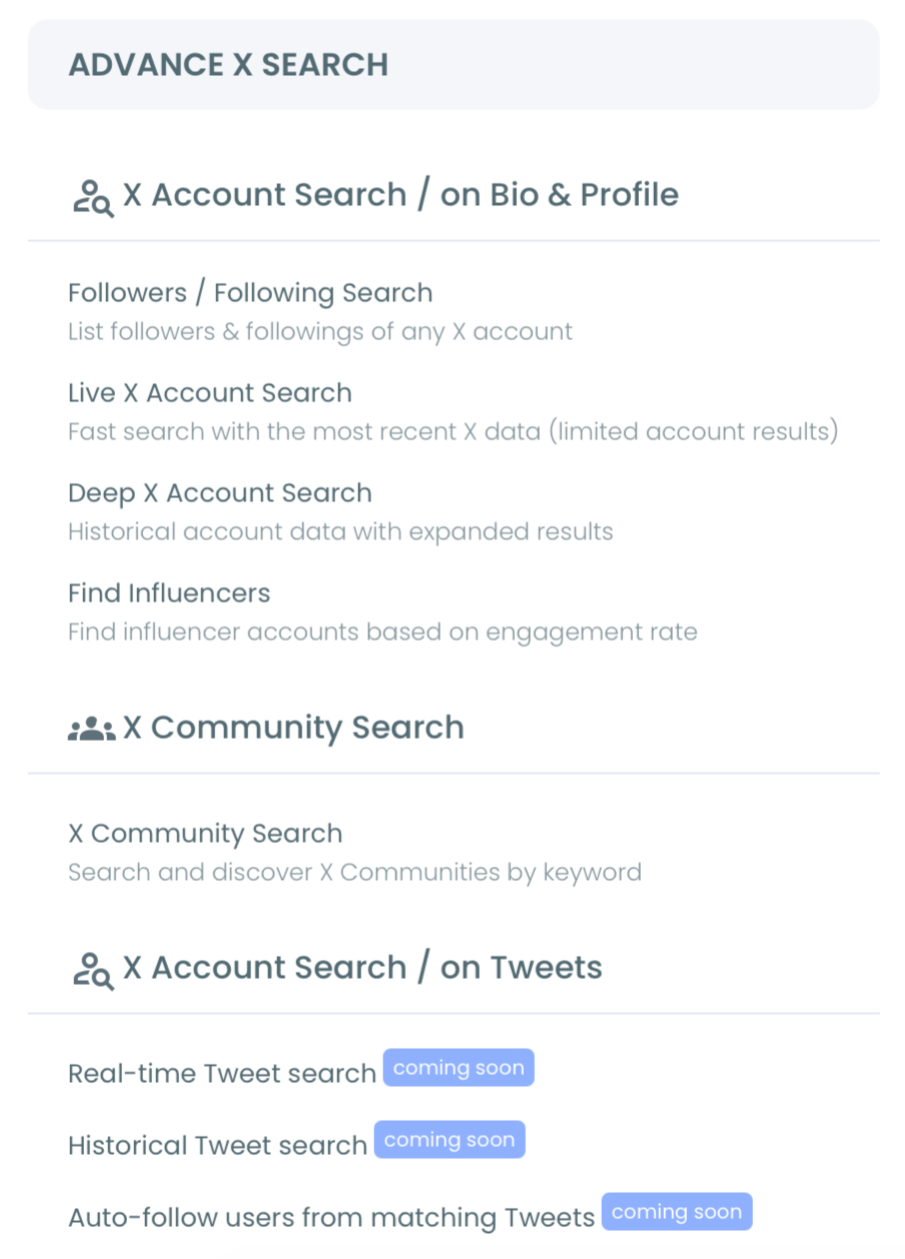
- Go to the Advanced X Search menu and open the deep account search for bios and tweets.
Narrow the search to your town
- Type your segment's bio keyword into the search box and run it. Start with one plain word, such as "cyclist", rather than a long phrase.
- Open Filter Options and type your area into Filter by Location, then apply it. The Active Filters bar confirms the location is in place.
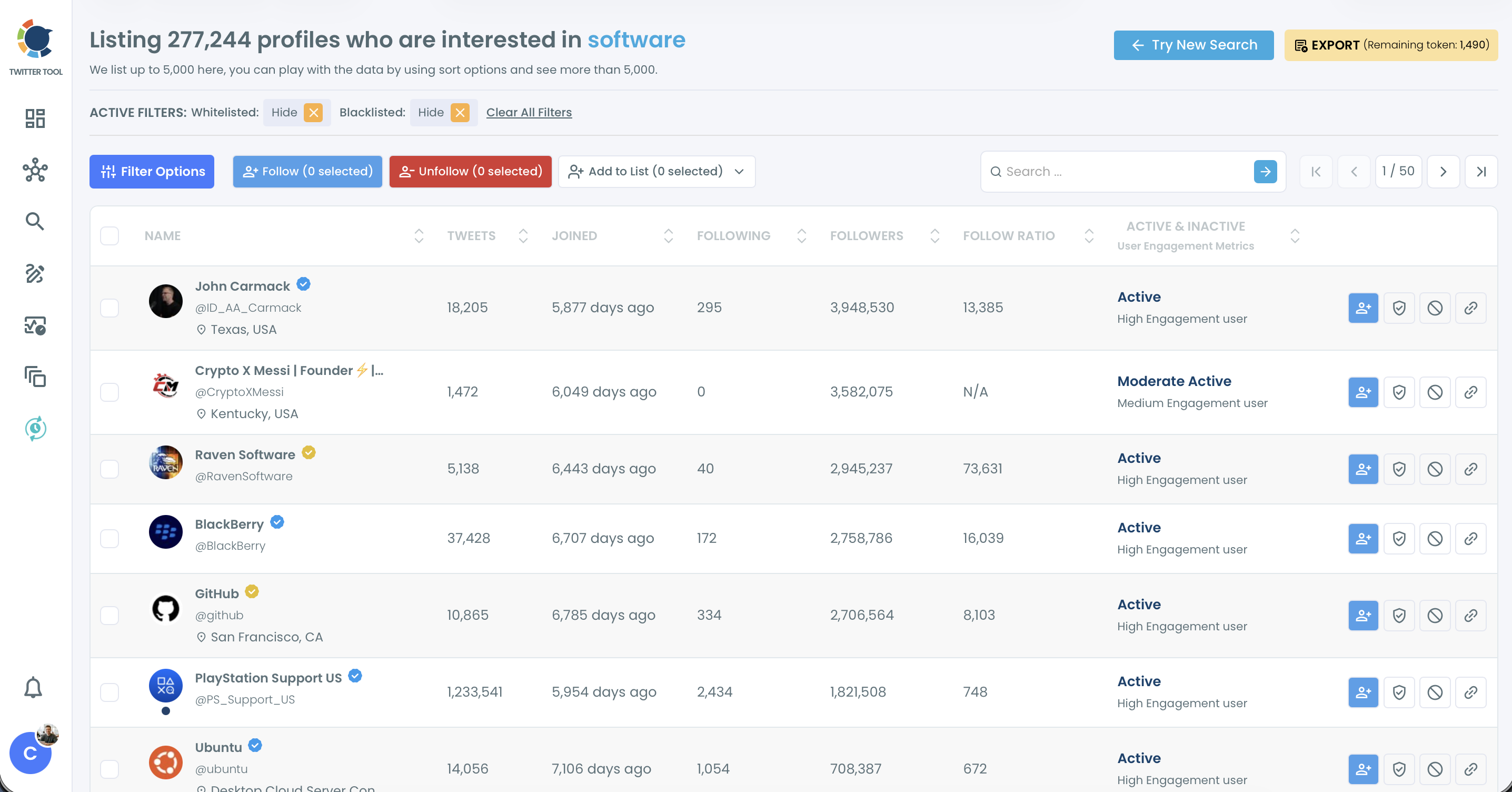
- Clean the list with the Follower Quality filters (Fake/Bot, Inactive and Eggheads), and set a Follower Count range if you want to skip very large accounts.
Act on the local shortlist
- Select the accounts that fit and click Follow, then confirm the number in the pop-up before the request starts.
- Add the same selection to a Twitter list through Add to List, so the segment stays in one feed you can read daily.
That order keeps the risky part last. You only follow after the location and quality filters have removed accounts that cannot become customers, and the confirmation pop-up shows the exact count before anything happens on your profile.
Is it safe to follow many local accounts at once on X?
Yes, when the following is paced. Circleboom processes follows at 50 every 15 minutes, up to 400 a day, and the remaining queue continues automatically the next day. You do not restart anything.
Here is what that pace means for a real shortlist. Say the cyclist search, after filters, leaves 1,000 accounts you want to follow:
- Day one: 400 follows go out.
- Day two: another 400.
- Day three: the last 200, and the queue is done.
Three days for 1,000 targeted follows, with no sudden spike on your account.
Anyone who uses Twitter for a local business plans to keep that account for years, so a slow start costs nothing. Circleboom sets the daily limit to protect that account through controlled processing.
Two habits keep the list worth following. Check a few profiles before you select a large batch, because a search on historical tweets can include people who have since moved or gone quiet. And whitelist your best local contacts so later cleanups never touch them.
How a local Twitter list keeps your neighbours in view
Lists matter more than follows when you use X for a local business. Following puts people in your main feed, where their posts mix with everyone else's. A list gives each segment its own feed, so you can read every local post in one place and reply while it is still fresh.
Lists also work without following. You can add a neighbouring café or a local news account to a list and read it daily, without changing your follower count. That suits the business and voices segments in the table above.
For ideas on structuring them, this piece on how to use Twitter lists for business is a good companion.
Once lists grow, Twitter List Manager lets you add or move many accounts at once instead of one profile at a time.
The list is where daily engagement happens. Five useful replies a day to people on your local list adds up to 35 a week, each one seen by the person you replied to and by everyone reading their thread.
Build a weekly local posting calendar in X Post Planner
Once nearby people follow you, they need a reason to keep paying attention. Using Twitter for local business works on rhythm: a small, predictable calendar does that better than bursts of posts.
A workable weekly rhythm for a local shop has three slots:
- One post with something new: a product, a menu item, a repair you are proud of.
- One post about the area: a local event, a neighbour's opening, a road closure that affects customers.
- One offer or reminder with a clear end date.
In X Post Planner you write each post once and click Schedule to set its date and time.
The Find your best posting time button suggests six time slots based on when your audience is active, and fills the time field for you. Posts must be set at least 15 minutes ahead.
You can check the underlying pattern on the best time to post on Twitter page. This comparison of the best social media scheduler for small businesses covers the wider tool choice.
Stuck for the offer slot? These restaurant promotion ideas to market your restaurant translate well to most walk-in businesses.
How to repeat an offer post so late readers still see it
A post you schedule for 08:00 reaches the people who are online at 08:00. Your evening customers miss it.
Auto Retweet, inside the X Post Planner editor, reposts the same tweet later so the second group sees it too. For anyone using X for a local business with morning and evening trade, that second window matters.
The Auto Repost / Un-RePost panel has three settings:
- RePost after: how long after publishing the repost goes out.
- Un-RePost after: how long the repost stays before it is removed.
- Repeat this cycle: how many times the repost and removal run.
Take a Saturday workshop announced on Thursday at 08:00. Set RePost after to 9 hours and the post comes back at 17:00, when people leave work. Set Un-RePost after to 2 hours so your profile does not show the same post twice in a row. With Repeat this cycle at 2, the one tweet gets its original window plus two repost windows.
The tool does not know when your offer ends, so pick a repeat count that keeps every repost before the workshop date.
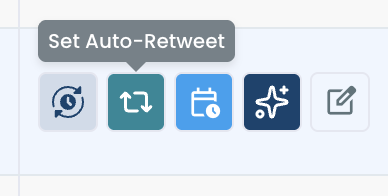
For an older tweet that did well, the Set Auto-Retweet button in X Post Analytics opens the same settings from the post itself.
You can also read how the Twitter auto retweeter handles longer evergreen rotations.
Which local Twitter move fits your business this week
Different businesses start from different places. Pick the branch that matches yours:
- If you have under a few hundred followers and few are local: run the customer-segment search, follow the shortlist at the paced rate and reply daily before you post more.
- If you have followers but they live elsewhere: keep them, and build a local list from the business and voices segments so your replies reach your town.
- If locals follow you but rarely respond: set up the three-slot weekly calendar and add a repost to every offer.
- If you already run ads: reuse the filtered local list to define who the ads should reach, as covered in this guide to Twitter ads for small businesses.
Whichever branch you take, the order stays the same: nearby people first, regular posts second. That is how you use Twitter for local business without shouting into a timeline that lives somewhere else.
→ Find the first local customers for your business on X
Questions about finding local customers on X
How does Circleboom know which town an X account is in?
The Filter by Location field matches what accounts write in the location of their public X profile. People type that text themselves, so a blank or vague location gives the filter little to match, which is why running a few spellings of your area helps.
Can I find what people near me are tweeting right now?
Deep X Account Search is built for finding accounts, including ones matched on older tweets. For conversations happening today, Circleboom's real-time tweet tracker follows live tweets on a keyword instead.
Will private accounts in my area show up in the search?
No. Circleboom only returns public accounts and public tweets on X, so protected profiles in your town are left out of the results.