
Navigating the dynamic world of social media, particularly Twitter, is crucial for marketers, influencers, and businesses aiming to stay ahead of the curve. Keeping track of someone's followers, especially the newest ones, can give you an edge in engagement and strategy. While Twitter doesn’t offer an easy way to sort followers by their join date, third-party tools and APIs can fill this gap.
One standout solution is Circleboom! Keep reading and find out how to track someone's recent followers on X (formerly Twitter) ⬇️
The Challenge with Twitter's Native Interface
Twitter provides a lot of functionality, but it falls short when it comes to sorting followers by the most recent. This limitation makes it difficult to engage promptly with new and recent followers.
Fortunately, third-party tools like Circleboom are designed to bridge this gap and provide additional features to enhance your Twitter management. You can search "Who Followed Me" on Twitter / X by date!
 Kevin O. Frank
Discover Circleboom: Your Twitter Management Powerhouse
Circleboom is a versatile tool that significantly extends Twitter's native capabilities. It offers a suite of features to optimize your Twitter activities, including
- managing followers and following
- cleaning tweets and followers (mass delete tweets and mass unfollow accounts)
- scheduling and automating content, and
- gaining insights through analytics.
What Circleboom Brings to the Table
- Efficient Follower Management: Circleboom allows you to sort and filter your followers using various criteria. While it doesn’t directly offer a "most recent followers" sort option, it provides the tools to effectively manage and analyze your follower base.
- In-Depth Analytics: Get comprehensive analytics to understand your follower growth, engagement metrics, and overall account performance, which will help you make informed decisions.
- Content Scheduling: Plan and schedule your tweets to ensure consistent engagement, even when you're not actively online.
- Intelligent Search Features: Easily find and follow relevant accounts using innovative search capabilities that leverage keywords, hashtags, and bio information.
Circleboom Twitter is a comprehensive Twitter management tool with many features that help you manage your Twitter account from publishing to user analytics. For this blog, let's focus on Circleboom's "Who Followed Me" feature to track your followers by date!
Sort Follower By Following Date on Twitter (X)
You can know when they followed you on Twitter! Also, you can set a New Followers Alert on Circleboom to find out who followed you on Twitter recently and get notified immediately when someone follows you!
You should follow these steps to check your recent X followers:
Step #1: To begin, navigate to Circleboom Twitter and sign in using your active email address.
If you don't already have a Circleboom account, you can easily create one in just a few moments!

Step #2: Next, proceed by authorizing Circleboom Twitter to access your Twitter account by signing in.
This will link your Twitter account to the Circleboom dashboard, allowing you to see who has unfollowed you on Twitter.

Step #3: Navigate to the left and open up the menu. See the "Followers" tab there.
Here, you will see the "Who Followed Me/ New Followers Alert" option. Click on it and navigate.
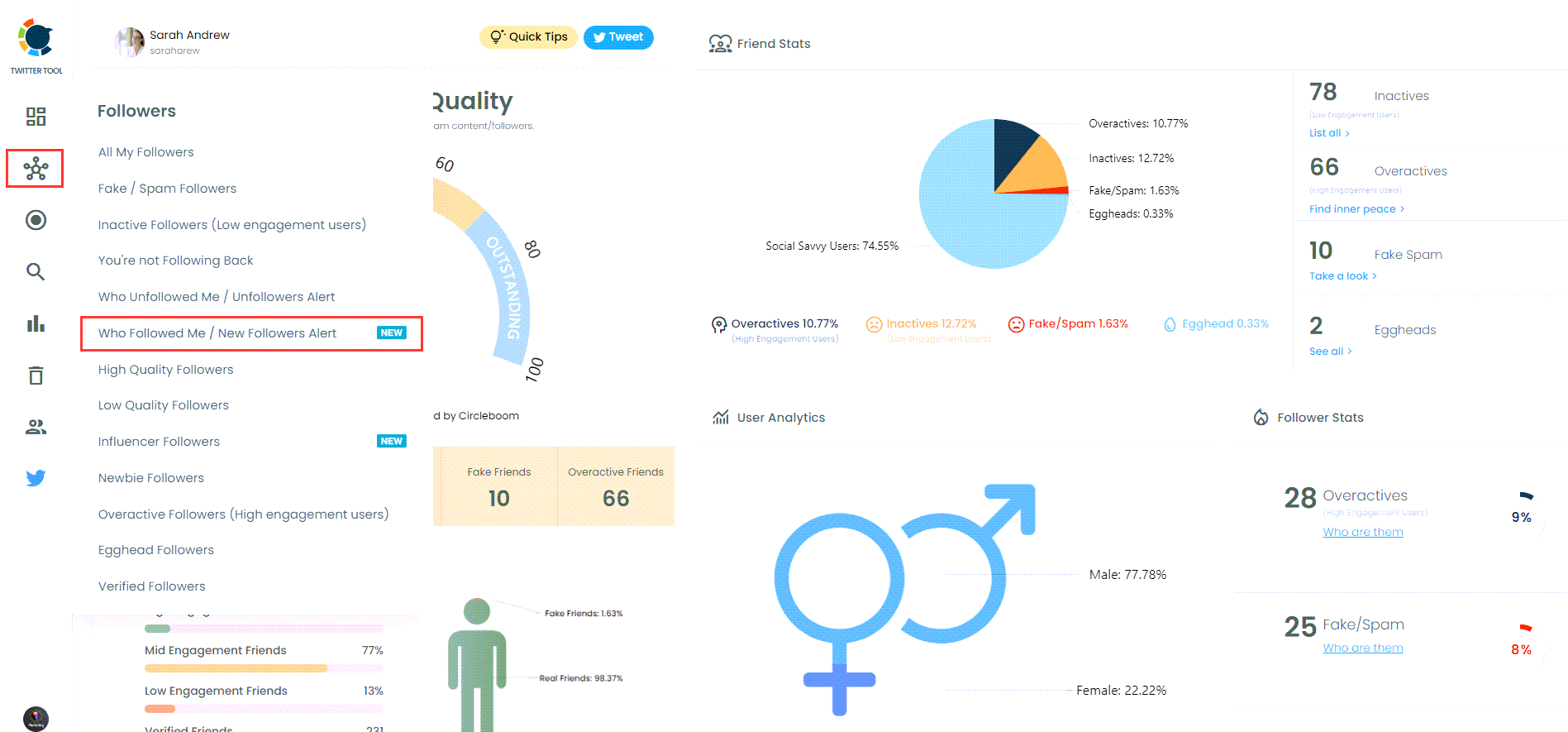
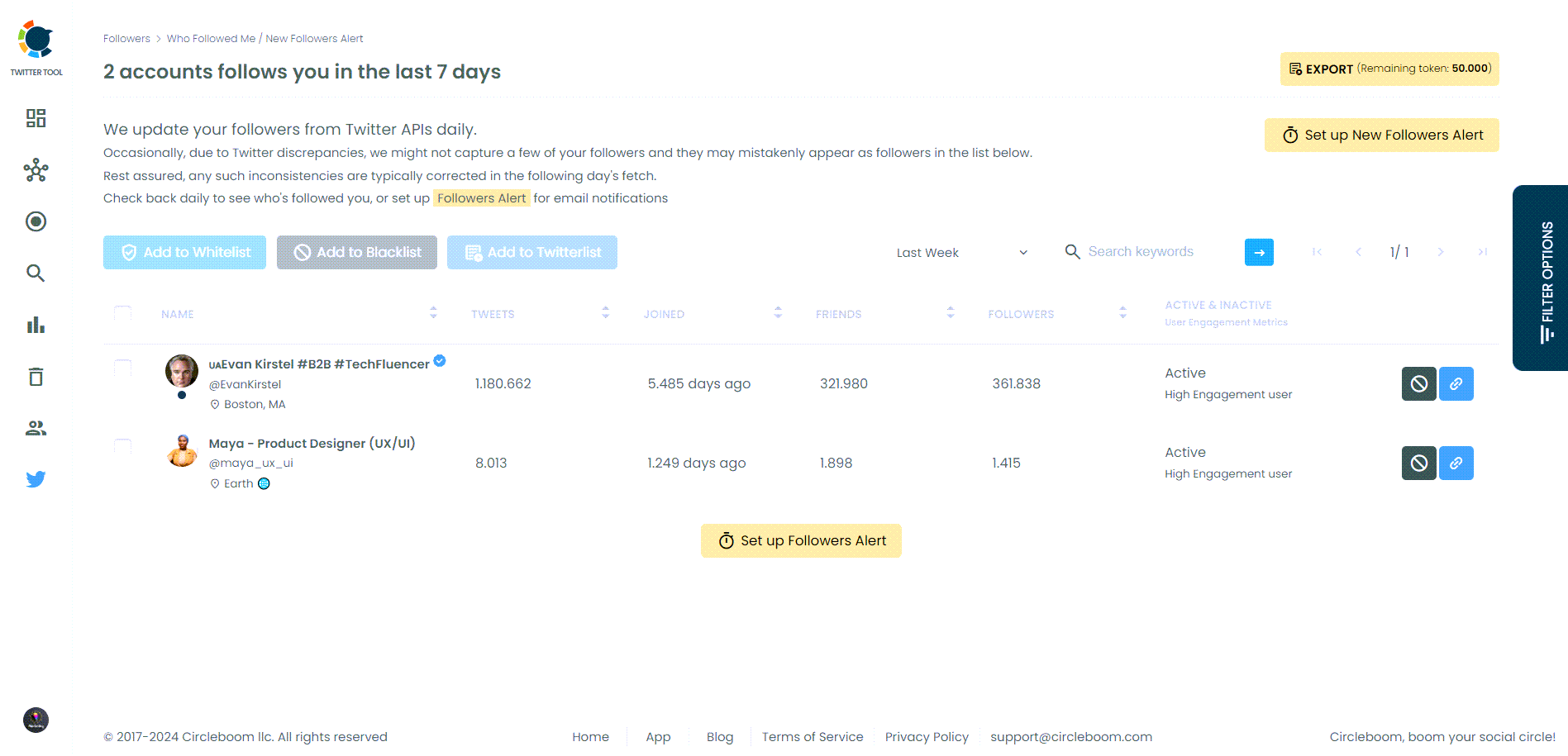
Step #4: You can see who followed you on Twitter in a given period of time.
You can see a time range from the last day to the last year. Now, you can see your recent followers on X and in chronological order!
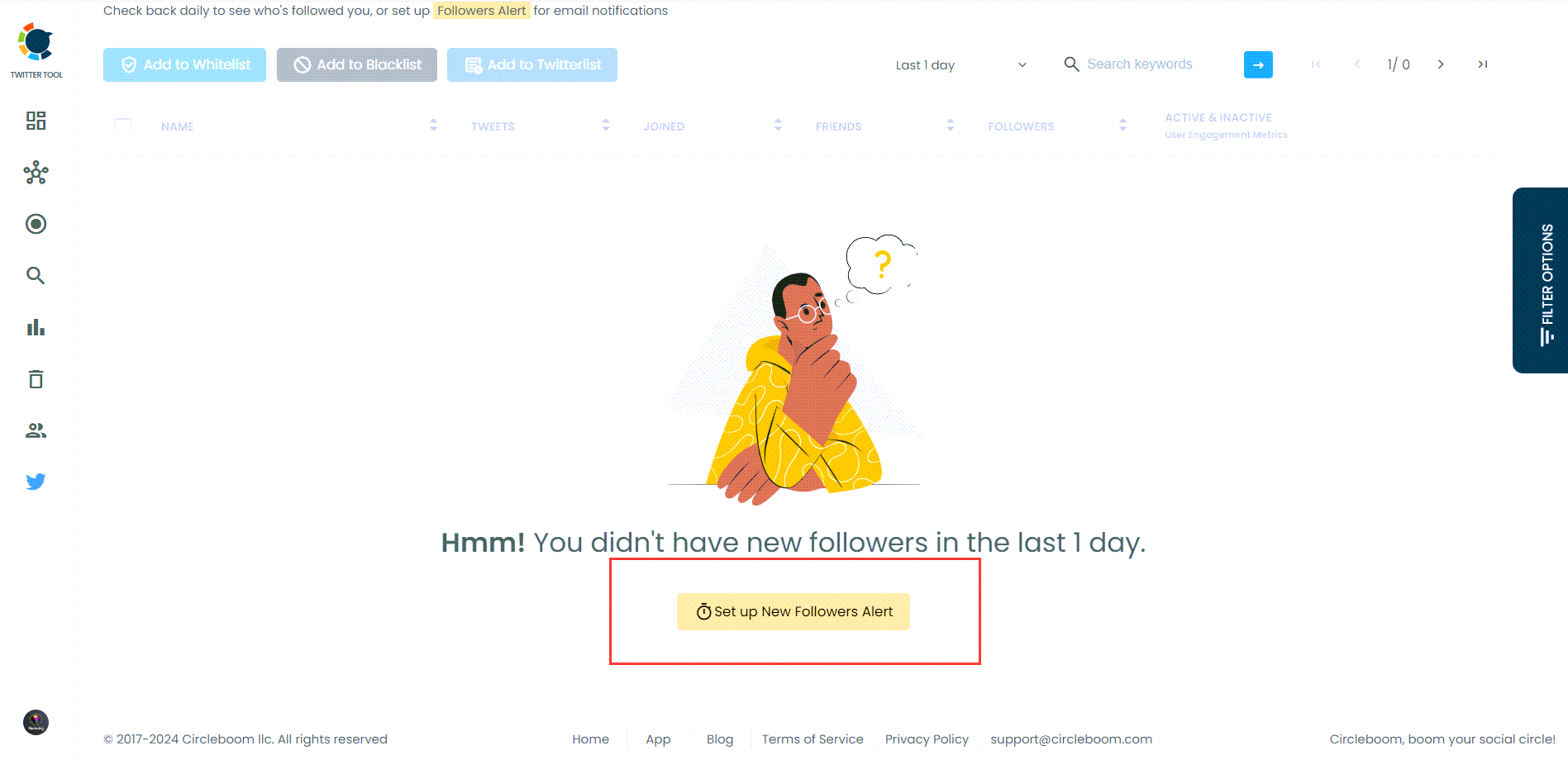
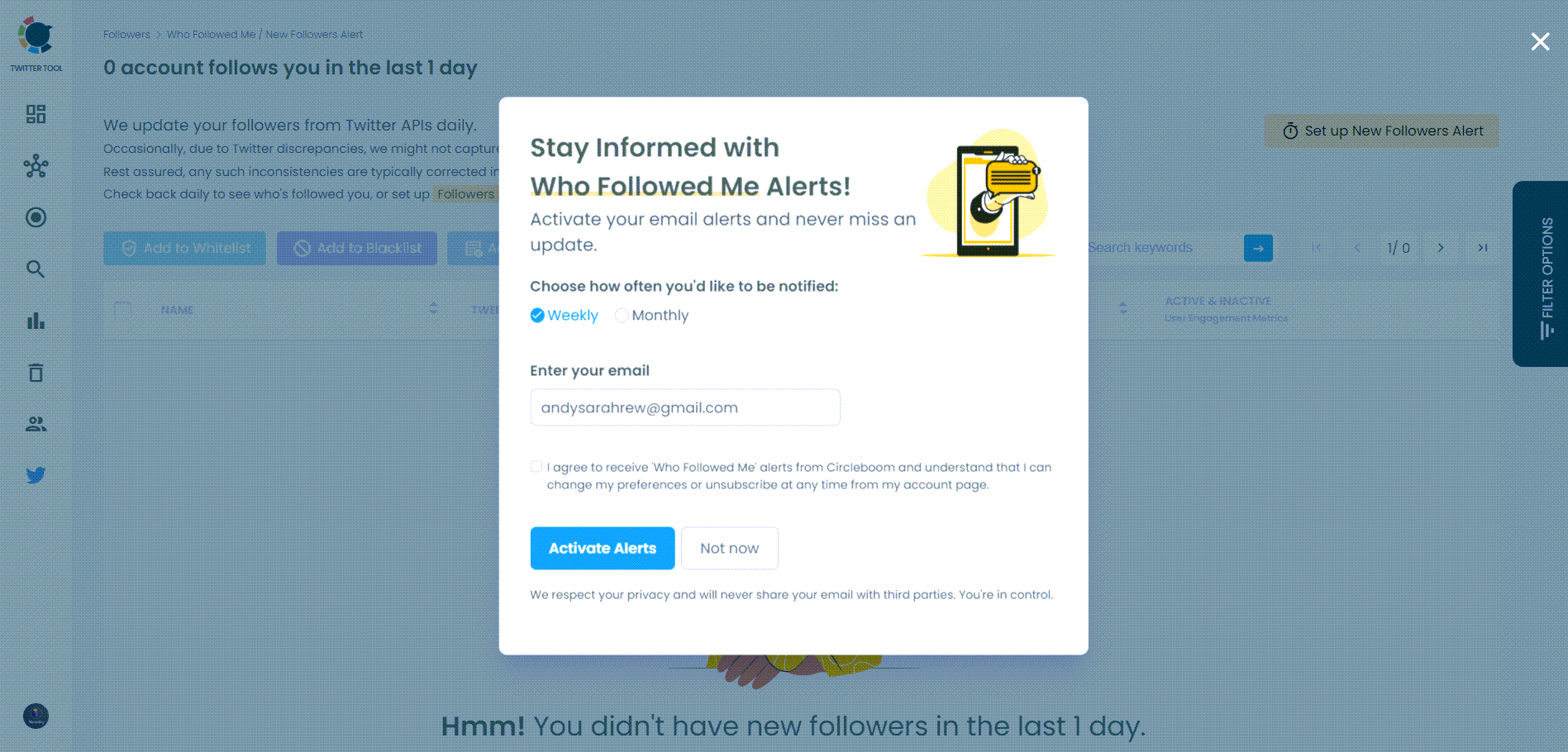
You can also “set a new follower alert” on Twitter and receive an immediate notification when someone follows you! It is the best way to track your recent X followers!
You can get daily or monthly emails.
How to Bulk Follow Your Recent Twitter Followers
You have listed your recent Twitter (X) followers, and you may want to answer their follows by bulk following them in return!
On Circleboom, you can bulk follow and bulk unfollow multiple Twitter (X) accounts in one click!
How Can You Track Someone's Most Recent Following or Followers with Circleboom?
Thanks to Circleboom's the most recent feature, you can track someone's most recent followings and followers.
Here is the path you should follow on Circleboom to monitor the newest follows and followers:
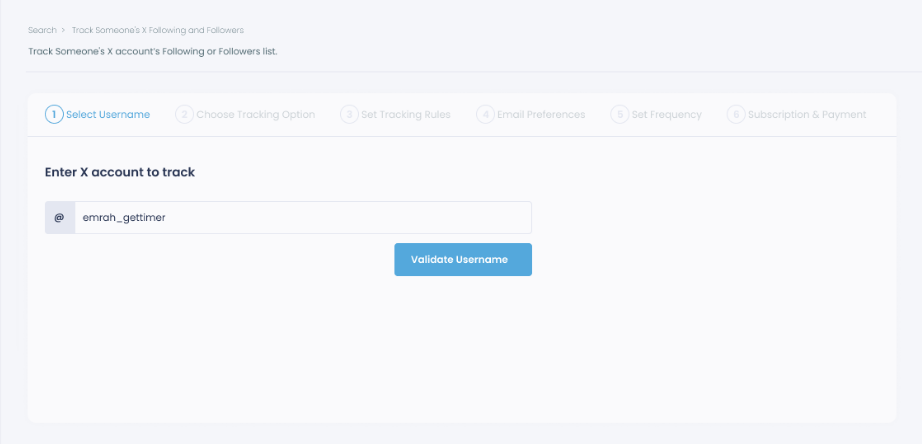
Step #1: Select any username you want to track on X.
You will track their recently followed audience.
Step #2: Next, you will choose "Followings" or "Followers".
You should select one of the tracking options.

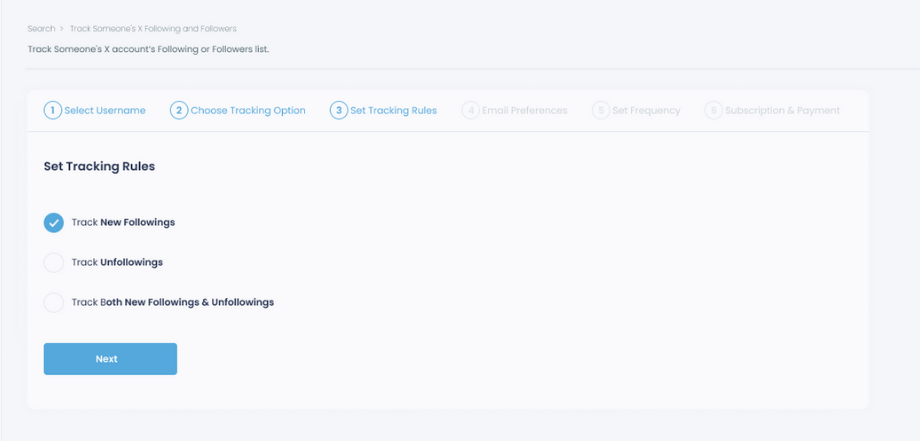
Step #3: Regarding the followings, you can track new, recent followings and unfollowings.
You can track both at the same time!
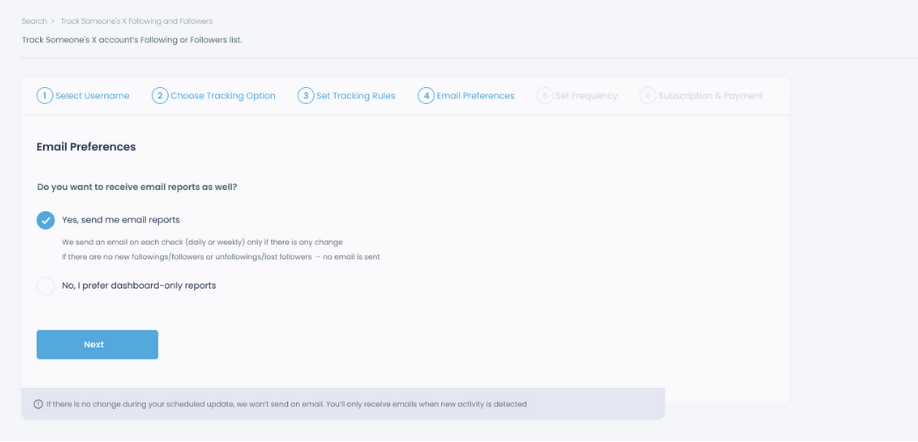
Step #4: For your tracking operations, you can receive email updates for each check.
You can still track new followings or followers without email notifications. You can monitor the following or followers with dashboard-only reports.
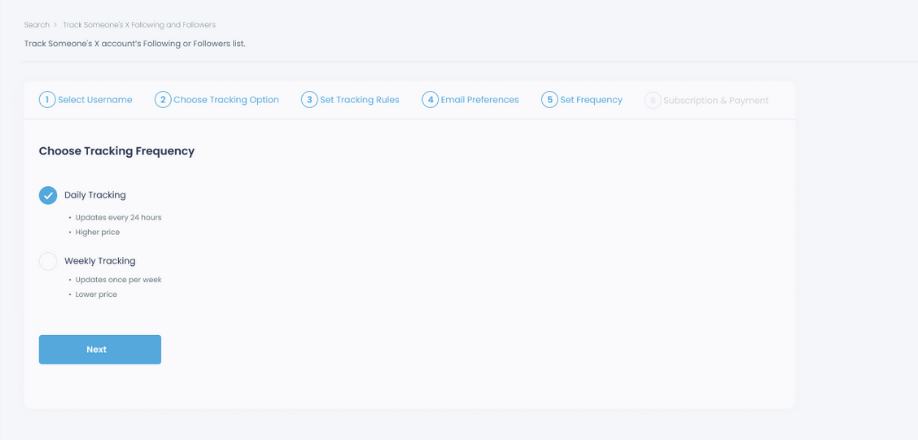
Step #5: Now, you should set the frequency.
You can get "Daily Tracking" or "Weekly Tracking".
Step #6: The next step is subscription.
After checking the rules, you can start tracking.
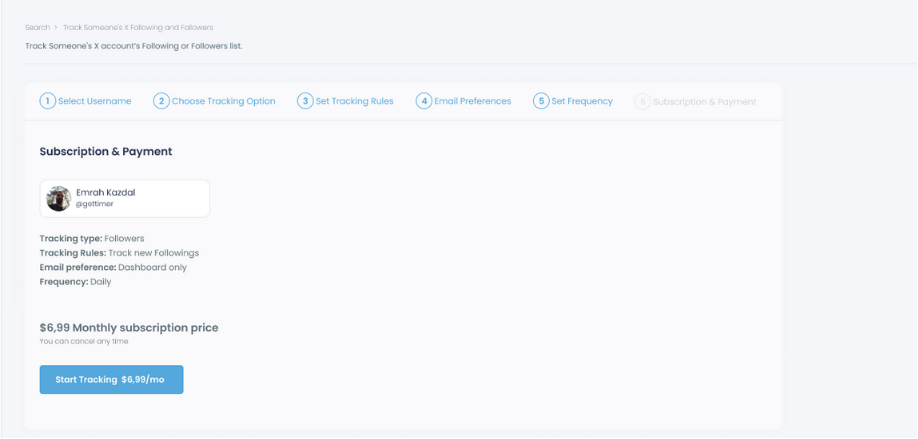
Step #7: Tracking is now active.
That's it! Now you can monitor newly followings and followers of anyone on X with Circleboom!
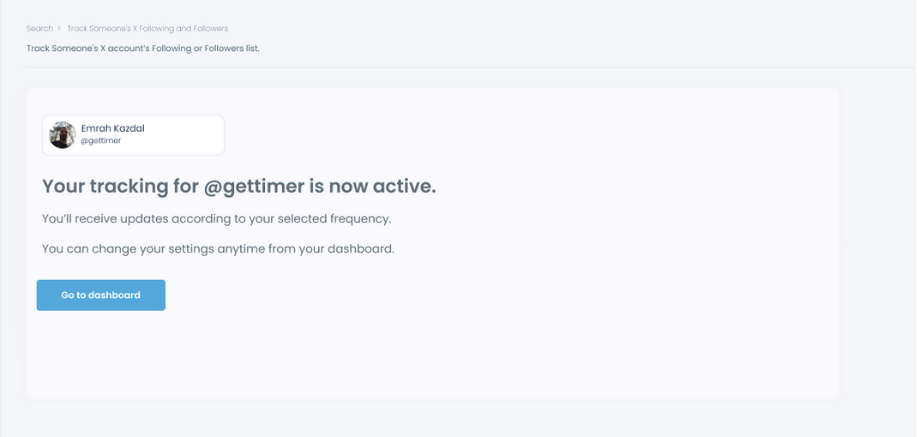
On Circleboom, you can track Twitter followings and followers in chronological order.
Bonus: Export New Twitter Followers and Followings!
You have checked your new followers, and then you can export this follower list to Google Sheets or CSV with Circleboom:
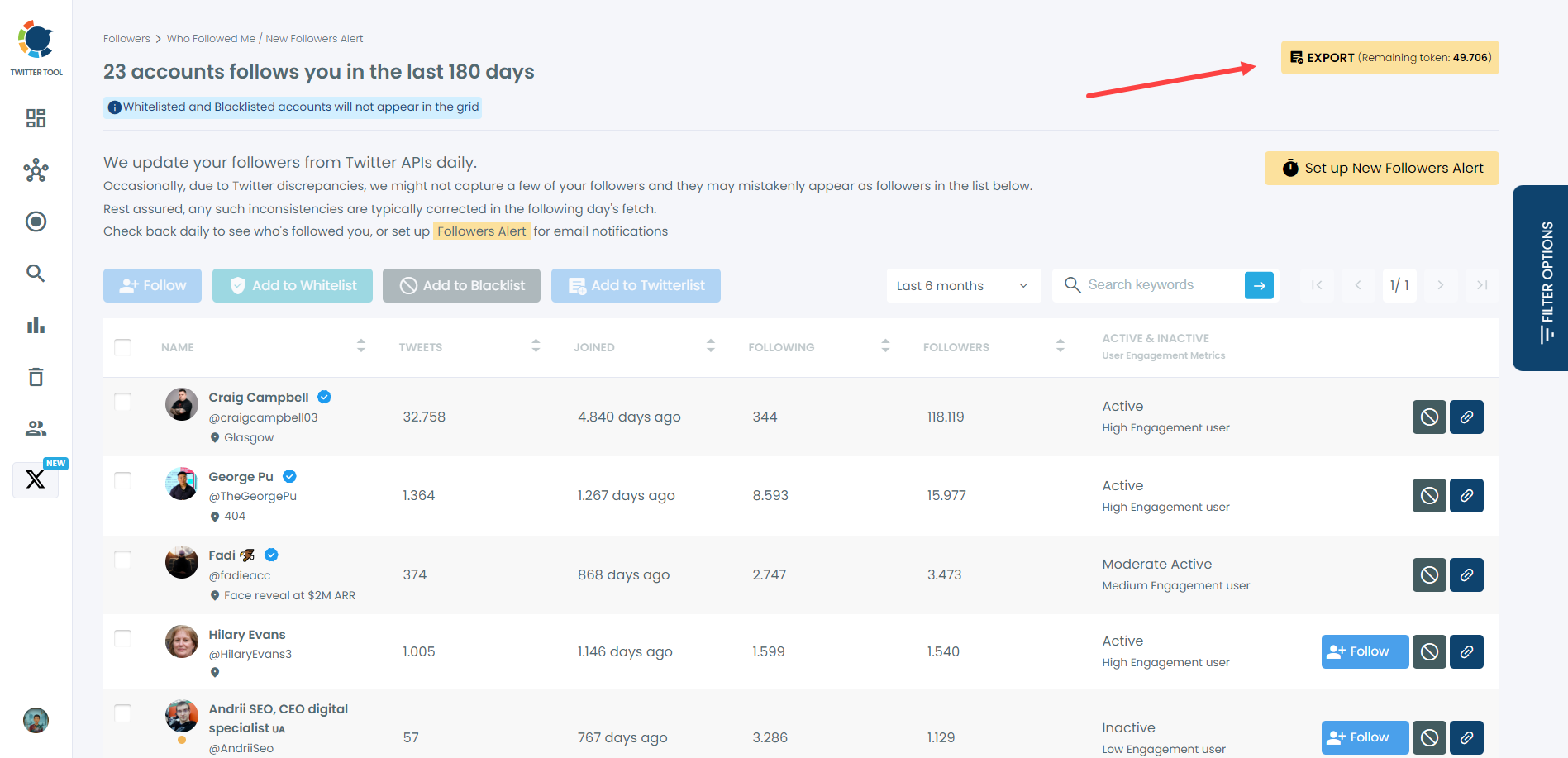
It will look like ⬇️
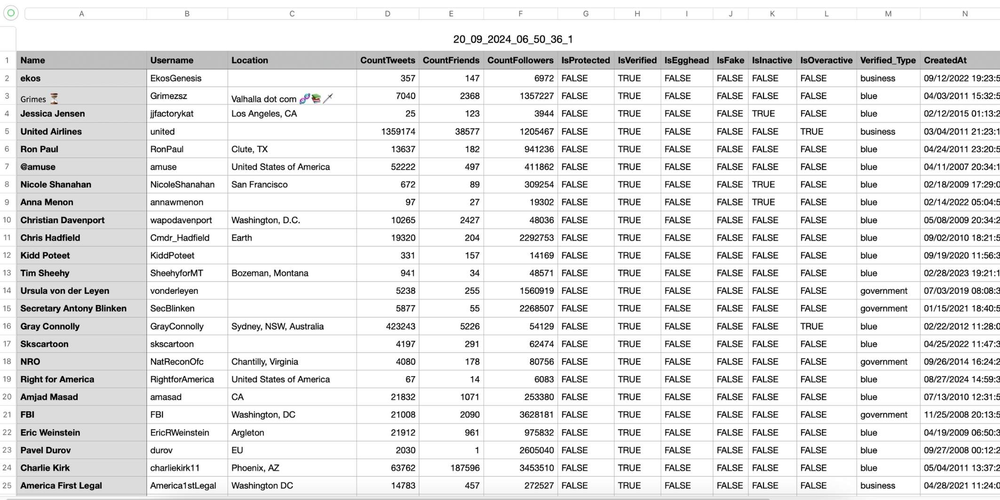
You can use your follower list anywhere for anything!

Another Solution: Using Twitter API
If you have technical skills, Twitter’s API offers a way to programmatically sort and analyze follower data. Here’s a brief outline of the process:
- Get API Access: Apply for a Twitter developer account and obtain your API keys.
- Retrieve Followers Data: Use the
followers/listEndpoint to get details about your followers, including when they started following you. - Sort Followers: With the data retrieved, you can sort followers by their follow date using a programming language like Python.
- Combine with Third-Party Tools: Integrate this data with a tool like Circleboom for a more user-friendly interface and additional features.
Conclusion
Twitter's native interface has limitations, but tools like Circleboom can help you manage and understand your followers more effectively. By leveraging Circleboom's features, you can gain deeper insights into your audience and enhance your Twitter strategy. For those with technical know-how, using Twitter’s API can provide a more tailored solution for sorting and analyzing followers.
In the fast-paced world of social media, keeping track of your follower dynamics is essential. Circleboom is a powerful tool that can help you manage your Twitter account more efficiently, ensuring you maximize your social media presence.