

To turn your Twitter following list into a competitor intelligence feed, you audit and clean the list, rebuild it around competitor accounts worth watching, segment those accounts into private Lists, and put standing keyword monitors on the terms that predict competitor moves.
If you want to know what a competitor is about to do, Twitter usually tells you first: a cluster of hiring posts, a beta sign-up link, a support thread going sideways in public, often weeks before any announcement.
One thing to be honest about up front: the tools collect the signal, but reading it is judgment work. A hiring tweet or a frustrated customer reply only becomes intelligence when someone decides what it means and what to do about it. The system below gets the right tweets in front of you; the last section covers what to do once they're there.
Most guides on this topic stop at "make a Twitter List of competitors."
The gap they leave is the part that matters: how do you keep the list clean enough that signal surfaces, and how do you watch competitor conversations you're not part of, the mentions, complaints, and churn stories that never touch their brand account?
What Competitor Intelligence Actually Is
It's listening in public spaces and letting what you hear change your decisions. Just structured attention paid to signals rivals broadcast for free.
What you're watching for: product launches and feature bets, messaging shifts, partnership breadcrumbs, hiring surges around specific product areas, and the tone of customer replies when things go wrong.
Any one of these in isolation is noise. Three of them pointing the same direction is a roadmap.
The part people get wrong is treating it as a research project. It's not. It's a feed. Research projects end; feeds run.
Why Your Following List Can't Do This As-Is
Your following list right now is probably a graveyard. Accounts from a job two roles ago. People you followed back out of politeness in 2019. That clutter actively buries the three tweets a week that matter under four hundred that don't.
Native X gives you no way to fix this at scale. No view sorts your following by activity or engagement, no bulk unfollow, and no way to see which accounts have gone quiet or turned into noise. Auditing hundreds of follows by hand is tedious enough that it never happens, which is why most "we should track competitors" efforts die at this step.
There's a second structural gap: the most honest competitor signals live in conversations you're not following at all. The customer publicly announcing they've switched providers, the reply thread asking a rival for a feature and getting silence. None of that reaches your feed, no matter how well-curated your follows are.
So the system needs two layers: a cleaned, segmented following list for the accounts you watch, and standing keyword monitors for the conversations happening around them.
How to Build the Feed With Circleboom
Circleboom Twitter connects to your X account through official OAuth and covers both layers, the cleanup and the monitoring, from one dashboard. Here's the flow, in order.
Connect your X account to Circleboom
Log in to Circleboom Twitter and connect your account. Every step below runs from here.
Audit your following list
Open the Following views and let the tool sort your follows into the categories worth acting on: Inactive Following for accounts that went quiet, Fake/Bot Following, Overactive Following for the high-volume accounts drowning your feed, and Not Following Back.
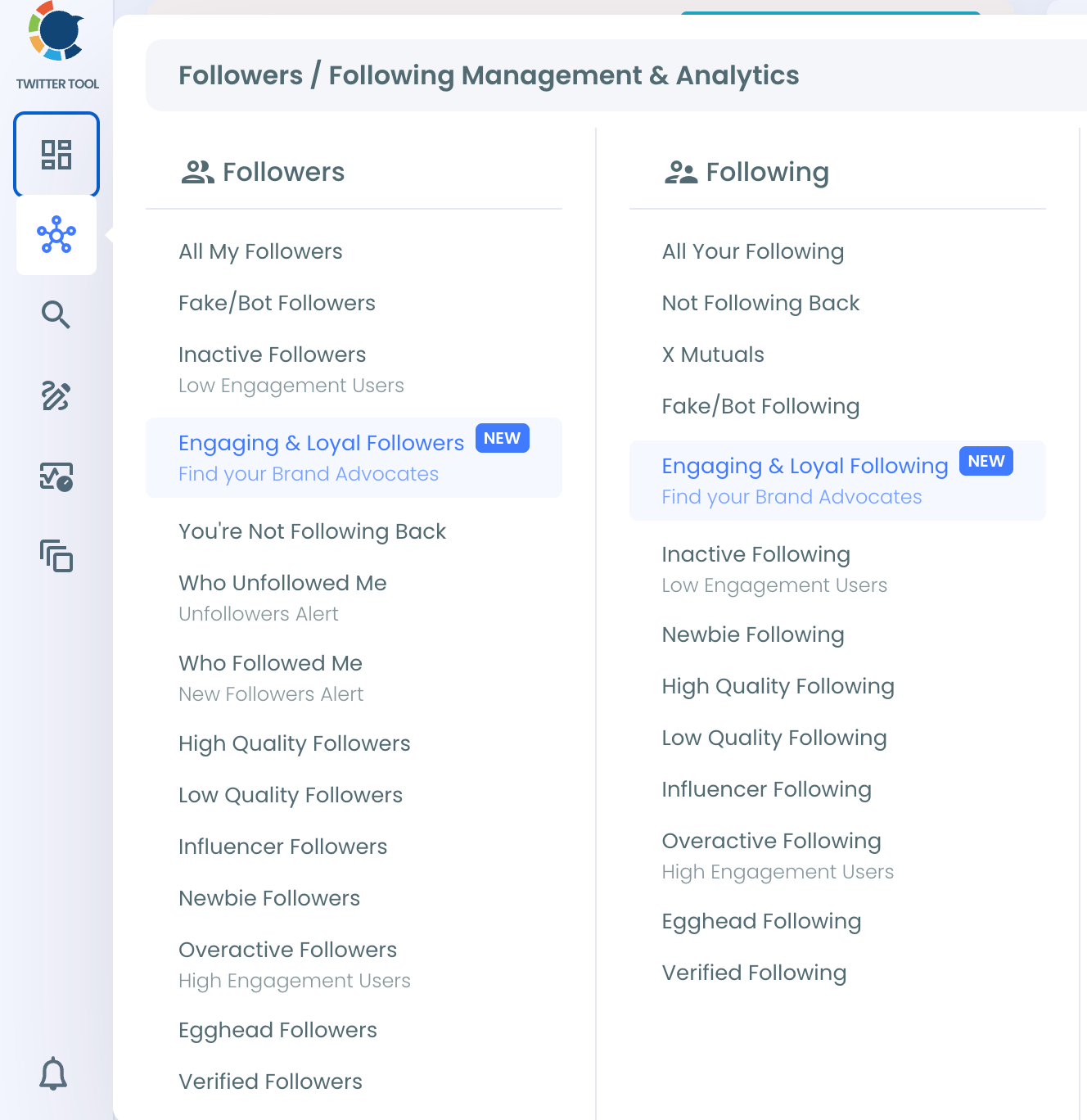
This replaces the manual scroll-and-judge pass entirely. The accounts burying your signal are pre-sorted; you just decide what goes.
Unfollow in bulk, keep with intent
From any filtered view, select accounts and act on them in batches: unfollow, whitelist the keepers, or push the relevant ones straight into a List for the next step. The whole cleanup that never happens manually takes one session here.
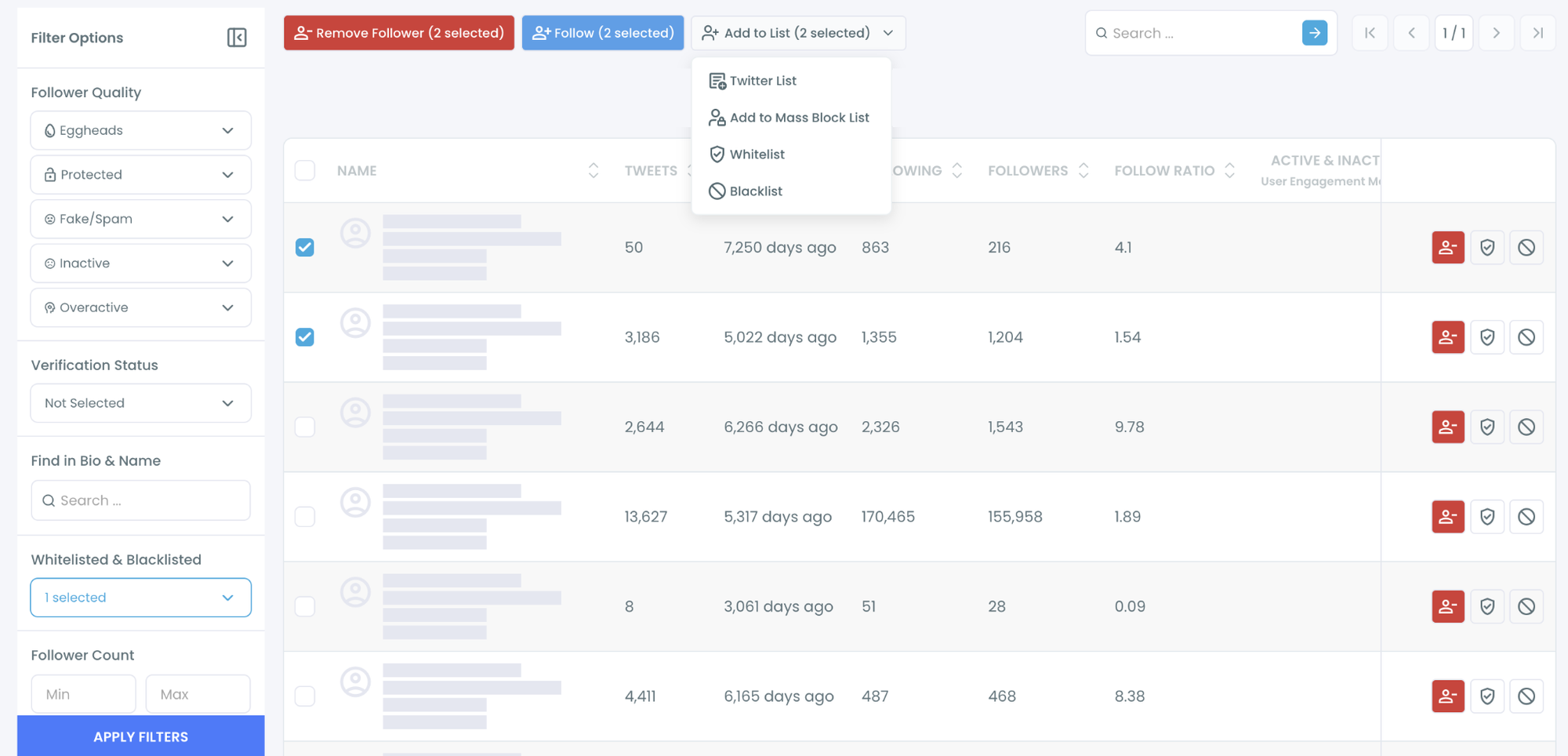
Then rebuild what remains with intent:
- Direct competitors, and not just the brand account. Brand accounts are sanitized. The interesting stuff comes from execs, PMs, product marketers, and support leads, who talk more freely and slip more often.
- Emerging challengers, harder to spot and more important to catch early. New funding, a sudden hiring wave, a string of press hits are your clues. The giants show you direction. The upstarts show you speed. You need both, because the threat that actually hurts you usually comes from the second group while you were watching the first.
- Industry analysts and journalists who break news in your space, plus the power users and community leaders who react early and loudly to everything.
Segment everything into private Lists
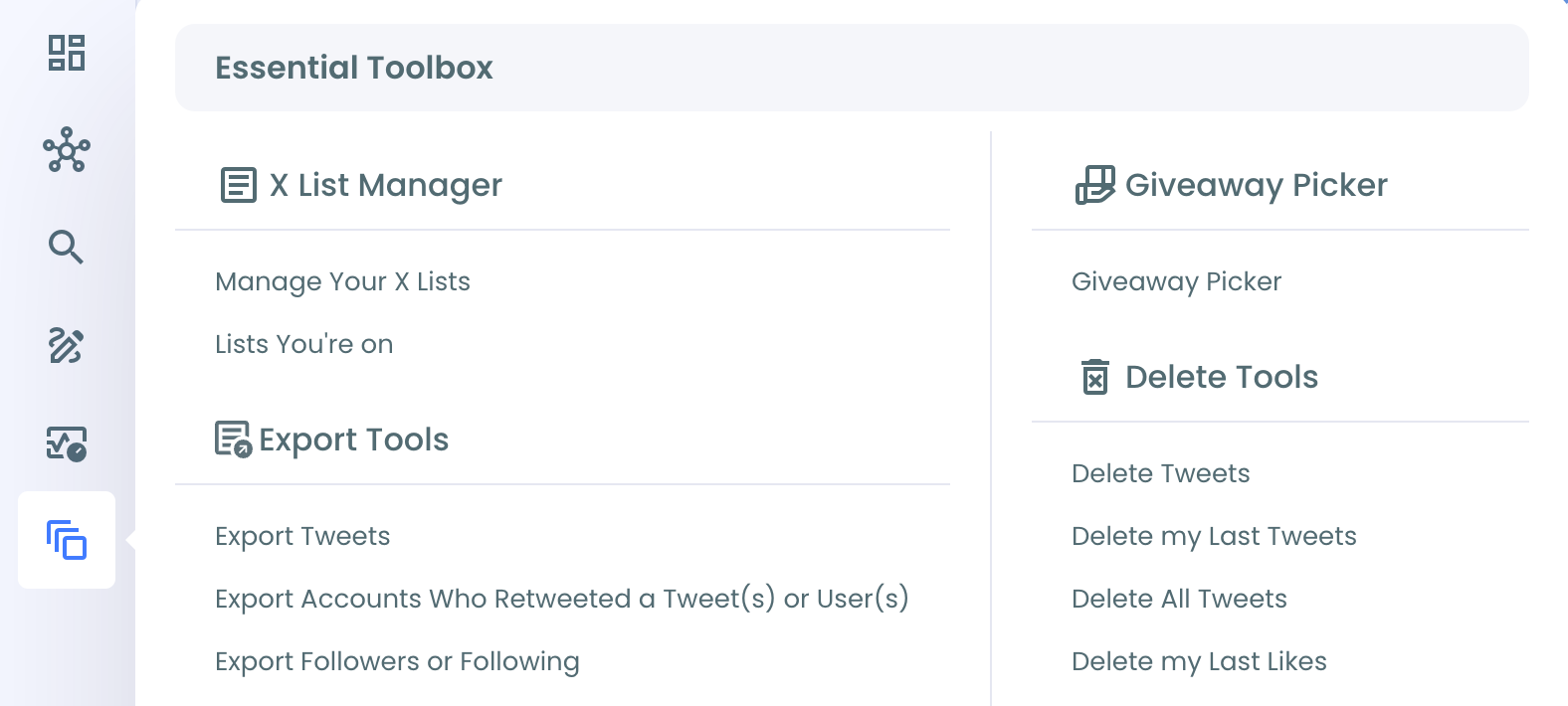
Open the X List Manager in Circleboom's Essential Toolbox to build and manage the Lists in one place — one per competitor tier, all private. A public list titled "Competitors" is you announcing your watch list to the people on it. The Lists You're On view is worth a glance for the same reason in reverse: it shows who's watching you.
Put standing monitors on the phrases that predict moves
This is the layer native X can't do at all. Circleboom's Real-time Tweet Search collects live public tweets matching your terms from a start date forward, a keyword monitor, not a one-time search.
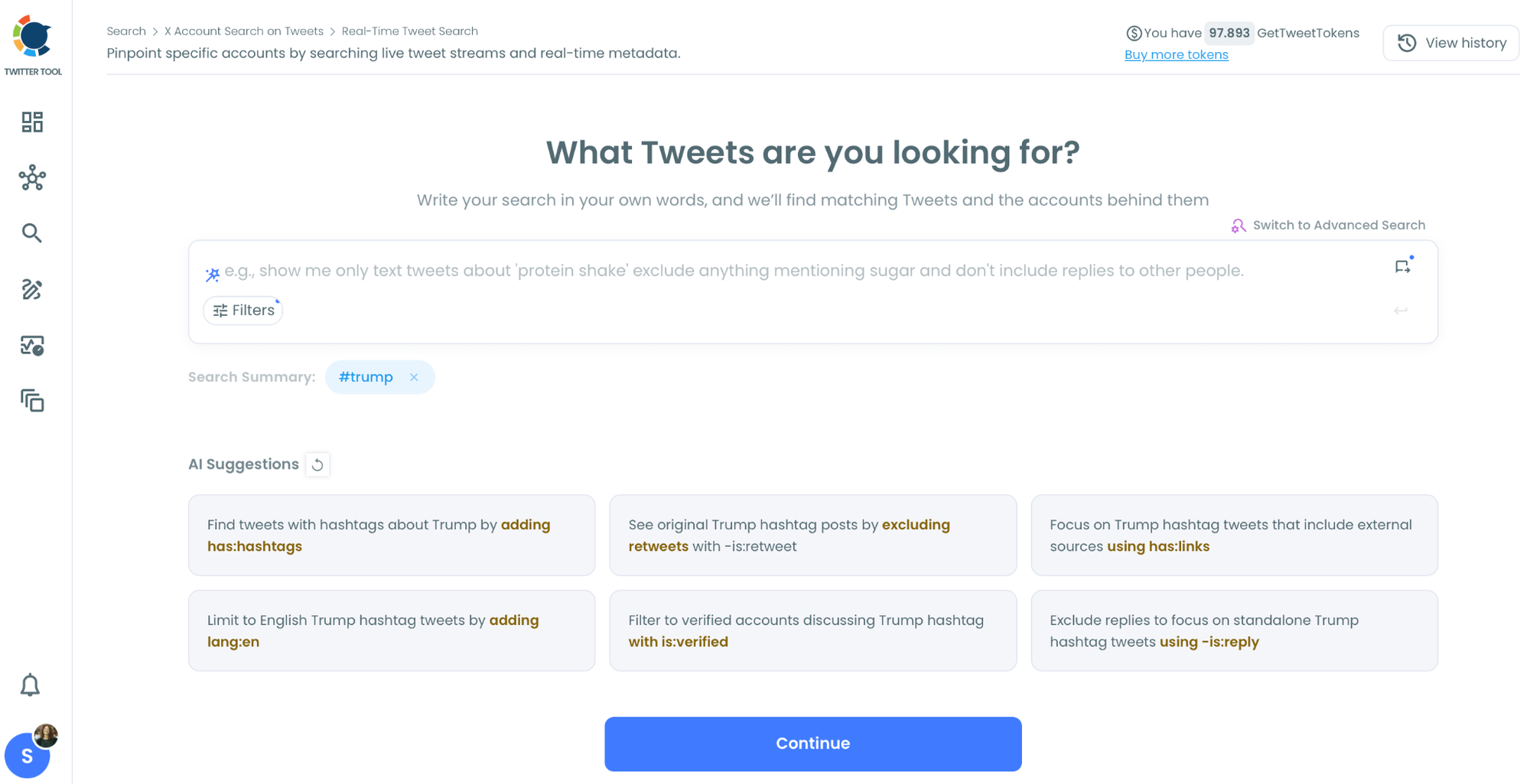
Your standing monitors can be boring on purpose. Competitor name plus "pricing." Competitor name plus "beta." Competitor name plus "moving to", that last one catches churn stories in the wild, customers publicly announcing they've switched, which is the single most honest data source that exists. Pair it with the mentions tracker to watch who's talking about you in the same pass.
Find the accounts behind the conversations
Historical Tweet Search runs the same kind of query backward across deep tweet history, and extracts the accounts behind the matches, deduplicated, ready to drop into your Lists or export. Search a rival's product name plus a complaint term, and you're looking at their unhappy customers, which is both intelligence and an audience.
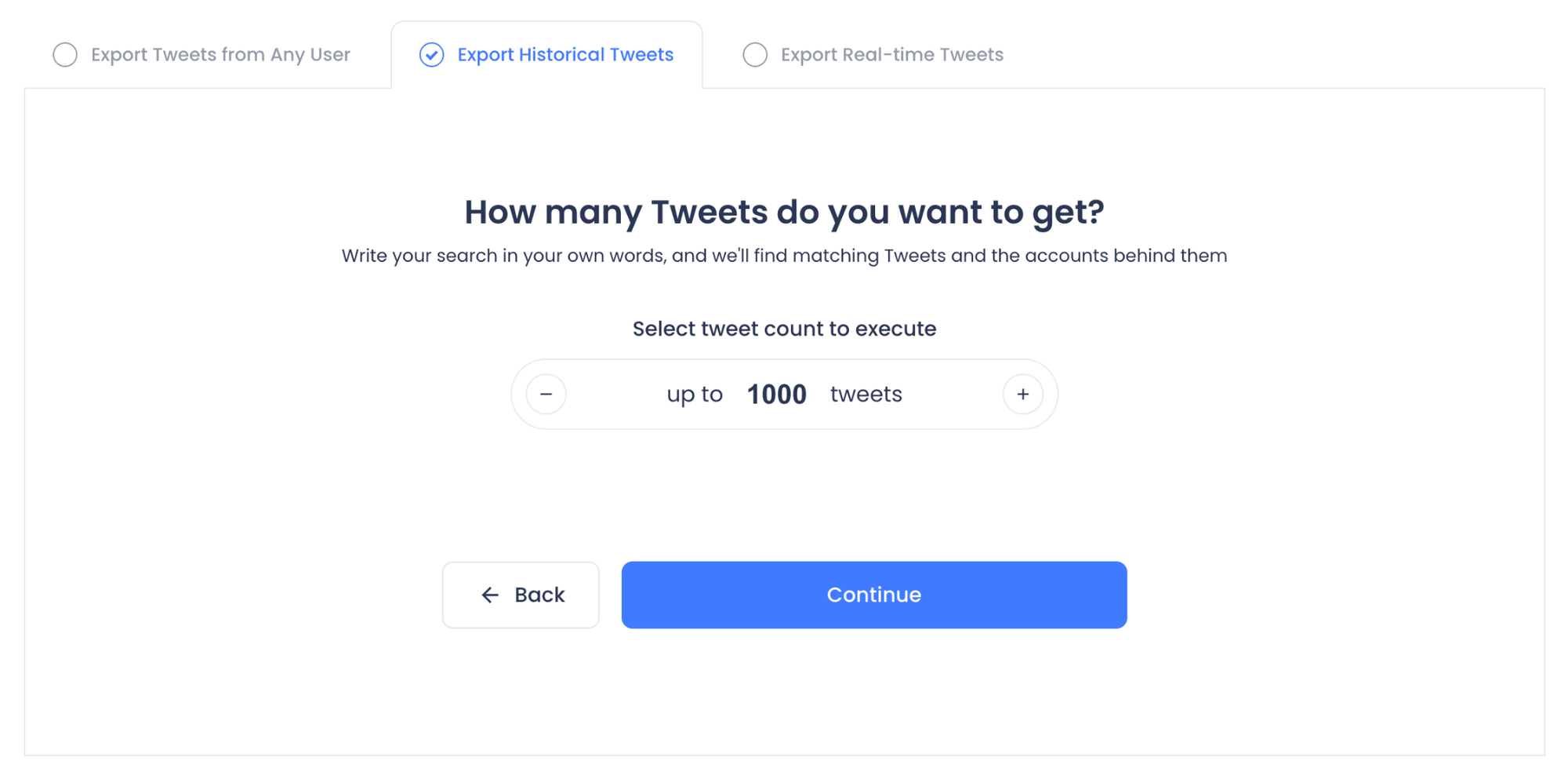
Pull a competitor's full history when you need depth
For the accounts that matter most, Export Tweets pulls any public account's posting history directly, no archive access needed. Run it on a rival's brand account before a positioning project, and you have their entire messaging evolution in one file.
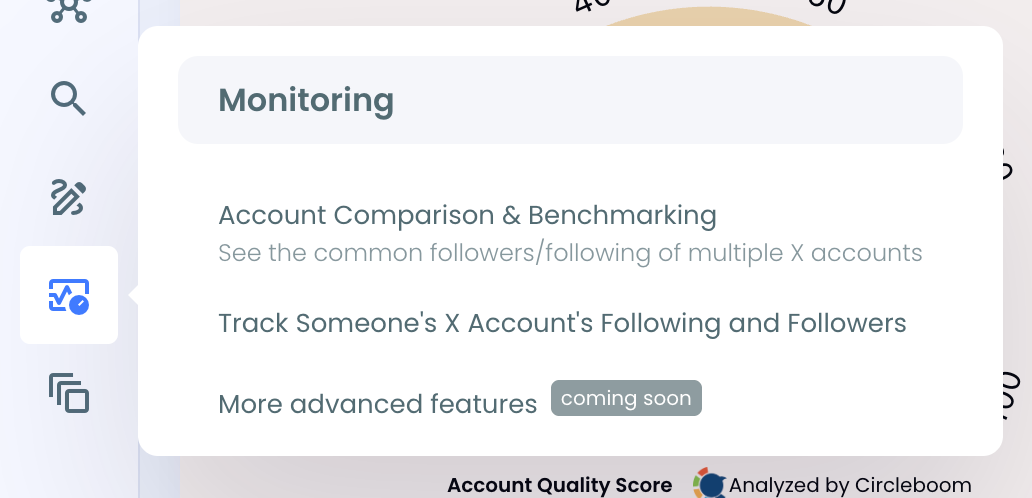
At a glance: connect, audit, clean, segment, monitor, extract. The tools keep the feed running; your attention goes to reading it.
How do you track competitors on Twitter?
You stop relying on the algorithmic feed and build a structured watch system: a cleaned following list, private Lists per competitor tier, and live keyword monitors on the phrases that signal moves. Circleboom Twitter handles the cleanup, the List management, and the monitoring from one dashboard.
Build your competitor watch system with Circleboom
Reading the Feed
Collecting tweets is easy. This part isn't.
The mistake is watching what competitors post. Watch what happens underneath what they post. A pricing announcement with 200 likes looks like a win until you read the replies, and half of them are confused about what tier includes what.
That confusion is your opening. It means their pricing page failed, and yours can be the clear one.
The same logic applies to feature requests hiding in replies.
Jin Hongzhou, CEO of eSign.AI, an e-signing platform, watches competitor mentions closely as part of his own product planning.
He says, "The announcement tweets tell you what a competitor wants you to know. The replies tell you what their customers actually need. When we see users publicly asking a rival for API access or bulk sending and getting silence back, that is unmet demand spelled out in the open. It shapes what we build next more reliably than any survey."
Some patterns to consider:
- Replies-to-likes ratio, and the tone of the top replies. Ten thoughtful replies beat a hundred hollow likes every time. A spike in quote tweets using skeptical language is a flare.
- Hiring tweets clustered around one product area. Companies hire ahead of building. Two ML engineer posts and a "product marketing manager, data" listing in the same month is not a coincidence.
- Recurring mentions of the same partner. Integrations are teased in replies long before they're announced.
- Timing and cadence. Do their launches cluster around industry events? Do they ship copy tests on weekends when scrutiny is low? Consistent timing choices reveal process, and process reveals priorities.
For a rough engagement benchmark: total interactions (likes + replies + reposts) divided by follower count, compared across similar posts over time. Crude. But crude and consistent beats sophisticated and abandoned, and it surfaces the outliers worth actually digging into.
Keep a running doc. Links, dates, one-line notes. Over a month, patterns pop out of it that you'd never spot in the moment.
Intel That Doesn't Change a Decision Is Trivia
This deserves its own weight because it's where almost every monitoring effort dies. Teams build beautiful feeds, log everything faithfully, and change nothing.
The signal has to hit a decision. Concretely:
- If a rival's pricing tweet triggered public confusion, tighten your own pricing page before your next campaign, not after.
- If their replies keep asking for an integration you already ship, that goes into your onboarding flow and your comparison pages this week.
- If you spot beta hints in a category you've been ignoring, don't panic-build. Run five user interviews and find out whether your customers even care.
This works outside SaaS too. Say you're a print shop competing on custom t-shirts and you notice a rival's replies filling up with complaints about slow turnaround on bulk orders. That's a positioning gift. If a competitor's public support replies are slow and canned, speed yours up and make them visibly human. Customers watching that thread notice the contrast. Then track your own sentiment week over week and see whether it moved.
The ritual that makes this stick is small. Thirty minutes weekly: ten to log what you saw, ten to note possible actions, ten to assign an owner. That last ten is the one people skip, and it's the one that matters. An observation without an owner is a screenshot in a folder nobody opens.
Where to Start
Clean the following list first, it's one session in Circleboom, and it's the step that makes every other step visible. Add one standing monitor on your closest rival's name plus "pricing." Check it with your morning coffee and log anything interesting in a doc.
The segmented Lists, the layered monitors, the weekly ritual with owners attached — all of it grows naturally out of that once the first useful signal lands. And it will land faster than you expect, because your competitors are out there leaking right now.
→ Start tracking competitors with Circleboom
FAQs
Can competitors see that I've added them to a List?
Only if the List is public — they get a notification and can see the List name. Keep every competitor List private, and nothing is visible to the accounts on it. Circleboom's X List Manager shows the privacy status of each List in one view.
How is a keyword monitor different from checking X search every day?
Native X search is a snapshot with no persistence — it shows what exists the moment you look, then forgets you were there. A live monitor collects matching tweets continuously from a start date forward, filters the stream, and extracts the accounts behind the matches, so the tweets posted in the gaps between your checks don't disappear.
Do I need to follow competitors from my main account?
No, and for the watching layer you mostly shouldn't rely on follows at all. Lists work without following, and keyword monitors don't require any relationship to the accounts they catch. Follows are for accounts whose day-to-day posting you genuinely want in your feed.
How much time does this take per week?
Thirty minutes once the system is built: ten to log what surfaced, ten to note possible actions, ten to assign owners. The initial following-list cleanup is a single session, and the monitors run on their own after setup.





%3F)

