
I’ve been growing my Twitter account steadily, and like most active users, I gain new followers regularly. But there’s one thing that’s really started to bug me:
Twitter rarely shows new follower notifications anymore.
Sometimes they show up hours late. Sometimes not at all. Unless I go digging through my follower list, I don’t even know who recently followed me. At first, I thought this was just happening to me, but then I saw others complaining about it on Reddit:
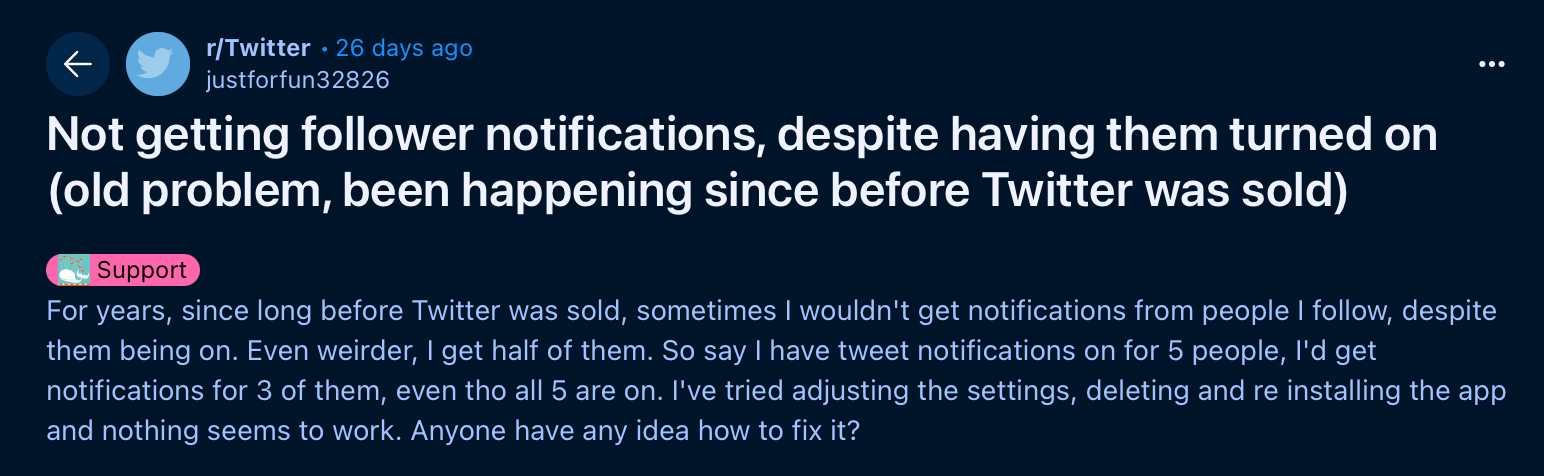
That’s when I decided to find a real solution.
And this isn’t just a small issue. It affects connection, growth, and even your ability to filter out junk followers.
 Arif Akdogan
Why This Is a Big Problem
When Twitter doesn’t show you new follower alerts, you’re not just missing a stat—you’re missing real opportunities.
Here’s why it matters:
🟢 First Impressions Are Everything: The first few hours (or even minutes!) after someone follows you are prime time. It’s your best shot to welcome them and encourage them to stick around. A quick “Hey, thanks for the follow!” can go a long way.
🟢 Building Genuine Relationships: Knowing who your new followers are allows you to check out their profiles, see what they care about, and even start meaningful conversations. It’s how followers become a community.
🟢 Spotting Opportunities: Is a potential client following you? An influencer in your niche? A journalist interested in your work? You can’t seize those opportunities if you don’t even know they followed you.
🟢 Keeping Your Audience Clean: Let’s face it—X is full of bots and spam. If you can’t quickly identify who followed you, low-quality accounts can pile up unnoticed, diluting your audience.
🟢 Tracking Your Progress: Seeing real, engaged new followers is one of the clearest signs your content is working. No alerts means no visibility into your own growth.
Unfortunately, Twitter/X gives you no reliable way to sort followers by follow date or get consistent alerts. So I had to find my own solution.
How I Solved It: Circleboom Twitter
To fix this, I started using Circleboom Twitter—and it changed everything.

Circleboom is an official partner of Twitter, which means it’s 100% safe and directly connected with the platform. But more importantly, it gives you real control over your followers.
With Circleboom, you can:
➡️ Instantly see your newest followers
➡️ View detailed insights on every account: follower count, tweet activity, verification, and more
➡️ Detect and label accounts as fake, bot, inactive also verified, or influencer
➡️ Take quick actions like mass unfollow, remove, or follow back
❇️ And Best of All: Get Alerts for Every New Follower
Circleboom lists all your recent followers, so you can instantly see who just followed you with real-time updates, even if Twitter didn’t notify you.
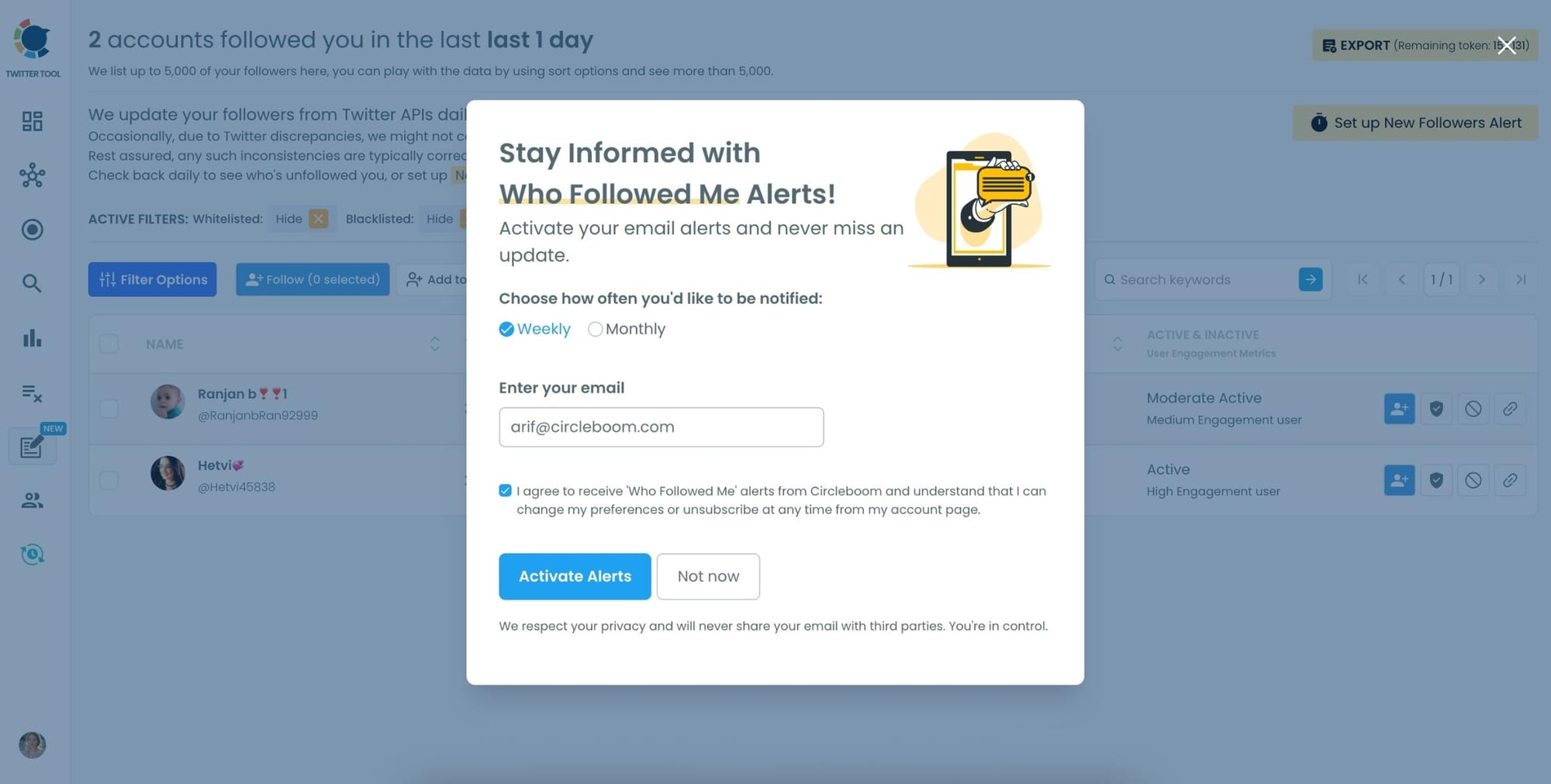
It also lets you set up weekly or monthly email alerts, so you get regular updates about your new followers—no need to check manually.
How to Use Circleboom to Track New Followers (Step-by-Step)
Step #1: To begin, navigate to Circleboom Twitter and sign in using your active email address.
If you don't already have a Circleboom account, you can easily create one in just a few moments!

Step #2: Navigate to the left and open up the menu. See the "Followers" tab there.
Here, you will see the "Who Followed Me/ New Followers Alert" option. Click on it and navigate.

Step #3: You can see who followed you on Twitter in a given period of time.
You can see a time range from the last day to the last year, and take actions like Following Back, or adding them to lists.
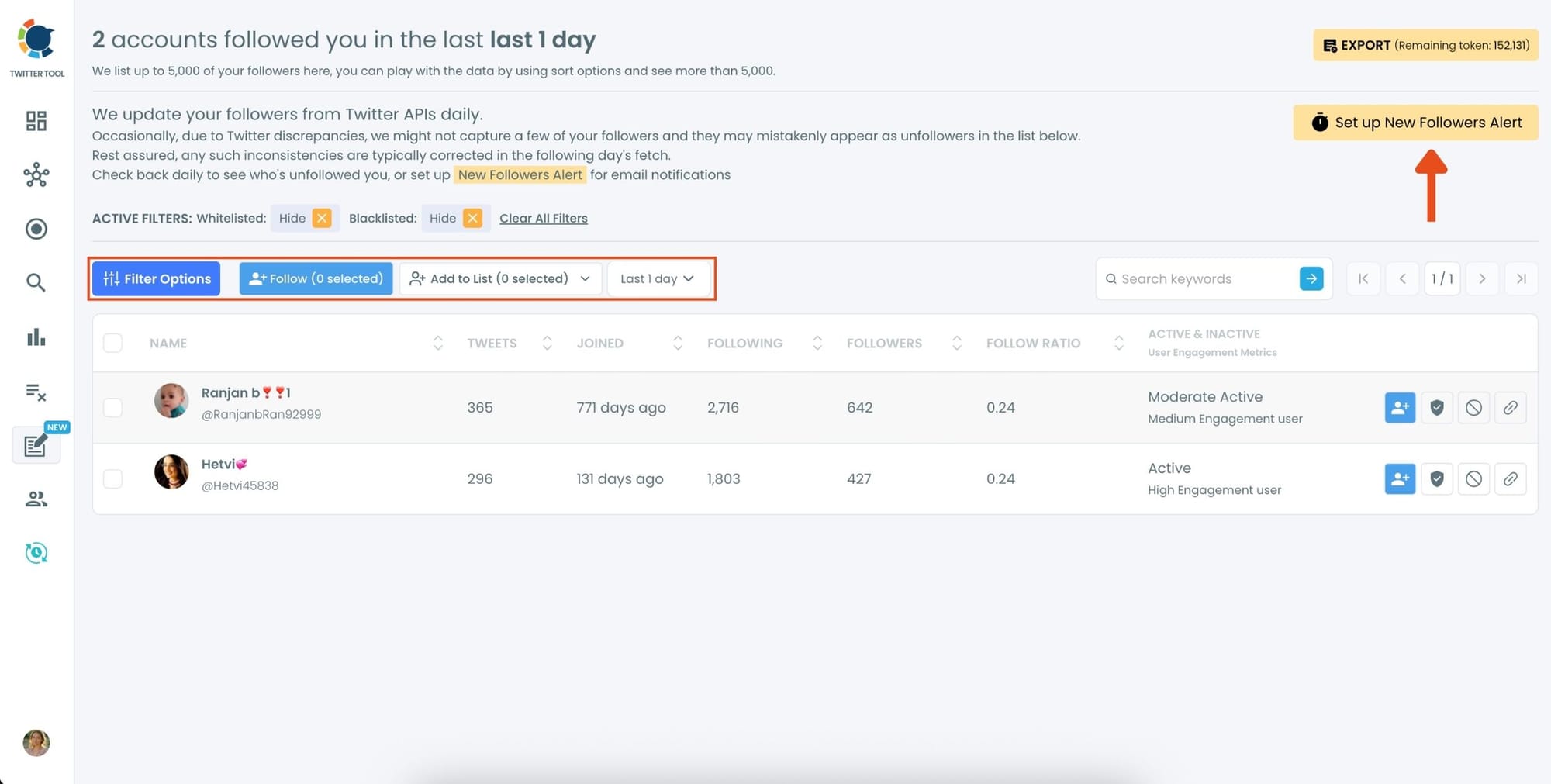
You can also “set a new follower alert” on Twitter and receive an immediate notification when someone follows you!
You can get daily or monthly emails.
 Altug Altug
You Can Also Monitor New Followers of Any Account
Circleboom doesn’t only help you track your own new followers.
With Circleboom Twitter, you can also monitor the new followers and following activity of any public Twitter/X account.
 infocircleboom.com
Once you add an account to tracking, Circleboom automatically collects:
- Who followed that account
- Who that account followed
- Daily updates, delivered as clean, organized lists
Instead of manually checking profiles or guessing growth patterns, you get daily follower and following reports for the accounts you care about.
This is especially useful if you want to:
- Observe how fast an account is growing
- Analyze competitors or similar creators in your niche
- Spot sudden follower spikes and understand what triggered them
- Discover new accounts worth following or engaging with
In short, Circleboom turns follower tracking into a strategic insight tool, not just a personal notification system.
Here is how to track someone's new followers and following
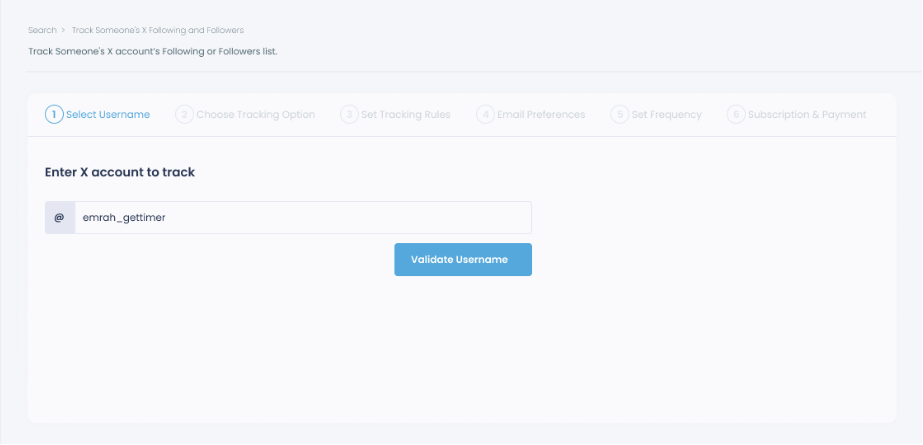
Step #1: Select any username you want to track on X.
You will track their recently followed audience.
Step #2: Next, you will choose "Followings" or "Followers".
You should select one of the tracking options.
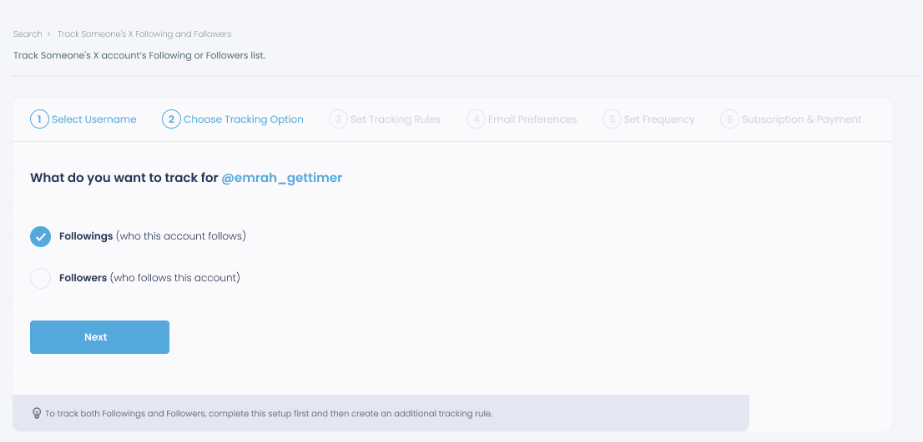
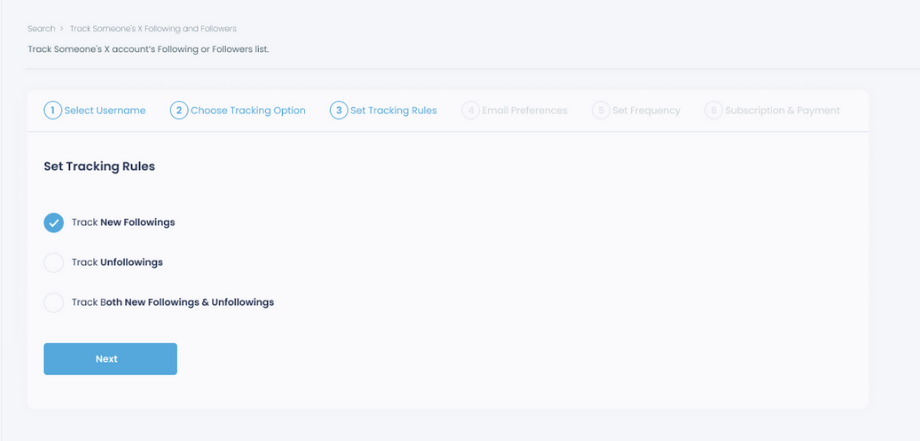
Step #3: Regarding the followings, you can track new, recent followings and unfollowings.
You can track both at the same time!
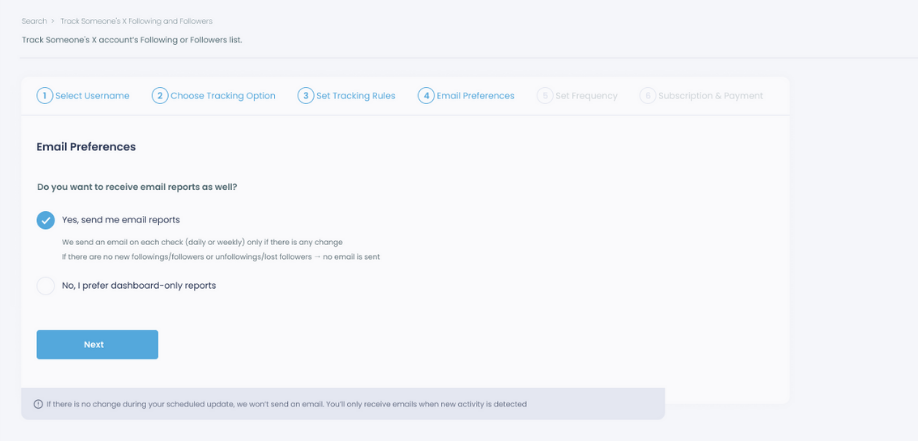
Step #4: For your tracking operations, you can receive email updates for each check.
You can still track new followings or followers without email notifications. You can monitor the following or followers with dashboard-only reports.
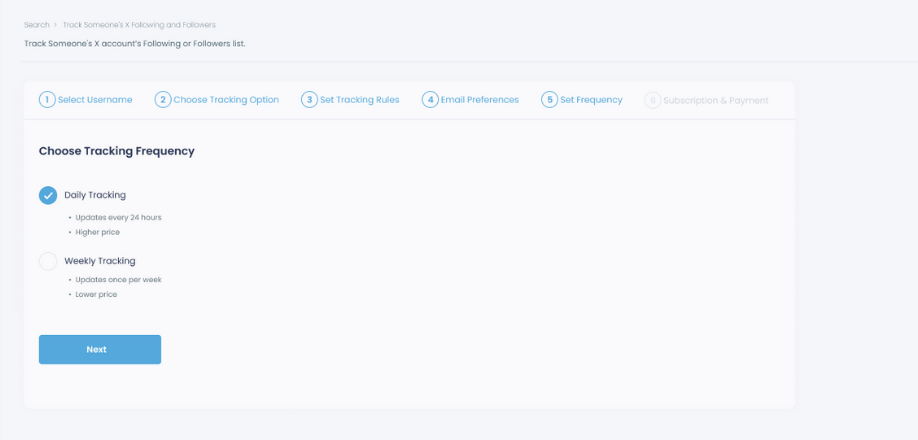
Step #5: Now, you should set the frequency.
You can get "Daily Tracking" or "Weekly Tracking".
Step #6: The next step is subscription.
After checking the rules, you can start tracking.
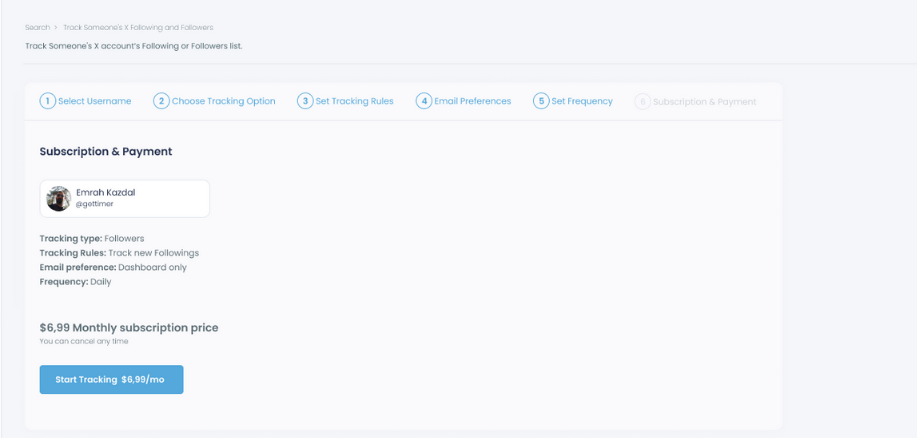
Tracking is now active. That's it! Now you can monitor newly followings and followers of anyone on X with Circleboom!
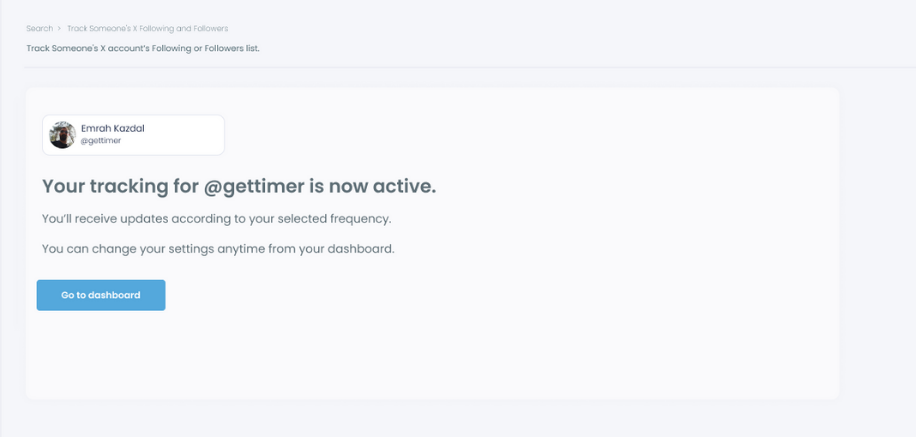
That’s it.
From that point on, Circleboom sends you clean, structured lists—no noise, no manual checking.
Final Thoughts
Twitter doesn’t make it easy to track new followers anymore—and that’s frustrating if you actually care about building your audience.
That’s why I use Circleboom Twitter.
It not only fixes the problem but gives you smarter tools than Twitter itself.
If you’re ready to take control of your followers, clean up your audience, and stay on top of every new connection— 👉 Try Circleboom Twitter here