

Analyzing an account on X (Twitter) almost always starts with the same question:
Who is actually following this account?
Tweets show what someone says.
But followers show who listens, who supports, and who gives an account its real value.
Whether you’re checking a competitor, an influencer, a brand, or even your own profile, the follower list is where the truth lives. Audience quality, credibility, growth style, and even intent can be understood by looking at who follows an account.
The problem is, X doesn’t really let you do that properly.
 Fatih Kemal Oksuzoglu
Why Analyzing an Account’s Followers Is So Important
Follower analysis is not about curiosity. It’s about clarity.
By looking at an account’s followers, you can understand things that tweets alone never show:
- Are the followers real people or mostly fake and bot accounts?
- Is the audience actually relevant to the account’s niche?
- Does the account attract active users or mostly inactive profiles?
- Is growth organic or artificially inflated?
- Does the follower base match what the account claims to represent?
For marketers, follower analysis helps with competitor research and influencer vetting.
For creators, it shows what kind of audience they’re building.
For brands, it reveals whether a partnership or collaboration makes sense.
But none of this works if you can only see a fraction of the followers.
The Big Limitation: Twitter Doesn’t Show the Full Follower List
X allows you to click on an account’s followers and scroll.
At first, it looks fine.
Then, after a short while, it simply stops.
You don’t get an error.
You don’t get a warning.
You just stop seeing new followers.
No matter how much you scroll, refresh, or try again later, X only shows a limited portion of the follower list. You never know how many followers you’re missing, and you have no way to access the full audience.
 Fatih Kemal Oksuzoglu
That makes serious analysis impossible.
You’re forced to judge an account based on a small, random sample instead of the complete picture.
What a Real Twitter Follower List Viewer Should Do
If you want to analyze followers properly, a tool needs to do more than just “show names.”
A proper Twitter follower list viewer should:
➡️ Display all followers or followings, not just a small portion
➡️ Add meaningful data to each account so you can evaluate quality
➡️ Allow filtering to focus on specific segments
➡️ Let you take action without jumping between tools
➡️ Give you the option to export data for later use
This is exactly why I use Circleboom Twitter.
Viewing All Followers with Circleboom Twitter
Circleboom Twitter is an official X Enterprise developer, which means it works directly with X’s API under official permissions.

Instead of showing a limited scrollable list, Circleboom lets you view the complete follower or following list of any public account in a structured way.
No guessing.
No partial visibility.
No endless scrolling.
You get the full list, ready to analyze.
What You Can See About Every Follower
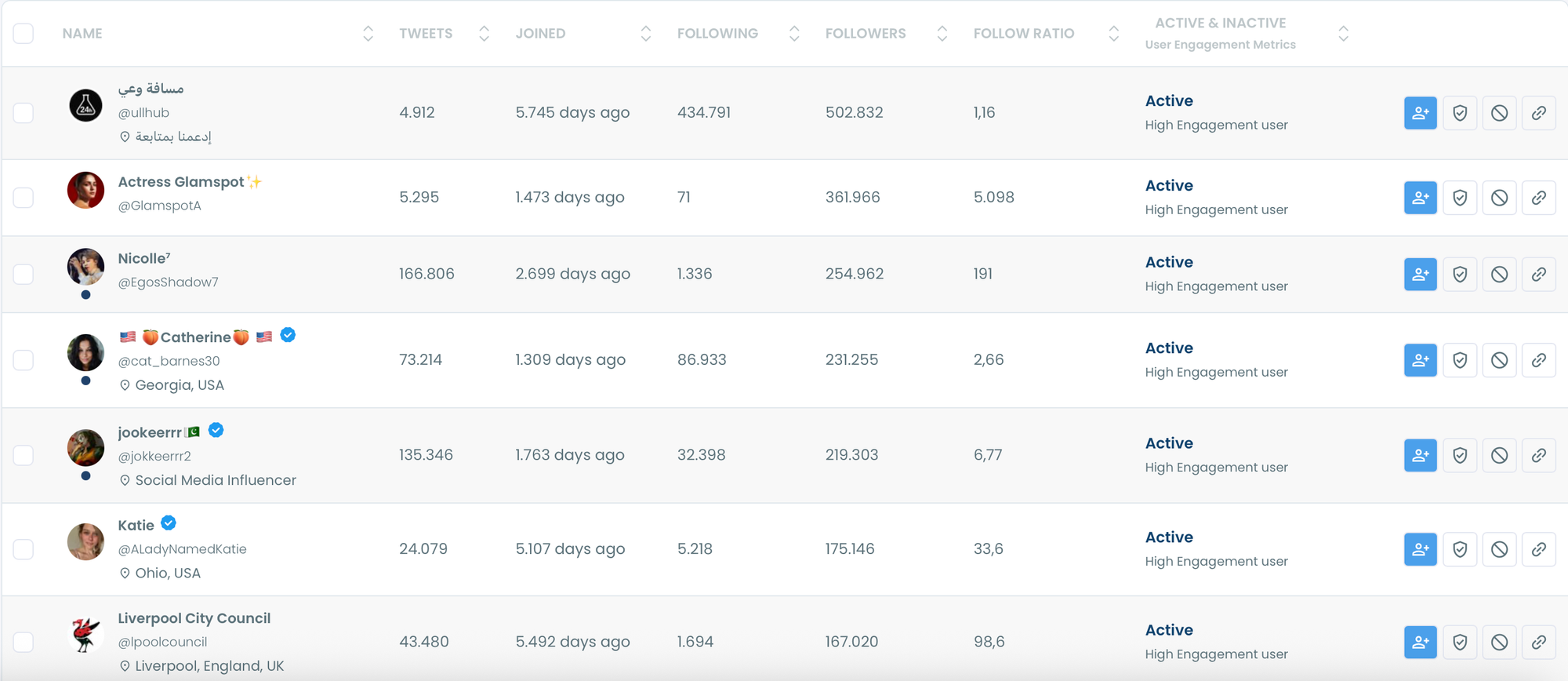
Circleboom doesn’t just show usernames. It adds context to every account, so you can understand what you’re looking at.
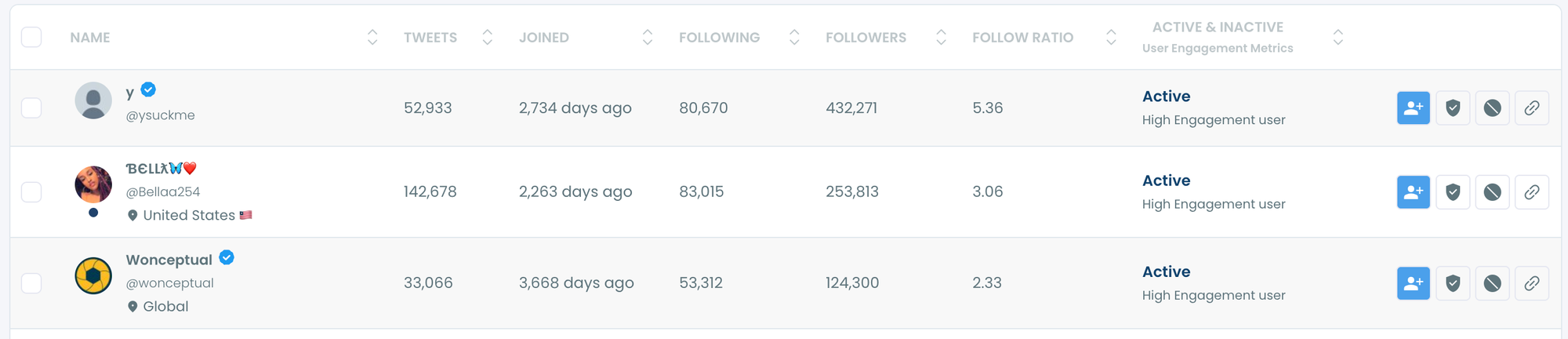
For each follower, you can see:
- Whether the account is likely fake or bot-like
- Follower count and following count
- Total tweet number
- Account creation date
- Activity status (whether the account is active or not)
This turns a follower list into actual data.
Instead of manually opening profiles one by one, you can instantly spot patterns, suspicious accounts, inactive profiles, or high-quality followers.
Filtering Followers Instead of Scrolling Blindly
Scrolling through thousands of accounts is not analysis. Filtering is.
With Circleboom Twitter, you can filter followers based on meaningful criteria, such as:
- Follower and following numbers
- Account age
- Activity status
- Quality indicators like fake or bot signals
This makes it possible to isolate exactly the audience segment you care about.
If you want only active accounts, you can filter for that.
If you want older, established profiles, you can narrow by creation date.
If you want to remove low-quality followers from your view, you can do that instantly.
Take Action Directly From the Follower List
One of the biggest advantages of using a proper follower list viewer is not having to switch tools.

Circleboom Twitter allows you to take actions directly from the list, including:
🟢 Following accounts you want to connect with
🟢 Unfollowing accounts that don’t fit your strategy
🟢 Blocking suspicious or unwanted profiles
🟢 Exporting the full follower or following list for analysis or backup
This makes follower analysis actionable instead of passive.
How to Use Circleboom Twitter as a Follower List Viewer
Step #1: Log in to Circleboom.
Create a new account if you don't have one yet!

Step #2: Upon signing in, authorize Circleboom with your Twitter account.
This entire process can be completed within seconds.
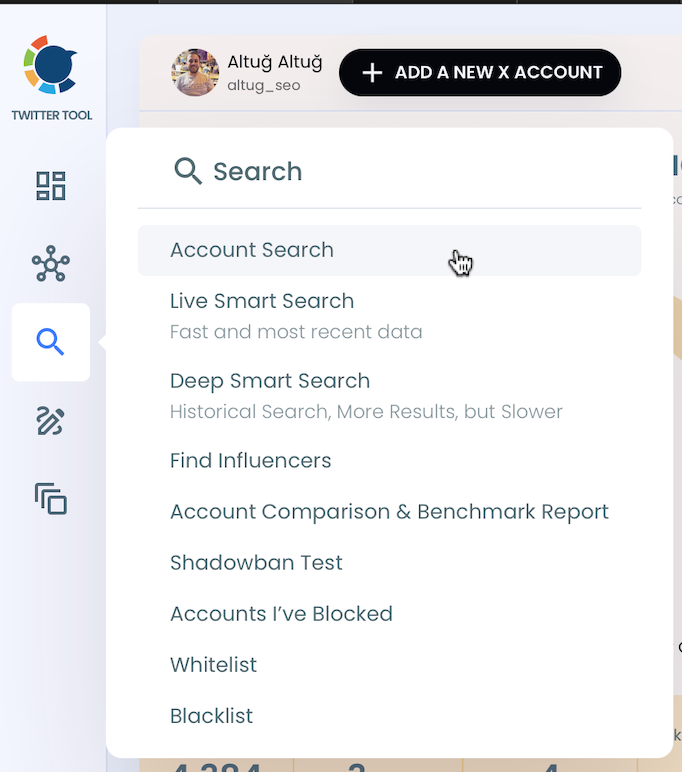
Step #3: Locate the "Search" function in the sidebar.
From there, select "Account Search" to proceed.
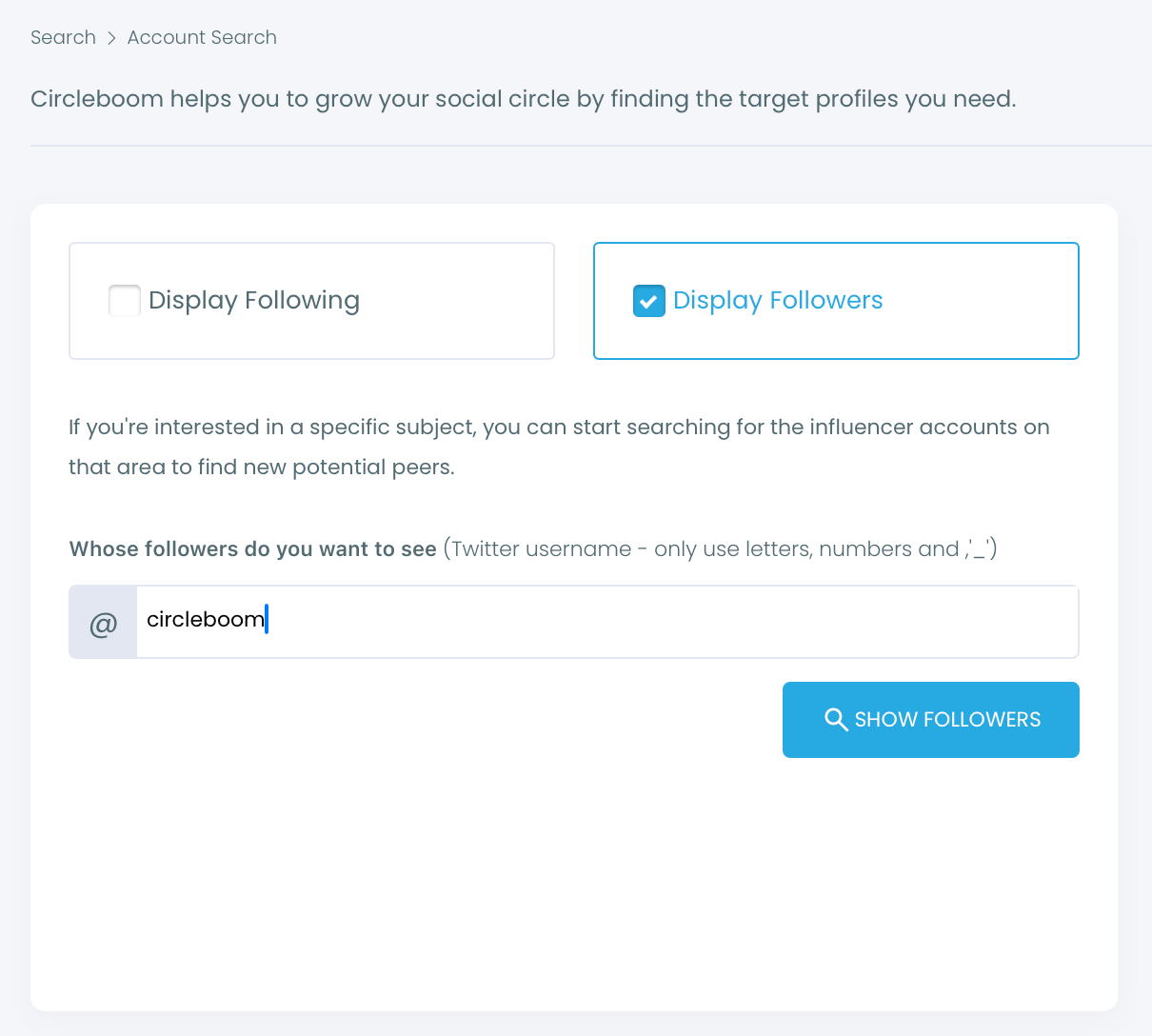
Step #4: You'll encounter two options within the Account Search feature: "Display Friends" and "Display Followers."
If you'd like to see who follows a particular user, input the username and select "Display Followers."
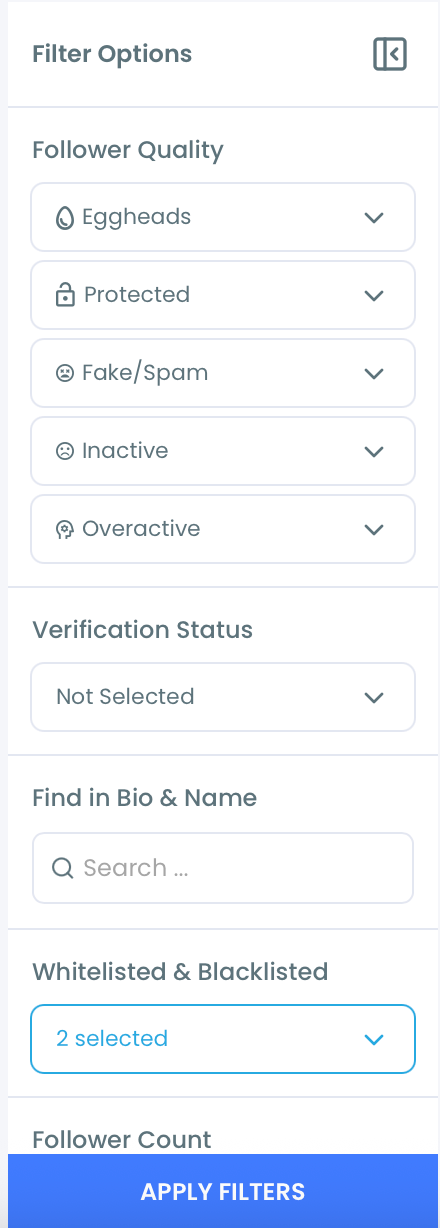
Step #5: To swiftly refine your search results, utilize the filter options above the search box.
This allows you to view verified accounts, filter out inactives, apply minimum follower count or join date limits, and so on.
Step #6: Circleboom will present a comprehensive list of the followers of the targeted Twitter profile.
You can sort or filter them for better inspection. Or you can visit these profiles on Twitter to examine in more detail.
Step #7: If you'd like to see more than 2,500 followers on an account, you need to export them into CSV.
You will receive the list in the email once you click "Export all" from the top right.
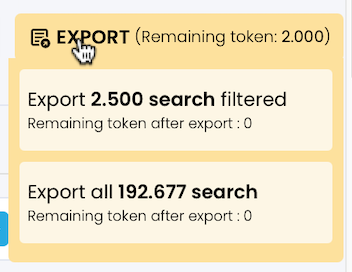
You can store this follower list on your computer and use it on any other projects.

The capabilities of Circleboom Twitter are not limited to searching and exporting Twitter accounts. You can also
- delete your tweets and likes,
- spot fake followers or Twitter bots,
- see who unfollowed you,
- and get an in-depth analysis of your profile with many details.
For a more detailed guide, here's our hands-on video:
When a Twitter Follower List Viewer Becomes Essential
A full follower list viewer is especially useful when:
- Evaluating influencers or creators before collaboration
- Analyzing competitors and their audience quality
- Cleaning and organizing your own follower base
- Identifying active and relevant accounts to follow
- Exporting follower data for research or reporting
In all of these cases, partial data leads to wrong conclusions.
Conclusion: Stop Analyzing Accounts With Missing Data
X gives you fragments of information.
That’s enough for casual browsing, but not for real analysis.
If understanding an account’s audience actually matters to you, relying on a limited follower list will always fall short. You need full visibility, structured data, and the ability to filter and act.
That’s why I rely on Circleboom Twitter as a Twitter follower list viewer. It turns follower lists from something you scroll into something you can truly analyze.

