
A meme idea hits at the worst possible moment. It's a perfect fake tweet, the kind that only works if it looks exactly like a screenshot from X. So you go looking for a twitter meme template, and what comes back is a pile of blurry PNGs with someone else's name baked into the image.
The usual fix is to take a real screenshot and edit it. That means covering the old text with a white box, guessing the font, and hoping the spacing lines up. It almost never does. The profile photo is the wrong size, the like count looks pasted on, and anyone who has spent five minutes on X can tell something is off.
Tweet memes live or die on details. The joke lands when the post looks native: the right theme, a believable timestamp, engagement numbers that fit the punchline. A 3 like tweet reads differently from a 48K like tweet, and that difference is often the whole joke. Scroll through any collection of Twitter reaction memes and you'll see how much of the humor sits in those small details.
With Circleboom's Fake Tweet Generator tool, you can build a tweet meme from scratch and edit every visible part of it, from the display name and profile photo to the verification badge, views, likes, and theme. No design software, no screenshot surgery, and the finished image downloads in one click.
What Is Circleboom Twitter?
Circleboom is an Official X Enterprise Developer that works directly with X's official APIs, so everything it offers stays fully compliant with X's API policies. There's no scraping and no credential sharing involved. Alongside its Twitter management features, Circleboom offers a set of free tools for creators, and the Fake Tweet Generator tool is one of the most used for meme making.
- Edit the display name, @username, and upload any profile photo for your mock tweet
- Choose the verification badge style: No Tick, Blue Tick, Gold Tick, or Gray Tick
- Change the tweet text, attach an image, and set a custom date, time, and view count
- Adjust replies, reposts, likes, and bookmarks, then switch between Light, Dark, and Dim themes
- Add another tweet block with Add Tweet, preview the result, and download the image
For anyone who wants a twitter meme template that can be changed down to the last number, this is the fastest way to make tweet memes with Circleboom on X.
How to Make Tweet Memes with Circleboom Twitter
Here’s how you can create a fake Twitter reply image in just a few steps:
Step #1: Visit the Circleboom website and navigate to the Fake Twitter Reply Chain Generator tool. The interface resembles a real Twitter thread, making it easy to use.
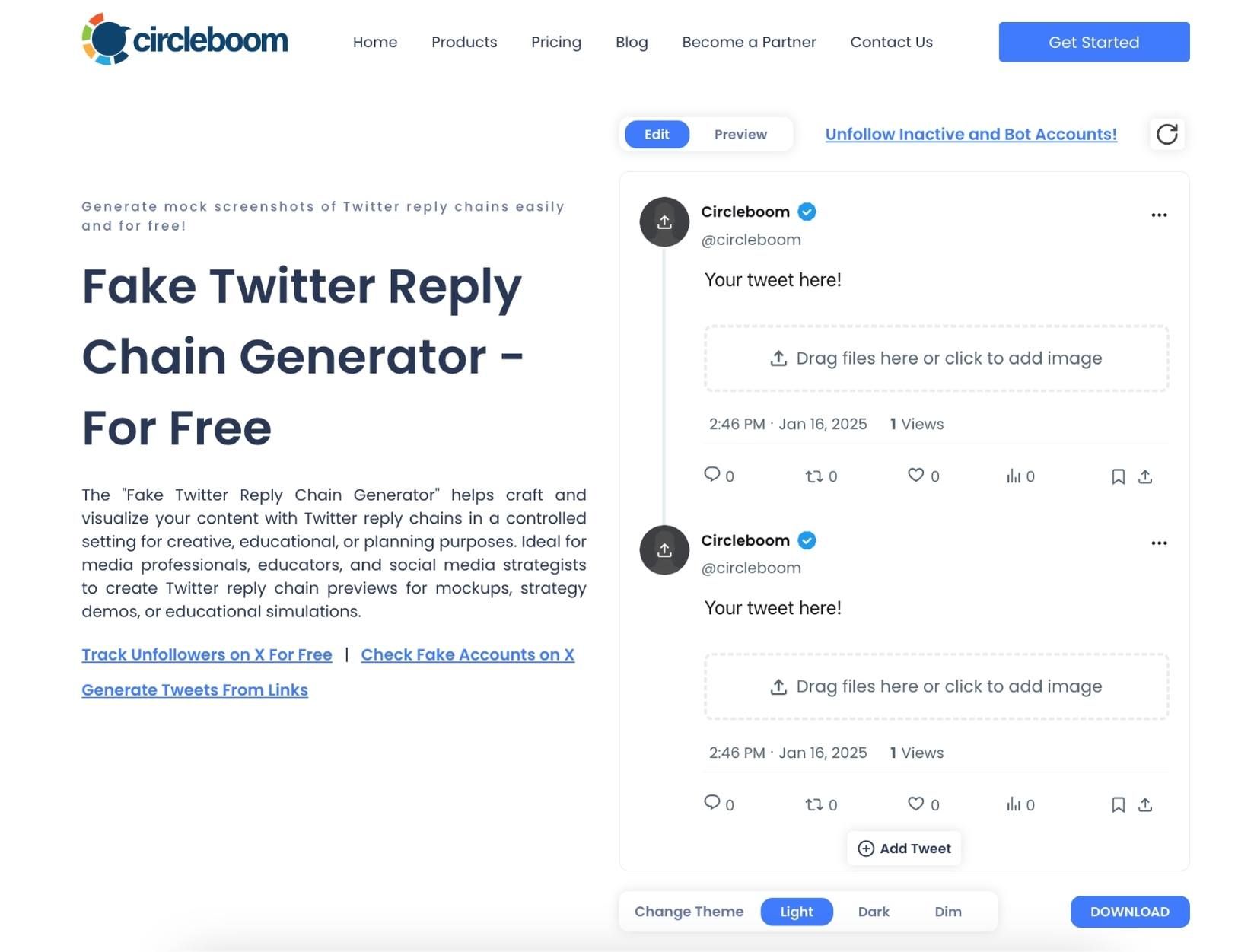
Step #2: Add details to create your fake tweet and reply:
- Profile Picture: Upload an image for the user profile.
- Username and Handle: Enter the account name, handle, and verification badge (e.g., @circleboom).
- Reply Content: Type the desired reply text in the "Your tweet here!" box.
- Timestamp and Metrics: Customize the time, date, likes, retweets, and other engagement metrics.
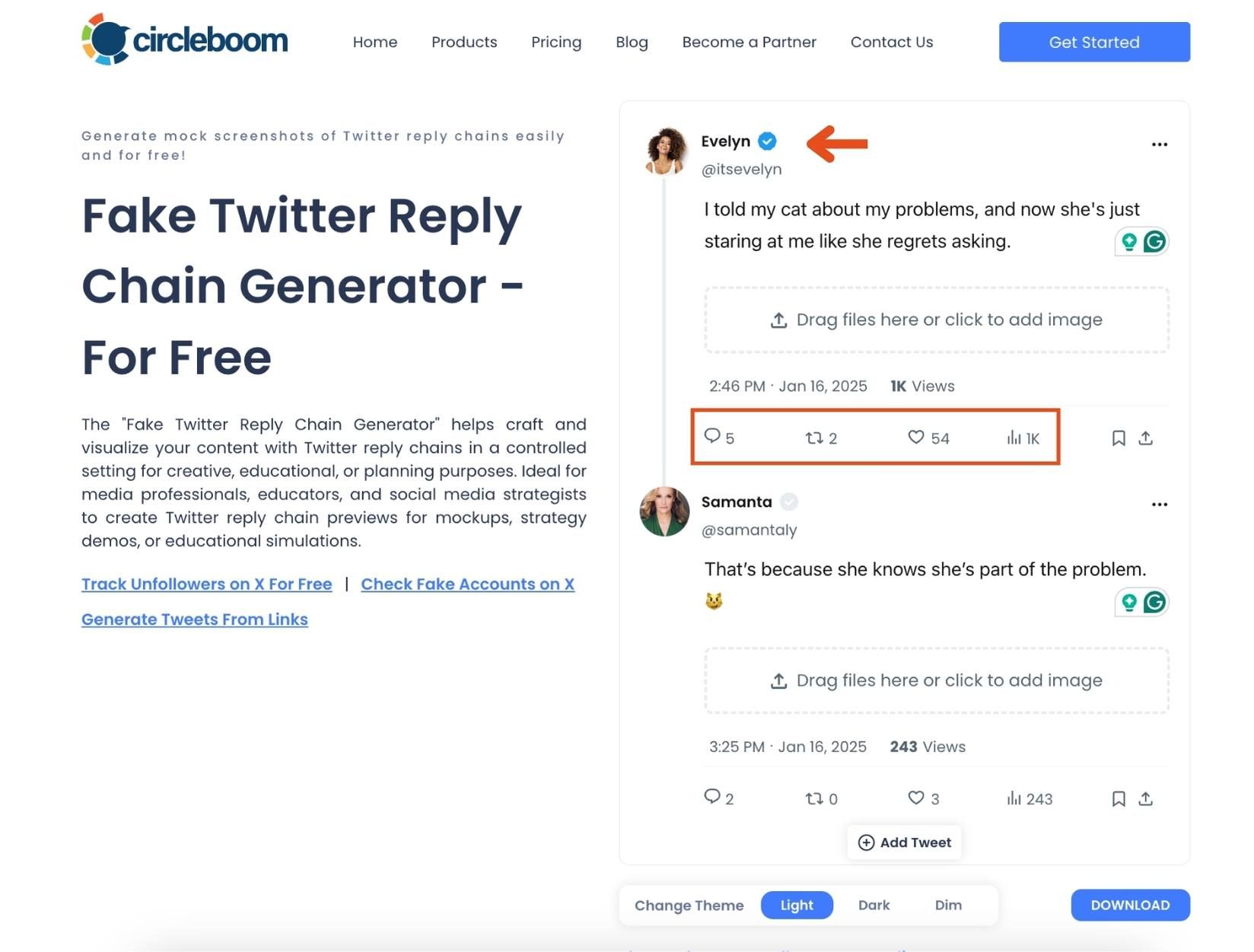
Step #3: To create a reply chain, click the Add Tweet button at the bottom of the screen.
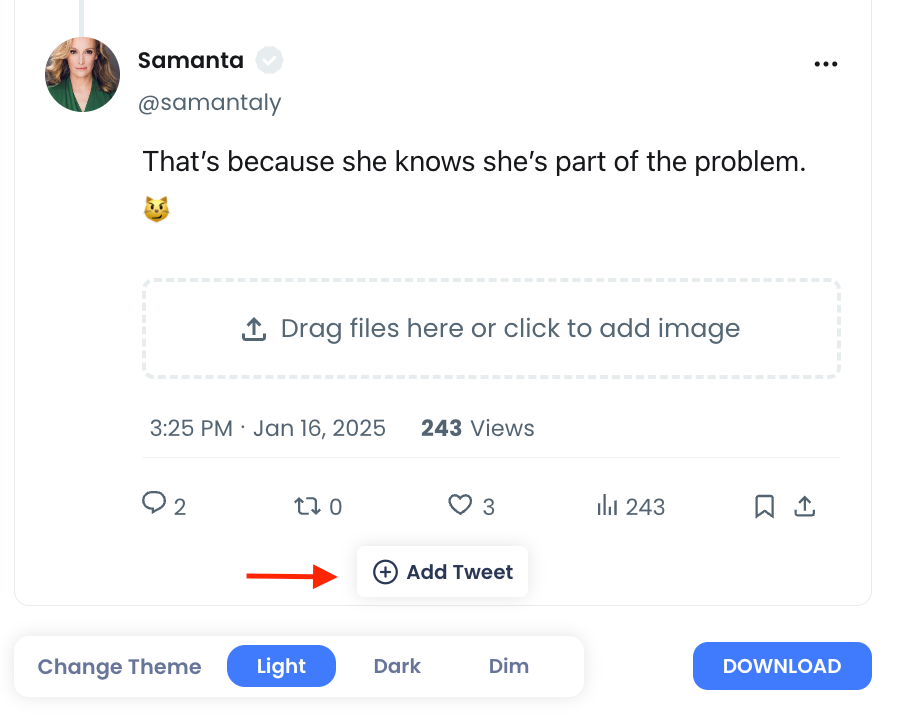
Then, repeat Step #2 for each new reply, customizing them as needed.
Step #4: Preview the entire thread on the right-hand side of the screen. Use the Light and Dark buttons at the bottom to toggle between Twitter’s themes.
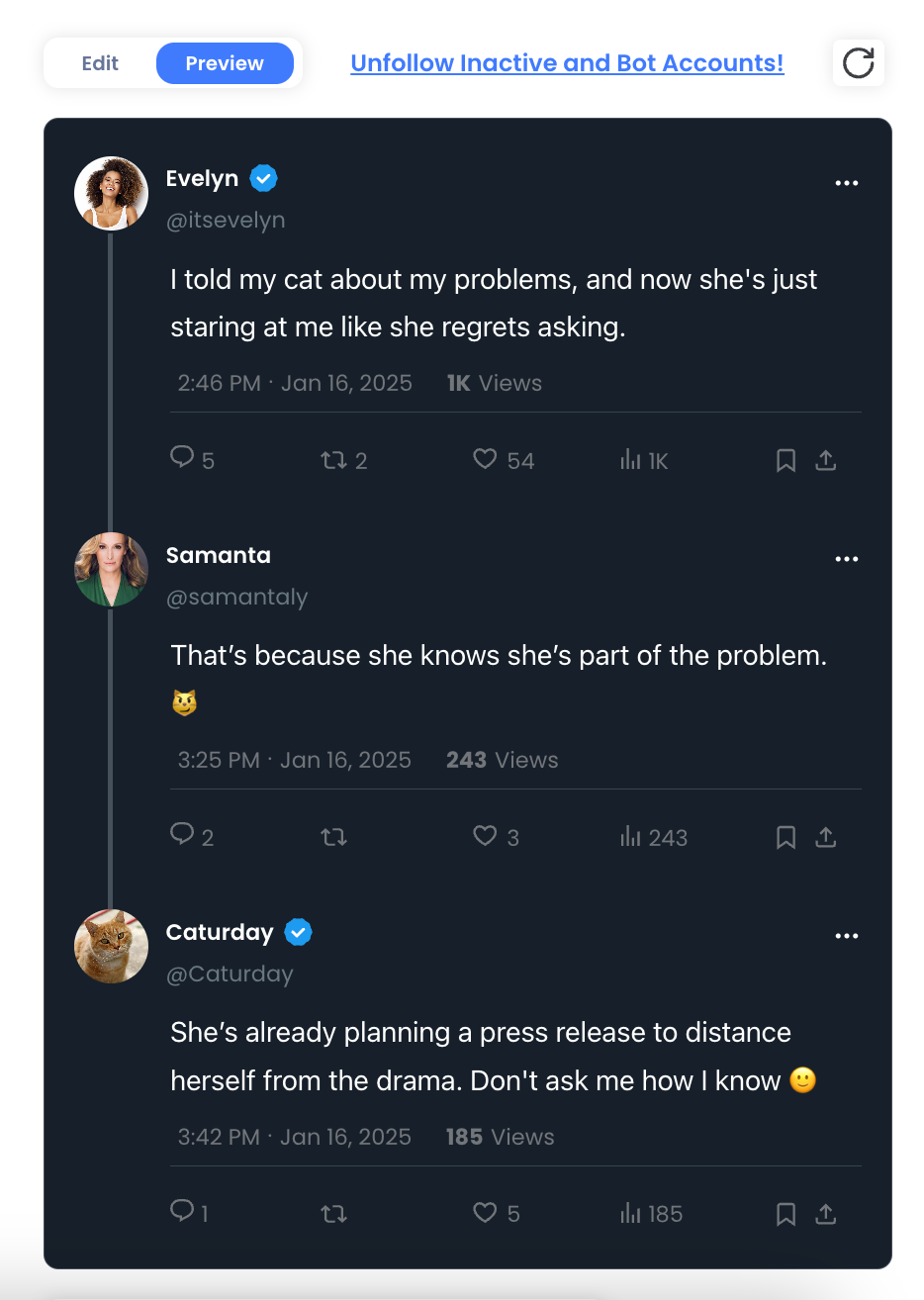
Step #5: Once satisfied, click the blue Download button at the bottom of the page.
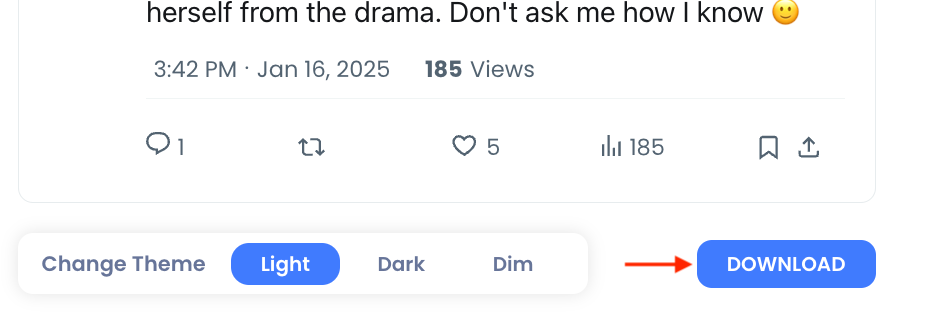
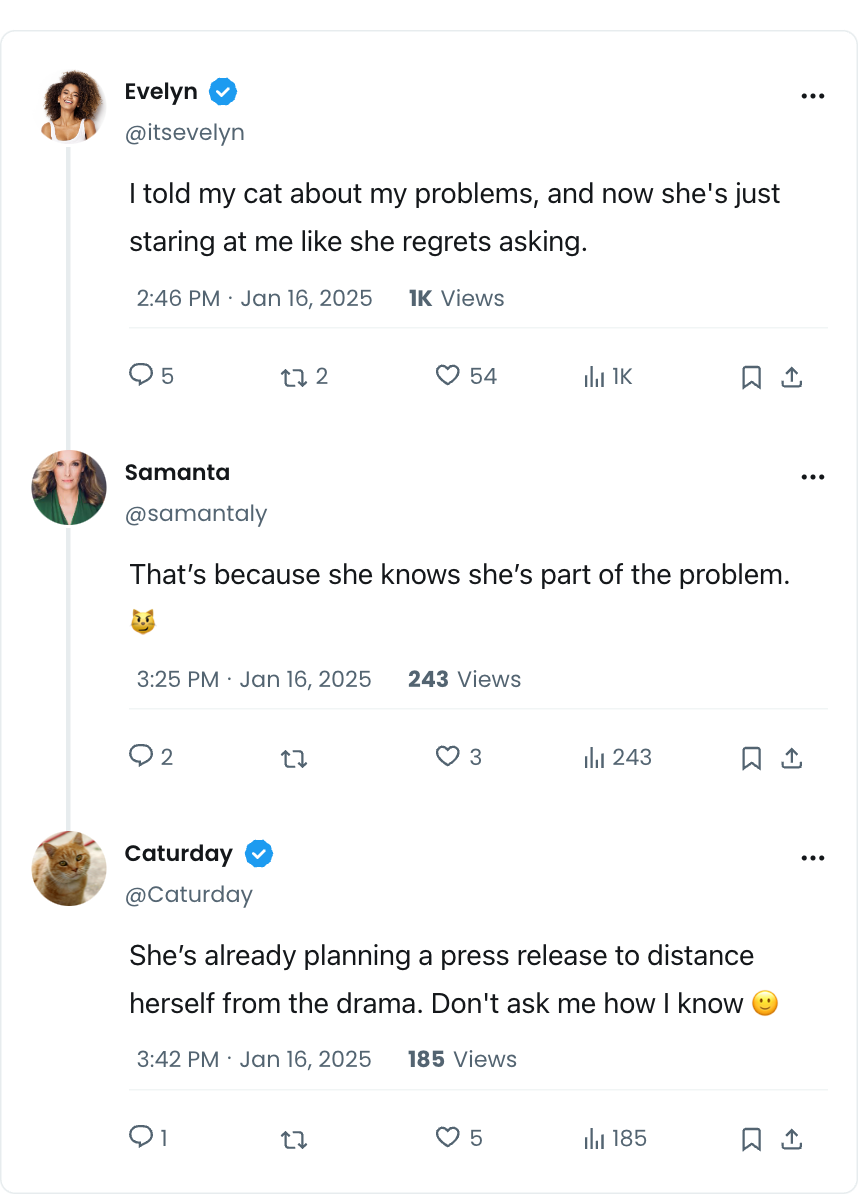
Your custom fake Twitter reply chain image will be saved to your device, ready to use for your project or presentation.
Here is the result:
Why a Static Twitter Meme Template Stops Working
Most templates floating around are just images. Someone made a meme once, blanked out the text, and uploaded it. That works for a single joke, but it falls apart quickly. A blank tweet template only helps if you can actually edit what's inside it.
The theme is locked. If the template was captured in dark mode, every meme you make with it will be in dark mode. That's a problem when the joke is meant to feel like a clean, bright screenshot, or when you're posting to a feed where light mode fits better.
The numbers are frozen. Engagement counts in a static image can't be changed without editing pixels. A lot of tweet humor depends on the gap between the post and its reception, like a terrible take with massive numbers or a brilliant one with zero replies. A frozen template kills that entire category of jokes.
The badge tells its own story. On X today, a Blue Tick, a Gold Tick, and a Gray Tick all mean different things. Plenty of memes play with that exact detail. A static template gives you whatever badge the original had, or none at all.
Old templates look old. X has changed its interface over the years. Views now appear on posts, the retweet became a repost, and the bird is gone. A template from a few years ago looks outdated the moment someone sees it next to a real post.
📌 A good tweet meme doesn't need to look like it came from a specific person. It needs to look like it came from X. The interface details do most of the work.
That's why an editable generator beats a downloaded image. Instead of adapting your joke to the template, you build the template around your joke. If you want to capture a real post instead of building a fictional one, the Twitter Screenshot Generator tool turns an existing tweet URL into an image, while the Fake Tweet Generator tool starts from a blank mockup you control completely.
What Makes a Tweet Meme Actually Funny
The format is only half of it. The other half is how you use the pieces the Fake Tweet Generator tool gives you. Following a few Twitter meme accounts is a quick way to see these tricks in action.
Timestamps can be the punchline. A tweet dated at 3:47 AM says something about the person who posted it before anyone reads a word. Setting a specific date also works for "this aged badly" style jokes.
Engagement numbers add a second layer. Try a painfully obvious statement with enormous numbers. Or a genuinely clever line with 2 views. The contrast does the talking.
Attached images turn a tweet into a reaction. Uploading an image into the media area lets you pair a caption with a photo, which is how a lot of reaction memes on X are built. There's a fake tweet generator with the picture function for exactly this reason.
Multiple blocks let you build a mini story. With Add Tweet, you can stack a second post under the first as a simple reply continuation. That's enough for a setup and punchline exchange, and it's why so many creators look for a fake tweet generator with reply. If you need a full conversation with several connected replies, the Reply Chain Generator tool is built for that layout.
Writing the tweet is its own skill. If the visual is ready but the words aren't, the Funny Tweet Generator tool can draft witty, sarcastic, or meme-style lines for you to drop into the mockup. For more ideas, browse these funny tweets to tweet on Twitter.
The meme doesn't have to be a tweet. Some of the best X jokes are about the platform itself. The X Block Generator tool and the X Suspension Generator tool create mock block and suspension screens for the same kind of parody.
⚠️ Keep parody obvious. The safest tweet memes use fictional accounts or clearly exaggerated humor. Avoid putting real people's names, photos, or handles on words they never said, and never present a mock tweet as evidence of a real post. If you're unsure where the line is, read can you make fake tweets before you publish.
Why Getting the Details Right Matters
A meme that looks fake in the wrong way doesn't get shared. It gets screenshotted with a circle around the mistake.
Sloppy edits break the joke. When the font is off or the numbers are misaligned, people comment on the editing instead of laughing. The attention goes to the flaw, not the idea.
Believable formatting spreads further. Tweet memes travel across platforms. They end up on Instagram, in group chats, and on Reddit. A clean, native looking image holds up wherever it lands, which is why so many creators turn fake tweets into Instagram posts or build Twitter screenshot graphics for Instagram.
Speed matters with trends. Meme formats have a short life. If building one takes half an hour in a design app, the moment has passed by the time it's ready. Editing fields directly in a preview-like interface keeps you inside that window, and that timing is a big part of how to go viral on Twitter.
Consistency helps recurring formats. Accounts that run a recurring meme series, like a fictional character who tweets every week, need the same name, handle, and avatar every time. Rebuilding that in a generator takes seconds.
Timing still decides reach. The Fake Tweet Generator page includes a Share When Your Followers Are Online action, so the meme you made can go out when your X audience is actually around to see it. Knowing the best time to post on Twitter makes a funny post much more likely to get seen.
A growing meme account needs a clean audience. Popular meme pages attract bots quickly. With Circleboom, you can check your fake followers and see who unfollowed you on X, both linked right from the Fake Tweet Generator page.
FAQ
What is a twitter meme template?
A twitter meme template is a tweet-style layout you can fill with your own text, name, and image to create a joke that looks like a post from X. Static templates are just images with blanked out text. An editable generator lets you change every element, including the theme, badge, and engagement stats.
Is it free to make tweet memes with Circleboom?
Yes. The Fake Tweet Generator tool is one of Circleboom's free tools. You can edit the mock tweet, preview it, and download the image without paying anything. To compare it with other options, see the best fake tweet generator tools.
Can I make a tweet meme in dark mode?
Yes. The Change Theme control offers Light, Dark, and Dim options. You can switch between them before downloading to see which one fits your meme best.
Can I add a picture to my tweet meme?
Yes. The media area in the Fake Tweet Generator tool says "Drag files here or click to add image," so you can attach any image to the tweet body. You can also upload a custom profile photo separately.
Can I make a meme with a reply under the tweet?
You can add another tweet block with the Add Tweet button, which works well for a simple setup and reply. For a longer back and forth with a connected conversation layout, the Reply Chain Generator tool is the better choice.
Is it okay to make memes with real people's accounts?
It's risky. Mock tweets should never be used to make it look like a real person said something they didn't, or to present fabricated posts as real. Fictional accounts and clearly labeled parody are the safest approach.
Final Thoughts
The funniest tweet memes look effortless, but they depend on small details a static twitter meme template can't change. The badge, the timestamp, the like count, and the theme all shape how the joke lands. With Circleboom's Fake Tweet Generator tool, those details become part of the joke instead of obstacles to it. The idea is still the hard part, and that part is yours.
Build your first tweet meme here: https://circleboom.com/social-media-scheduler/social-media-post-generator/fake-tweet-generator

