
Identifying which X posts brought you new followers is a cross-reference problem, not a single-metric problem. The platform's per-post analytics show engagement (impressions, likes, replies, reposts) but not which specific post triggered the follower count to rise on a given day.
The signal lives in the cross-reference between per-post engagement data and daily follower-count changes. The posts that drove visible follower-count spikes are the posts that brought you new followers, and the per-post engagement metrics tell you why those posts worked.
Circleboom's post and user analytics surfaces both data layers through official X Enterprise APIs. The Post Engagement Analytics dashboard shows per-tweet engagement and the Followers' Growth dashboard shows daily follower changes. Putting them side by side identifies the follower-driving posts directly.
→ Find the X posts that brought you new followers
Keep reading for the structural reason engagement metrics alone do not identify follower-driving posts, the four-step cross-reference workflow, and the takeaway list that decides which post patterns to repeat.
Why Engagement Metrics Alone Do Not Identify Follower-Driving Posts
A high-engagement post is not always a follower-driving post. Plenty of posts earn impressions and likes from people who already follow you and never trigger a follow from anyone new. The high-engagement-but-no-new-followers pattern is one of the most common analytical traps because the engagement metric looks like a win on its own.
The inverse is also true. A post with modest engagement but a high profile-click rate often produces visible follower growth because the profile click is the conversion event that comes before the follow. The low-engagement-high-conversion pattern is invisible in pure engagement reads and only surfaces when daily follower changes get layered on top.
Circleboom's piece on Twitter content performance analysis covers the broader framework for reading per-post performance against multiple downstream metrics. The piece is useful because it argues that engagement is one input, not the whole story, and the follower-driving question needs the second input the follower-growth dashboard provides.
What the Cross-Reference Actually Surfaces
A cross-reference between per-post engagement and daily follower growth surfaces three pattern types that single-metric reads miss.
The first pattern is the follower-spike post. A specific tweet earns visible engagement on a specific date, and the daily follower count rises measurably on the same date or the following one. That tweet is a confirmed follower-driving post, and the engagement profile of that tweet becomes a template to repeat.
The second pattern is the slow-burn post. A tweet that earns engagement over multiple days (a viral thread, a quote-tweet chain, a thread that resurfaces) produces follower growth across the same window. The follower-growth shape mirrors the engagement decay shape, which is the pattern signature you can spot in cross-reference.
The third pattern is the topic-cluster effect. Several tweets on the same topic in the same week produce a cumulative follower lift that no single tweet would explain. The topic cluster becomes the audience-building pattern, and the cross-reference is what surfaces which topics actually grow the audience. Circleboom's piece on what to tweet based on past post analytics covers the content-decision side of how to act on the cross-reference patterns.
How to Identify Your Follower-Driving X Posts Step by Step
Four actions. The cross-reference setup is one-time and the per-month review runs about 30 minutes.
Connect your X account to Circleboom
- Log in to Circleboom Twitter and authorize the account with the official OAuth flow.

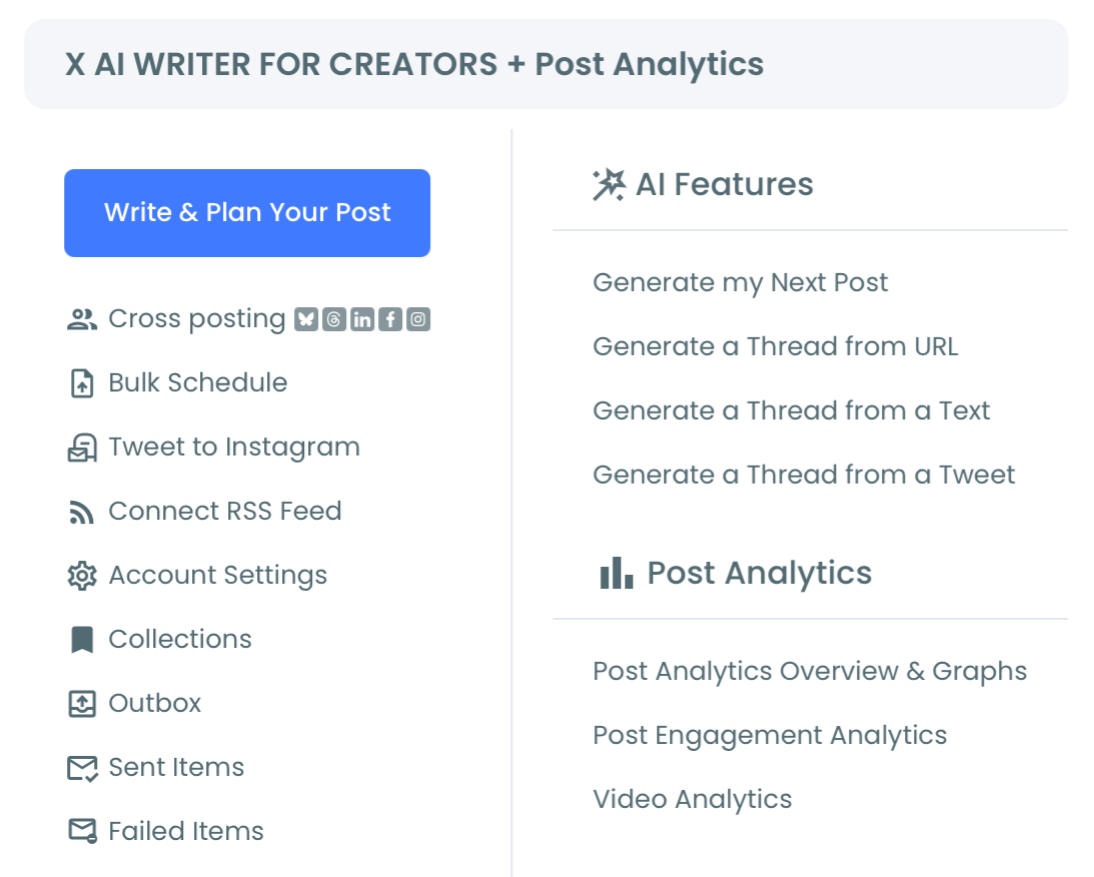
Open the X Post Planner menu and find Post Analytics
- Open the X Post Planner menu and find the Post Analytics surface. Select Engagement Analytics to load the per-post performance dashboard. The table sorts by engagement, impressions, likes, replies, reposts, and profile clicks.
Sort posts by profile clicks, then cross-reference with follower growth
- Sort the per-post table by profile clicks to surface the posts most likely to have driven follower conversions. Profile clicks are the action that precedes a follow, so the high-profile-click posts are the candidates for follower-driving status.
Layer in the daily follower-growth dashboard to confirm
- Open the Followers' Growth dashboard in a separate view and compare daily follower changes against the publication dates of high-profile-click posts. Posts that align with measurable follower-count spikes are confirmed follower-driving posts. The full follower-growth surface lives at the follower growth landing.
That ordering is what makes the cross-reference reliable. The OAuth login earns sanctioned API access. The Post Analytics navigation surfaces the per-post engagement table. The profile-click sort filters the candidate set, and the follower-growth layer confirms which candidates actually moved the audience count.
Video walkthrough: the per-post engagement table and the profile-click sort that surfaces follower-driving candidates.
What the Cross-Reference Actually Returns
The first return is a clear list of confirmed follower-driving posts from the past 30, 60, or 90 days. The list is the input for the content-repetition strategy, because the engagement profile of those posts (topic, format, length, hook, image use) becomes the template to repeat.
The second return is the pattern read across the follower-driving posts. A consistent pattern across three or four confirmed follower-driving posts is a high-confidence signal about what is working for your audience. The pattern read changes how you allocate content time across topics, formats, and posting hours.
The third return is the negative read. Posts that earned high engagement but produced no follower growth are still useful content, but they are not audience-builders. Knowing the difference lets you keep the engagement-driving posts in rotation without conflating them with the audience-growth strategy.
The Circleboom workflow uses official X Enterprise Developer access for both the post analytics and the follower-growth data. The system stays within X's published platform limits at every step. Compliant API access matters because the cross-reference needs both data layers to be accurate, and unsanctioned analytics scrapers often produce gaps that break the pattern read.
For adjacent surfaces, the Post Analytics overview landing covers the broader analytics surface that includes Engagement, Impression, and Video analytics. The Twitter content performance analysis landing covers the deeper performance read that pairs with the cross-reference workflow.
External context for the audience-growth math: DataReportal's global digital reports cover the platform-level engagement and growth trends that frame what realistic follower-conversion rates look like across account sizes.
Find the X posts that brought you new followers is the cross-reference workflow that turns engagement data into audience-growth intelligence.
Related Circleboom reading on the follower-and-engagement theme:
- Why am I all of a sudden getting new followers on reading the sudden-spike pattern that the cross-reference catches.
- How to organically grow Twitter followers on the broader follower-growth strategy that the cross-reference workflow plugs into.
FAQ
Can the platform itself tell me which posts brought me new followers?
No. X's native analytics show per-post engagement (impressions, likes, replies, profile clicks) but do not link individual posts to follower-count changes. The cross-reference between per-post engagement and daily follower growth is what produces the follower-driving identification.
How many high-profile-click posts should I sort to investigate as candidates?
Start with the top 10 to 15 high-profile-click posts from the period you are analyzing. That candidate set is usually wide enough to surface three or four confirmed follower-driving posts after the follower-growth cross-reference.
What if the follower-growth spike does not line up exactly with a post's publish date?
A one-day lag is common because followers who discover a post often follow on the following day. A two-or-more-day lag usually means the spike is unrelated to that post and is driven by external events (cross-platform shoutouts, news coverage, viral resurfacing).
How often should I run the cross-reference review?
A monthly cadence is the sweet spot for most accounts. Weekly is too noisy because the follower-growth signal often needs a few days to stabilize. Quarterly loses the per-post detail because the engagement and growth surfaces refresh faster than a quarter.
Does the cross-reference work for accounts that grow slowly?
Yes, but the signal-to-noise ratio is lower. For accounts gaining fewer than 10 followers per day on average, the cross-reference works best at a 60 or 90-day lookback rather than the monthly cadence, because the daily follower changes need a larger sample to surface clear patterns.
Takeaway List: What the Cross-Reference Decides
The short version. Use this list to act on the cross-reference output.
- Repeat the topic, format, and structural pattern of confirmed follower-driving posts.
- Sort engagement-only posts into a separate "engagement, not audience" bucket and rotate them at a different cadence.
- Track profile clicks as the leading indicator of follower conversion.
- Watch for cluster effects across three or four posts on the same topic.
- Re-run the cross-reference monthly to refresh the pattern read.
Find the X posts that brought you new followers and the audience-growth strategy stops running on engagement intuition and starts running on the cross-reference signal that actually predicts follower conversion.