
Yes, a licensed Medicare agent can make a Google Business Profile. That is the direct answer. Google does not ban insurance agents from the platform, and CMS does not ban agents from having an online presence.
What both of them do is set rules for how you present yourself once that profile exists. Miss those rules and your listing can get suspended, or you can end up with a compliance problem that has nothing to do with Google at all.
Already know why this matters? Jump straight to the setup steps below.
Why this matters for a Medicare agent
More than 33 million Americans are now enrolled in Medicare Advantage plans, and that number keeps climbing every year. A large share of them start their research the same way anyone starts researching anything now: they open Google and type something like "Medicare agent near me" or "Medicare Advantage help in [city]."
Google has reported for years that most local searches lead to a visit or a call within a day. For a Medicare agent, that is not a small detail.
Without a Google Business Profile, you are invisible in that exact moment. You can find out how to add your business to Google here ⬇️
 Kevin O. Frank
Think of a retired teacher in Phoenix who just turned 65. She does not call three agents from a printed list anymore. She searches Google, reads a few reviews, and picks up the phone. If your name is not there, she calls someone else.
What CMS actually restricts
CMS, the Centers for Medicare and Medicaid Services, publishes the Medicare Communications and Marketing Guidelines. These rules govern what agents and plans can say publicly, and a few points matter directly for a Google listing.
You cannot use language that implies you are part of the government Medicare program. Your business name and profile description need to make clear you are an independent agent or broker, not CMS, not Medicare itself, and not a specific carrier unless you are captive to that one carrier.
You cannot use the Medicare name or logo in a way that suggests endorsement. A business name like "Medicare Help Center" without any clarifying language can cross into misleading territory. Adding something like "independent licensed insurance agent" in your profile description solves most of this.
Any specific plan claims, like premium amounts or benefit details, fall under stricter marketing rules. Those may need carrier approval before you publish them anywhere, including a Google post or a photo caption on your profile.
What Google actually restricts
This is the part most agents do not expect. Google went through a period where the insurance category, especially Medicare related listings, was flooded with fake and duplicate profiles created by lead generation companies. As a result, Google tightened enforcement specifically around insurance agents.
This means your profile is more likely to get extra scrutiny than a restaurant or a plumber down the street. A few things increase your risk of suspension.
Using a business name that is not your real, registered agent or agency name. Creating multiple listings for the same license or the same office to rank for more keywords. Listing an address that is not a real, staffed location during posted hours. Working from home and not marking the listing correctly as a service area business.
Google has also asked some insurance agents to verify their license number or complete a video verification before a profile goes live. This is normal, not a sign you did something wrong. It is the bar Google set after the spam problem in this category.
How to set it up correctly
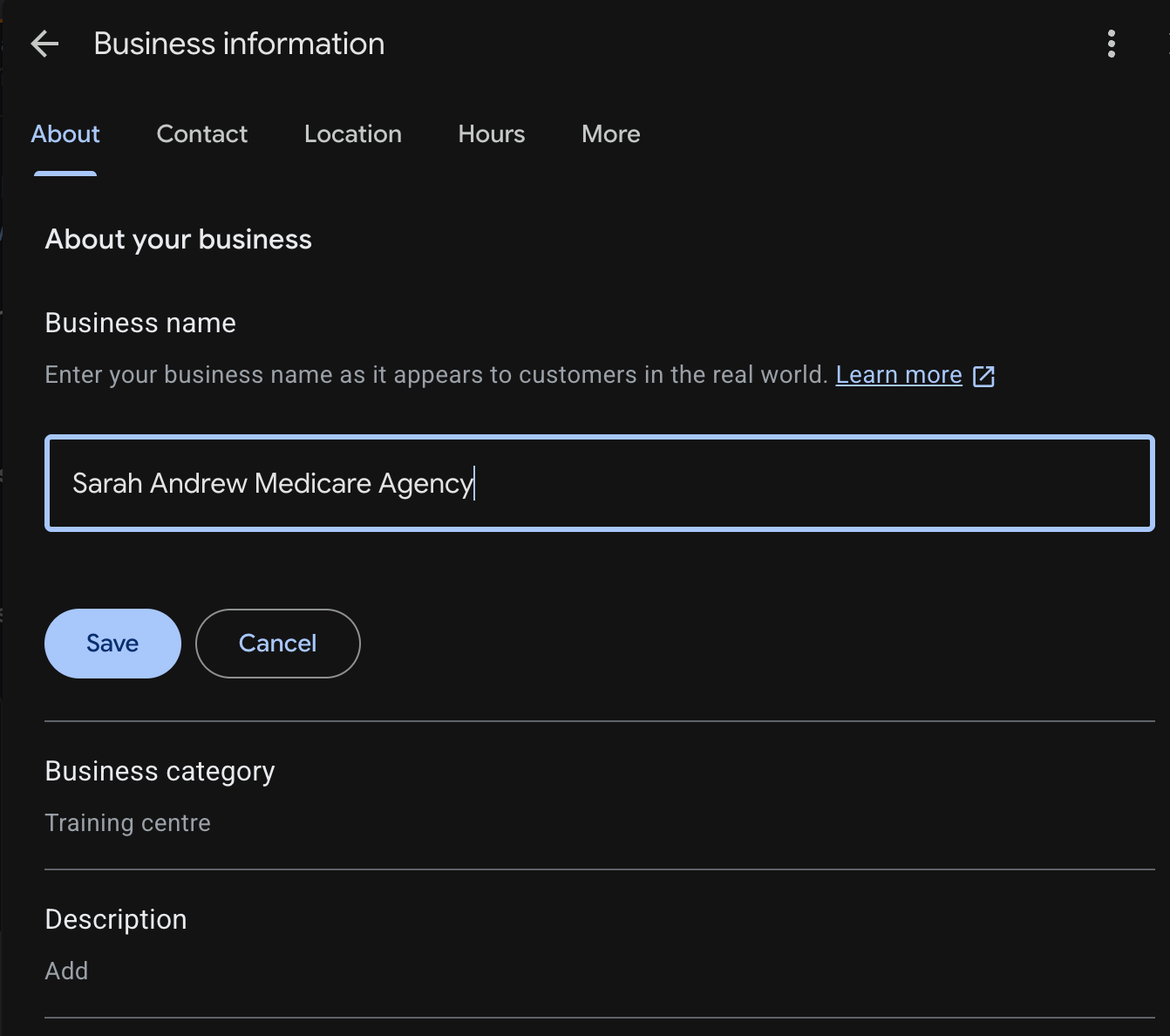
Step 1: Decide your business identity first.
If you are an independent agent representing multiple carriers, your profile name should be your name or your agency's name, not a carrier's brand. If you are captive to one carrier, check that carrier's brand rules before you pick a name.
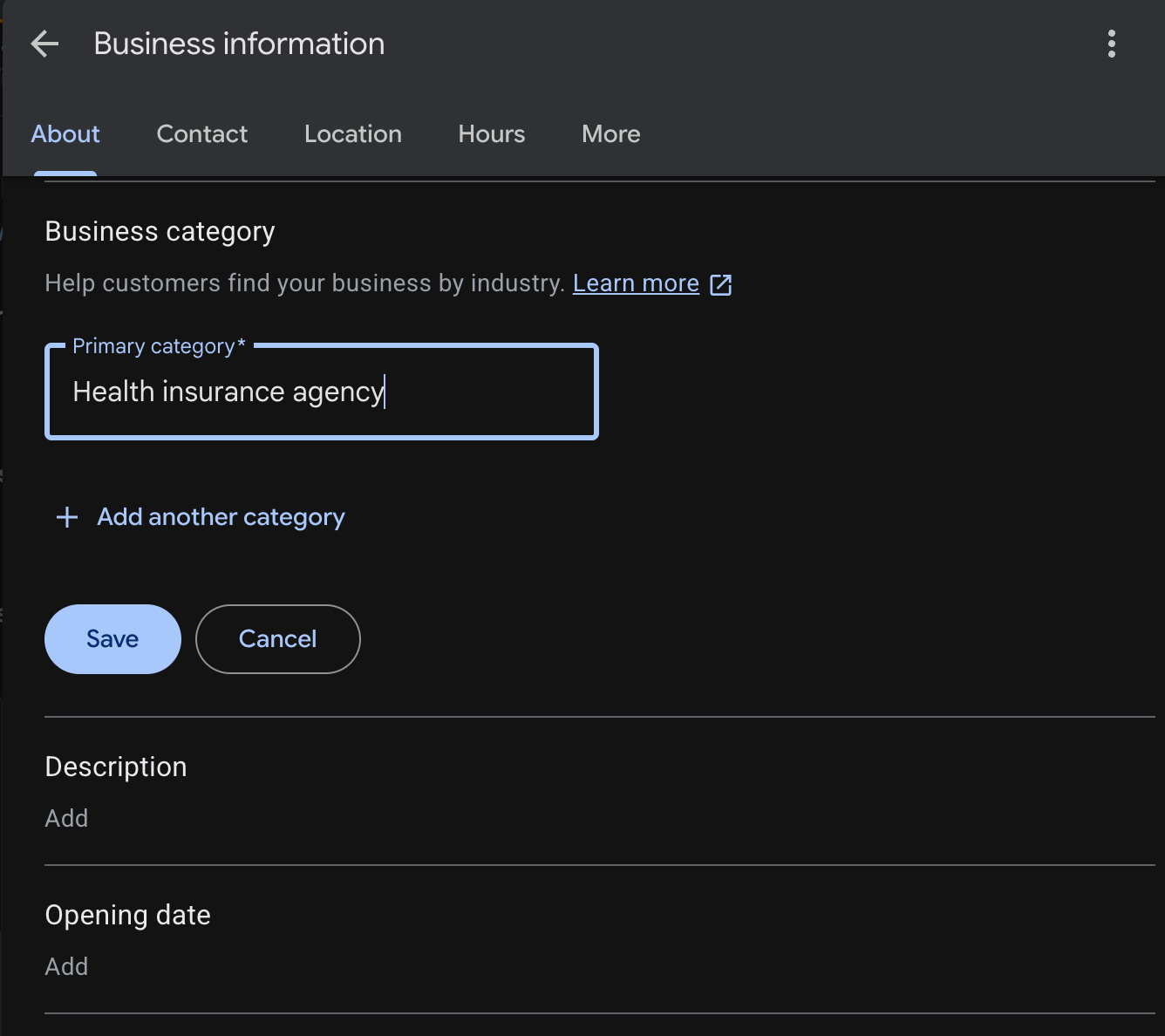
Step 2: Choose the right category.
Google offers specific categories like Insurance agency or Health insurance agency. Pick the one that matches your actual work, not the one you think ranks better.
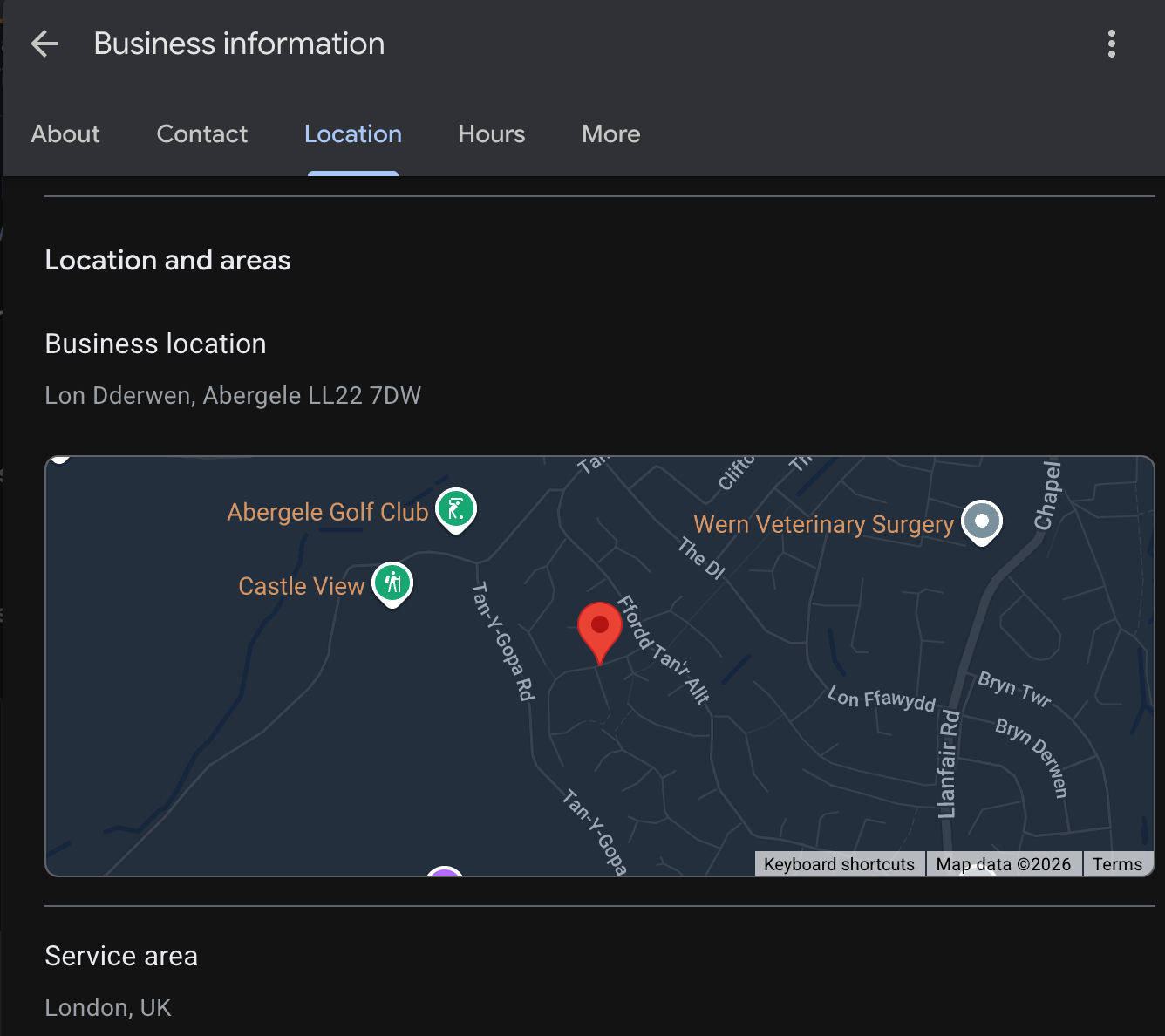
Step 3: Set your location type correctly.
If clients visit you at an office, list the real address. If you work from home or meet clients elsewhere, mark the listing as a service area business and hide your home address. This single step prevents a lot of suspensions.
Step 4: Write your business description without overstating anything.
Mention that you are a licensed, independent Medicare agent. Skip specific premium numbers or anything that reads like a guarantee.
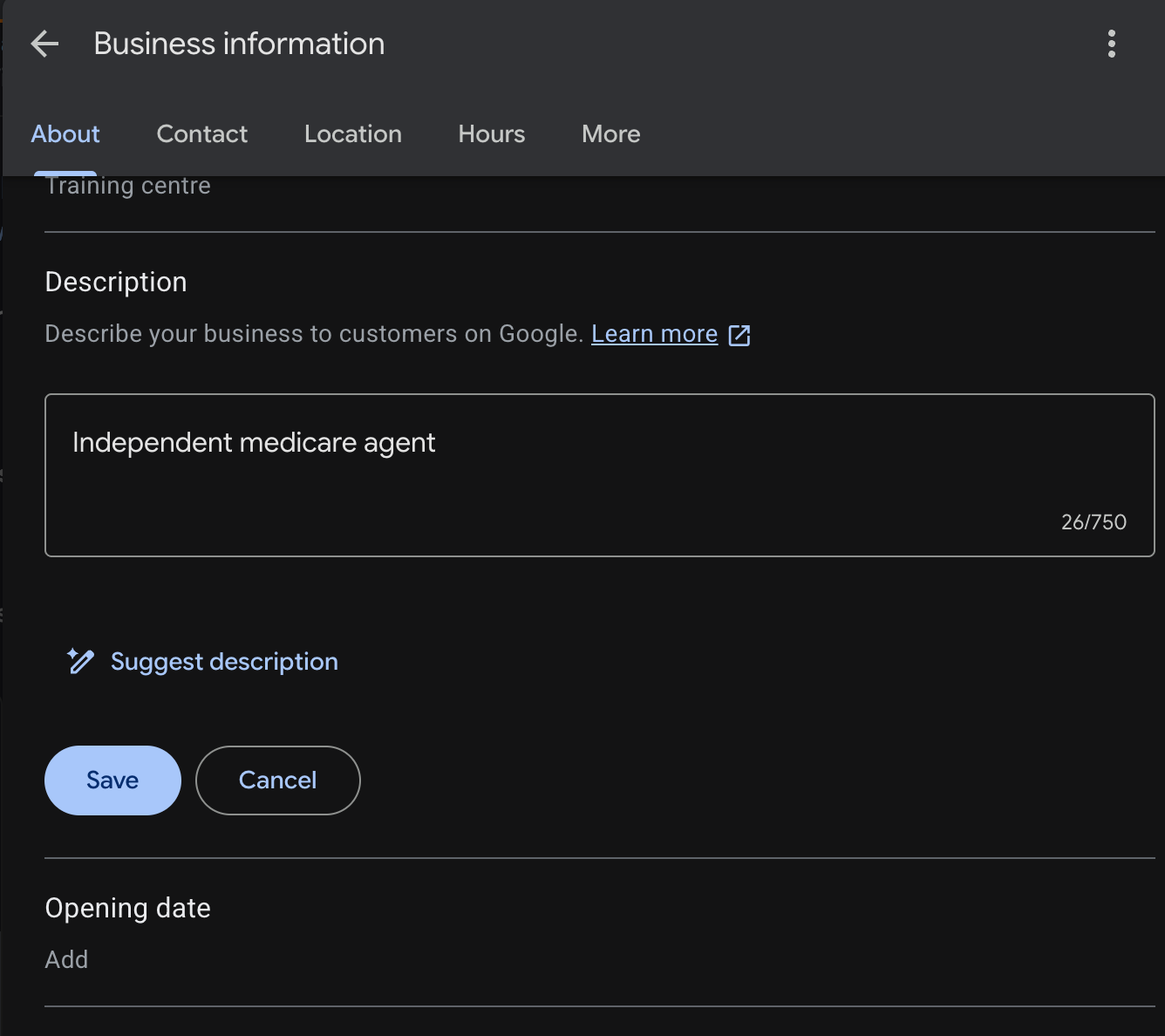
Step 5: Add your license information where Google asks for it, and be ready to verify it if requested. This is becoming more common in the insurance category, not less.
Step 6: Keep your profile active. Answer questions, respond to reviews, and post updates during Open Enrollment. An inactive profile ranks worse and looks less trustworthy to someone comparing agents.
Publishing Google Business posts consistently is how people discover your business. These posts show up directly in Google searches for relevant queries, and since it is a Google product, Google tends to favor this content, helping it rank higher.
Consistency is everything here. I mean it, you should be posting every single day. That is how you beat the algorithm. Skip it, and you will disappear into the void among thousands of competitors. Also keep in mind that Google Business posts automatically expire after 7 days, so you need to keep sharing them constantly.
You might be thinking this sounds impossible. You do not have the time or the material to create and publish Google Business posts every day. Fair enough, no judgment here. You personally may not be able to log in and post about your business daily. But it still needs to happen, and it can.
This is exactly where automating your Google Business posts comes in. You can schedule posts for the days ahead without logging into your accounts even once.
Circleboom Publish lets users automate and schedule Google Business posts across multiple profiles at the same time.
Create your posts in one sitting, schedule them for the days ahead, then watch them go live and rank on Google. Circleboom's design templates make the creation process even easier.

Design and create Google Business posts with ease.
Find the right materials to build standout Google Business posts.
Alternatively, connect an RSS feed to your Google Business posts. You will not even need to create posts yourself. Your account will automatically share updates from the websites you choose.
That means you will be posting every day, staying active and visible to the exact people searching for the products, services, and businesses you offer.
You can plan an entire month of posts in one sitting.
Do you manage more than one account? No problem.
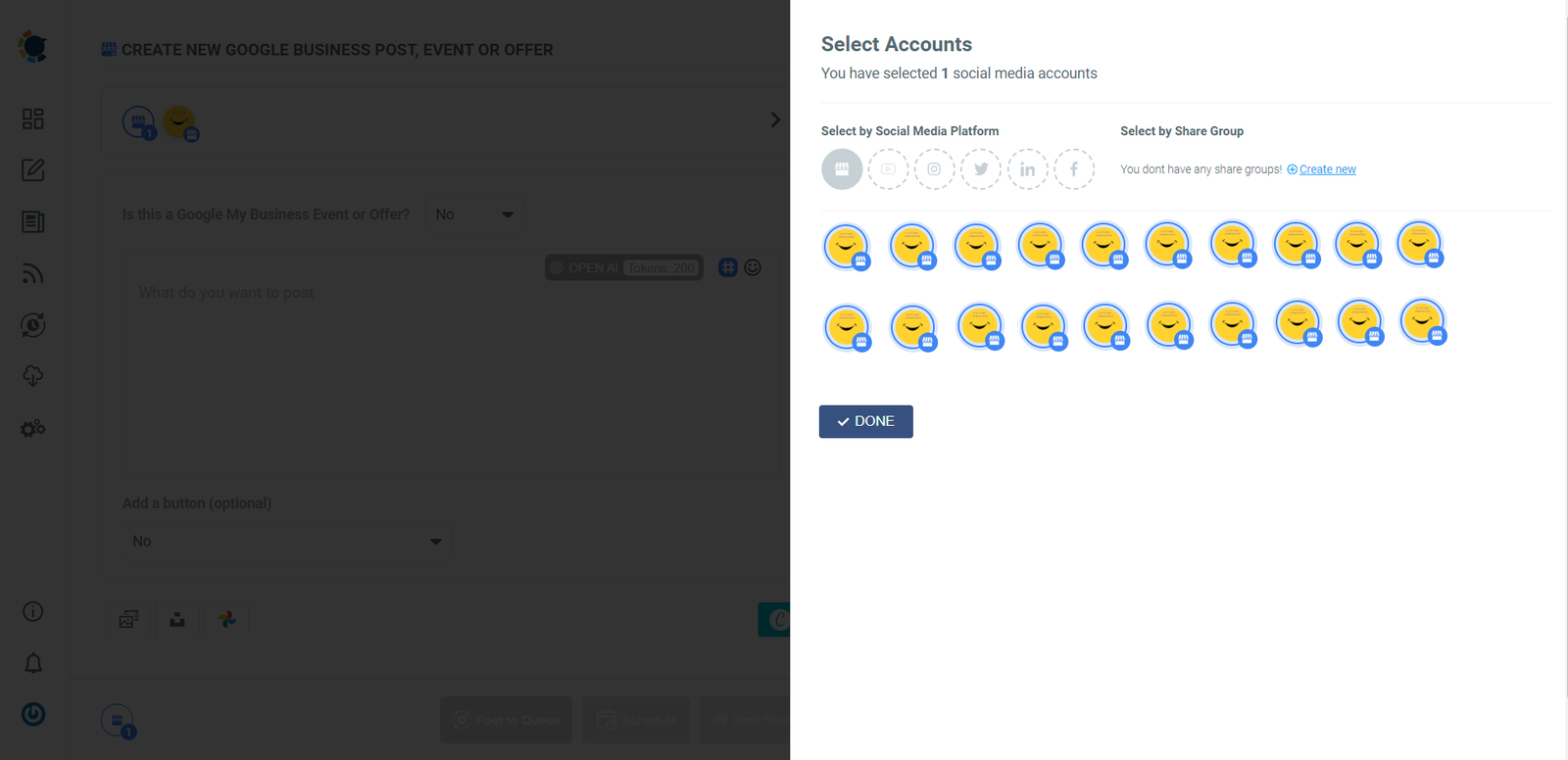
Connect all of them to a single Circleboom account, making management simple and cost effective, and organize everything from one place.
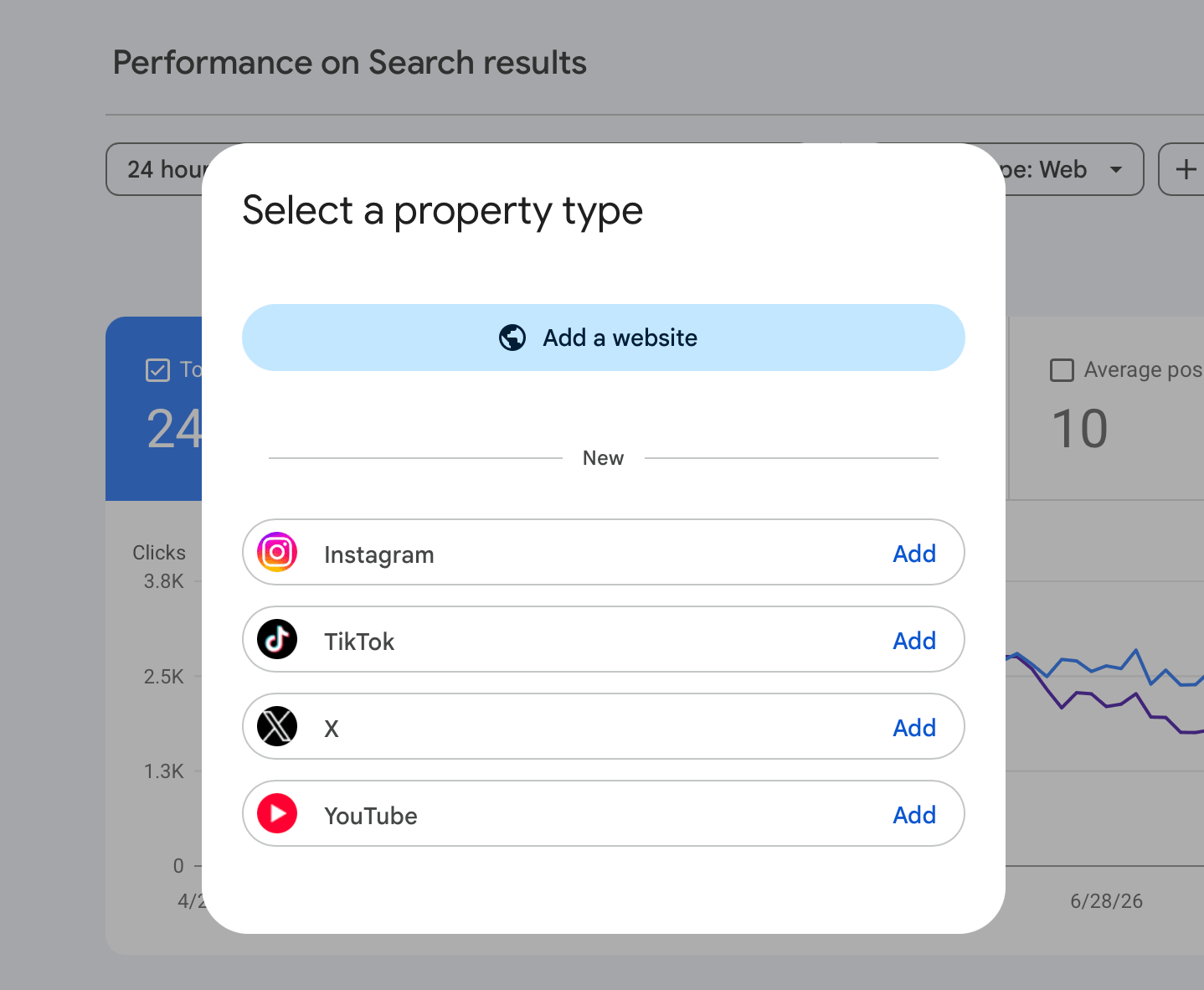
One more piece of advice: strengthen your social media strategy by connecting other platforms too. Do not worry if you feel like you lack followers. Your social posts appear directly in Google search results, which means people can discover your social accounts through search.
Create content for Twitter, LinkedIn, TikTok, Instagram, YouTube, Facebook, and more. And no, you do not need separate content for each platform. With Circleboom, you can create a single post and share it everywhere at once. Circleboom supports all these major platforms from one dashboard.
You can track the performance of your social accounts directly from Google Search Console.
A Google Business Profile does not replace compliance training, it sits on top of it.
Agents sometimes treat their Google listing as separate from everything else they do professionally. It is not separate. Anything a client reads on that profile is still a form of communication CMS can review, and anything Google flags as spam still reflects on your license.
What happens after it goes live
Once the profile is approved, the real work is reviews, photos, and consistency. A financial advisor turned Medicare agent in a small Midwest town saw local calls become his second largest source of new clients within one enrollment period, right behind referrals, simply by asking satisfied clients for a short honest review each season.
A profile with recent activity and real reviews reads as trustworthy both to Google's algorithm and to the person searching.
So yes, a licensed Medicare agent can make a Google Business Profile. The people who run into trouble are the ones who treat it like any other local listing and skip the two sets of rules underneath it. Set it up correctly once, follow CMS language guidelines in what you write, and keep the listing active. It becomes one of the steadiest, lowest cost ways to get found by people who are actively looking for exactly what you offer.