
Twitter shows you some of the accounts that retweeted your post. Not all of them.
Visit any tweet and tap the retweet count. You'll get a partial list, a handful of names, sometimes with no clear logic about which ones are shown and which aren't. For a post with dozens or hundreds of retweets, you're seeing a fraction of the actual picture. There's no way to scroll through the complete list, no way to filter it, and no way to export it.
Circleboom Twitter retrieves the full list of every account that retweeted your post. Each account comes with complete profile data, and you can export the entire dataset as a CSV file ready to use in any tool you want.
Can you see the full list of people who retweeted a tweet?
Not through Twitter's native interface. Twitter only shows a partial and non-exhaustive view of retweeters with no export option.
With Circleboom Twitter's Export Retweeters feature, you can retrieve the complete list of accounts that retweeted any public tweet, with full profile data for each account, exportable as a CSV file.
 infocircleboom.com
What Is Circleboom Twitter?
Circleboom is an Official X Enterprise Developer. All retweeter data is retrieved through X's official APIs using publicly available engagement data. No scraping, no workarounds, fully compliant with platform rules.

Here's what Circleboom Twitter gives you for retweeter data:
- Retrieve the full list of accounts that retweeted any specific tweet
- Bulk export retweeters across multiple tweets or an entire account's tweet history
- View complete profile data for every retweeter including bio, follower count, and account age
- Export the full dataset as a CSV ready for Excel, Google Sheets, or CRM import
- Identify your most active retweeters across multiple posts in one dataset
How to View the Full List of Retweeters with Circleboom Twitter
Step #1: Sign up to Circleboom and connect your X account.
Circleboom is an official X Enterprise partner! So, your account and all the data you have are safe and secure with us!

Step #2: Once reached dashboard, go over the menu and find “Essential Toolbox”.
You will see the sub-menu “Export Tools”. Under this, you will see Export Retweeters of a Tweet(s) or User(s).
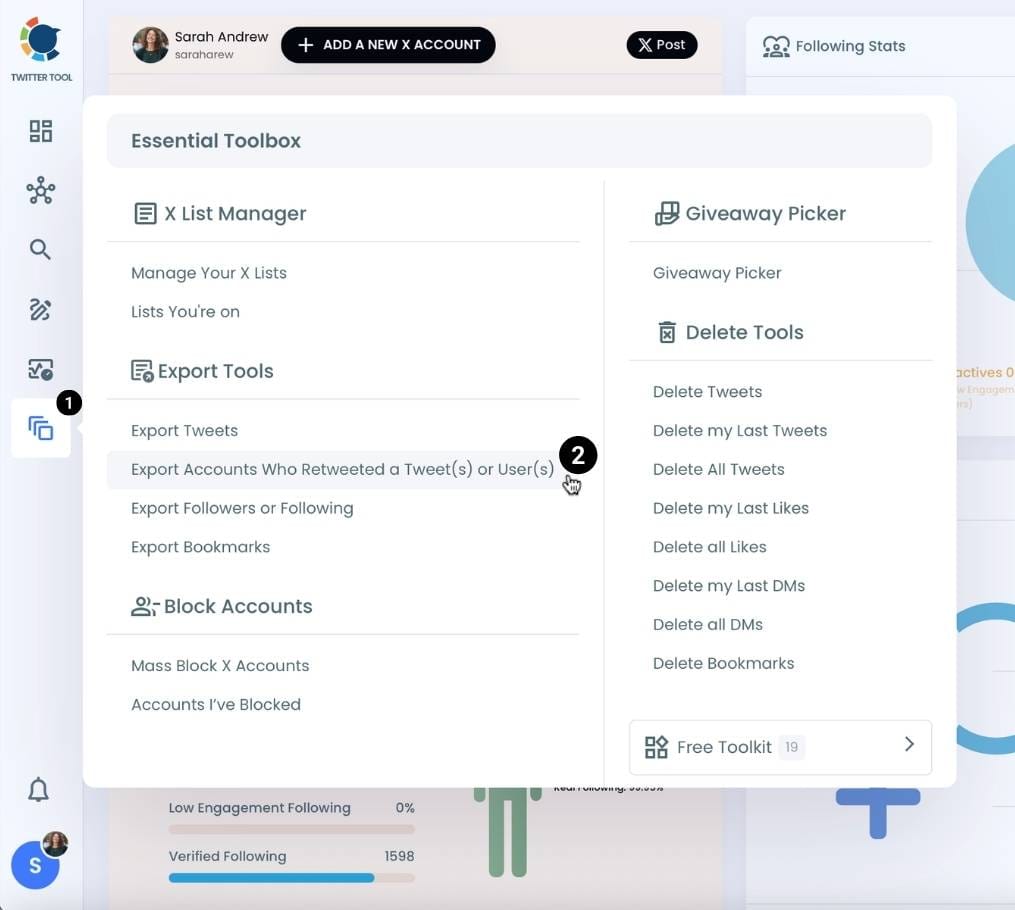
Step #3: You will see two options there:
“Export retweeters of specific tweets” and “Bulk export retweeters of a user’s tweets”
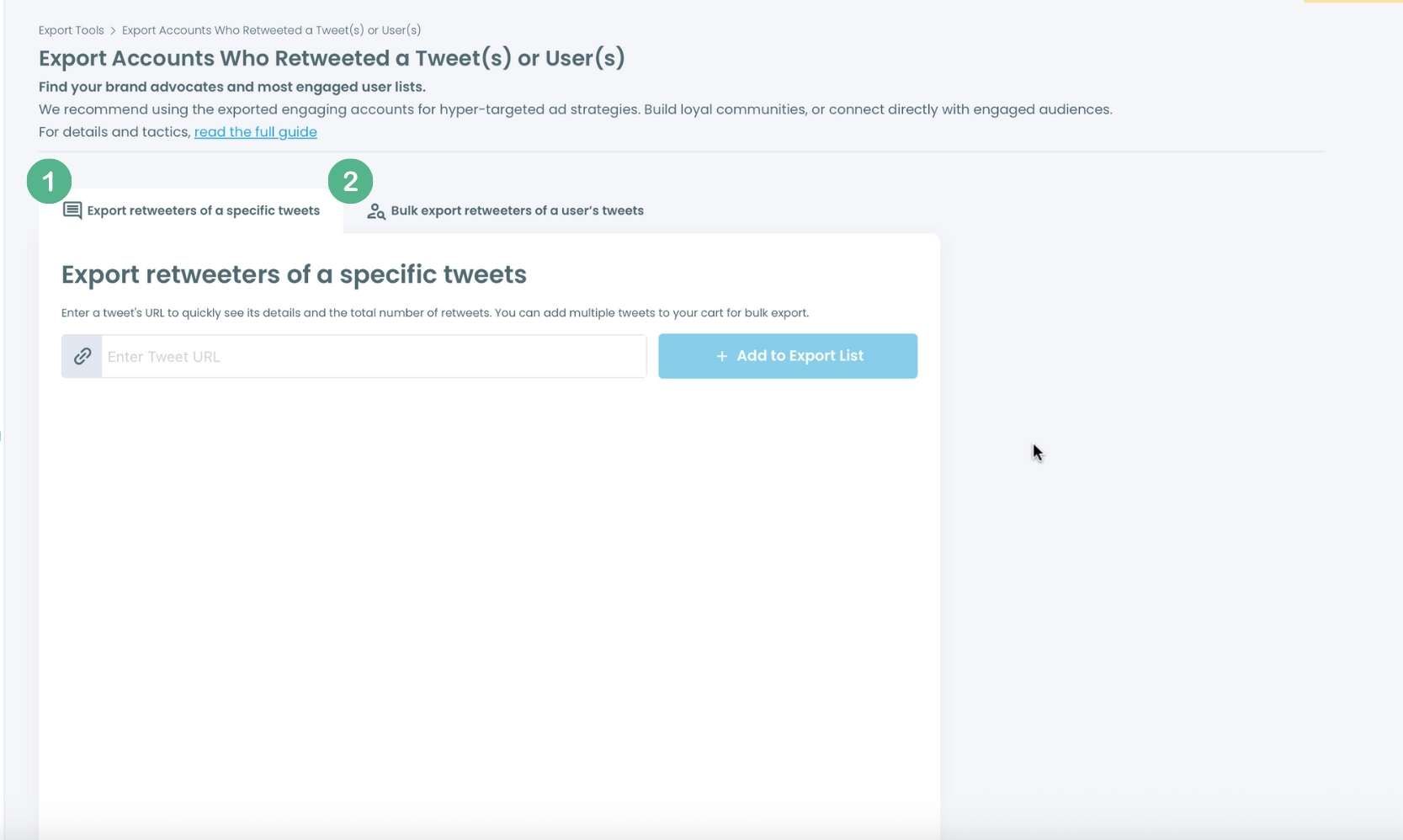
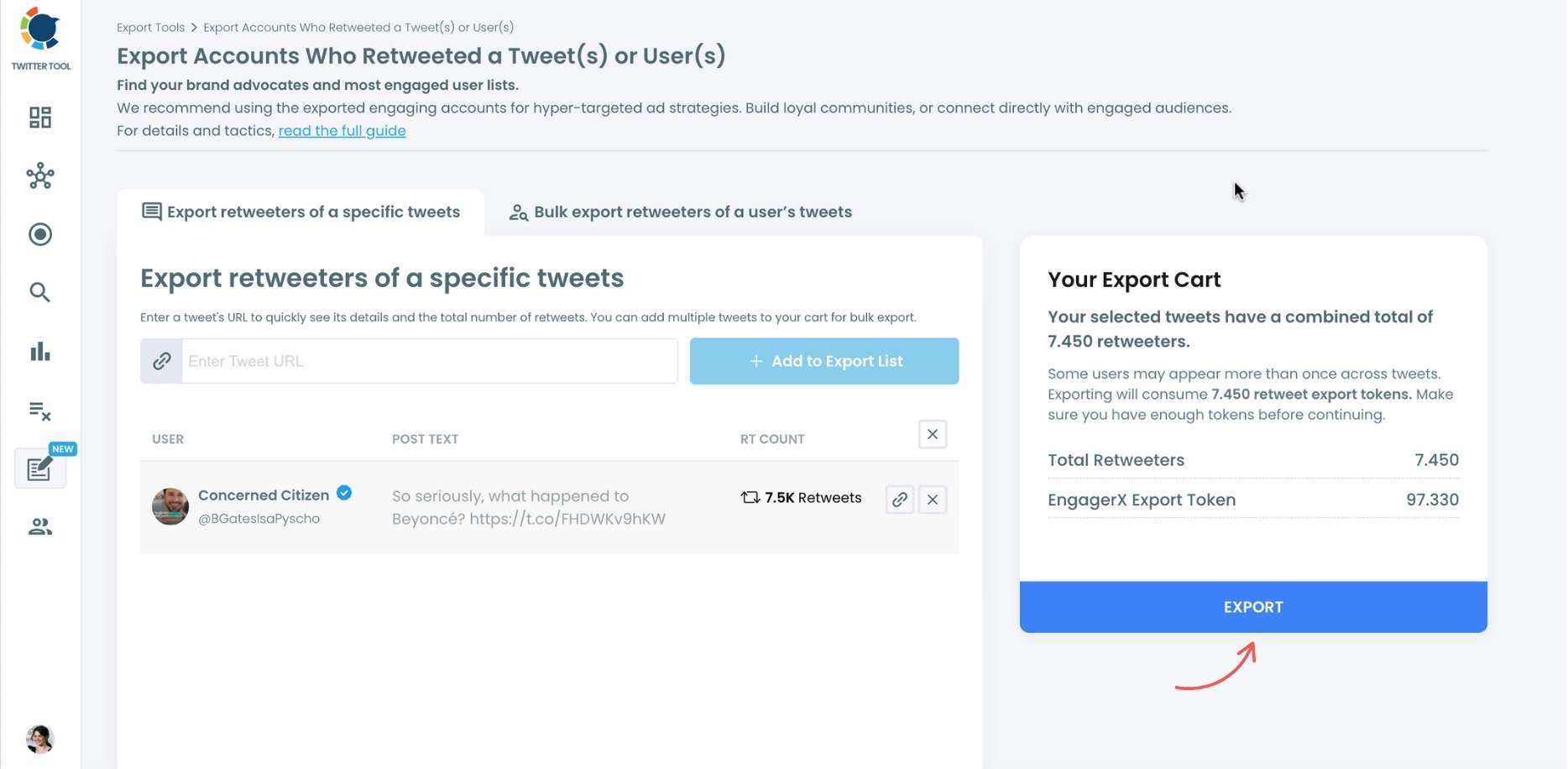
For specific tweets, Circleboom enables you to extract retweeters of specific tweets, yours or other users. You need to paste the URL of the targeted tweet. Then, we will extract all retweeters of that tweet. The one thing you should do is click on the “Export” button.
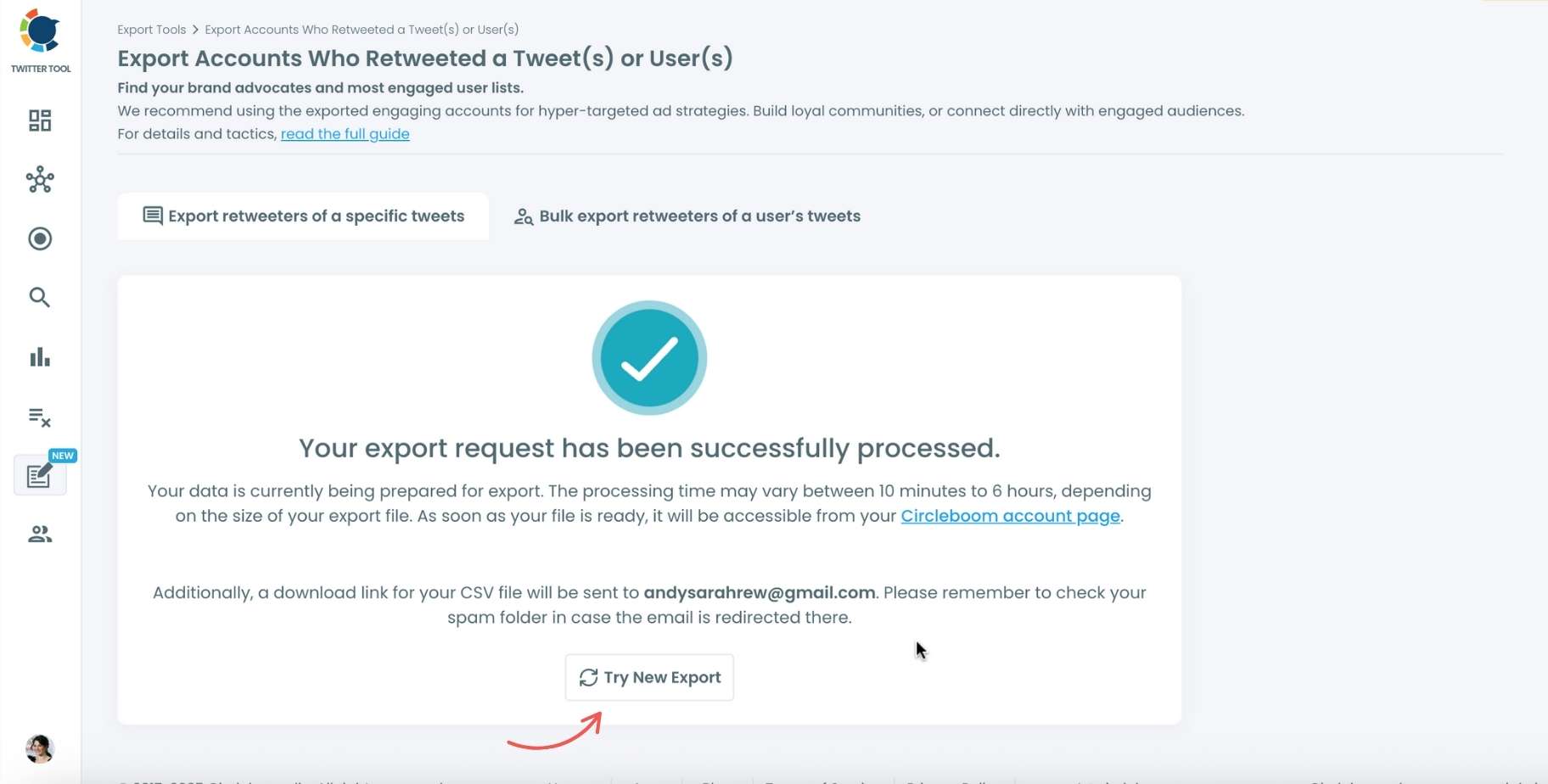
Your export request has been sent. You will get your exported retweeters file within Circleboom, and a copy will be sent to your email address.
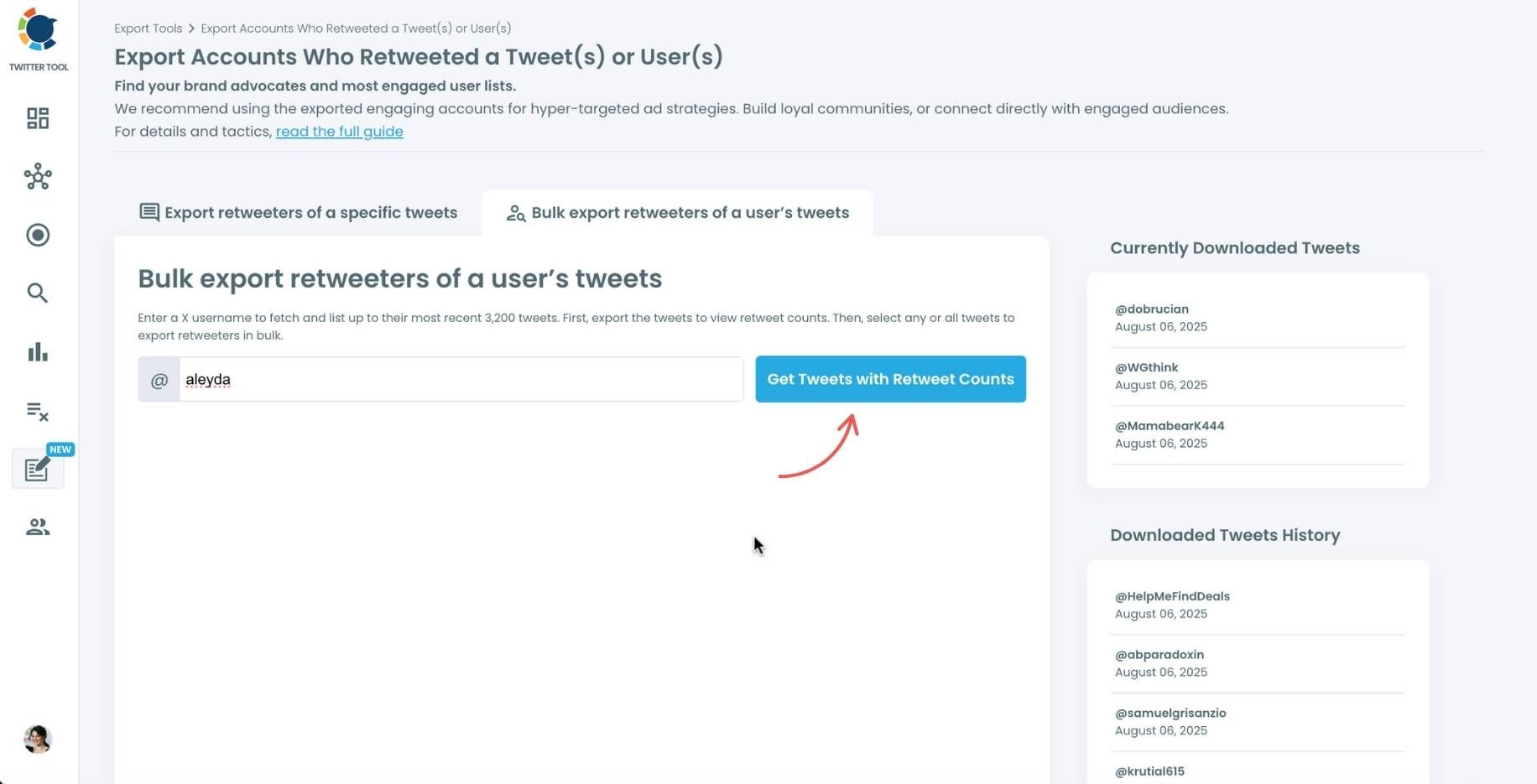
Step #4: Your second option is to bulk export retweeters of a user’s tweets.
You need to enter the handle of a Twitter user. Then, we first extract all their tweets. Then, you can export all of their retweeters or some of them. You can apply filters to sort their tweets by retweet number, like number, etc.
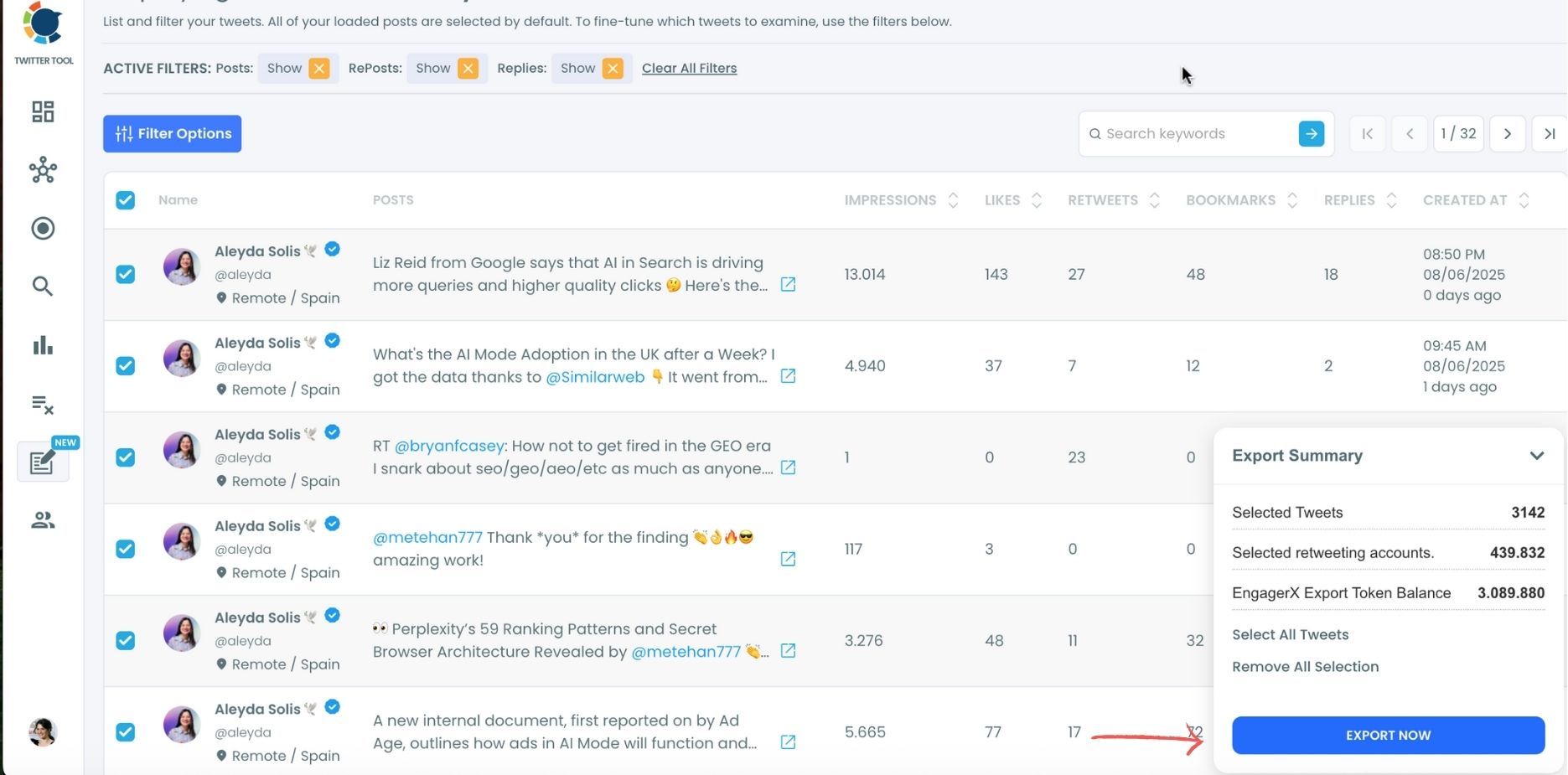
You can export retweeters of all tweets, or you can select some. In this example, you will export 439.832 retweeters by clicking on the “Export Now” button.
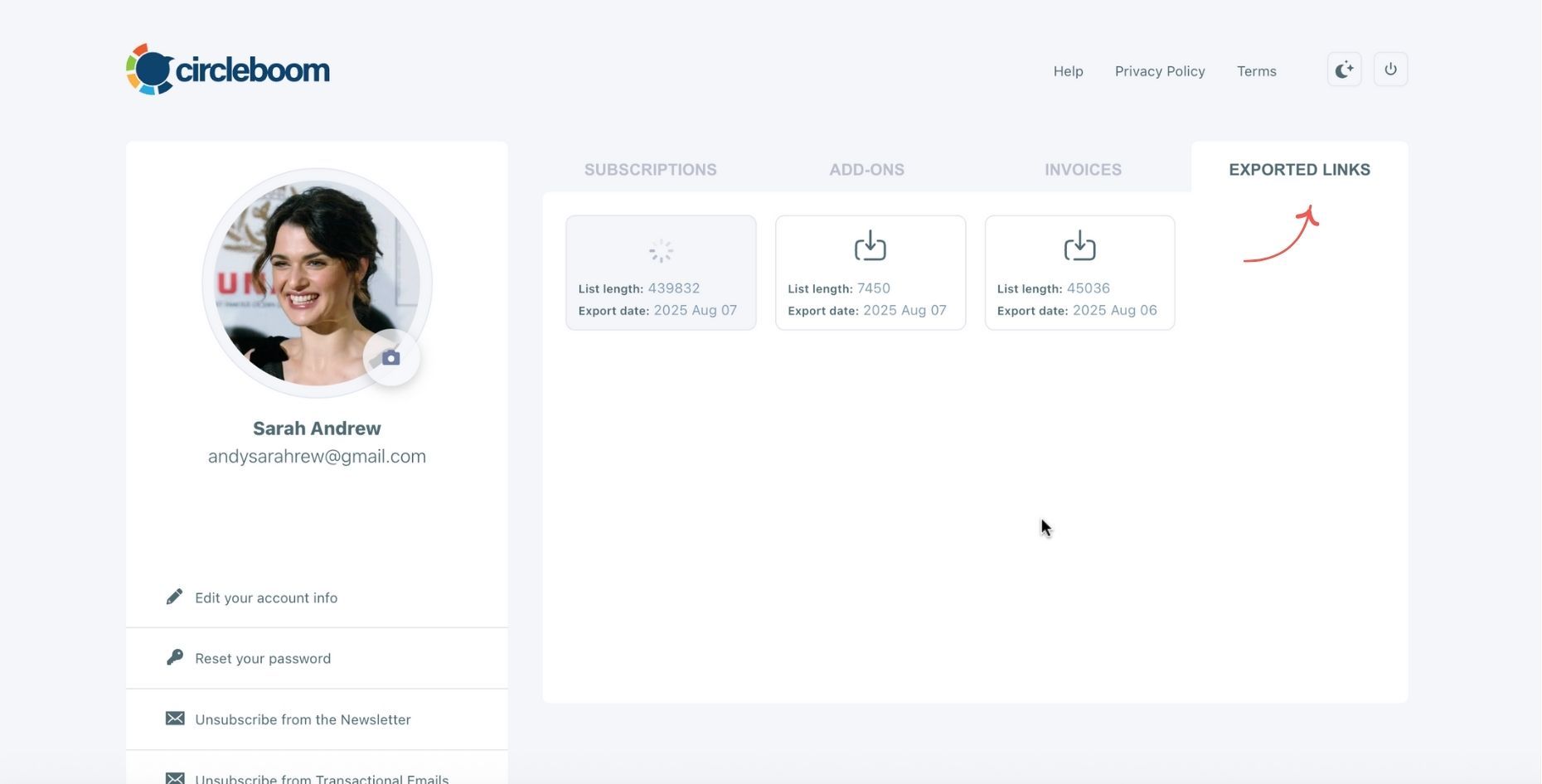
You can see your export lists, finished and processing, on your Circleboom account page, under the “Exported Links” section.
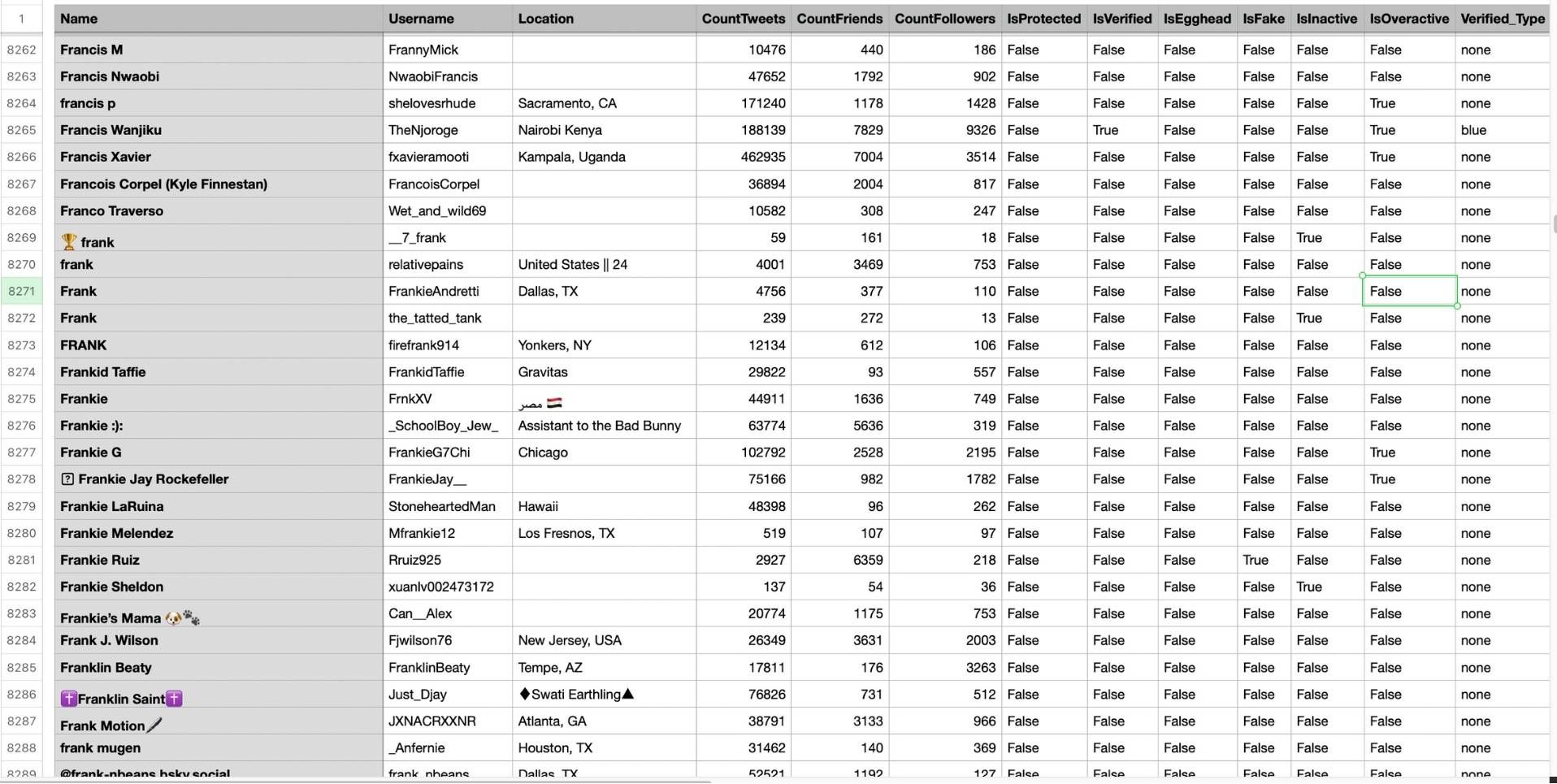
Step #5: You can see the list of retweeters in your CSV file.
There are their usernames, locations, account ages, follower counts, etc.
Circleboom then analyzes the selected tweets and collects all associated retweeters.
What Twitter Actually Shows You
When a tweet gets retweeted, Twitter surfaces a small selection of the accounts that reshared it. The selection is partial and not comprehensive. On high-engagement posts with hundreds or thousands of retweets, the native view is essentially useless for understanding who your amplifiers actually are.
There's also no filter. You can't sort by follower count to find the high-reach retweeters. You can't filter for verified accounts. You can't identify who retweeted multiple posts. You see a list you can't act on, can't sort, and can't export.
📌 Retweeters are one of the strongest intent signals on the platform. Someone who retweeted your post didn't just see it.
They actively chose to amplify it to their own audience. Understanding who those people are is significantly more valuable than tracking impressions or likes, and Twitter keeps that data largely inaccessible.
What the Export Actually Contains
When Circleboom Twitter exports your retweeter list, the output is a structured CSV file. Each row is one retweeter. Each column is a data point about that account.
Username and display name. The handle and the name as it appears on their profile.
Bio. Their full profile bio, which tells you immediately what they're about and whether they're relevant to your content.
Follower count and following count. How large their audience is and how their network is balanced.
Tweet count and account age. How active they are and how established the account is.
Profile URL. A direct link to their profile so you can visit it without searching.
Once it's in a CSV, you can sort by follower count to find your highest-reach amplifiers, filter by bio keywords to find retweeters in a specific niche, import into a CRM, or build a custom Twitter audience for advertising.
Two Ways to Export Retweeters
Circleboom Twitter gives you two entry points depending on what you're trying to do.
Export retweeters of a specific tweet. Paste the tweet URL and Circleboom retrieves the complete retweeter list for that post. This is the right approach when you want to analyze who amplified a specific piece of content, a campaign post, a viral tweet, or an announcement.
Bulk export retweeters of any account's tweets. Enter any public username, select which tweets you want to analyze, and Circleboom aggregates the retweeter data across all selected posts into one combined dataset. This is the right approach for competitive analysis, brand advocacy research, or building a broad audience picture from multiple pieces of content.
Both modes export to the same CSV format. Both work on any public tweet or account.
What You Can Do with the Retweeter Data
Find your brand advocates. The accounts that retweet you consistently across multiple posts are your most engaged supporters. A bulk export across several tweets surfaces those repeat amplifiers in one dataset. These are the people worth engaging with directly, following back, or building a relationship with.
Build a high-intent ad audience. Retweeters have demonstrated active interest in your content, not passive exposure. Importing a retweeter list into an ad platform as a custom audience gives you a targeting segment built from real engagement rather than demographic guesswork.
Analyze who's amplifying a competitor. The feature works on any public tweet, not just yours. Exporting retweeters of a competitor's top-performing posts shows you who their most engaged amplifiers are, which is a useful audience for outreach, targeting, or competitive research.
Build outreach lists. If you're trying to reach people genuinely interested in a topic, a list of people who retweeted content about that topic is a more relevant starting point than a follower list filtered by keywords. Circleboom's Find Influencers feature can be layered with retweeter data to build outreach lists that combine reach and demonstrated interest.
Frequently Asked Questions
Can you see the full list of people who retweeted a tweet?
Not on Twitter natively. Twitter shows a partial and non-sortable view of retweeters with no export option. Circleboom Twitter's Export Retweeters feature retrieves the complete retweeter list for any public tweet and exports it as a structured CSV file.
Does this work for tweets from accounts other than mine?
Yes. You can export retweeters of any public tweet, whether it's yours or from any other public account. This makes the feature useful for competitive analysis, influencer research, and niche audience discovery.
What format is the exported file?
The retweeter list is exported as a CSV file. It can be opened directly in Excel or Google Sheets, imported into a CRM, or used as a custom audience in ad platforms.
Can I export retweeters from multiple tweets at once?
Yes. The bulk export mode lets you enter any public username, select multiple tweets from their history, and aggregate all retweeters across those posts into one combined CSV export.
Can I see who retweeted multiple posts of mine, not just one?
Yes. By using the bulk export mode on your own account and selecting several tweets, Circleboom aggregates the retweeter data and you can identify accounts that appear across multiple posts, which are your most consistent amplifiers.
Is the retweeter data complete or partial like Twitter's native view?
Circleboom retrieves retweeter data through X's official API, which gives access to the full dataset rather than the partial display shown in the native interface. The export reflects the complete list within platform data access constraints.
Final Thoughts
Retweeters are the people who found your content worth sharing with their own audience. That's a meaningful signal, and Twitter buries it behind a partial, unsortable, unexportable list.
Circleboom Twitter's Export Retweeters feature surfaces the complete picture: every account, with full profile data, in a CSV you can actually work with.
View and export the full list of people who retweeted your Twitter post with Circleboom Twitter.
infocircleboom.com