

Fake followers are more common than most people think. At first, everything looks fine, the follower count grows, the numbers look good, and the account seems to be improving. But after a while, something starts to feel off. Tweets don’t get enough likes, replies stay low, and impressions don’t match the size of the audience.
I thought all my followers were real, but when I checked them, it turned out many of them were fake, inactive, or low-quality accounts.
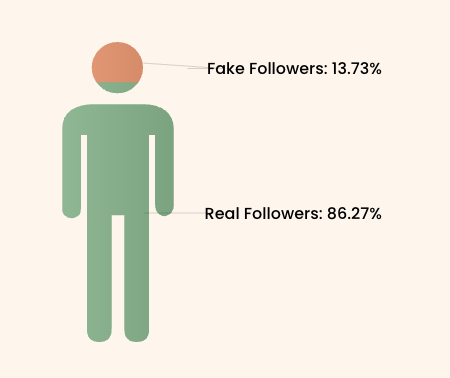
That’s usually the hidden reason behind low engagement. The good news is, you can actually check this. With Circleboom Twitter, you can analyze your followers in detail and clearly see which ones are real and which ones are not.
What Is Circleboom Twitter?
Circleboom Twitter is an official X Enterprise Developer, meaning it works directly with X’s official APIs and follows platform rules safely.

But what really matters is how much detail it gives you about your followers.
On X, you only see usernames and maybe a profile picture. If you want to understand whether someone is real, active, or fake, you have to check profiles one by one. That’s not realistic when you have hundreds or thousands of followers.
Circleboom changes that completely.
It analyzes your entire follower list and organizes everything in a way that actually makes sense. Instead of guessing, you get clear categories and filters that show what kind of audience you really have.
With Circleboom Twitter, you can see:
➡️ Which followers are likely fake or bot accounts
➡️ Which ones are inactive and haven’t tweeted in a long time
➡️ Which accounts are low-quality versus high-quality
➡️ Verified vs non-verified followers
➡️ Followers you don’t follow back
➡️ Detailed metrics like tweet count, follower/following ratio, and join date
This level of detail helps you stop thinking in terms of “how many followers do I have?” and start thinking “what kind of followers do I have?”
How to Find Fake Twitter Followers with Circleboom Twitter
Step #1: Go to the Circleboom Twitter website and log in with your credentials.
If you’re a new user, sign up, it’s quick and easy!

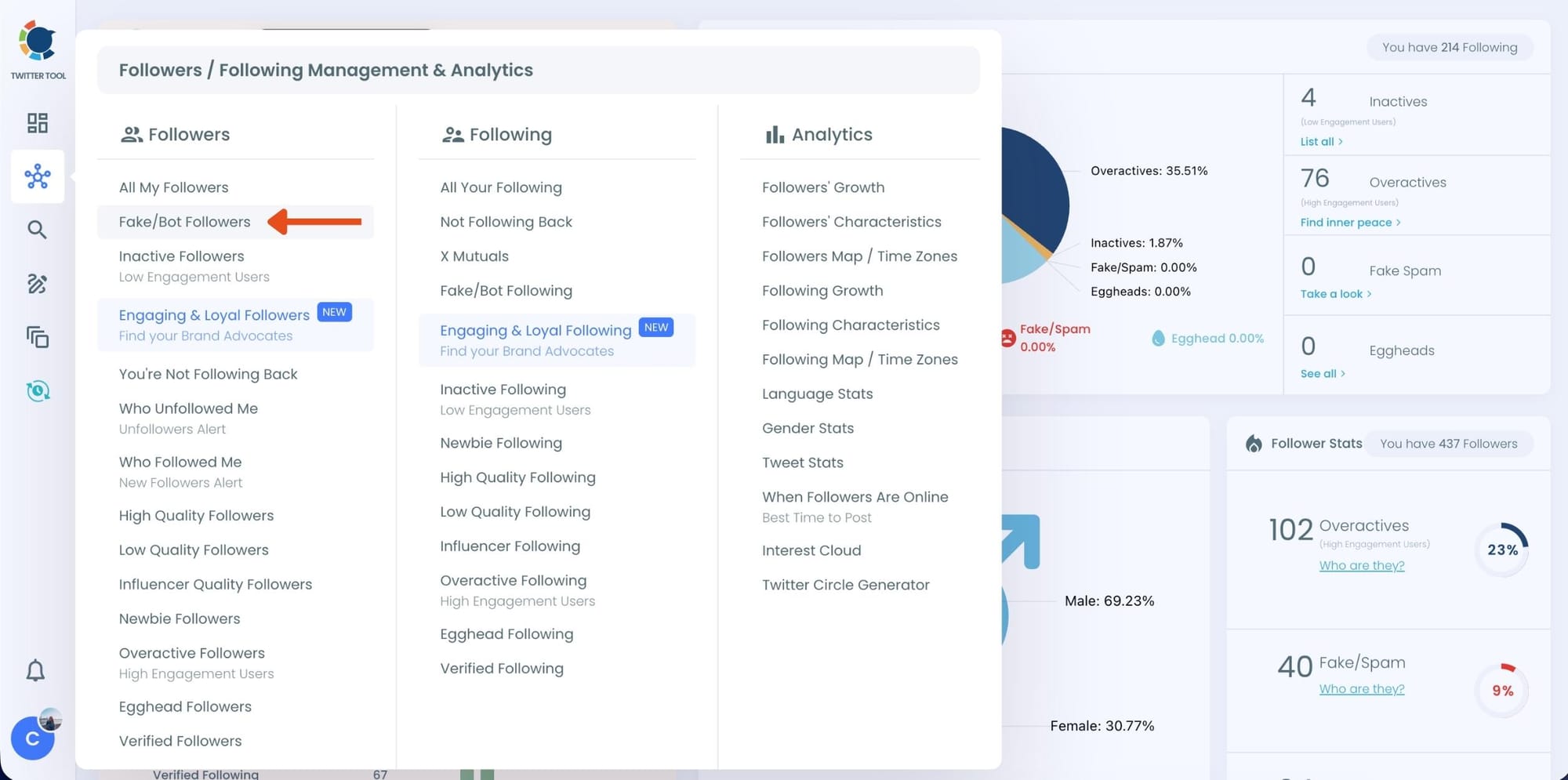
Step #2: On the left-side menu, click on the Followers / Following Management section. A dropdown menu will appear. Select Fake/Bot Followers to see the full list of your followers.
If you want to remove specific accounts, such as inactive users, you can directly select these categories from the dropdown menu instead of viewing all followers.
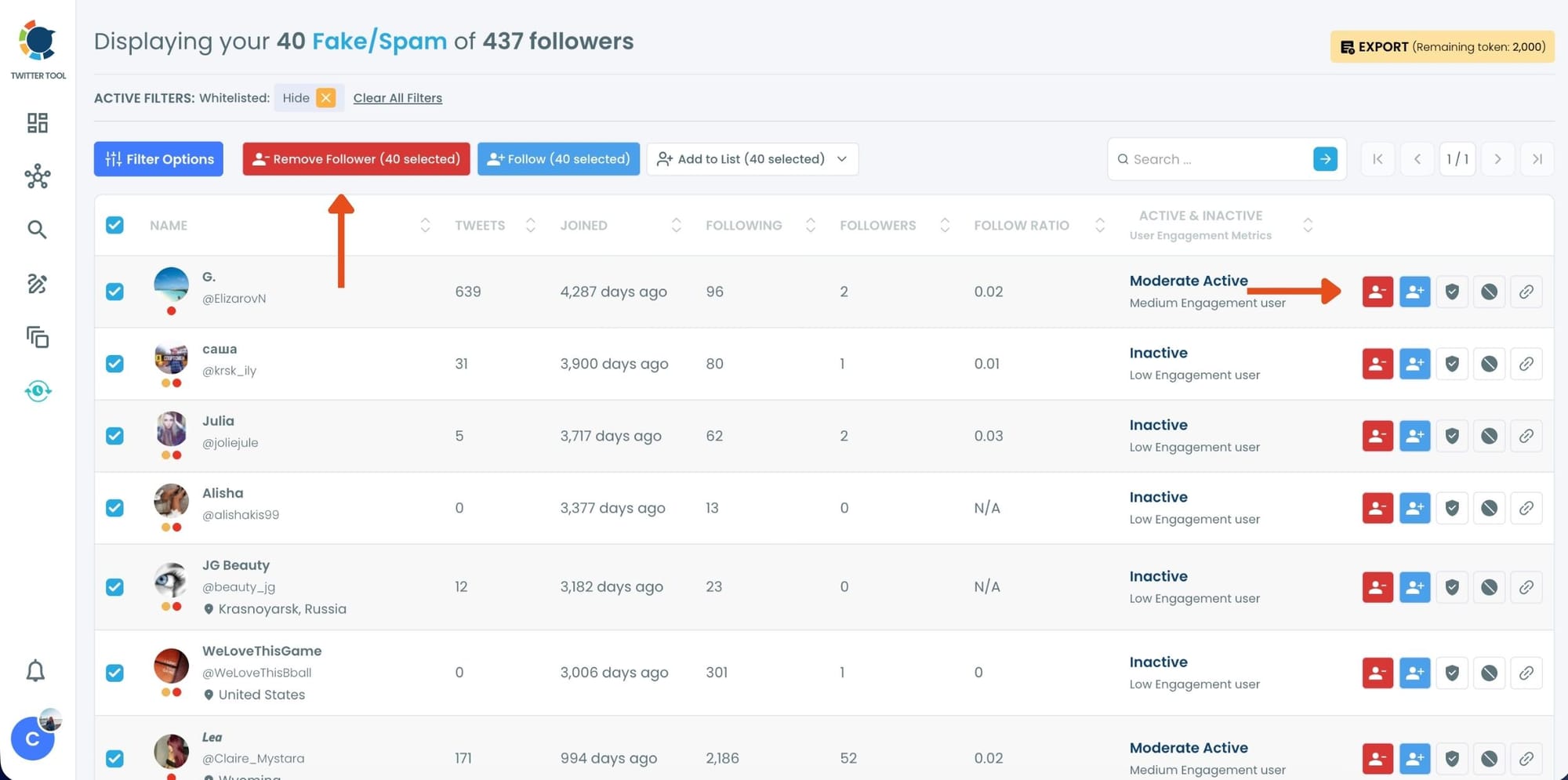
Step #3: You will see a complete list of your fake/bot followers.
Use the Filter Options on the left side to refine your list.
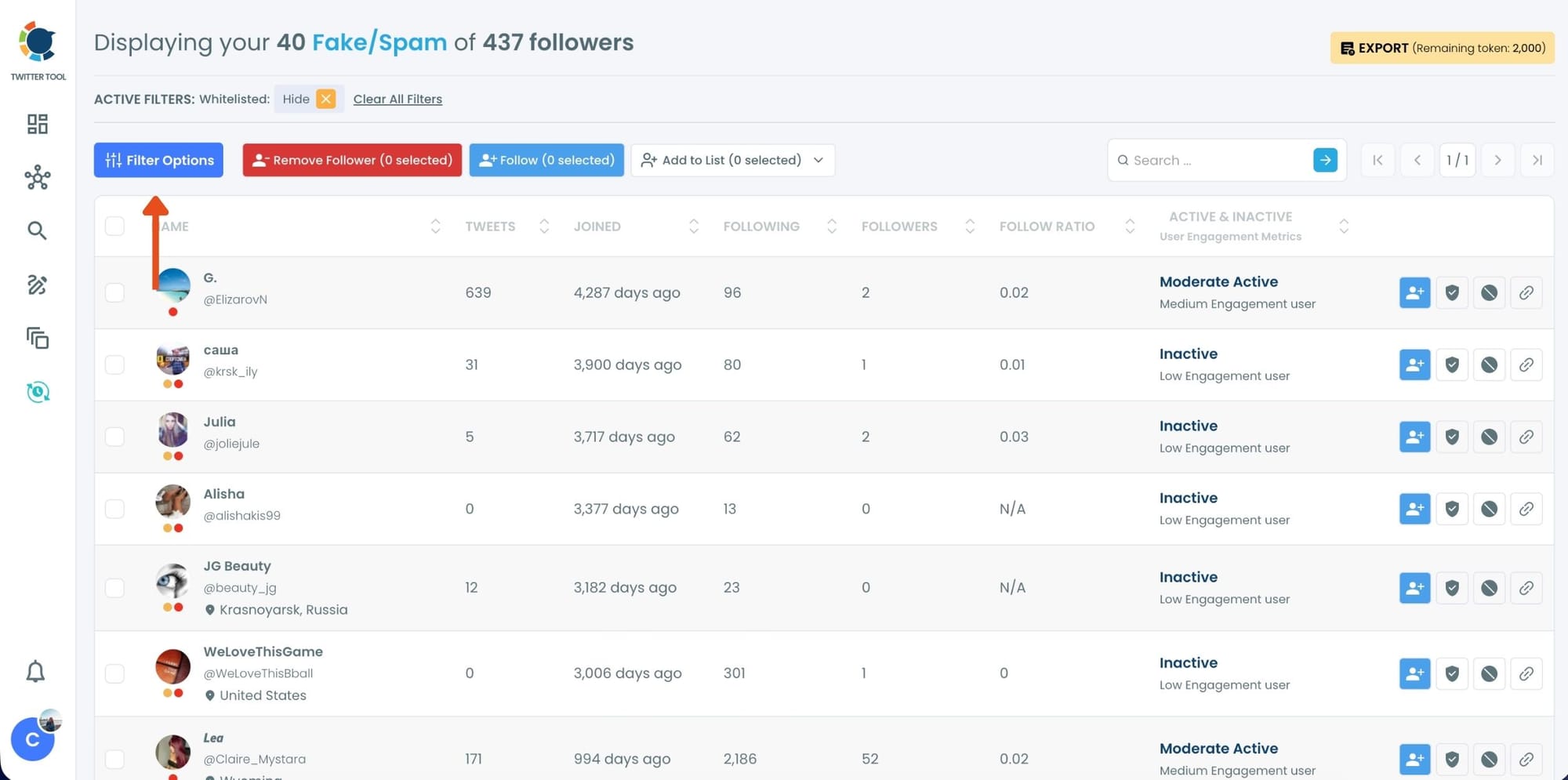
You can filter followers based on engagement levels, inactivity, verification status, follower/following count, and more.
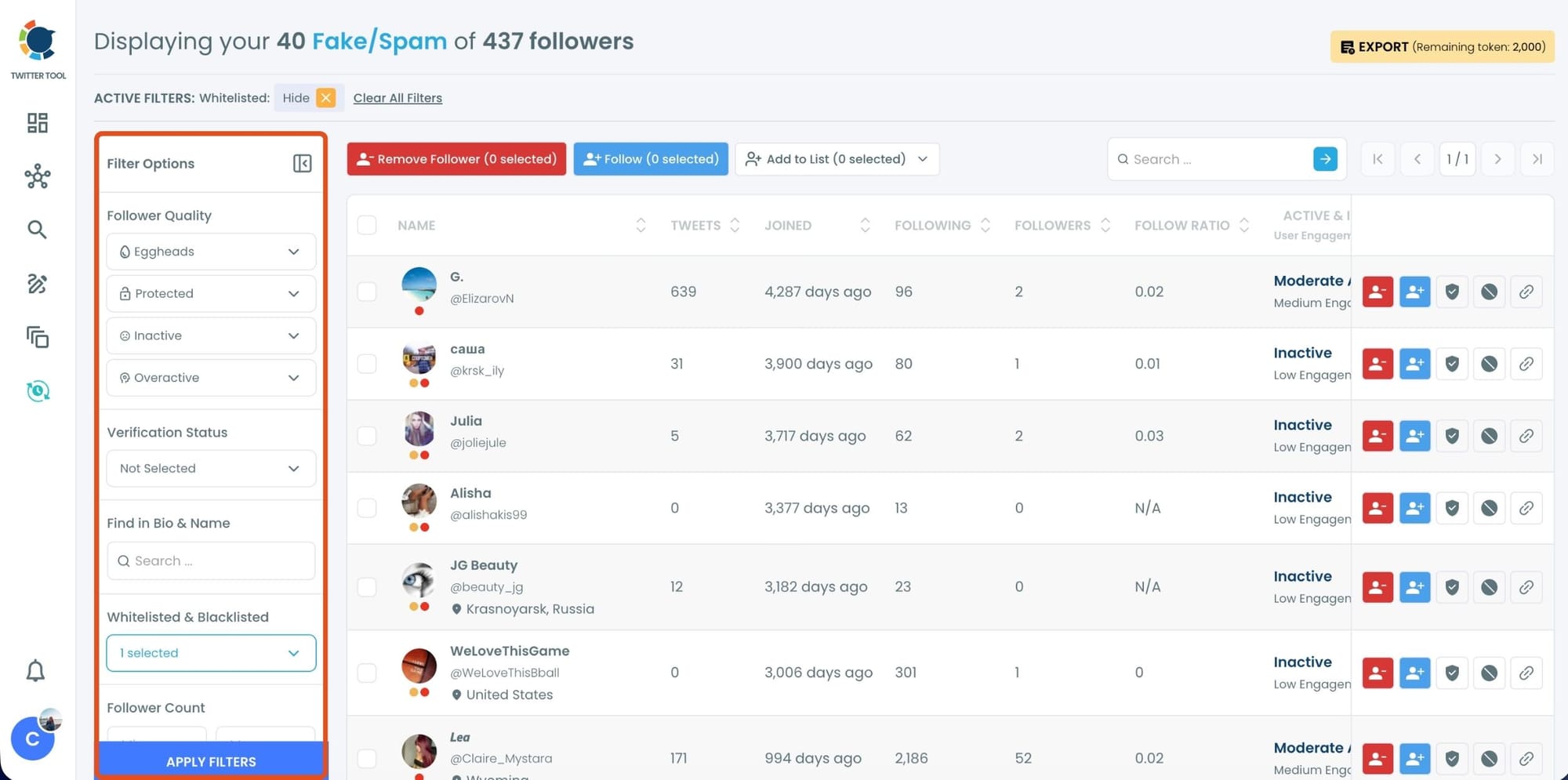
Step #4: Browse through your followers and check the boxes next to the users you want to remove.
You can also select multiple users at once. Once you have selected the users, click on the Remove Followers button at the top.
Alternatively, you can remove individual followers by clicking the red remove icon next to their name on the right side of the list.
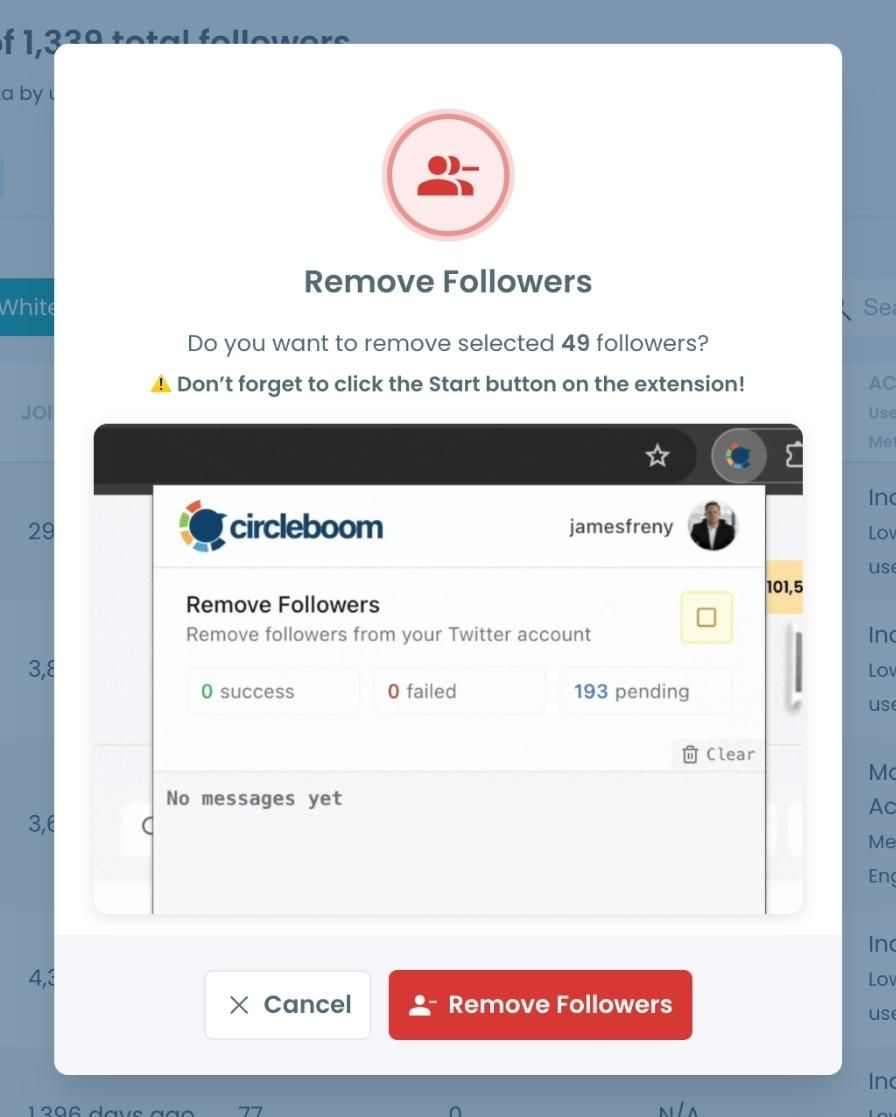
A confirmation message will appear asking if you are sure you want to remove the selected followers.
Click ''Remove Followers''.
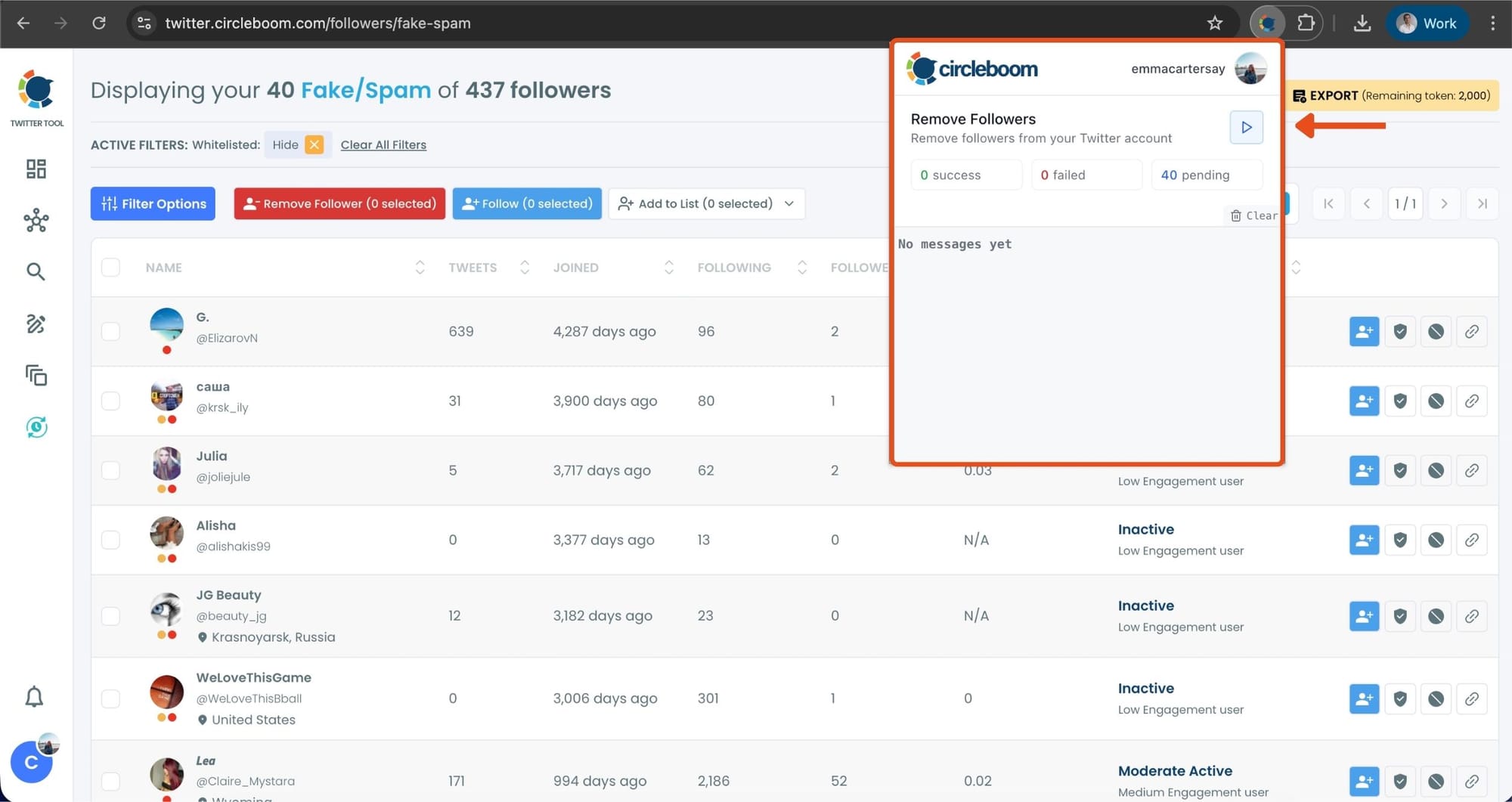
Step #5: Since the removal action is processed via the Circleboom Remove Twitter/X Followers extension, you need to install it to complete the process.
Click on Download the Extension and install it from the Chrome Web Store.
Once installed, you can easily remove followers.

Step #6: After installing the extension, Circleboom will automatically add all your removal requests to the extension queue.
Click on the Start button to begin the removal process.
The extension will process your requests and remove the selected followers.
That's it!
Your selected followers have been removed automatically.
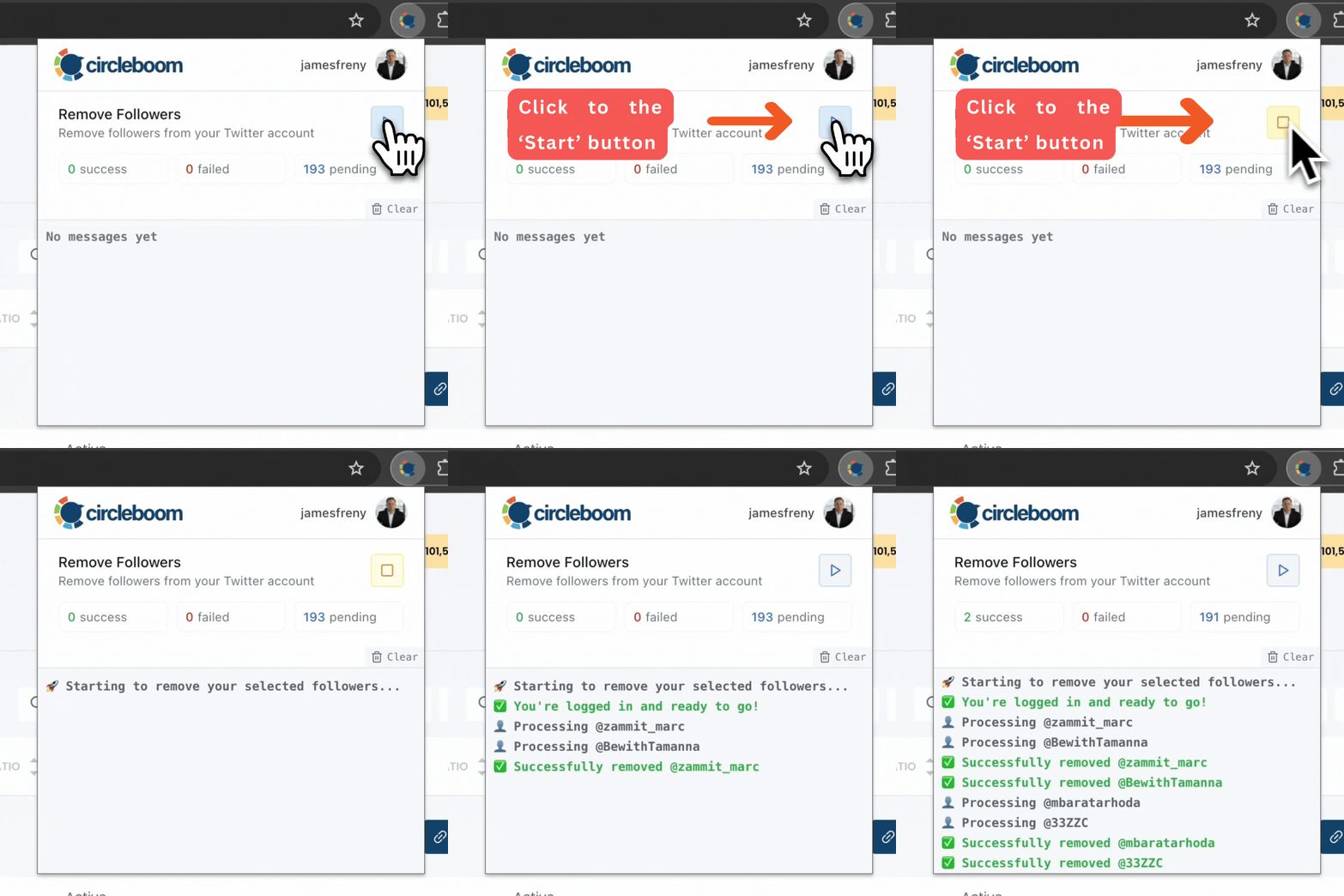
⚠️ Important Warning: Once the removal process begins, do not close your Chrome browser or the Circleboom tab. The tool will automatically remove followers in the background, but if you close the tab or exit Chrome, the process will stop.
If you need a more detailed guide check this video ⬇️
Why Fake Followers Are a Bigger Problem Than You Think
At first glance, fake followers don’t seem like a big issue. More followers means more credibility, right?
Not really.
⚠️ Fake followers don’t engage with your content. They don’t like your tweets, they don’t reply, and they don’t repost. So even if your follower count increases, your engagement stays the same or even drops.
This creates a mismatch between your follower count and your actual performance.
For example, if you have thousands of followers but only get a few likes, it signals that something is off. Not just to you, but also to others who see your account.
It also affects how you evaluate your own content. You might think your tweets are not good enough, when in reality, your audience is filled with accounts that were never going to engage in the first place.
So the problem is not just numbers. It’s clarity.
Removing Fake Followers Without Manual Work
This is where things become practical.
On X, removing followers manually is slow. You need to open each profile, go into settings, and remove them one by one. If you have even a few hundred fake followers, this can take hours.
And most people simply don’t have the patience to do that.
Circleboom Twitter removes that barrier.
Once you identify fake or low-quality followers, you can take action directly. Instead of spending hours clicking through profiles, you can clean your account in a much more efficient way.
This is exactly what I did.
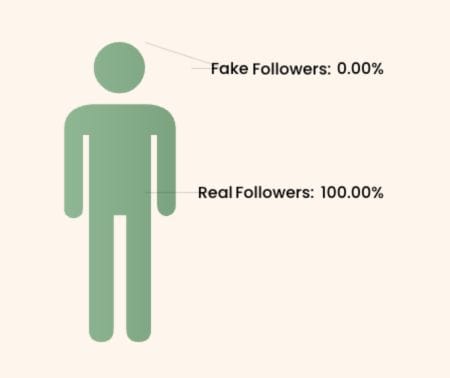
After analyzing my followers, I selected the accounts that didn’t look real or useful and removed them. It wasn’t about reducing my follower count, it was about improving the quality of my audience.
 Arif Akdogan
Why Cleaning Fake Followers Improves Your Account
After removing fake followers, the change is not just visual, it’s functional.
- Your engagement starts to reflect reality.
- Your impressions become more meaningful.
- Your content performance becomes easier to evaluate.
Instead of posting to an audience full of ghost accounts, you’re now posting to people who actually have the potential to engage.
It also changes how you think about growth.
You stop chasing numbers and start focusing on building a real audience. And in the long run, that’s what actually leads to better performance on X.
Even if your follower count drops, your account becomes stronger.
Conclusion
So, how can you check if your Twitter followers are fake?
You can do it directly with Circleboom Twitter.
It analyzes your entire follower list, shows you which accounts are fake, inactive, or low-quality, and helps you remove them without going through the slow manual process on X.
If your engagement feels low compared to your follower count, there’s usually a reason. And in many cases, that reason is fake or ghost followers.
Cleaning them up is one of the simplest but most effective ways to improve your account and build a real, active audience.

