

Keyword search on Twitter is more powerful than most people realize. The real question isn't whether you can search a keyword. It's what you can do with what you find.
Twitter's native search gives you a shallow slice of recent tweets with no historical depth, no account quality signals, no way to export results, and no actions beyond clicking into individual profiles. Broad keywords return noise. Niche keywords return almost nothing useful. And anything posted more than a week ago is effectively gone from the interface.
That's why I use Circleboom Twitter. You search any keyword across deep historical tweet data or monitor it in real time, see the accounts behind every matching tweet, filter by quality, and act on what you find without leaving the dashboard.
Write your search in plain, no operator syntax needed, and the AI does the rest.
Can you search keywords on Twitter?
Yes. With Circleboom Twitter's AI-powered keyword search, you can scan historical tweet data across any date range, monitor keywords in real time, and discover the accounts behind matching tweets.
Each result comes with full engagement data and profile-level signals so you can evaluate and act immediately.
 infocircleboom.com
What Is Circleboom Twitter?
Circleboom is an Official X Enterprise Developer. All tweet and account data is retrieved through X's official APIs using publicly available information. No scraping, no workarounds, fully compliant with platform rules.

Here's what Circleboom Twitter gives you for keyword search:
- AI Smart Search that interprets plain language queries and extracts keywords automatically
- Historical Tweet Search across custom date ranges up to a year back
- Real-Time Tweet Search that surfaces new matching tweets as they're posted
- Full engagement data for every matching tweet including impressions, likes, retweets, and replies
- Profile view with account quality signals for everyone behind a matching tweet
- Follow, add to lists, or export results directly from the dashboard
How to Search Keywords on Twitter with Circleboom Twitter
Step #1: Log in to Circleboom Twitter and connect your X account.
Circleboom is an Official X Enterprise Developer, meaning all tweet and account data comes directly from X’s official APIs in a safe and compliant way.

Step #2: Open the left menu and go to “Historical Tweet Search”.
You can find it under:
“X Account Search / on Tweets” → “Historical Tweet Search”
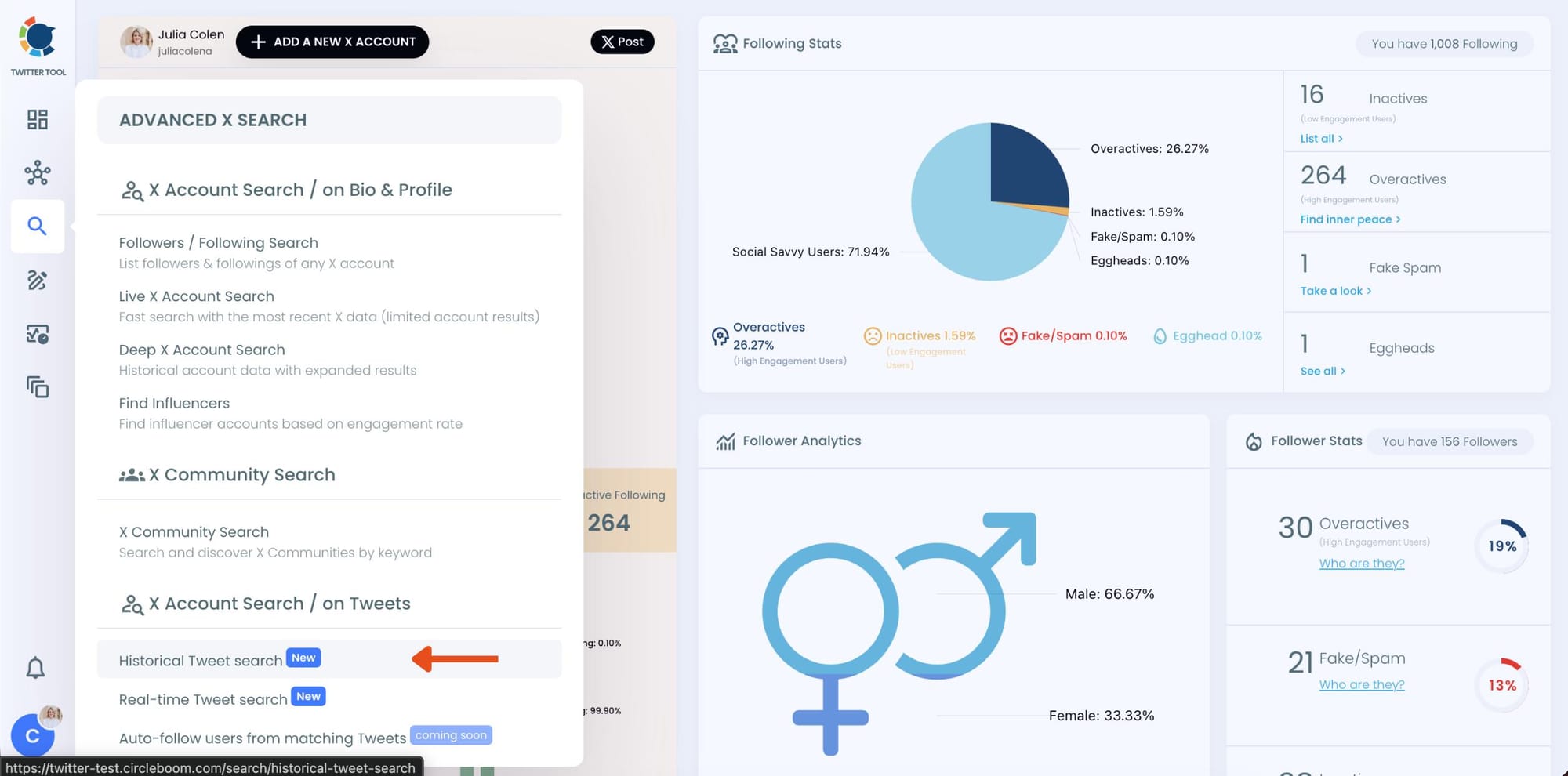
Circleboom also offers “Real-time Tweet Search” in the same section. Historical Tweet Search helps you discover people who tweeted about a keyword in the past across a selected date range, while Real-time Tweet Search continuously monitors new tweets as they happen.
Step #3: Describe the tweets you want to find using AI Smart Search.
Instead of writing complicated Twitter search operators, you can simply type what you are looking for.
For example:
“Find tweets about people looking for a smartwatch or fitness tracker, exclude retweets.”
Circleboom AI automatically understands the intent behind your query, extracts the important keywords, and applies filters automatically.
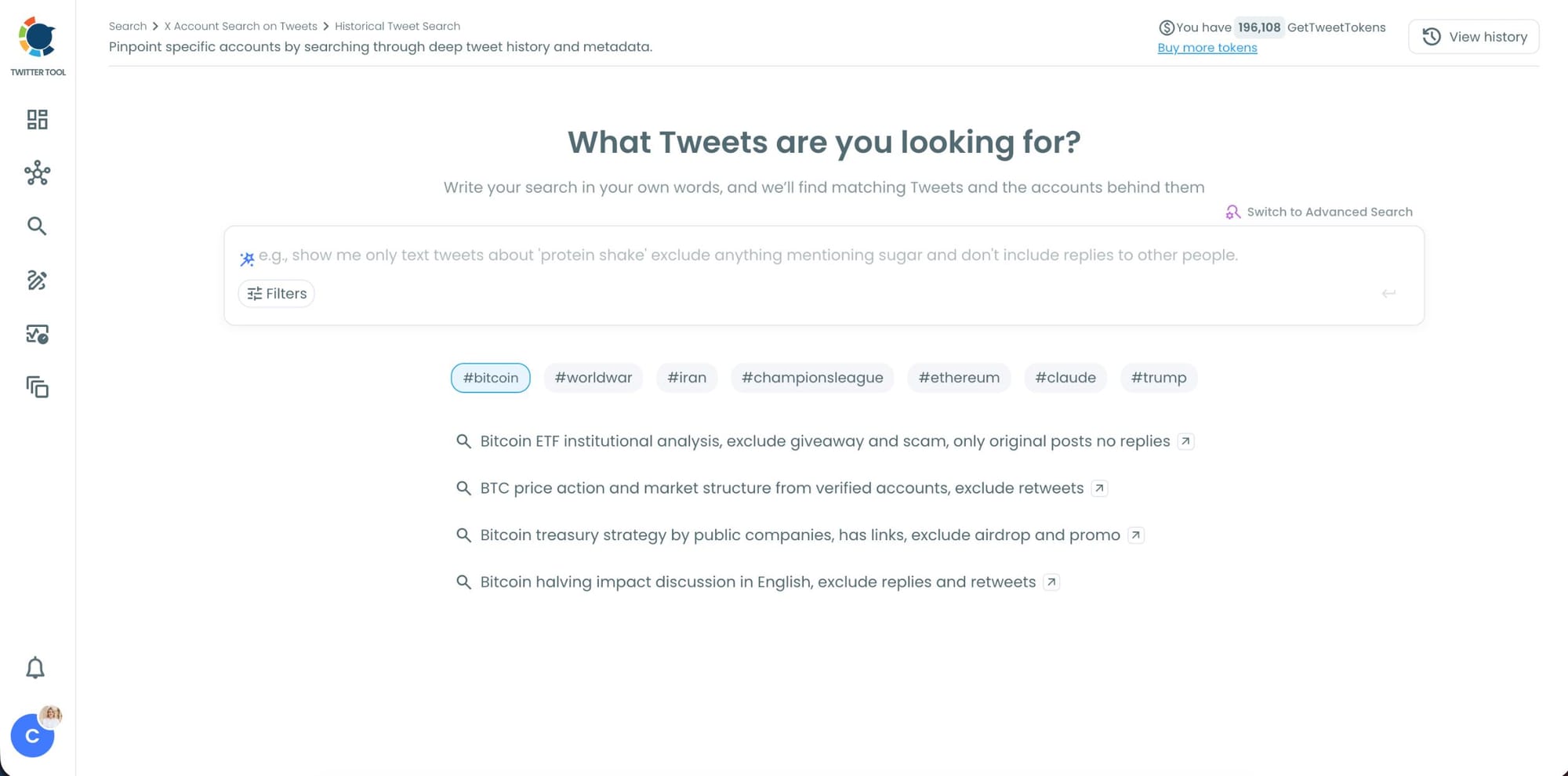
Step #4: Refine your keyword monitoring search with AI suggestions and filters.
Circleboom also suggests ways to narrow your search results. You can focus on intent, comparison posts, replies, or specific languages while filtering out spam, retweets, and noise.
This helps you find more relevant people tweeting about your keyword instead of scrolling through random tweets.
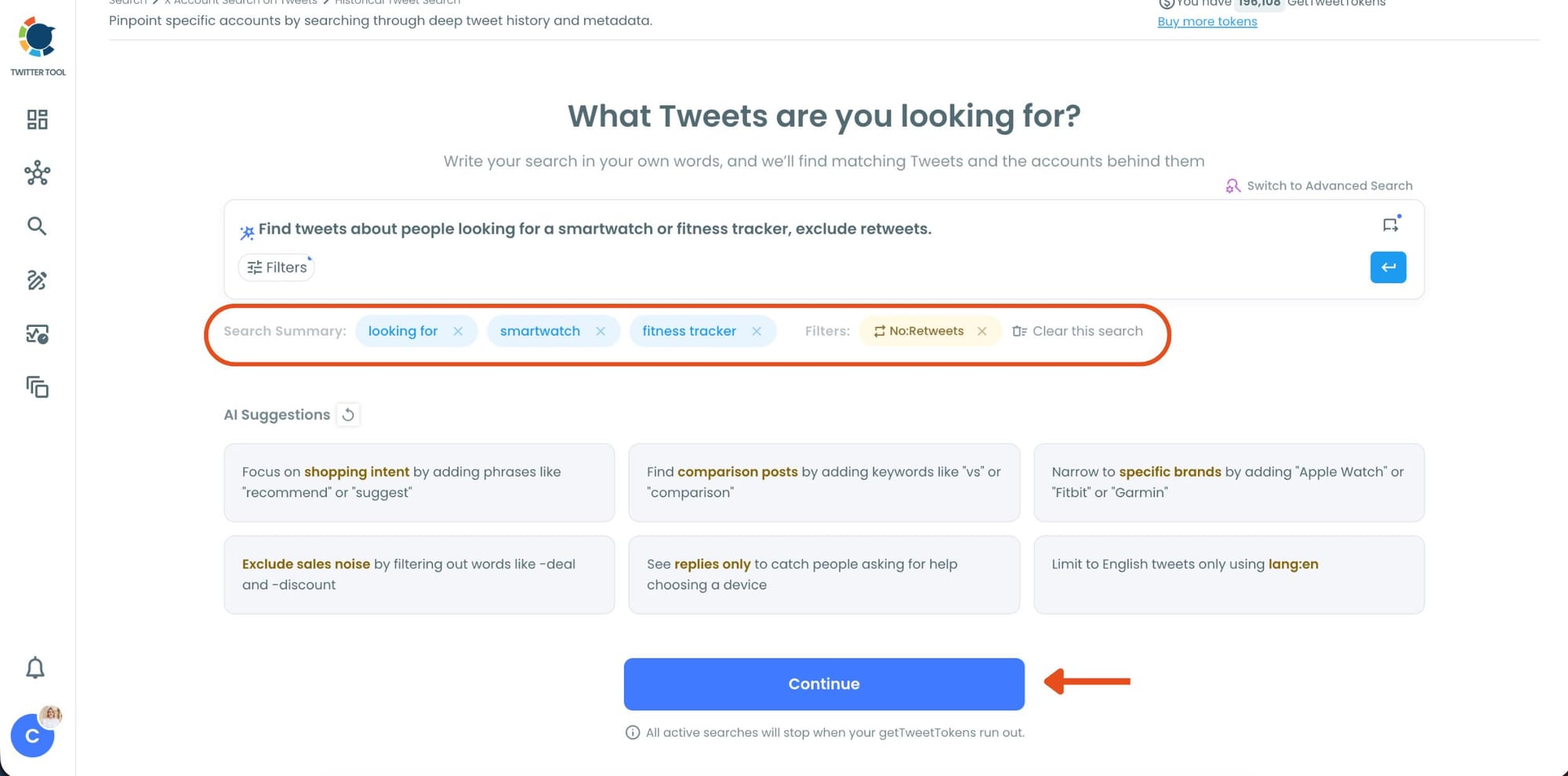
Step #5: Select your historical search date range.
You can monitor tweets from the last 30, 60, or 90 days, search across the last year, or define your own custom date range.
This makes it possible to discover people who tweeted about your topic weeks or even months ago, not just recent tweets.
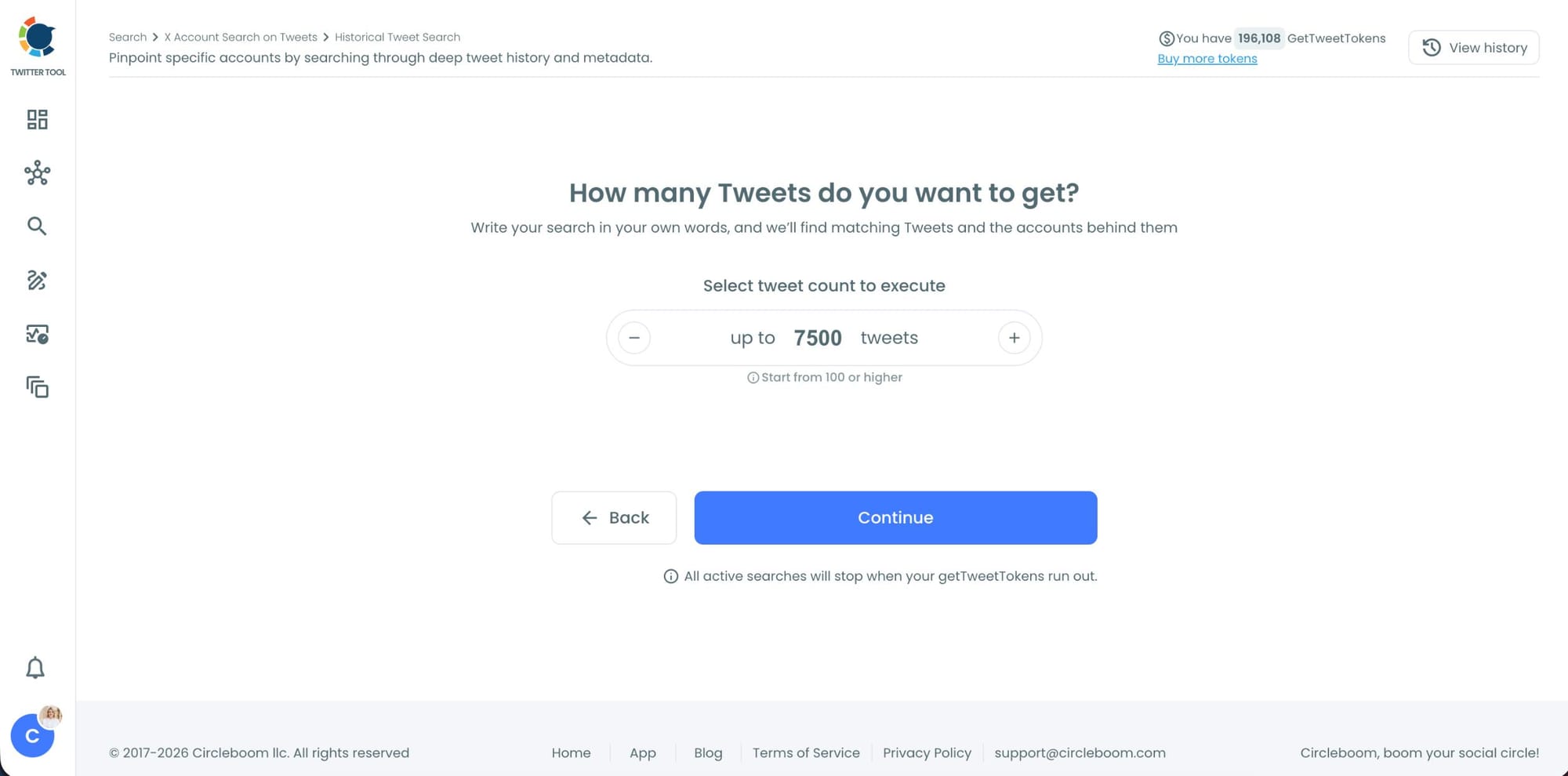
Step #6: Choose how many tweets Circleboom should collect.
Before the search starts, Circleboom lets you select the tweet volume you want to analyze.
Once you click “Continue”, Circleboom scans historical tweet data and starts collecting matching tweets together with the accounts behind them.
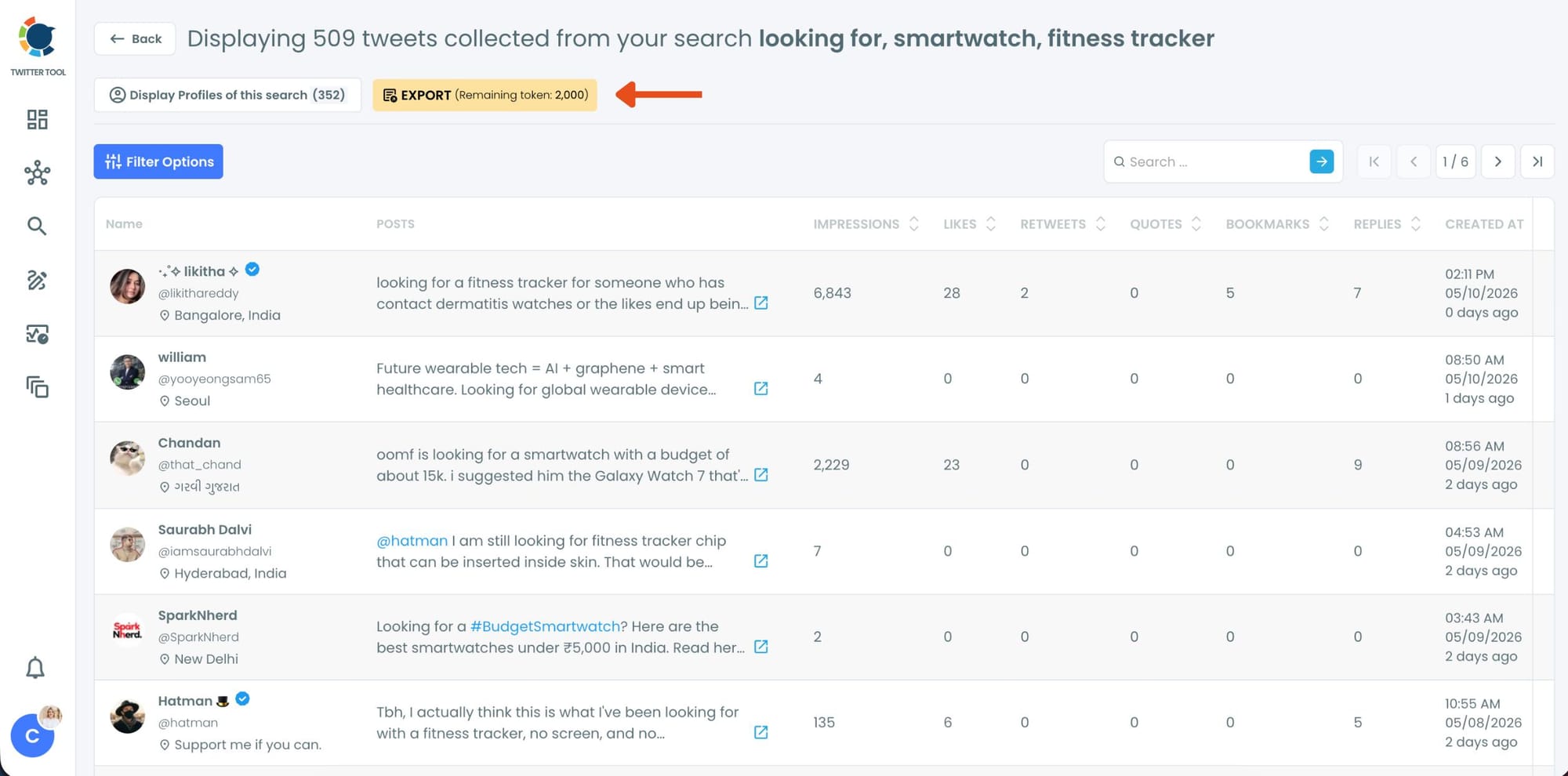
Step #7: Analyze the matching tweets and discover the accounts behind them.
Tweet View displays the matching posts together with impressions, likes, retweets, replies, bookmarks, and posting dates so you can quickly understand which conversations are getting attention.
You can also switch to Profile View to focus on the people behind those tweets.
Profile View displays follower count, following count, account age, tweet count, follow ratio, and engagement activity levels so you can evaluate account quality before interacting with them.
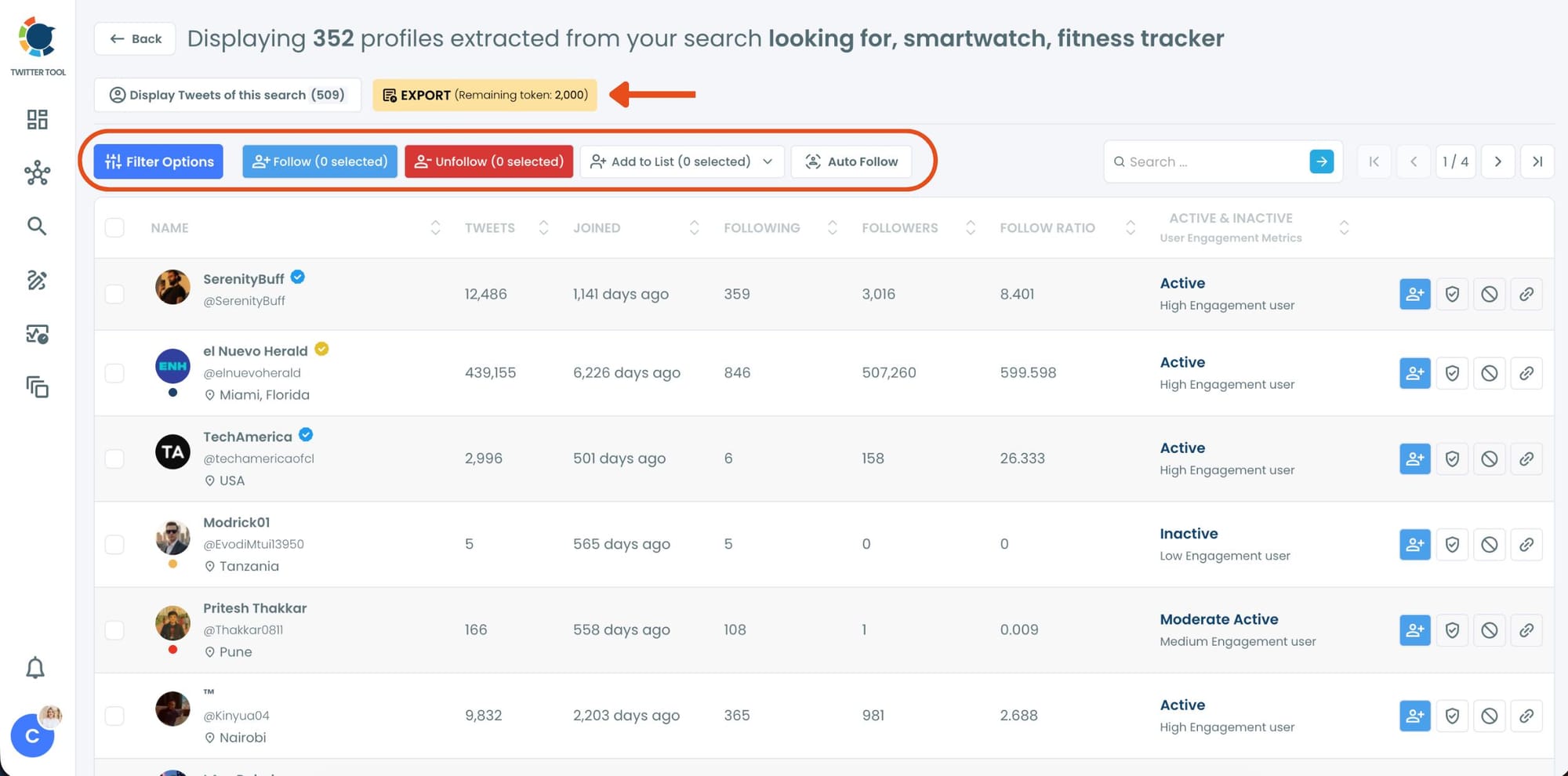
From there, you can directly follow accounts, unfollow them, add selected users into Twitter/X Lists for ongoing monitoring, auto-follow matching users, or export the collected profiles and tweets as CSV files.
How Circleboom Twitter's Keyword Search Works
The starting point is the AI Smart Search. Instead of building complex query strings, you describe what you want.
"Find tweets about people comparing project management tools, exclude promotions." "Show me tweets asking for smartwatch recommendations, replies only." "Find tweets discussing remote work burnout in English."
The AI reads your description, extracts the relevant terms, and structures the search automatically. It also surfaces suggestions as you go: narrow to replies where real conversations happen, exclude sales noise, filter by language, focus on questions rather than statements. Each suggestion is clickable and adjusts the query without starting over.
Once the query is set, you choose your search mode.
Historical Tweet Search scans past tweet data across a date range you define.
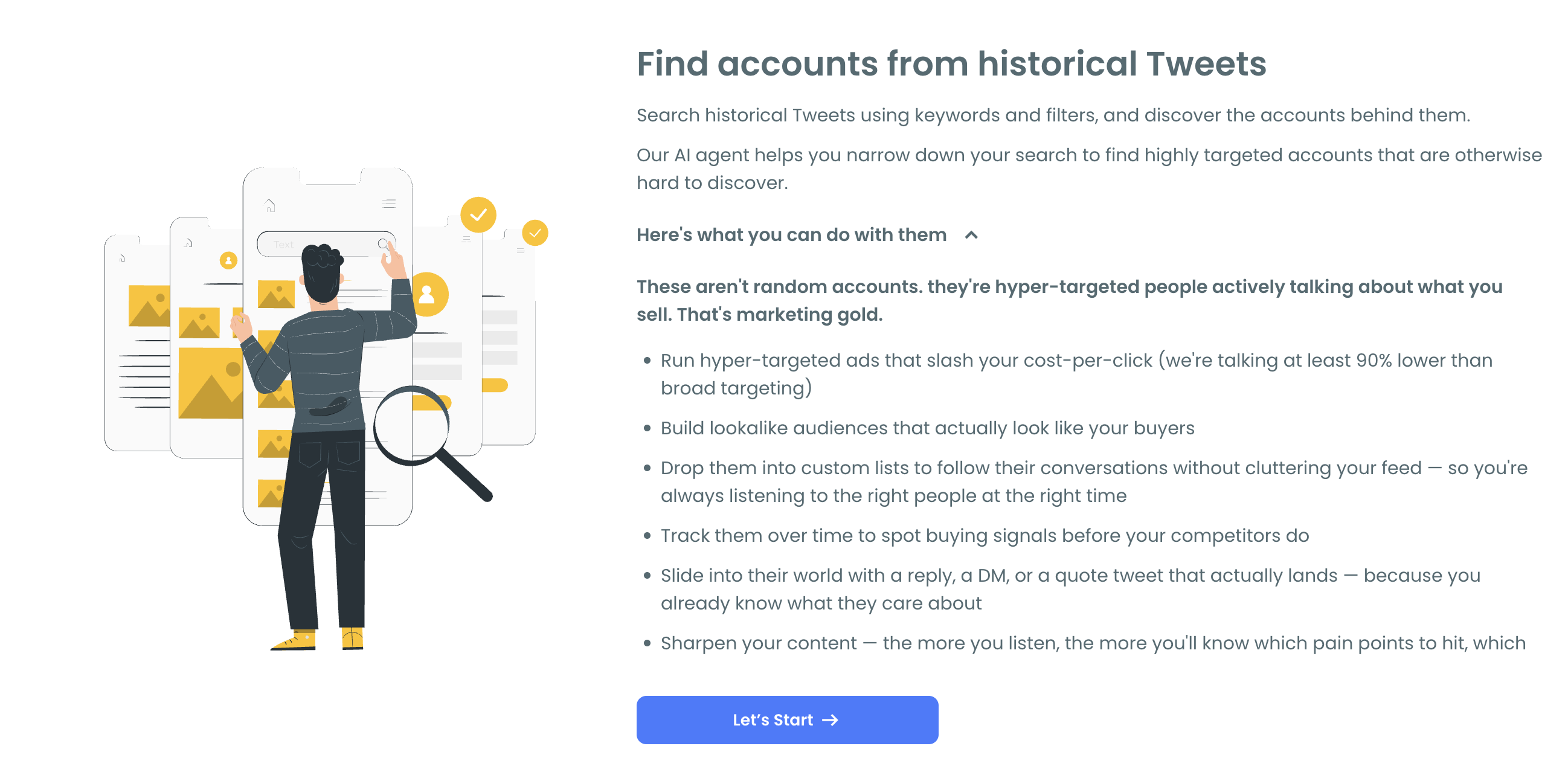
Options include the last 30, 60, or 90 days, the last year, or a custom window you set yourself. You also choose how many tweets to collect before the search runs. The results return every matching tweet from that period alongside the account behind it.
Real-Time Tweet Search monitors the keyword continuously from the moment you activate it.
New tweets matching your query appear as they're posted. No refreshing, no batch processing. It runs in the background and surfaces fresh results automatically.
📌 Historical and real-time search serve different needs. Historical builds a comprehensive picture of who has been discussing a topic over time. Real-time catches conversations at the moment they're happening. Running both on the same keyword gives you the deepest coverage of any topic.
What the Results Actually Show You
Results come in two views and you can switch between them at any time.
Tweet view shows every matching post with full engagement data: impressions, likes, retweets, quotes, bookmarks, replies, and exact timestamp. You see the conversation in context, read what people are actually saying, and evaluate the intent or sentiment behind each post.
Profile view shifts the focus to the people behind the tweets. For each account you see follower count, following count, account age, tweet count, follow ratio, and an active or inactive status with an engagement level indicator. This is where keyword search becomes account discovery.
You're not just collecting posts. You're finding the people in the conversation and evaluating whether they're worth engaging with.
From profile view you can follow accounts directly, add them to a Twitter List, or export the full dataset as a CSV. Search, discovery, and action all happen in the same place.
What You Can Do with Keyword Search Results
Find the people in any conversation. Every keyword search surfaces the accounts actively discussing that topic, not just the posts. Profile view shows you who's genuinely embedded in the conversation and who mentioned it in passing.
Build outreach and research lists. The profile data export includes username, bio, follower count, account age, and activity status as a CSV. Feed it into a CRM, an ad platform for custom audience targeting, or any outreach workflow you already use.
Monitor competitors. Search a competitor's product name or brand historically to see what people have been saying about them over the past 90 days. Which complaints keep coming up. What their audience praises. Where comparison conversations happen. All of it comes with account data attached.
Research content topics. Historical keyword search surfaces the questions people ask, the problems they describe, and the language they use. This is raw material for content strategy that comes directly from how real people talk about a topic, not what a keyword tool estimated.
Track conversations over time. Run the same keyword search monthly and compare what's changed. New accounts entering the discussion, shifting sentiment, emerging sub-topics. The historical depth makes the comparison meaningful.
For the highest-reach accounts in any keyword conversation, Circleboom Twitter's Find Influencers feature layers authority and reach signals on top of keyword-based discovery.
Frequently Asked Questions
How does Circleboom Twitter's keyword search work?
You write your search, and the AI Smart Search extracts the relevant terms and structures the query automatically. You then choose between historical search across a date range you define, or real-time monitoring that surfaces new matching tweets as they're posted.
How far back can I search for keyword mentions?
Historical Tweet Search covers up to one year of past tweet data. Date range options include the last 30, 60, or 90 days, the full last year, or a custom window you set yourself.
Can I find the accounts behind keyword tweets, not just the tweets?
Yes. Every matching tweet comes with the account behind it. Switching to profile view shows follower count, account age, activity level, follow ratio, and engagement status for each person whose tweet matched your keyword.
Can I monitor a keyword in real time?
Yes. Circleboom Twitter's Real-Time Tweet Search monitors any keyword continuously and surfaces new matching tweets automatically without any manual refreshing or checking.
Can I export keyword search results?
Yes. Both tweet data and profile data export as CSV files. The profile export includes username, bio, follower count, following count, account age, and activity status, ready for CRM import, outreach, or ad targeting.
Can I filter keyword results by account quality?
Yes. In profile view, you can filter by follower count, account age, activity level, follow ratio, and engagement status. This lets you focus on accounts that meet your criteria before taking any action.
Does keyword search work for any topic or niche?
Yes. The AI Smart Search works for any keyword, phrase, hashtag, or topic described. More specific queries return more targeted results. The AI suggestions help narrow a broad query into something more precise.
Final Thoughts
Keyword search on Twitter is only as useful as the depth and actionability of what you get back. Circleboom Twitter gives you both.
Write what you're looking for in plain language, search historically or monitor in real time, and find the people behind the tweets with enough context to engage meaningfully.
Search keywords on Twitter with Circleboom Twitter.
infocircleboom.com





