
You cannot set up follow alerts for another Twitter account inside X itself. The platform notifies you when someone follows you, but it never tells you when a specific account you care about follows someone new, unfollows a rival, or gains a wave of new followers.
That gap is exactly where the signal lives.
To set up Twitter follow alerts for any public account, you snapshot that account's follower or following list on a schedule, compare each new snapshot against the last, and get emailed the moment a change appears. Circleboom runs that loop for you.
Can you get alerts when a Twitter account follows someone new?
Not from X, no. But you can set up Twitter follow alerts with Circleboom, which monitors any public account's follows, new followers, and unfollows on X through official, sanctioned API access and emails you when activity is detected.
→ set up Twitter follow alerts
Below is how the alerts actually work, where the data comes from, and how to point them at any account, your own or someone else's.
Why X Gives You No Follow Alerts
A public X profile only shows the current state of an account. It shows who follows the account and who the account follows right now, this second. It does not show what changed yesterday, last week, or the hour after a funding announcement.
That missing layer matters because movement carries intent. A follow is a quiet decision, made long before anything is said out loud.
When a venture investor follows three founders in the same vertical in one week, that convergence is research behavior the market has not processed yet. When a competitor's CEO follows a cluster of ML infrastructure accounts, they are signaling a technology direction weeks ahead of any press release.
X ships none of this as a notification. There is no history, no changelog, no alert for a third-party account's follow activity. You would have to open every account you care about, memorize its following list, and manually diff it against yesterday's memory.
Nobody does that reliably past two or three accounts. It is the core reason Twitter doesn't show new follower notifications in the way most people expect.
This is where a tool that watches the account for you turns invisible movement into a dated, searchable record. Circleboom is an official X Enterprise Developer company, so every snapshot it takes runs on sanctioned, policy-compliant access, not scraping that risks your own account.
How Twitter Follow Alerts Actually Work
Twitter follow alerts work by change detection, not by a live event feed. Circleboom stores the current state of a tracked account's follower or following list, then re-checks it on a schedule and computes the delta, the specific accounts that are newly present or newly gone.
Each change is stored with a timestamp, so the dashboard becomes a dated history of network moves rather than a static count. New follows and new followers show as blue bars on the activity chart; unfollows and lost followers show as red bars below the line.
Every detected account arrives with its full profile context: username, bio, follower and following counts, tweet count, join date, and activity indicators.
One detail worth internalizing before you rely on this: tracking runs on periodic snapshots, not real-time streaming. There is always some lag between when a follow happens on X and when it lands in your dashboard, and that lag depends on your plan's check frequency.
Email alerts fire on the scheduled snapshot, and only when something actually changed.
No change means no email, which keeps the inbox clean.
If your goal is to stay ahead of your own growth, this same mechanism lets you monitor new Twitter followers without checking notifications at all.
Video walkthrough: how a new-follower alert reveals the exact accounts that just entered a tracked profile's network.
Get set up in four steps
To set up follow alerts, you validate the target account, choose what to watch, set your email cadence, and let the snapshots accumulate. The process below runs through official API access from start to finish.
- Log in to Circleboom Twitter and connect your X account with official OAuth.

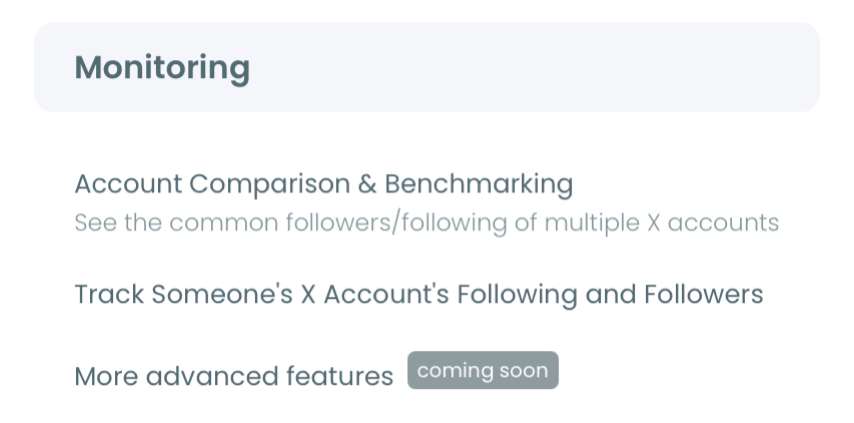
- Open the Monitoring menu and choose to track a new account.
- Enter the target username and validate it. Type the @handle of the account you want to watch, your own or someone else's, and confirm it is public.
- Choose Followers or Following, then set the tracking rule. Pick whether you want new follows, new unfollows, or both, and decide if you want daily or weekly email reports or dashboard-only.
That sequence holds up because each step narrows the job before the next one runs. The login earns official-API access, the username validation confirms the account is public, and the rule selection scopes which changes reach your inbox.
Skip the validation and you would waste a tracking slot on a private profile that returns nothing.
At a glance: connect, point at the account, pick follows or followers, choose your email rhythm. Circleboom watches from there.
What You Actually Get From Follow Alerts
Follow alerts turn a competitor's private research into your early-warning system. Instead of learning about a partnership when it hits the news, you see the follow that preceded it, dated and attributed.
The payoff compounds with time. One follow from a known investor to a small project account might be noise; the same investor following five founders in your category over three weeks is a pattern you can act on.
Because the dashboard keeps the full history, genuine strategic signals separate from routine follow churn as the record grows longer. You can filter any window and export the detected accounts as a CSV for research or client reporting.
A dedicated Twitter follower tracker view makes those patterns easy to read at a glance.
Point the same alerts at your own account and you get a different win: an audit trail of who is actually arriving. If your goal is credibility inside a specific professional community, watching whether your new followers come from that community tells you if your content strategy is landing, faster than a raw follower count ever will.
That is the deeper reason follow alerts beat the notification tab. The tab tells you the number went up.
The alert tells you who, and who is the part that matters. It also answers a question the tab never can, which is where your Twitter followers came from.
Because Circleboom is a verified Enterprise partner of X, the accounts and timestamps you see are pulled from complete, authorized data, not the partial guesses that unofficial scrapers hand back. When you are building intelligence you will act on, that accuracy is not a nice-to-have.
Want the mirror-image use case, monitoring who leaves rather than who arrives? Circleboom also handles who unfollowed you on Twitter with the same snapshot logic.
And when you would rather see net momentum than individual events, the Twitter follower growth stats view charts the trend line across time.
You can start monitoring any account and set up follow alerts on Twitter in a few minutes.
Which Accounts Are Worth an Alert
Not every account rewards tracking, so the accounts you pick matter more than the number you track. The strongest candidates are ones whose follow decisions carry forward-looking signal, and a few categories consistently earn a slot.
Track these when they fit your goal:
- Competitor founders and product leads, whose new follows hint at hiring, partnerships, or a direction change.
- Investors and analysts in your category, whose following activity often precedes a public thesis or a check.
- Journalists and thought leaders on your beat, whose attention is a chosen filter on what is about to break.
- Your own account, to audit whether the right community is actually arriving.
Watch the Following list for intent and the Followers list for traction. A competitor's new follows tell you what they are studying; a key account's new followers tell you which players are entering the space.
Because each direction is a separate tracking rule, you can run intent-tracking on a rival and traction-tracking on your own account at the same time, and read them side by side.
The one habit that separates useful alerts from noise is reading patterns rather than single events. One follow from an investor is nothing; five founders in your vertical over three weeks is a research signal you can time your outreach around.
Summary
Setting up follow alerts for any Twitter account is really one move X does not offer: watch the account's follower or following list on a schedule, diff each snapshot, and get emailed when it shifts. Circleboom runs that loop on sanctioned, authorized API access, stores every change with a date, and hands you the full profile of each account that moves.
The value is not the alert itself. It is seeing intent before it becomes public, whether that is a competitor's next move or your own audience finally shifting toward the community you have been building for.
→ monitor Twitter follow activity
Frequently Asked Questions
Can I get alerts when a specific account follows someone new?
Yes. X has no native option for this, but Circleboom lets you track any public account's following list and emails you when it starts following new users. You choose daily or weekly delivery, and alerts only send when new activity is detected.
How fast do follow alerts show up?
Tracking runs on periodic snapshots rather than a live stream, so there is a short delay between the follow happening on X and it appearing in your dashboard. The exact timing depends on your plan's check frequency, and email alerts arrive on your chosen daily or weekly schedule.
Can I track both an account's followers and its following?
Yes, but each needs its own tracking rule. Set up one rule to watch who the account follows, then create a second rule for who follows the account. Each rule runs as an independent tracking subscription.