

Twitter notifications tell you when someone tags you with your @handle. They don't tell you when someone mentions your brand by name without the tag.
That gap is bigger than most people expect. A lot of conversation about your brand happens in plain text, no @mention, no notification, no way for you to know it's there unless you go looking. Reviews, recommendations, complaints, comparisons, discussions where your brand name comes up in the middle of a sentence and never triggers a single alert.
If you're only monitoring notifications, you're seeing a fraction of what's being said about you.
Circleboom Twitter X Account Search on Tweets closes that gap. Search your brand name historically and find every tweet that mentioned it across any date range you set. Monitor it in real time and see new mentions the moment they're posted. Both modes surface the accounts behind those tweets so you can respond, engage, or track them over time.
Can you track who mentions your brand on Twitter?
Yes, but Twitter's native notifications only capture @-tagged mentions. To track untagged brand mentions, you need to search your brand name as a keyword.
Circleboom Twitter scans past tweet data for any mentions of your brand name within a date range you define. It also monitors for new mentions in real time. Both are surface the accounts behind matching tweets with full profile data and engagement stats.
 infocircleboom.com
What Is Circleboom Twitter?
Circleboom is an Official X Enterprise Developer. All tweet and account data is retrieved through X's official APIs using publicly available information. No scraping, no workarounds, fully compliant with platform rules.

Here's what Circleboom Twitter gives you for brand mention tracking:
- Search your brand name across historical tweet data using AI-powered plain language queries
- Monitor your brand name in real time and catch new mentions as they happen
- View every matching tweet with full engagement data including impressions, likes, retweets, and replies
- Switch to profile view to analyze the accounts behind each mention
- Respond, follow, add to lists, or export discovered accounts directly from the results
How to Track Brand Mentions on Twitter with Circleboom Twitter
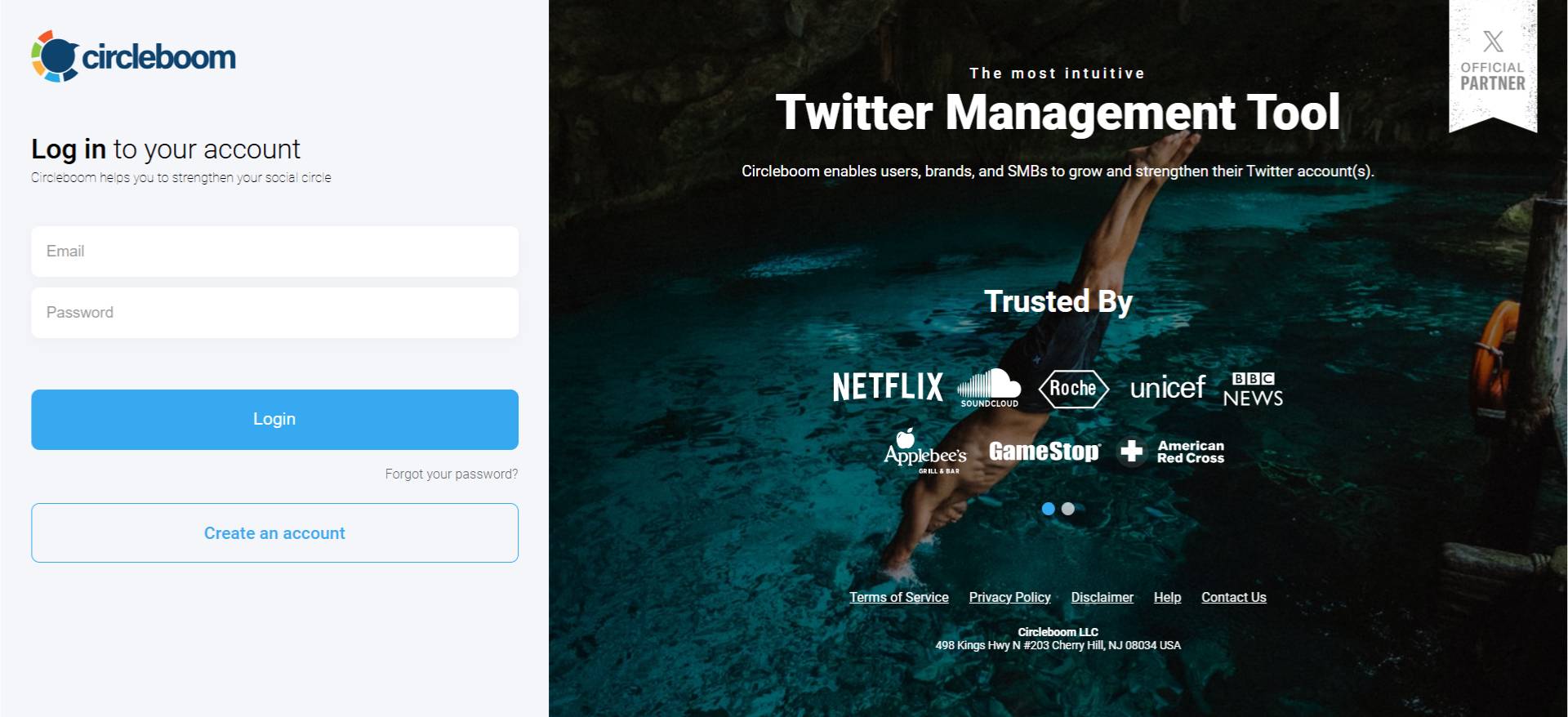
Step #1: Log in to Circleboom Twitter and connect your X account.
Circleboom is an Official X Enterprise Developer, meaning all tweet and account data comes directly from X’s official APIs in a safe and compliant way.
Step #2: Open the left menu and go to “Historical Tweet Search”.
You can find it under:
“X Account Search / on Tweets” → “Historical Tweet Search”
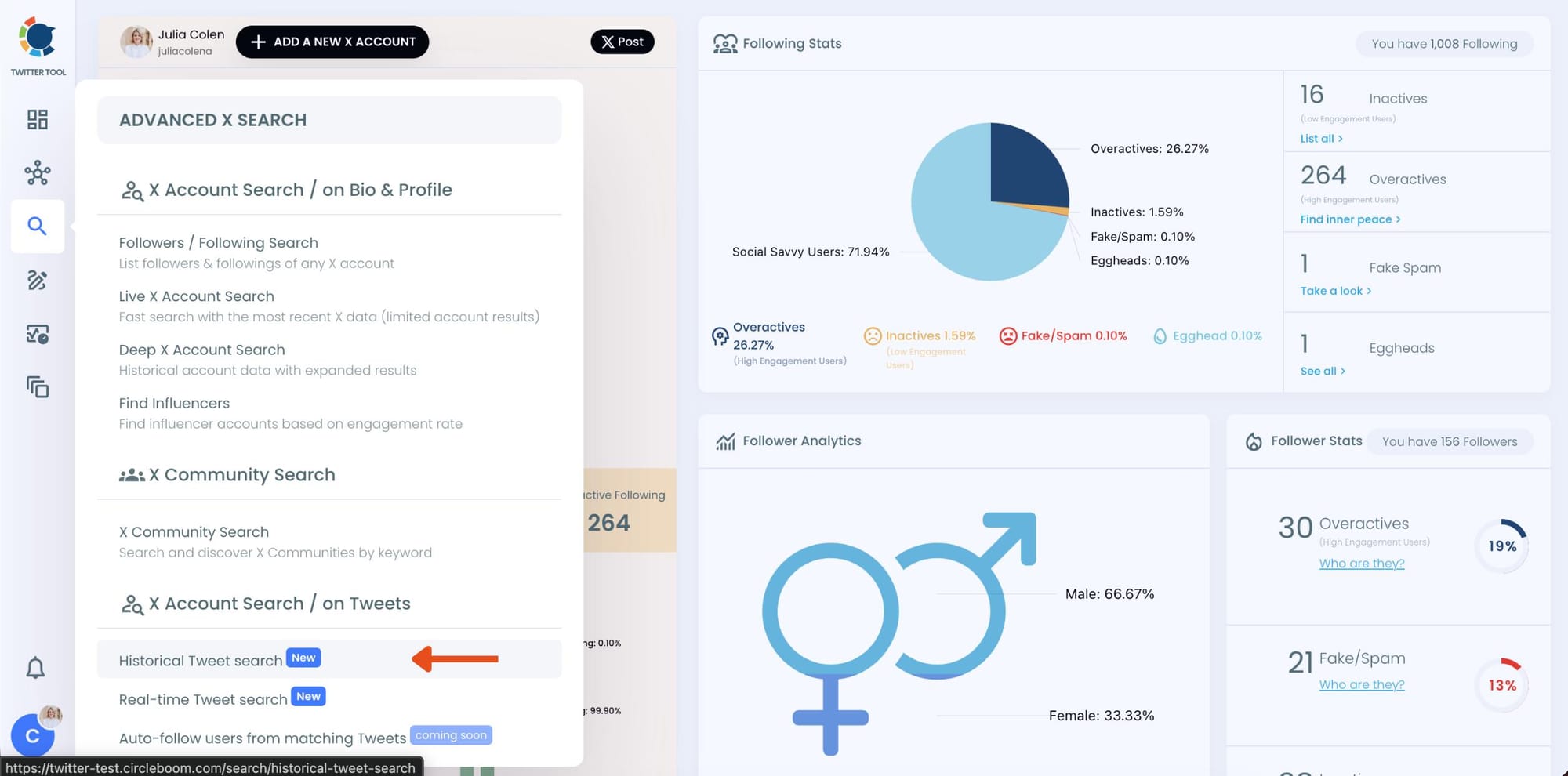
Circleboom also offers “Real-time Tweet Search” in the same section. Historical Tweet Search helps you discover people who tweeted about a keyword in the past across a selected date range, while Real-time Tweet Search continuously monitors new tweets as they happen.
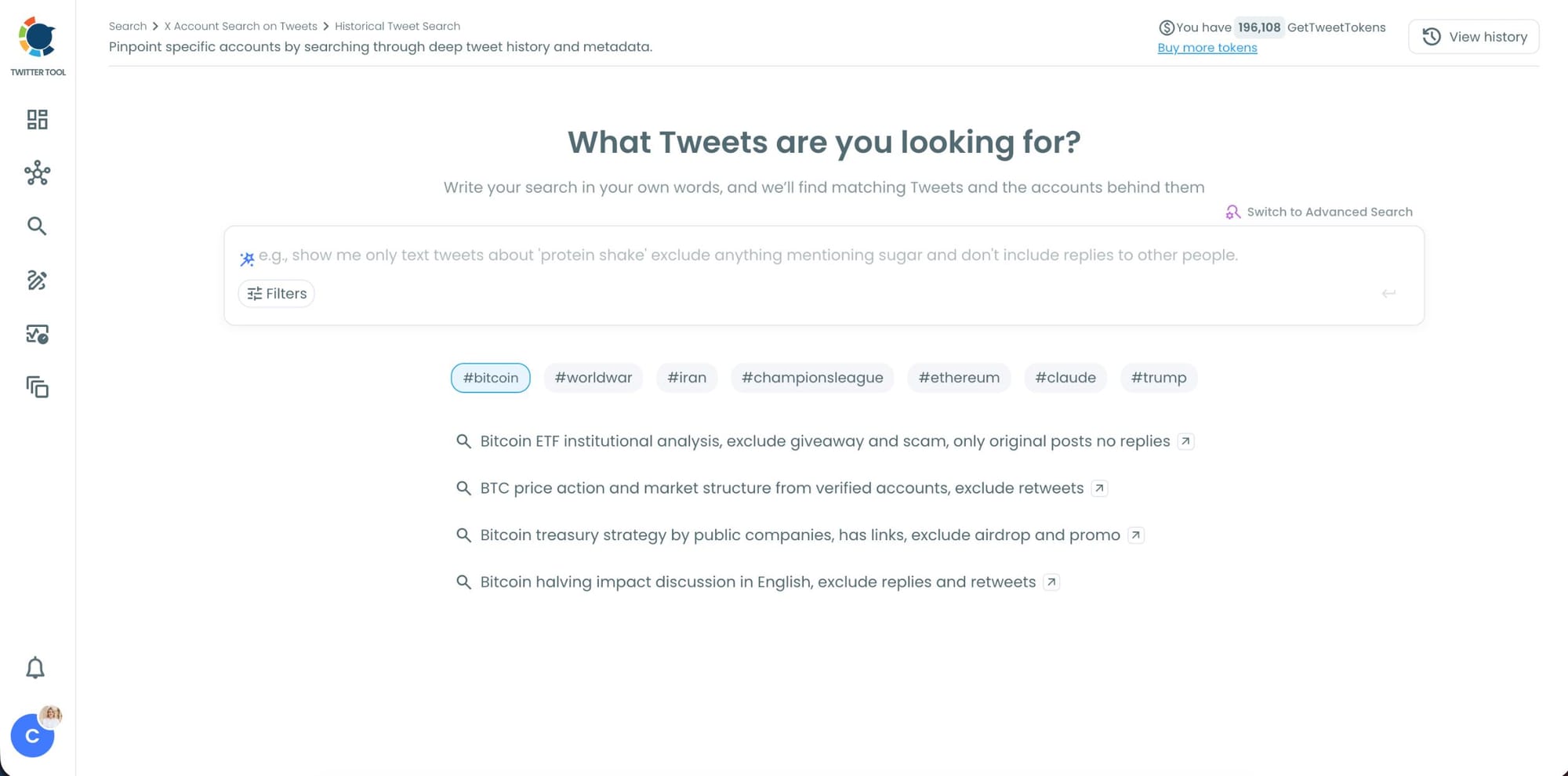
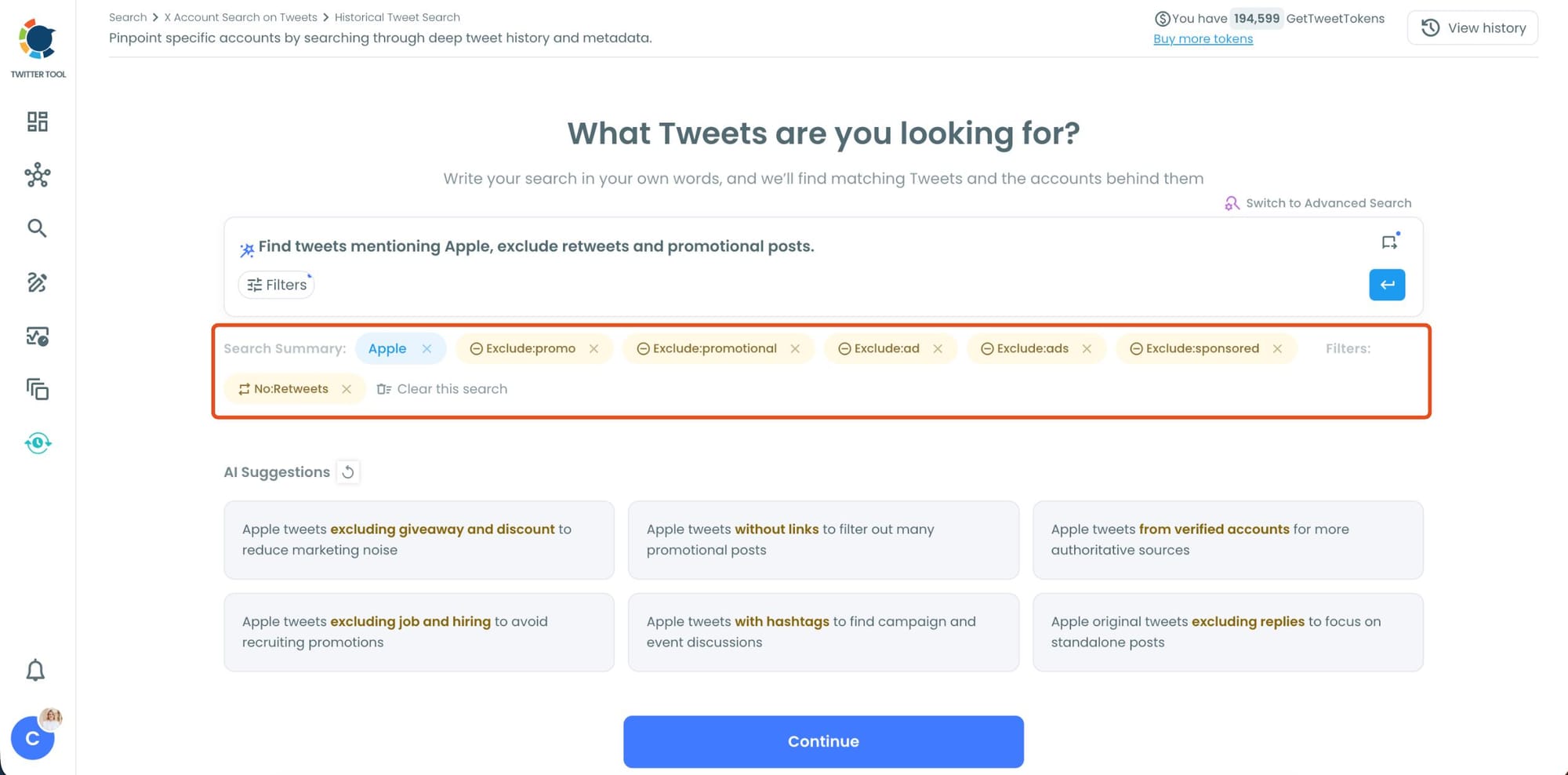
Step #3: Describe the brand mentions you want to find using AI Smart Search
Instead of writing complicated Twitter search operators, you can simply type what you are looking for.
For example: "Find tweets mentioning [your brand name], exclude retweets and promotional posts."
Circleboom AI automatically understands the intent behind your query, extracts the important keywords, and applies filters automatically.
Step #4: Refine your keyword monitoring search with AI suggestions and filters.
Circleboom also suggests ways to narrow your search results. You can focus on intent, comparison posts, replies, or specific languages while filtering out spam, retweets, and noise.
This helps you find more relevant people tweeting about your keyword instead of scrolling through random tweets.
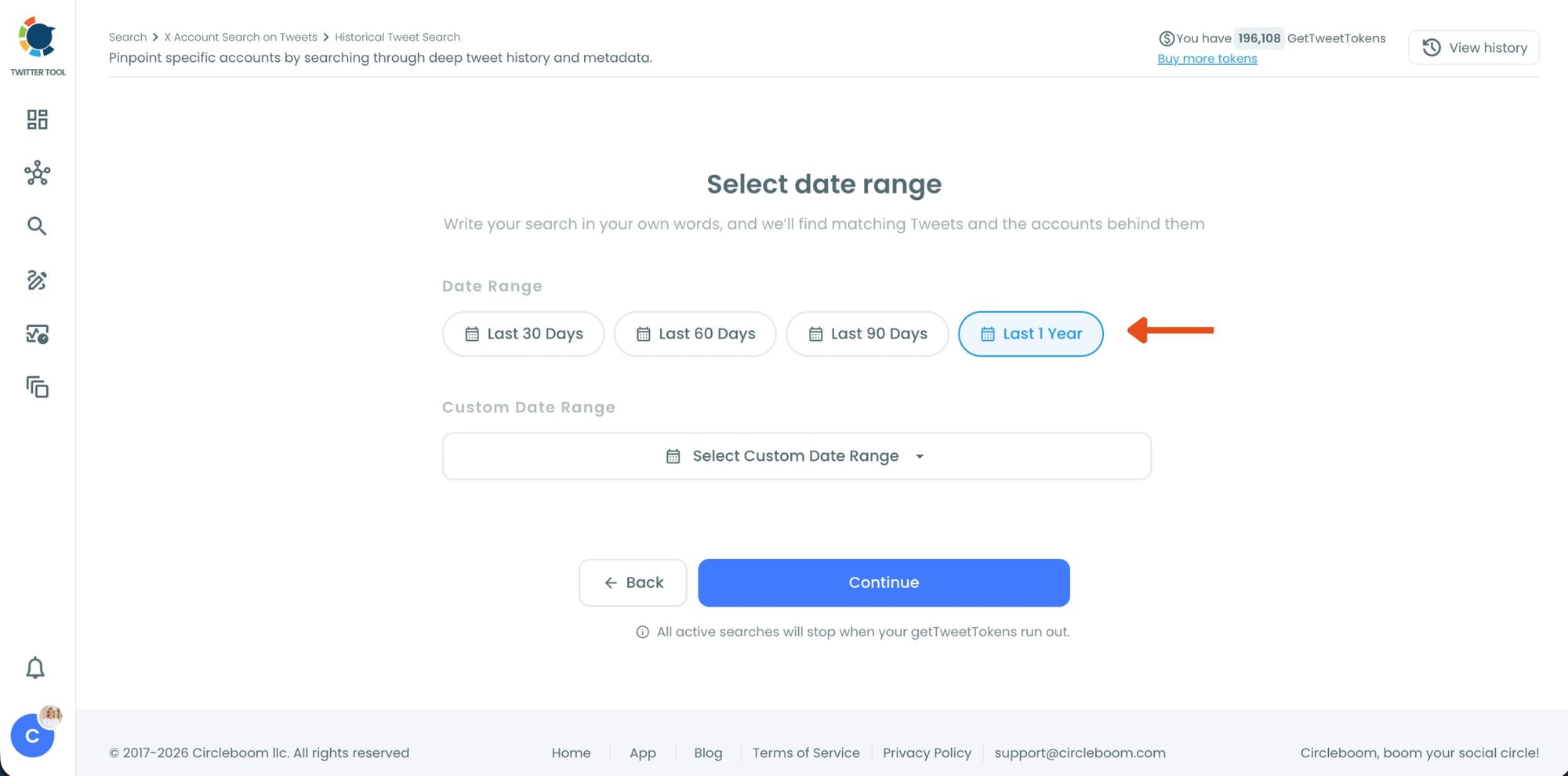
Step #5: Select your historical search date range.
You can monitor tweets from the last 30, 60, or 90 days, search across the last year, or define your own custom date range.
This makes it possible to discover people who tweeted about your topic weeks or even months ago, not just recent tweets.
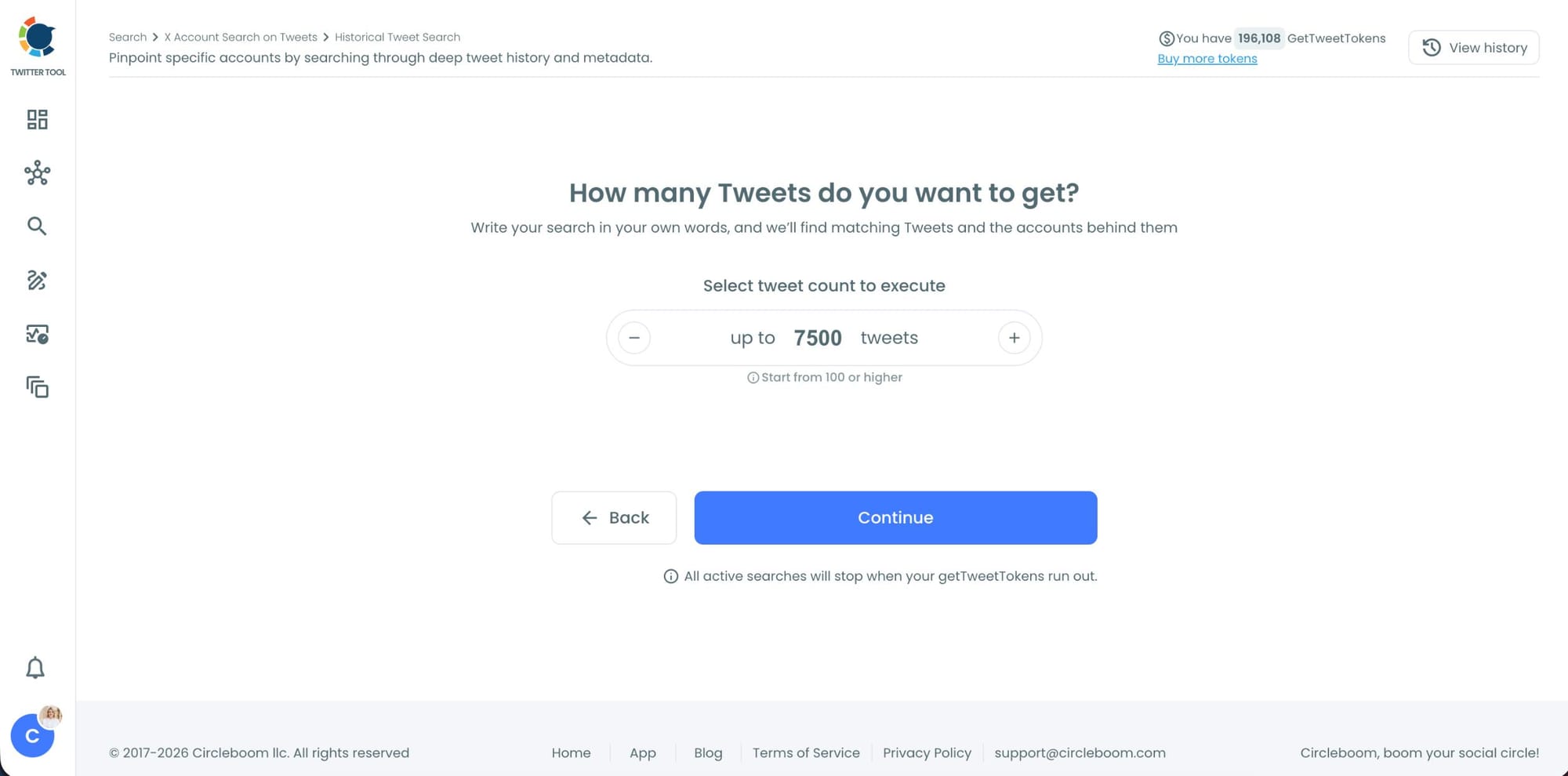
Step #6: Choose how many tweets Circleboom should collect.
Before the search starts, Circleboom lets you select the tweet volume you want to analyze.
Once you click “Continue”, Circleboom scans historical tweet data and starts collecting matching tweets together with the accounts behind them.
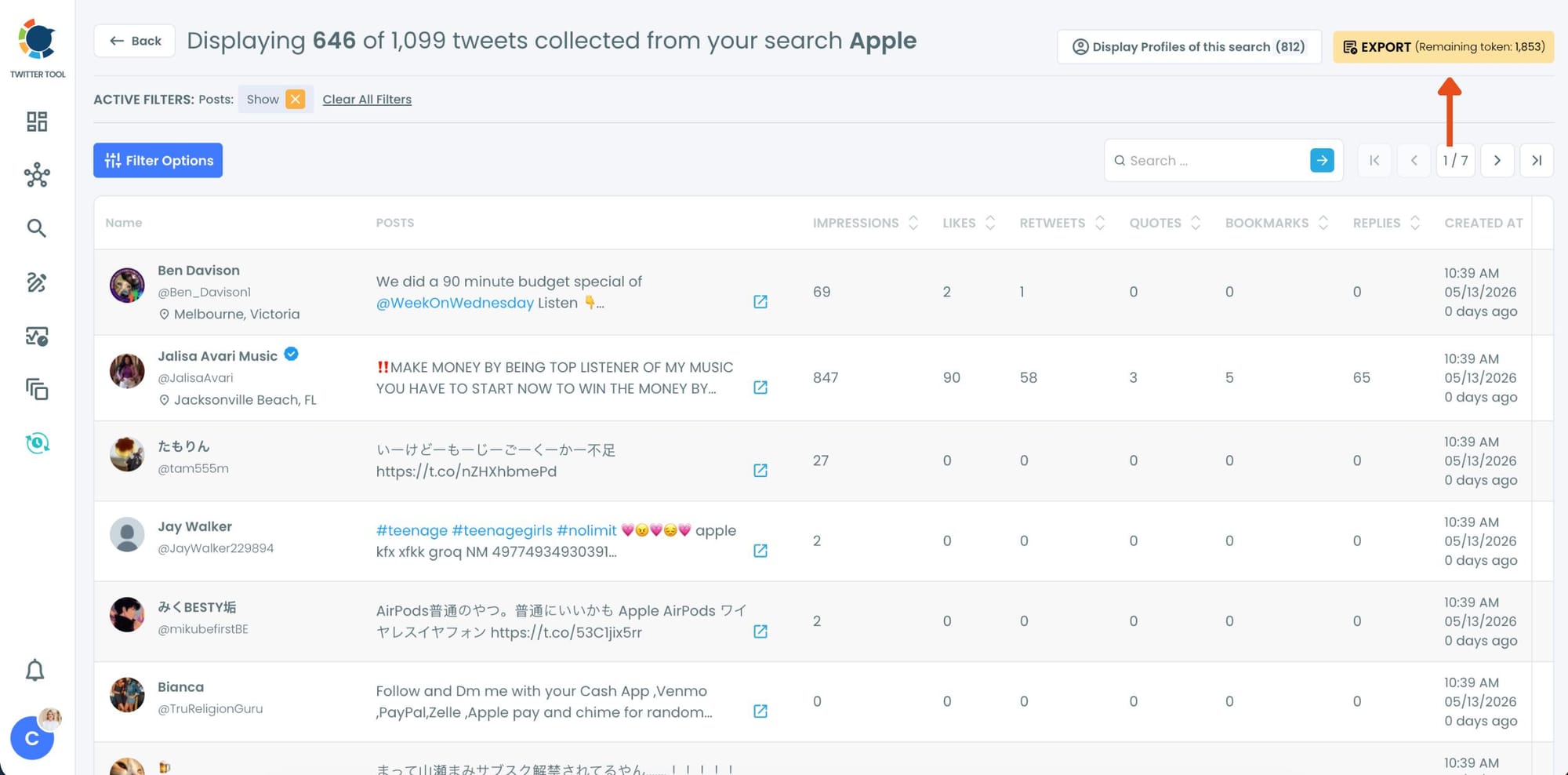
Step #7: Analyze the matching tweets and discover the accounts behind them.
Tweet View displays the matching posts together with impressions, likes, retweets, replies, bookmarks, and posting dates so you can quickly understand which conversations are getting attention.
You can also switch to Profile View to focus on the people behind those tweets.
Profile View displays follower count, following count, account age, tweet count, follow ratio, and engagement activity levels so you can evaluate account quality before interacting with them.
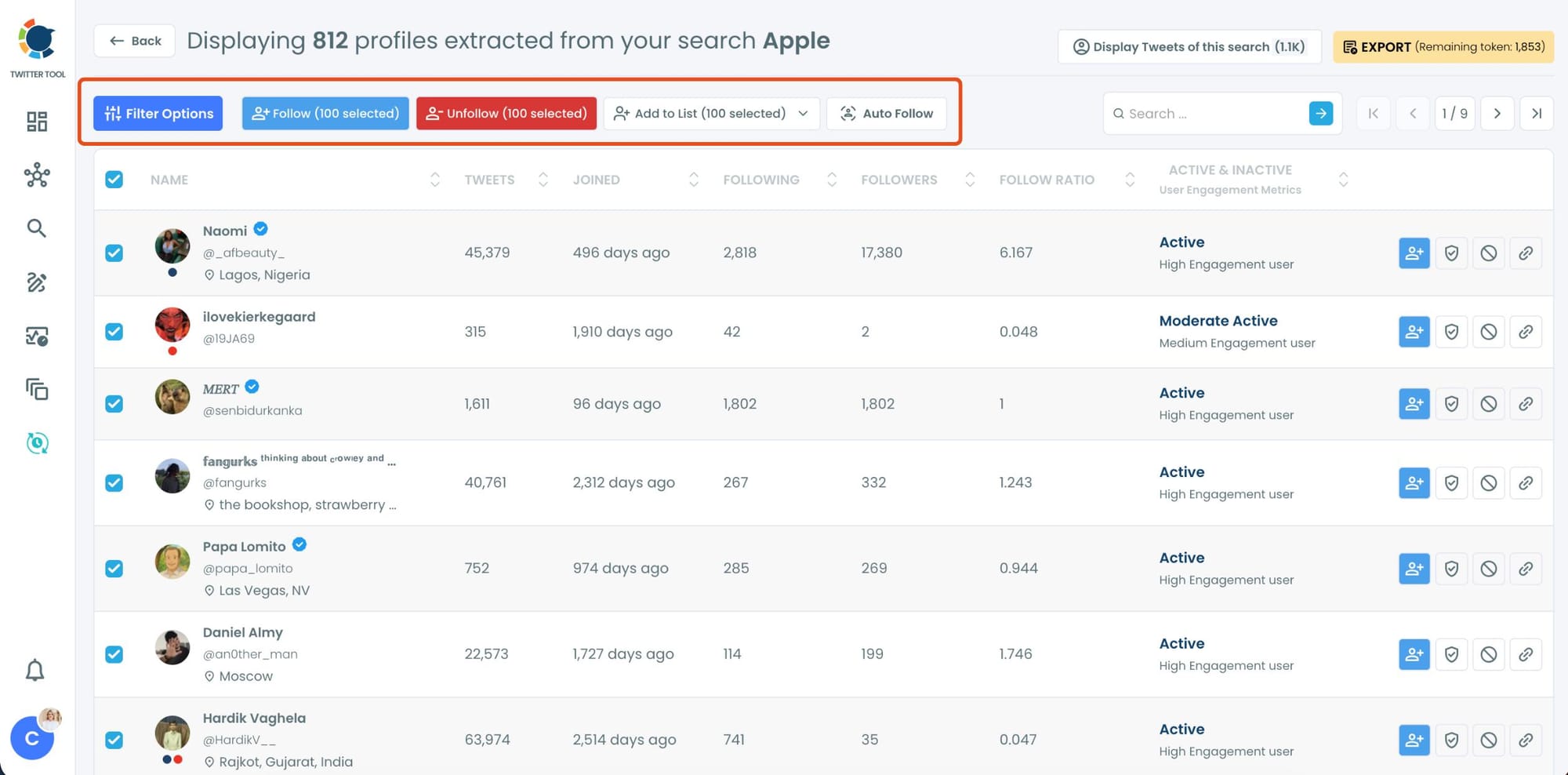
From there, you can directly follow accounts, unfollow them, add selected users into Twitter/X Lists for ongoing monitoring, auto-follow matching users, or export the collected profiles and tweets as CSV files.
Why Notifications Miss Most of What's Being Said
Twitter notifications fire when someone uses your @handle. That's one type of mention. There are several others that generate no alert at all.
Untagged name mentions. Someone writes "I've been using Circleboom for three months and honestly it's changed how I manage my account." No @. No notification. The brand is right there in the tweet, but you'll never know without searching.
Misspellings. People misspell brand names all the time. A slightly wrong spelling of your brand, a missing letter, a different capitalization, none of these match your @handle and none trigger a notification. Meanwhile that tweet might be a complaint, a recommendation, or a question someone else is seeing.
Hashtag mentions. Someone uses #YourBrand in a tweet thread or community discussion without tagging the account directly. Hashtag mentions are visible to everyone in that conversation but invisible to your notification feed.
Competitor comparisons. "Choosing between X and YourBrand, anyone have experience?" This tweet is highly relevant to your brand but it might not tag either account. Without keyword monitoring, you'd never see it.
📌 Notification-only monitoring typically captures around 30 to 40% of the total conversation volume about a brand. The rest is in untagged mentions, misspellings, and hashtag-based discussions that keyword search is the only way to find.
Two Ways to Monitor: Historical and Live
Historical Tweet Search
Historical Tweet Search scans past tweet data and returns every post containing your brand name within a date range you choose. You can search the last 30, 60, or 90 days, the last year, or a custom window.
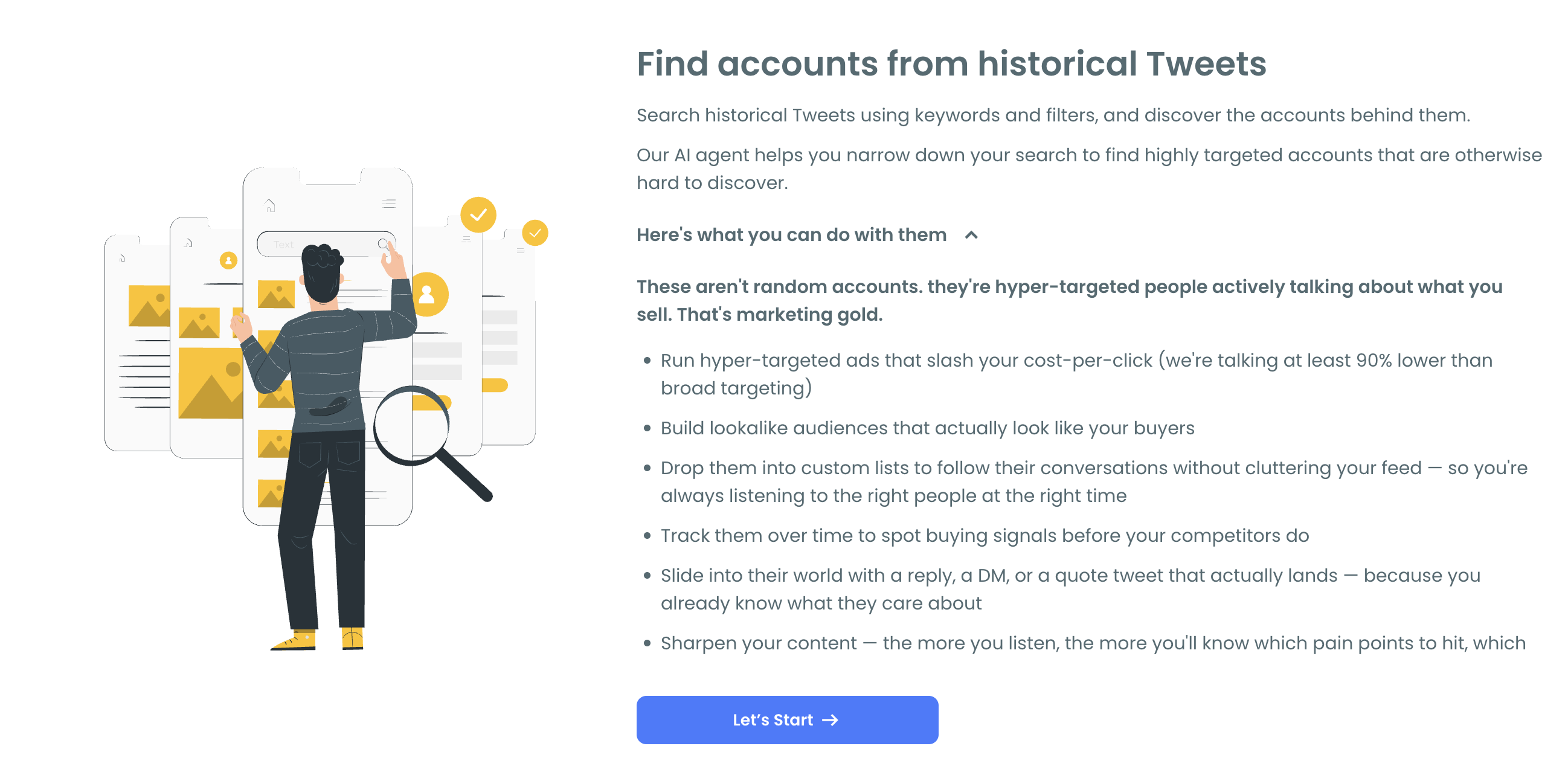
You write your search. "Find tweets mentioning Circleboom, exclude retweets." The AI Smart Search extracts the key terms and applies filters automatically. It also surfaces suggestions to help refine the query: focus on complaints or questions, exclude promotional posts, filter by language, or narrow to replies only to catch direct conversations.
This mode is best when you want to audit what's been said about your brand over a specific period, catch mentions you missed because you weren't monitoring at the time, or build a historical picture of sentiment and conversation volume.
Live Tweet Search
Live Tweet Search monitors your brand name keyword in real time. The moment someone posts a tweet containing that term, it appears in your results. No delay. No batch processing.
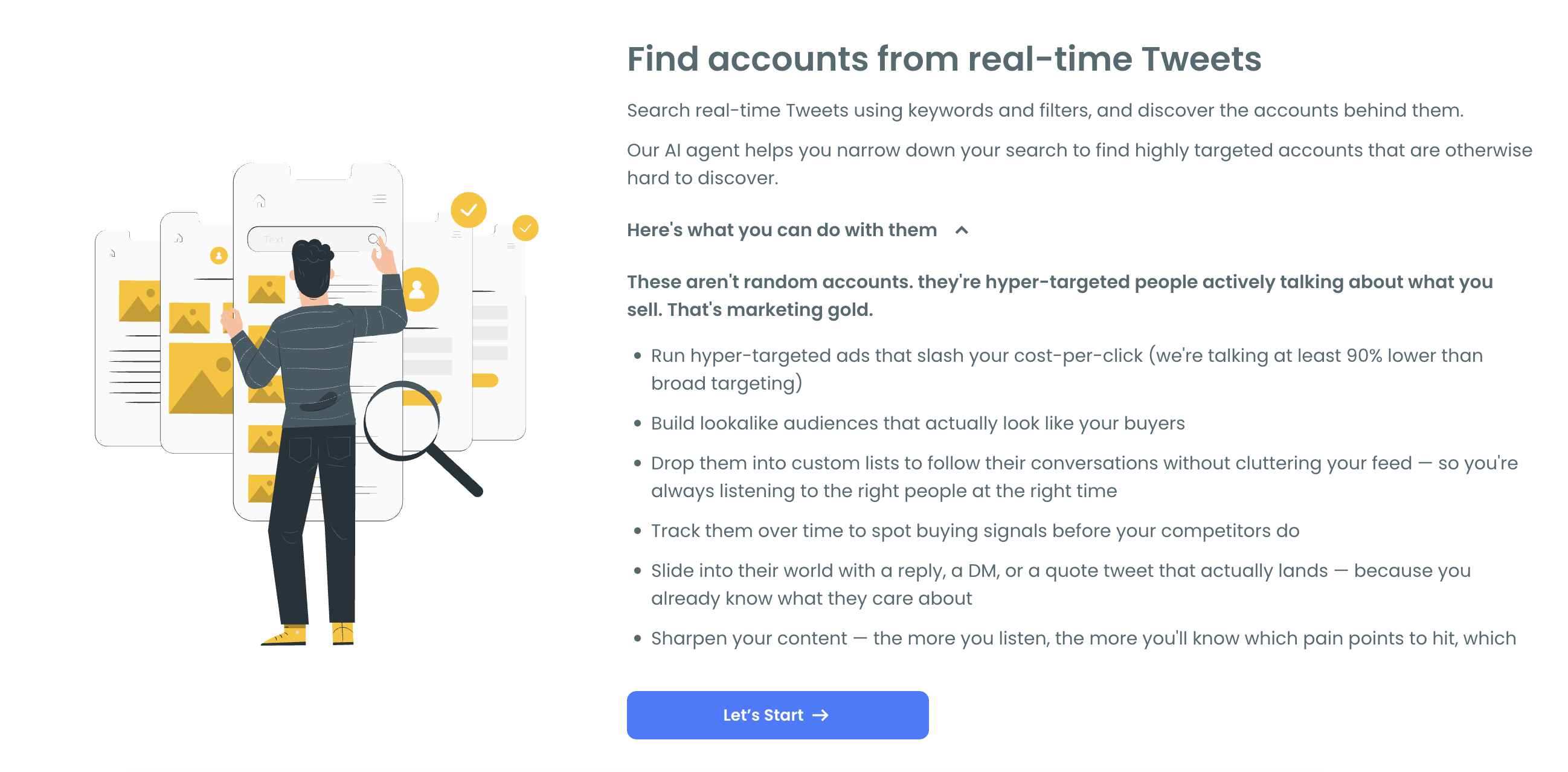
This mode is best for responding quickly to new mentions, catching negative sentiment before it spreads, and staying present in live conversations as they happen.
⚠️ Running both modes together gives you the most complete coverage. Historical search covers what you missed. Live search covers what's happening now. Together they close the notification gap entirely.
What the Results Show You
Each search returns two views of the same data.
Tweet view shows every matching post with full engagement data: impressions, likes, retweets, quotes, bookmarks, replies, and timestamp. You can read the mention in context, understand the sentiment behind it, and decide how to respond.
Profile view shows you the accounts behind each mention. Follower count, following count, account age, tweet count, follow ratio, and an active or inactive status with engagement level. This tells you whether the person mentioning your brand has a small personal account or a large engaged audience, which matters when you're deciding how to prioritize responses.
From profile view you can reply to the tweet, follow the account, add them to a Twitter List for ongoing monitoring, or export the full dataset for reporting or CRM workflows.
What to Do with Brand Mentions Once You Find Them
Respond to positive mentions. Someone said something good about your brand and has no idea you saw it. A genuine, specific reply, not a templated thank you, turns a satisfied user into an advocate. They shared your brand with their audience. Acknowledging that publicly extends the reach of the original post.
Address complaints before they compound. A negative tweet about your product that goes unanswered signals to everyone who sees it that the company doesn't listen. Finding it through keyword monitoring and responding directly, even just to acknowledge it, changes that signal completely.
Engage with comparisons. When someone asks "is X or your brand better for my situation," that's an active consideration. A helpful, non-promotional reply that addresses their specific situation is the most credible thing you can do in that moment. It's not a sales pitch. It's a knowledgeable person showing up.
Track sentiment over time. Exporting brand mention data as a CSV and running it across multiple time periods lets you see whether sentiment is improving or declining, which topics cluster around your brand, and whether specific product changes or campaigns are shifting the conversation.
Identify your advocates. The people who mention your brand positively without being prompted are your most credible promoters. Circleboom Twitter's Engaging and Loyal Followers feature can be combined with your mention data to identify the overlap between people who mention you positively and people who engage with your content consistently.
Frequently Asked Questions
Can you track brand mentions on Twitter that don't use the @handle?
Yes. Twitter notifications only fire on @-tagged mentions. To find untagged mentions, misspellings, and hashtag-based references, you need keyword search. Circleboom Twitter's Historical Tweet Search and Live Tweet Search scan tweet content for any occurrence of your brand name regardless of whether your account was tagged.
How is this different from Twitter's native mention tracking?
Twitter notifications capture only direct @-tagged mentions. Circleboom Twitter's keyword search captures all public tweets containing your brand name in any form, including untagged mentions, different capitalizations, and hashtag references, across historical data and in real time.
How far back can I search for brand mentions?
Historical Tweet Search lets you set a custom date range. Options include the last 30, 60, or 90 days, the last year, or any custom window you define. This means you can audit brand mentions from before you started monitoring without losing that historical data.
Can I monitor brand mentions in real time?
Yes. Circleboom Twitter's Live Tweet Search monitors your brand name keyword continuously and surfaces new tweets as they're posted. You can run live monitoring alongside historical searches to cover both past and present mention activity.
Can I track mentions of multiple brand names or variations?
Yes. You can run separate searches for your brand name, common misspellings, product names, and campaign hashtags. Running searches for each variation ensures you're not missing mentions that use a slightly different spelling or format.
Can I export brand mention data for reporting?
Yes. Both tweet data and profile data are exportable as CSV files. The export includes tweet content, engagement stats, timestamps, and account profile data, making it suitable for sentiment reporting, team review, or CRM tracking.
Does this work for tracking competitor mentions too?
Yes. The feature works on any public keyword, not just your own brand name. Searching a competitor's brand name returns tweets mentioning them with the same full engagement data and profile view, which is useful for competitive intelligence and identifying accounts actively comparing your brand to a competitor.
Final Thoughts
Notifications give you a fraction of the brand conversation happening on Twitter. The rest is in untagged mentions, misspellings, hashtag threads, and comparison discussions that never trigger an alert.
Circleboom Twitter's Historical Tweet Search finds what you missed. The Live Tweet Search catches what's happening now. Together they give you the full picture of who's talking about your brand, what they're saying, and enough context to respond before the moment passes.
Track who mentions your brand on Twitter with Circleboom Twitter.
infocircleboom.com





