

Your Likes tab holds years of one-tap decisions, and X gives you exactly one way to reverse them: open each post and tap the heart a second time. That works for the like you left ten seconds ago. It does not work for the four thousand that piled up since you opened the account.
By hand: one post, one tap, no filters, no end in sight. Circleboom: loads up to your last 3,200 liked posts on X through official API access and removes every row you select in one paced run.
→ undo your Twitter likes in bulk
What most walkthroughs skip is what unliking reverses, and what it quietly leaves behind.
A like does three jobs on X, and undoing it reverses two
Reversing a like is not one clean operation. It is one action with three separate effects, and only two of them run backwards:
- The first effect is social. Your account joins the list of people who liked that post, and the visible like count goes up by one.
- The second is algorithmic. X treats the like as interest data and shapes what it shows you next around it.
- The third is archival. The like enters your own account record, and travels into any data export already taken from it.
Unlike the post and the first two effects reverse immediately. You come off the author's list of liking accounts, the count drops back by one, and the interest signal is withdrawn.
The third effect does not reverse. An archive you downloaded last spring still lists that like, because a file on your own disk cannot be edited by an action you take on X months later.
So the question to settle before you start is which of the three you are actually trying to reverse.
If the answer is the first two, unliking finishes the job completely.
If the answer includes the historical record, unliking is necessary but not sufficient, and the export you take on the way out is the only receipt you get.
That is why it pays to undo likes on Twitter as a planned pass rather than a panicked sweep. It is also the reasoning behind the step order further down this page.
Circleboom exists for that planned version. It pulls your reachable Twitter likes into one table you can sort, filter, and export before a single row is removed.
Readers who want the shorter version of the mechanics can start with Circleboom's earlier walkthrough on how to delete Twitter likes.
What "all my likes" actually reaches on your Twitter account
The reachable window is 3,200 likes, and that number counts likes, not days.
This is the detail that catches people out.
A window measured in volume behaves completely differently depending on how you use the heart button.
Someone who taps it forty times a day burns through 3,200 in under three months. Someone who taps it twice a week is still inside the window after five years.
Work it through with your own numbers.
Say you have liked roughly 6,000 posts across eight years, and 4,200 of those landed in the last two. The recent window then covers the loud, current, recognisable part of your record, and leaves the quiet older tail behind.
That tail is a separate job. Reaching likes older than the API window means the archive-upload route. It is the same escalation people hit when they try to delete more than 3,200 tweets and find the interface capped at the identical number.
X's own help pages describe the heart button and the Likes tab under liking posts and moments, and nothing in that documentation offers a bulk reverse.
The platform builds the pile. It does not offer a way to unbuild it.
Circleboom fills that gap by reading your recent Twitter likes through authorised API access and laying them out as a filterable table. If your cleanup instinct is broader than likes alone, the same account-level thinking applies when you clear your Twitter history.
How to undo likes on Twitter in bulk with Circleboom
Circleboom is an official X Enterprise Developer company, and that status decides how this run looks from X's side.
Every unlike arrives as an attributed request from an approved application. The platform paces it against normal API limits instead of reading a rapid burst of activity as automated abuse.
Circleboom reads your recent likes on X, filters them by date, content type, or engagement, and removes only the rows you confirm. That is the whole job, and it is why people who want to clear the likes off their X account end up here rather than scrolling.
Filmed end to end: the pre-selected list, the filter panel, and the moment the batch clears.
The flow below runs in four phases, and the export deliberately comes before the deletion rather than after it.
Load the likes X will let you reach
- Log in to Circleboom Twitter and connect the X account whose likes you want reversed.

- Open the Essential Toolbox menu, where the Delete Tools group sits. Most people look for likes under an analytics menu first and lose a few minutes to it.

- Select Delete My Last Likes. Circleboom retrieves up to your 3,200 most recent liked posts and lays them out in a paginated table with columns for impressions, likes, retweets, quotes, bookmarks, replies, and the date each post was created.
Keep a copy while the list still exists
- Click Export and save the list as CSV. The button displays your remaining token count, and this file becomes the only version of your like history that survives the run.
- Read the exported rows once for anything you were quietly treating as a saved reference rather than an endorsement.
Narrow the table to the likes you want gone
- Open Filter Options and set the Earliest and Latest date fields to the stretch you want reversed. The range works against the Created At column shown in the table.
- Add the Language filter or the Media filter when the batch you want gone is one recognisable kind of content rather than one period.
Confirm the scope, then run it
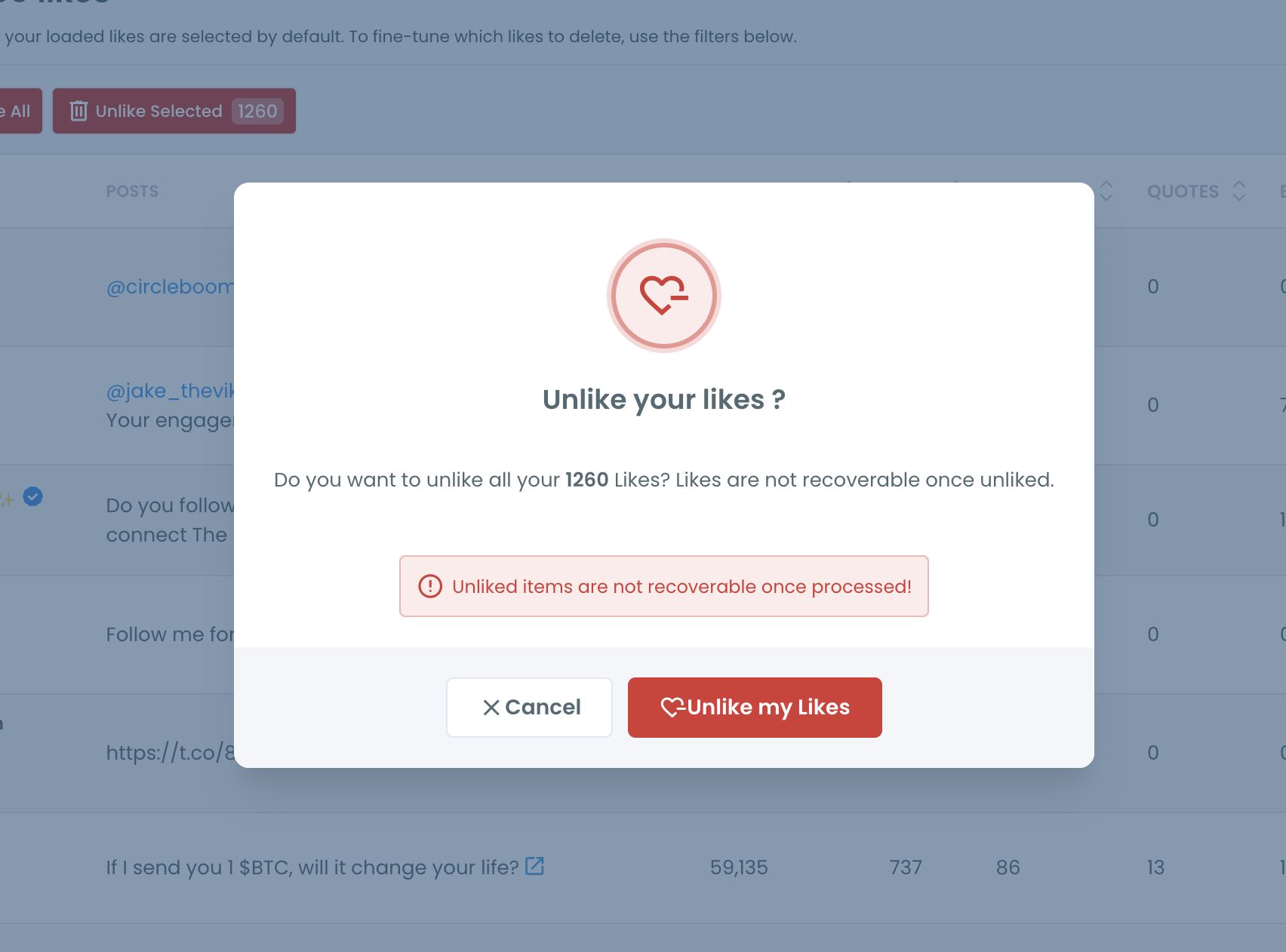
- Clear the default selection. Every loaded like arrives pre-ticked, so untick the whole batch and tick only the rows that go.
- Click Delete Selected and leave the browser tab open until the run completes, because Circleboom paces requests against X's rate limits rather than firing them all at once.
The export sits at step four rather than step nine for a reason. Unliking through the X API has no reverse gear, so the CSV is the only copy of this list that outlives the operation.
Filtering before selecting means you never audit 3,200 rows by eye, and unticking the pre-selected batch is what keeps the delete button honest about its scope.
The short version of that sequence:
- Connect the account and open Delete My Last Likes.
- Export the CSV before touching anything else.
- Filter by date, then by language or media.
- Untick the pre-selected batch and tick only what goes.
- Run Delete Selected and leave the tab open.
Does undoing a batch of Twitter likes put the account at risk?
Yes, when the removal runs through official API endpoints at a paced rate, which is how Circleboom processes it.
The account-risk stories attached to bulk actions almost always trace back to tools operating without authorised access, driving a logged-in browser session to click at machine speed.
That produces exactly the traffic pattern platform abuse systems are tuned to catch.
Two real constraints apply here, and neither is about suspension. Removal is permanent, with no restore path once a like is processed. And the reachable set stops at your 3,200 most recent likes.
There is a third consideration nobody warns you about: the original post is untouched.
Your like disappears from it and the count drops by one, but the post, its author, and everyone else's engagement with it stay exactly as they were.
Undoing your like is a change to your record, not to theirs.
If the same instinct is pulling you toward your own published content, bulk delete tweets is the parallel operation on the posting side.
The two-step framing most people expect from a cleanup like this is covered in Circleboom's answer to whether you can bulk delete Twitter likes.
What changes on your X account once the likes come off
Three things shift, and they land on different timescales.
The author-facing change is instant. The moment a like is processed, your account leaves the list of people who liked that post, and the count on it drops by one. There is no queue and no propagation delay to wait out.
The feed change is gradual. X reads likes as interest input, so removing several hundred of them withdraws a block of signal rather than flipping a switch.
Your For You timeline drifts over the following days instead of resetting at once. That drift is the point for anyone whose recommendations have been shaped by a stretch of browsing they would not repeat.
The record change is the one you control. You now hold a CSV of everything the run removed, which is more than X would have given you and more than you had before you started.
A cleaned like history is a more accurate account, not a smaller one.
That accuracy matters most in the situations that send people looking for this:
- A job search where someone reads the profile closely.
- A partnership conversation.
- A rebrand where the old positioning still shows in the engagement trail.
None of those inspect your like count. All of them notice a record that contradicts what the account currently says about itself.
The ten minutes before you press delete
Undoing likes goes wrong in predictable ways, and all of them are avoidable in the ten minutes before you start.
- Decide which of the three effects you are reversing, because that decides whether the export matters to you.
- Check how much of your like history sits inside the 3,200-window before assuming "all" means all.
- Export the CSV first, since it is the only version of the list that survives.
- Filter by date or content type before you select anything, never after.
- Untick the pre-selected batch so the scope is a choice rather than a default.
Work through that list and the run itself takes minutes.
Skip it and you will find out which likes you needed only after they are gone, which is the position the export exists to prevent.
None of those five steps is difficult. What makes them worth writing down is that the operation has no second attempt, so the order you do them in is the only safety mechanism available.
Nothing about a permanent action rewards improvising the sequence.
People who reach this page usually arrive with a wider cleanup in mind. Circleboom's walkthrough on how to delete all my tweets and likes covers the combined pass.
→ Undo every like in your recent history
Practical questions before you clear the list
Does the person whose post I liked get told that I unliked it?
No. X sends a notification when a like is created, not when one is removed. The entry simply disappears from their notifications and your account drops off the list of people who liked that post.
Can I get any of these likes back after the run?
No. Removal through the X API is permanent and Circleboom has no restore function for it, which is exactly why the CSV export sits before the deletion step rather than after it.
Do I need to upload my Twitter archive for this?
Not for the recent window. Delete My Last Likes works directly against your 3,200 most recent likes with no upload at all. The archive route only becomes necessary for likes that sit outside that window.
How long does a full 3,200-like run take?
Longer than a single click and shorter than an afternoon. The exact duration depends on batch size, because Circleboom spaces the requests to stay inside X's published limits, so the browser tab needs to stay open until the run reports back.

