

Yes, there is a way to schedule tweets in bulk on Twitter. And if you post regularly, it can completely change how you manage your content.
Instead of scheduling tweets one by one every day, you can prepare everything in advance and schedule dozens of tweets at once with Circleboom. This saves time, keeps your account consistent, and makes it much easier to manage campaigns or ongoing content.
Circleboom Twitter: Bulk Scheduling Made Simple
The easiest way to schedule tweets in bulk is by using Circleboom Twitter.

Circleboom Twitter is an official X Enterprise Developer, which means it works safely and reliably through X’s official APIs.
The main feature here is its bulk scheduler.
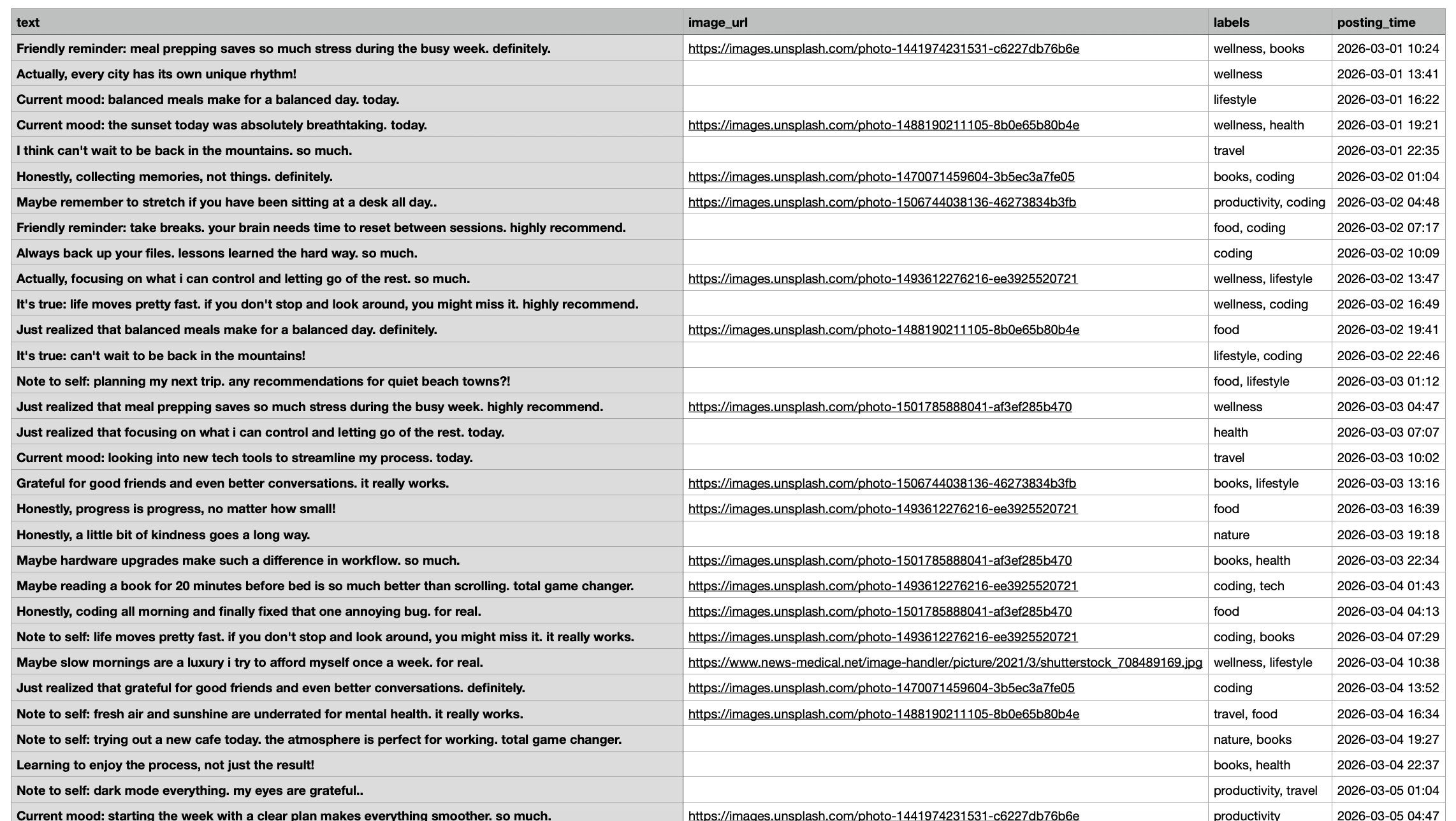
➡️ With Circleboom’s bulk scheduler, you can upload your tweets as a CSV or Excel file and schedule all of them at once. Instead of creating and scheduling tweets one by one, you prepare everything in a file and let Circleboom handle the rest automatically.
This is especially useful if you:
- plan weekly or monthly content
- manage multiple accounts
- want to schedule dozens of tweets in minutes
Circleboom also has an X Post Planner for manual tweet creation and scheduling if you want more control over individual posts. Inside it, you can write tweets, use AI to generate content, add images, and organize your posting calendar.
But the real advantage comes from the bulk scheduler. It removes repetitive work and lets you scale your content strategy much faster.
How to Bulk Schedule Tweets with Circleboom Twitter
Here’s how to do it step by step:
Step #1: After logging in to Circleboom Twitter, click Bulk Schedule.
This opens the bulk scheduling interface and allows you to import multiple tweets at once instead of creating them one by one.

Step #2: Upload your CSV file
Upload your CSV file by dragging it into the upload area or selecting it from your computer.
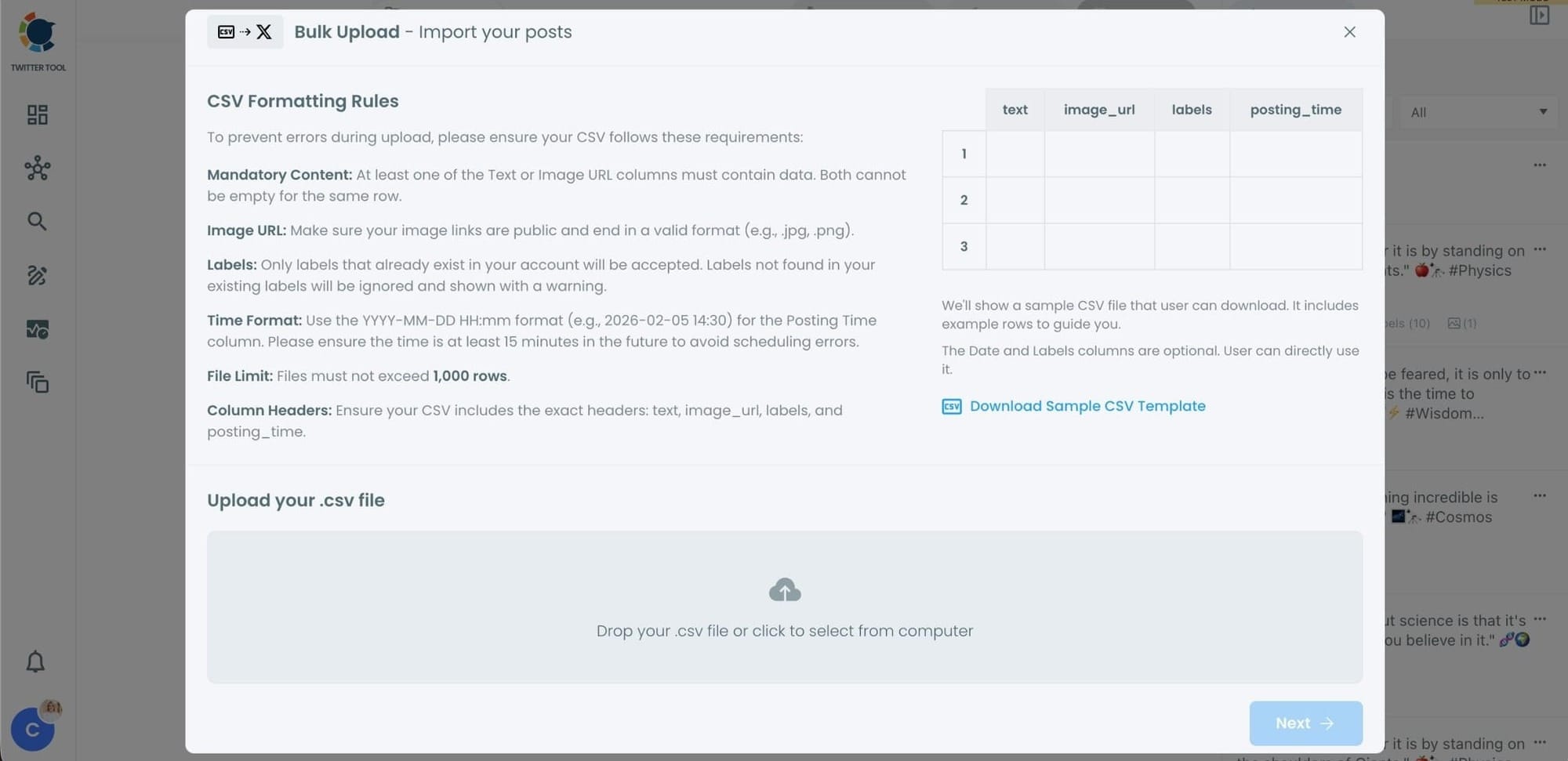
Before uploading, make sure your CSV file follows the required format.
Your file should include the correct column headers, and each row should represent a single tweet.
You can include tweet text, image URLs, labels, and posting times.
Preparing the file in the correct format prevents errors during scheduling.
Step #3: Review your imported tweets
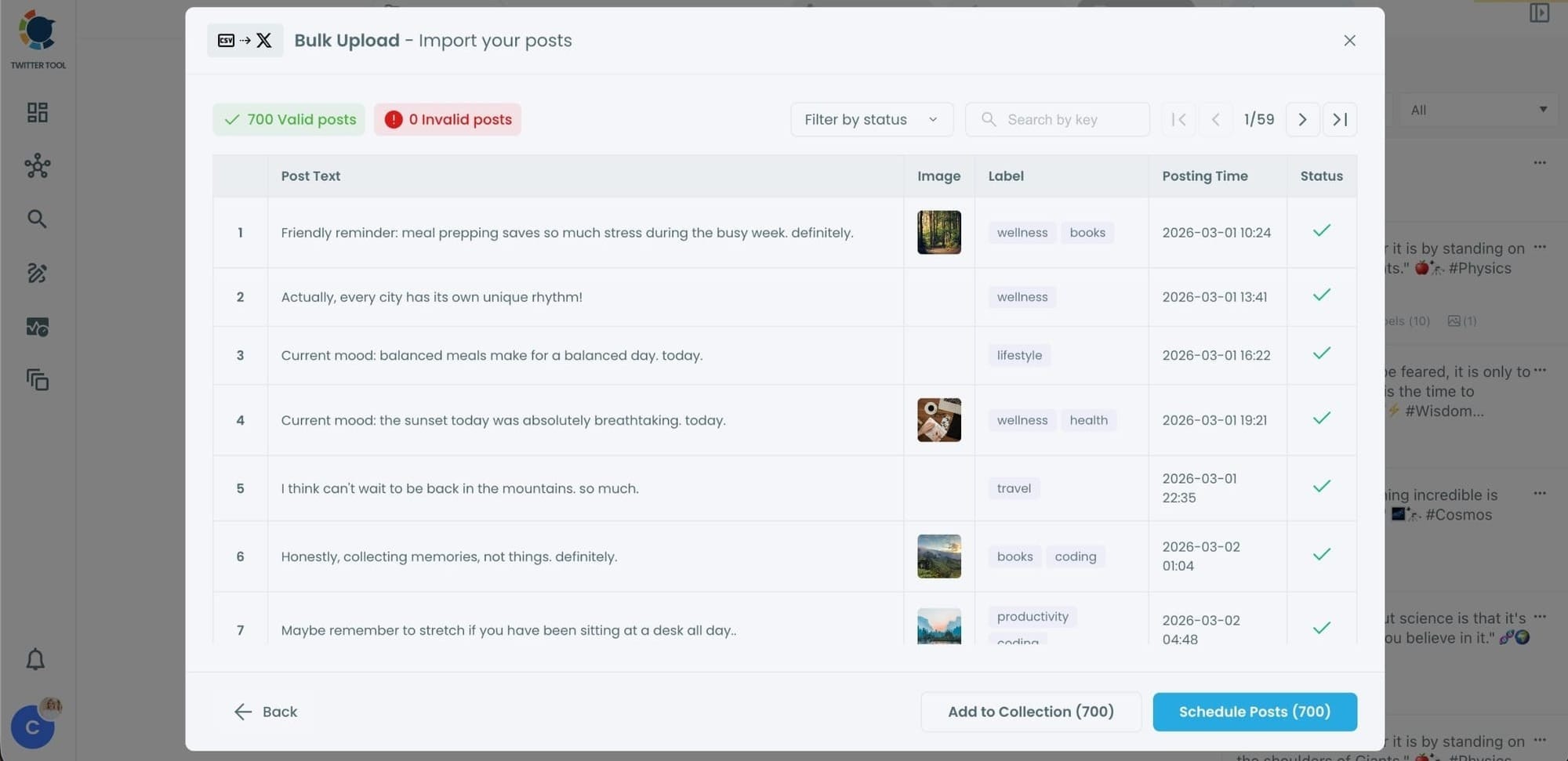
After uploading the CSV file, Circleboom shows all your tweets in a preview list.
At this stage:
- Valid tweets are marked clearly
- Invalid tweets are shown with the reason for the error
- You can also add tweets to Collections if you want to organize or reuse them later
This step helps you catch and fix problems before anything is scheduled.
Step #4: Schedule all tweets at once
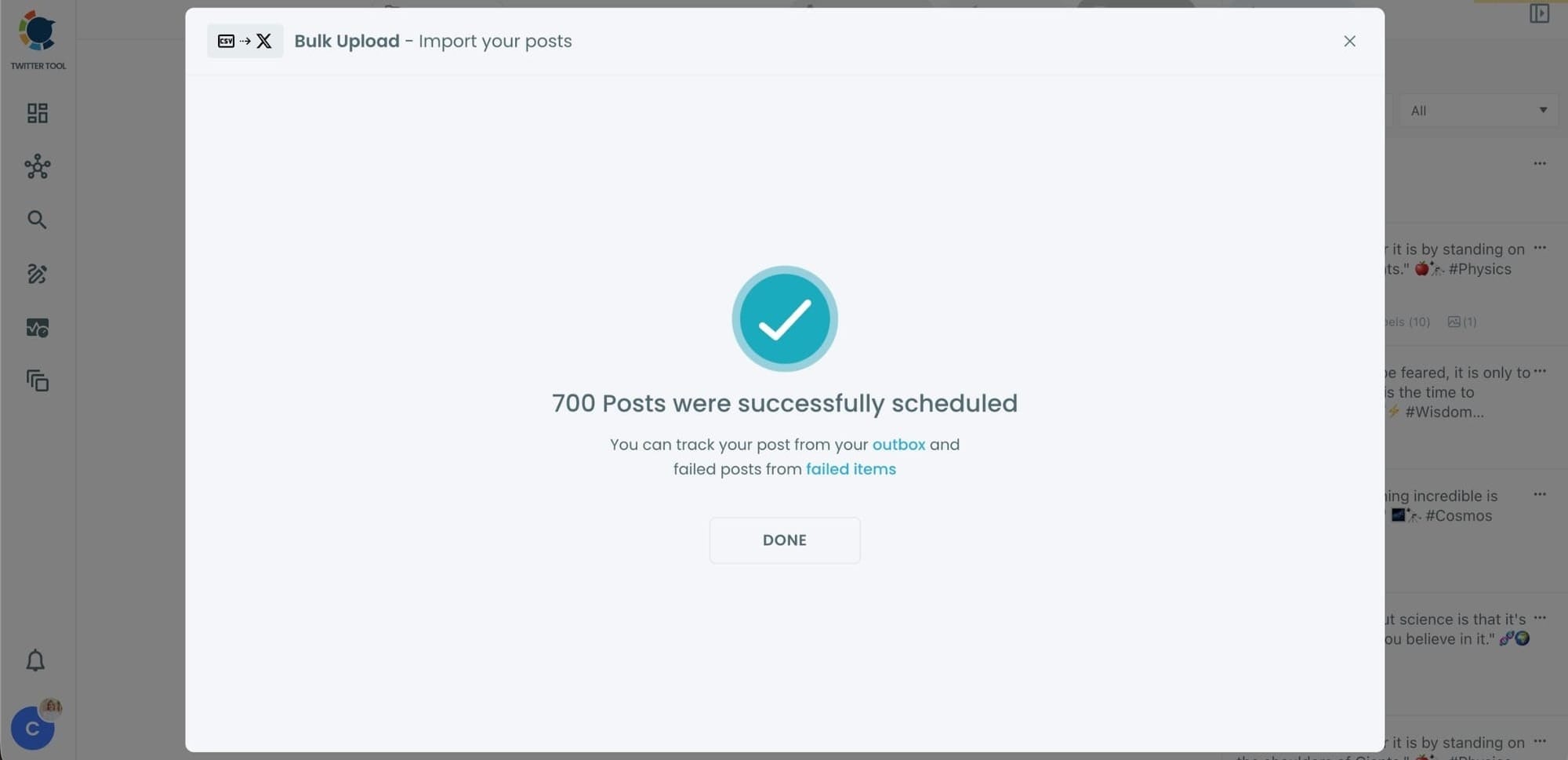
Once everything looks correct, click Schedule Posts.
Circleboom automatically schedules all valid tweets based on the posting times in your CSV file.
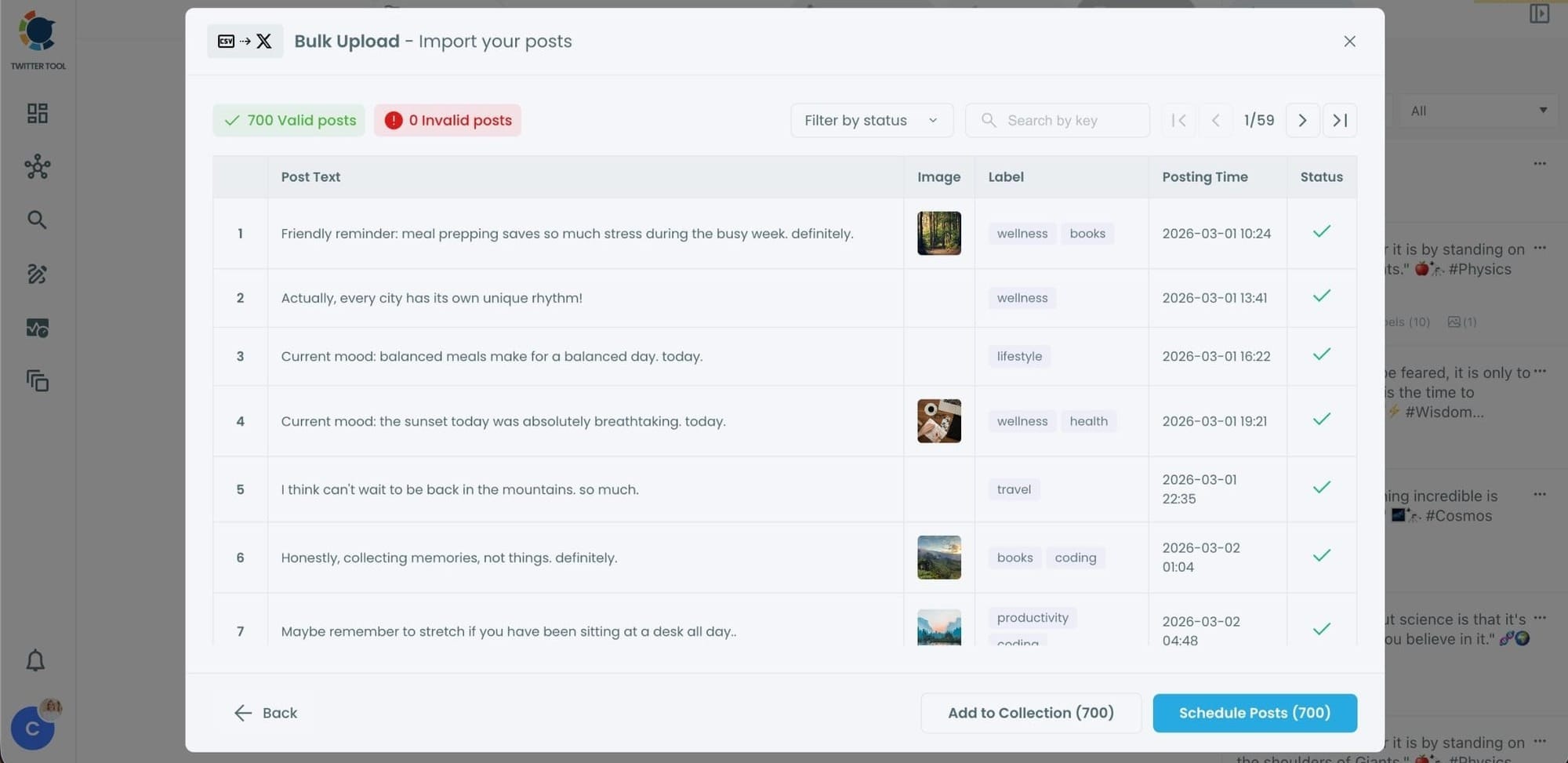
Even hundreds of tweets can be scheduled in seconds, without manual work.
Step #5: Manage scheduled tweets from the Outbox
After scheduling, all your tweets appear in the Outbox and calendar view.
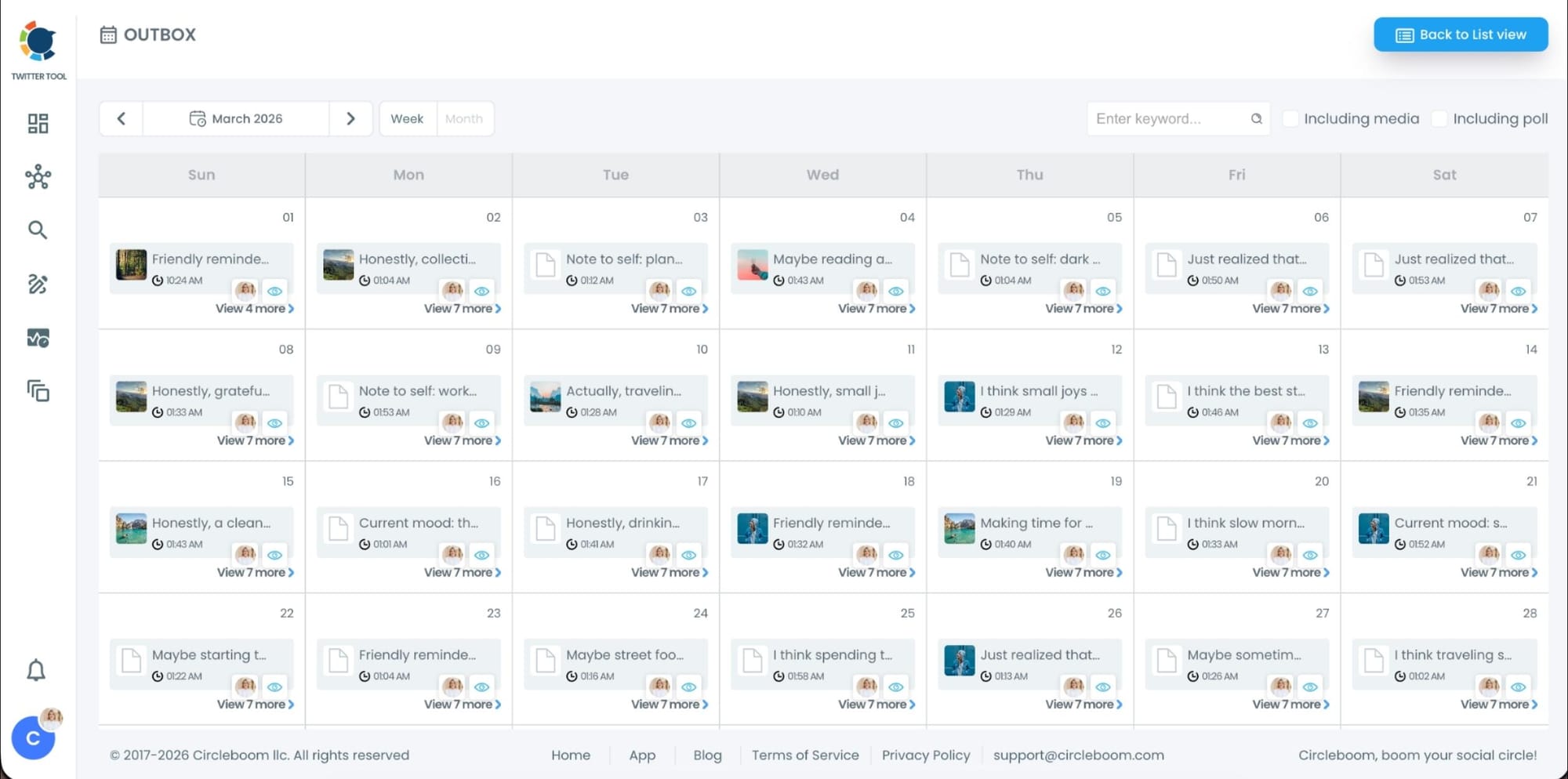
From here, you can:
- See all scheduled tweets by date and time
- Make changes if needed
- Edit or remove scheduled posts
- Keep track of your content easily
This gives you full control even after bulk scheduling is completed.
Why Bulk Scheduling Tweets Matters
Posting manually every day sounds manageable at first, but it quickly becomes a problem.
You need to:
- come up with content daily
- remember to post at the right time
- stay consistent without missing days
This gets harder over time, especially if you are managing multiple ideas, campaigns, or accounts.
Bulk scheduling solves this. You can sit down once, plan your tweets, and let them go live automatically. It helps you stay consistent, hit the right timing, and focus on creating better content instead of worrying about posting.
The rules change every week, from payout boosts to reach suppression. Don’t get left behind. Join the Circleboom X Creator Growth Lab, your dedicated space for real-time algorithm updates, tested engagement strategies, and creator-to-creator insights.

Why Bulk Scheduling Is Better Than Posting Manually
Scheduling tweets one by one takes time and breaks your workflow.
You end up:
- stopping what you’re doing just to post
- missing optimal posting times
- losing consistency over time
With bulk scheduling, everything is planned ahead. Your tweets are ready, scheduled, and automatically published at the right time.
This not only saves time but also improves your overall performance because your content goes live when your audience is most active.
Who Should Use Bulk Tweet Scheduling
Bulk scheduling is useful for anyone who wants to stay consistent on Twitter without spending hours every day.
It works especially well for:
➡️ content creators
➡️ small businesses
➡️ marketers
➡️ agencies
➡️ people managing multiple accounts or campaigns
If you post regularly, this approach saves time and keeps your account active without constant effort.
Final Thoughts
So yes, there is a way to schedule tweets in bulk on Twitter. And once you start using it, it becomes part of your workflow.
Instead of handling tweets one by one, you can prepare everything in advance and schedule them all at once.
With Circleboom Twitter’s bulk scheduler, you can upload your content, automate your posting, and stay consistent without daily effort.

