

You look at your follower count and it keeps going up. On paper, everything looks fine. But when you post something, the engagement doesn’t match the numbers.
So you start checking a few profiles. And that’s when you notice something strange. Some of your followers haven’t tweeted in months. Some haven’t engaged with anything at all. They’re just… there.
This is more common than people think.
Over time, every account collects followers who stop using X actively. They don’t post, they don’t like, they don’t reply. And even though they’re still counted as followers, they don’t contribute to your growth in any way.
These are called inactive followers, and with Circleboom Twitter, you can easily identify inactive followers and remove them from your audience without dealing with profiles one by one.
What Are Inactive Followers?
Inactive followers are accounts that haven’t shown meaningful activity for a long time.
They usually:
- Haven’t tweeted in months
- Rarely or never interact with content
- Don’t engage with your posts at all
The important thing here is that they’re not necessarily fake. Some of them are real people who just stopped using the platform regularly. Others might log in occasionally but don’t interact anymore.
From a numbers perspective, they still count as followers. But from a performance perspective, they’re almost invisible.
And this creates a gap between how your account looks and how it actually performs.
📌 Over time, keeping too many inactive followers becomes harmful because they lower your engagement signals and reduce your content’s reach, so cleaning them regularly is necessary.
A Smarter Way to Detect Inactive Followers (Circleboom Twitter)
At this point, the obvious question is: can you actually find these inactive followers?
On X itself, the answer is no.
There’s no built-in filter that shows:
- Who hasn’t tweeted in months
- Who is inactive
- Who isn’t engaging at all
The only way would be to check profiles one by one, which quickly becomes impossible as your account grows.
✅ This is where Circleboom Twitter comes in.
Circleboom Twitter is an official X Enterprise Developer, meaning it works directly with X’s official APIs. This is important because it ensures the data is accurate, safe, and aligned with how X evaluates accounts internally.

Instead of guessing, Circleboom analyzes your follower base and identifies:
➡️ Accounts with low or no recent activity
➡️ Users who haven’t tweeted in a long time
But what makes it really useful is that it doesn’t stop at detection.
 infocircleboom.com
Once you see which followers are inactive, you can take action immediately.
Circleboom allows you to remove inactive followers from your profile, and if you’re following inactive accounts, you can unfollow them as well. You don’t have to go through profiles one by one or spend hours cleaning your account manually.
Everything is structured, visible, and manageable in one place.
How to Find Inactive Followers Step by Step
Step #1: Go to the Circleboom Twitter website and log in with your credentials.
If you’re a new user, sign up, it’s quick and easy!

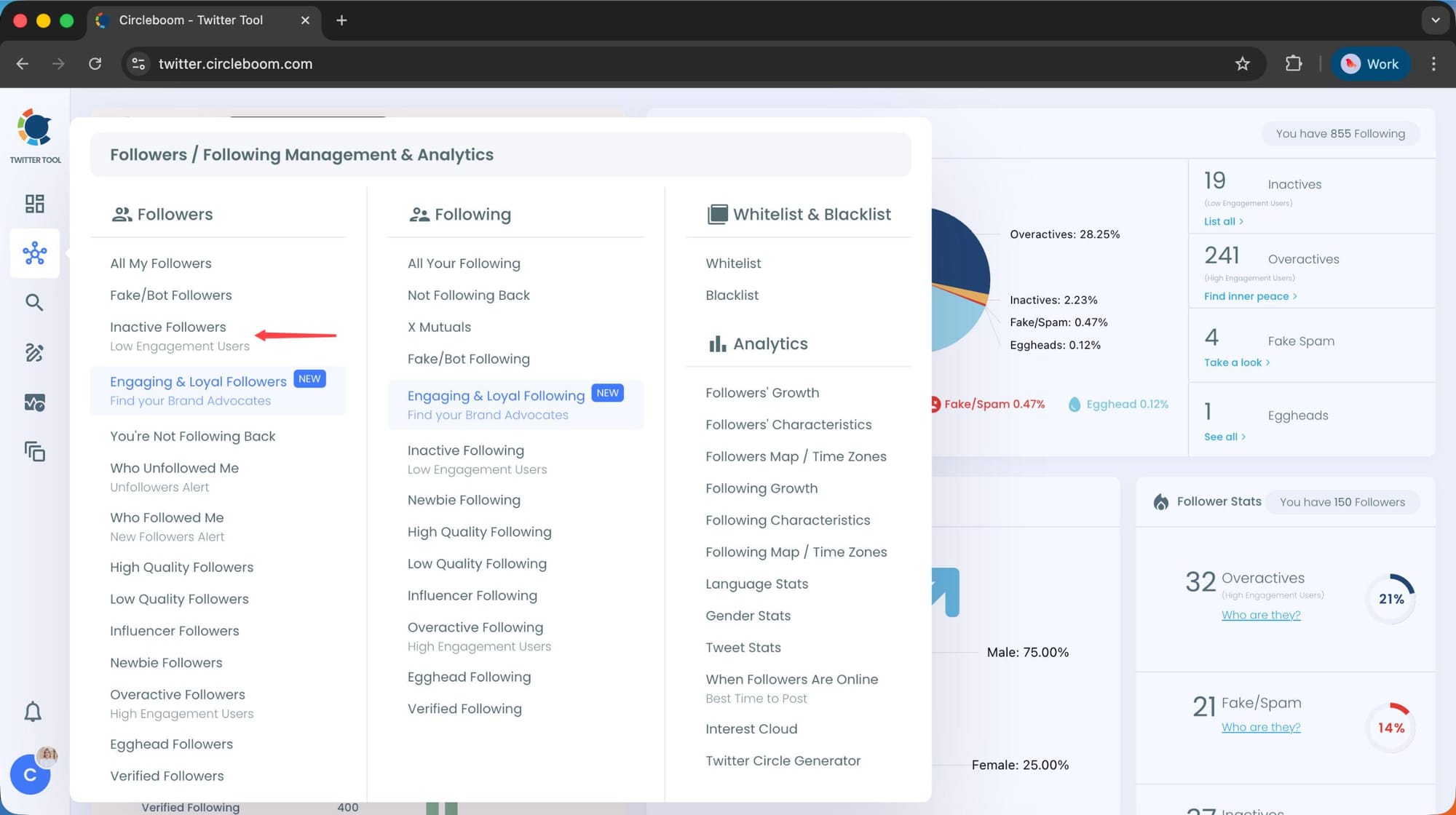
Step #2: On the left-side menu, click on the Followers / Following Management section. A dropdown menu will appear. Select Inactive Followers to see the full list of your followers who are not posting actively.
If you want to remove specific accounts, such as fake users, you can directly select these categories from the dropdown menu instead of viewing all followers.
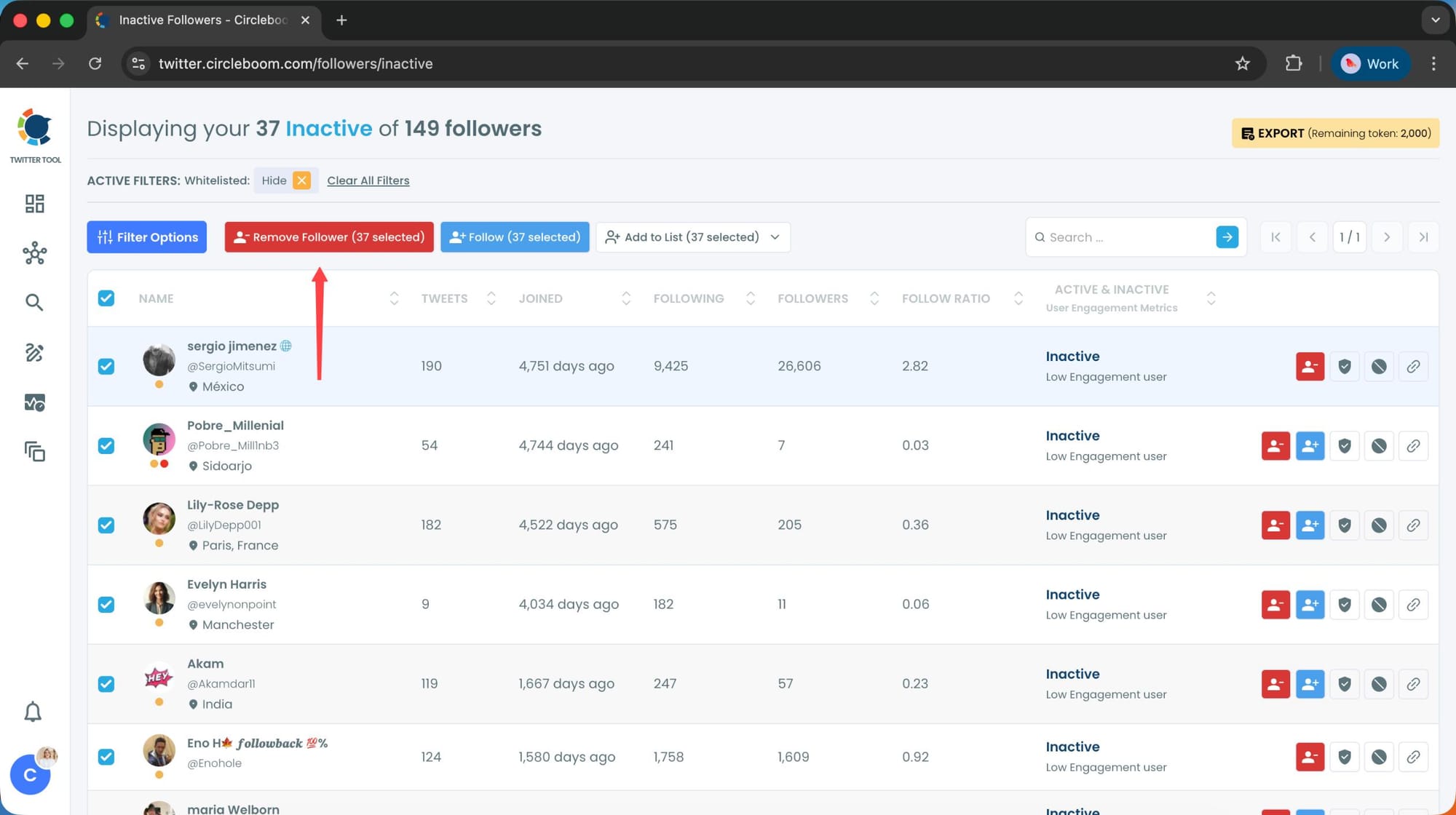
Step #3: You will see a complete list of your inactive followers.
Use the Filter Options on the left side to refine your list.
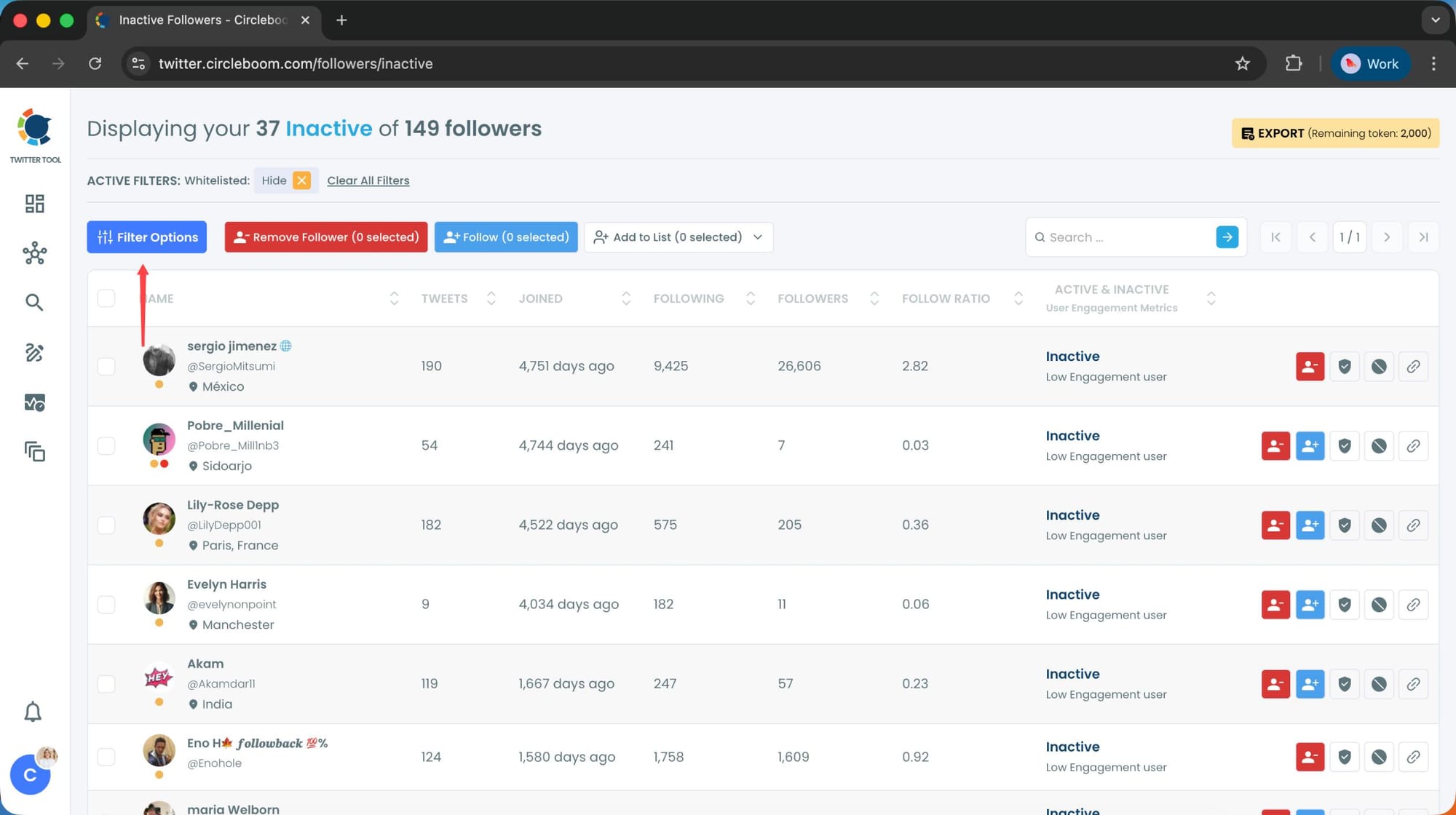
You can filter followers based on engagement levels, inactivity, verification status, follower/following count, and more.
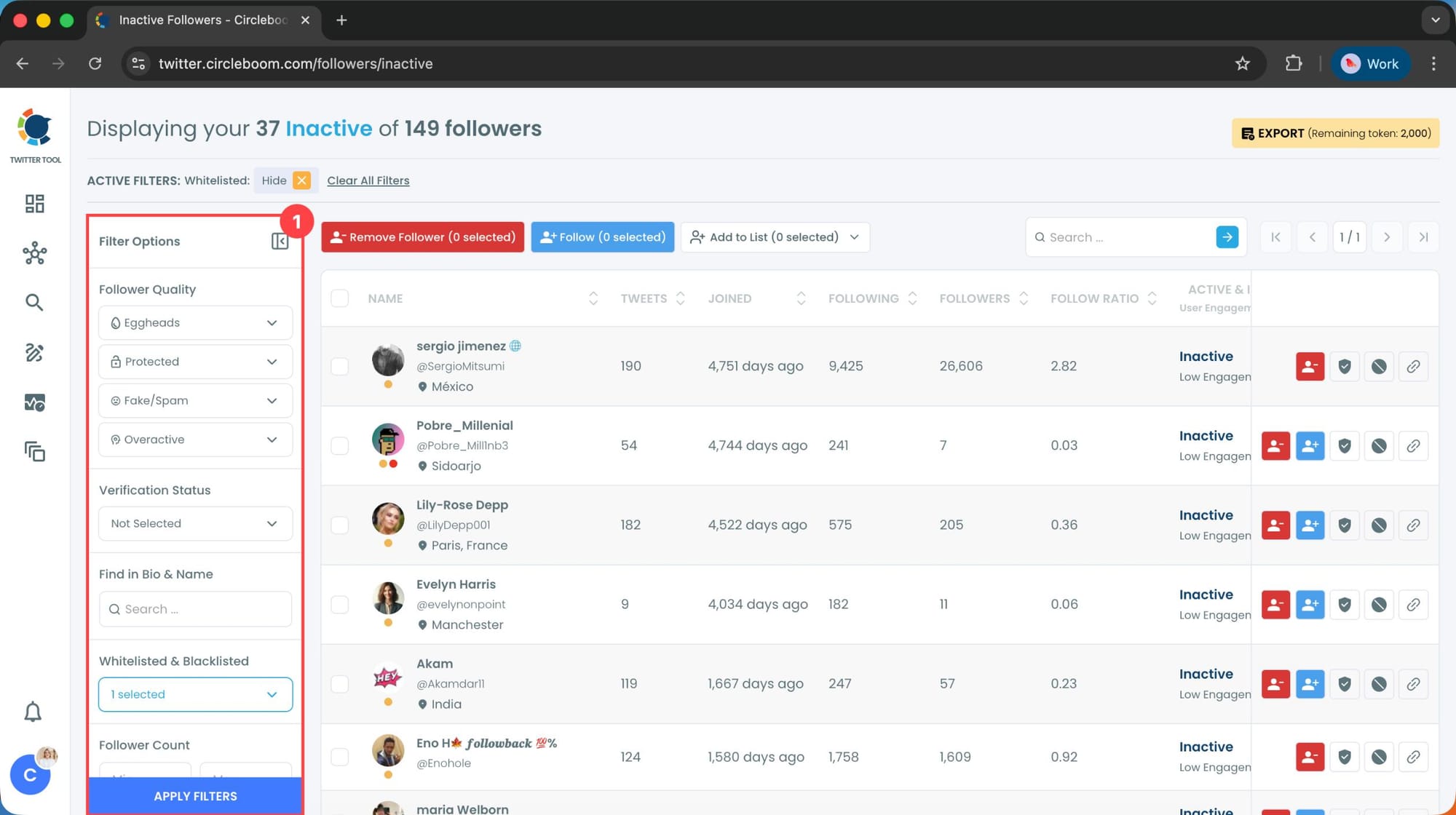
Step #4: Browse through your followers and check the boxes next to the users you want to remove.
You can also select multiple users at once. Once you have selected the users, click on the Remove Followers button at the top.
Alternatively, you can remove individual followers by clicking the red remove icon next to their name on the right side of the list.
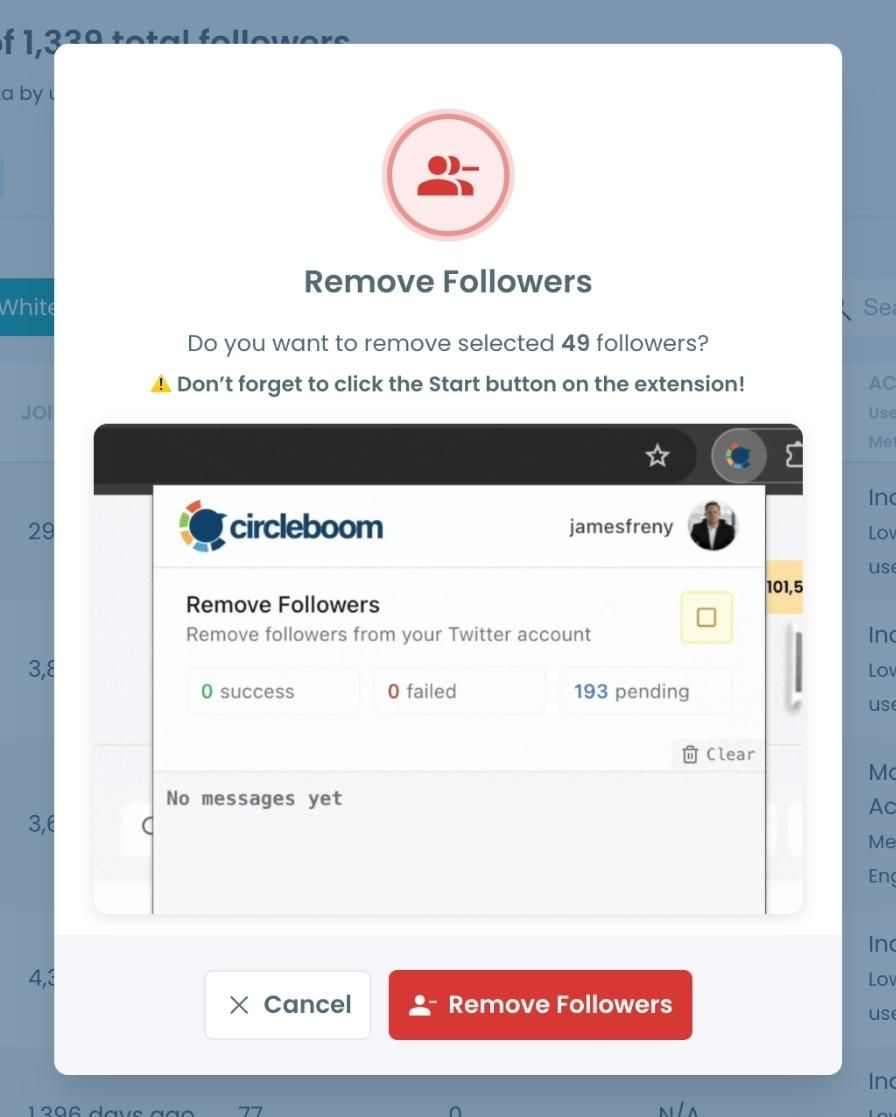
A confirmation message will appear asking if you are sure you want to remove the selected followers.
Click ''Remove Followers''.
Step #5: Since the removal action is processed via the Circleboom Remove Twitter/X Followers extension, you need to install it to complete the process.
Click on Download the Extension and install it from the Chrome Web Store.
Once installed, you can easily remove followers.

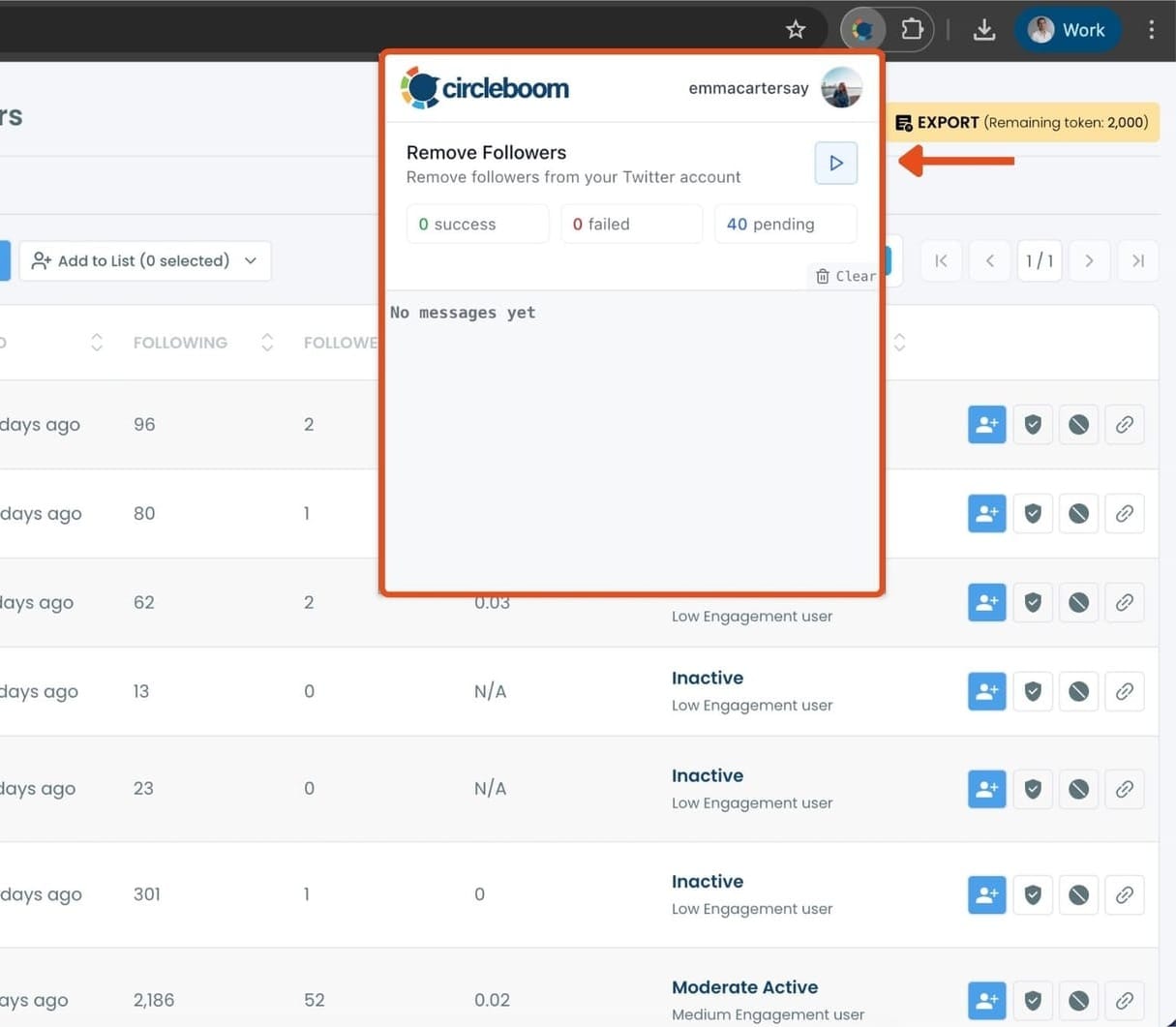
Step #6: After installing the extension, Circleboom will automatically add all your removal requests to the extension queue.
Click on the Start button to begin the removal process.
The extension will process your requests and remove the selected followers.
That's it!
Your selected followers have been removed automatically.
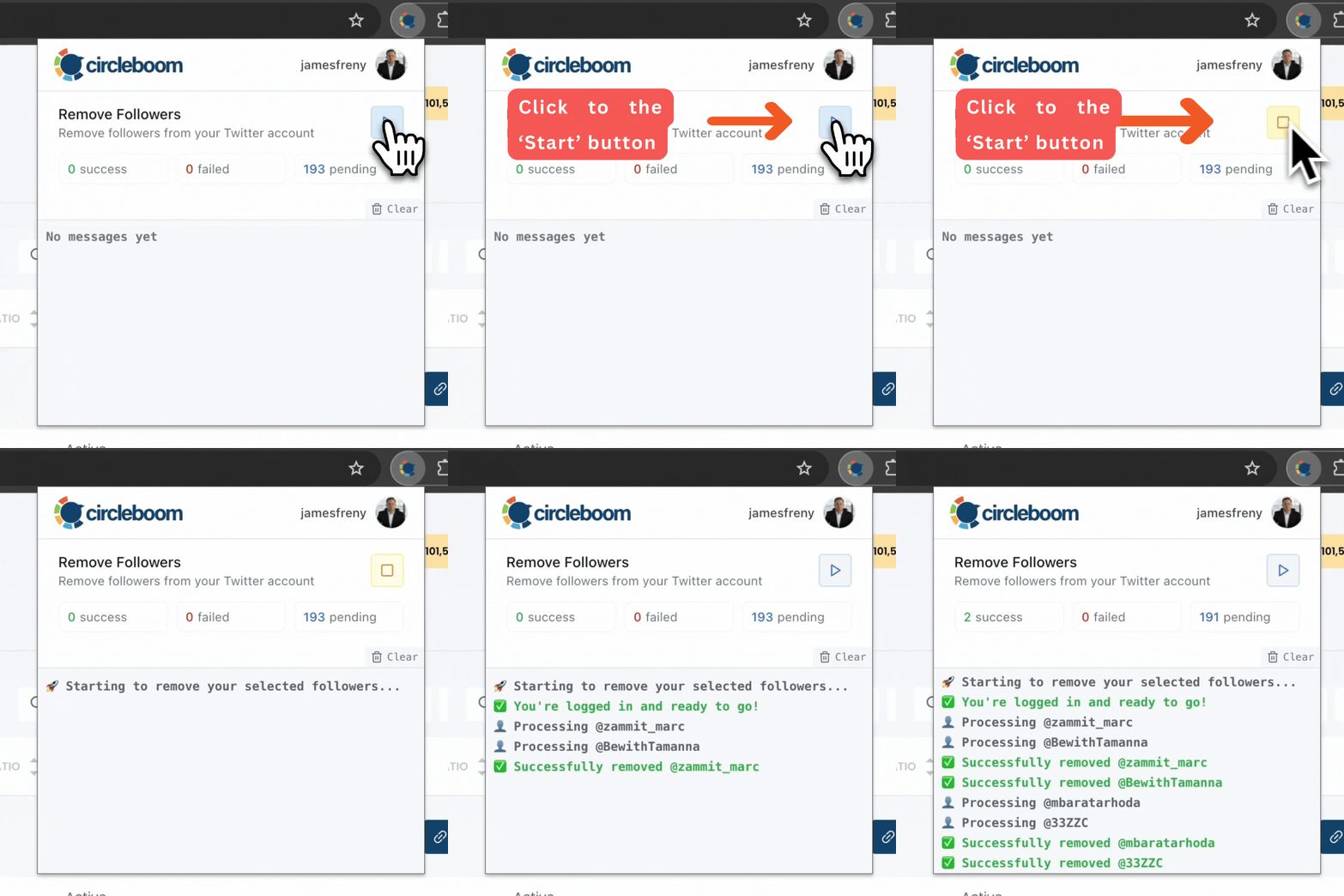
⚠️ Important Warning: Once the removal process begins, do not close your Chrome browser or the Circleboom tab. The tool will automatically remove followers in the background, but if you close the tab or exit Chrome, the process will stop.
If you need a more detailed guide check this video ⬇️
Why Inactive Followers Matter More Than You Think
Inactive followers don’t just sit quietly in your list. They actually affect how your account performs.
- They lower your engagement rate. When your follower count is high but only a small portion interacts with your content, your posts appear less engaging overall.
- They weaken your visibility. X relies heavily on early engagement signals. If a large part of your audience is inactive, those signals become weaker, and your content doesn’t spread as much.
Arif Akdogan
- They distort your understanding of your audience. You might think you’re speaking to thousands of people, but in reality, only a fraction of them are actually active.
- They can affect monetization potential. Whether it’s brand deals or platform-based monetization, engagement matters more than raw follower count. A smaller but active audience is always more valuable than a large inactive one.
Final Thoughts
Yes, there is a way to see which of your followers haven’t tweeted in months, but not directly on X.
Inactive followers are easy to ignore because they don’t cause obvious problems. But over time, they quietly reduce your engagement, limit your reach, and make your account look less effective than it actually is.
infocircleboom.comCleaning them up isn’t about lowering your follower count. It’s about improving the quality of your audience.
Once you start focusing on active, real users, everything begins to align better. Your engagement feels more natural, your reach improves, and your content performs the way it’s supposed to.
And with the right tool, this process doesn’t have to be complicated.






